Reading view

Apple Releases New MagSafe Charger With Qi2 25W Certification

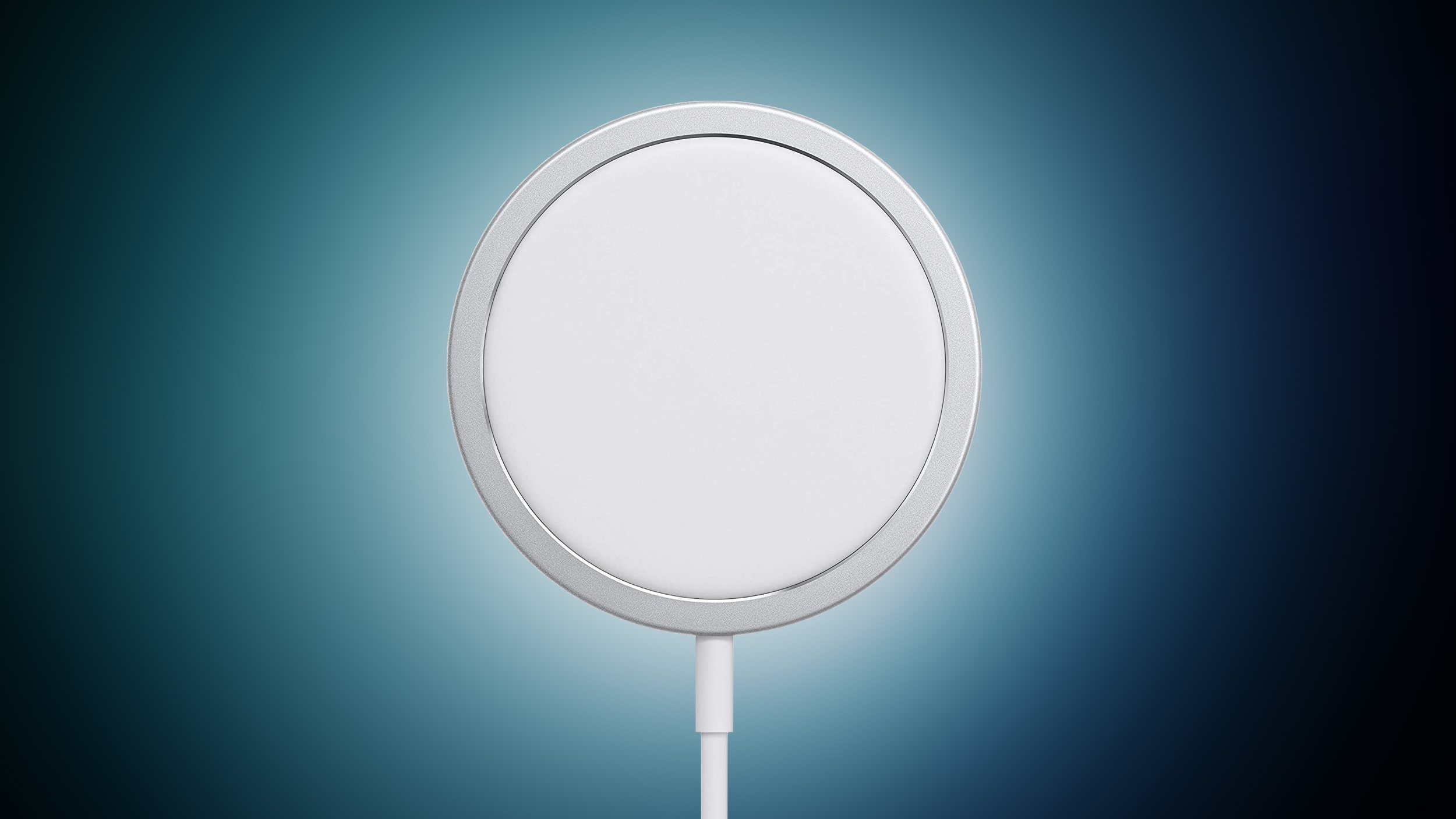
Apple this week released a new version of its MagSafe Charger with Qi2 25W certification. It is available to order now with a one-meter or two-meter USB-C cable attached to it, with pricing ranging from $39 to $49 in the United States.


As far as we can tell, the only change with the new MagSafe Charger is support for Qi2 25W, also known as Qi 2.2. With this certification, the new MagSafe Charger can wirelessly charge Google's new Pixel 10 smartphones and other compatible devices at up to 25W speeds, whereas the previous version of the MagSafe Charger only offers 25W charging speeds for all iPhone 16 and iPhone 17 models, excluding the iPhone 16e.

This is the third version of Apple's MagSafe Charger to date.

With iOS 26, all iPhone 16 and iPhone 17 models support Qi2 25W, excluding the iPhone 16e. After being updated to iOS 26, those devices can be wirelessly charged with any Qi2 25W charger at up to 25W speeds, such as new options from Belkin and Aukey.
Tag: MagSafe

This article, "Apple Releases New MagSafe Charger With Qi2 25W Certification" first appeared on MacRumors.com

Discuss this article in our forums

  •  

You Don't Need the Apple Watch Series 11 to Get Your Sleep Score

With the Apple Watch Series 11, Ultra 3, and SE 3, Apple announced support for a new Sleep Score feature that's designed to provide you with an actionable overview of your sleep quality.


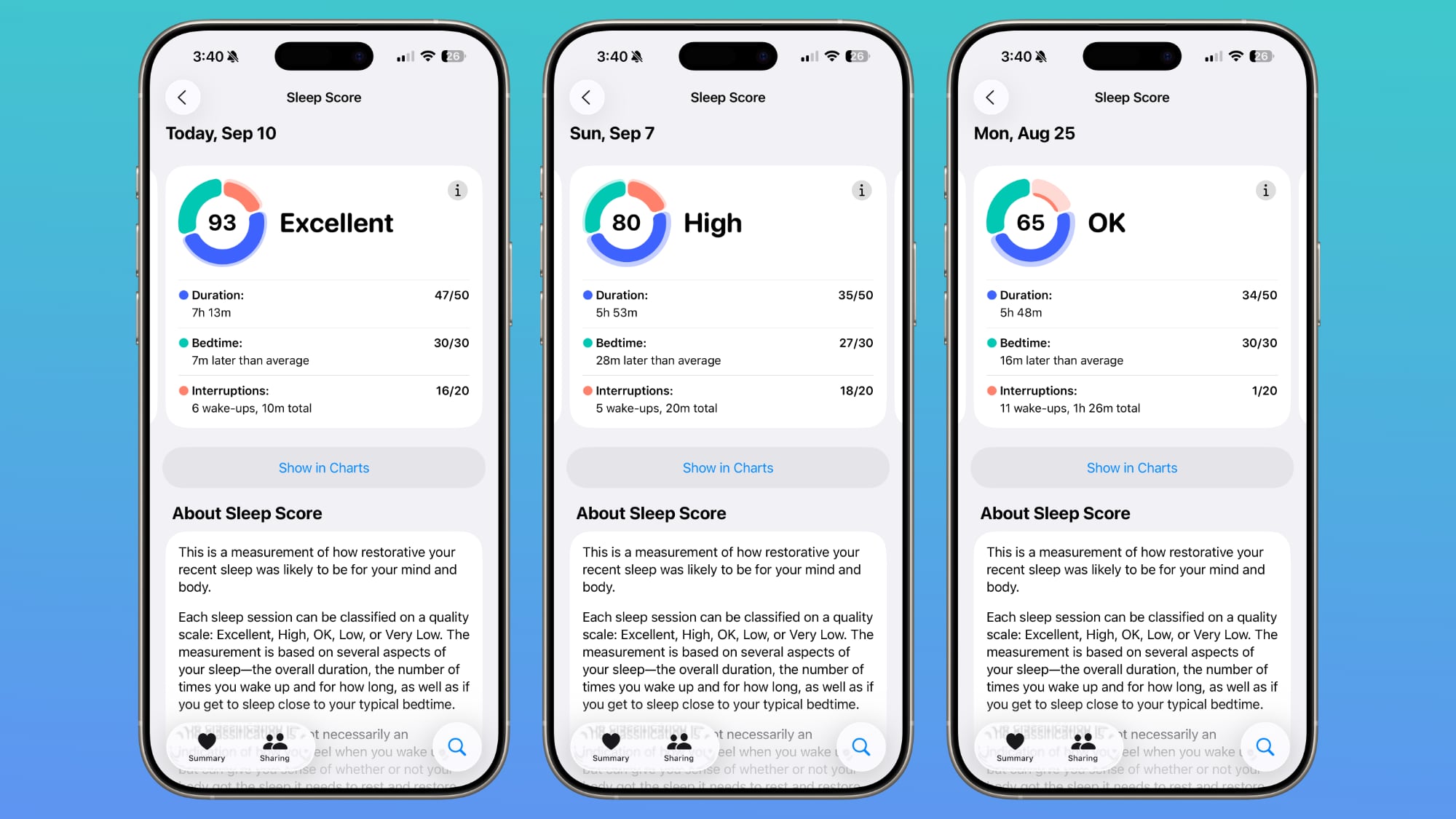
It turns out that Sleep Score is a watchOS 26 feature, so it is also available on older Apple Watch models. If you have the ‌watchOS 26‌ release candidate installed, you can see your Sleep Score in the Health app already.

Open up the Health app, choose the Sleep category from the Search interface, and tap on Sleep Score to see your personalized readout.

Apple will rate your sleep as Excellent, High, OK, Low, or Very Low. Scores are calculated based on sleep duration, the time you went to bed, and how many times your sleep was interrupted during the night. Duration is worth 50 points, bedtime is worth 30 points, and interruptions is worth 20 points. Points are deducted for low sleep times, a late bedtime, or multiple sleep interruptions.

According to Apple, an "Excellent" score means that your body and mind have received the rest and restorative sleep needed for the day. High means you got the sleep you need, even though you might not have slept perfectly. OK means you probably didn't get all the sleep you need, while Low means that you didn't get enough time to rest and restore. Very Low means you didn't get enough sleep and your rest level was low enough that it can have a mental and physical impact over time.

Sleep Score is calculated from sleep data collected by the Apple Watch during sleep, or from a third-party device that reports results to the Health app. You technically don't need an Apple Watch to get a Sleep Score, but you do need some kind of device that records sleep and logs the results in the Health app.

‌watchOS 26‌ with the Sleep Score, Liquid Glass, and other features will launch to the public on Monday, September 15.
Related Roundups: watchOS 11, watchOS 26
Related Forum: Apple Watch

This article, "You Don't Need the Apple Watch Series 11 to Get Your Sleep Score" first appeared on MacRumors.com

Discuss this article in our forums

  •  

Faster mmWave 5G Still Limited to U.S. iPhone 17 Models

The new iPhone 17, iPhone 17 Pro, and ‌iPhone 17 Pro‌ Max continue to offer mmWave 5G connectivity in the United States, but the faster 5G speeds have not yet expanded to other countries. Outside of the U.S., the new iPhone models are limited to sub-6GHz 5G.


mmWave 5G has been exclusive to the United States since 5G connectivity launched in the ‌iPhone‌ 12. Other countries have been slower to adopt mmWave 5G, but it is becoming more widely available in countries like Australia, China, South Korea, Japan, and Europe. The higher frequency mmWave spectrum is not as practical as lower and mid-band 5G spectrum because of its limited range.

It's expensive for carriers to build mmWave networks, and it is expensive for Apple to offer the hardware to connect to those networks. Carriers don't have motivation for faster 5G when devices don't support it, and Apple doesn't see the need to roll out mmWave support in countries where adoption is low.

mmWave offers the fastest 5G speeds, but it primarily makes sense for big cities and crowded locations like concert venues, stadiums, and airports. It is short range, and cannot penetrate obstacles like sub-6GHz 5G can. Sub-6GHz is more widely adopted because it works in cities, suburban areas, and rural locations.

Unless something changes with 5G adoption and rollout, it's not likely that Apple's stance on mmWave 5G availability is going to change. In fact, the M4 iPad Pro models eliminated mmWave 5G support entirely, and Apple opted for 5G modems that only support sub-6GHz spectrum.

Because the ‌iPhone‌ Air has Apple's custom-designed C1X modem, it also does not support mmWave 5G. Like the C1, the C1X is only compatible with sub-6GHz 5G. The other ‌iPhone 17‌ models use Qualcomm modems and in the U.S., can use mmWave spectrum on networks that offer it.
Tag: 5G

This article, "Faster mmWave 5G Still Limited to U.S. iPhone 17 Models" first appeared on MacRumors.com

Discuss this article in our forums

  •  

AirPods Pro 3 Are Major Upgrade With These 8 New Features

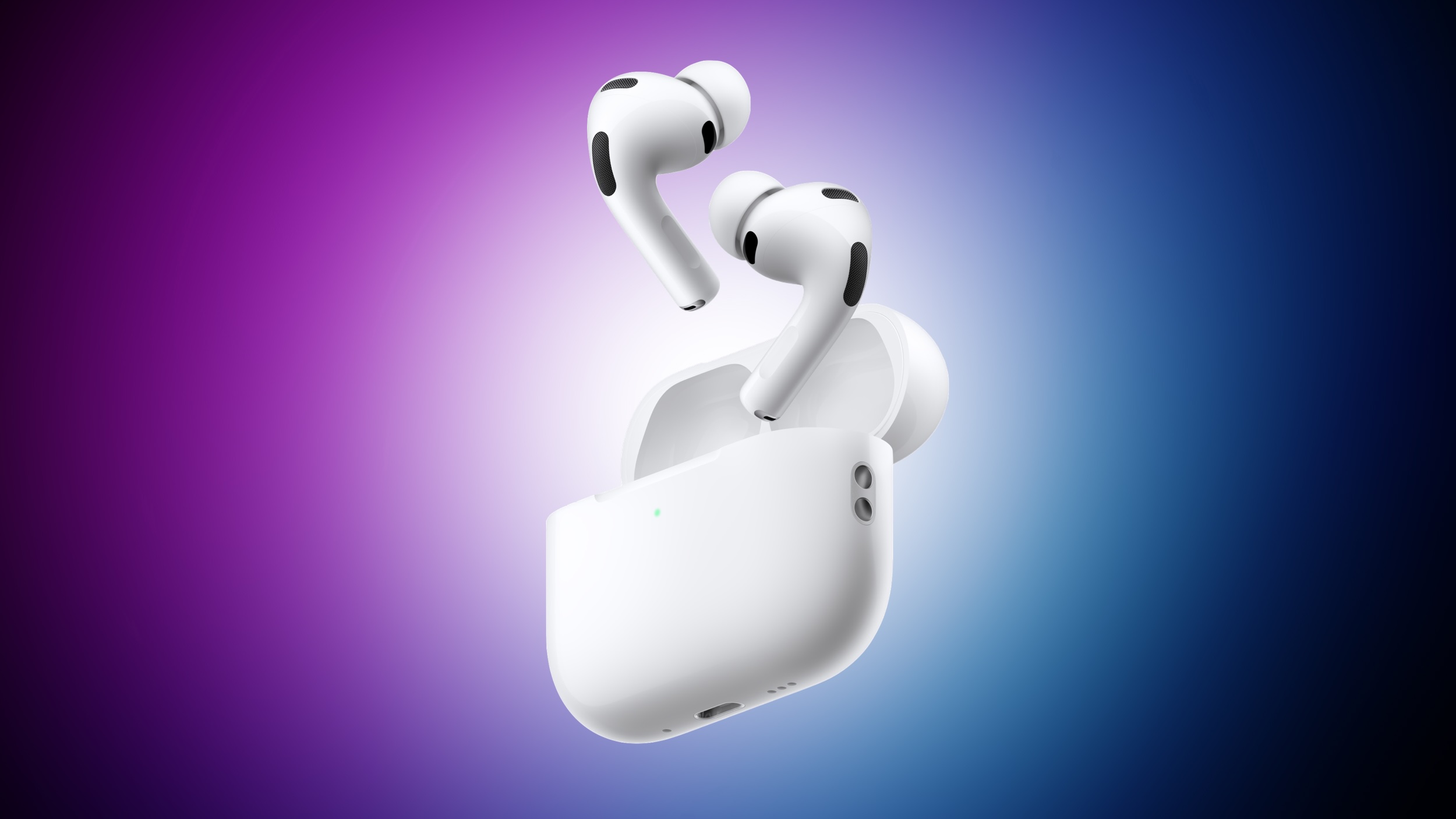
Apple has introduced the AirPods Pro 3, and they are a major upgrade over the AirPods Pro 2.


Below, we have recapped eight new features coming with the AirPods Pro 3, which are available to pre-order now, ahead of a Friday, September 19 launch.


  1. 2× more active noise cancellation: Apple says the AirPods Pro 3 offer up to 2× more active noise cancellation than the AirPods Pro 2, and up to 4× more than the original AirPods Pro. In fact, the AirPods Pro 3 offer the best active noise cancellation of any in-ear wireless headphones, according to Apple.

  2. Improved sound quality: AirPods Pro 3 feature a new acoustic architecture, with next-generation Adaptive EQ, that "transforms the bass response, widens the soundstage so users hear every instrument, and brings vivid vocal clarity to higher frequencies across music, shows, and calls," according to Apple.

  3. Longer battery life per charge: Apple says AirPods Pro 3 offer up to 8 hours of listening time on a single charge, with Active Noise Cancellation enabled. That is up from 6 hours with the AirPods Pro 2. On the other hand, the AirPods Pro 3 charging case offers up to 24 hours of total listening time with Active Noise Cancellation enabled, whereas the AirPods Pro 2 case provides up to 30 hours of total listening time with Active Noise Cancellation enabled.

  4. Heart rate monitoring during workouts: Like the Powerbeats Pro 2, the AirPods Pro 3 feature a heart rate sensor that shines pulsating infrared light to measure light absorption in blood flow. AirPods Pro 3 users can track their heart rate and calories burned, close their Move ring, and earn awards for 50 different workout types in the Fitness app on an iPhone, with no Apple Watch required.

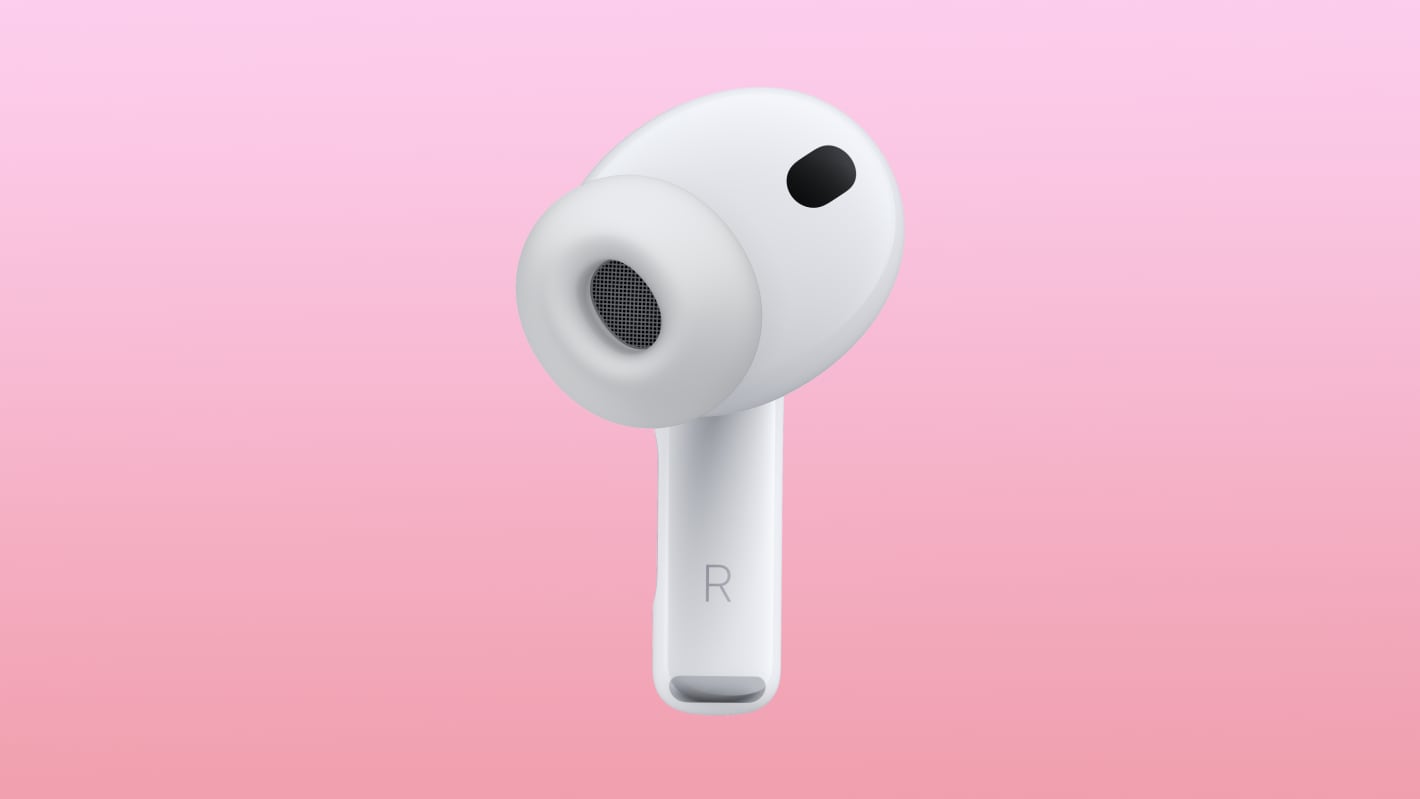
  5. Improved fit: Apple says AirPods Pro 3 are the "most secure and best-fitting AirPods ever." The earbuds are slightly smaller, and the external design of each ear tip was "aligned to the center of the body for increased stability."

  6. Improved water resistance: AirPods Pro 3 have IP57-rated sweat and water resistance, up from IP54 for the AirPods Pro 2. By definition, an IP57 rating means the AirPods Pro 3 could withstand temporary immersion in up to one meter of water, but Apple's marketing only promises that they "can handle the sweatiest workouts and even a sudden downpour."

  7. U2 chip: No, the AirPods Pro 3 do not come with a free U2 album, but the charging case does feature Apple's second-generation Ultra Wideband chip, presumably for longer location-tracking range in the Find My app.

  8. XXS ear tip option: AirPods Pro 3 come with new XXS silicone ear tips, along with the same XS, S, M, L sizes included with the AirPods Pro 2. Apple says the tips are now infused with foam for greater passive noise isolation.


To learn more, read our stories about the AirPods Pro 3's new design with foam-infused ear tips. Also know that AirPods Pro 3 do not come with a charging cable.
Related Roundup: AirPods Pro
Related Forum: AirPods

This article, "AirPods Pro 3 Are Major Upgrade With These 8 New Features" first appeared on MacRumors.com

Discuss this article in our forums

  •  

AirPods Pro 3 Get New Foam-Infused Ear Tips With Five Size Options

The AirPods Pro 3 have an updated design that Apple says is more ergonomic, and new ear tips that are supposed to be better at eliminating ambient sound.


Apple included new ear tips that fuse a thin layer of soft foam microspheres to a silicone shell for better passive noise isolation.

The ear tips come in five sizes, including XXS, XS, S, M, and L, The smaller XXS size wasn't available with the AirPods Pro 2.

The new foam ear tips, the wider range of size options, improved computational audio, and the design changes to make the earbuds fit more ergonomically in the ear all help to make the ‌AirPods Pro 3‌ 2x better at Active Noise Cancellation than the ‌AirPods Pro‌ 2.

Apple is still selling the ‌AirPods Pro 3‌ for $249, but there is no longer a USB-C charging cable inside, so the company is saving a bit of cash with this model. The ‌AirPods Pro 3‌ are available for pre-order and will launch on Friday, September 19.
Related Roundup: AirPods Pro
Related Forum: AirPods

This article, "AirPods Pro 3 Get New Foam-Infused Ear Tips With Five Size Options" first appeared on MacRumors.com

Discuss this article in our forums

  •  

Buyer's Guide: Apple Watch SE 3, Series 11, or Ultra 3? 45+ Differences Compared

The new Apple Watch lineup is now available to pre-order. With more feature parity than ever before across the models, understanding the differences is more important ever before.
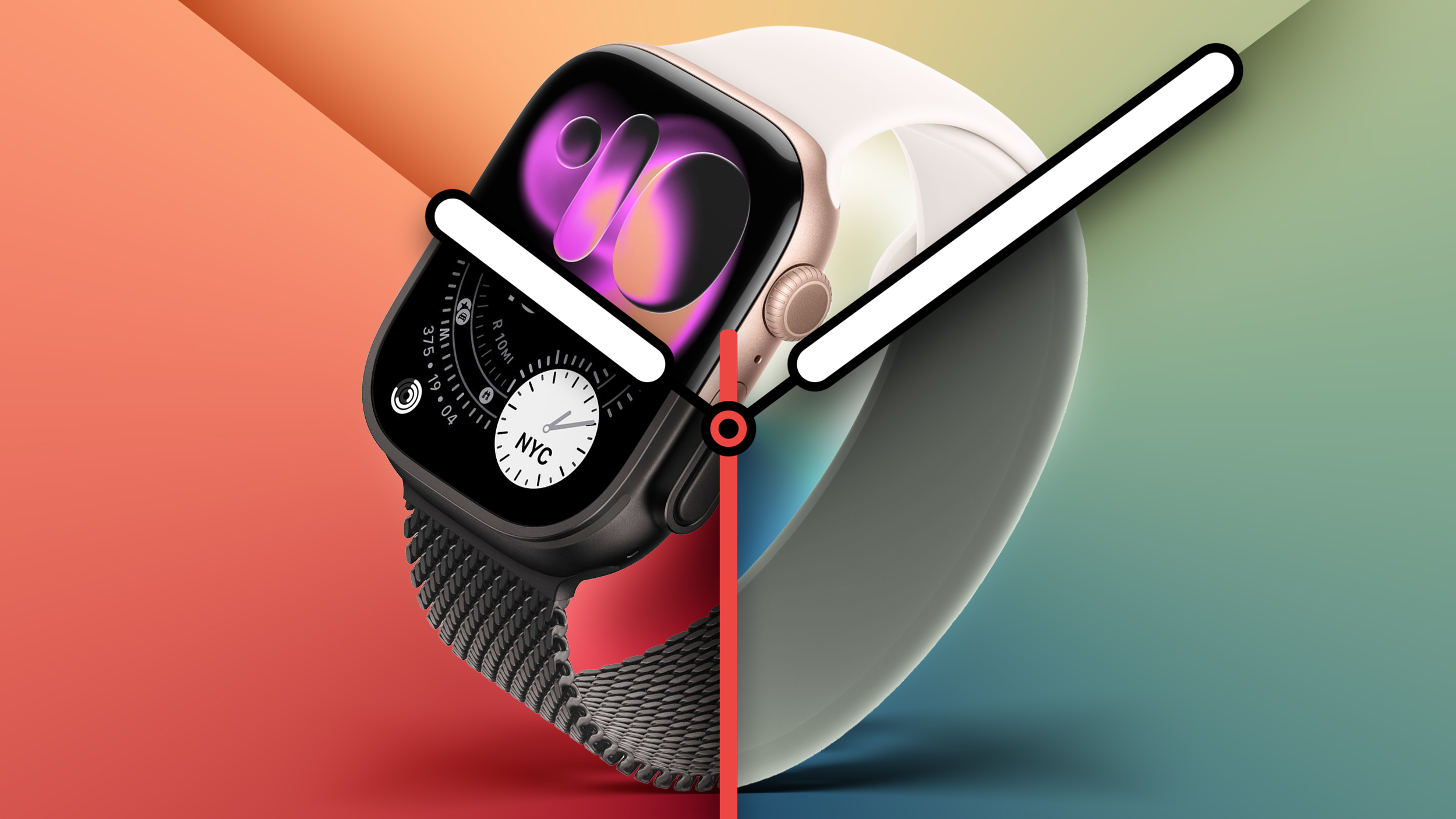

All three of the new Apple Watches feature the S10 chip, always-on displays, sleep score, and media playback, but there are still some significant differences between the two devices.

The Apple Watch SE is designed to be a low-cost option that still offers many of the Apple Watch features that have made the device so popular over the years, while the Apple Watch Series 11 offers a more feature-rich experience with additional health monitoring capabilities. The Apple Watch Ultra focuses on withstanding extreme environments, a high level of durability, extended battery life, and additional features to aid activities like diving and exploration.

With as little as $50 between the 46mm titanium Apple Watch Series 11 and the Apple Watch Ultra 3, some prospective customers will be weighing up whether it is worth spending a little extra to get the 49mm Ultra model. While there is a $400 difference between the GPS-only 42mm aluminum Apple Watch Series 11 and the Apple Watch Ultra, the high-end model offers a set of features to address specific challenges, so it may even be worth it for some of these buyers.

This guide outlines all of the differences between the ‌Apple Watch SE‌ 3, Apple Watch Series 11, and Apple Watch Ultra 3 to help you decide which is best for you.

Sizes and Weights


‌Apple Watch SE‌ 3 Apple Watch Series 11 Apple Watch Ultra 3
Height 44mm (44mm case)

40mm (40mm case)
46mm (46mm case)

42mm (42mm case)
49mm
Width 38mm (44mm case)

34mm (40mm case)
39mm (46mm case)

36mm (42mm case)
44mm
Depth 10.7mm
9.7mm
12mm
Weight 32.9g (GPS, 44mm)

33.0g (GPS + Cellular, 44mm)

26.3g (GPS, 40mm)

26.4g (GPS + Cellular, 40mm)
37.8g (aluminum, GPS, 46mm)

36.9g (aluminum, GPS + Cellular, 46mm)

43.1g (titanium, 46mm)

30.3g (aluminum, GPS, 42mm)

29.7g (aluminum, GPS + Cellular, 42mm)

34.6g (titanium, 42mm)
61.6g (natural titanium)

61.8g (black titanium)


Designs


‌Apple Watch SE‌ 3 Apple Watch Series 11 Apple Watch Ultra 3
40mm or 44mm case size 42mm or 46mm case size 49mm case size
Anodized aluminum case Anodized or polished aluminum and polished titanium casing options Blasted titanium case
Curved display Curved display with refractive edge Flat display
80% recycled steel in the speaker and Taptic Engine
Apple Watch Hermès edition available Apple Watch Hermès edition available
Available in Starlight and Midnight Aluminum: Available in Rose Gold, Space Gray, and polished Jet Black Titanium: Available in Natural, Gold, and Slate


Durability


‌Apple Watch SE‌ 3 Apple Watch Series 11 Apple Watch Ultra 3
Design based on Apple Watch Series 4 Design based on Apple Watch Series 10, including a thinner casing, more rounded edges, and a wider aspect ratio Same design as previous Apple Watch Ultra models
Front crystal curves at edges onto shaped casing Front crystal curves at edges onto shaped casing Corrosion resistant case with raised edges to protect the flat sapphire front crystal
Nylon composite and sapphire crystal back Metal and sapphire crystal back Ceramic and sapphire crystal back
Water resistant up to 50m Water resistant up to 50m Water resistant up to 100m
EN13319 certification
Certified IP6X dust resistance Certified IP6X dust resistance
Tested to MIL-STD 810H


Displays


‌Apple Watch SE‌ 3 Apple Watch Series 11 Apple Watch Ultra 3
Up to 1,000 nits brightness Up to 2,000 nits brightness Up to 3,000 nits brightness
2 nits minimum brightness 1 nit minimum brightness 1 nit minimum brightness
OLED Wide-angle OLED (up to 40% brighter when viewed at an angle) Wide-angle OLED (up to 40% brighter when viewed at an angle)
LTPO LTPO3 for faster refresh rate in always-on mode LTPO3 for faster refresh rate in always-on mode


Health Features


‌Apple Watch SE‌ 3 Apple Watch Series 11 Apple Watch Ultra 3
Second-generation optical heart sensor Third-generation optical heart sensor Third-generation optical heart sensor
Hypertension notifications Hypertension notifications
Electrical heart sensor Electrical heart sensor
ECG app ECG app
Blood Oxygen app Blood Oxygen app


Battery Life and Charging


‌Apple Watch SE‌ 3 Apple Watch Series 11 Apple Watch Ultra 3
Up to 18-hour battery life Up to 24-hour battery life Up to 42-hour battery life
Up to 32 hours in Low Power Mode Up to 38 hours in Low Power Mode Up to 72 hours in Low Power Mode
Charge 0–80% in about 45 minutes; 15 minutes for up to 8 hours Charge 0–80% in about 30 minutes; 15 minutes for up to 8 hours Charge 0–80% in about 45 minutes; 15 minutes for up to 12 hours


Other Differences


‌Apple Watch SE‌ 3 Apple Watch Series 11 Apple Watch Ultra 3
Customizable Action button
Night Mode for low-visibility conditions
Exclusive Wayfinder and Modular Ultra faces
Swim Swim, snorkel Swim, snorkel, scuba, high-speed water sports
Depth gauge to 6m Depth gauge to 40m
Water temperature sensor Water temperature sensor
Second-generation Ultra Wideband chip Second-generation Ultra Wideband chip
Find iPhone Precision Finding for ‌iPhone‌ Precision Finding for ‌iPhone‌
GPS (L1) GPS (L1) Precision dual-frequency GPS (L1 and L5)
Always-on altimeter Always-on altimeter Always-on altimeter with expanded operating range from –500m to 9000m
Satellite connectivity
Emergency SOS via satellite
Single microphone with voice isolation Single microphone with voice isolation Three-microphone array with beamforming and wind noise mitigation
Single speaker Single speaker Dual speakers
86-decibel Siren to attract attention


Prices


‌Apple Watch SE‌ 3 Apple Watch Series 11 (Aluminum) Apple Watch Series 11 (Titanium) Apple Watch Ultra 3
GPS $249 (40mm)

$279 (44mm)
$399 (42mm)

$429 (46mm)


GPS + Cellular $299 (40mm)

$329 (44mm)
$499 (42mm)

$529 (46mm)
$699 (42mm)

$749 (46mm)
$799


Which One Should You Choose?


SE 3 vs. Series 11


The Apple Watch Series 11 is a minor improvement over the previous Series 10 model, offering a 5G connectivity and longer battery life. Yet compared to the ‌Apple Watch SE‌ 3, the Apple Watch Series 11 is a noticeably more feature-rich device with advanced capabilities.

With its larger display, additional health monitoring features, and range of colors and finishes, the Apple Watch Series 11 will be the model of choice for those who want more out of their smartwatch. If you feel that the added health monitoring features or longer battery life would be particularly beneficial to you, or simply like a specific casing and color combination not available with the ‌Apple Watch SE‌ 3, the Apple Watch Series 11 will be the best model for you.

If you are on a budget and are not particularly attracted to the additional features of the Series 11, the ‌Apple Watch SE‌ 3 is still a compelling option. As it shares many key features with the Apple Watch Series 11, many customers will be happy choosing the more inexpensive model, unless you particularly value features such as the larger display or advanced health monitoring and can justify the added cost.

The ‌Apple Watch SE‌ 3 is an ideal device for kids and senior citizens who do not have an ‌iPhone‌ thanks to Family Setup, but it is also the go-to model for most customers who are new to the Apple Watch and those who are upgrading from an older device due to its competitive pricing and generous feature set, allowing users to get a balanced Apple Watch experience at a low price.

Series 11 vs. Ultra 3


The Apple Watch Ultra offers specific capabilities to address the requirements of those who need their Apple Watch to provide assistance in challenging environments. If you need a more durable Apple Watch with features like a brighter display, louder speakers, a more reliable GPS, better water resistance, and more, the Apple Watch Ultra is undoubtedly the best choice. The Apple Watch Ultra is clearly better equipped to handle tasks like hiking, diving, and navigation.

The Apple Watch Ultra is also biggest and most feature-rich Apple Watch option available, not to mention that it offers the first true redesign of the device since its introduction in 2015. For technology enthusiasts, Apple Watch Ultra represents a way to get a new Apple Watch experience with top specifications in several key areas. Features like longer battery life, a brighter display, and the Action button are also highly accessible, and will be beneficial to all users. As such, some customers may still be inclined to choose the Apple Watch Ultra 3 over the Apple Watch Series 11, even if they do not need it for use in challenging environments.

As the largest Apple Watch model to date, the size of the Apple Watch Ultra will not be for everyone. If you already prefer the 41mm or 42mm Apple Watch casing size, the Apple Watch Ultra may be far too large for you. If in doubt, it may be worth heading to an Apple Store and trying on the Apple Watch Ultra in person to get to grips with the size and determine if it is too big and bulky for you.

Similarly, the Apple Watch Ultra's look may not appeal to some buyers. If you prefer the idea of a polished finish and are looking for a more fashion-focused smartwatch that pairs well with premium bands, the more aggressive, rugged design of the Apple Watch Ultra may not be for you.

If the Apple Watch Ultra is out of your price range but you still want to use your Apple Watch in challenging environments, it is worth bearing in mind that the Series 11 still offers a durable design with a strong front crystal, water resistance, and many of the Apple Watch Ultra's software features like waypoint marking.

The Apple Watch Ultra 3 has a lot to offer, especially for the subset of users who can take advantage of all of its capabilities, so it is certainly worth considering when purchasing a new model, but the Apple Watch Series 11 is still a compelling all-around option that comes in at a lower price point with a subtler design.
Related Forum: Apple Watch

This article, "Buyer's Guide: Apple Watch SE 3, Series 11, or Ultra 3? 45+ Differences Compared" first appeared on MacRumors.com

Discuss this article in our forums

  •  

What's Different With the AirPods Pro 3 Design

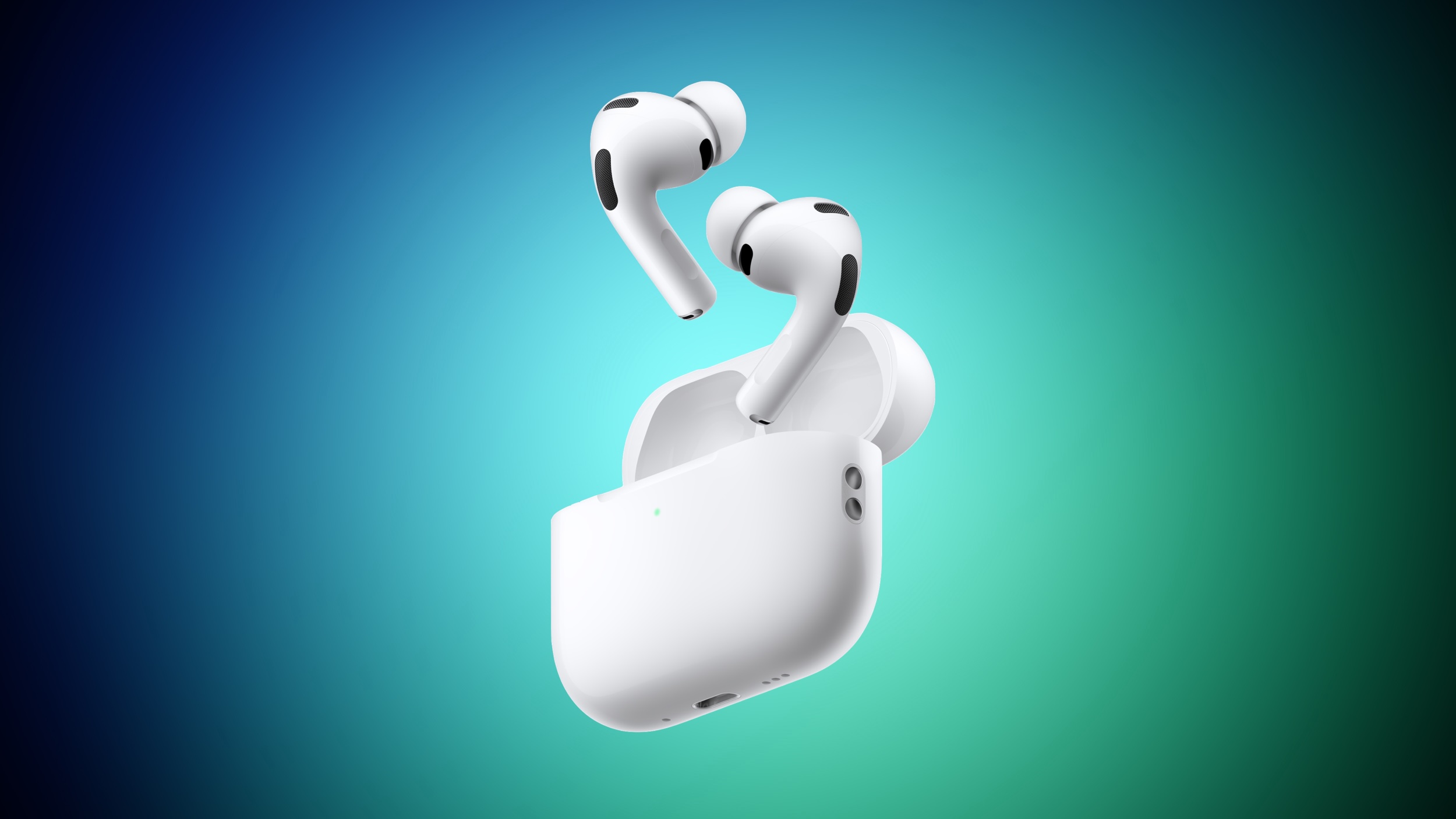
Apple tweaked the design of the AirPods Pro 3, changing the fit of the tips in the ears and bringing some updates to the case. On the whole, the ‌AirPods Pro 3‌ look a lot like the AirPods Pro 2, but there are some differences to be aware of.


Earbud Design


Apple reengineered the ‌AirPods Pro 3‌ using more than 10,000 ear scans and more than 100,000 hours of user research.

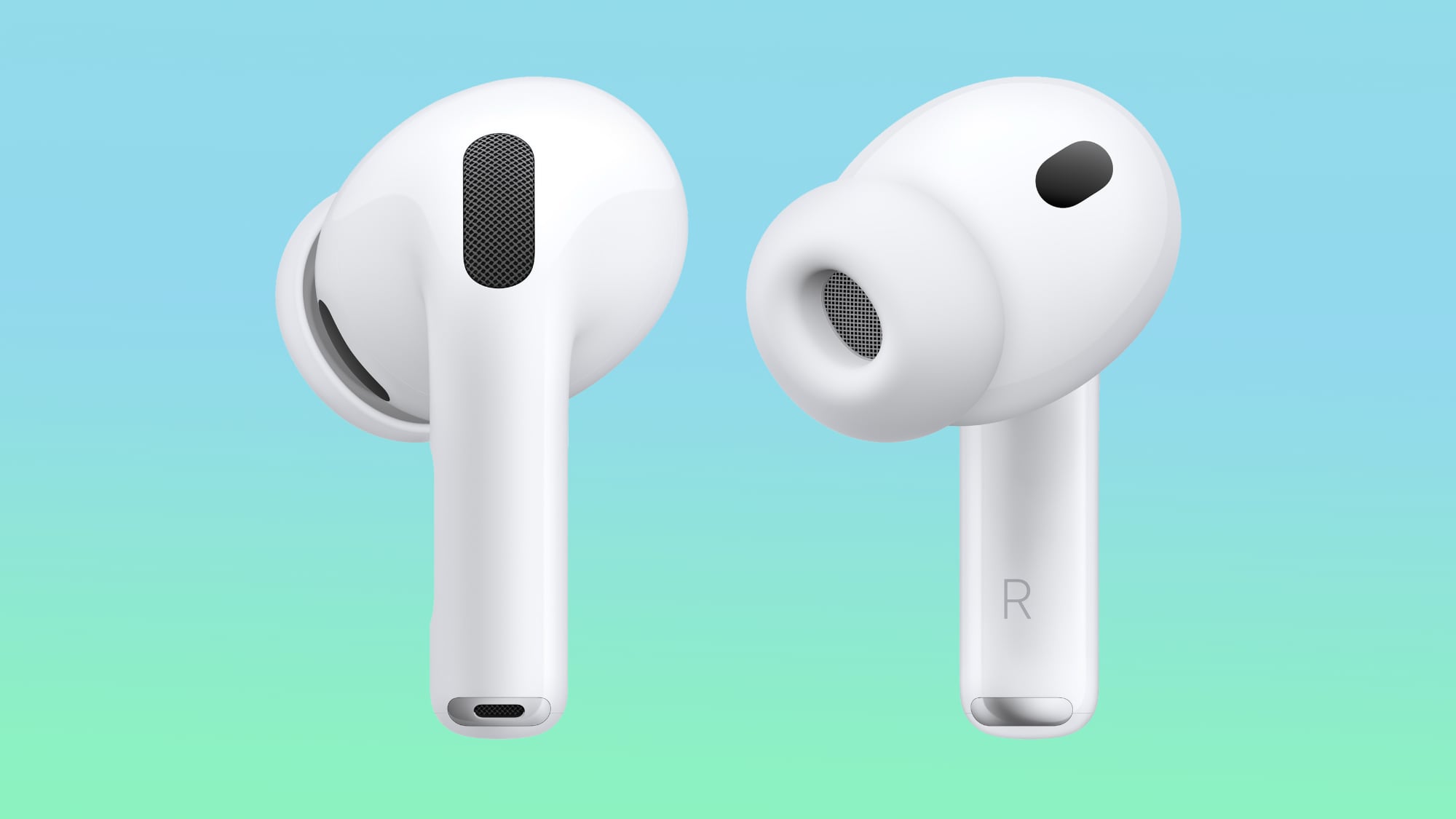
Apple says internal architecture was revamped to make each AirPod slightly smaller, and the external geometry of the ear tip was aligned to the center of the body to improve stability. Basically, the ear tips are now rotated inward.


The shape is meant to better fit into the ear canal, improving sound isolation and ensuring that the ‌AirPods Pro‌ stay in place during workouts.

When it comes to actual size, there are a couple changes. The ‌AirPods Pro 3‌ are the same height as the ‌AirPods Pro‌ 2, so the stem isn't any shorter. Width is now 19.2mm, down from 21.8mm, so they're a little bit slimmer. They're also deeper, though, measuring 27mm, up from 24mm. Weight increased too, so the ‌AirPods Pro 3‌ are 5.55 grams, while the ‌AirPods Pro‌ 2 were 5.3 grams.

Charging Case


There were rumors that Apple would slim down the ‌AirPods Pro 3‌ Charging Case, like it did with the AirPods 4 Charging Case last year.

That didn't happen. The ‌AirPods Pro 3‌ Charging Case is actually larger than before. It measures in at 1.86 inches tall (up from 1.78 inches), 2.45 inches wide (up from 2.39 inches), and 0.86 inches deep (up from 0.85 inches). It's not as heavy, weighing 1.55 ounces, down from 1.79 ounces.

‌AirPods Pro‌ 2 on left, ‌AirPods Pro 3‌ on right

The case for the ‌AirPods Pro 3‌ has an attachment point for a lanyard, along with a capacitive pairing button and an invisible LED that only shows up when the case is opened or charging.

Battery life for the earbuds themselves is up, but the charging case doesn't last as long. Apple says it provides up to 24 hours of charging time, but the ‌AirPods Pro‌ 2 case provided up to 30 hours of listening time.

You can pre-order the ‌AirPods Pro 3‌ now, and the earbuds will launch on September 19. Pricing is still $249.
Related Roundup: AirPods Pro
Related Forum: AirPods

This article, "What's Different With the AirPods Pro 3 Design" first appeared on MacRumors.com

Discuss this article in our forums

  •  

AirPods Pro 3 Do Not Include a Charging Cable in the Box

While the AirPods Pro 2 included a USB-C charging cable in the box, the AirPods Pro 3 unveiled on Tuesday come without one, according to Apple's website.


Apple's tech specs page for the AirPods Pro 3 confirms the USB-C charging cable is sold separately. In the U.S., Apple's cheapest USB-C cable costs $19, but you can of course use pretty much any USB-C charging cable from any brand.

The case for the AirPods Pro 3 can be wirelessly charged with MagSafe, Qi, and Apple Watch chargers, so a charging cable is not strictly required.

AirPods Pro 3 also ship without a charger, but that has been the case since the original AirPods Pro launched in 2019, so that is no surprise.

In the U.S., AirPods Pro 3 are priced at $249, just like the AirPods Pro 2 were. However, while there was no price increase, Apple is now poised to earn some extra revenue from additional sales of USB-C charging cables.

AirPods Pro 3 are available to pre-order now, and they launch on Friday, September 19. Read our coverage of Apple's announcement to learn about new features, including improved sound quality, increased active noise cancellation, longer battery life, better fit, in-ear heart rate monitoring during workouts, and much more.
Related Roundup: AirPods Pro
Related Forum: AirPods

This article, "AirPods Pro 3 Do Not Include a Charging Cable in the Box" first appeared on MacRumors.com

Discuss this article in our forums

  •  
❌