Reading view

Strong open source Jira and Confluence alternative: OpenProject and XWiki join forces

We are delighted to announce our official partnership with XWiki. This adds another important milestone on our journey to establish a fully open, transparent, and data-sovereign ecosystem as a genuine open source alternative to proprietary tools such as Atlassian Confluence and Jira.

A shared vision for digital sovereignty

Both OpenProject and XWiki have always stood for open standards, transparency, and user control. At a time when data sovereignty and digital independence are becoming increasingly important, a strategic collaboration was the next logical step.

Our goal: Together, we want to offer organizations an integrated, open source alternative to Jira and Confluence, combining a solution for project management and knowledge management – and thus a powerful, privacy-friendly as well as cost-effective alternative to Atlassian tools.

“This partnership strengthens the open source ecosystem and marks an important step for organizations to move away from Atlassian — toward digital sovereignty and independence. We are delighted to have XWiki as an experienced and committed partner at our side that share the same vision and values to further advance open and sovereign software solutions.” – Niels Lindenthal, CEO, OpenProject GmbH
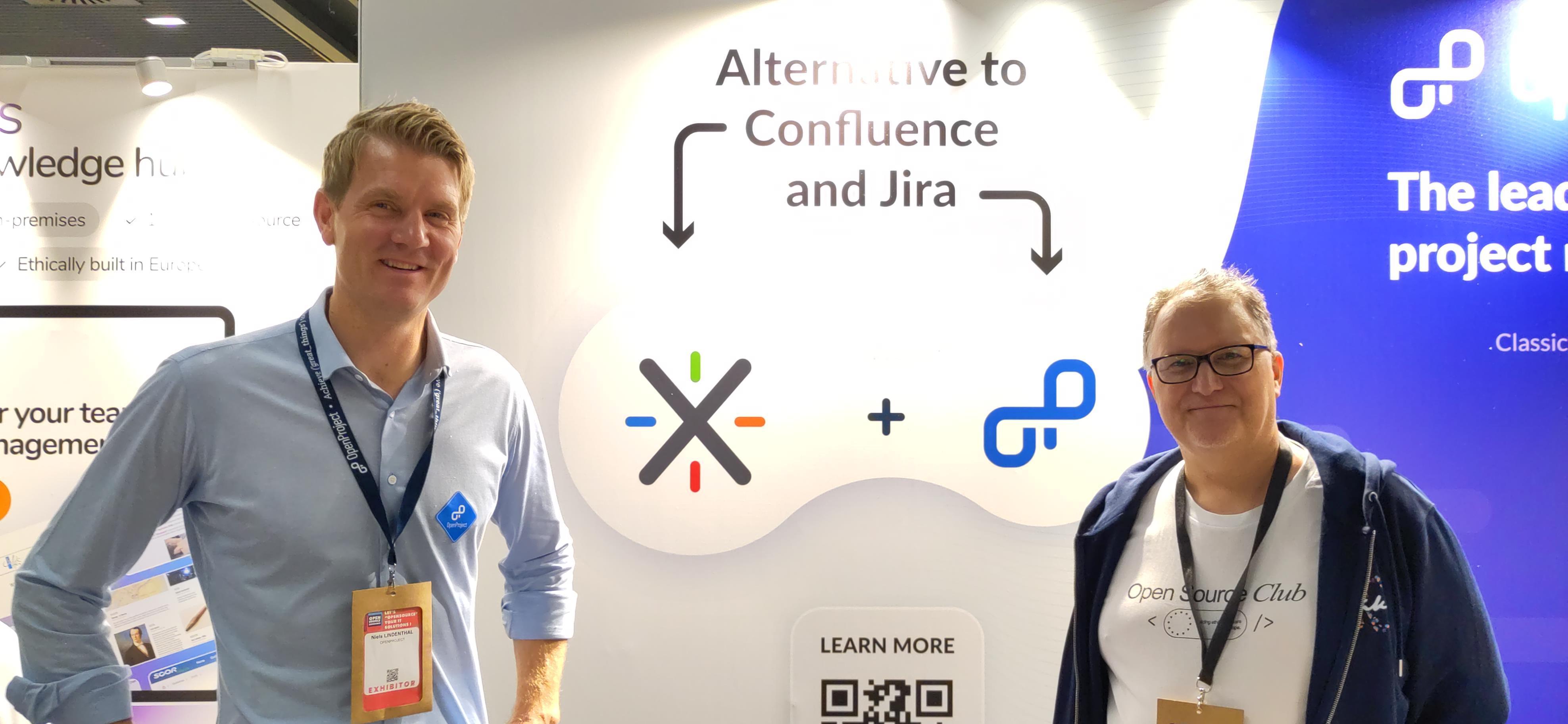
Screenshot of Niels Lindenthal from OpenProject and Ludovic Dubost from XWiki and CryptPad) Image: Niels Lindenthal (CEO OpenProject) and Ludovic Dubost (CEO XWiki and CryptPad) at the OSXP in Paris.

“Our partnership with OpenProject is a natural extension of a shared commitment to building open, sovereign digital infrastructure for Europe and beyond. At the same time, it’s a strong affirmation of our joint vision: delivering integrated, open source solutions that respect user freedom and data sovereignty. By combining our expertise, we’re creating a compelling alternative to Atlassian’s Jira and Confluence — one that puts control and transparency back into the hands of the user. It’s a step forward for open-source collaboration in Europe, and most importantly, it responds directly to what our customers have been asking for.” — Ludovic Dubost, CEO and Founder, XWiki SAS and CryptPad

OpenProject + XWiki = Open source stack for modern teams

XWiki is a powerful platform for collaborative knowledge management – ideal as a Confluence replacement. OpenProject offers comprehensive project planning, task management, and issue tracking – a strong alternative to Jira.

The combination of both solutions creates an open, modular stack that enables teams to collaborate efficiently without compromising on control, security, or usability.
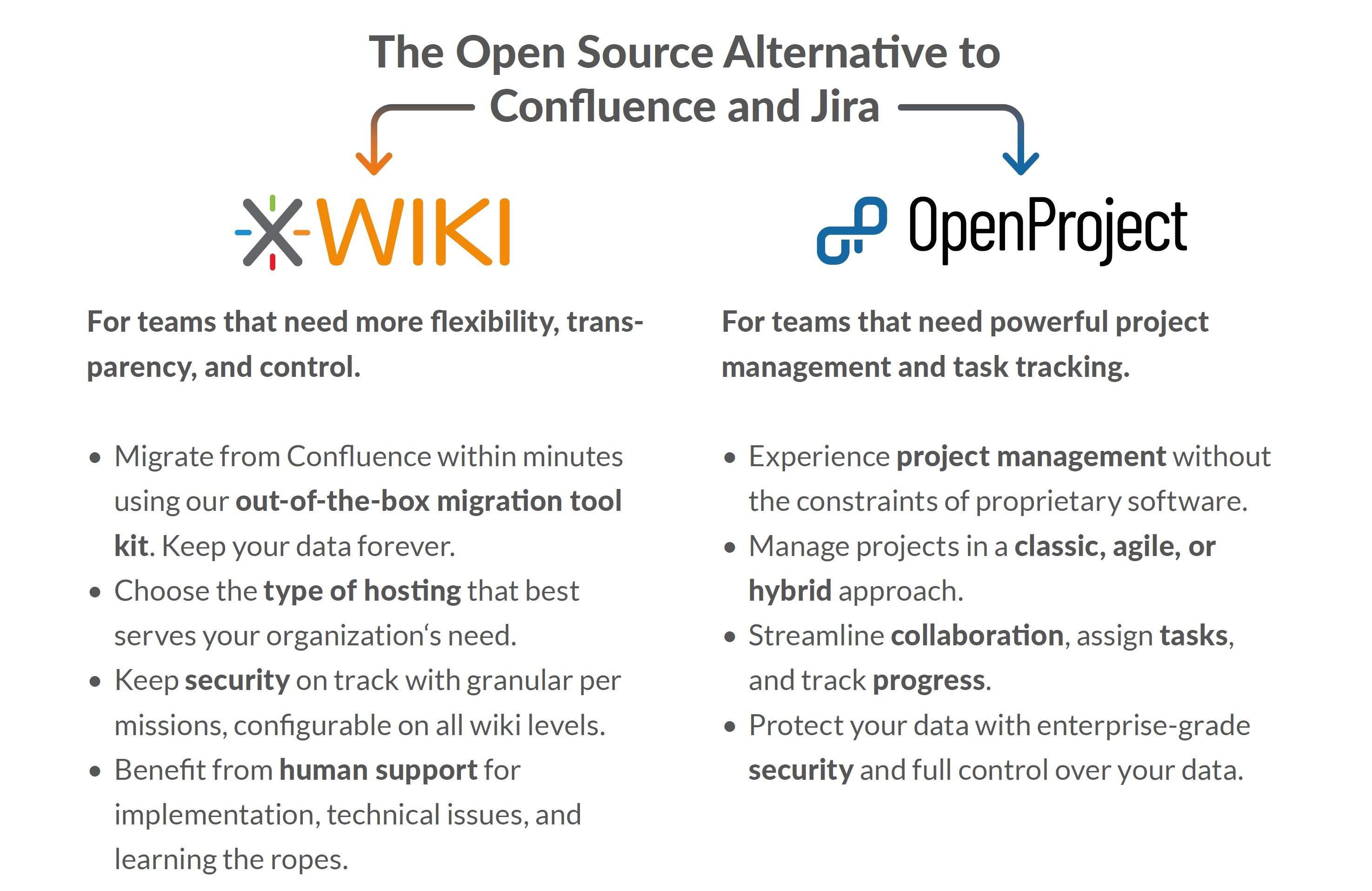
Screenshot benefits of open source alternative jira and confluence atlassian) Image: Overview of benefits of the open source alternative for Jira (OpenProject) and Confluence (XWiki)

Concrete benefits for our users for switching from Jira and Confluence

This partnership is not just a symbolic alliance – it also brings practical benefits:

  • Integration in development: We are actively working on an integration between OpenProject and XWiki to enable a seamless user experience.
  • Joined sales & support: Both partners will be able to offer each other’s services and support packages.
  • Expanded ecosystem: The connection to other open source providers such as Nextcloud will also be further strengthened by this cooperation.
  • Both OpenProject and XWiki are part of the openDesk: Therefore both open source applications can also be jointly procured via ZenDiS as part of the openDesk bundle.

Part of the openDesk initiative

Our partnership is part of larger European initiatives such as openDesk, a modular open source suite for public administration and organizations. Under the leadership of the Center for Digital Sovereignty (ZenDiS), leading open source companies such as OpenProject and XWiki are working closely together here alongside many other well-established open source vendors from Germany and Europe.

For a sovereign digital future

With this partnership, we are sending a strong signal for the open source movement in Europe and worldwide. Together with XWiki, we are providing organizations with tools that enable teams to work independently, securely, and collaboratively without vendor lock-in and without compromises on their data sovereignty.
  •  

Hacking Borders: Our participation in Hack Days 2025 in Paris

Last month, we wrote a blog post about our participation in Hack Days 2025, a hackathon organized by the digital directorate of the French government, DINUM (direction interministérielle du numérique). In this blog post, we’ll tell you what we did, what we learnt and what all this means for digital sovereignty.

The event

Hack Days brought together over 300 talented developers, designers and innovators from 17 countries to collaborate on open source projects, notably DINUM’s own suite of applications for the public sector in France, called LaSuite. The event also aimed at strengthening European digital sovereignty by exploring the potential for cross-border collaboration.

The 53 different teams worked together over the course of three days to design, develop and pitch their projects to juries at the lovely Jourdan campus of the historic École normale supérieur (ENS).

Our own team consisted of Wieland Lindenthal, Dominic Bräunlein, Bruno Pagno, Eric Schubert and Parimal Satyal.

Our pitch

Before we explain the project in more detail below, here’s a clip of our five-minute pitch:

In the first round of the hackathon, the teams made a 3-minute pitch privately to the juries for a chance to be selected in the top 10 projects. OpenProject was luckily one of those ten, and we were then invited to make our 5-minute public pitch (above) the next day.

The jury consisted of Stéphanie Schaer, director of DINUM; Markus Richter, State Secretary at the Federal Ministry for Digital and State Modernization in Germany; Boris Van Hoytema, Quartermaster of the Open Source Program Office within the Ministry of the Interior in the Netherlands; Jean-Baptiste Kempf, the founder of VLC; and Valérie Dagand, managing director of Numeum.

We were very happy to be part of the top three winners, coming in second place.

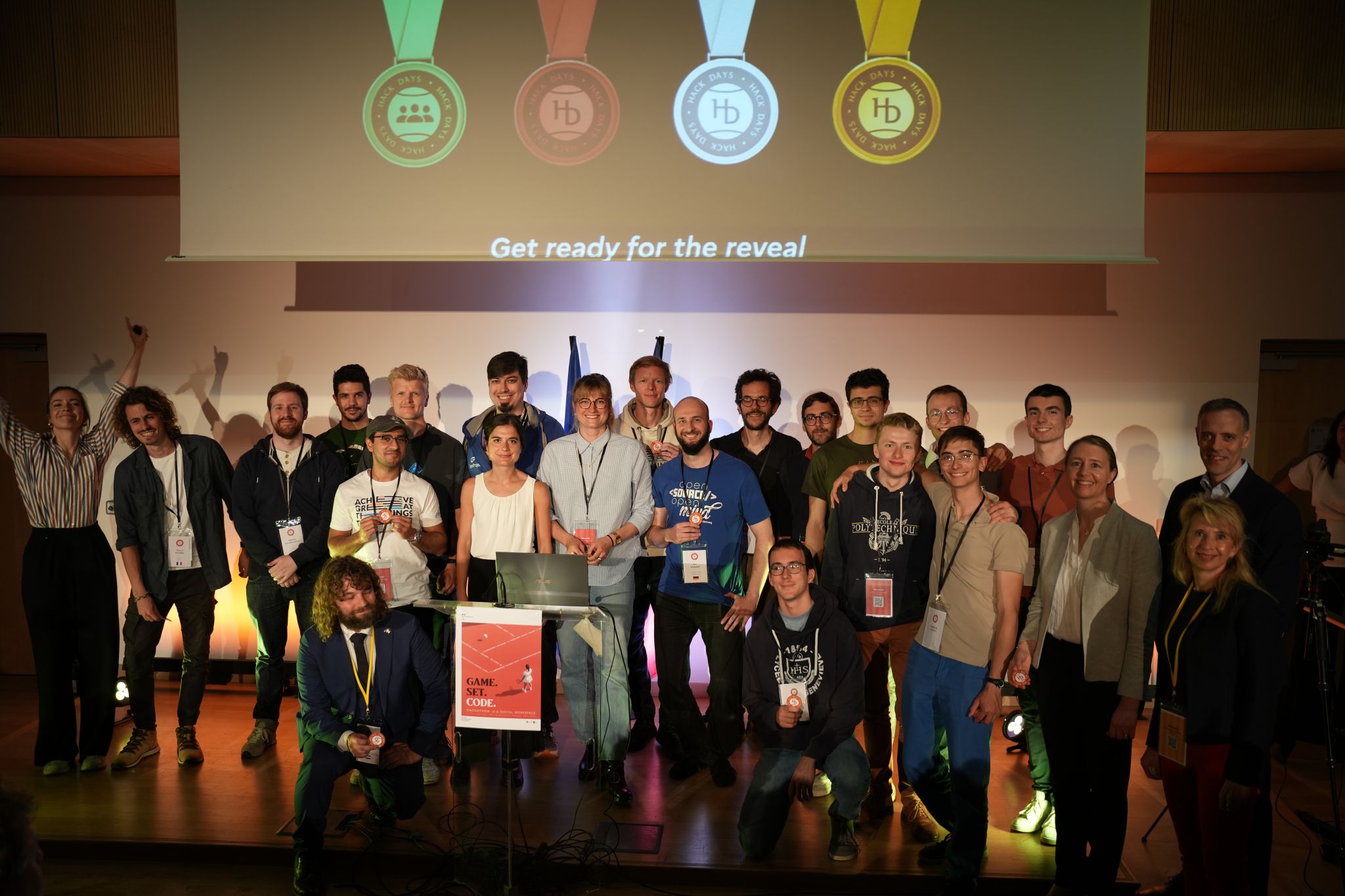
All the winners on stage after the awards were handed out

We would like to congratulate all the winners of the hackathon:

Our project

For OpenProject, our goal in the hackathon was to build a deep integration with Docs, a collaborative note-taking app that’s part of DINUM’s LaSuite.

Note

Docs also recently joined the openDesk ecosystem initiated by ZenDiS in Germany. OpenDesk brings together powerful open source tools like OpenProject to offer a digital workplace for public institutions. The collaboration between DINUM and ZenDiS around Docs and OpenProject is an example of cross-border cooperation in digital sovereignty.

Docs is built on BlockNote, an open source rich text editor built on the concept of ‘blocks’. A block can be anything from simple text, a heading, a quote, an image or more complex elements like embedded media, file attachments or custom plugins.

We wanted to harness this extensibility to create a two-way integration such that users could seamlessly go from editing a draft text document in Docs to extracting tasks and text to OpenProject, where they can exist and evolve in a project context.

Such an integration made a lot of sense to us to harness what each tool does best. Docs is a powerful medium to jot down ideas and collaborate with other people, but plain text is not actionable. You cannot easily set an assignee, assign dates, track status, add comments, attach files or integrate with GitHub; all that, however, is very simple to do in OpenProject.

Our integration makes it possible to:

  • Write a bullet list in plain text and easily turn it into a set of tasks in OpenProject.
  • Select text from any part of a document and turn it into a user story or work package in OpenProject. We even implemented a basic LLM layer to convert the text to fit a predefined format.
  • Maintain a ‘live’ link between objects: a change in Docs is reflected near-instantly in OpenProject and vice-versa. This makes it possible to avoid content duplication and have a single source of truth.

Enterprise-grade integration

We used open, enterprise-grade standards like OpenID connect to support single sign-on. This is because we believe that ensuring users can be logged in with the same credentials on OpenProject and on Docs is key to making the user experience seamless and increasing user adoption of both tools.

We also wanted to build the integration in as generic a manner as possible. Because Docs is built with BlockNote, we decided to approach the integration as an OpenProject block within the editor itself, which will make it possible for any other application using BlockNote to also integrate with OpenProject. This was important to use because we believe that lowering the cost of integration between open source tools is key to European digital sovereignty.

What we learnt

We were very impressed with the turnout, the excitement around open source, the quality of the teams and the projects and the organization of such an event. Some learnings we came back with:

  • Broad interest in sovereign open source software: The event highlighted a significant interest across Europe in developing sovereign open source software. The turnout and enthusiasm were clear indicators that dependence on American big tech is increasingly a concern and that there’s value in working together with other European open source projects.

  • Diverse strategies across Europe: We observed that different countries have varying strategies for supporting open source development. LaSuite in France has decided, for example, to create and maintain their own forks of open source software, with a consistent UI and UX. Here in Germany, ZenDiS’s approach is to fund the development and integration of existing software that’s served within a unified bundle called openDesk. There is increasing interest in using parts of LaSuite in the Netherlands, too.

  • Power of integrations: The hackathon highlighted the value of integrations in making tools work together seamlessly. These integrations not only enhance user experience by reducing friction when trying to use multiple open source software but can also lead to higher adoption and user satisfaction.

What next?

We were thrilled to take part in the hackathon and were impressed with both what the other teams developed and how well organized it was. We would like to once again thank the LaSuite team for organizing such an inspirational event and for bringing so many like-minded people and companies together! We truly believe that open source is more powerful when we all work together.

We were also pleasantly surprised by the interest in our Docs–OpenProject integration.

What we worked on in the hackathon was of course an incomplete proof of concept, but we certainly don’t expect to leave things at that. We are currently exploring ways to integrate BlockNote more generically with OpenProject and will also evaluate where we can take our integration with Docs.

You will surely hear more more about this from us very soon.

  •  

OpenProject recognized as top project management software in 2026 by Gartner Digital Markets

OpenProject among top products in 2026

We are excited to share that OpenProject has once again been recognized as a top-tier project management solution in 2026 by Gartner Digital Markets.

Building on our achievements from previous years, OpenProject earned an expanded set of distinctions in 2026. These new badges highlight our continued focus on strong functionality, ease of use, and high-quality customer support.

Gartner Digital Markets is a Gartner business unit that includes Capterra, GetApp, and Software Advice. It helps software buyers make confident decisions through verified user reviews, research, and insights.

OpenProject awards in 2026

Software Advice recognitions

In 2026, OpenProject received multiple Software Advice badges across core product categories:

Front Runners in Project management and Time tracking categories

Best Customer Support and Most Recommended across multiple categories in 2026:

Task management, Team management, Project management, Small business project management, Marketing project management, Online project management, Project management software for architects, Nonprofit project management, Strategic planning, Project portfolio management.

Capterra recognition

OpenProject was also recognized by Capterra in 2026 with the following distinctions:

Shortlist in Project management, Time tracking and Task management categories.

Best Value and Best Ease of Use in multiples categories: Construction management, Project management, Project planning, Time tracking, Team management, Task management, Project portfolio management, Nonprofit project management, Strategic planning.

Powered by real user feedback

These recognitions are based on user reviews from real teams using OpenProject in their day-to-day work. We’re proud to see our focus on reliable project delivery, clear collaboration, and strong support reflected in the feedback.

Thank you ❤️

A big thank you to everyone who shared a review and helped us grow. Your input helps us prioritize what matters most and keep improving OpenProject.

  •  

Prioritize what matters: How Attribute highlighting helps growing teams stay focused

Whether you’re a team of five or fifty — as your organization grows, so does the number of projects, tasks, and priorities. At some point, work packages that once fit on one board become a sea of cards, and keeping focus becomes a challenge.

That’s why we created the Attribute highlighting feature: it helps you immediately see what needs your attention most. In this article, we’ll walk you through a relatable scenario and show how this feature can support you in staying focused and scaling successfully.

Important

Before February 2026, Attribute highlighting was part of the Enterprise edition in OpenProject. With the release of version 17.1, it is part of the free Community edition, because we value our Community a lot and aim to give “back” Enterprise add-ons to all users every few releases. You can find more information about this feature in our documentation.


You’ve grown — now it’s time to change how you work

Things might be going well. Your organization is growing. More clients, more projects, more team members. But with growth comes complexity. What used to be a simple backlog is now a multi-project list of dozens — maybe hundreds — of open tasks. And suddenly, you’re no longer sure what’s urgent, what’s blocked, or what’s been waiting for weeks.

Your system hasn’t changed, but your needs have. And that’s a good thing — because it means it’s time to invest in new ways to keep your growing team aligned.

Clean up your work package table by highlighting priority, status or finish date

Let’s take your team’s work package table as an example. Imagine you’ve filtered for this month’s deliverables — but the list is still long. You spot tasks with due dates coming up, some that are marked high priority, and one that was updated just now. But it takes a few minutes of scrolling and reading to get the full picture.

That’s where Attribute highlighting comes in. This feature allows you to visually emphasize specific values in your work package table using color: overdue tasks can turn red, high-priority items might stand out in orange, and different status values can appear in clearly distinguishable shades.

With just a glance, your team can now immediately see:

  • What’s overdue,
  • What’s marked as high or urgent priority,
  • What’s resolved or in progress.

How Attribute highlighting works

Let’s say your team uses the Priority attribute and a custom status workflow. You can highlight individual attributes inline (Status, Priority, Finish date) or apply full-row highlighting based on Status, Type, or Priority.

Once you’ve set this up in the work package table view, your team sees these visual cues automatically — without needing to open each task individually.

Tip

You can configure which colors are used for each priority and status in the System administration. Learn how to adjust them for priorities and for statuses.

Let’s look at an example work package table and how it looks with different attributes highlighted. Please note that you can change the colors for work package attributes and that they might look different in dark mode or light mode.

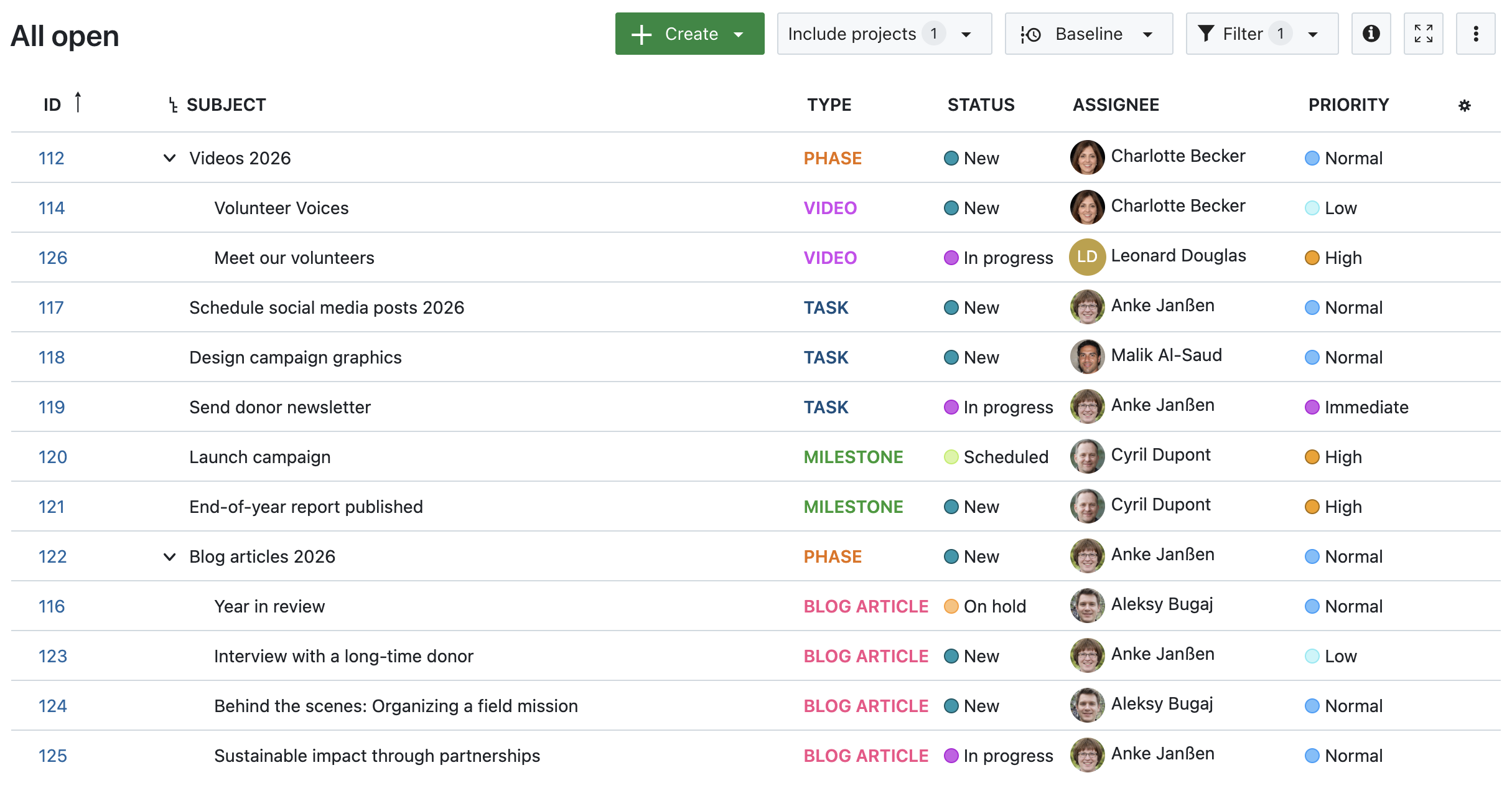
1. No attribute highlighting

Work package table in OpenProject, no attributes highlighted

Image 1: A work package table in OpenProject, no attributes highlighted.

2. Status, Priority and Finish date highlighted inline

Work package table in OpenProject, inline-highlighted Status, Priority and Finish date

Image 2: A work package table in OpenProject, with inline-highlighted Status, Priority and Finish date.

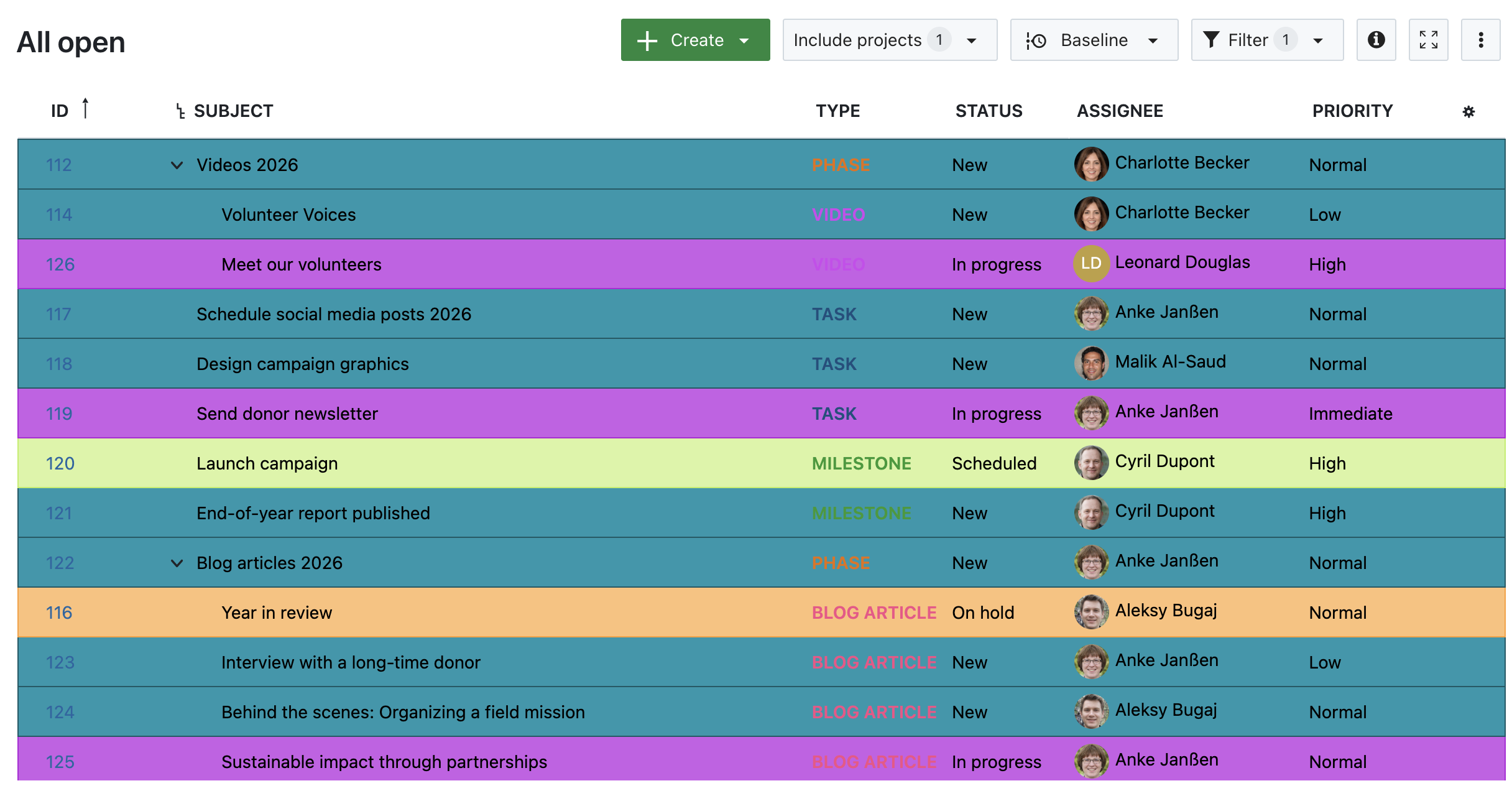
3. Highlighted by Status

Work package table in OpenProject, highlighted by Status

Image 3: A work package table in OpenProject, highlighted by Status.

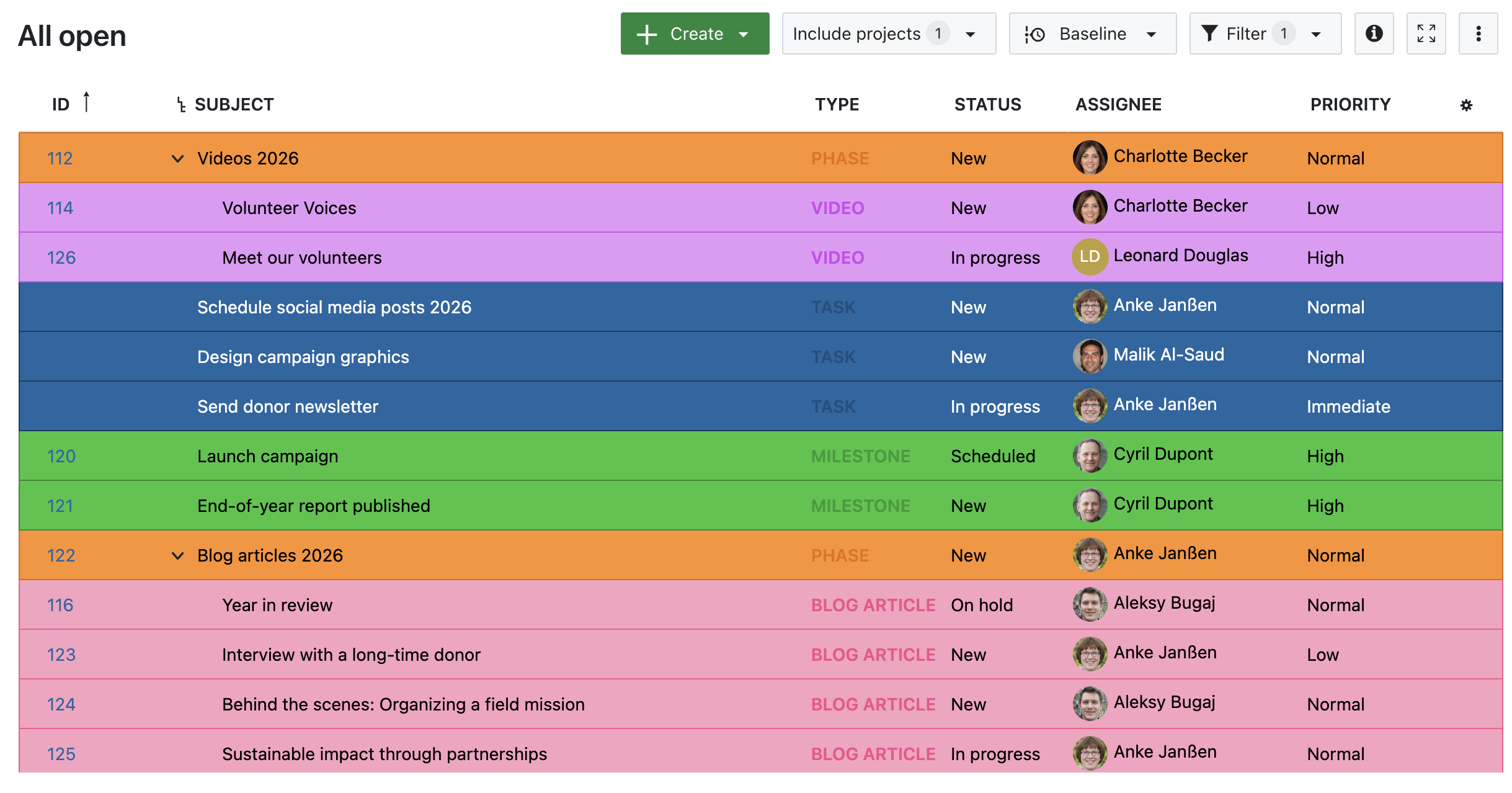
4. Highlighted by Type

Work package table in OpenProject, highlighted by Type

Image 4: A work package table in OpenProject, highlighted by Type.

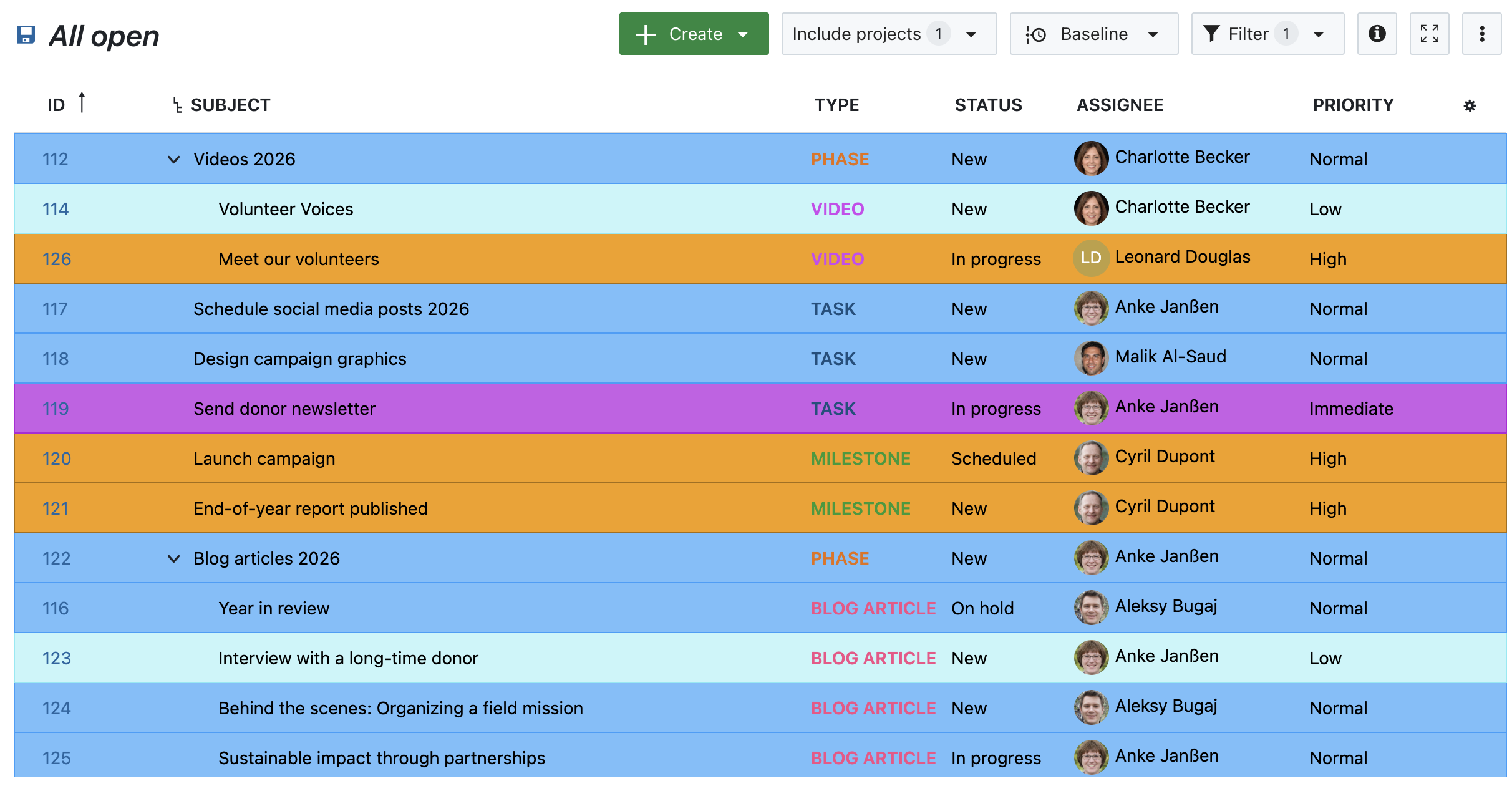
5. Highlighted by Priority

Work package table in OpenProject, highlighted by Priority

Image 5: A work package table in OpenProject, highlighted by Priority.


Other helpful features for prioritizing work packages

Attribute highlighting works best in combination with other prioritization features. Here are a few tools to support your growing team:

  • Work package priorities
    Assign Low, Normal, or High to indicate importance.

  • Status workflows
    Define which status transitions are possible and by whom, helping structure review and approval processes.

  • Date alerts and reminders
    Automatically notify assignees or watchers when a due date is approaching.

  • Versions
    Group work packages under a common version to align delivery and deadlines across tasks.

  • Custom fields
    Add structured information to work packages that you can then use for filtering, highlighting, or grouping.

Each of these features helps you bring structure to complexity — and together, they make it easier to stay focused.


Stay focused as you scale

Growth is exciting — but only sustainable if your tools grow with you. Features like Attribute highlighting can make a real difference: not by changing how you work, but by making it easier to see what matters.

With a growing team and more responsibilities, the ability to focus at a glance isn’t just a nice-to-have — it’s essential. Let OpenProject help you take that next step.

  •  
❌