Apple is currently beta testing iOS 26.1, which will be the first major update to the
iOS 26 operating system. It's not going to bring the new version of
Siri that we've been waiting for, but it does include useful new features and interface changes. We're nearing the end of the beta testing process, and iOS 26.1 could be released early next week.

We've rounded up all of the new features that are included in iOS 26.1.
Liquid Glass Transparency Toggle
Apple added a toggle for customizing the look of Liquid Glass. In Settings > Display and Brightness, there's a new option to switch between Clear or Tinted settings.
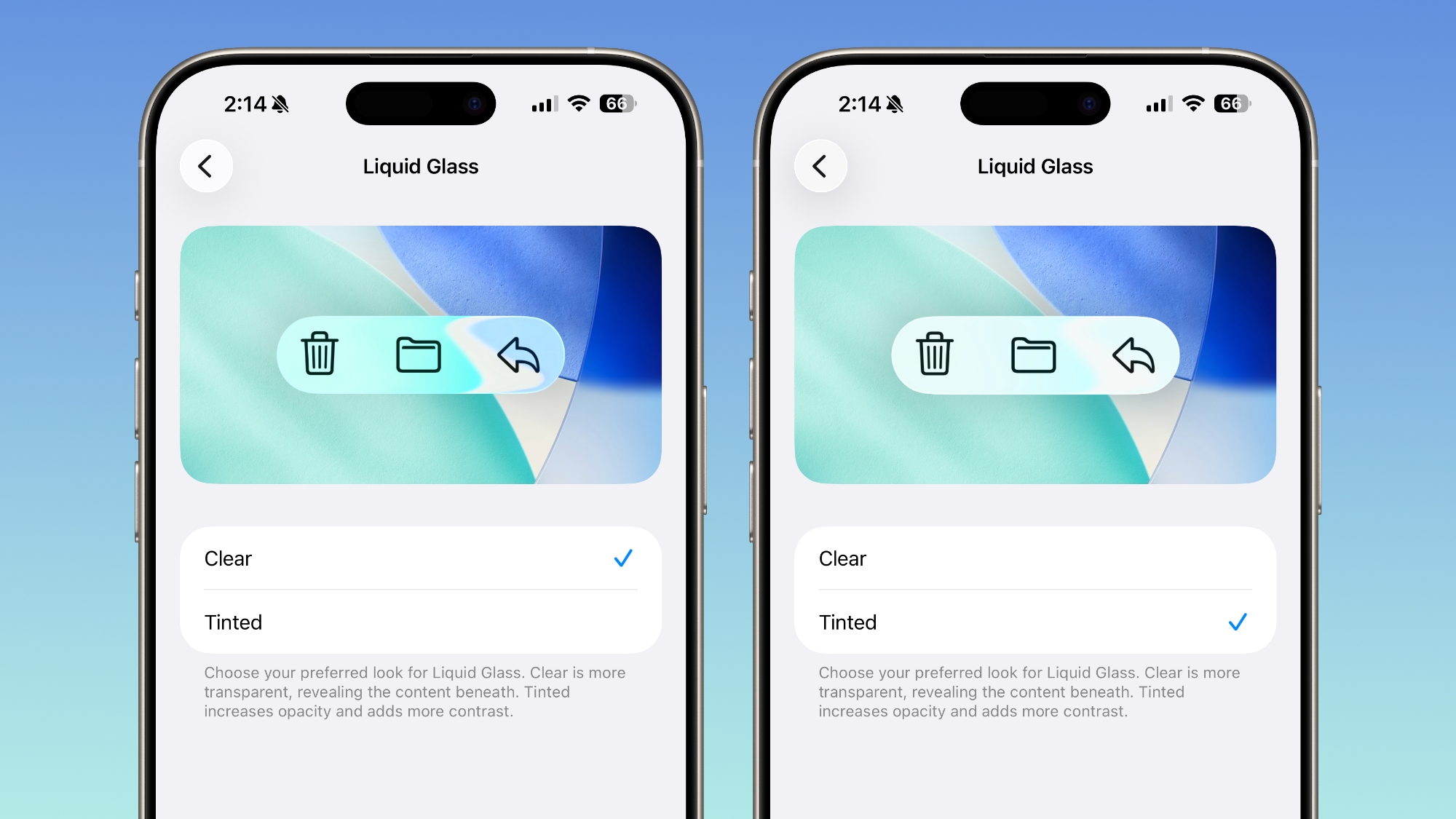
Clear is more transparent and is the standard version of Liquid Glass that displays the background underneath buttons, menu bars, and other interface elements, while Tinted increases the opacity of Liquid Glass and adds contrast.
Lock Screen Camera Swipe
In the Camera section of the Settings app, there's a Lock Screen Swipe to Open Camera setting, and turning it off disables the feature where you can swipe left to open the camera from the Lock Screen.
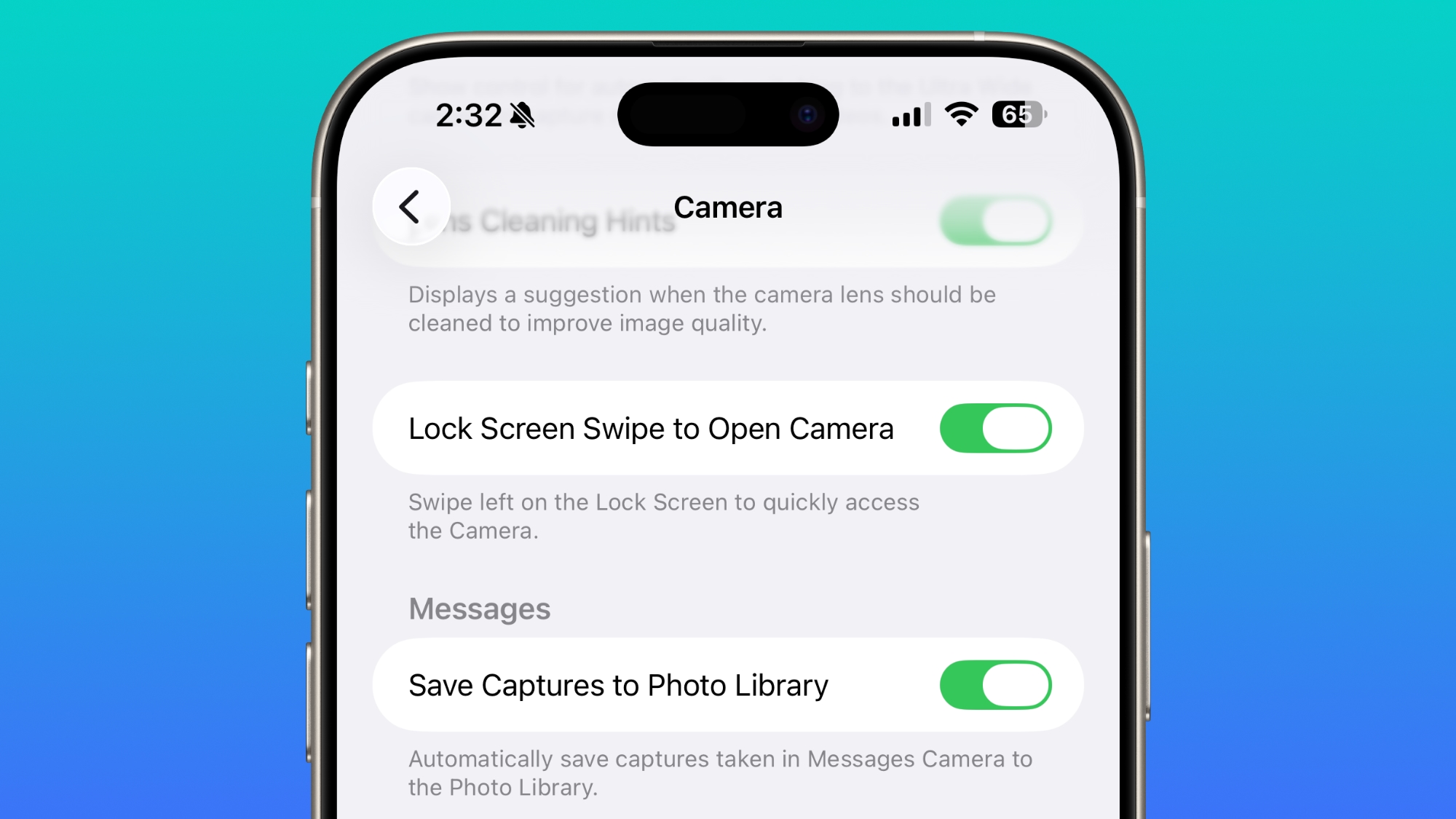
The
iPhone has long allowed users to open the Camera app directly from the Lock Screen with a swipe, but it can be a setting that's easy to activate, and it provides a way for someone that gets ahold of an iPhone to use it to take unwanted photos.
There was previously no way to turn off Lock Screen camera activation without disabling the camera app entirely.
Phone Haptics
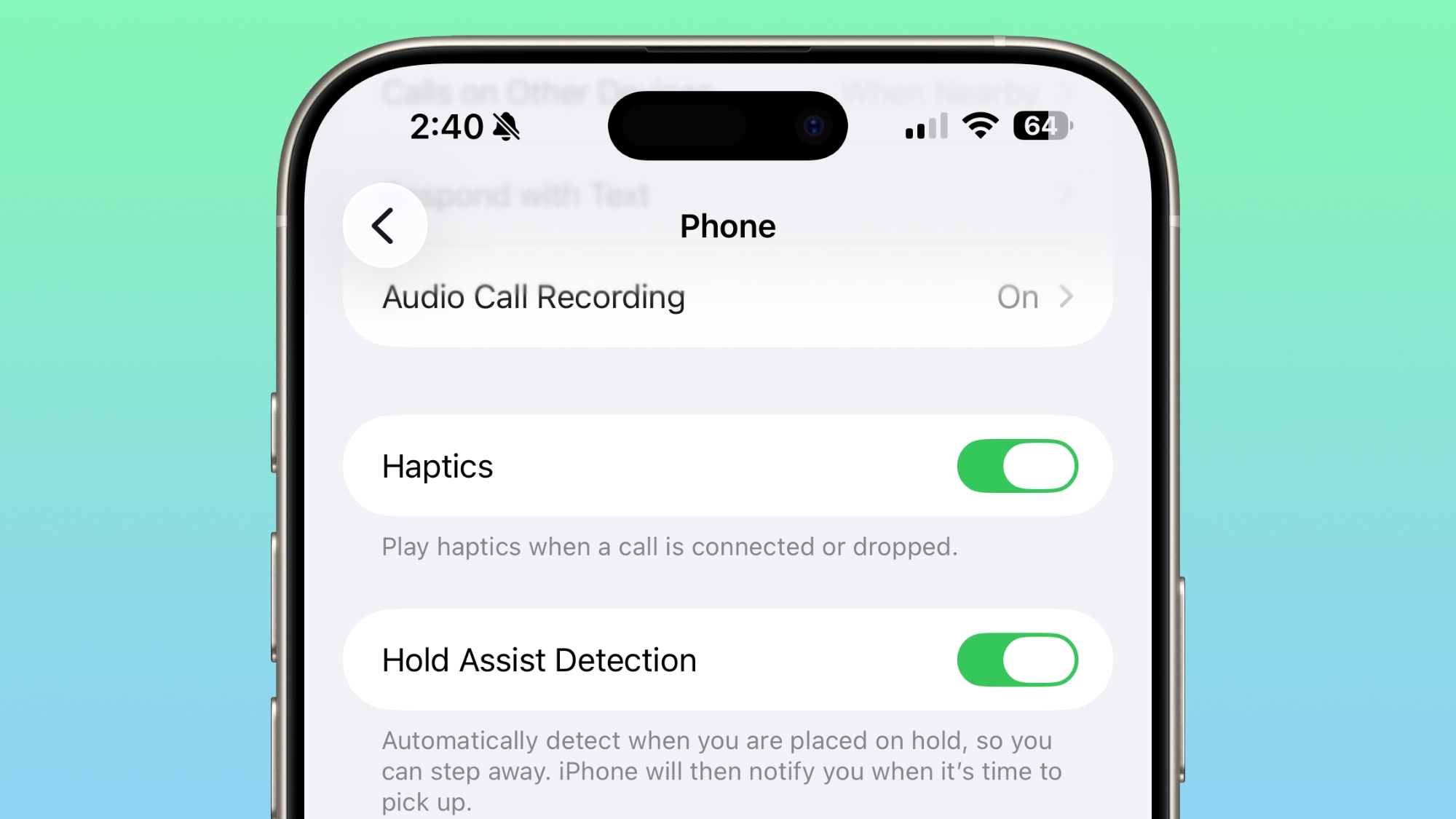
In the Phone app, there's a toggle to turn off haptic feedback when a call is connected or dropped.
Alarms and Timers
Alarms and timers that you set up in the Clock app now have a slide to stop button rather than a tap to stop button on the Lock Screen. You can snooze an alarm with a tap, but to turn it off entirely, you need to use a slide gesture.
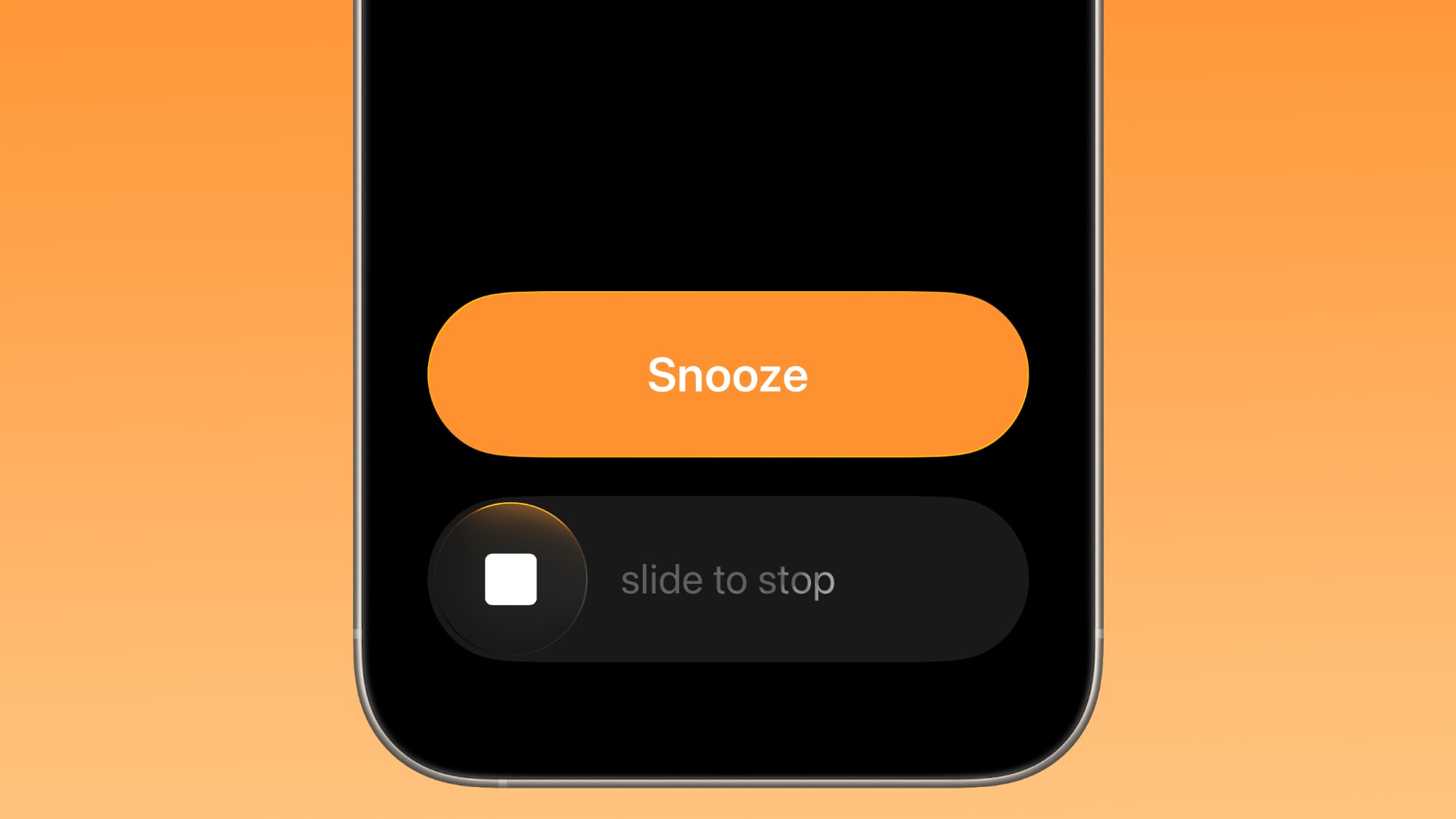
The change makes it much harder to accidentally dismiss an alarm when you're trying to tap on the snooze button.
New Apple Intelligence Languages
Apple Intelligence is now available in Danish, Dutch, Norwegian, Portuguese (Portugal), Swedish, Turkish, Chinese (Traditional), and Vietnamese.
AirPods Live Translation Languages
AirPods Live Translation works with additional languages in iOS 26.1, including Japanese, Korean, Italian, and Chinese (both Mandarin Traditional and Simplified).
Apple Music
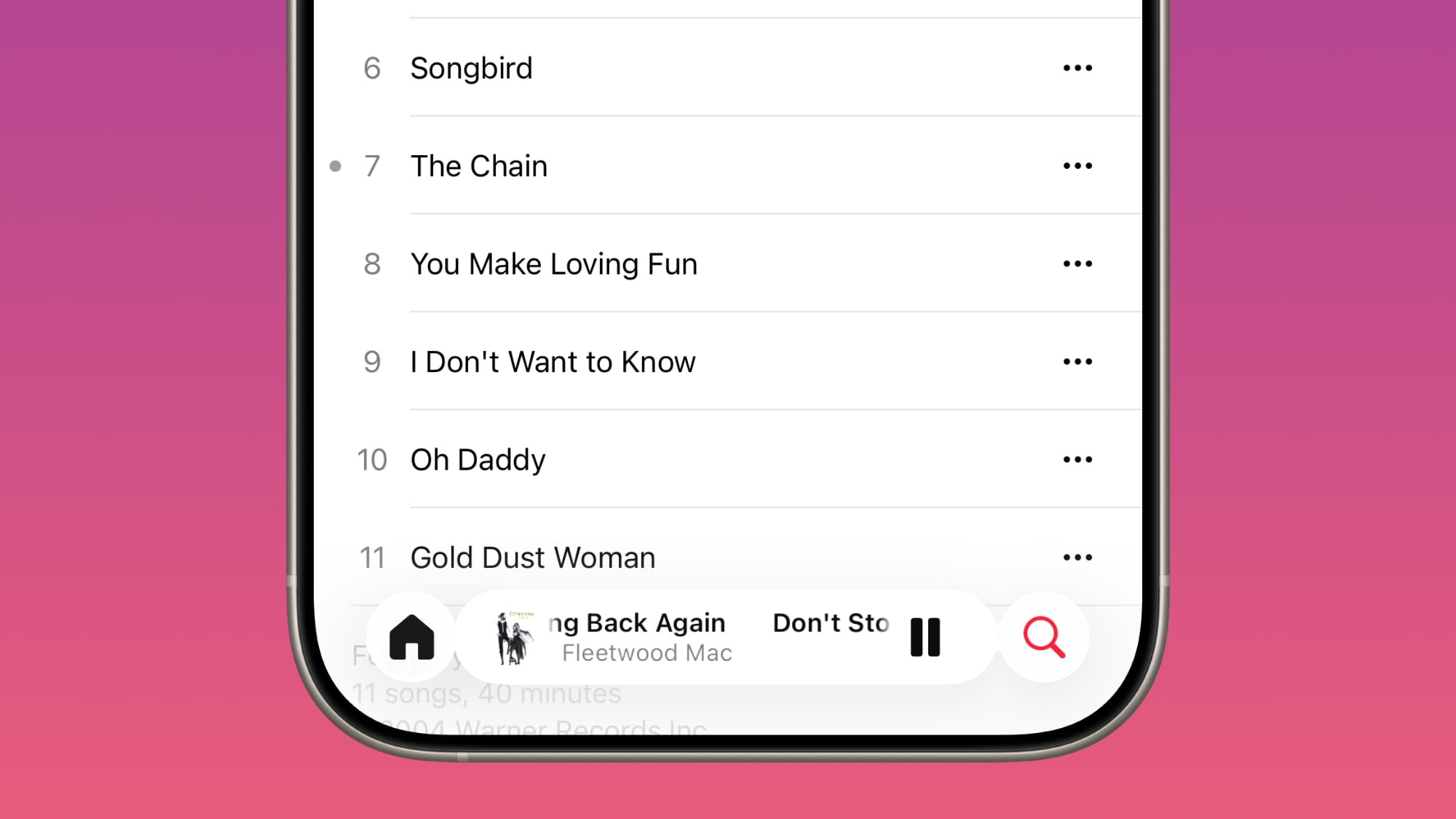
You can swipe on the music player in
Apple Music to switch songs. Just slide a finger over where the song title is listed, and it'll go to the next song or back to the previous song.
Apple TV App
The
Apple TV app has a new, more colorful icon that adopts the Liquid Glass aesthetic that Apple added alongside the Apple TV+ name change. Apple is no longer referring to its streaming service as Apple TV+, and is instead just calling it Apple TV, like the app.
Fitness App
You can create custom workouts in the Fitness app on iPhone. There are options for selecting workout type, estimated Active Calories, effort, duration, and start time.
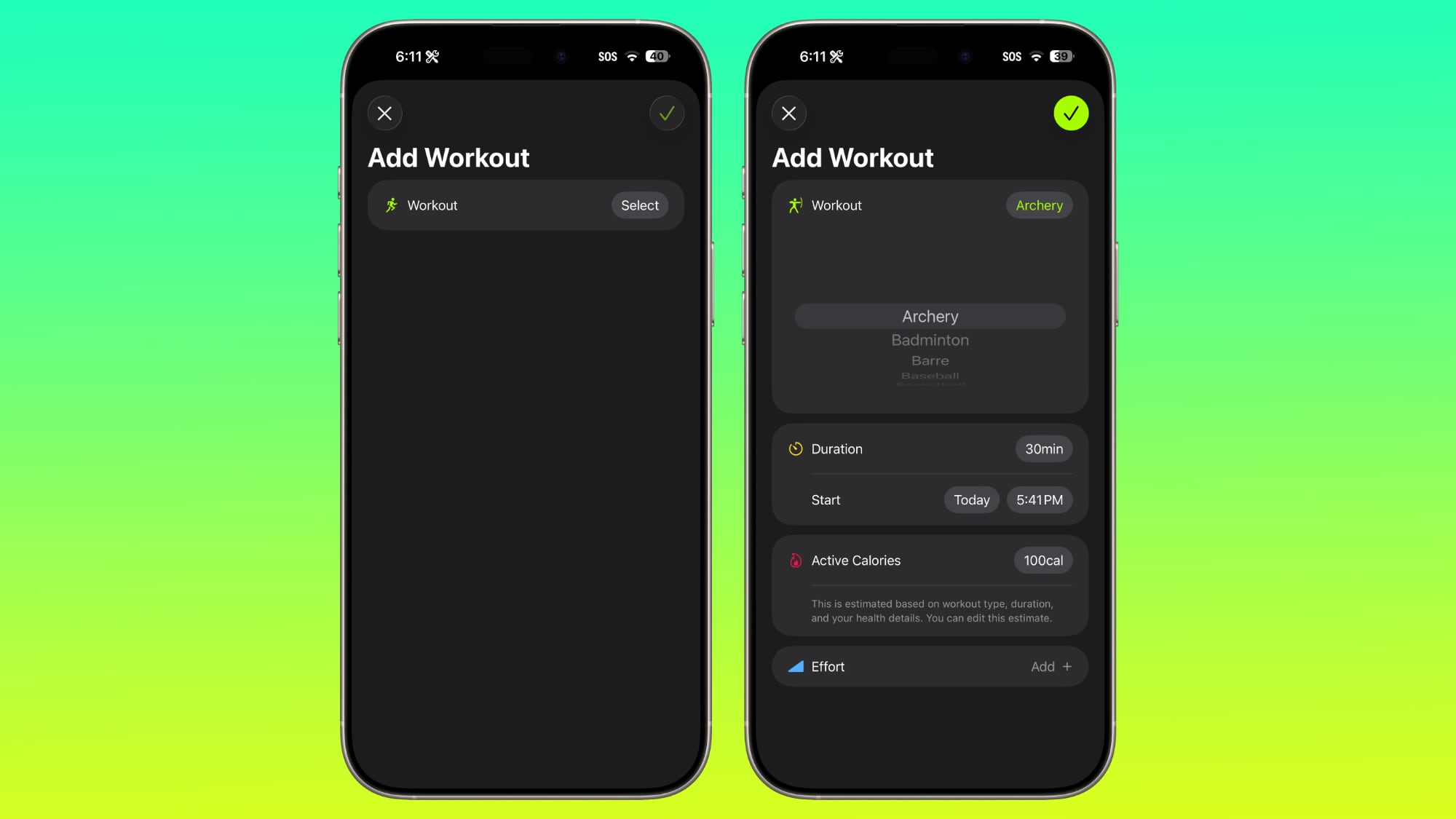
There were workout creation options before, but they were more structured than the open, custom creation options that are in iOS 26.1.
Settings App
Apple changed the alignment of icons and text in the Settings app. All settings with headers that feature text now have that text aligned to the left instead of center aligned. It's a small change that makes a big visual difference.
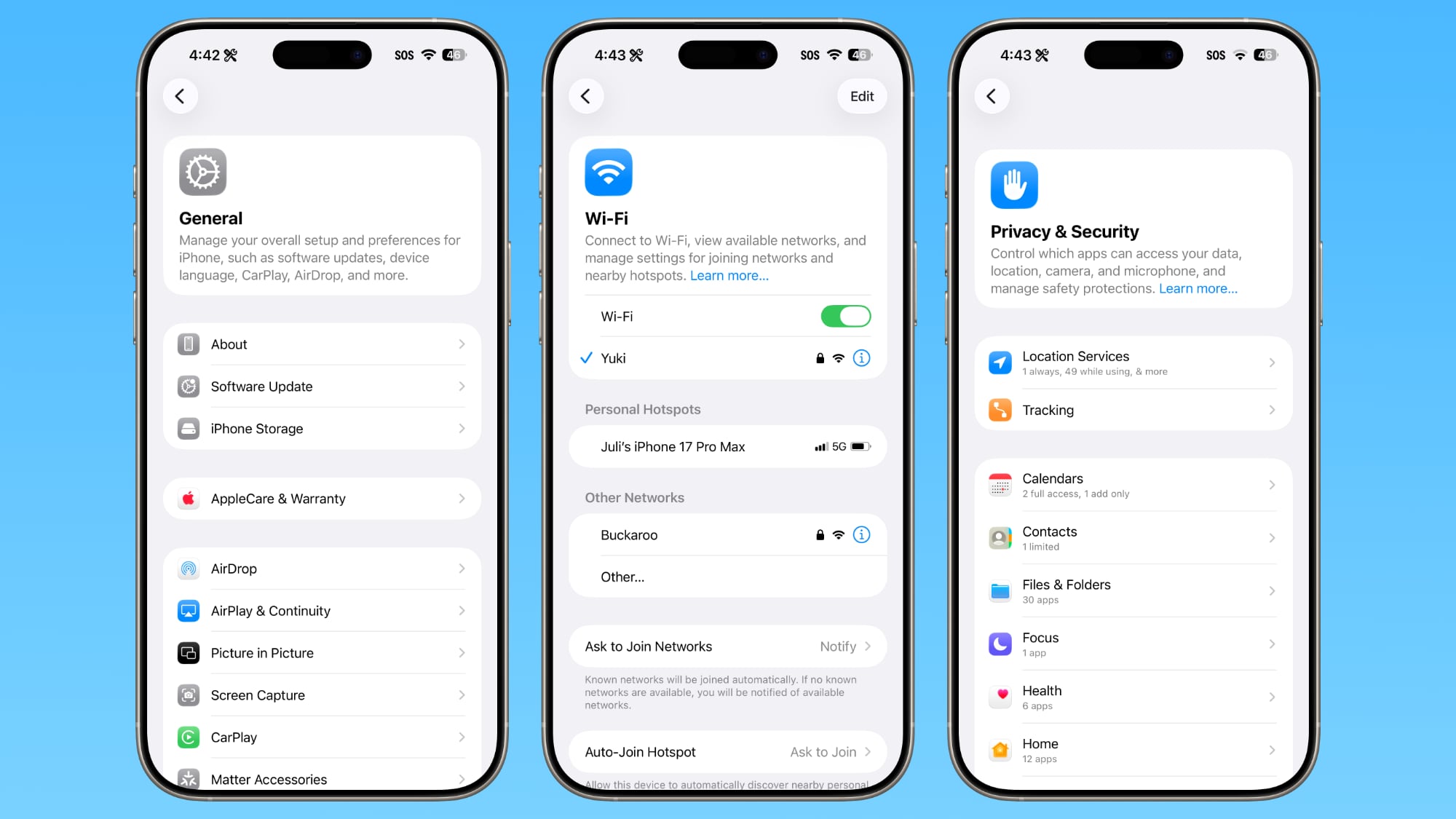
This includes General, Bluetooth, Wi-Fi, Cellular, Personal Hotspot, Accessibility, and more.
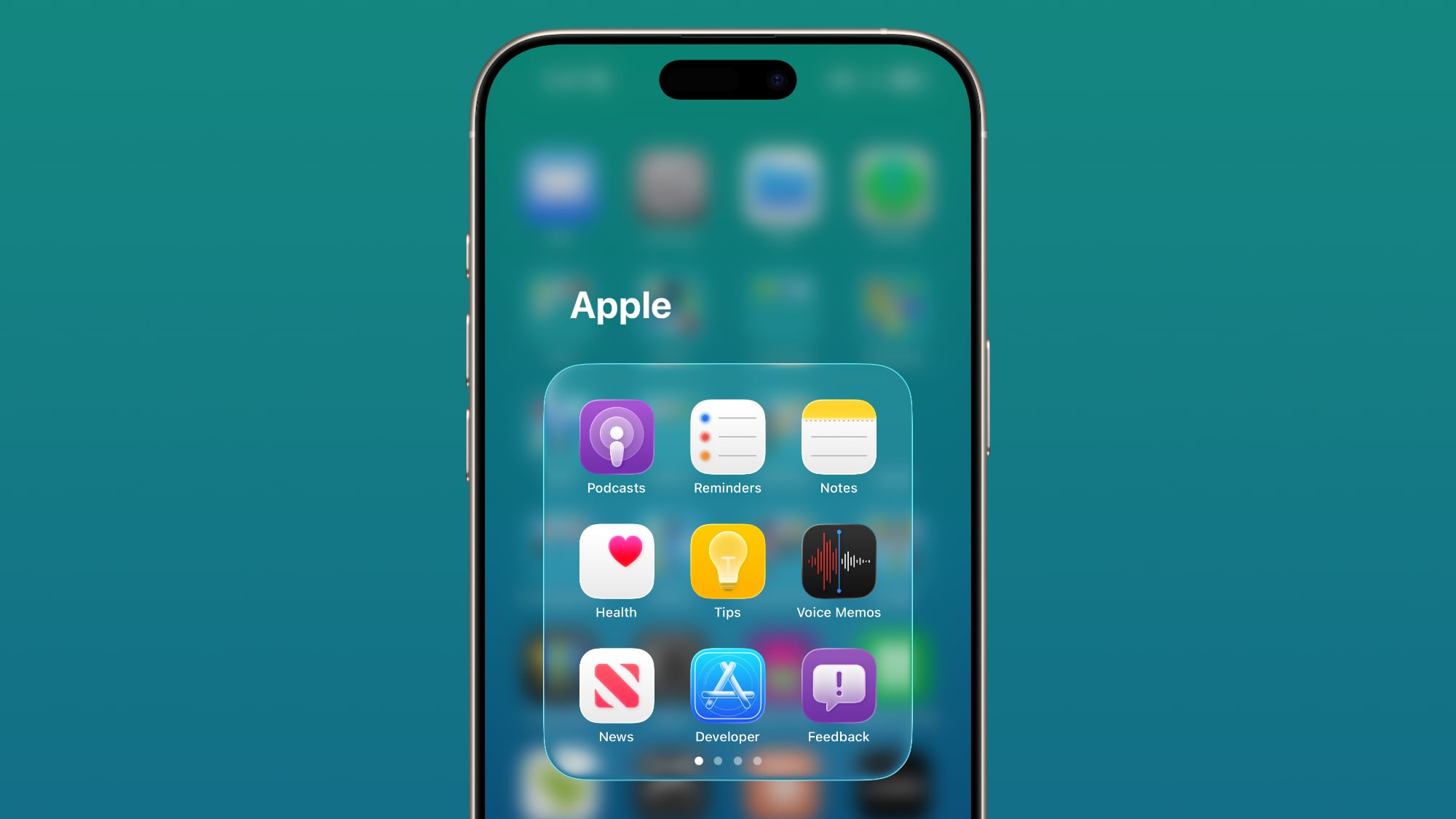
Home Screen Folders
When you tap into a folder on the
Home Screen, the name of the folder at the top is left aligned instead of center aligned, matching the changes made in the Settings app.
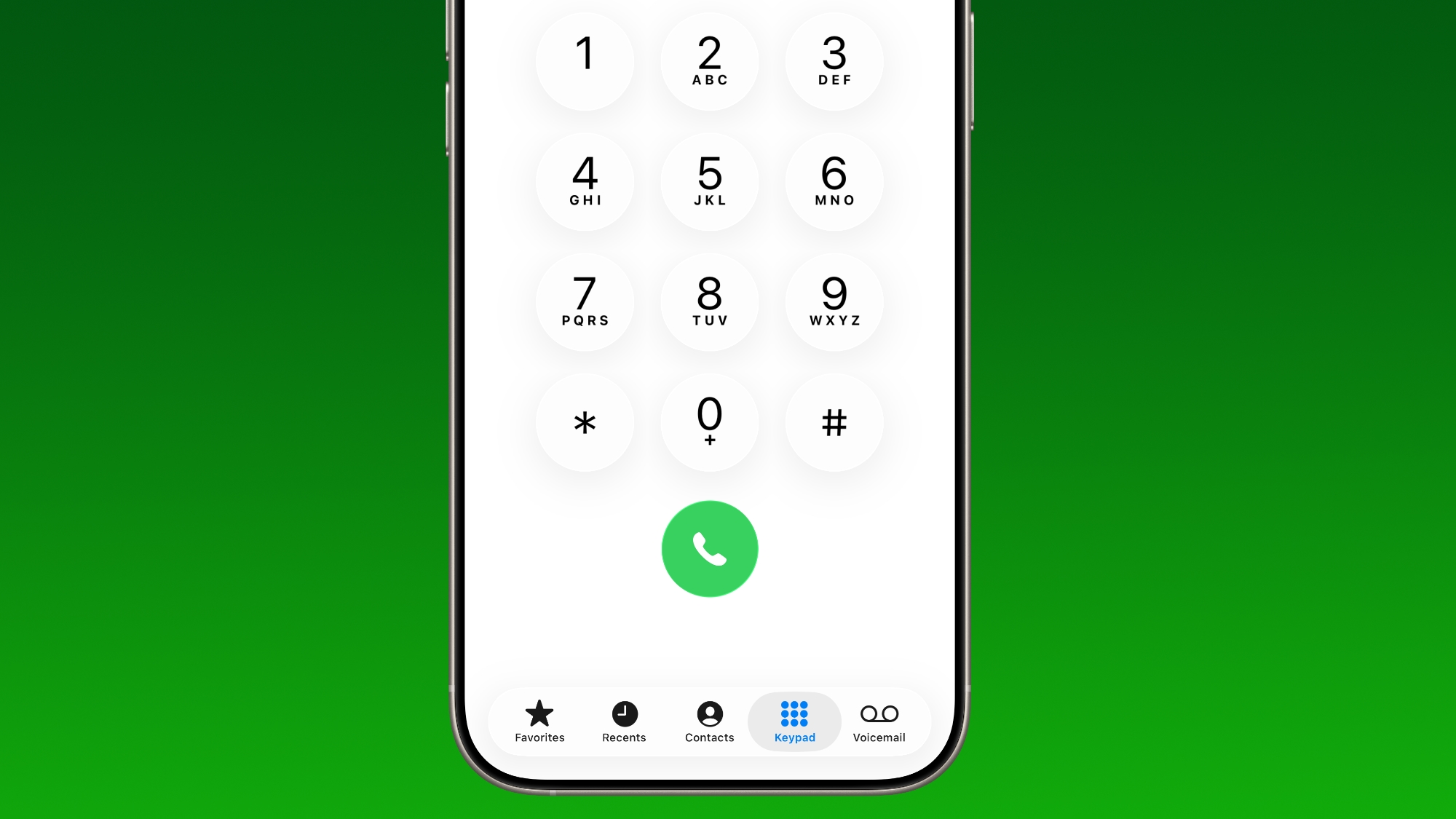
Phone
The Phone keypad now uses Liquid Glass for the numbers.
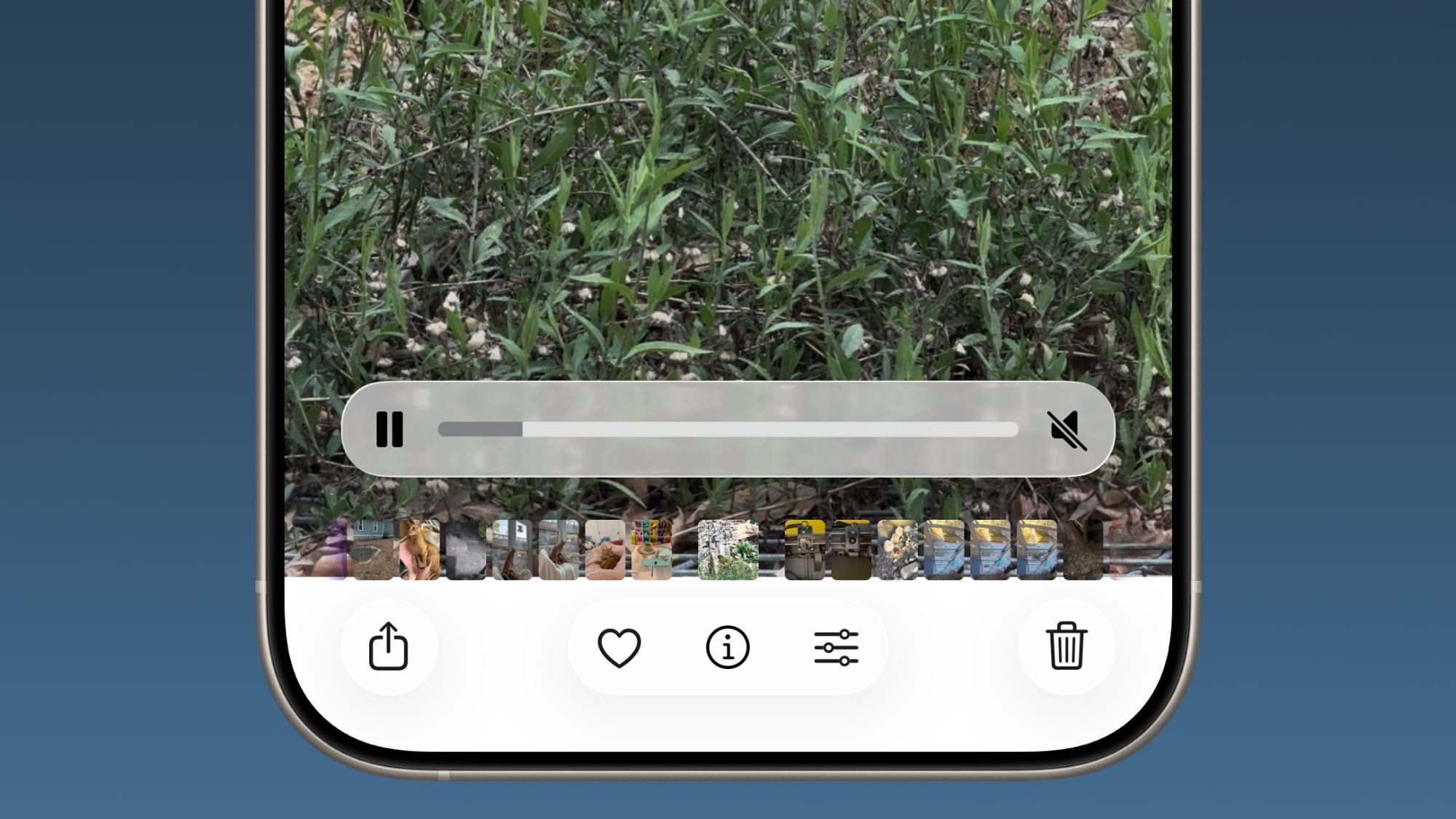
Photos
The slider for scrubbing through videos in the
Photos app has been updated.
The navigation bar also has a slightly more frosted look that makes it easier to see on light backgrounds.
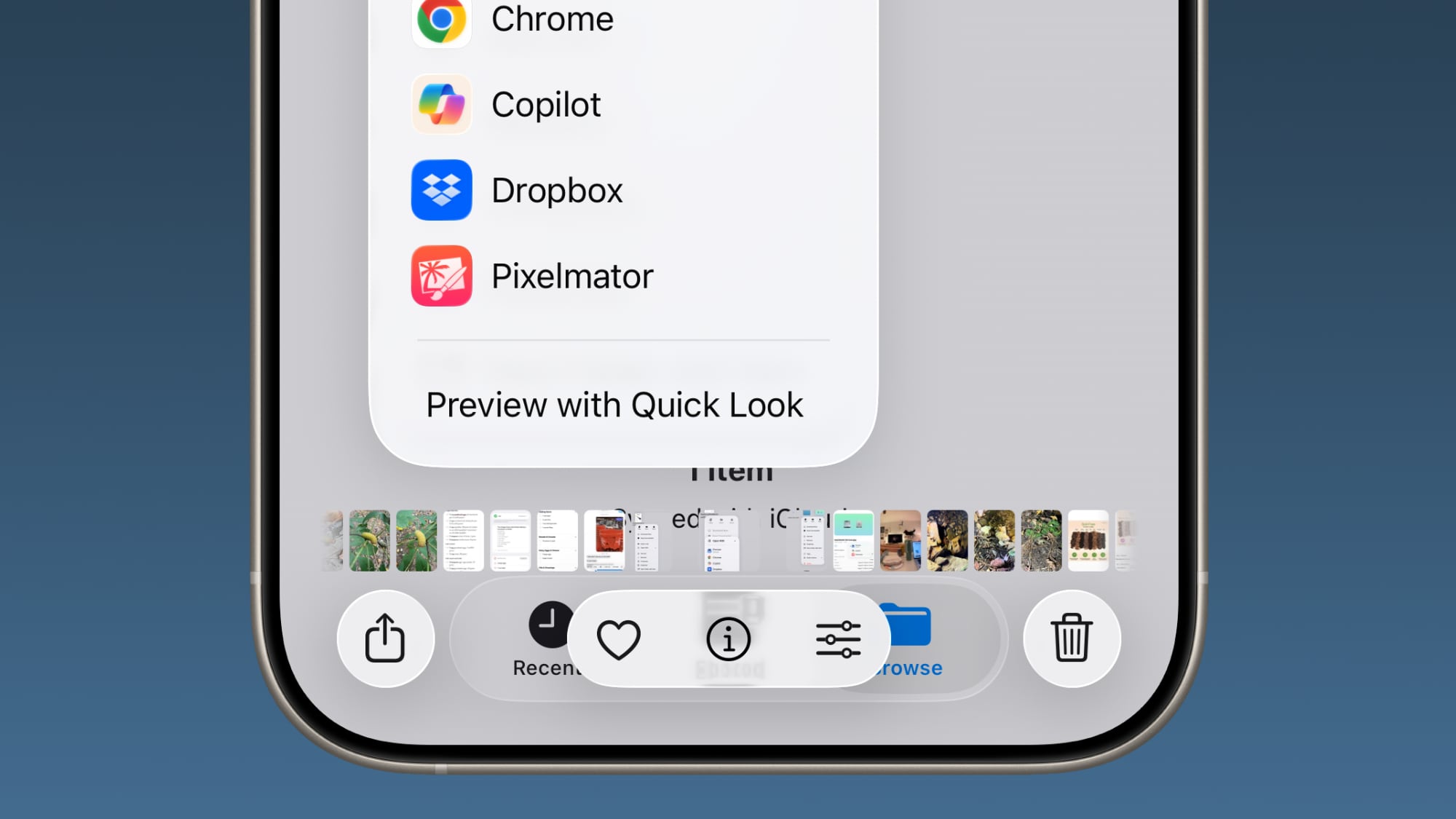
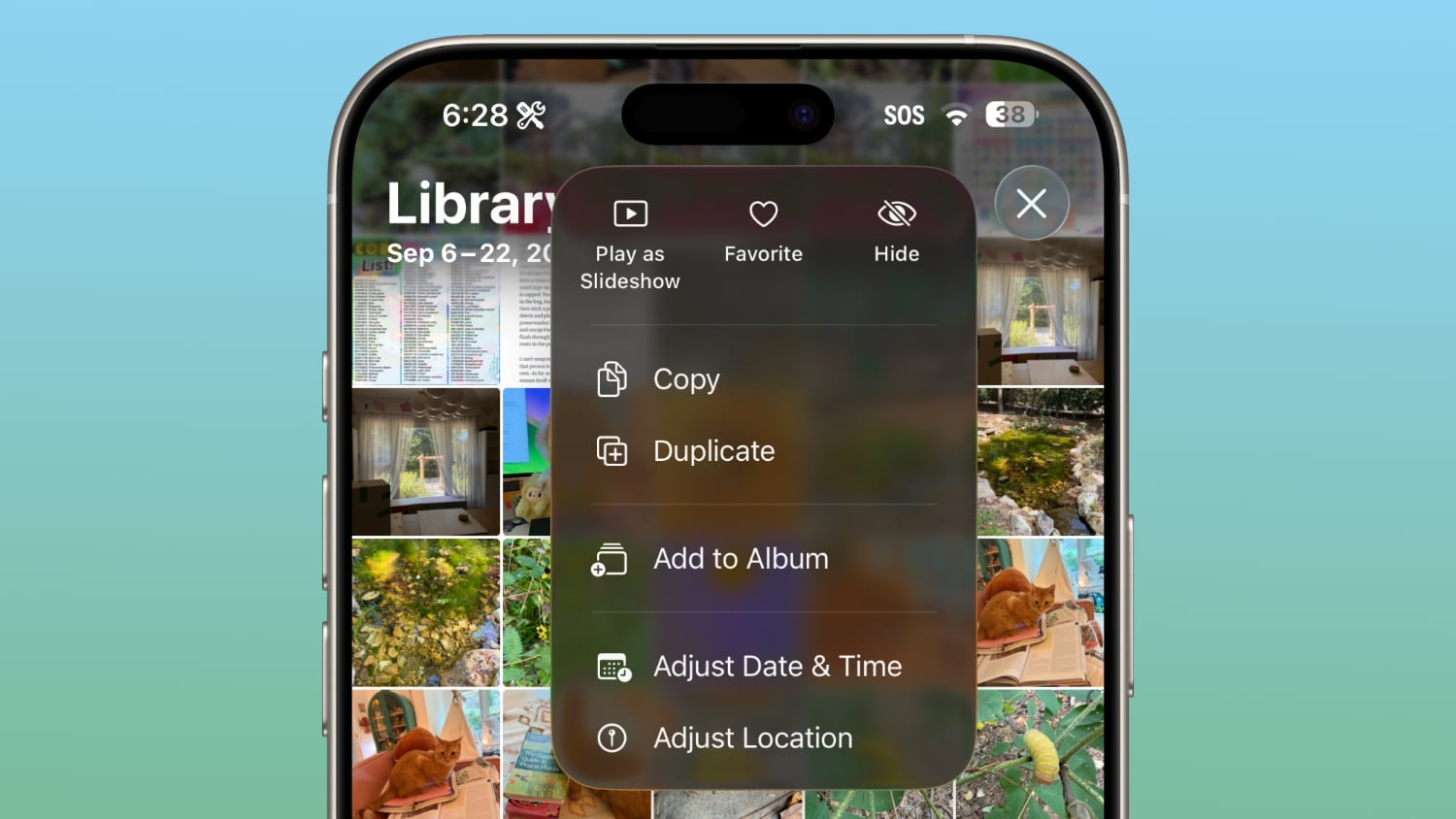
The interface for managing multiple photos that you've selected has been tweaked slightly. Play as Slideshow, Favorite, and Hide are now at the top of the menu.
Safari
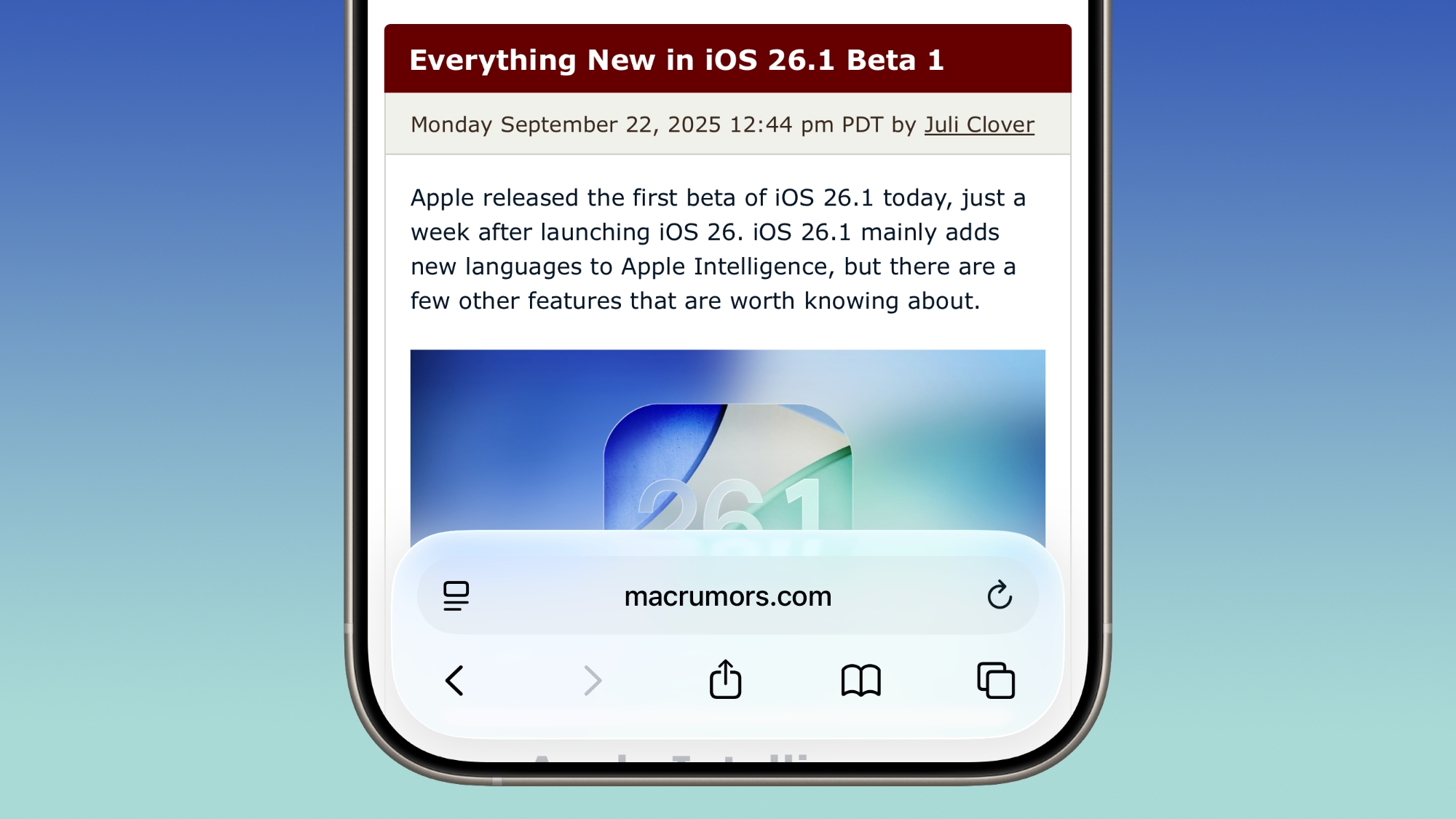
The Tab Bar (Bottom) in Safari is wider with less padding around the edges. In Reduce Transparency mode, there's more padding, so it no longer looks odd.
Background Security Improvements
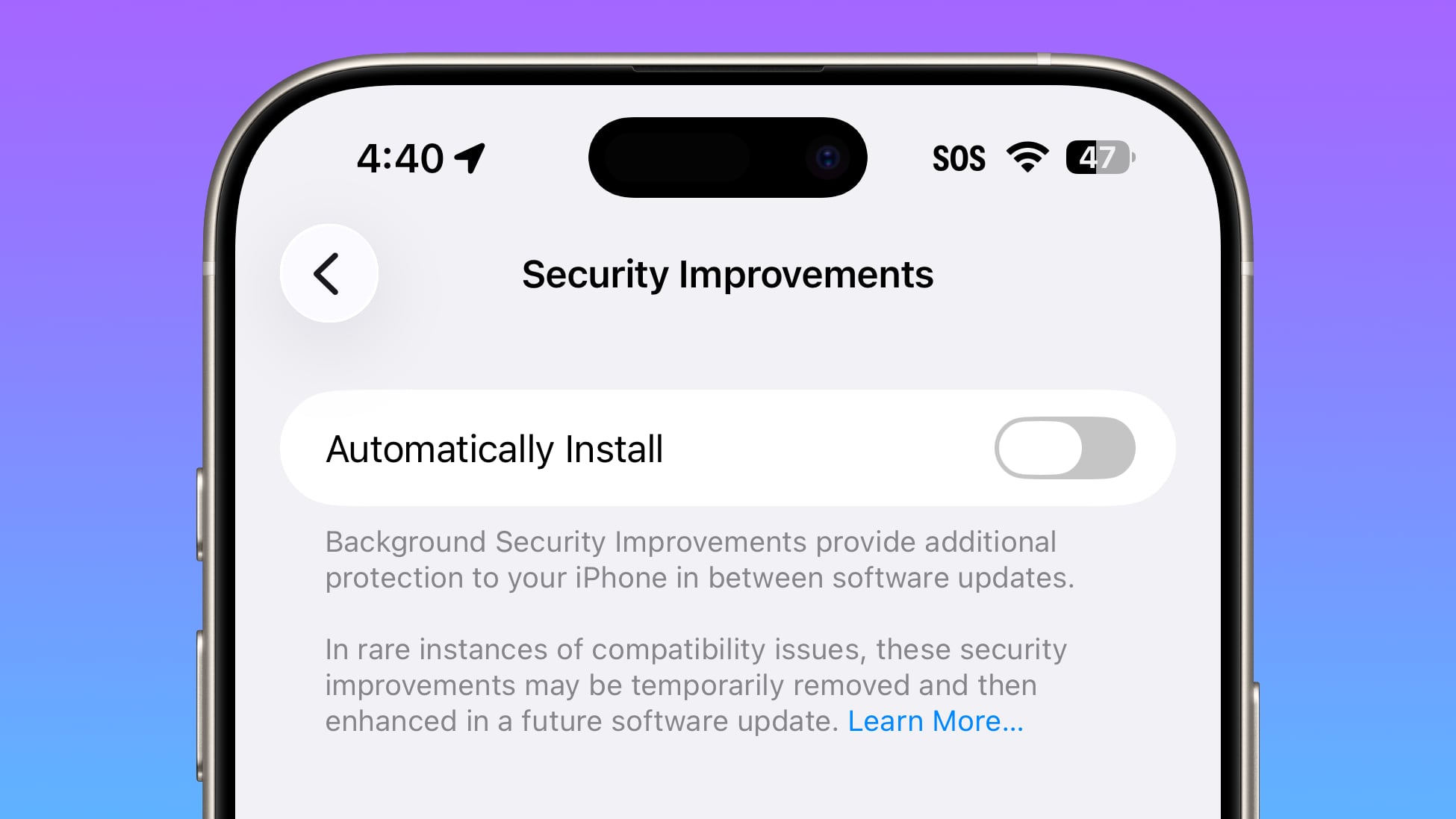
The Privacy and Security section of the Settings app now has a toggle to automatically download and install security improvements. It's a revamp of the prior Rapid Security Responses feature.
Display Settings
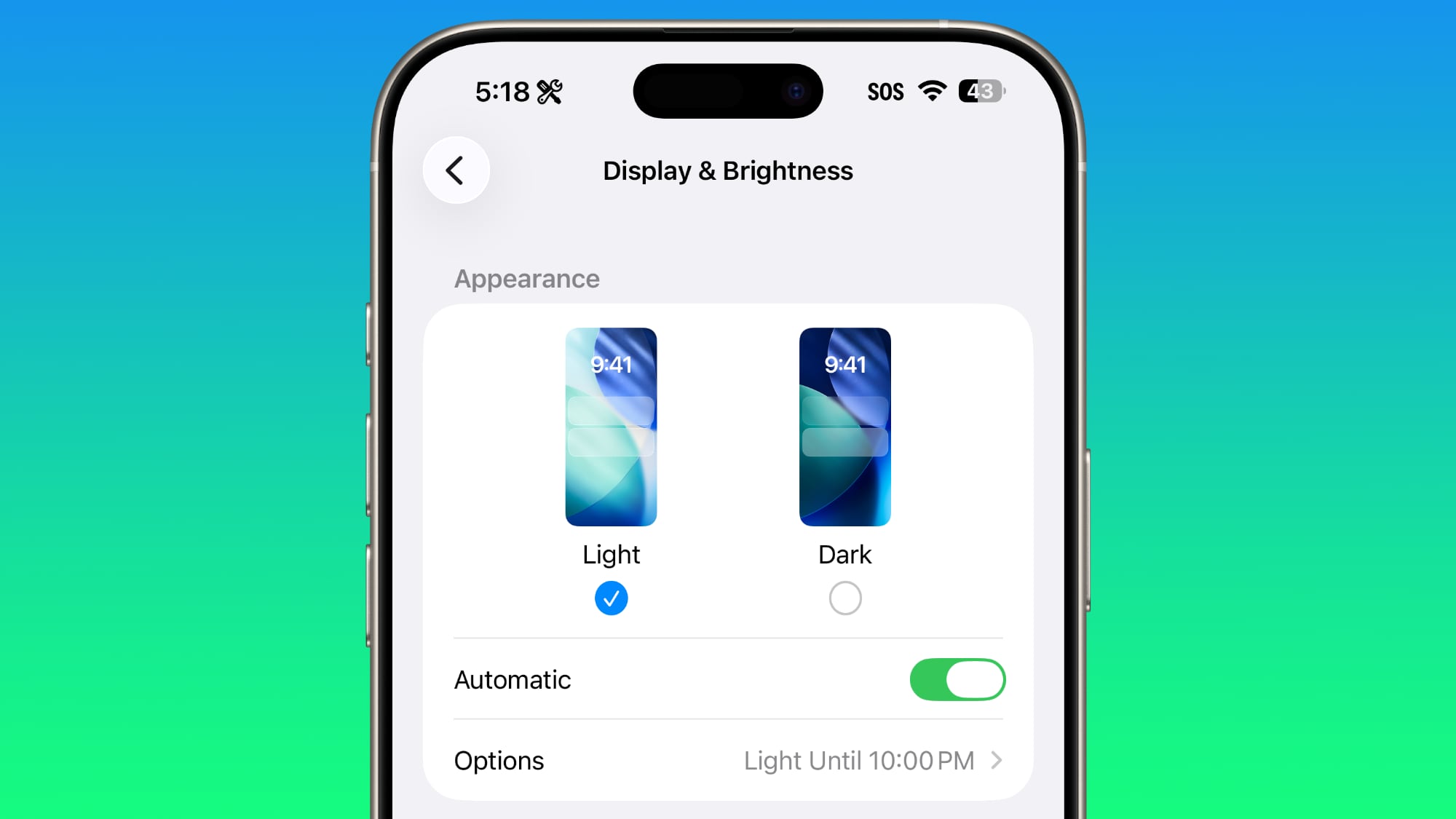
The Display section of the Settings app now has iOS 26-themed wallpaper instead of iOS 18 wallpaper.
Liquid Glass
The light refraction effect around apps is now more subtle with darker icon colors and background colors.
Wallpaper
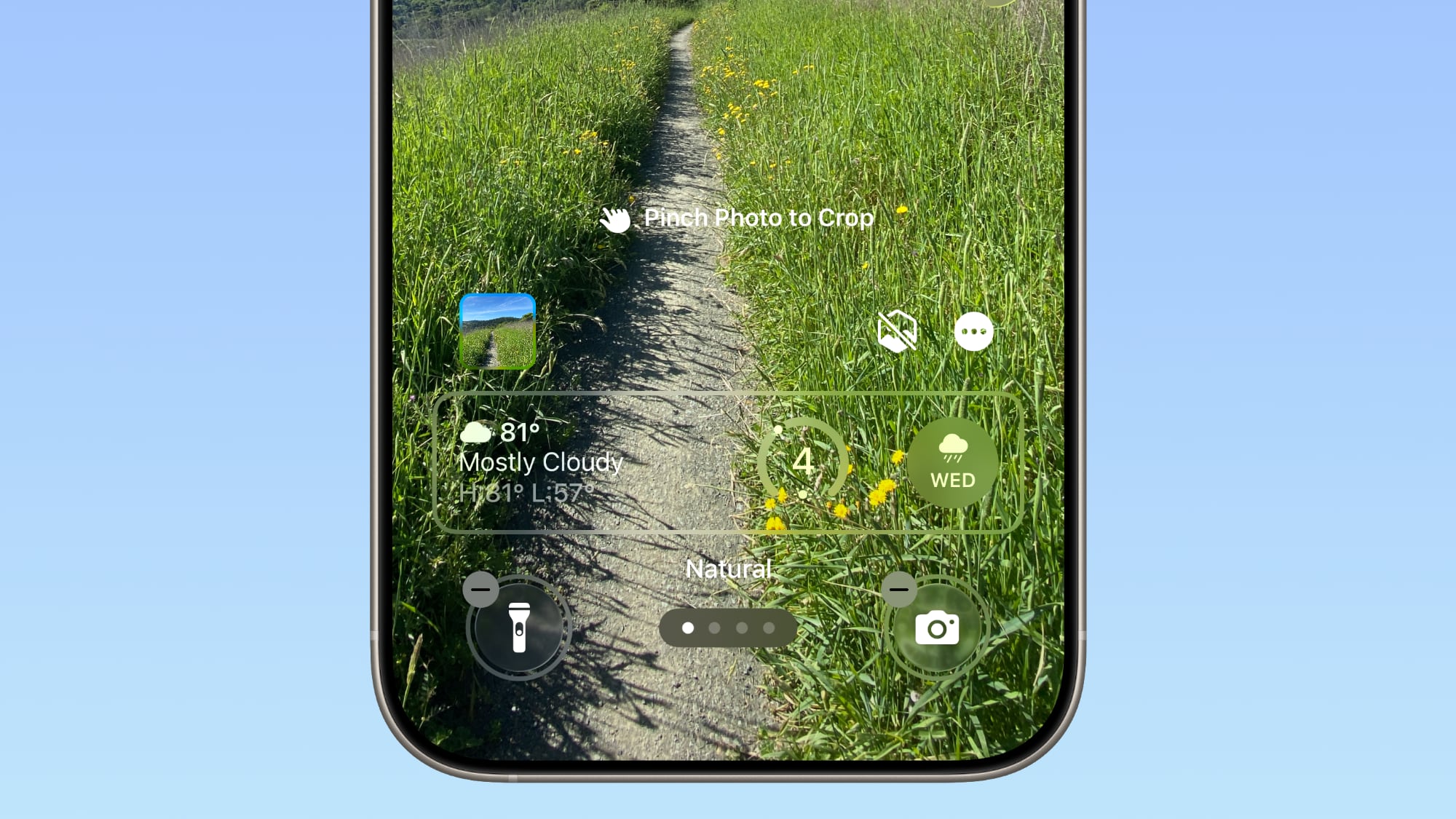
When setting a wallpaper on the Lock Screen, instructions like Pinch to Crop show up momentarily and then disappear, rather than being shown all the time.
Display Accessibility
Under the Display and Text Size section in the Accessibility settings, there is a new "Display Borders" toggle. It adds a border to all buttons, and replaces the prior "Button Shapes" setting.
Local Capture Settings
There's now an option to set a location in the Files app for audio and video recordings from calls. It's available by going to Settings > General > Local Capture.
Bonus: iPadOS 26.1
Many of the changes above are in iPadOS 26.1 too, and iPadOS 26.1 also makes some changes to multitasking.
Slide Over
With iPadOS 26.1, Apple is reintroducing Slide Over. Slide Over works alongside the window-based
iPadOS 26 multitasking functionality, so you can have multiple windows open and still swipe over to quickly access a Slide Over app.
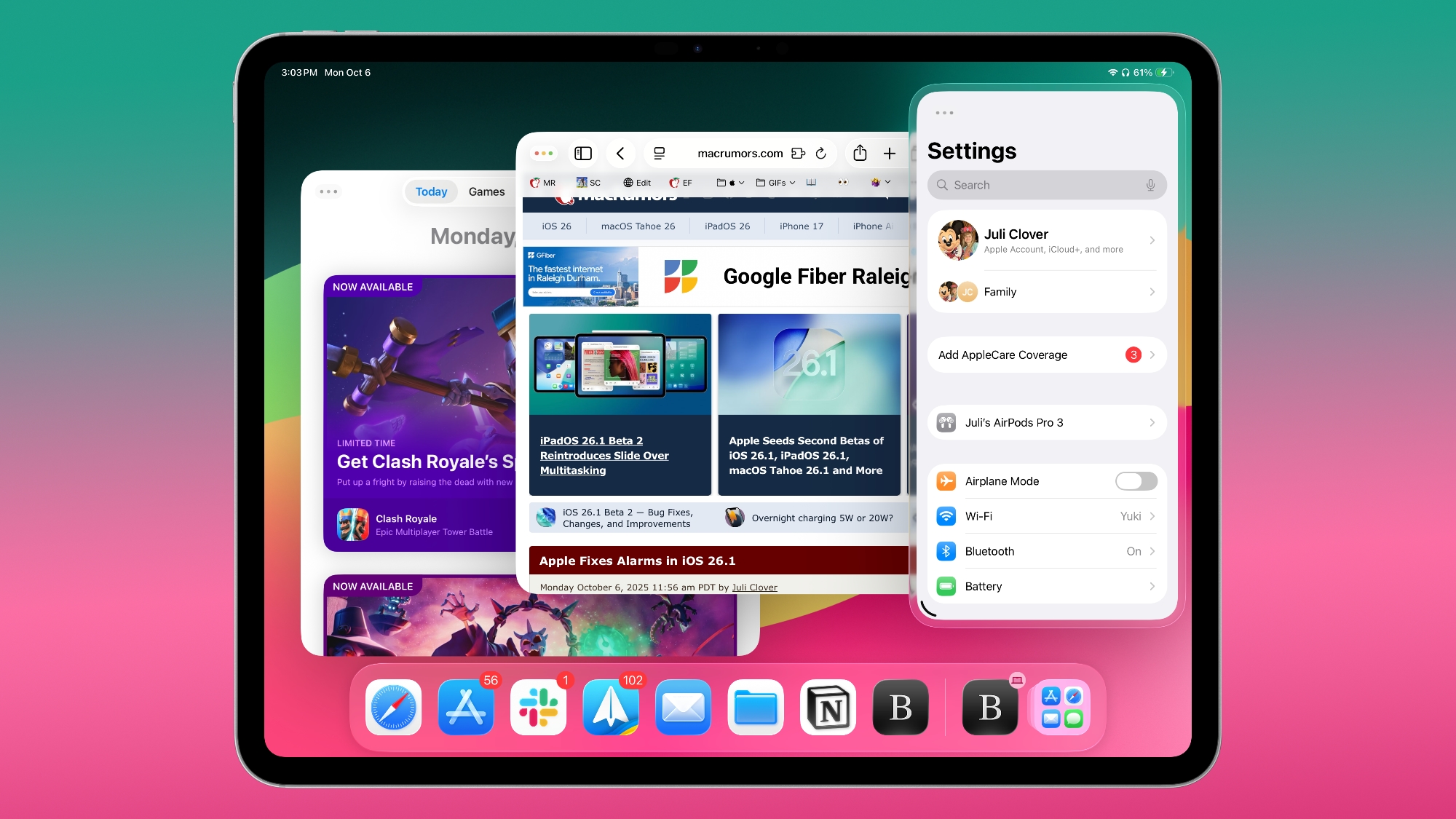
You can only have one Slide Over app at a time in iPadOS 26.1, and you can use the feature by tapping on the green window resizing button and toggling on Enter Slide Over.
External Microphones on iPad
There's now an option to adjust input gain on the
iPad when using an external microphone.
Download iOS 26.1
iOS 26.1 is available for both developers and public beta testers, so if you want to get your hands on the new features now, you can. It's easiest to sign up for public beta testing by visiting
Apple's beta website. You don't have long to wait for a public release, though.
Compatibility
iOS 26.1 is available on all iPhones that support iOS 26.
Release Date
Apple could release iOS 26.1 on Monday, November 3 or Tuesday, November 4.
This article, "
iOS 26.1 Coming Next Week: All the New Features" first appeared on
MacRumors.comDiscuss this article in our forums

 Login
Login