Starting version 17.0 – currently planned for January 2026, OpenProject introduces a completely redesigned Documents module with real-time collaboration capabilities. This marks a significant step forward in how teams can work together within OpenProject, enabling multiple users to edit documents simultaneously while seeing each other’s changes as they happen.
Why we needed this change
Project teams work in increasingly distributed and asynchronous ways. Whether you are brainstorming ideas, drafting project requirements, writing status reports or planning the next phase of work, collaboration is at the heart of what makes projects successful. However, traditional document editing workflows often create friction: files are duplicated, versions become out of sync, and team members struggle to know which version is the most current. Parallel editing leads to conflicts, data loss and frustration.
At OpenProject, we’re always trying to find ways to help our users communicate and collaborate in better ways. We believe teams want to work together in real time, see who else is contributing and have confidence that their edits won’t be lost or overwritten. This is precisely why we worked on upgrades to the Documents module.
Important
Please note that the changes outlined in this article are planned for release in version 17.0, which is currently scheduled for January 14, 2026.
Real-time collaboration in OpenProject
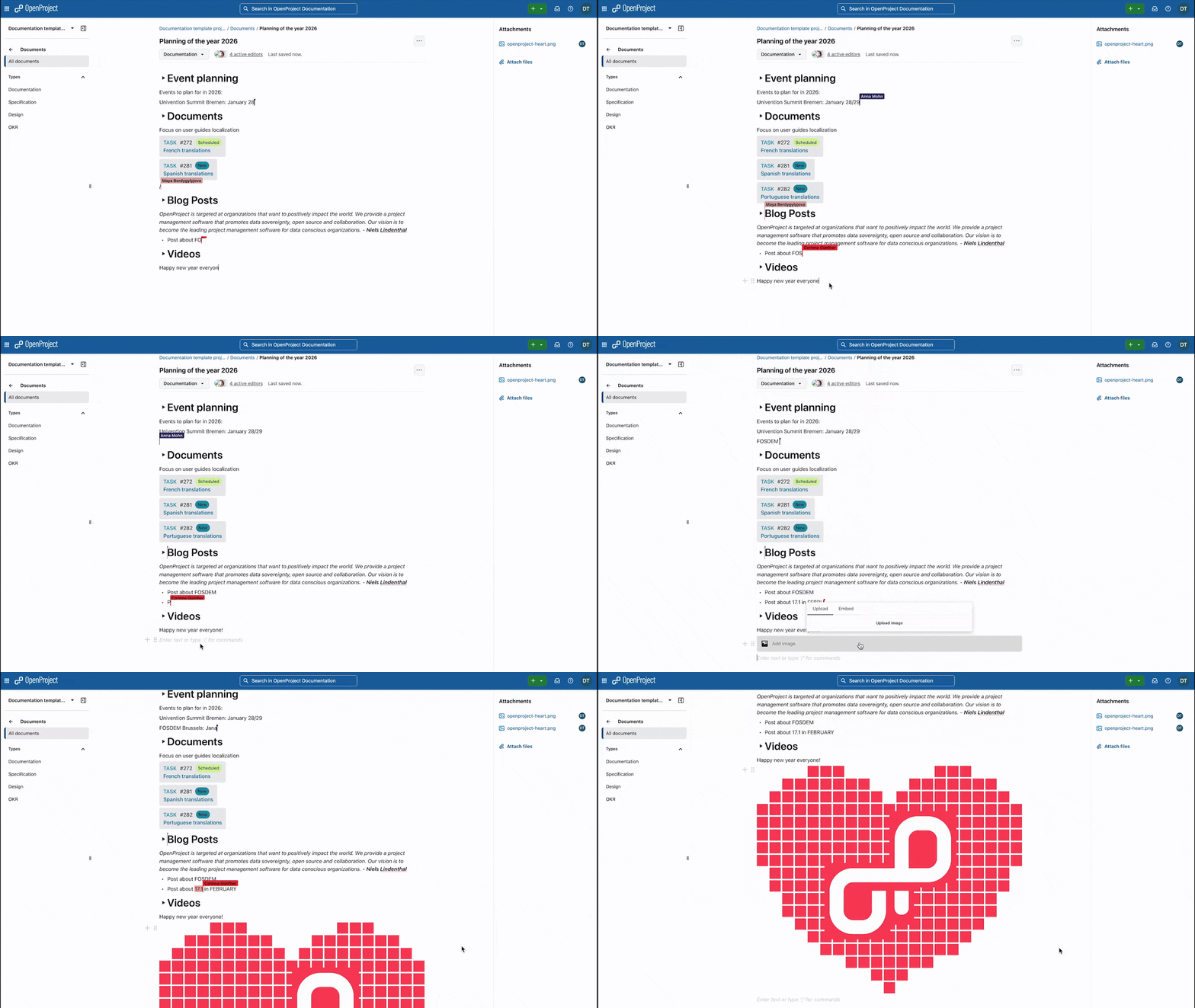
The redesigned Documents module brings true real-time collaboration to OpenProject. When you open a document, you can see who else is actively editing it. Their cursors appear on the page, showing exactly where they are and what changes they are making, as they type.
Real-time collaboration is not simply about being able to see other users’ changes. It’s also about removing the barriers that slow teams down: no more waiting for someone to finish editing before you can make your contribution, no more merging conflicting versions, no more hunting through email attachments or shared drives to find the latest version of a document. The most current document is always in one place, and everyone works from the same source of truth.
What’s new in Documents
The new Documents module represents both a significant user experience improvement and a fundamental technological shift:
Real-time collaborative editing: Multiple users can edit the same document simultaneously. You see who’s online, where their cursors are, and what they’re changing in real time. Complex conflict management happens automatically in the background, ensuring that no one’s edits are lost.
Modern rich text editor: Documents now uses BlockNote, a modern open source rich text editor that makes writing and formatting simple and intuitive. Adding rich content like images, videos, audio files, or code blocks is straightforward.
Dynamic work package references: You can now include references to work packages directly within documents using the /op or /workpackage commands. These references update dynamically, so if the name, status or type of a work package changes, these are reflected automatically in the document. This also makes it easy to link to features or reference bugs without manually copying and pasting information that might become outdated.
File attachments: Attach files to any document to provide additional context, supporting materials, or related resources. Everything stays organized in one place.
Improved design and usability: The entire interface has been redesigned with a focus on clarity and ease of use, with a particular focus on providing a distraction-free editing experience.
Take a look at this short preview Gif that shows the features listed above:
Preview for OpenProject 17.0: Four active editors in the Documents module, adding a heart image to the document, linking work packages and collaboratively writing and editing text.
Technical foundations
Making real-time collaboration possible required substantial work on the technical foundation of the Documents module. We’ve adopted two powerful open source technologies: BlockNote as our rich text editor and Hocuspocus as our real-time collaboration toolkit.
BlockNote provides the editing experience users interact with directly. It’s extensible, modern and designed with collaboration in mind. One particularly exciting aspect of using BlockNote is that our new work package reference components are built to be generic and reusable, such that other tools that use BlockNote can also benefit from these same components. For example, Docs, part of France’s LaSuite and Germany’s openDesk, is based on BlockNote. XWiki is also testing an integration with BlockNote, which will allow users of these tools to call our BlockNote extension add dynamic links to OpenProject work packages in their text. The combination of XWiki’s knowledge management platform and OpenProject’s work management capabilities is especially potent as a replacement for Atlassian’s Jira-Confluence package. Such integrations create a more consistent experience for users working across different tools in their digital workspace.
Hocuspocus handles the complex real-time synchronization and conflict resolution that happens behind the scenes. When multiple users are editing simultaneously, Hocuspocus ensures that changes are merged correctly, no edits are lost and that the editing experience remains smooth.
These technologies form a solid foundation for collaborative editing in the Documentions module today, and potentially across other areas of OpenProject in the future.
Looking ahead
The new Documents module is the first step in a larger vision for real-time collaboration in OpenProject. However, it’s also a test bed. We’re using Documents to refine our technology, test our infrastructure and learn how our users collaborate in practice.
Once the technology is stable and we’ve gathered real-world experience, we plan to introduce real-time collaboration in other areas of OpenProject where it can bring value. Work packages are an obvious next candidate. Our goal is to make it possible for you to see your colleagues editing work package descriptions or updating custom fields in real time, with the same experience you now have in Documents.
How to access the new Documents module
For Cloud users: If have an OpenProject Cloud subscription, the new Documents module is available starting with version 17.0. You don’t need to do anything. Hocuspocus and all other dependencies are already installed and configured. Simply ensure the Documents module is enabled for each project where you want to use it, and you can start collaborating immediately.
For on-premises users: How you access the new Documents depends on your installation type:
Containerized installations (Kubernetes, Docker, or Helm charts): Everything works out of the box. Hocuspocus is automatically installed and configured for you and real-time collaboration is enabled by default.
Package-based installations (DEB/RPM packages): You’ll need to manually install dependencies such as Hocuspocus and configure them to enable real-time collaboration.
All documents created before version 17.0 remain accessible exactly as they were, using the CKEditor-based text editor. These documents do not support real-time collaboration, but they’re fully functional and unchanged. You can continue to use them as you always have.
Starting with version 17.0, all newly created documents use BlockNote and support real-time collaboration (if real-time collaboration is properly configured and enabled). This means you’ll have both old-style and new-style documents coexisting in your OpenProject instance. Older documents will have a ‘Legacy’ label on them for easy identification.
Important
If real-time collaboration is enabled and users create new documents, but real-time collaboration is subsequently disabled (either manually or due to issues reaching the Hocuspocus server), those documents will no longer be accessible. We are aware this can lead to loss of access to data, so we strongly recommend that you not disable real-time collaboration after it has been enabled.
If real-time collaboration is not enabled—for example, because Hocuspocus is not available—new documents will continue to use the old style with CKEditor, without real-time collaboration features.
Your feedback
There is of course still a lot of work to do before we have real-time collaboration across all of OpenProject. We would really appreciate your help in getting us there.
Your feedback will help us understand what we’re doing right, what we can improve and what we should focus on. Does having real-time editing in OpenProject change the way you work? Will you use this in your own projects? What are ways we can improve it?
As an open source company, we develop in the open and value input from our user Community. If you have thoughts about the new Documents module, questions about how it works, or ideas for how we can make it even better, we’d love to hear from you. Join our Community instance and share your feedback.
Credits
We would like to thank the team behind BlockNote — Yousef El-Dardiry, Nick Perez, and Matthew Lipski — for creating such an excellent open source rich text editor. Thanks as well to the team behind Hocuspocus for providing the robust real-time collaboration infrastructure that makes this possible.
We’d also like to thank the design, development and QA teams at OpenProject for their hard work in making all this possible.
Fortunately, it has been rumored that Apple plans to update the AirPods Max within the next few years, and they will likely receive the following 10 changes.
The current AirPods Max weigh 0.85 pounds, excluding the charging case, according to Apple.
AirPods Max still have Apple's H1 chip from 2019, so it is very likely that a second-generation pair would be equipped with the H2 chip or newer. That should unlock at least seven upgrades, including improved sound quality, increased active noise cancellation, longer battery life, Adaptive Audio, Personalized Volume, Conversation Awareness, and the ability to use "Siri" instead of "Hey Siri."
Adaptive Audio adjusts Active Noise Cancellation based on your environment — you can customize the setting to allow more or less ambient noise. Personalized Volume is a similar feature that adjusts your AirPods volume based on both your surroundings and your volume preferences. Conversation Awareness temporarily lowers your volume and enhances voices in front of you while you are talking with someone.
Other likely changes include new color options for the ear cushions and headband, as well as a redesigned carrying case. Hopefully the case gains an Ultra Wideband chip, which would unlock Precision Finding in the Find My app.
In the U.S., AirPods Max remain priced at $549, but they are frequently on sale for less at Amazon and other resellers. Unless you really want AirPods Max now, we are now at a point where waiting for the 2027 model is worthwhile.
Apple's AirPods Max launched five years ago today, marking the company's first push into the high-end over-ear headphones market under its own brand name.
Rumors about Apple's work on a pair of high-end headphones, at the time believed to be called the "AirPods Studio," heated up throughout 2020. They were announced abruptly via a somewhat unexpected press release on December 8, 2020 and went on sale the same day. Orders started arriving to customers one week later on Tuesday, December 15.
The AirPods Max offer many popular AirPods features such as the H1 chip, easy pairing, Active Noise Cancellation, Transparency mode, automatic switching, and Spatial Audio with dynamic head tracking, but in a premium over-ear design for the first time. They also offer a headband made of a flexible mesh canopy, replaceable magnetic earcups, a Digital Crown for physical volume controls, a button for switching between ANC and Transparency, and a Smart Case for storage and to put the headphones into a low power state.
Demand for the AirPods Max was high immediately after launch, with shipping estimates that stretched out several months. Initial reviews of AirPods Max were favorable, applauding the headphones for being "more than enough to compete with other high-end headphones" in terms of design and sound quality. While the recommended retail price remains at $549, the AirPods Max are often available with discounts of over $100.
Last year, Apple refreshed the AirPods Max's selection of color options and swapped the Lightning port for USB-C, but there were no other changes. Since the changes were so minor, Apple does not seem to consider the "new" model a second-generation.
A new image shared by prototype collector and leaker Kosutami appears to show parts designed for an unreleased all-black Apple Vision headset.
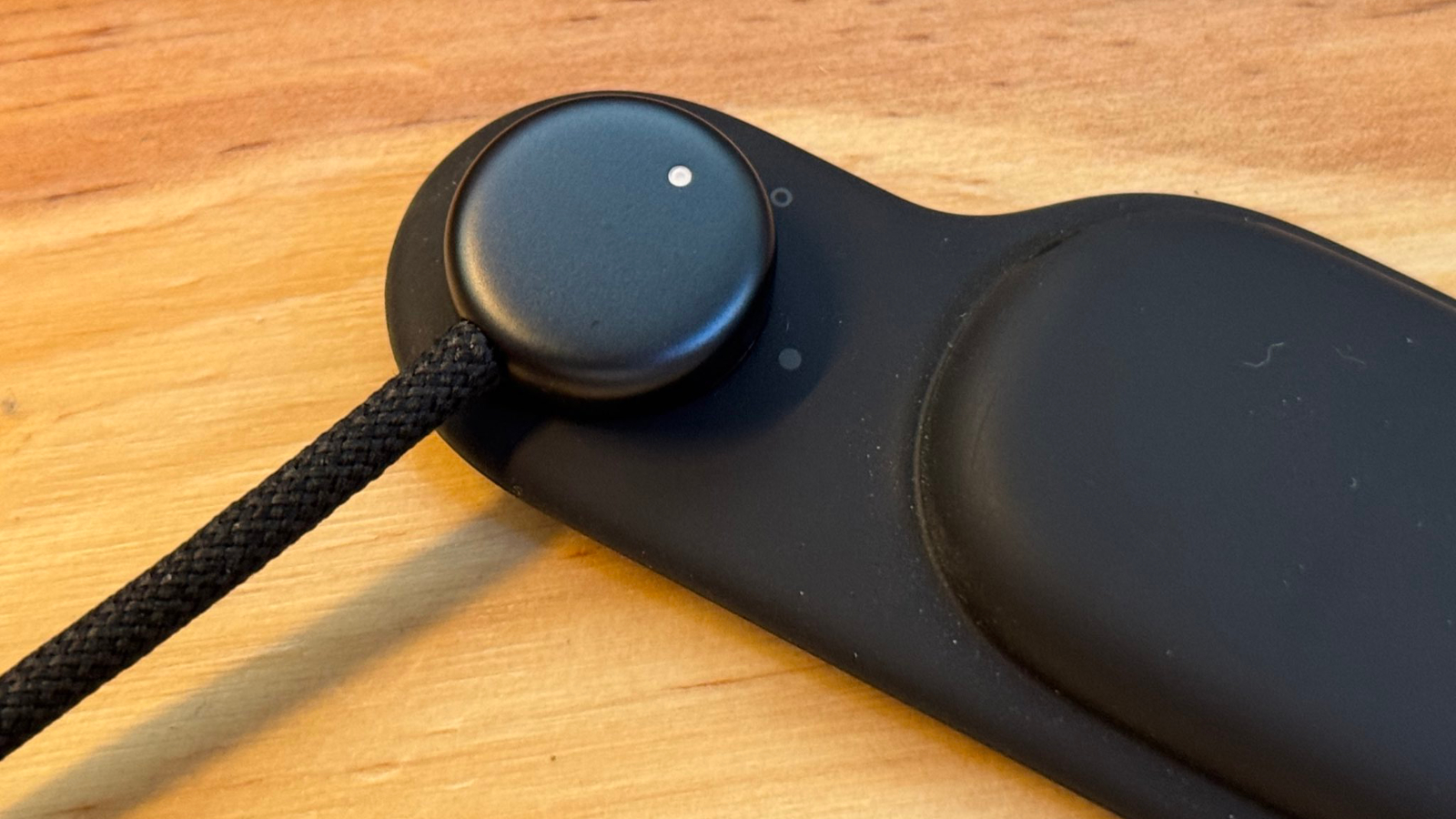
The image shows what seems to be a Vision Pro's left power strap and audio pod with the attached power cable. It seems to be identical to Apple's existing hardware, but uses a dark finish not seen on any production Vision Pro hardware.
Kosutami previously claimed that Apple has been testing a thinner and lighter mixed-reality headset referred to internally as "Vision Air," featuring a Midnight-colored exterior and reduced weight achieved by switching several structural components and the battery enclosure to titanium. According to the leaker, this model would retain an aluminum exterior but adopt a deep bluish-black finish rather than the Vision Pro's current silver and white.
Earlier this year, Kosutami also shared images of a new Lightning-style connector in Midnight said to be intended for a next-generation Vision headset. The existing Vision Pro uses a 12-pin connector, while the unreleased cable featured only eight pins, which seemed to indicate that Apple may have been redesigning the external battery system for future headsets.
Apple had been widely expected to release a lower-cost headset called the "Vision Air," as well as a redesigned second-generation Vision Pro. However, Bloomberg reported in October that Apple paused development of all Vision headsets in order to accelerate work on AI-powered smart glasses.
If you're looking for the perfect tech or tech-adjacent present for someone who loves Apple products or just uses them daily, I have a few suggestions that might be helpful to you this holiday season.
These are some of our favorite products, many of which I use personally or have gifted to our friends and family members in the past. If you're still looking for a present for someone that's hard to shop for, check out the list.
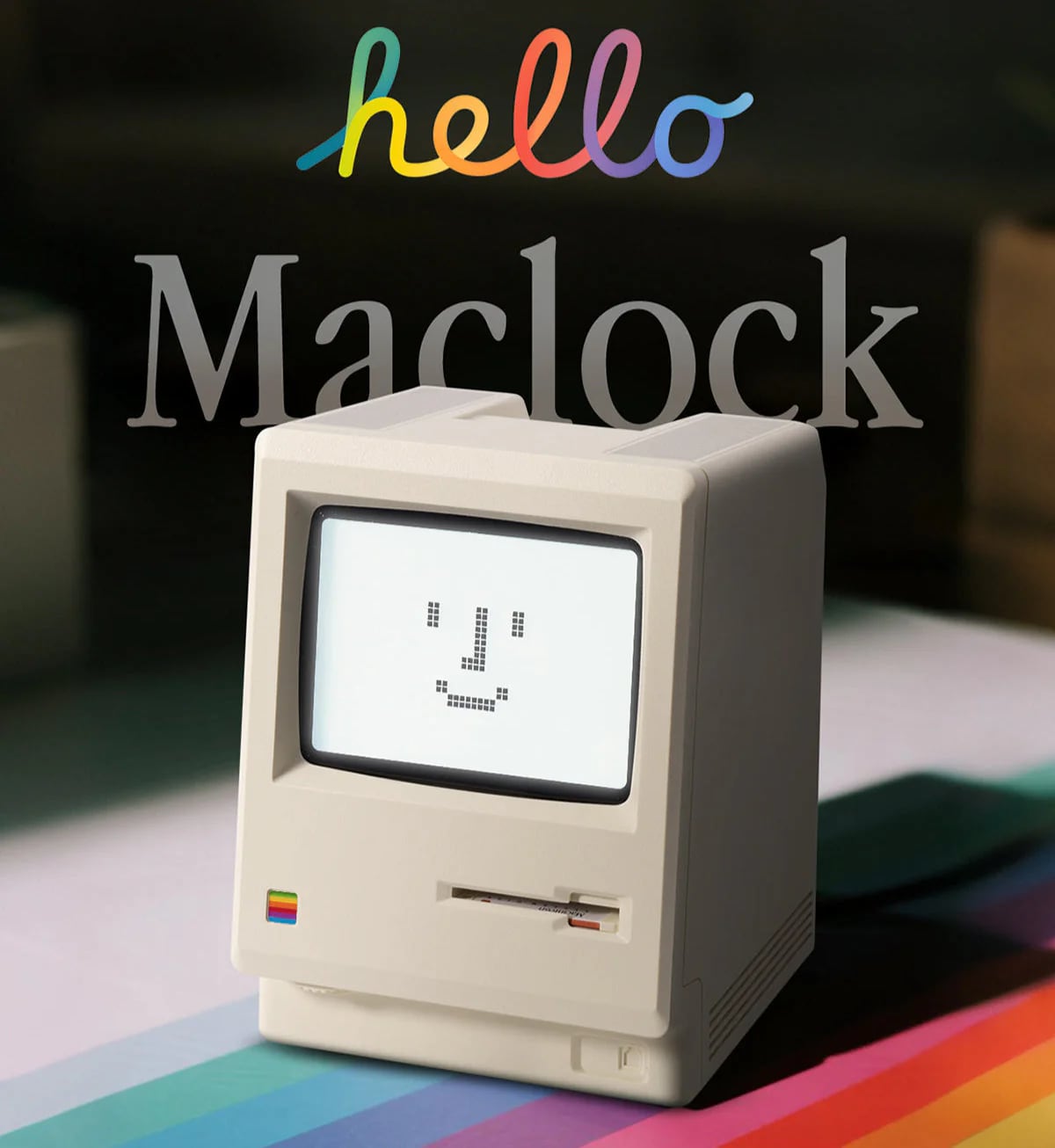
For Apple fans or fans of classic PCs, the Maclock is a tiny Macintosh 128K that works as an alarm clock. It is super detailed and has all of the design touches of the original, and there's even a tiny floppy disk that turns it on when you put it in.
There are multiple display modes, and it can tell you the time, day of the week, and temperature, plus it is a functional alarm clock. There's also a classic Mac face you can set it to. I haven't gifted it yet, but I bought one of these a few weeks ago. It does ship from China, so order ASAP.
I've seen a few different versions of this product, but this variant has no third-party logo on the front, and it's just $30.
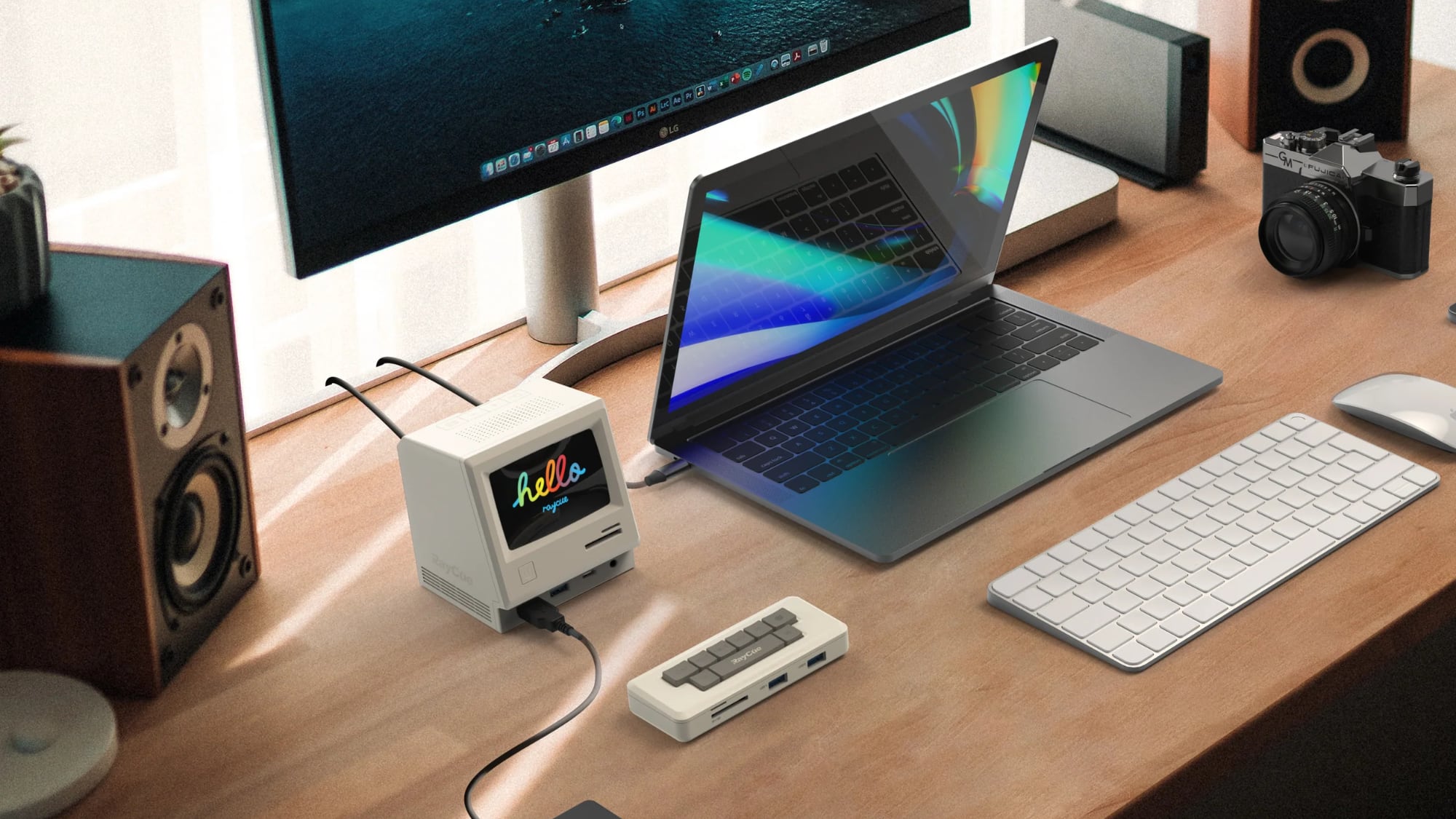
If you want to spend a bit more, RayCue has some retro-style Macs that are actually designed to be docks. I haven't used one, but it looks like a fun desktop accessory.
While I'm on the subject of mini Macs, I don't want to leave out the Pico-Mac-Nano from Nick Gillard. The Maclock is palm-sized, but the nano is even smaller at just under 2.5 inches, plus it has an actual Mac operating system. Gillard did sell these fully assembled at one point, but Apple asked him to stop.
You can still get the parts to make one, and Gillard has instructions. There's a full kit for GBP62.00 (around $100 shipped to the U.S.), and it would be a great gift for someone who likes retro items and a project.
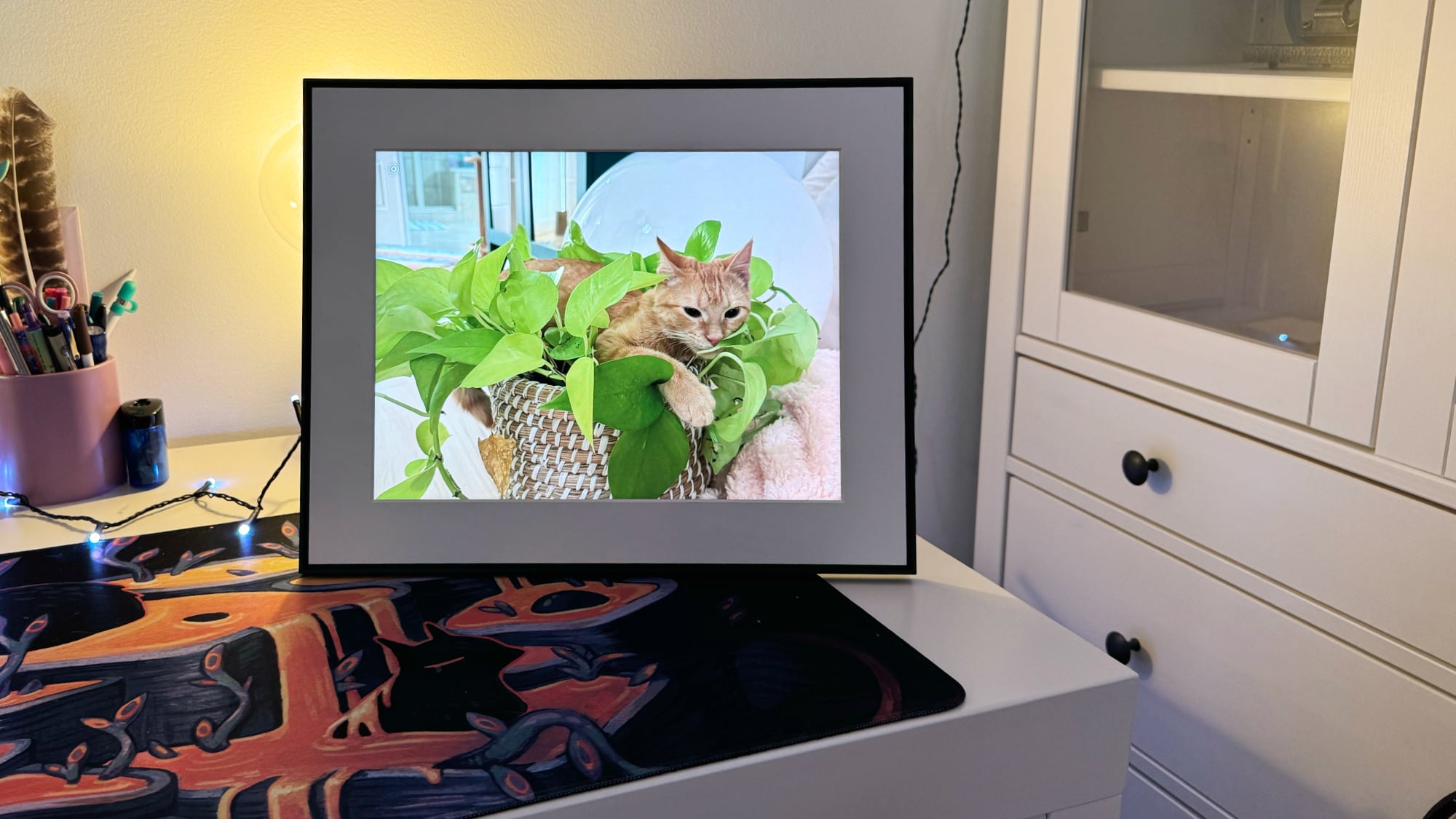
Priced starting at $149, Aura digital frames make a good gift for anyone who has digital photos, which is most of us these days. You can load photos on the frame using the Aura iPhone app, and since images are stored in the cloud, there's no limit.
Multiple people can upload images to a single frame, so it's a great way to share photos with friends and family members. If you know someone that's not technically savvy, like a grandparent, it's still the perfect gift because you can load photos for them remotely. The $149 10.1-inch Carver is Aura's most affordable option, but there are sizes up to 15 inches, like the $299 Walden. Aura also makes higher resolution options, including the $199 Mason, and all the frames come in multiple colors to match any decor.
Everyone I've gifted an Aura frame to has loved it, and it's my go-to for people that are hard to shop for. This year, Aura launched a frame that uses e-ink for a softer, more art-like look. It changes images less often and it's expensive at $449, but it has a different vibe than your standard photo frame.
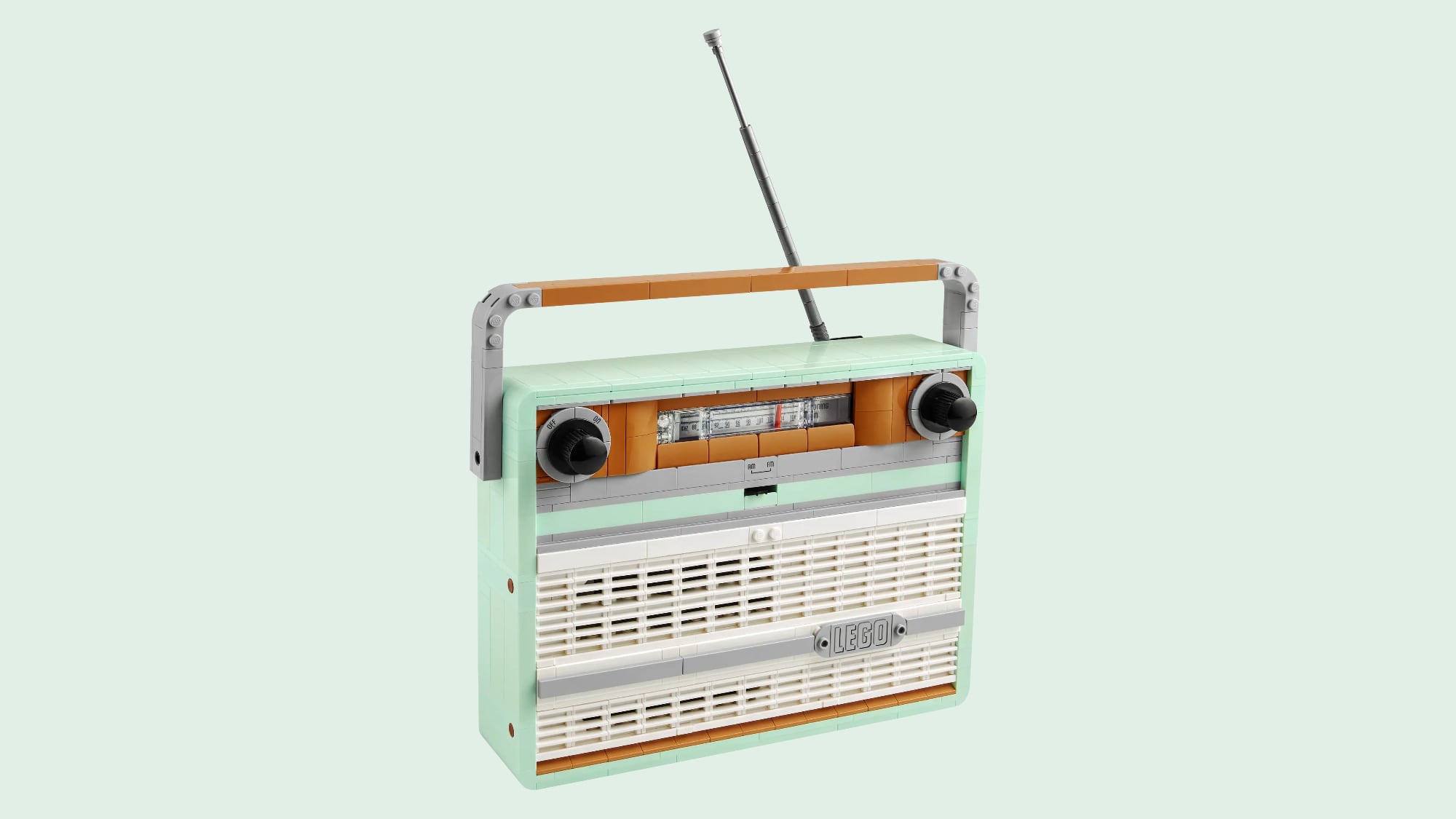
Priced at $100, the Retro Radio from LEGO has a sweet, nostalgic design, complete with a tuner, knobs, and speaker grille. It's actually functional, because you can remove the back plate from the set and place an iPhone inside so that the radio plays music.
There's a built-in smartphone stand that holds the iPhone in place, but if you don't want to use an iPhone, there's also a little sound brick that plays different sounds when you turn the knob. I have one of these, and it was a fun build.
There are other LEGO sets that make for good gifts, even for people who aren't LEGO collectors. Anyone that likes a puzzle would probably like a LEGO set, and some have wide appeal. Here are a few I've gotten this year that would make for good gifts:
LEGO Super Mario Game Boy ($60) - This isn't a working Game Boy, unfortunately, but it does come with swappable screens and LEGO game cartridges. It is possible to make a working version if you're so inclined.
LEGO Botanicals Happy Plants ($19) - I'm a fan of the LEGO botanicals, and this set is small, inexpensive, and fun for the desktop.
LEGO Botanicals Hibiscus ($70) - All of the LEGO botanicals make good gifts (I'm gifting a set of flowers and a bonsai this year), but the hibiscus is a newer set that has a unique flower shape and it comes with a pot so it matches sets like the orchid. Other great botanical options include the mini bonsais and the tiny plants set (a personal favorite).
LEGO Kingfisher ($40) - This set was a lot of fun to put together, and it makes a great desk display because of its bright colors. It would be nice for a bird lover.
LEGO Insects ($63) - This set has a butterfly, a Hercules beetle, and a praying mantis, and it's another excellent display piece. This one is delicate and can be a little frustrating, but it's one of my favorites in the ideas series.
I do buy LEGO set gifts for people who aren't into LEGO and who haven't done one before, and it tends to go over well.
Earlier this year, I reviewed the Nanoleaf LED Expo Display Cases, and they're one of my favorite Nanoleaf products to date. They're far from cheap at $270, but they would make an excellent gift for someone that collects high-end sneakers, anime figures, or anything in that vein. The boxes can be set to 16 million colors or shades of white, and colors can change in time with music.
I think Nanoleaf designed these for sneaker collectors, but anything can be put inside. Like a lot of Nanoleaf devices, these aren't going to go with every decor choice, but collectors and gamers will love them.
You'll never go wrong with AirPods as a gift, and there are two really good options to choose from this year. The AirPods Pro were just refreshed with a third-generation version, and for $249, you get excellent Active Noise Cancellation and sound quality.
The AirPods Pro 3 have a new design that's more ergonomic and foam-infused silicone tips that fit snugly in the ears to drown out sound. With hearing aid support, AirPods Pro 3 could be useful for a family member that has mild hearing loss but doesn't wear hearing aids.
If you're purchasing for someone who doesn't like silicone ear tips, the AirPods 4 are an option. You can get them with or without Active Noise Cancellation. The ANC version doesn't cut out as much noise as the AirPods Pro 3, but it's enough to make a difference.
I prefer the AirPods Pro fit and ANC over the AirPods 4 because I have smaller ears and the AirPods 4 can be painful. The AirPods Pro can drown out the sound of the heater, leaf blowing outside, the TV in the next room, road noise, and other sounds that sometimes drive me nuts. The AirPods 4 are so inexpensive, though, that they're a great option on a budget.
I think I've tried every HomeKit smart bulb and light available at this point, and Philips Hue lights are the best you can get. I have no patience for lights that constantly disconnect or have connectivity issues, and the Hue bulbs don't. There is a $65 to $100 Bridge, but it's worth it. I mostly use Hue lights, and I've invested hundreds of dollars in my setup over time. Bulbs I have from almost 10 years ago are still functional.
The $143 White and Color Starter Kit comes with two Hue bulbs that can go in any lamp that supports E26 bulbs, and it comes with the hub. It's one of the best bets if you're buying a gift for someone who is new to smart home products. The bulbs can be controlled with the Home app or the Hue app, and they can be set to 16 million colors. Hue has great light effects and scenes that really shine when you have multiple bulbs.
For a cheaper option, there's the $99 Essentials Starter Kit that comes with a hub and four lower-power E26 multi-color bulbs. Hue Essentials bulbs don't dim quite as low and the color isn't as precise.
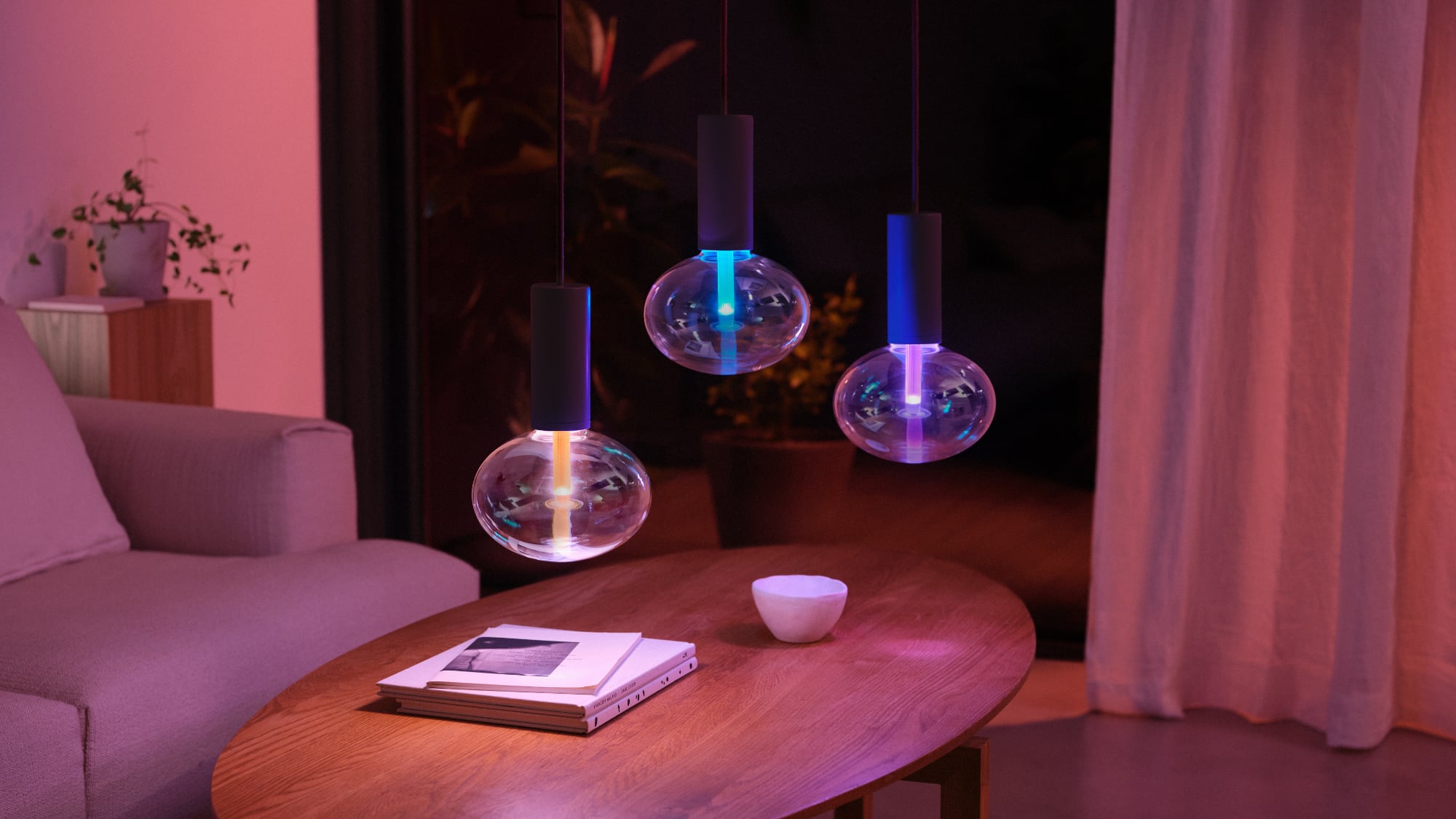
Lightguide bulbs ($99) - These are perfect paired with a simple lamp base, because the bulb is meant to be the star. I have two of the ellipse bulbs, and they're enormous and look great.
String lights ($132) - For holiday fans or those with patio setups crying out for lighting, the Hue Festavia String Lights would make a good gift.
Signe floor lamp ($363) - The Signe floor lamp isn't the most practical light because it doesn't have a wide radius and is meant to face the wall, but it makes for great accent lighting.
Hue Go ($99) - The Hue Go is a portable lamp that you can use plugged in or with the built-in battery, and it supports all of the same features as Hue bulbs. It's a nice accent light and good to have around for power outages.
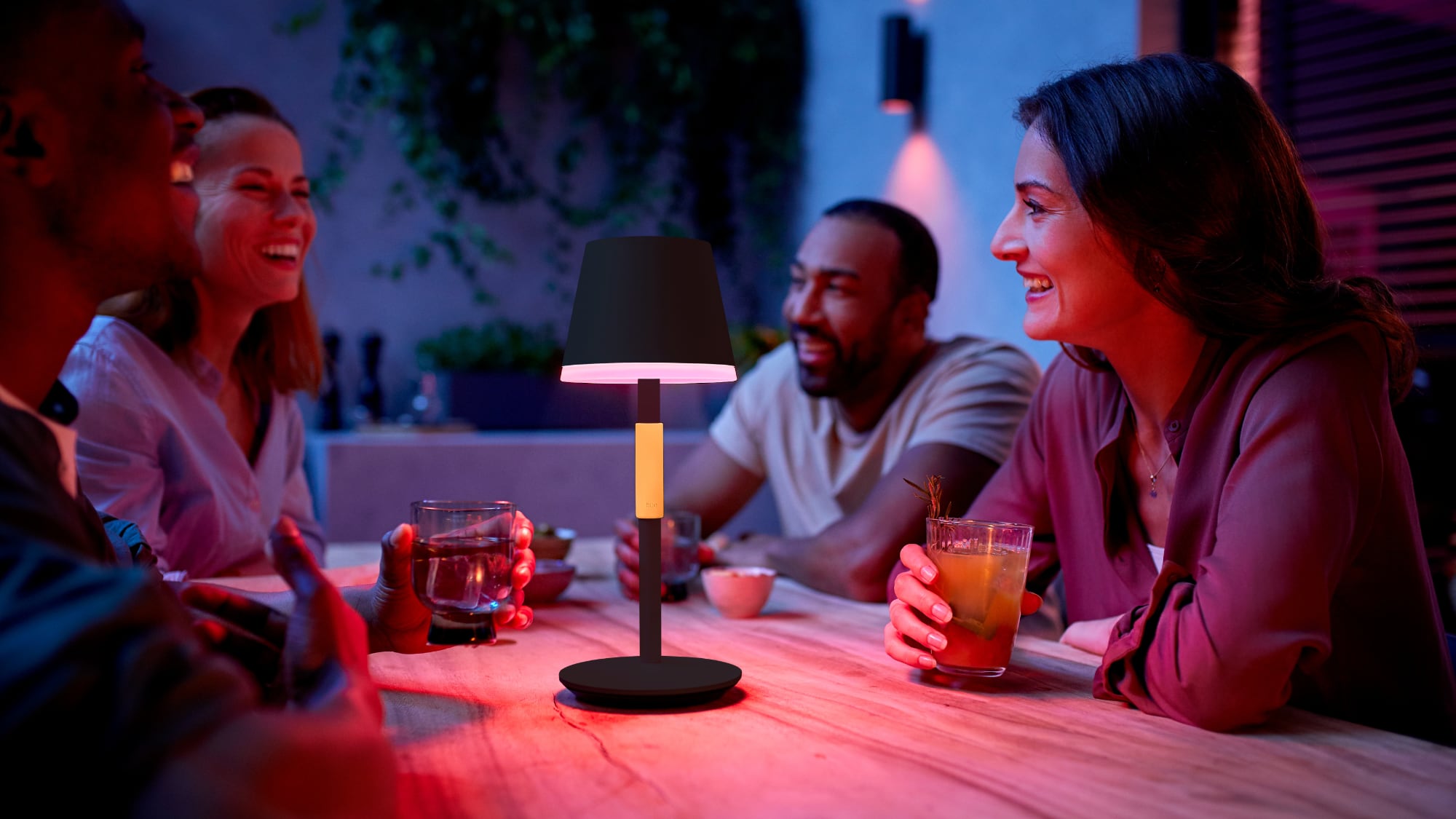
Hue Go Portable Table Lamp - This is a lot like the Hue Go, but it's a more traditional looking lamp. It's water resistant, so it can go outdoors, too. I haven't tried this one yet, but it's on the wishlist.
Downlights ($66) - If you know someone that has those old can style downlights, a Hue upgrade would make a good gift. Downlights are super simple to swap out, and switching from the older models to Hue saves money and adds new lighting options. I switched all the downlights in my house to Hue and have no regrets.
Outdoor Lights ($176+) - I swapped my porch lights and the lights in the back to Hue lights this year. It's more involved than downlight swaps, but provides fun lighting options for the holidays. I installed two of the Appear and three of the Econic, all of which have been working flawlessly. I use these with motion detectors. Hue also has some Festavia globe outdoor lights that look amazing, but I haven't tried them.
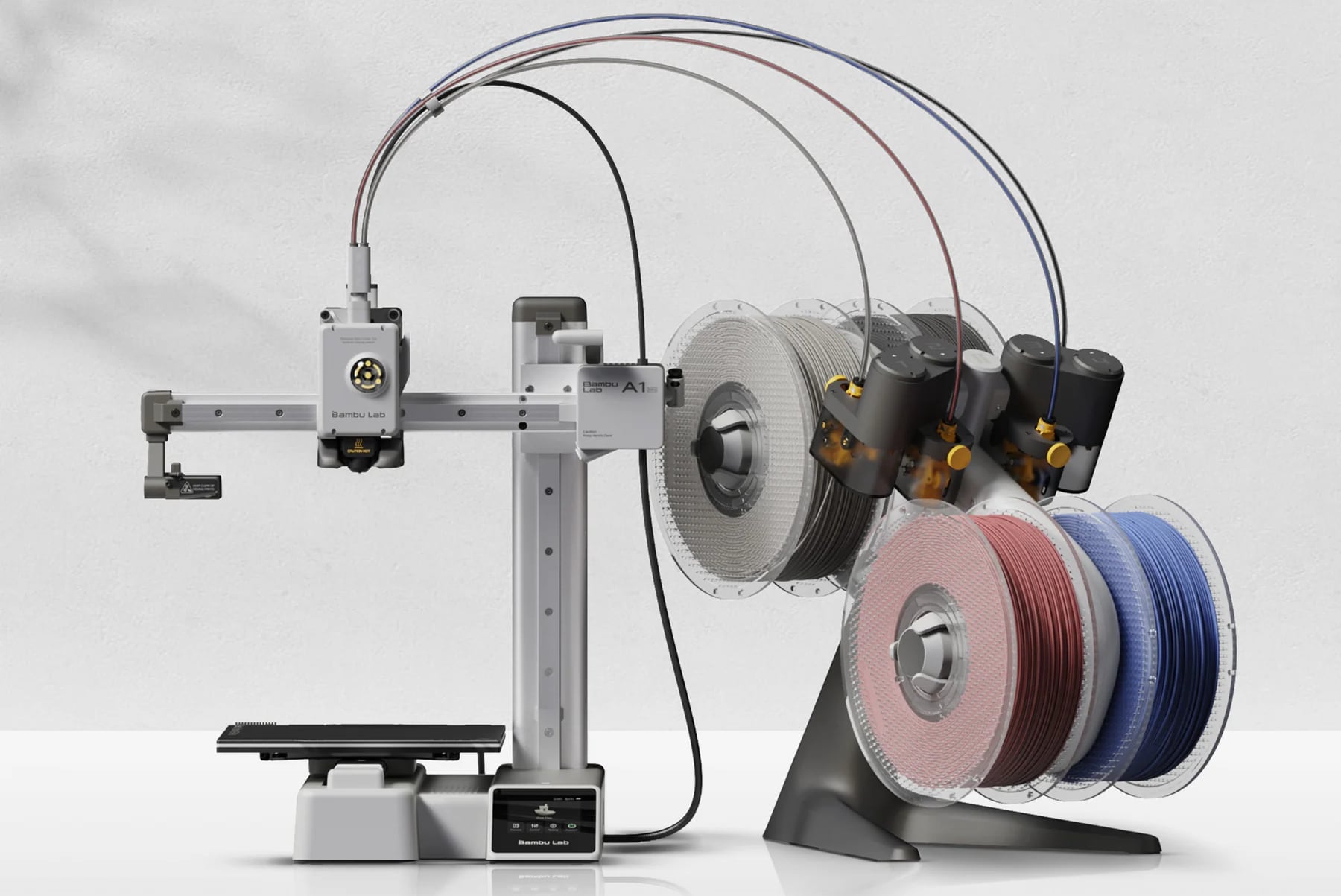
Bambu Lab makes a range of 3D printers that you can print to using just an app on your iPhone or your Mac. The A1 Mini is just $219, or $329 with the AMS Lite that lets you print with up to four filament colors. Bambu's printers are sort of the iPhone of 3D printers in that they're relatively easy to operate and have a lot of bells and whistles to streamline printing and cut down on issues. Models like the H2S and P2S come with an enclosure, and there are now several machines like the H2D that also have a laser cutting module.
I've had a Bambu X1C for over two years now and do not hesitate to recommend Bambu printers for those interested in getting into 3D printing. It's easy to use, there are thousands of STLs out there for making everything you can think of, and you can even make your own using software like Tinkercad, Fusion 360, or even Nomad Sculpt on the iPad. I use my 3D printer weekly, if not daily, and Bambu printers get better all the time with new print options from Makerworld.
I haven't personally used the A1 Mini, but it's a much more affordable way to try 3D printing, and it could make a great gift for an older child or a partner who likes to tinker. They're not entirely problem free, but I've been able to solve every issue I've run into, and there are endless settings to optimize.
I reviewed portable power banks from several different brands this year, and I have two favorites that I keep coming back to from Anker.
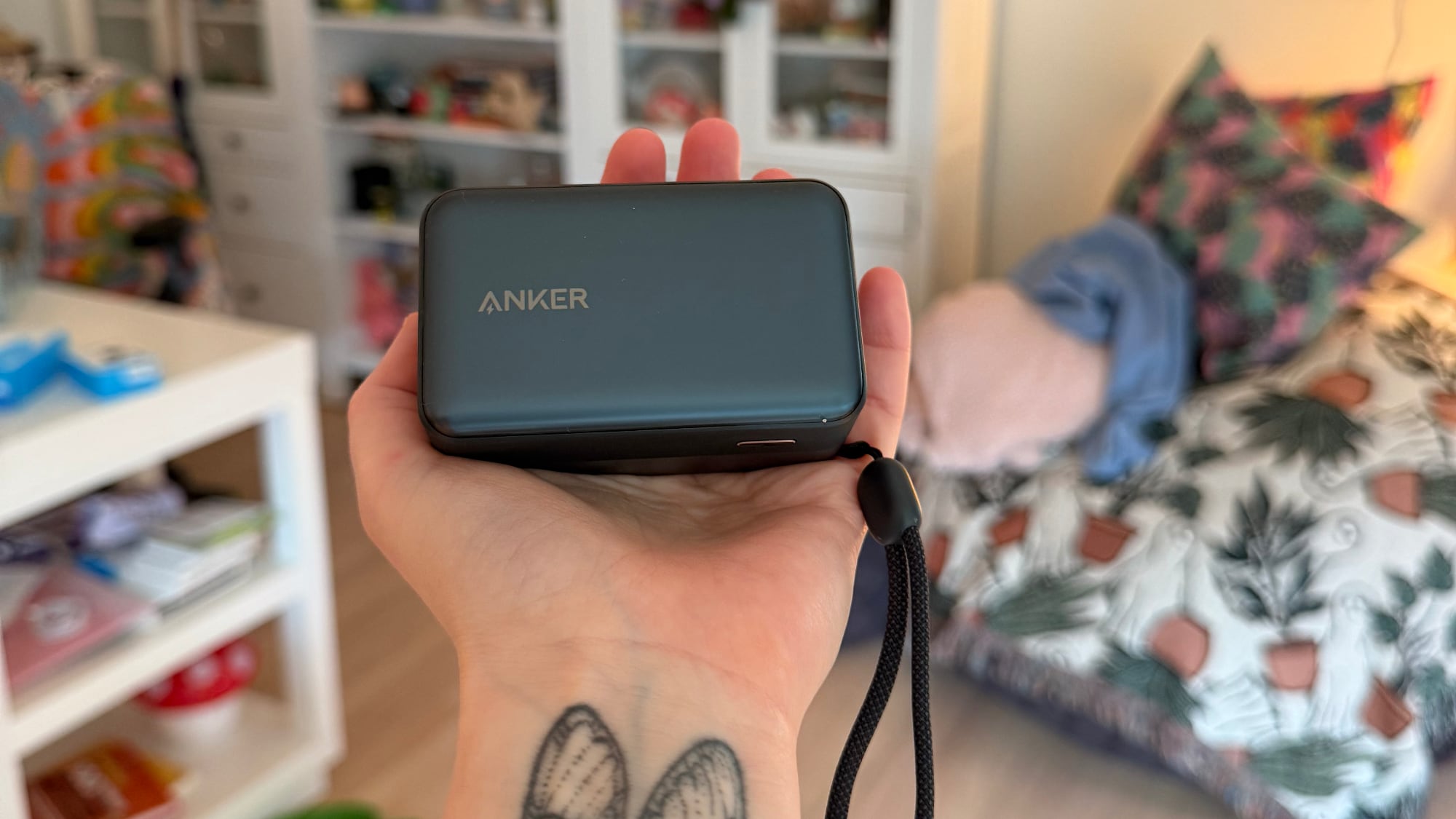
I love the $54 MagGo Nano Power Bank for wireless charging. It's the slimmest MagSafe power bank that I've tried, and it's so much better than thicker, bulkier models. I have a 17 Pro Max and it doesn't bother me to use it with the power bank attached because it doesn't add too much extra weight. It's only a 5,000 mAh battery so I don't get a full charge, but it's more than enough to get me through a day of heavy phone usage.
My other favorite is the $60 Nano Power Bank with Retractable Cable. I didn't love this one right when I tried it because it's thick and rectangular, but it's turned out to be the power bank that I reach for most often. I like the lanyard, and the retractable USB-C cable is useful because I never need to hunt one down. I tend to prefer this power bank even over the magnetic model because the wired charging is much faster. Next time there's a sale, I plan to pick up another in teal.
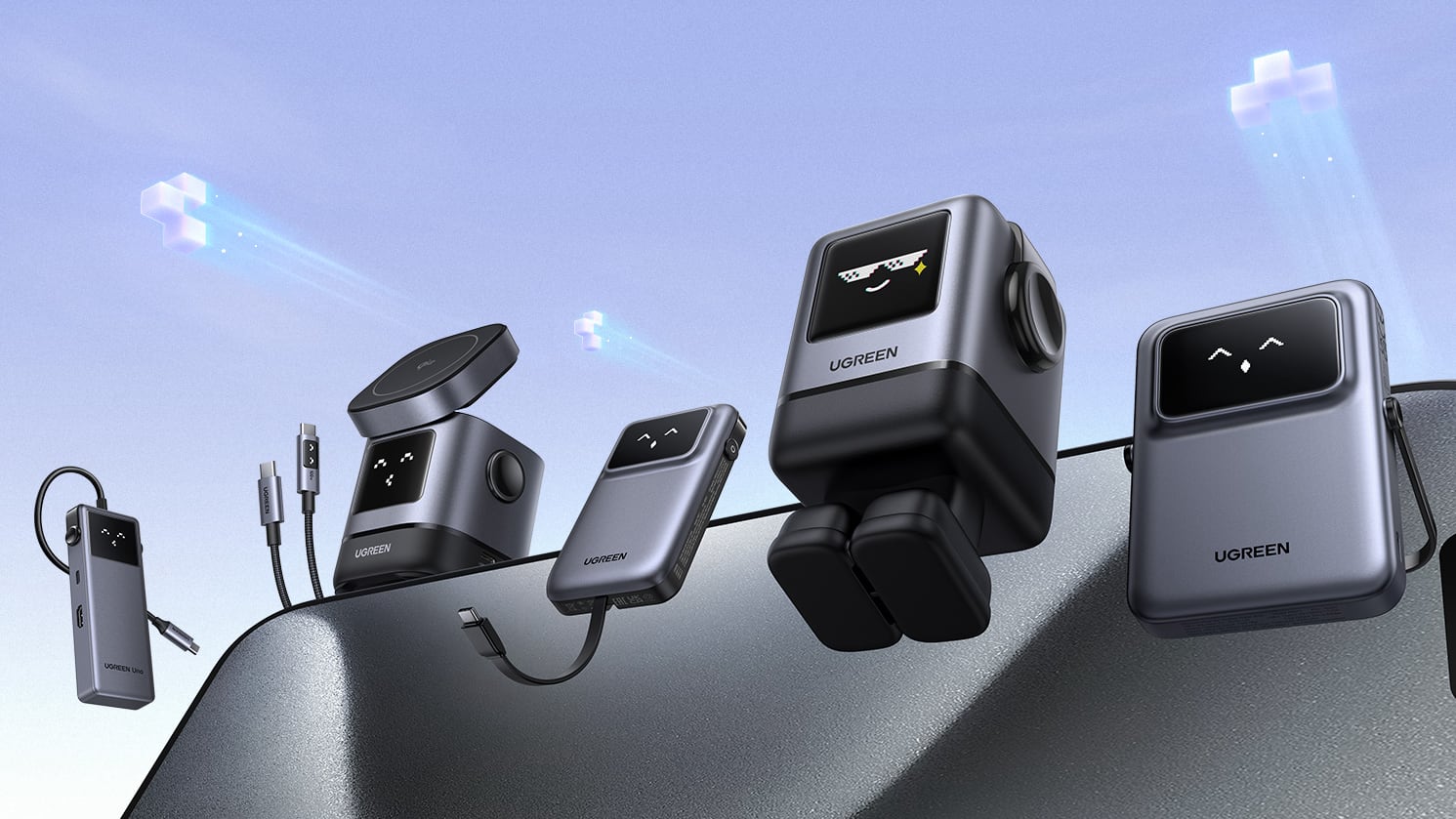
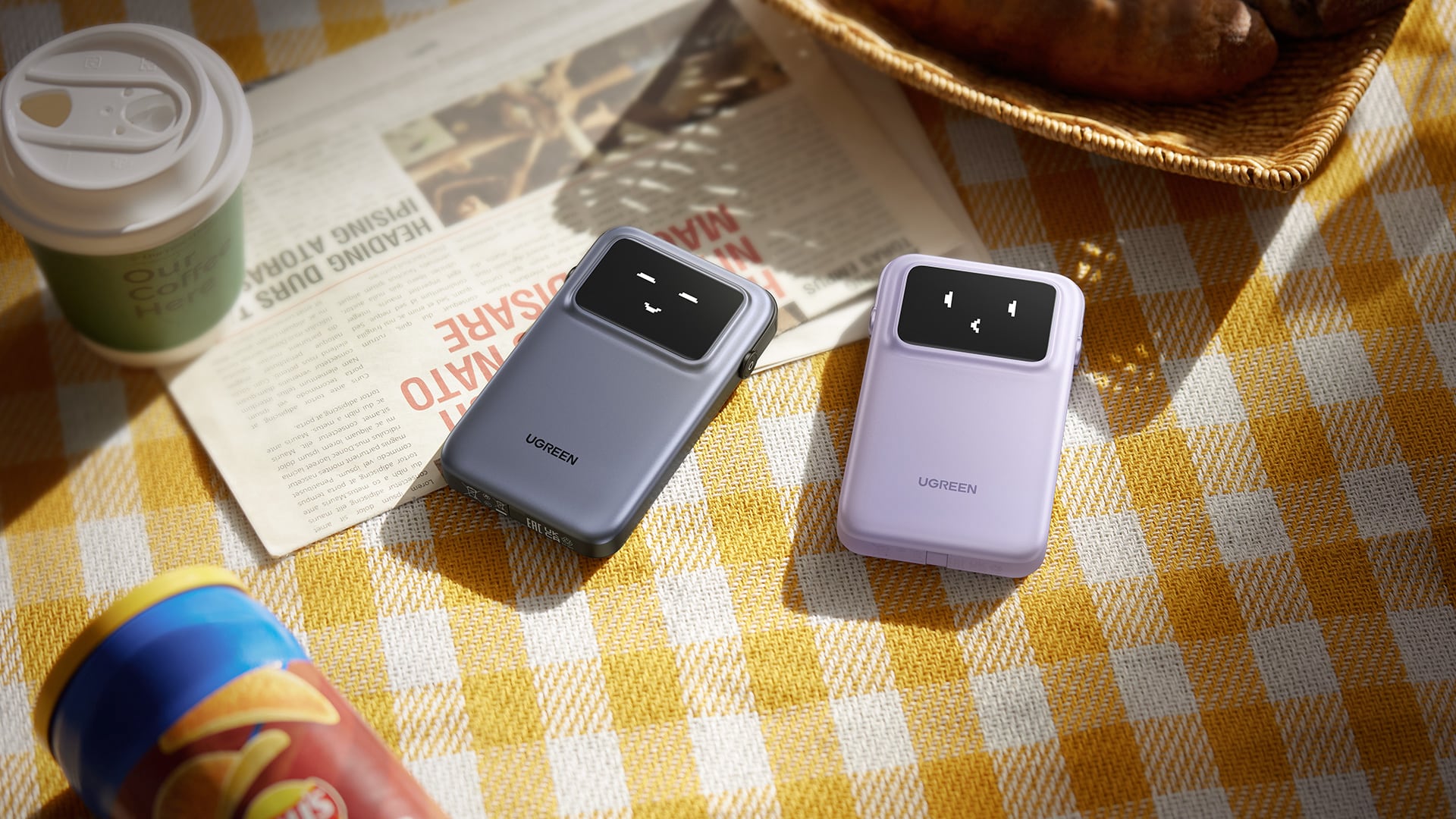
Ugreen's "Uno" line features chargers with fun little faces, and I think they're great.
There's a $35 65W charger with four ports, which has legs and a digital panel with face emoji that change based on charging state. When a device is fast charging, for example, there's a face that looks like it has its mouth full, and when charging is finished, there's a little face with sunglasses. I've used this one on my desktop power strip for the last year.
There are also two power banks that have the little emoji faces, one that's 5,000 mAh with Qi2 for $35, and one that's 10,000 mAh with USB-C for $50. They come with built-in stands that look like little headphones, which is a nice touch because you can use the stand for watching videos or FaceTiming. When I want to charge and need a stand, I use these.
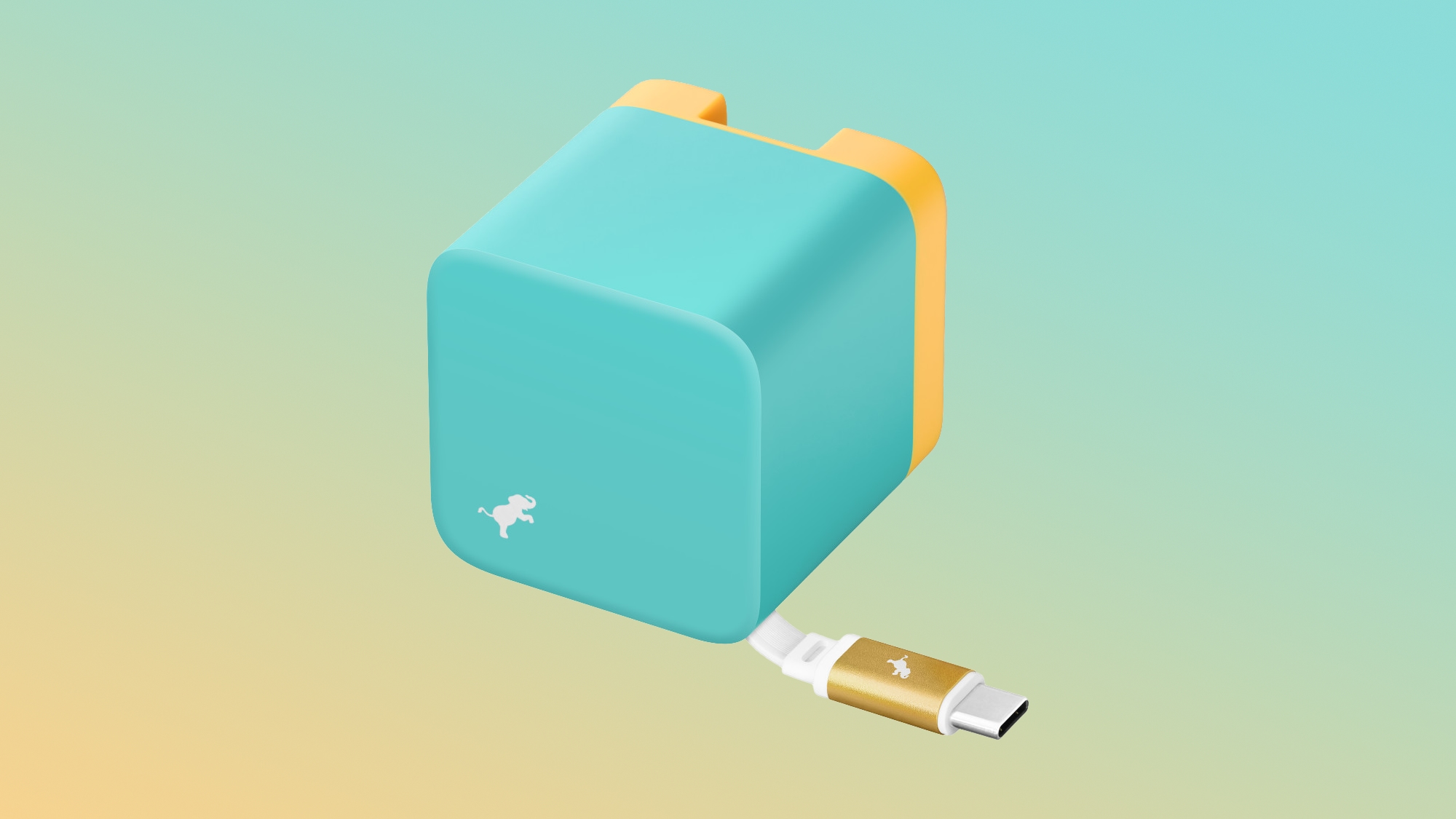
Nimble has $42 65W Wally Wall Chargers that come with a retractable 2-foot USB-C cable, and I love them. The prongs fold down and the cable retracts inside the enclosure, so they're ideal for travel. I have a cat that likes to nibble cables, and these keep the cable out of the way unless I'm charging. There's an extra USB-C port at the bottom so you can actually charge two devices at once.
If you buy them from Apple, you can get fun colors that include deep purple or teal, though they're more expensive at $60. Nimble also has power banks in colors you don't often see, and I am a fan, but I don't love having to supply my own USB-C cable.
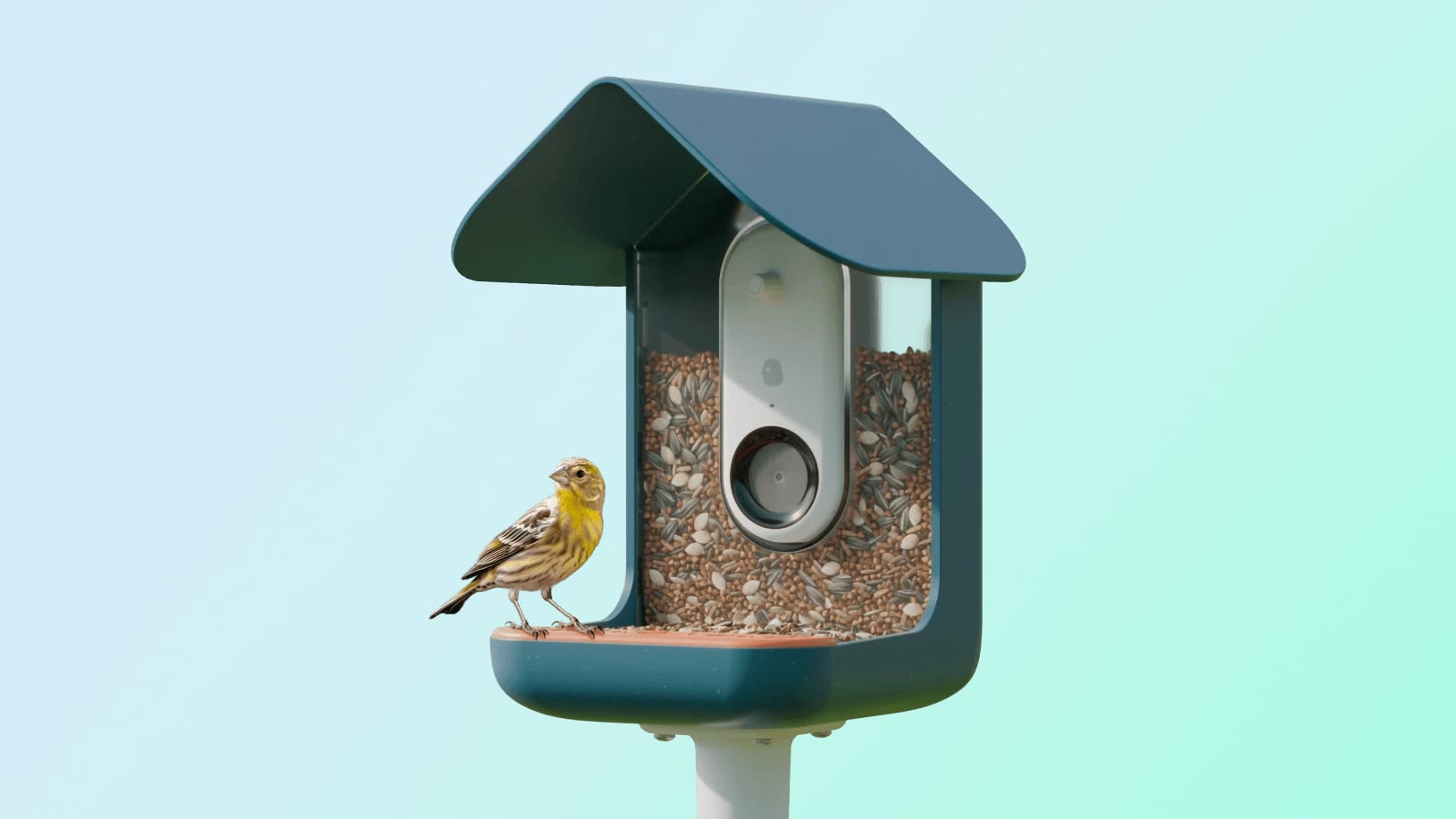
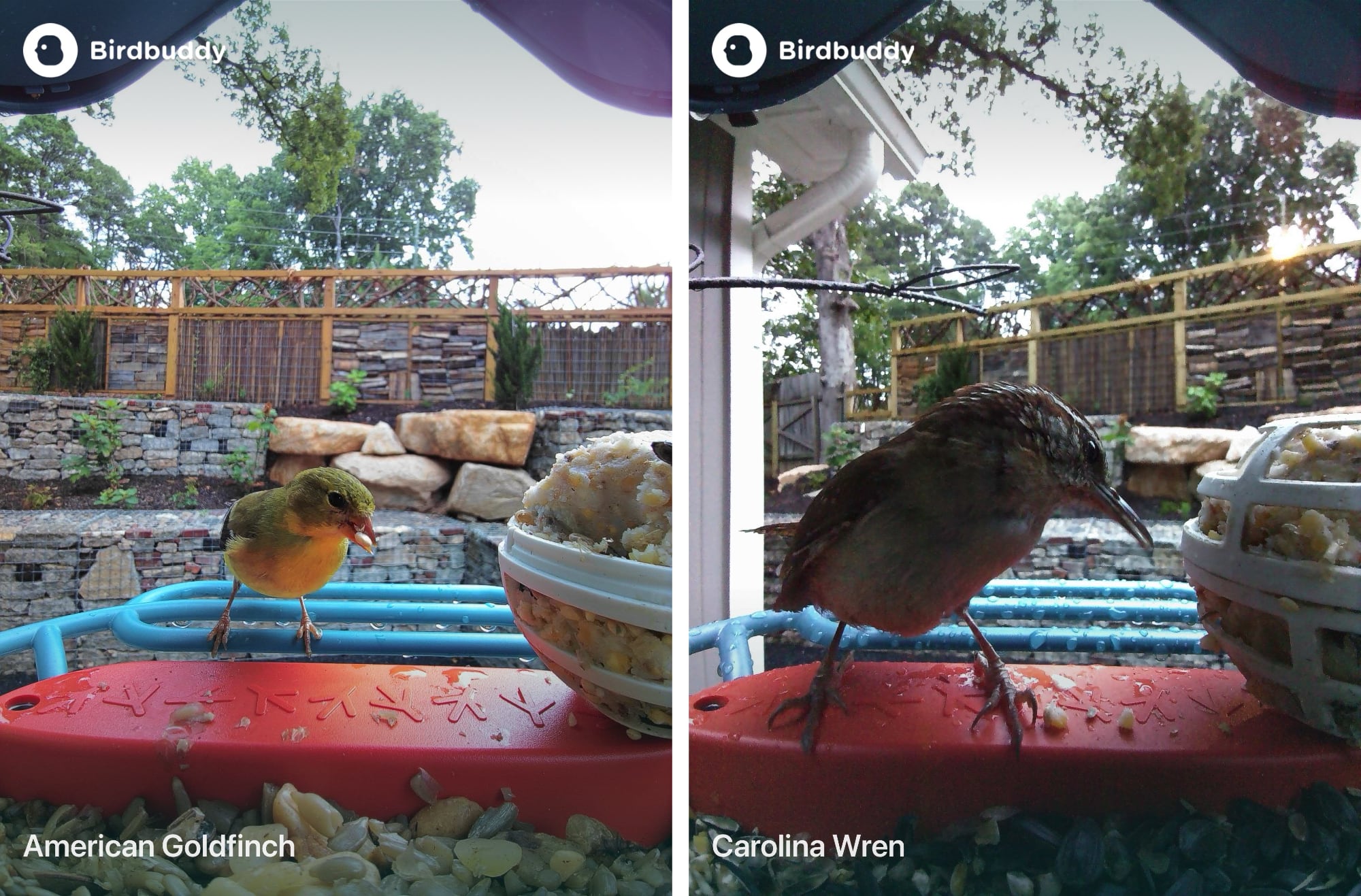
Available starting at $99, the Bird Buddy is the kind of gift that almost anyone will like, which makes it great for the person that has everything. It's a Wi-Fi connected smart bird feeder that sends you pictures of the birds that come to visit.
You'll need to fill it with seed regularly and charge it up when necessary, but other than that, it operates on its own. To do away with charging, I recommend the solar version, which starts at $149.
I've gifted the Bird Buddy and it's been a huge hit, with adults and kids too.
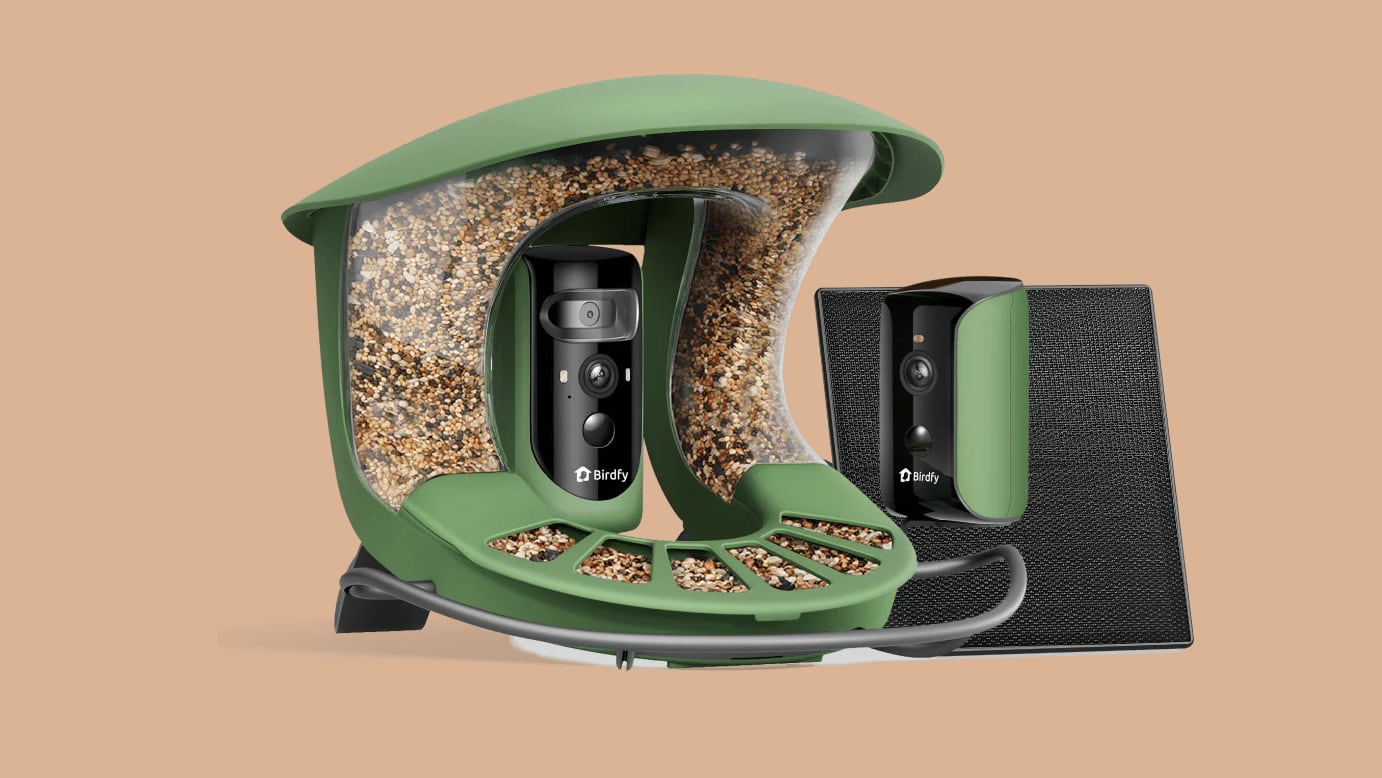
Birdfy is a lot like Bird Buddy, but it has product options that Bird Buddy doesn't offer. You can get a standard Bird Feeder for the same $99 price as Bird Buddy, but if you're willing to spend a little more, there's a bigger version with multiple cameras.
The $330 Birdfy Feeder 2 Duo has a triple-lens camera, including a dual-lens front camera and a second side camera to capture birds from every angle. It holds more seed than a standard version and comes with a solar panel. If you've gifted someone a Bird Buddy and they love it, this is the next upgrade option.
Birdfy also sells the Bath Pro, which is a solar-powered smart birdbath with a camera. It's priced starting at $200 and lets you get photos of birds bathing and drinking. In some areas of the U.S., people in apartments and condos aren't able to put out bird feeders because of rats and pigeons. This is an excellent gift for someone that wants to attract birds but isn't able to have a feeder, but it's also great for avid birders.
With bird feeders, you often need a specific kind of food to attract the birds you want, but a bird bath has more universal appeal.
Govee came out with some Matter-enabled projectors this year that can project stars or ocean scenes onto the walls and ceiling. I've been testing these for a month or so and have a review coming soon, but I think the lower-priced models would make a good gift.
The $56 Star Light Projector has different night sky light effects paired with laser stars, while the $50 Ocean version has more of an under-the-sea vibe. There's a $180 Pro model with swappable galaxy scenes and laser stars, but it's really best for the real space projector enthusiast.
I tested several Matter-enabled robot vacuums this year, and I am sold. These are excellent at vacuuming and mopping, and can be real time savers. I particularly liked the Deebot X11 Omnicyclone, the Deebot X9 Pro, and the Roborock Saros 10R. Some of these are over $1,100, but you get what you pay for.
I've tested some lower-cost versions and have a review in the works, but the lower-end models I've used lack the navigation capabilities of the more expensive versions and add a lot more frustration to the cleaning process. Not all brands are the same, though, so it's worth some research on the best option.
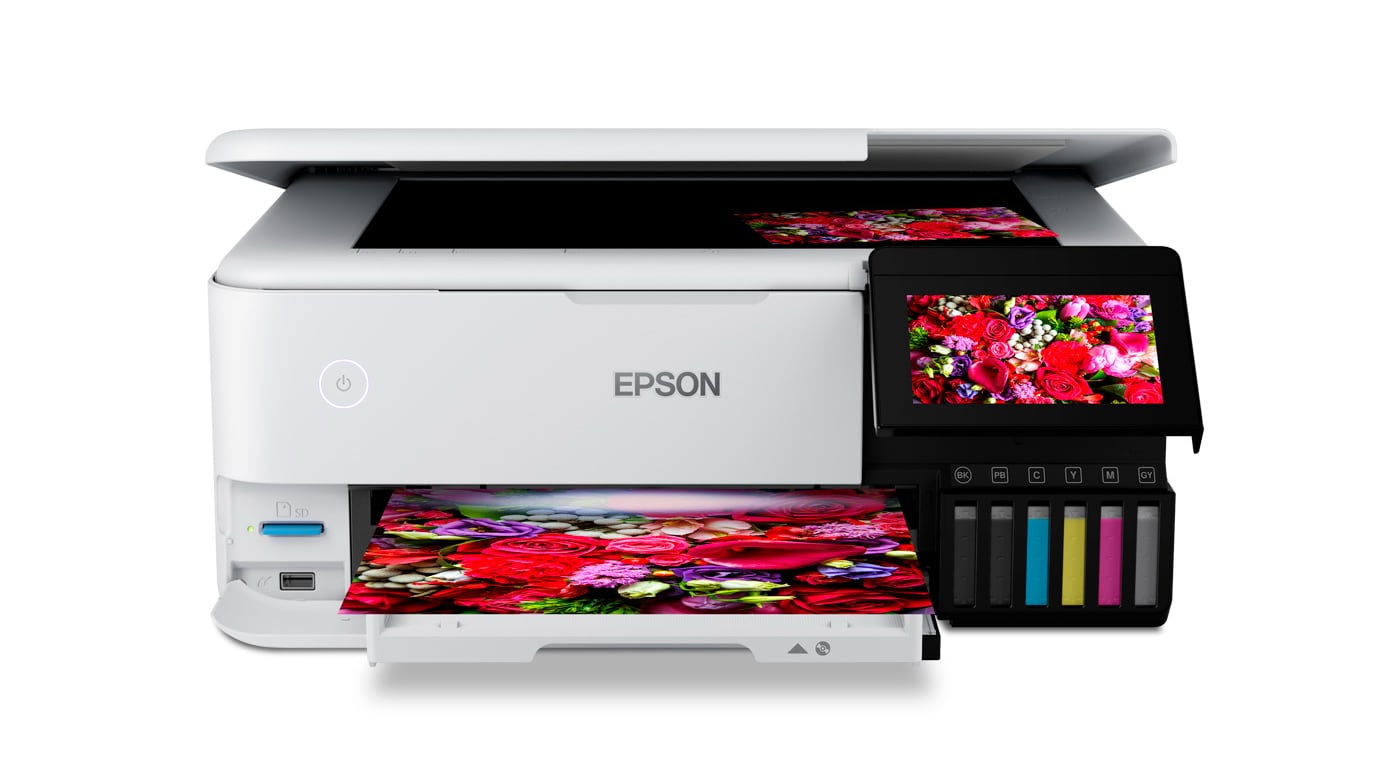
For printing photos, Epson's printers are some of the best, though Canon has its fans too. I recently got the EcoTank Photo ET-8550, and I think it's a great option if you want to get your images off of your phone.
It's normally $800, but Best Buy has it for $500 right now. EcoTank printers are more expensive than your standard printer because the ink is cheap. These use refillable liquid ink rather than printer cartridges, and that is the main reason why I chose this model.
Epson has to make its on the printer upfront because the ink lasts so much longer and is so much more affordable. There are other EcoTank printers that aren't as expensive, but this one is optimized for images and prints at up to 13"x19".
An iPhone-connected light is a great gift for someone that's into plants, and you will never go wrong with a light for an indoor plant collector.
I like Modern Sprout light options for the clean aesthetic. There's a $90 light bar, a $200 grow house ideal for the kitchen counter, and a $270 Growframe that goes on the wall. The app lets you set the brightness and the schedule for the lights, which is essential.
Aerogarden is also a good option, with prices that start at $16. I have the $50 AeroGarden Tabletop Grow Light that I've been using for a few years, and it works well. The lights are programmable with the Aerogarden app.
For someone who is creative or wants to get into drawing, 3D sculpting, modeling, or similar, an iPad with an Apple Pencil is the best possible gift. Apps like ProCreate and Nomad Sculpt are powerful, and the Apple Pencil gives you a level of control that's hard to get on a Mac or PC.
The iPad does a lot and it's an ideal gift for anyone, but it could really spark the creativity of an artistic child, or provide a new medium for an adult that already likes to sketch and draw. I have an iPad Pro with an Apple Pencil Pro, but all of Apple's iPads can be used with an Apple Pencil, even the $349 model.
The $499 iPad mini is the best for something to use on the go, and the $899 13-inch iPad Air is a good option if you want the biggest screen without paying iPad Pro prices.
Gift Suggestions
Have a great product suggestion we don't have in our list? Let us know in the comments below.
Note: MacRumors is an affiliate partner with some of these companies and may earn commissions on purchases made through links in this article. This article, "MacRumors 2025 Holiday Gift Guide" first appeared on MacRumors.com
 Login
Login