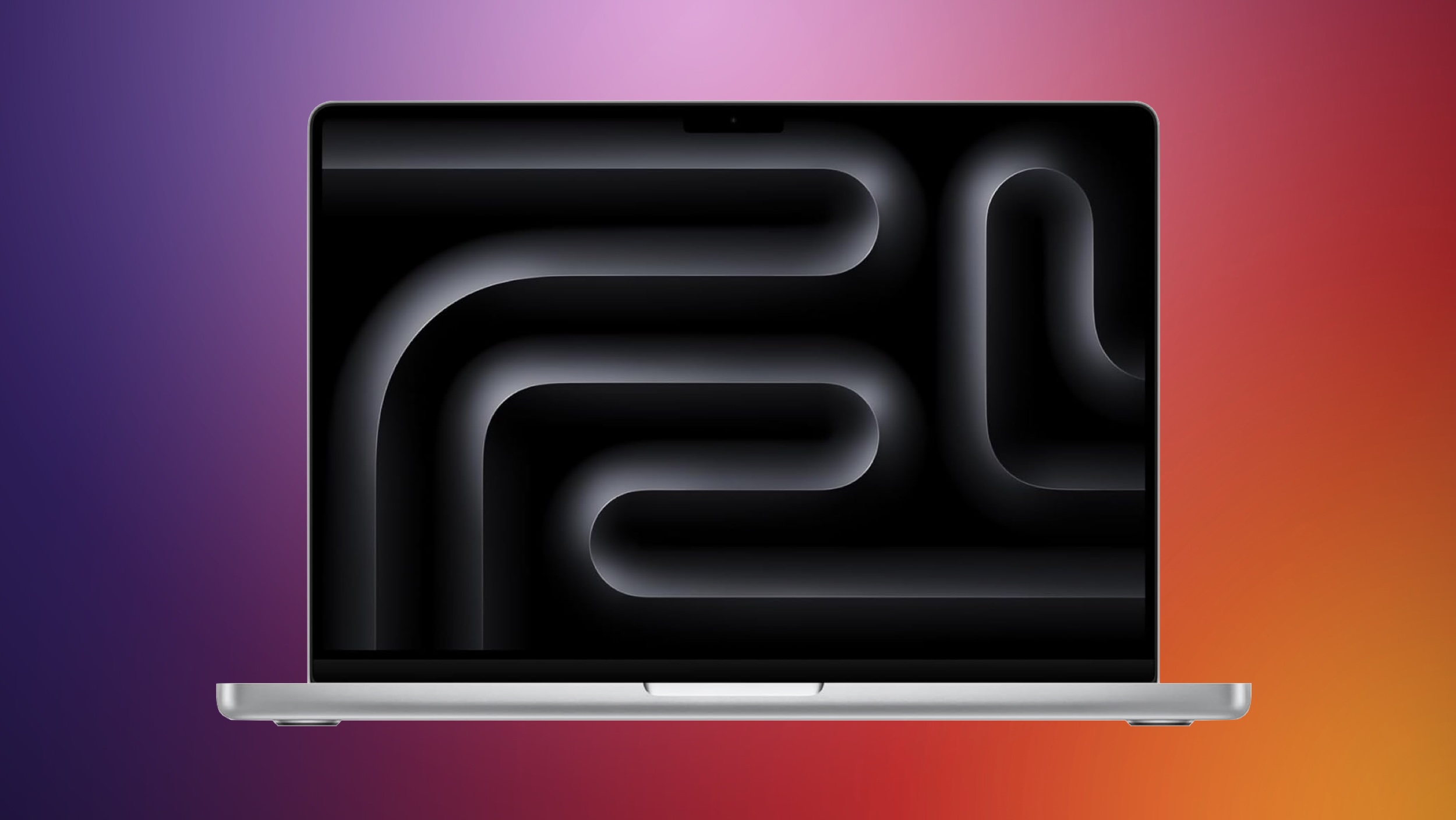
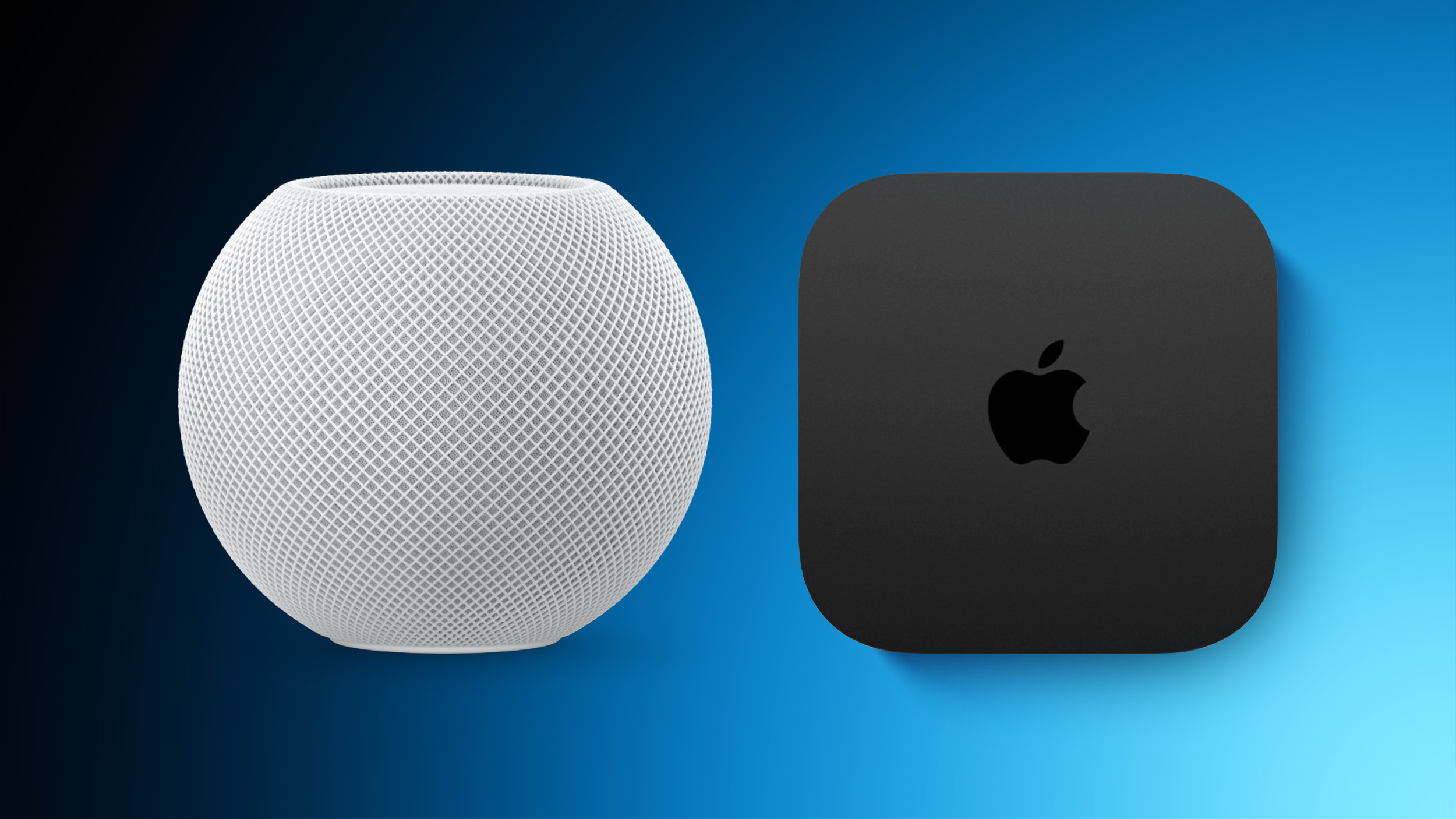
Apple has just given a strong indication that it will not be releasing any additional new Macs for the remainder of the year.
Apple's CFO Kevan Parekh dropped the hint during the company's earnings call on Thursday:
On Mac, keep in mind, we expect to face a very difficult compare against the M4 MacBook Pro, Mac mini, and iMac launches in the year-ago quarter.
Parekh essentially gave a heads up that Apple's Mac revenue in the fourth quarter of 2025 might not grow significantly compared to the fourth quarter of 2024, likely because there will be fewer new Macs released this quarter than in the year-ago quarter.
In other words, he implicitly suggested that Apple has no further Mac releases planned for 2025.
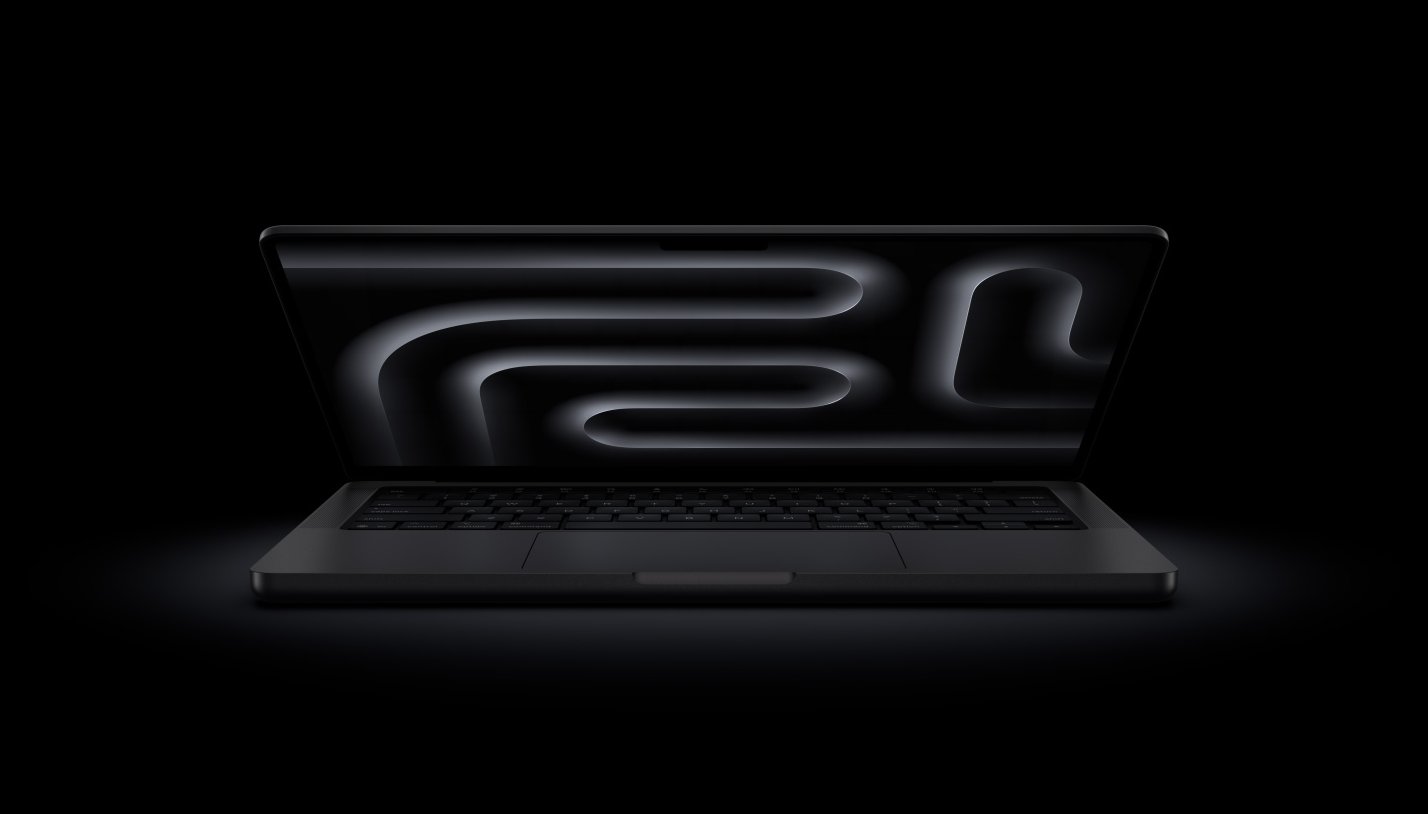
Earlier this month, Apple updated the lowest-end 14-inch MacBook Pro with the M5 chip, but it did not release any MacBook Pro models with M5 Pro or M5 Max chips, and the Mac mini and iMac did not receive any hardware updates.
AppleInsider previously reported that MacBook Pro models with M5 Pro and M5 Max chips would launch in 2026, and Parekh's comment seems to support that. Mac mini and iMac models with M5 chips also appear to be slated for 2026, while the MacBook Air, Mac Studio, and Mac Pro were always rumored to be updated next year.
A lower-cost MacBook with an A18 Pro or A19 Pro chip is also rumored to launch in late 2025 or early 2026, but given Parekh's comment, early 2026 sounds more likely. This model is expected to be the spiritual successor to the MacBook Air with an M1 chip, which is still sold exclusively by Walmart for $599 in the United States.
Apple recently refreshed the Apple Vision Pro, adding a new M5 chip for improved performance. There aren't design changes, but Apple did introduce a new Dual Knit Band that's supposed to be more comfortable. MacRumors videographer Dan Barbera picked up one of the new Vision Pro headsets to see how it compares to the prior-generation M2 versions.
Software and hardware are the same if you've been using visionOS 26, but with the M5 chip, performance is noticeably improved. Creating a Persona, generating spatial photos, and using multiple apps at once are all tasks that are quicker.
Apple didn't update the micro-OLED displays in the Vision Pro, but the M5 is able to render 10 percent more pixels and it supports a 120Hz refresh rate, so things look smoother than before. Mac Virtual Display, where the Vision Pro works as a screen for your Mac, looks like two sharp 5K displays side-by-side. Personalized Spatial Audio support adds more accurate directionality for more immersive audio.
To improve the wearing experience, the Vision Pro ships with a Dual Knit Band that replaces the prior Solo Knit Band and Dual Loop that came with the M2 model. The Dual Knit Band has a strap that goes over the top of the head and one at the back of the head, which allows for better weight distribution. The back band has weights inside for counterbalance, and it does make a difference in how it feels.
The top and bottom straps can be adjusted using an updated Fit Dial, so each Vision Pro wearer can get an ideal fit. The Dual Knit Band isn't a miracle fix, so while it does make the Vision Pro a little more comfortable to wear, it's still a heavy headset. The M5 Vision Pro continues to be priced at $3,499, and it can be purchased from Apple. M2 Vision Pro owners can buy the Dual Knit Band standalone for $99.
With the end of Jira Data Center announced and prices rising year after year, vendor lock-in is no longer just an abstract risk, it has already become reality. Many organizations now face a costly migration to the cloud, whether they want it or not.
But there’s another way. Open source software gives you back control: over your data, your infrastructure, and your budget. It’s built on transparency, community, and long-term reliability, without locking you into a single company’s roadmap or pricing. And while Atlassian has been steadily raising prices, open source has grown into a powerful, future-ready alternative.
OpenProject is your secure, self-managed alternative to Jira, and it’s only one piece of the puzzle. Whether you also rely on Confluence, Bitbucket, or other parts of the Atlassian stack, there are strong open source options ready to support your team. You’re not stuck. You’ve got choices. And we’re here to help.
Migrating away from Atlassian: We know it’s not easy
Still, switching tools isn’t a decision you make lightly. You’ve built entire workflows around Jira and Confluence. You’ve got hundreds of users, complex integrations, and a mountain of project data to manage. The idea of replacing your Atlassian stack can feel overwhelming, and we understand that.
But here’s the good news: there is a way forward. With powerful, professional open source software, you can migrate from Atlassian on your own terms, without compromising on functionality, security, or support. Whether you’re seeking a Jira replacement, a Confluence alternative, or a complete open source stack, we’re here to support you during this journey.
Tip
Why open source? Open source software means no vendor lock-in, giving you full control over your infrastructure, updates, and data, with affordable pricing. It offers transparency, letting you inspect the source code and know exactly how your tools work. And with Community-driven development, features evolve based on real need, not shareholder interests. And these are just some of at least 8 reasons to choose an open source software.
The open source ecosystem is ready for you
You don’t have to give up powerful workflows just because you’re moving away from Atlassian. Today’s open source tools are mature, well-integrated, and ready to replace the full Atlassian stack, from project management and documentation to team chat and file sharing.
OpenProject as alternative to Jira
OpenProject provides issue tracking, agile boards, Gantt charts for project timelines, cost and time tracking, and much more — fully self-managed or hosted, with a strong focus on data sovereignty. You decide if you want to host your data in the cloud or on your own servers. So if you’re looking for a Jira Data Center alternative, OpenProject is built for you.
XWiki is a powerful and extensible open source wiki platform. It enables collaborative documentation, structured content management, and fine-grained access control, making it a flexible alternative to Atlassian Confluence. And: Since July 2025, XWiki and OpenProject are officially partners to offer a strong alternative to Confluence and Jira.
Element, based on the Matrix protocol, offers secure, end-to-end encrypted messaging and collaboration. It’s perfect for teams looking for a self-hosted alternative to Atlassian’s chat tools or Slack.
Nextcloud as alternative to Atlassian’s file management tools
Nextcloud is the most popular self-hosted open source platform for file sharing and collaboration. With advanced access control, integration options, and European data protection standards, it’s a strong alternative to proprietary cloud file systems. And: Nextcloud integrates with OpenProject and vice versa.
Collabora Online is a powerful open source office suite for editing documents, spreadsheets, and presentations in real time. It’s a great choice for teams looking to replace Confluence and Microsoft 365 with a self-hosted solution.
Frequently asked questions about Atlassian alternatives
Switching away from Atlassian isn’t just a technical decision, it’s a strategic one. If you’re considering alternatives to Jira, Confluence, or other Atlassian tools, you likely have questions about features, pricing, migration, and the open source ecosystem. Here are some answers to help you navigate the transition with confidence.
Why is open source software free and still costs money?
Open source doesn’t mean zero cost. It means freedom: to use, inspect, modify, and host the software yourself. Many open source vendors like OpenProject offer a free Community edition, alongside paid support and enterprise features. This ensures long-term sustainability and helps teams get professional assistance where needed. Still, open source software like OpenProject is often more affordable than proprietary tools like Atlassian. And if your budget ever becomes tight, your data stays safe, because OpenProject will always provide a cost-free Community edition.
I want one suite for all tools. Does that exist for open source?
Yes. In Europe, there is openDesk, your secure all in one office and collaboration suite. It brings together leading open source solutions — including OpenProject, XWiki, Nextcloud, and more — to create a fully sovereign digital workplace. The tools are interoperable, user-friendly, and developed with long-term public and enterprise use in mind.
Does OpenProject include the features I currently use in Jira, or do I need plugins?
OpenProject comes feature-rich out of the box. Unlike Jira, which often requires multiple plugins for core functionality, OpenProject includes agile boards, Gantt charts, cost tracking, time logging, custom workflows, and more — all in one system. This makes it especially attractive for teams moving away from Jira Data Center or self-managed Jira installations.
Of course, OpenProject is not exactly the same product as Jira, and users will need to adapt to some differences in workflows. However, OpenProject customers value its personalized and responsive support, as well as documentation available in English, German, French, Spanish and Portuguese.
How can I migrate my data from Atlassian / Jira or Confluence?
You have several options for migrating your data, whether you’re switching from Jira, Confluence, or both. Here’s what we recommend:
Export Confluence content using the Markdown Exporter app and paste it into OpenProject Wiki or other modules.
For a fully supported migration, we recommend contacting ALM Toolbox, an experienced migration partner that specializes in Atlassian to OpenProject transitions.
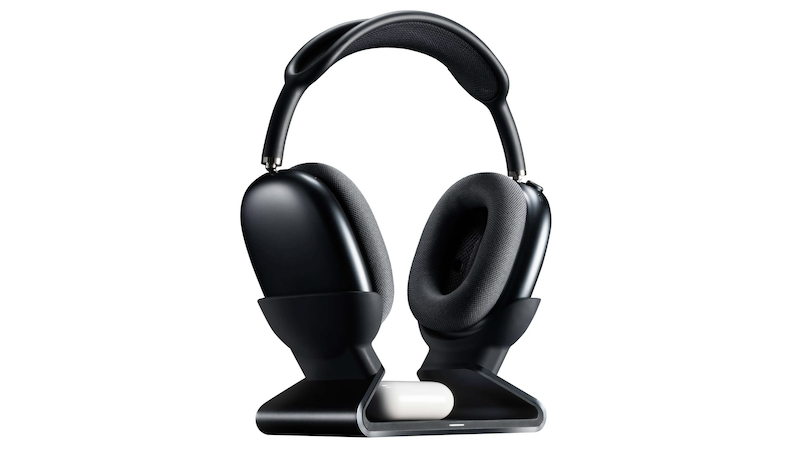
Last month, Mophie announced the launch of its Max Charging Stand. Aimed squarely at those with multiple sets of Apple's headphones, it can charge AirPods Max headphones plus a pair of AirPods or AirPods Pro at the same time.
Priced at $150, it immediately garnered criticism in our forum, largely over its price point compared to its functionality. But is it actually worth it? I've spent a few weeks with it to see.
Design and Build
The charging base is aluminum lined with smooth silicone along every surface that comes into contact with your devices. The bottom also has a large rectangular pad of this same silicone so that it doesn't slide easily on your desk. The Mophie logo is subtly stamped on the top just under the square indentation that shows you where to place your AirPods (or other Qi-enabled device) for charging.
At 15.7 ounces (445 g) on my kitchen scale, it's weighty enough to hold my AirPods Max without wobbling. But more on this later...
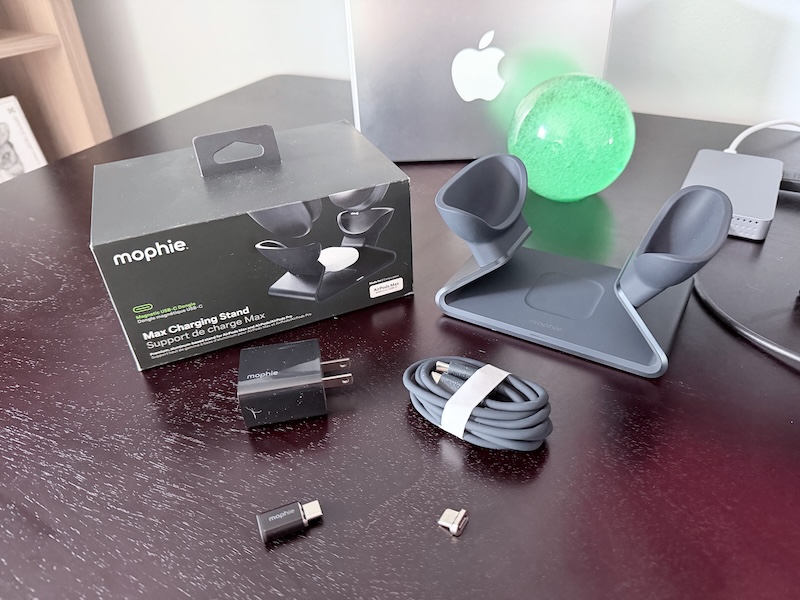
It comes with a decently long 5-foot USB-C cable coated with the same silicone that covers the stand, a 20W wall adapter, two magnetic charging dongles, and a pass-through adapter.
To use the stand, you insert one of the magnetic dongles into the USB-C port of the AirPods Max. This dongle then connects automatically to the charging port in the stand thanks to its magnetism. The second magnetic dongle included is a spare which is a nice touch, especially at this price point.
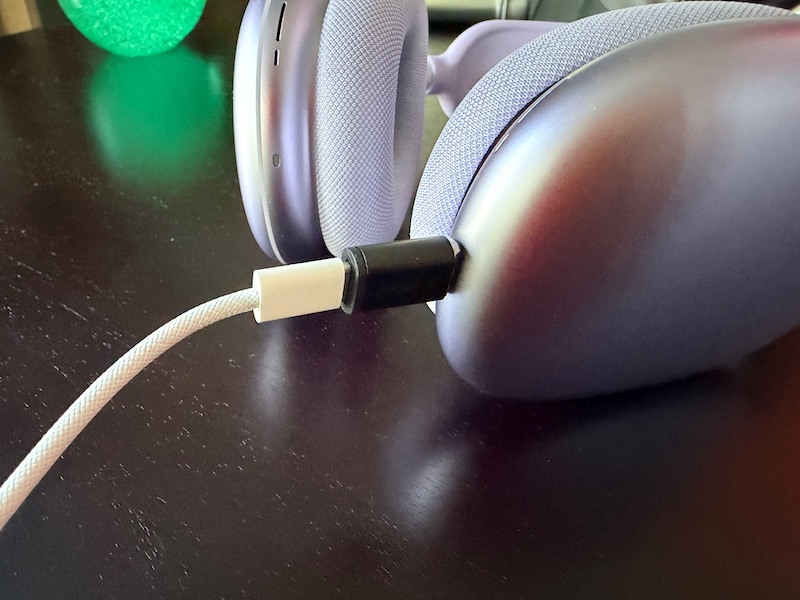
The pass-through adapter allows you to leave a charging dongle in the Max's charging port at all times so you can still charge it with a standard USB-C cable, avoiding wear and tear on the port with frequent removals and insertions. But on the other hand, this is another adapter to carry around and avoid losing. The pro tip here is to just leave this dongle attached to a USB-C cable you use to charge the headphones when you're away from home.
Using the included pass-through adapter to a USB-C cable
The charging dongle does not pass through audio, so if you use your AirPods Max with a cable for lossless audio or to connect to a 3.5mm analog device, you'll have to remove the dongle each time.
The magnetic dongle is the key feature of the stand and it isn't a new concept—charging stands that make use of a magnetic dongle have been released by smaller companies over the years (e.g., the Max Stand a few years ago) and Mophie's is a premium entry by one of the larger Apple accessory makers.
How It Works
When you place the AirPods Max on the stand, the white LED on the front of the stand illuminates for a few seconds and then turns off. Since you can't see the status light next to the USB-C port on the headphones themselves to verify charging while it's in the stand, it's a bit frustrating to not be able to see charging status after the stand's light turns off.
Additionally, since the stand places the headphones in sleep mode using magnets built into the ear cup holders, you can't even see its charge level on another Apple device in Control Center or the Battery widget unless you remove it from the stand. I'd rather this light stay on or pulse while the headphones are charging.
Removing the AirPods Max requires two hands since the stand, while weighing in at nearly a pound, is not heavy enough to overcome the magnetic force from the charging dongle. You must also use two hands to place the headphones into the stand since the ear cup holders are placed far enough apart that you need to stretch the headband wider.
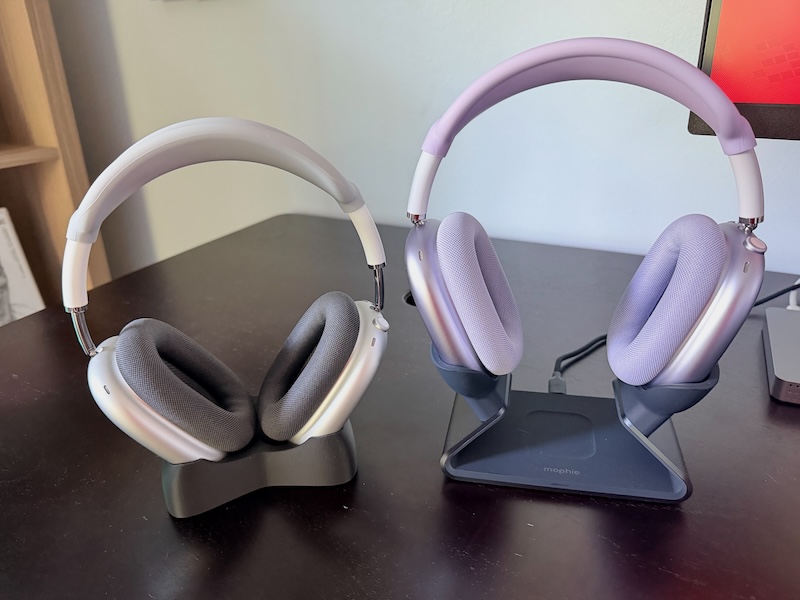
This ear cup holder placement does, however, allow the stand to accommodate AirPods or another Qi-enabled device in the center. I'd been using a simple 3D-printed AirPods Max stand with no charging capability where the ear cup holders are close enough together that it's easy to drop in and remove the AirPods Max with one hand, so this was an adjustment for me.
The center charger fits an AirPods Pro case easily and the indentation makes it easy to target where it should go. It's even large enough to accommodate the large case cover I use on mine. It also charged my iPhone 17 Pro although it takes a few seconds to line it up in the right spot.
The center charger is nice to have but seems like an addition meant to add value to the stand to justify the price. I'd like to see a version at a lower price point without this center charger that would also allow a narrower placement of the holders for the ear cups.
Next to my (non-charging) 3D-printed stand
In my charging tests, I saw no significant differences between charging my AirPods Max directly with Apple's USB-C cable to a 20W wall adapter, using the Max Stand, or using the USB-C cable with the pass-through adapter that Mophie includes. Apple states that a 5-minute charge adds 1.5 hours of listening but does not claim any fast-charging features beyond this, nor does Apple specifically recommend using a high-wattage wall adapter.
Per iFixit, the USB-C AirPods Max has the same battery cells as the original model released in 2020 with a total capacity of 664 mAh. AirPods Max automatically limits the amount of power drawn during charging and using a higher-wattage wall adapter doesn't increase charging speeds.
With this stand on my desk, I noticed that I was no longer ultra-careful about taking every opportunity to put my headphones into sleep mode to avoid draining the battery. I started leaving my AirPods Max around the house willy-nilly without a charging care in the world since I knew I could easily pop them on the stand for a quick charge anytime. Using a USB-C cable to charge them is not hard of course, but it takes more steps than just dropping the headphones into a stand.
The Big Question
Will Mophie offer a Lightning dongle that will allow the stand to work with older AirPods Max models that have Lightning ports? It seems like this would be an easy thing to do since the stand is only handling low power to the headphones and no data, and it would open up the consumer base greatly for Mophie to sell more of these. This is the most commonly-asked question on the stand's product page and there's no official answer from Mophie there at the time of this review, though there is someone who claims that Mophie responded to them directly and said no. We asked Mophie directly and they did not respond prior to publication of this review.
A closer view of the magnetic dongle
We presume that the official answer to this question is no. While disappointing, it's likely a licensing issue that's preventing a Lightning dongle. The Lightning connector is a proprietary one and Apple offers licensing of its use through its MFi program, while USB-C is not proprietary. If Mophie has done the math here, it must be that licensing a Lightning dongle is more costly than offering it, even if it means missing out on a potentially large user base of Lightning AirPods Max owners.
Who It's For
You use your AirPods Max frequently throughout the day at or near a desk and want an easy and quick way to charge them. Or you are out and about all day and want to drop your AirPods Max in a dock near the door when you get home to charge fully overnight before you grab them and go in the morning. And you have $150 to burn.
I was salty about the price when this was first announced, but I have appreciated this dock more and more and even find myself using my AirPods Max more because of it. Like much in life, making something easier has a large impact on how often it's used or done. So is it worth it? For me, the answer is yes.
Pros:
Solid, quality build
Aesthetically pleasing
Can charge two devices at once
Easy and convenient charging
Cons:
No at-a-glance charging status indicator
Need two hands to place and remove headphones
Stretches headband
Pass-through adapter is another thing to lose
Price
Note: Mophie provided MacRumors with a Max Stand for the purpose of this review. No other compensation was received. MacRumors is an affiliate partner with Mophie. When you click a link and make a purchase, we may receive a small payment, which helps us keep the site running.
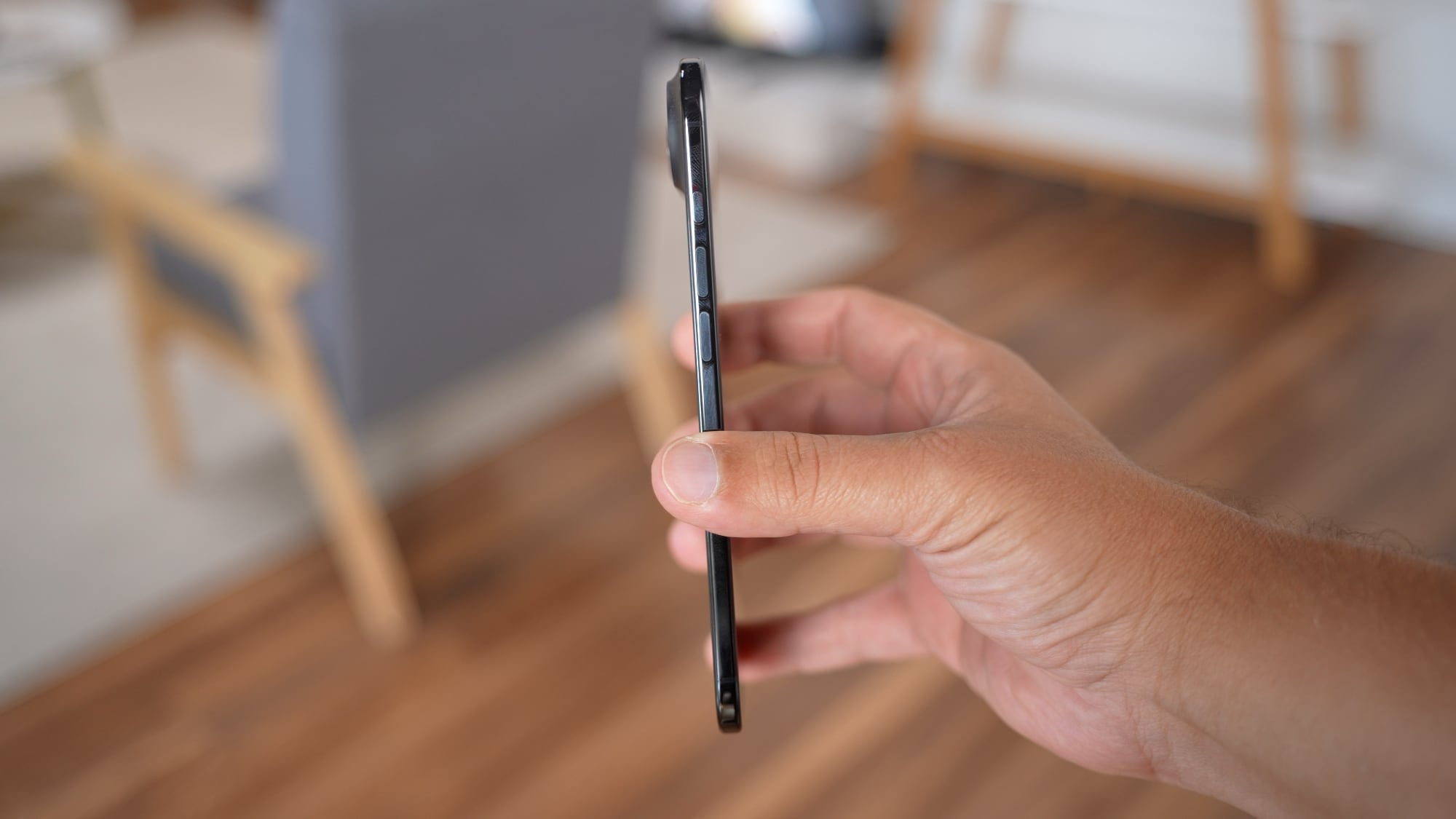
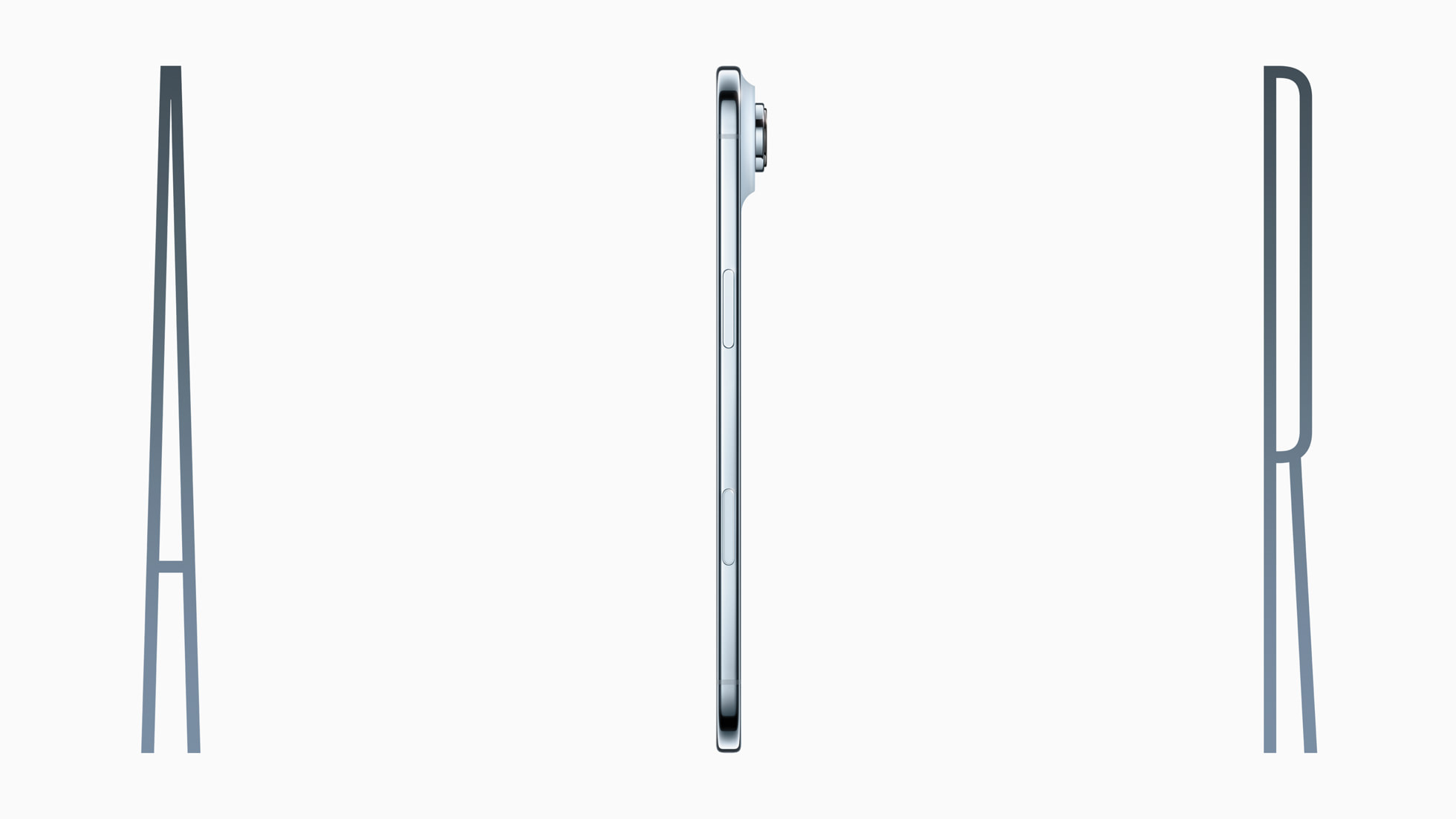
Apple plans to cut production of the iPhone Air amid underwhelming sales performance, Japan's Mizuho Securities believes (via The Elec).
The Japanese investment banking and securities firm claims that the iPhone 17 Pro and iPhone 17 Pro Max are seeing higher sales than their predecessors during the same period last year, while the standard iPhone 17 is a major success, performing significantly better than the iPhone 16.
The iPhone Air is apparently the outlier; Apple plans to reduce production by one million units this year. Meanwhile, Apple plans to increase production of all other models by two million units. The overall production forecast of the iPhone 17 series this year has also been increased from 88 million units to 94 million units for the start of 2026.
A separate report earlier today claimed that Samsung has canceled plans to release a successor to its own iPhone Air rival, the Galaxy S25 Edge, due to low sales. Nevertheless, the iPhone Air reportedly sold out within hours in China, despite lower than expected sales in western countries last month.
The same report from Mizuho Securities today revealed details about Apple's first foldable iPhone and other future devices.
The first alleged benchmark result for the M5 chip in the new 14-inch MacBook Pro has surfaced, allowing for some performance comparisons.
Based on a single unconfirmed result uploaded to the Geekbench 6 database today, the M5 chip has pulled off an impressive feat. Specifically, the chip achieved a score of 4,263 for single-core CPU performance, which is the highest single-core score that has ever been recorded in the Geekbench 6 database for any Mac or PC processor.
In the 14-inch MacBook Pro, the M5 chip has a 10-core CPU, with four performance cores and six efficiency cores. The single-core score on Geekbench 6 refers to the performance achieved by just one of the performance cores, whereas the multi-core score refers to the maximum performance achieved by all 10 of the CPU cores combined.
A chip's multi-core score reflects the maximum CPU performance for multi-threaded tasks, but single-core performance remains important for certain games and apps, and it plays a key role in overall system responsiveness and snappiness.
The top five single-core scores for Mac and PC processors in the Geekbench 6 database:
M5 (14-inch MacBook Pro): 4,263
M4 Max (16-inch MacBook Pro): 3,914
M4 Pro (16-inch MacBook Pro): 3,871
M4 (Mac mini): 3,784
AMD Ryzen 9950X3D: 3,399
Unsurprisingly, the M5 chip in the new iPad Pro achieved a similar single-core score of 4,175, based on Geekbench 6 results available so far.
As for multi-core performance, the M5 chip in the 14-inch MacBook Pro achieved a score of 17,862 in the single result, which makes it up to 20% faster than the M4 chip in the previous-generation 14-inch MacBook Pro. The standard M5 chip is faster than the M3 Pro chip, and nearly on par with the M1 Ultra chip.
A selection of multi-core scores for Mac chips:
M4 Max (16-inch MacBook Pro): 25,645
M1 Ultra (Mac Studio): 18,405
M5 (14-inch MacBook Pro): 17,862
M3 Pro (14-inch MacBook Pro): 15,257
M4 (14-inch MacBook Pro): 14,726
The new 14-inch MacBook Pro is available to pre-order now, and it launches on Wednesday.
Higher-end 14-inch and 16-inch MacBook Pro models with M5 Pro and M5 Max chips are rumored to launch in early 2026, but the regular M5 chip is clearly no slouch.
Apple's new M5 MacBook Pro will ship without a power adapter in the box in the United Kingdom and European Union, prompting online confusion that the change was mandated by EU law — a claim that is incorrect.
Apple quietly updated its online store following the launch of the M5 MacBook Pro to note that customers in the UK and EU who purchase the new 14-inch model will no longer receive a charging brick by default. The laptop still includes a MagSafe 3 cable, but buyers must purchase a compatible USB-C power adapter separately. The change does not apply to other markets such as the United States, where a 70W USB-C Power Adapter remains included at no extra cost.
The omission led some observers to suggest that the decision was required under new European environmental regulations. Some claimed that the European Union had banned manufacturers from including power adapters with new electronics in order to reduce electronic waste, but this is not the case.
The confusion appears to stem from the EU's 2022 Common Charger Directive, legislation designed to standardize charging ports and give consumers flexibility when purchasing new devices. The directive requires that all smartphones, tablets, and laptops sold within the EU use USB-C for wired charging. It also stipulates that consumers must be offered the option to buy a device without a charger to limit unnecessary e-waste.
The law "ensures that consumers will be able to purchase new electronic devices without having to obtain a new charger each time," but it does not prevent manufacturers from supplying one. In practice, this means companies must provide a version of each product that can be purchased without an adapter, while retaining the freedom to include a charger or offer it free of charge.
Apple's decision to remove the charger entirely from the EU boxes therefore goes beyond what the law requires. The company could, for example, offer customers the option to include a charger at checkout for no additional cost, as long as it also sells a version without one. The lack of charger in the UK is even more unnecessary, since it is not part of the European Union.
The move to charge separately for adapters is therefore a business choice by Apple, not a legal necessity. The company's approach simplifies logistics and packaging, avoiding the need for separate SKUs in Europe, but it also shifts the cost to customers who do not already own a compatible charger.
Apple has historically argued that omitting power bricks from its packaging is part of a wider environmental effort. The company first removed the charger from iPhone boxes in 2020, citing the environmental benefits of smaller packaging and fewer redundant accessories. Similar reasoning has since extended to other product lines. By reducing the size and weight of shipments, Apple says it can cut carbon emissions and limit use of resources across its supply chain.
The M5 MacBook Pro continues to support both MagSafe and USB-C charging. Customers can use existing 67W, 96W, or 140W USB-C adapters to charge the device, depending on the configuration. Apple sells its own USB-C power adapters separately, and the company's online product pages now prominently note that "power adapter sold separately" for the affected regions.
Pricing adjustments partly offset the omission in some regions, although shifts in currency exchange rates likely also factored into Apple's pricing changes as is common. In several European countries, the new 14-inch MacBook Pro is approximately €100 cheaper than its predecessor, but the UK model retains the same starting price.
Apple's iPhone Air sold out across online stores in China within hours of pre-orders opening on Friday, the South China Morning Post reports.
Demand for the iPhone Air reportedly surged immediately after pre-orders opened. Apple's online store and the official Tmall flagship both listed multiple color and storage configurations as unavailable within the first two hours of availability, reflecting even higher demand than the device saw in western markets last month. Prices begin at 7,999 yuan (approximately $1,122).
The iPhone Air was introduced globally in September but delayed in mainland China pending government approval for eSIM, which replaces physical SIM cards and enables slimmer smartphone designs.
The launch coincides with the Ministry of Industry and Information Technology's decision to authorize eSIM trials for smartphones, marking the first time Chinese users can activate a mobile number without a physical SIM card. China Mobile, China Unicom, and China Telecom confirmed this week that they had received approval to begin commercial operations, paving the way for the iPhone Air to launch without regulatory restrictions.
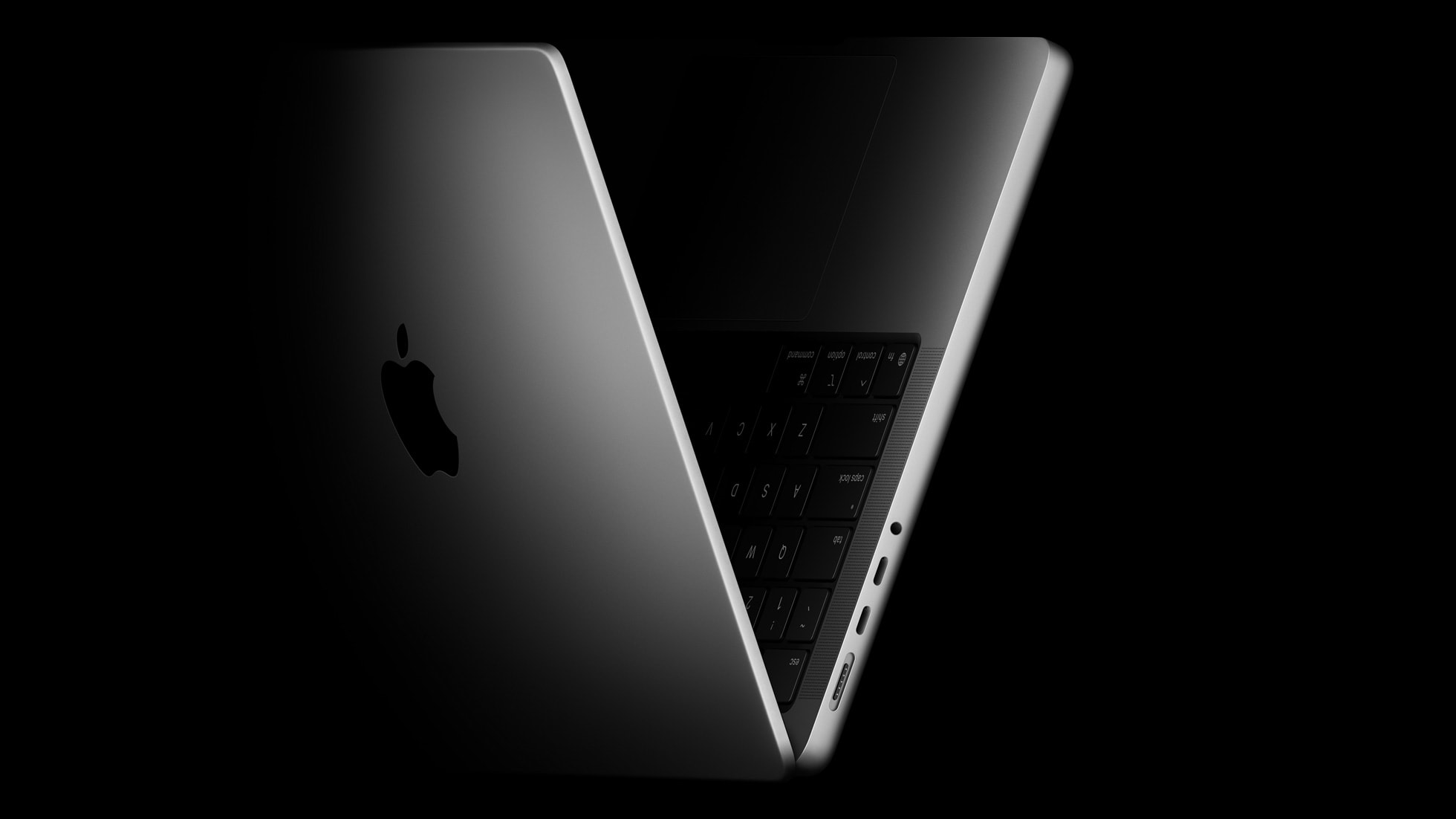
Apple is working on a new version of the MacBook Pro with an OLED display, a hole punch camera, and touch screen functionality, Bloomberg's Mark Gurman said today. The updated MacBook Pro is set to launch sometime between late 2026 and early 2027.
Apple hasn't redesigned the MacBook Pro since the launch of the M1 Pro and M1 Max machines in 2021, but that is set to change with the launch of the OLED models. Along with new display capabilities, there will be a hole-punch camera and no notch, plus a thinner and lighter design. Apple is also adding a reinforced hinge and an updated screen design that will ensure the display does not move when it is touched.
While Apple plans to add a touch screen, the MacBook will continue to have a trackpad and a keyboard, with touch gestures augmenting existing functionality.
With an OLED display and touch integration, the upcoming 2026/2027 MacBook Pro models will likely be more expensive than the current higher-end MacBook Pro models that are priced starting at $1,999 for the 14-inch model and $2,499 for the 16-inch model.
The touch screen MacBook Pro models will be equipped with Apple's next-generation M6 chips. Apple just this week debuted the M5 Apple silicon chip, so the M6 is a ways off. Apple won't have M5 Pro and M5 Max chips ready until early 2026, which means it is increasingly likely the M6 variants will come in 2027.
It is possible that Apple will introduce two MacBook Pro refreshes in the same year, but it would be unusual.
Apple plans to test touch screen Macs with the MacBook Pro line, and the technology won't come to other Macs until Apple learns how it fares with consumers. Apple's last attempt at touch-based functionality in the Mac did not go well. The Touch Bar that was added to the MacBook Pro in 2016 did not prove popular with customers, and Apple ended up phasing it out starting with the 2021 MacBook Pro refresh.
Rumors about a touch screen Mac surfaced earlier this year when Apple analyst Ming-Chi Kuo said that Apple would incorporate on-cell touch technology in the OLED MacBook Pro. Kuo said that Apple decided to give the Mac a touch screen after "long-term observation of iPad user behavior" that suggested touch controls can enhance productivity and user experience in certain scenarios.
Apple on Wednesday updated the 14-inch MacBook Pro, iPad Pro, and Vision Pro with its next-generation M5 chip, but previous rumors have indicated that the company still plans to announce at least a few additional products before the end of the year.
The following Apple products have at one point been rumored to be updated in 2025, although it is unclear if the timeframe for any of them has been pushed back:
Apple's exact plans for the rest of the year remain to be seen, but it is not unusual for the company to announce new products in late October through November. Apple has even announced some products in December over the years, such as multiple Mac Pro models, the Pro Display XDR, and the AirPods Max.
HomePod mini and Apple TV inventory is starting to dwindle at select Apple Store locations around the world, as often happens ahead of new models.
As for other Macs, it is possible that no additional models will follow until next year. It would have made sense for the iMac and Mac mini to be updated with the M5 chip alongside the 14-inch MacBook Pro, if they were coming this year, and higher-end 14-inch and 16-inch MacBook Pro models with M5 Pro and M5 Max chips are rumored to launch in early 2026. The next MacBook Air and Mac Studio models are expected to launch next year, too, while the timeframe for the next Mac Pro desktop tower is up in the air.
Apple on Wednesday updated the 14-inch MacBook Pro base model with an M5 chip, and there are two key storage-related upgrades beyond that chip bump.
First, Apple says the new 14-inch MacBook Pro offers up to 2× faster SSD performance than the equivalent previous-generation model, so read and write speeds should get a significant boost. Apple says it is using "the latest storage technology," but it did not provide any further details, and there are no SSD benchmark results yet.
Second, Apple says the 14-inch MacBook Pro base model can now be configured with up to 4TB of storage, whereas the highest storage capacity offered for the equivalent previous-generation model was 2TB. However, the highest-end 14-inch and 16-inch MacBook Pro models with M4 Max chips can be configured with up to 8TB of storage.
The new 14-inch MacBook Pro can be pre-ordered now, and it launches Wednesday, October 22. In the U.S., pricing for this model continues to start at $1,599.

 Login
Login




 Using the included pass-through adapter to a USB-C cable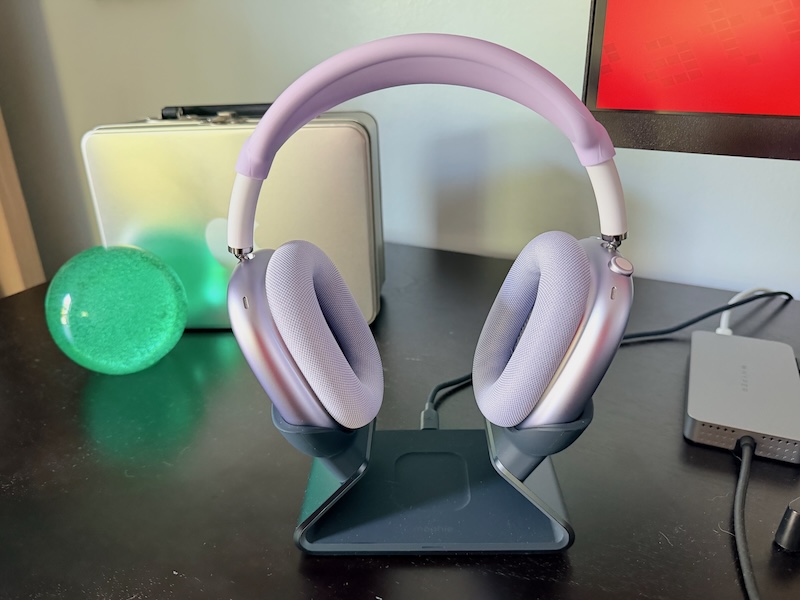
 Next to my (non-charging) 3D-printed stand
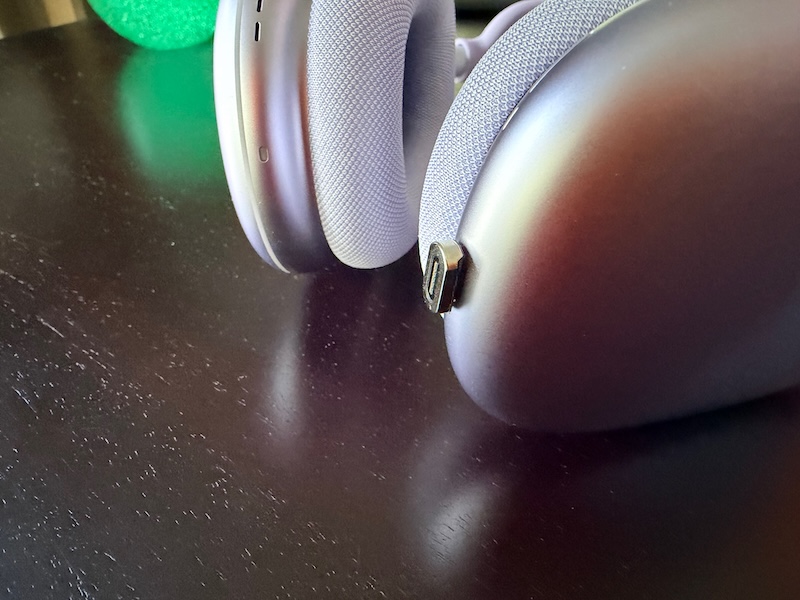 A closer view of the magnetic dongle