Reading view

iPadOS 26 Multitasking Tips and Tricks

iPadOS 26 introduces a whole new multitasking system that provides a Mac-like experience on the iPad. You can open multiple app windows at once, arrange them how you like, and even use Mac-style buttons and features to get work done.


There are several useful tips that might be helpful if you're new to ‌iPadOS 26‌ and aren't sure where to start.

Opt-In or Opt-Out


When you first install ‌iPadOS 26‌, you can choose how you want your ‌iPad‌ to work. You can continue to use full screen apps as the default if you don't need to have more than one app open at a time, or you can choose the new Windowed Apps option.

If you prefer Stage Manager, you can also select that option to arrange your windows across multiple groups.

Quick Swapping


You can swap between Windowed Apps and ‌Stage Manager‌ mode by opening up the Control Center and long pressing on the multitasking Control Center button.

Resizing and Repositioning Windows


In Windowed Apps mode, an app will open at full size when you first tap it. You can grab the little handle in the right hand corner of the window and use drag gestures to adjust its size.

Drag at the top of the app to reposition a window. Windows will remember where they were placed even when you close an app.

Flick Arranging


When you have an app window open, if you give it a quick flick to the right or the left, it will neatly arrange itself to one side of the display. You can stack multiple app windows on top of one another this way.

Button Controls


‌iPad‌ windows use Mac-like "traffic" buttons that work just like Mac apps. Red closes a window, green expands a window to full screen, and yellow collapses it down to the dock.

Split Your Screen


If you long press on the traffic light buttons, you'll bring up options for arranging your windows. You can choose an arrangement that tiles two, three, or four app windows on the display, or use Move and Resize to move your window to the bottom, top, right, or left of the screen.

Exposé


If you swipe up and hold from the bottom of the ‌iPad‌'s display, you can get into an Exposé view that shows all of your open apps or app groups if you're also using Center Stage.

Swipe up without holding to get to your desktop. At your desktop, swipe down from the top to get to the search interface if you need it.

Menu Bar


‌iPad‌ apps have a menu bar in ‌iPadOS 26‌. It's hidden, but you can get to it if you swipe down from the top when an app is in full screen mode. Alternatively, you can hover the mouse over it if you're using a mouse or trackpad with your ‌iPad‌.

Menu bar options vary by app, but include controls for window management, closing a window, accessing tools, and getting to app settings.

No More Split View and Slide Over


The ‌iPadOS 26‌ multitasking changes replace Split View and Slide Over, so that functionality is no longer available.

Dock Visibility


The option to have the Dock automatically be hidden when you're using apps is on automatically, but if you want to turn it off, you can do so in the Multitasking section of the Settings app.

Close All Windows


If you want to be able to close all of your open windows when you swipe to the Home screen, you can toggle that on in the Settings app under Multitasking. The option is not turned on by default.
Related Roundups: iOS 26, iPadOS 26
Related Forum: iOS 26

This article, "iPadOS 26 Multitasking Tips and Tricks" first appeared on MacRumors.com

Discuss this article in our forums
  •  

Bug Prevents M3 Ultra Mac Studios From Installing macOS Tahoe

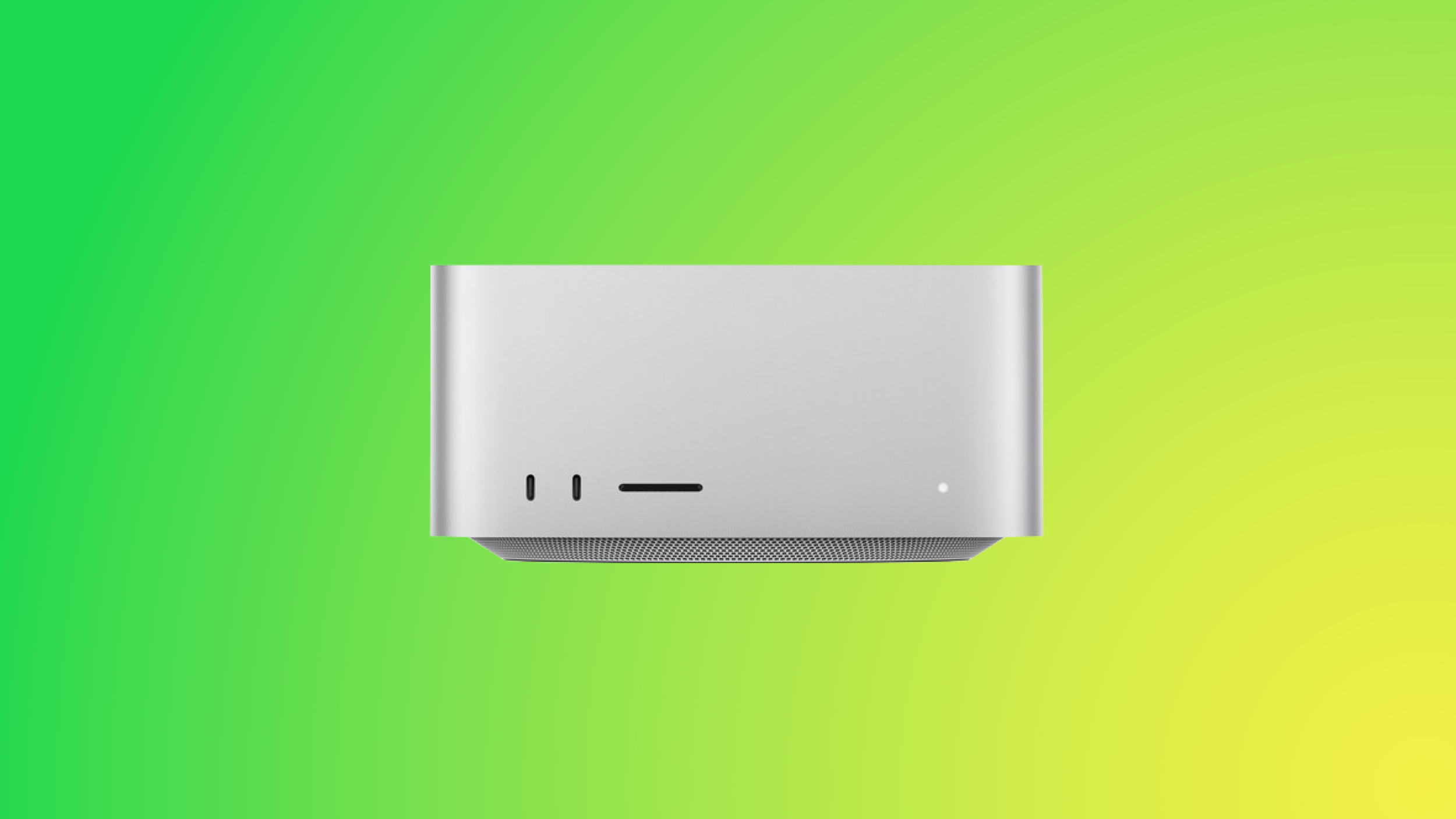
If you have a Mac Studio with an M3 Ultra chip and can't get macOS Tahoe to install, you're not alone. There is a bug that is preventing the update from installing properly on machines that have the M3 Ultra.


Affected users go to install macOS Tahoe, wait through the installation process and see the ‌Mac Studio‌ reboot, and then end up with macOS Sequoia 15.7 still running instead of macOS Tahoe. The macOS Tahoe update fails again and again.

A discussion thread on the Apple Support Communities suggests that the bug is impacting all Mac Studios with an M3 Ultra chip, and we have a ‌Mac Studio‌ that is unable to be upgraded. A Mac user who dug into the error messages suggests that the installer loads the macOS Tahoe driver for the Apple Neural Engine, but then a hardware check fails, and the installation process is aborted.

‌Mac Studio‌ owners say that attempting to install via standard software update, safe mode, and recovery mode have all failed. There is no known fix right now, and M3 Ultra ‌Mac Studio‌ users will need to wait for Apple to release a fix to solve the issue.

Apple is aware of the problem, so hopefully the problem will be resolved shortly.
Related Roundup: macOS Tahoe 26
Related Forum: macOS Tahoe

This article, "Bug Prevents M3 Ultra Mac Studios From Installing macOS Tahoe" first appeared on MacRumors.com

Discuss this article in our forums
  •  

AirPods Pro 3 Use Acoustic Seal Test for Optimizing Sound Quality and ANC

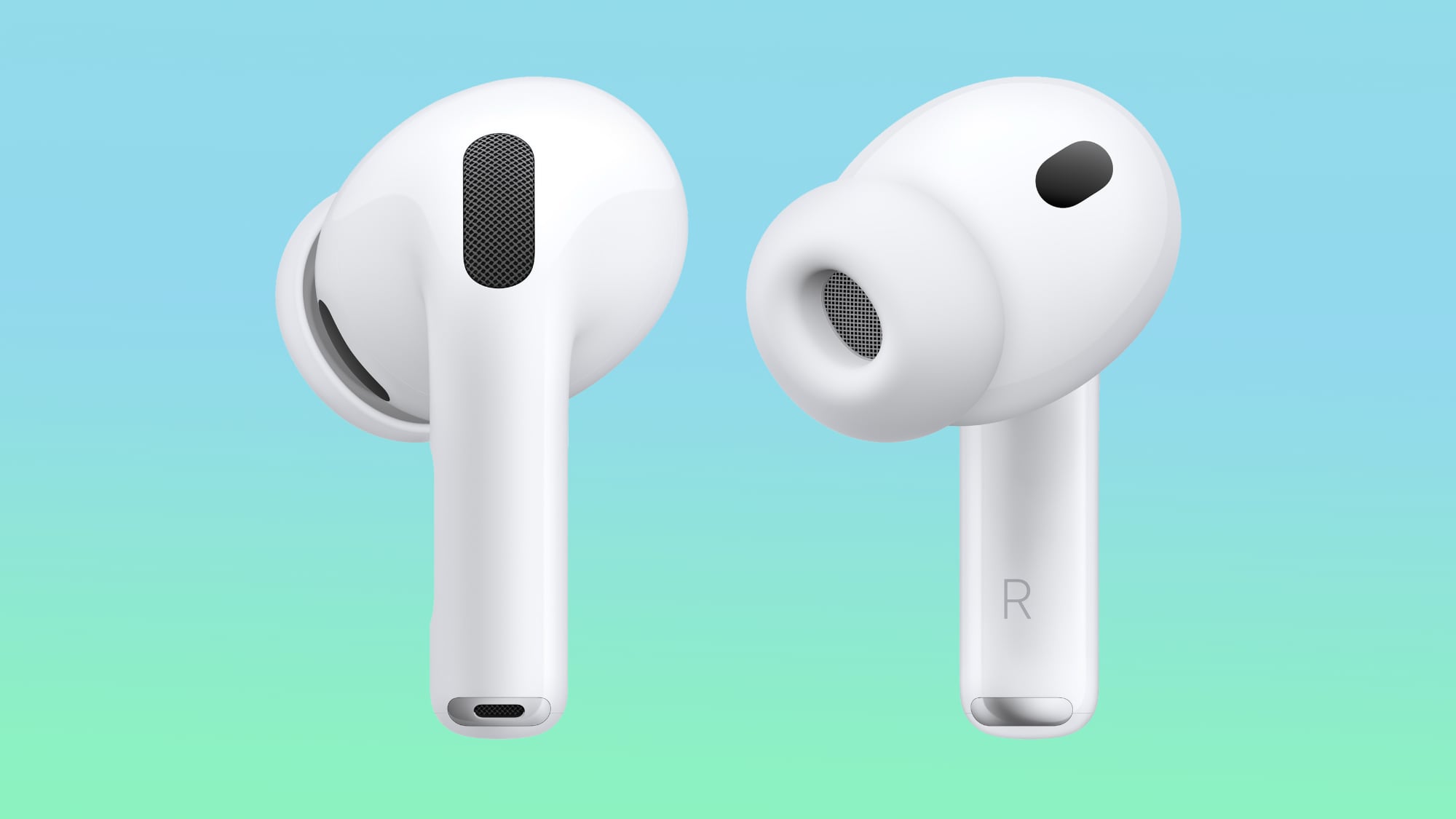
The AirPods Pro 3 use an Acoustic Seal Test to check the fit of ear tips, according to a new Apple support document. Apple says that the Acoustic Seal Test will ensure that you're using the proper ear tip size for the best sound quality and noise cancellation.


The AirPods Pro 1 and the AirPods Pro 2 have an Ear Tip Fit Test, but Apple updated the process for the ‌AirPods Pro 3‌. Apple suggests starting with the medium size ear tip. If you can't achieve a good seal, switch to the larger tip. If the ear tip feels too large, switch to a smaller tip.

Apple designed new foam-infused silicone ear tips for the ‌AirPods Pro 3‌, which it says are softer and less stiff than the AirPods Pro 2 ear tips. ‌AirPods Pro 3‌ ear tips come in five sizes, including XXS, XS, S, M, and L. XXS is new for this generation.

For heart rate sensing, the ‌AirPods Pro 3‌ need skin contact. Apple warns that the best ear tip size for heart rate sensor accuracy could differ from the best size for acoustic seal. The ‌AirPods Pro 3‌ should be positioned toward your face at a 45-degree angle, with the heart rate sensor resting against the ear.

If heart rate recordings seem inconsistent, Apple recommends trying a different ear tip size.

The Acoustic Seal Test can be initiated by connecting the ‌AirPods Pro 3‌ to an iPhone with iOS 26 or an iPad with iPadOS 26, going to the AirPods Settings, and selecting the Acoustic Seal Test option.

The ‌AirPods Pro 3‌ will launch this Friday.
Related Roundup: AirPods Pro 3
Buyer's Guide: AirPods Pro (Buy Now)
Related Forum: AirPods

This article, "AirPods Pro 3 Use Acoustic Seal Test for Optimizing Sound Quality and ANC" first appeared on MacRumors.com

Discuss this article in our forums
  •  

Apple Watch Gets Slow Charger Warnings in watchOS 26

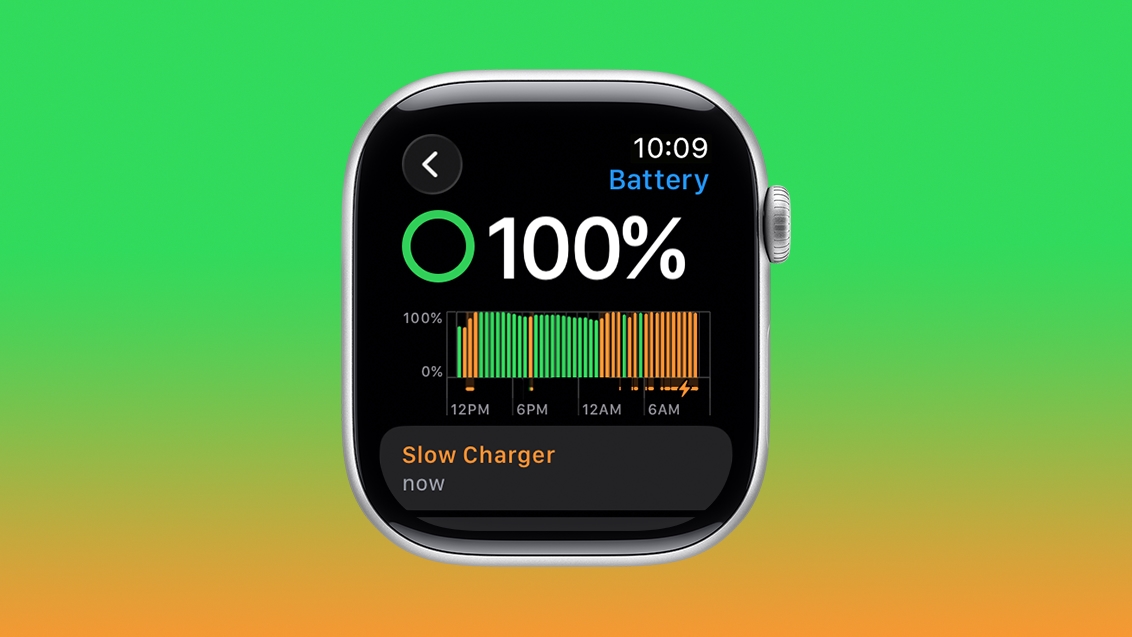
watchOS 26 includes a feature that lets you know if you're using an Apple Watch charger that is not optimized for the fastest charging speeds.


According to a new Apple support document, if your Apple Watch detects a charging experience that could be improved, a Slow Charger message will be displayed in the Battery section of the Settings app. Instances of slow charging are shown in orange, while fast charging speeds are displayed in green.

Apple says that the Slow Charger warning simply means that you could get faster charging speeds with a higher-wattage charger, and it does not mean there is something wrong with a slower charger.

Apple recommends a USB-C Power Delivery charger and the USB-C Apple Watch Magnetic Charging Cable that came with the watch for the fastest charging.
This article, "Apple Watch Gets Slow Charger Warnings in watchOS 26" first appeared on MacRumors.com

Discuss this article in our forums

  •  

Your Mac Can Auto-Join an iPhone Hotspot in macOS Tahoe

macOS Tahoe 26 includes support for automatically joining your iPhone's Personal Hotspot when no Wi-Fi network is available, so you no longer need to manually connect.


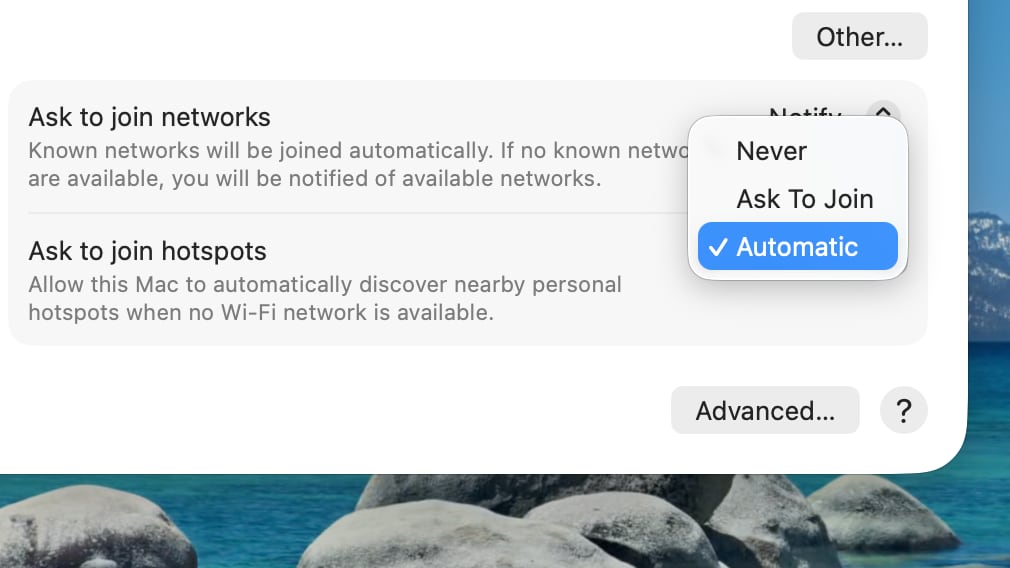
To set up automatic joining in macOS Tahoe, you can click on the Wi-Fi button in the menu bar or Control Center to open up Wi-Fi Settings. From there, scroll down to the bottom where it says "Ask to join hotspots" and click to select the Automatic option.

With Auto-Join Hotspot turned on, when your Mac doesn't have Wi-Fi available and is near an ‌iPhone‌ or iPad providing a Personal Hotspot, it will automatically attempt to join it.


Auto-Join works with Family Sharing, so you can set up your Mac to automatically connect to a family member's Personal Hotspot, or allow their Mac to automatically connect to yours.
This article, "Your Mac Can Auto-Join an iPhone Hotspot in macOS Tahoe" first appeared on MacRumors.com

Discuss this article in our forums
  •  

26 New Features to Try in watchOS 26

Apple released watchOS 26 yesterday, and if you have a Series 9 or later or an Ultra 2 or later, there are a surprising number of useful new features. Apple could have limited new additions like Sleep Score and Hypertension notifications to the newest Apple Watch models, but now you don't need to buy a new watch to get helpful features.


Design


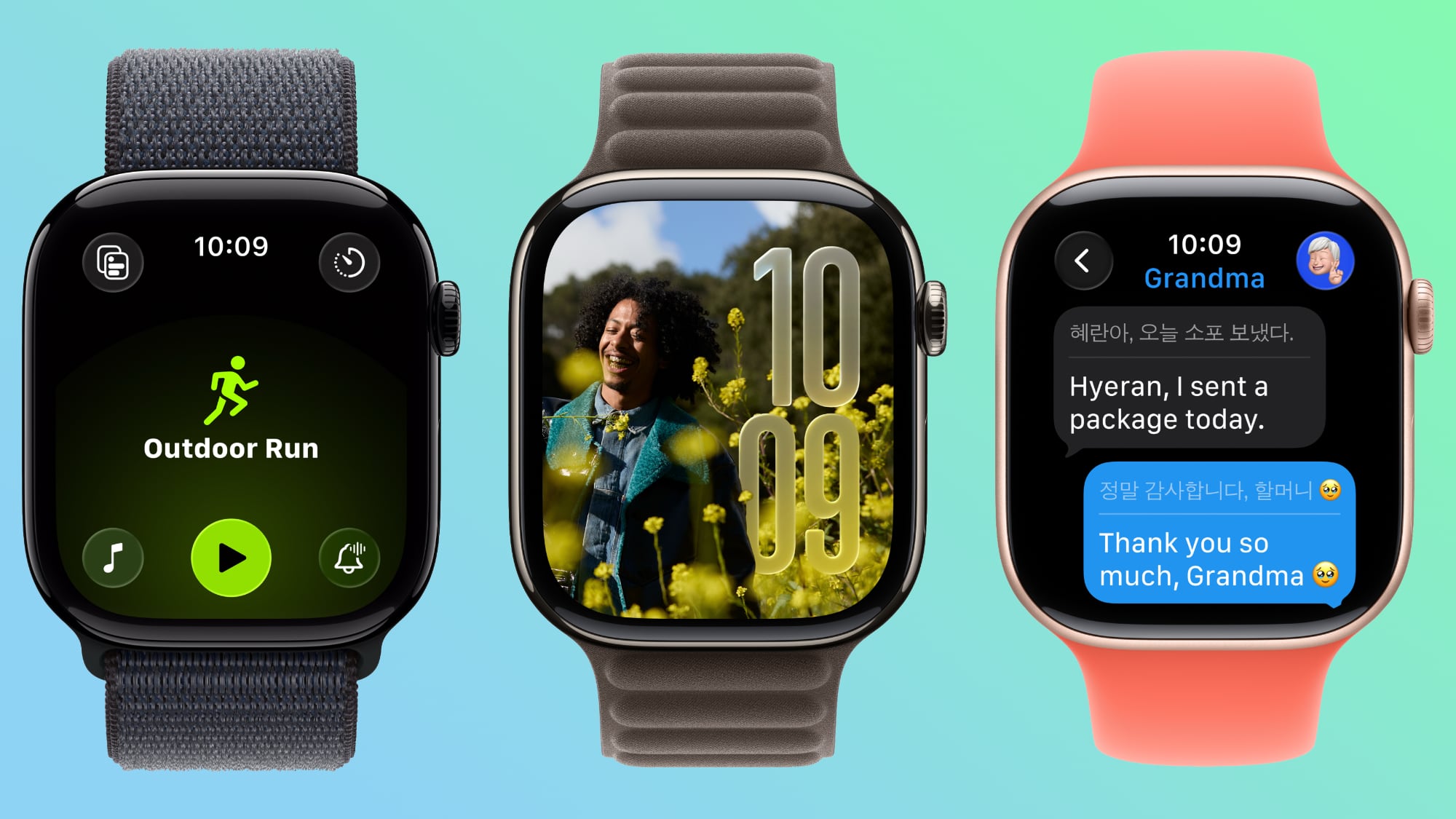
  • Liquid Glass - ‌watchOS 26‌ adopts Liquid Glass, with translucent, glass-like buttons and interface elements. It's most visible with select watch faces, the Smart Stack, and Control Center.

  • Control Center - Control Center is customizable, and you can rearrange it and add third-party app controls. If you don't like your changes, you can revert to the original design.

  • Smart Stack - The Smart Stack uses a new prediction algorithm and it will prompt you if there is a suggestion that's immediately useful.

  • Widgets - Widgets in the Smart Stack are customizable, so you can rearrange them to show what's most important to you first. Third-party apps are supported.


Gestures


  • Wrist Flick - There's a wrist flick gesture for things like silencing incoming calls and dismissing notifications one-handed.


Health


  • Hypertension Notifications - ‌watchOS 26‌ adds hypertension notifications based on heart rate, letting you know if high blood pressure is detected over time. It's available on the Series 9 and later and Apple Watch Ultra 2 and later.

  • Sleep Score - Sleep Score gives you a number-based evaluation of your sleep quality. It takes into account sleep duration, the number of times you woke up in the night, and when you went to bed.


Fitness


  • Workout Buddy - There's an AI-powered Workout Buddy that motivates you during workouts and provides helpful insights.

  • Workout app - Apple redesigned the Workout app with an updated layout that makes options like custom workout, Workout Buddy, and Pacer easier to get to.

  • Media - There's an Autoplay Media option that will automatically play music that matches your workout. You can also select your own media to have autoplay when a workout is started.


Messages


  • Smart Actions - The Messages app can suggest smart actions like location sharing, providing an address, and more based on the context of a text.

  • Smart Replies - Smart replies have been improved so you should get more relevant one-tap responses for incoming messages.

  • Live Translation - The Messages app supports Live Translation, so incoming texts in another language can be translated to your language.

  • Backgrounds - Personalized backgrounds that you create for conversations on iPhone sync to the watch.


Phone


  • Call Screening - Call Screening asks callers for more information before your phone or Apple Watch rings.

  • Hold Assist - You can use the Hold Assist feature on the Apple Watch. It waits on the line for you so you can do other things.


Watch Faces


  • Photos - The Photos watch face uses Liquid Glass for the time, and the size and location of the time adjust based on the image that's being displayed. The shuffle option also uses Featured content from ‌Photos‌.

  • Flow - Flow is a watch face designed for Liquid Glass. It features an orb of color with Liquid Glass numbers.

  • Exactograph - Exactograph has hour, minute, and second dials for precise time keeping. If you tap on the face, it zooms in on the minutes and seconds dials so you can measure in even smaller increments of time.

  • Waypoint - Waypoint is only for the Apple Watch Ultra, but it shows points of interest in relation to where you are.

  • Hermes - There's a Hermes Faubourg Party watch face for Hermes watches. It displays different animations based on the time of day.

  • Ticking Seconds - More watch faces support the 1Hz refresh rate on the Apple Watch Series 10 and later, showing a ticking second hand even when your wrist is down.

  • Gallery - The watch face gallery has a new design that groups faces into collections.


Other Features


  • Volume Adjustment - The volume of incoming calls and notifications adjusts based on the ambient sound around you. So if you're in a quiet room, your watch won't have a super loud ring.

  • Live Listen - When using Live Listen on a connected ‌iPhone‌, a transcript of what's being said is displayed on the watch.

  • Notes - The Notes app is available on the Apple Watch, so you can view existing notes and create new ones.


Read More


For more on the features available in ‌watchOS 26‌, we have a dedicated watchOS 26 roundup.
Related Roundups: watchOS 11, watchOS 26
Related Forum: Apple Watch

This article, "26 New Features to Try in watchOS 26" first appeared on MacRumors.com

Discuss this article in our forums
  •  

Three Days Until iOS 26 Launch: What Are You Most Looking Forward To?

iOS 26 is coming in just three days, and it brings a new Liquid Glass design with translucent UI elements, rounded menu bars, simplified navigation, pop out menus, and more.


Liquid Glass has been contentious during the beta testing period. Some people don't feel like there's enough translucency, and others think Apple has gone too far, impacting readability. Where do you fall on the spectrum? Let us know in the comments below.

The new design is the big ‌iOS 26‌ talking point, but the update also has a bunch of new features, both big and small. Are you looking forward to screening your phone calls? Setting a custom snooze duration? Making Genmoji? Using Live Translation?

For a recap on all of the features that are coming next week, make sure to check out our iOS 26 roundup. We also have overviews of iPadOS 26 and macOS Tahoe, both of which have some exciting new additions.
Related Roundups: iOS 26, iPadOS 26
Related Forum: iOS 26

This article, "Three Days Until iOS 26 Launch: What Are You Most Looking Forward To?" first appeared on MacRumors.com

Discuss this article in our forums
  •  

You Don't Need the Apple Watch Series 11 to Get Your Sleep Score

With the Apple Watch Series 11, Ultra 3, and SE 3, Apple announced support for a new Sleep Score feature that's designed to provide you with an actionable overview of your sleep quality.


It turns out that Sleep Score is a watchOS 26 feature, so it is also available on older Apple Watch models. If you have the ‌watchOS 26‌ release candidate installed, you can see your Sleep Score in the Health app already.

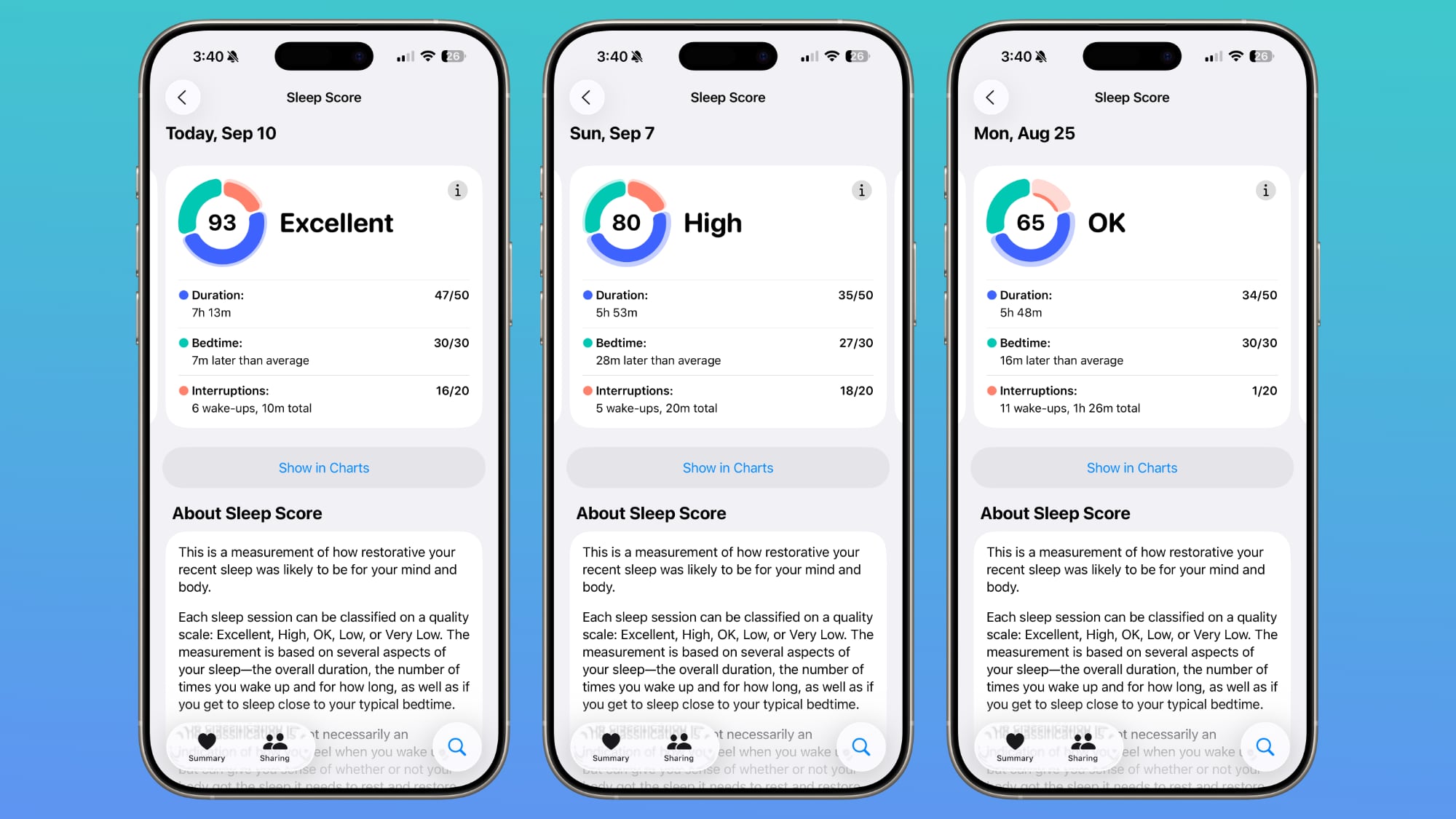
Open up the Health app, choose the Sleep category from the Search interface, and tap on Sleep Score to see your personalized readout.

Apple will rate your sleep as Excellent, High, OK, Low, or Very Low. Scores are calculated based on sleep duration, the time you went to bed, and how many times your sleep was interrupted during the night. Duration is worth 50 points, bedtime is worth 30 points, and interruptions is worth 20 points. Points are deducted for low sleep times, a late bedtime, or multiple sleep interruptions.

According to Apple, an "Excellent" score means that your body and mind have received the rest and restorative sleep needed for the day. High means you got the sleep you need, even though you might not have slept perfectly. OK means you probably didn't get all the sleep you need, while Low means that you didn't get enough time to rest and restore. Very Low means you didn't get enough sleep and your rest level was low enough that it can have a mental and physical impact over time.

Sleep Score is calculated from sleep data collected by the Apple Watch during sleep, or from a third-party device that reports results to the Health app. You technically don't need an Apple Watch to get a Sleep Score, but you do need some kind of device that records sleep and logs the results in the Health app.

‌watchOS 26‌ with the Sleep Score, Liquid Glass, and other features will launch to the public on Monday, September 15.
Related Roundups: watchOS 11, watchOS 26
Related Forum: Apple Watch

This article, "You Don't Need the Apple Watch Series 11 to Get Your Sleep Score" first appeared on MacRumors.com

Discuss this article in our forums
  •  

Faster mmWave 5G Still Limited to U.S. iPhone 17 Models

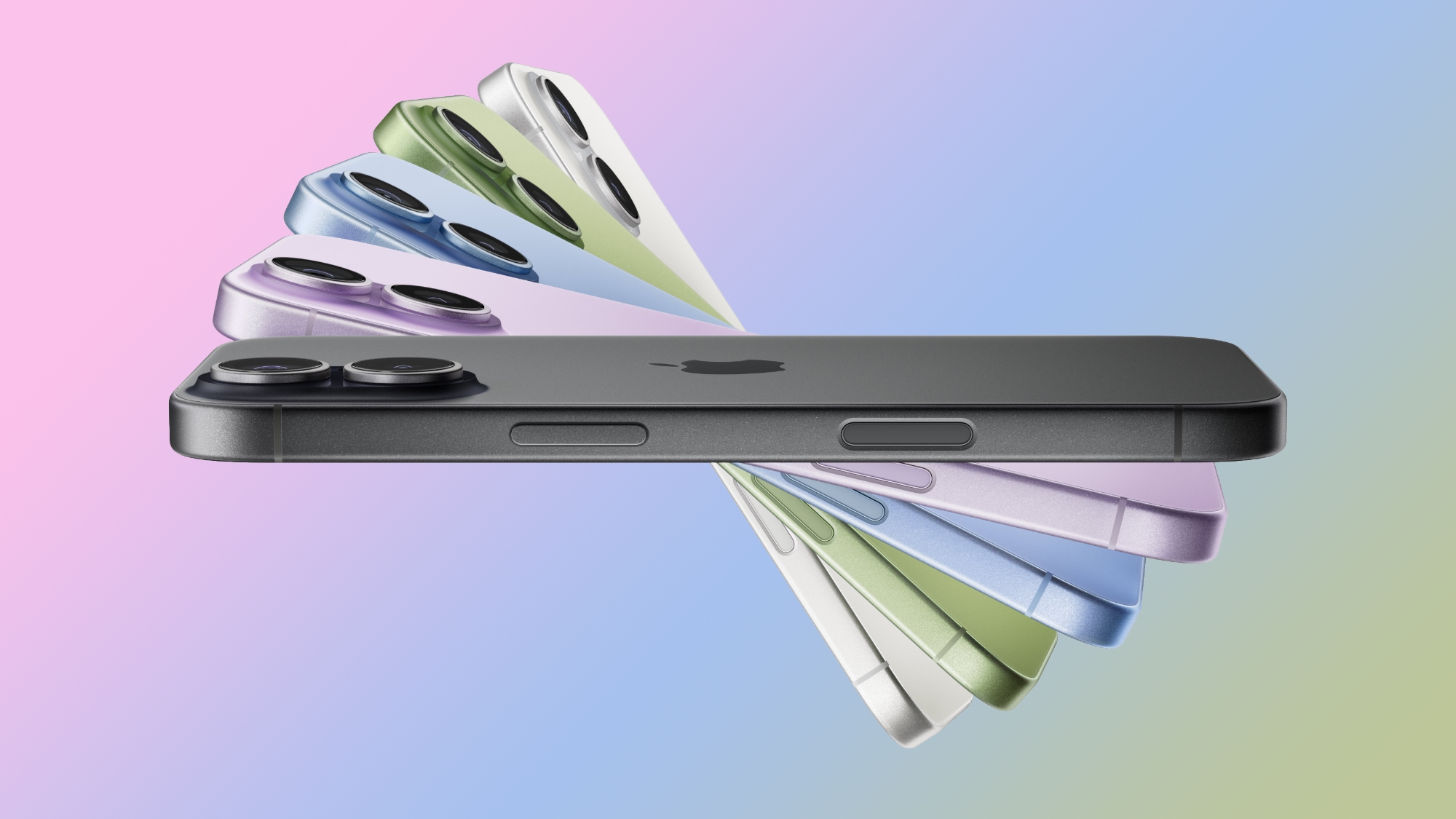
The new iPhone 17, iPhone 17 Pro, and ‌iPhone 17 Pro‌ Max continue to offer mmWave 5G connectivity in the United States, but the faster 5G speeds have not yet expanded to other countries. Outside of the U.S., the new iPhone models are limited to sub-6GHz 5G.


mmWave 5G has been exclusive to the United States since 5G connectivity launched in the ‌iPhone‌ 12. Other countries have been slower to adopt mmWave 5G, but it is becoming more widely available in countries like Australia, China, South Korea, Japan, and Europe. The higher frequency mmWave spectrum is not as practical as lower and mid-band 5G spectrum because of its limited range.

It's expensive for carriers to build mmWave networks, and it is expensive for Apple to offer the hardware to connect to those networks. Carriers don't have motivation for faster 5G when devices don't support it, and Apple doesn't see the need to roll out mmWave support in countries where adoption is low.

mmWave offers the fastest 5G speeds, but it primarily makes sense for big cities and crowded locations like concert venues, stadiums, and airports. It is short range, and cannot penetrate obstacles like sub-6GHz 5G can. Sub-6GHz is more widely adopted because it works in cities, suburban areas, and rural locations.

Unless something changes with 5G adoption and rollout, it's not likely that Apple's stance on mmWave 5G availability is going to change. In fact, the M4 iPad Pro models eliminated mmWave 5G support entirely, and Apple opted for 5G modems that only support sub-6GHz spectrum.

Because the ‌iPhone‌ Air has Apple's custom-designed C1X modem, it also does not support mmWave 5G. Like the C1, the C1X is only compatible with sub-6GHz 5G. The other ‌iPhone 17‌ models use Qualcomm modems and in the U.S., can use mmWave spectrum on networks that offer it.
Tag: 5G

This article, "Faster mmWave 5G Still Limited to U.S. iPhone 17 Models" first appeared on MacRumors.com

Discuss this article in our forums
  •  

AirPods Pro 3 Get New Foam-Infused Ear Tips With Five Size Options

The AirPods Pro 3 have an updated design that Apple says is more ergonomic, and new ear tips that are supposed to be better at eliminating ambient sound.


Apple included new ear tips that fuse a thin layer of soft foam microspheres to a silicone shell for better passive noise isolation.

The ear tips come in five sizes, including XXS, XS, S, M, and L, The smaller XXS size wasn't available with the AirPods Pro 2.

The new foam ear tips, the wider range of size options, improved computational audio, and the design changes to make the earbuds fit more ergonomically in the ear all help to make the ‌AirPods Pro 3‌ 2x better at Active Noise Cancellation than the ‌AirPods Pro‌ 2.

Apple is still selling the ‌AirPods Pro 3‌ for $249, but there is no longer a USB-C charging cable inside, so the company is saving a bit of cash with this model. The ‌AirPods Pro 3‌ are available for pre-order and will launch on Friday, September 19.
Related Roundup: AirPods Pro
Related Forum: AirPods

This article, "AirPods Pro 3 Get New Foam-Infused Ear Tips With Five Size Options" first appeared on MacRumors.com

Discuss this article in our forums

  •  

What's Different With the AirPods Pro 3 Design

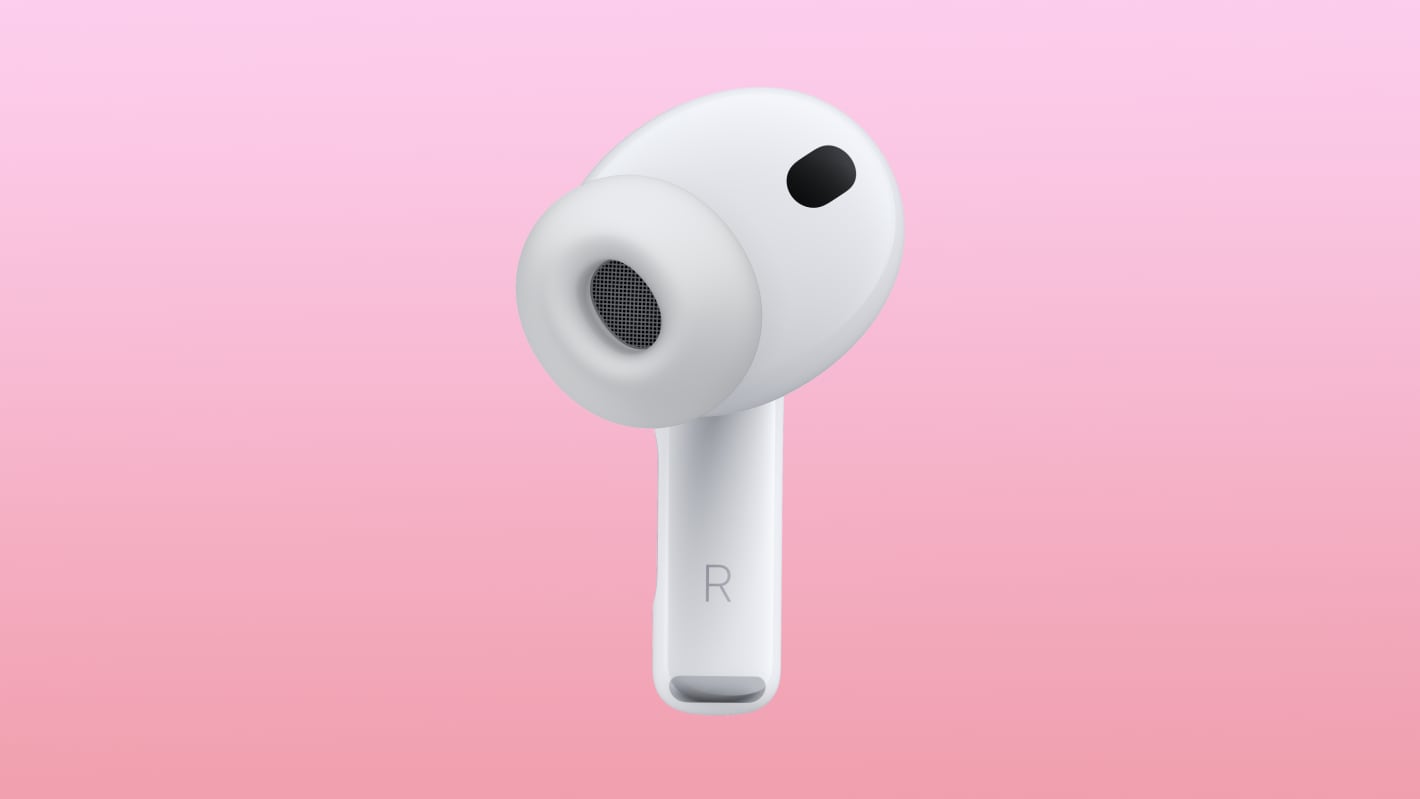
Apple tweaked the design of the AirPods Pro 3, changing the fit of the tips in the ears and bringing some updates to the case. On the whole, the ‌AirPods Pro 3‌ look a lot like the AirPods Pro 2, but there are some differences to be aware of.


Earbud Design


Apple reengineered the ‌AirPods Pro 3‌ using more than 10,000 ear scans and more than 100,000 hours of user research.

Apple says internal architecture was revamped to make each AirPod slightly smaller, and the external geometry of the ear tip was aligned to the center of the body to improve stability. Basically, the ear tips are now rotated inward.


The shape is meant to better fit into the ear canal, improving sound isolation and ensuring that the ‌AirPods Pro‌ stay in place during workouts.

When it comes to actual size, there are a couple changes. The ‌AirPods Pro 3‌ are the same height as the ‌AirPods Pro‌ 2, so the stem isn't any shorter. Width is now 19.2mm, down from 21.8mm, so they're a little bit slimmer. They're also deeper, though, measuring 27mm, up from 24mm. Weight increased too, so the ‌AirPods Pro 3‌ are 5.55 grams, while the ‌AirPods Pro‌ 2 were 5.3 grams.

Charging Case


There were rumors that Apple would slim down the ‌AirPods Pro 3‌ Charging Case, like it did with the AirPods 4 Charging Case last year.

That didn't happen. The ‌AirPods Pro 3‌ Charging Case is actually larger than before. It measures in at 1.86 inches tall (up from 1.78 inches), 2.45 inches wide (up from 2.39 inches), and 0.86 inches deep (up from 0.85 inches). It's not as heavy, weighing 1.55 ounces, down from 1.79 ounces.

‌AirPods Pro‌ 2 on left, ‌AirPods Pro 3‌ on right

The case for the ‌AirPods Pro 3‌ has an attachment point for a lanyard, along with a capacitive pairing button and an invisible LED that only shows up when the case is opened or charging.

Battery life for the earbuds themselves is up, but the charging case doesn't last as long. Apple says it provides up to 24 hours of charging time, but the ‌AirPods Pro‌ 2 case provided up to 30 hours of listening time.

You can pre-order the ‌AirPods Pro 3‌ now, and the earbuds will launch on September 19. Pricing is still $249.
Related Roundup: AirPods Pro
Related Forum: AirPods

This article, "What's Different With the AirPods Pro 3 Design" first appeared on MacRumors.com

Discuss this article in our forums
  •  

AirPods Pro 3 Won't Get 'Major' Audio or Active Noise Cancellation Improvements

The upcoming AirPods Pro 3 that Apple is expected to unveil tomorrow will not include notable improvements to audio quality or Active Noise Cancellation, according to Bloomberg's Mark Gurman.


Apple's new earbuds will have heart rate tracking, a health-related feature that Apple first introduced with the Powerbeats Pro 2. LED optical sensors will pulse to measure heart rate using blood flow, and if the ‌AirPods Pro 3‌ work like the Powerbeats Pro 2, the data will sync with popular fitness apps.

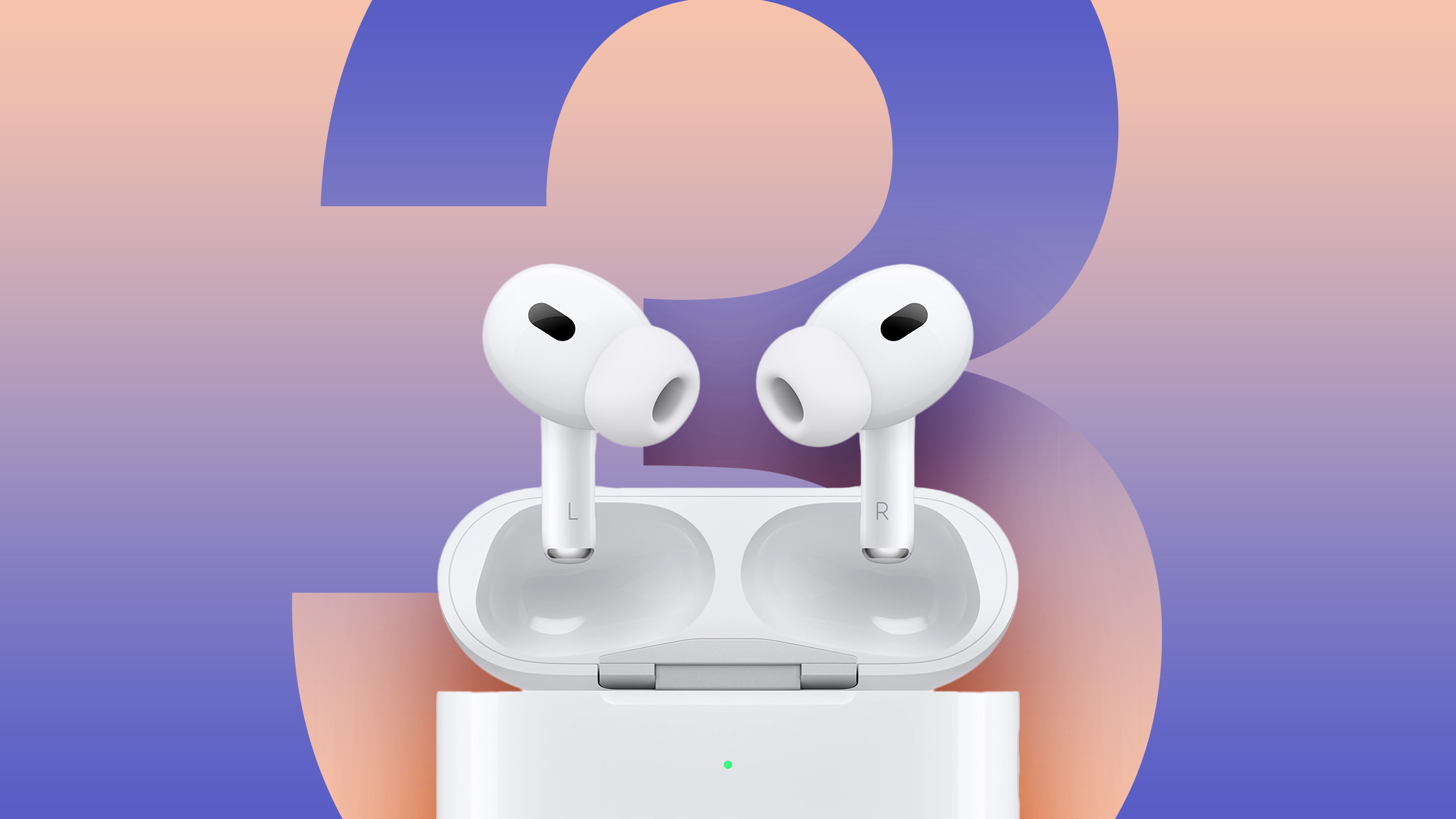
The ‌AirPods Pro 3‌ will also feature an updated design for a better fit, though there are no details on what exactly is going to change. The case is also going to be slimmed down, and it will be smaller like the AirPods 4 case.

News of no significant changes to ANC or audio quality is disappointing. There were some rumors of "much better" Active Noise Cancellation and Gurman himself said the AirPods would include a new H3 chip. New chips typically mean improvements to audio quality and ANC, and we could still get some small boosts, but it sounds like most of the focus will be on the new health feature.
This article, "AirPods Pro 3 Won't Get 'Major' Audio or Active Noise Cancellation Improvements" first appeared on MacRumors.com

Discuss this article in our forums

  •  

iPhone 17: Last Minute Rumor Recap Ahead of Tomorrow's Apple Event

It's almost time for the September 9 Apple event, and last minute rumors have been trickling in. For a quick catch up, we've recapped the new information that we've heard over the last few days.


Battery


Alleged battery capacities for the iPhone 17 models were spotted in a Chinese regulatory database, and in the past, this database has provided accurate battery information.

  • iPhone 17 - 3,692 mAh

  • iPhone 17 Air - 3,149 mAh

  • iPhone 17 Pro - 4,252 mAh

  • iPhone 17 Pro Max - 5,088 mAh


It's worth noting that in some countries like China, there will be models with a SIM tray. ‌iPhone 17‌ models that have a SIM tray will have slightly smaller battery capacities, and the battery capacities above are for the non-SIM models that will be sold in countries like the United States.

The iPhone 17 Pro Max is expected to be the first iPhone that has a battery over 5,000 mAh, and it could have the longest ever battery life that we've seen in an ‌iPhone‌. There's also going to be an impressive year-over-year battery increase for the ‌iPhone 17 Pro‌.

It doesn't look like the ‌iPhone 17‌ will offer much of an improvement over the iPhone 16, and of course, the iPhone 17 Air has the lowest capacity of the bunch. It will be interesting to see how it compares to the other models in terms of real-world battery life, because Apple may be using a denser silicone-anode battery that provides more energy in a smaller package.

SIM Trays


There have been multiple rumors suggesting that the ‌iPhone 17 Air‌ won't have the space for a SIM tray, which would prevent it from launching in China. iPhones sold in China are required to have a physical SIM tray, and carriers in the country do not support eSIM technology for smartphones.

The recent battery database leak mentions a variant of the ‌iPhone 17 Air‌ with a SIM tray, so it looks like information suggesting that the ‌iPhone 17 Air‌ won't be available in China could be inaccurate.

It would be surprising for Apple not to offer its flagship ultra thin device in China where it's likely to sell well.

Apple phased out SIM trays in the U.S. with the ‌iPhone‌ 14 launch. In most other countries aside from China, iPhones include both a SIM tray and an eSIM, but that could change this year. Rumors suggest that SIM-free iPhones will expand to more countries.

Thicker iPhone 17 Pro Max


The ‌iPhone 17 Pro‌ Max is going to measure in at 8.725mm thick, making it thicker than the 8.25mm iPhone 16 Pro Max. The extra space could allow for a larger battery and rumored camera features like an adjustable aperture. The ‌iPhone 17 Pro‌ Max will be about five percent thicker than the ‌iPhone 16 Pro‌ Max, and most people probably won't notice the increase.

A thicker chassis and a bigger battery typically means a higher weight, but Apple is transitioning to aluminum instead of titanium and replacing some of the glass at the back with aluminum, so overall weight could be the same or lower.

iPhone 17 Lanyard


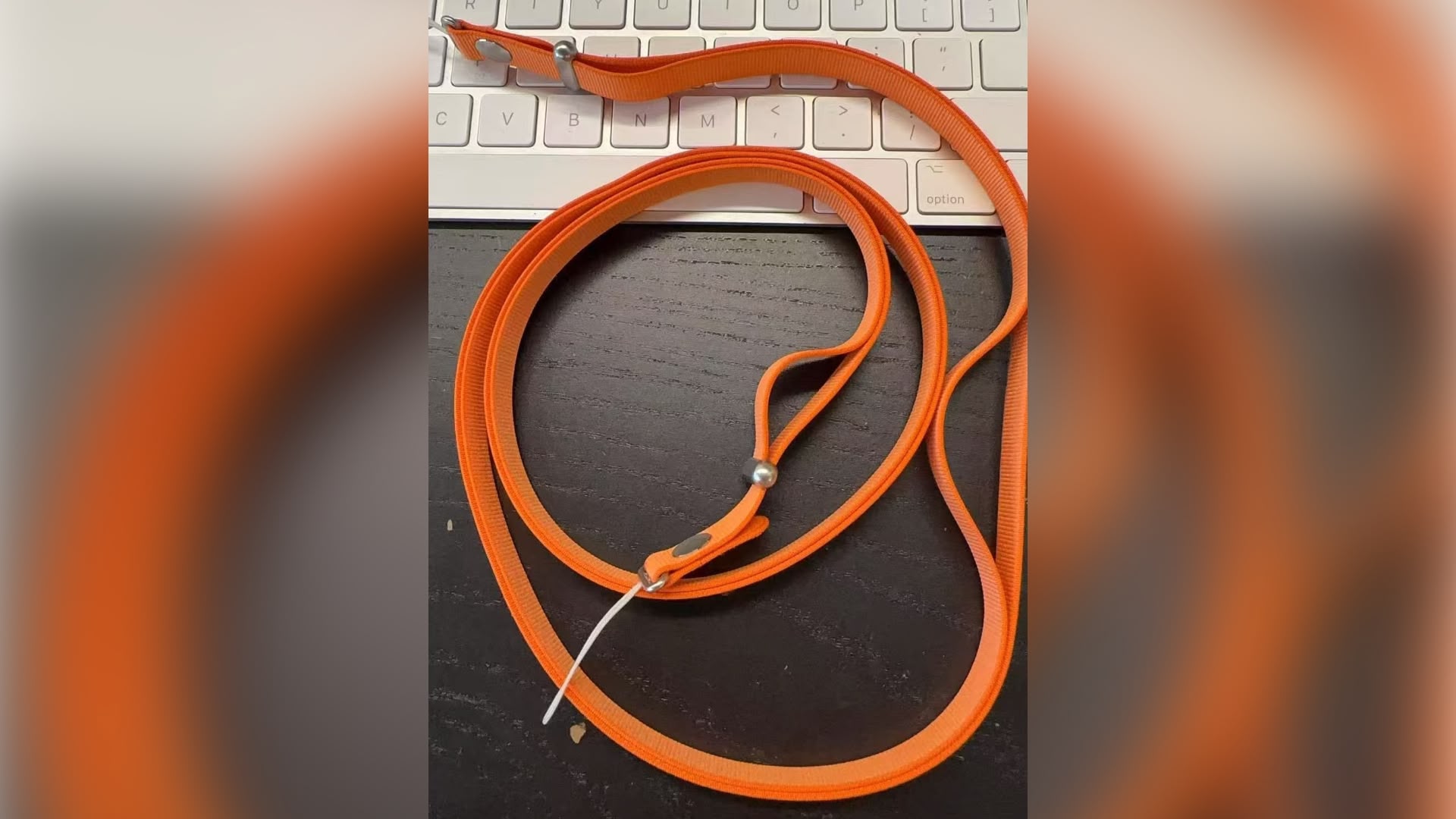
We've seen leaked ‌iPhone 17‌ cases that have a spot where a lanyard can connect, and an image of the accessory surfaced over the weekend.


The image features a long crossbody strap in bright orange color that might match the ‌iPhone 17 Pro‌. Both ‌iPhone 17 Pro‌ models are expected to come in an orange shade along with dark blue, black, and white.

The strap has a flexible metal core and uses magnetic attachment points to connect to the ‌iPhone‌ case.

iPhone 17 Pro Design


Last Friday, Bloomberg's Mark Gurman clarified ‌iPhone 17 Pro‌ and Pro Max design rumors. The two smartphones are expected to be made from aluminum, but with a new cutout area on the bottom two thirds of the device. The cutout will be made from glass, and it will enable wireless charging.


This updated design has been rumored for months now, but it's useful to get some clarification on the half-aluminum half-glass rumors.

Sketchy Dynamic Island Rumors


On Friday, a leaker who claims to work for a company making ‌iPhone‌ screen protectors said the iPhone 17 Dynamic Island is 1.5cm, down from 2cm in the ‌iPhone 16‌ models.

There have been some mixed rumors of changes to the Dynamic Island over the ‌iPhone 17‌ rumor cycle, but reliable sources have suggested the ‌Dynamic Island‌ is the same. A change to the ‌Dynamic Island‌ is possible, but unlikely, and this rumor is on the sketchier side.

Most screen protectors do not include cutouts for the ‌Dynamic Island‌, and it's not clear if that information would have been included with CAD renders sourced by accessory makers ahead of the ‌iPhone 17‌'s launch.

AirPods Pro 3


In a somewhat confusing last minute AirPods Pro 3 rumor, a reliable leaker said that Apple plans to release two versions of the ‌AirPods Pro 3‌. There will be a standard version and a higher-end variant with an infrared camera for gesture controls, but we might not hear about the higher-end model until next year.

Apple Watch SE 3 and Ultra 3 Confirmed


Last year there were rumors that Apple would refresh the Apple Watch SE and the Apple Watch Ultra, but that didn't happen. We're hearing the same rumors about new models this year, and it looks like they're actually coming.

A leaker with an established track record confirmed that Apple is planning to introduce Apple Watch Series 11, ‌Apple Watch SE‌ 3, and Apple Watch Ultra models tomorrow, all with an S11 chip that uses the same architecture as the current S10 chip.

Read More


For a more detailed overview on what to expect from the Apple event, make sure to check out our dedicated guide that walks through everything Apple might announce.

How to Watch


Apple's "Awe Dropping" event will start at 10:00 a.m. Pacific Time on Tuesday, September 9. Apple will livestream the event on its website on YouTube, and through the Apple TV app on supported devices.


For those unable to watch the livestream, MacRumors will be providing full event coverage on MacRumors.com and the MacRumorsLive Twitter account. We'll also do a much deeper dive into all the announcements after the event.
This article, "iPhone 17: Last Minute Rumor Recap Ahead of Tomorrow's Apple Event" first appeared on MacRumors.com

Discuss this article in our forums
  •  

Apple Says App Store Changes Go Too Far in New Epic Games Appeal Filing

The court order that required Apple to collect no fees from developers who link to purchases outside of the App Store is unconstitutional, Apple said today in a reply brief directed at Epic Games and filed with the Ninth Circuit Court of Appeals. Apple argues that it has been stripped of its rights to be compensated for its intellectual property in a ruling that sets a dangerous precedent for all companies.


Judge Yvonne Gonzalez Rogers, who has been overseeing the Apple vs. ‌Epic Games‌ lawsuit, first ordered Apple in 2021 to let developers add in-app links directing customers to third-party purchase options on the web. Apple didn't have to implement the changes until 2024, and when it did, Apple charged a 12 to 27 percent fee for purchases made through links in an app. ‌Epic Games‌ went back to the judge and said Apple was charging "unjustified fees" and should be held in contempt of court.

Gonzalez Rogers agreed with Epic and said that Apple was in "willful violation" of the original order. In April 2025, Apple was given a much more specific mandate to allow linking with no fees and no control over how links are presented in an app, which was a win for ‌Epic Games‌ and for other app developers unhappy with paying fees to link out to the web. Apple implemented the changes, but appealed the ruling.

According to Apple, the 12 to 27 percent fee that it was charging and the rules that it had implemented around link design complied with the original order. The April ruling [PDF] forcing Apple to implement ‌App Store‌ changes said that Apple had not followed the "spirit of the injunction" and had instead used a "dubiously literal interpretation," a point that Epic emphasized in its own filing with the court. In response, Apple argues that this is a weak argument that led to the injunction being expanded beyond what is permissible by law.

The new injunction imposes, in meticulous detail, new design and formatting rules and dictates the messages that Apple may convey to its own users on its own platform. These requirements represent an improper expansion and modification of the original injunction—rather than an attempt to enforce compliance with the original injunction—and violate the First Amendment by forcing Apple to convey messages it disagrees with. Epic doubles down on the district court's emphasis on the "spirit" of the original injunction and Apple’s supposed bad faith, but civil contempt turns on whether a party has violated the actual terms of an injunction—which Epic does not meaningfully try to show


Apple argues that it should be able to ask for compensation for its IP protected technologies, and that the court should have forced compliance with the original injunction instead of rewriting the injunction with new terms that prohibit Apple from collecting fees.

The district court's sweeping new zero-commission rule also is not tailored to Epic's claimed harm, improperly imposes a punitive sanction, and effects an unconstitutional taking.


Should the Ninth Circuit Court find the updated injunction lawful, Apple suggests that the recent Trump v. Casa Supreme Court ruling [PDF] needs to be considered. The ruling said courts do not have the authority to issue universal injunctions that are "broader than necessary to provide complete relief" to the plaintiffs in the case. ‌Epic Games‌ is the only plaintiff in the case, so Apple also argues that the injunction changing the ‌App Store‌ rules for all developers is too broad. Apple says that the injunction should be tailored to Epic and Epic's interests alone.
Epic has never demonstrated how requiring Apple to permit all manner of linked-out purchases from any developer—and prohibiting Apple from collecting any commission on such purchases—is necessary to remedy Epic’s full harm, particularly for linked-out transactions that do not involve Epic. Just the opposite, Epic has lined up amici to describe how they wish to steer on the back of Apple's IP-protected technologies at zero cost to themselves, and not to the Epic Games Store.

... Requiring Apple to permit linked-out transactions to Spotify, Microsoft, or Amazon does not benefit Epic in any way and is not necessary to remedy any harm suffered by Epic.
Apple wants the new injunction vacated, and the original injunction reconsidered to determine whether it is too broad.

As of right now, Apple is required to allow all developers in the U.S. to provide links to external websites with no restrictions on link design and no fees. If the appeals court rules in Apple's favor, Apple could change its ‌App Store‌ rules again to reimplement fees.
This article, "Apple Says App Store Changes Go Too Far in New Epic Games Appeal Filing" first appeared on MacRumors.com

Discuss this article in our forums
  •  

10 Days Until the iPhone 17 Pro: All the Rumors

The all-new iPhone 17 Air will likely be the standout device at Apple's September "Awe Dropping" event, but the iPhone 17 Pro isn't exactly getting left behind. There are design updates and new features coming, and we've outlined everything we know so far below.


Design and Colors


The ‌iPhone 17 Pro‌ models will come in the same two sizes as the iPhone 16 Pro models: 6.3 inches and 6.9 inches. While the front will look similar with no visible changes to the display, the rear of the device will be redesigned.

Rather than a titanium frame for the ‌iPhone 17 Pro‌ models, Apple is going back to aluminum, and also doing away with some of the glass. There will be a part-aluminum part-glass design, and the back of the iPhone won't have an all-glass look.


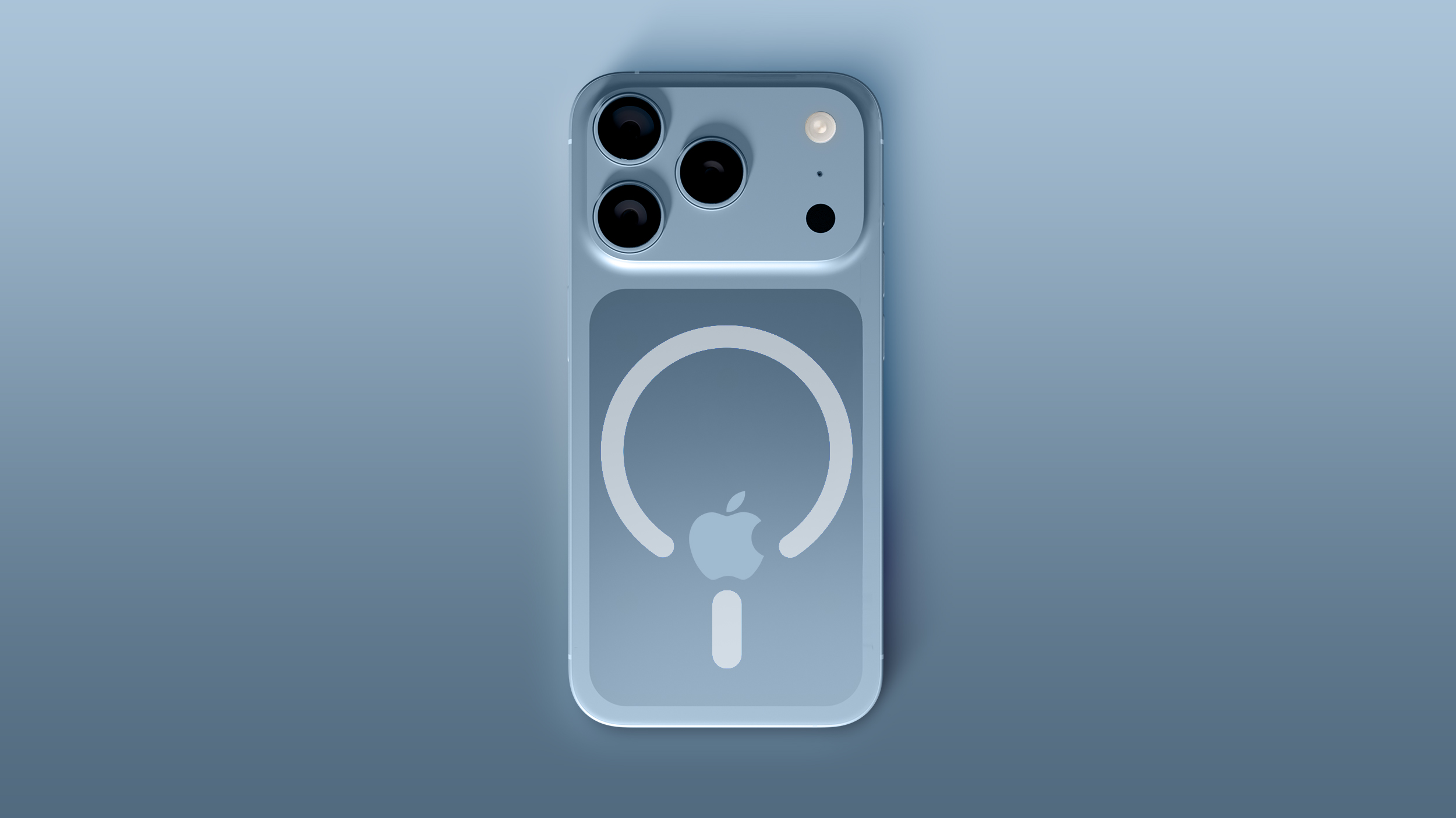
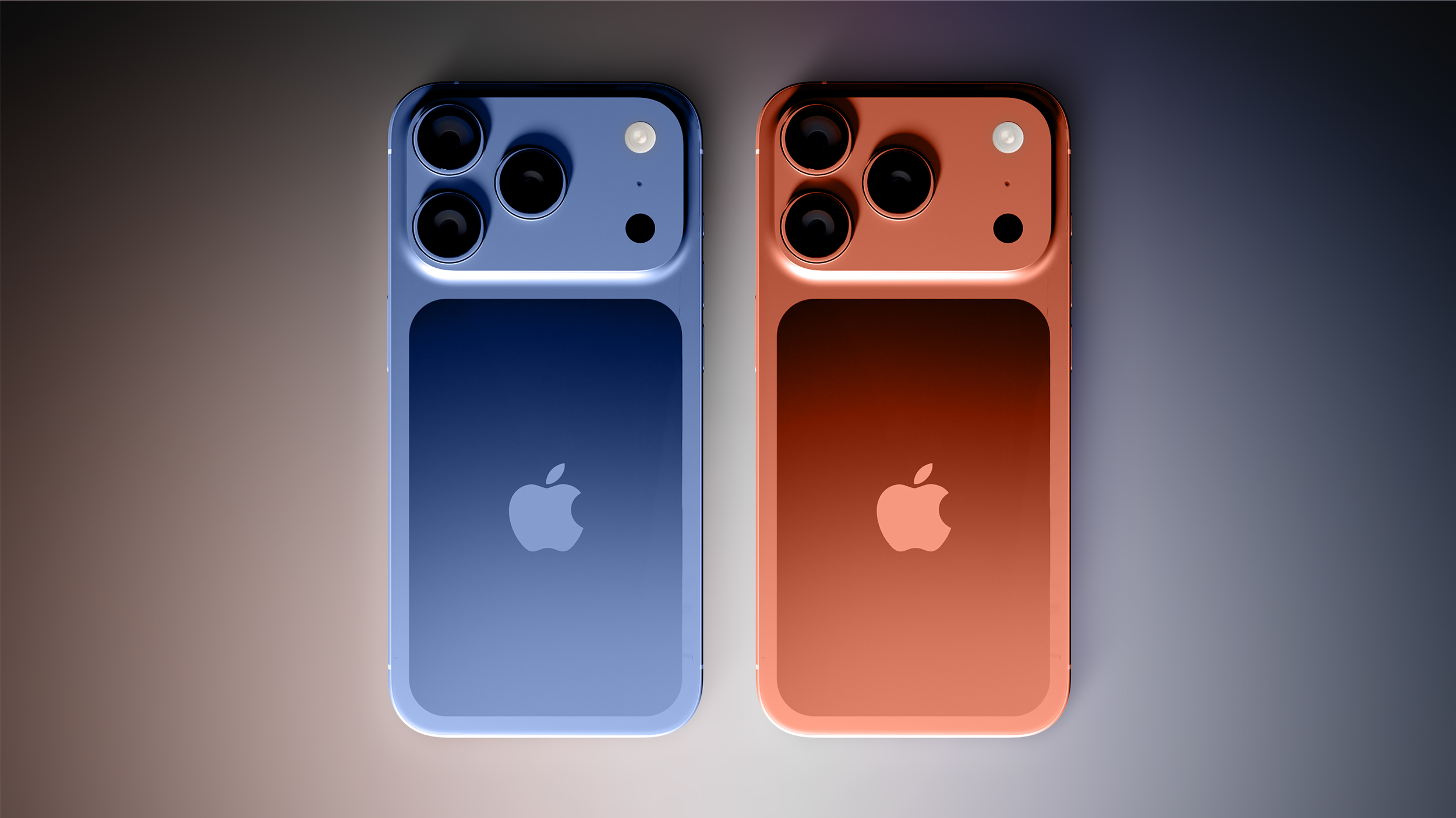
Renders and dummy models suggest that there will be a glass area around the MagSafe charger and Apple logo, while the rest of the frame will be made from aluminum for enhanced durability.

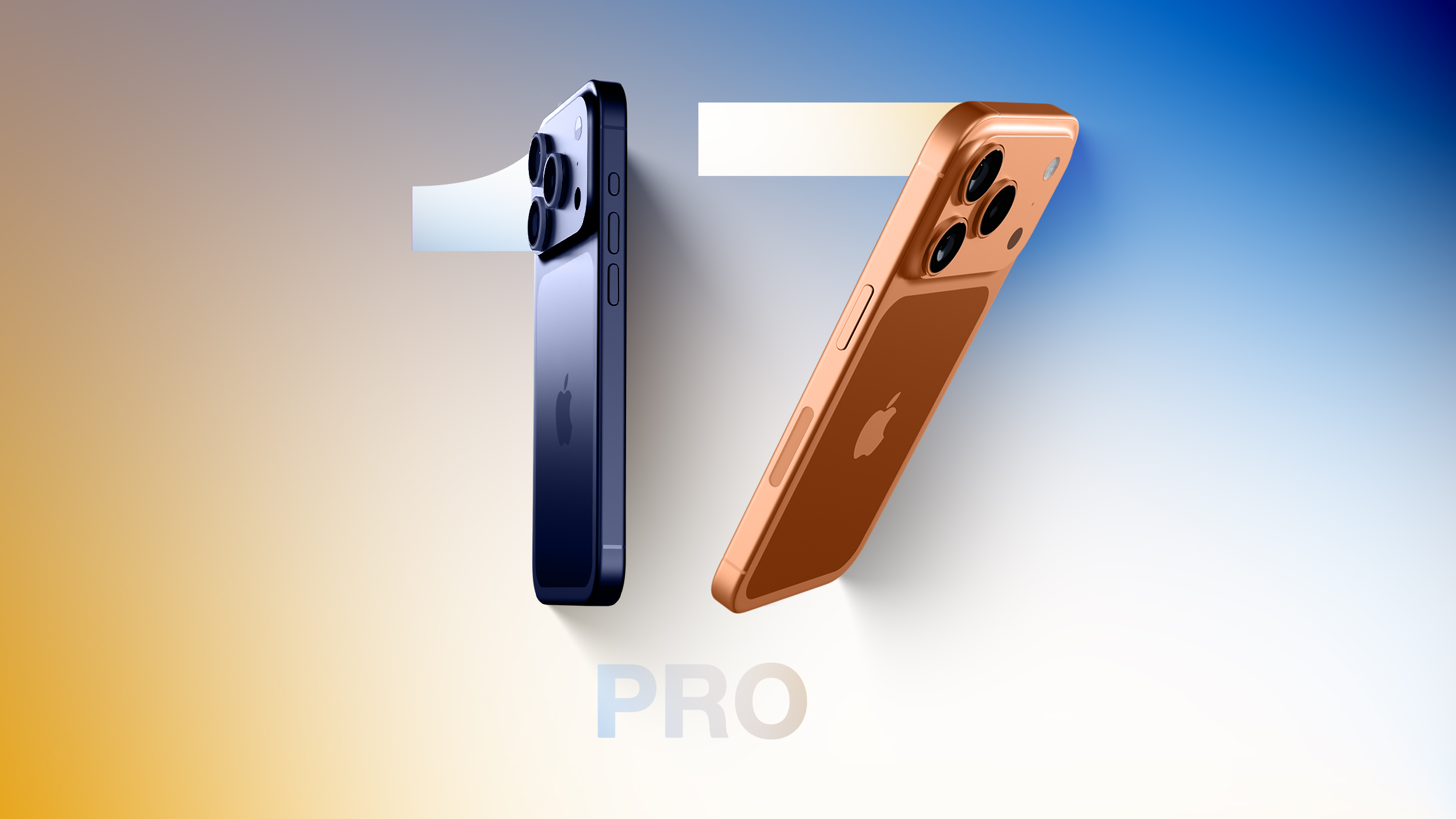
Apple is also redesigning the camera bump and instead of a square-shaped bump at the left, there will be a rectangular camera bar. Camera lenses will still be arranged in a triangle shape at the left, but the flash and LiDAR sensor will be moved to the right, and the bump will take up most of the width of the ‌iPhone‌. As part of the camera change, Apple could shift the Apple logo on the back of the ‌iPhone‌ further down.

There may also be some tweaks to the antenna system. The little antenna lines could wrap around the rear camera bump, improving 5G connectivity. Apple is designing its own Bluetooth and Wi-Fi chip this year, so the updated antenna could be how Apple makes improvements to efficiency. There's also a chance there won't be antenna lines on the bottom of the ‌iPhone‌, but this is a change most users won't notice.

The ‌iPhone 17 Pro‌ models might be just a little thicker than the current models, coming in at 8.725mm thick instead of 8.25mm thick. The increased space could be used for a larger battery.

‌iPhone 17 Pro‌ colors could be a little unusual this year. There have been multiple rumors suggesting that Apple is going with an "orange" color, which may actually turn out to be more of a copper shade. It sounds like it will be more bold than Apple's traditional shades of gold. We're also expecting a dark blue and the standard black, white, and gray options.

Display


The ‌iPhone 17 Pro‌ models are expected to have the same OLED display as the ‌iPhone 16 Pro‌ models, but there could be a change to the protective glass. Apple has been developing a more durable anti-reflective display option.

It could cut down on reflections without notably impacting the visibility of the ‌iPhone‌'s screen, and it might also be more resistant to scratches and drops. It's supposedly not quite like the nano-texture display that Apple uses for Macs and iPads, because the ‌iPhone‌'s display will still have a glossy appearance.

Supposedly the new display coating process is more scratch resistant than the Ceramic Shield that Apple uses for the ‌iPhone 16 Pro‌ models.

A-Series Chip


Apple designed a new A19 Pro chip for the ‌iPhone 17 Pro‌ models, which is built using TSMC's latest 3-nanometer process. We're not expecting a huge jump in performance, but it'll be faster and more efficient than the A18 Pro.

Apple is going to use a metal-covered battery and a vapor chamber cooling system to improve heat dissipation in the ‌iPhone 17 Pro‌ models, and that could provide further chip speed enhancements.

The iPhone 17 models are expected to include 12GB RAM, up from 8GB in the ‌iPhone 16 Pro‌ models.

Battery and Charging


The ‌iPhone 17 Pro‌ could be a bit thicker than the ‌iPhone 16 Pro‌, providing more space for a bigger battery. Battery life could see an improvement, and Apple is rumored to be using a battery over 5,000mAh for the first time.

Qi 2.2 support is expected for all of the ‌iPhone 17‌ models, so the ‌iPhone 17 Pro‌ and Pro Max will charge at 25W on compatible Qi 2.2 accessories. That's the same speed as ‌MagSafe‌, but accessory manufacturers are still adjusting to Qi 2 and will now need to come out with a whole new line of Qi 2.2 chargers.

Camera


There's a major change to the camera design, and there's likely some reason behind it. The ‌iPhone 17 Pro‌ models will have an updated 48-megapixel Telephoto lens, which means all three lenses will be 48 megapixels for the first time.

Some rumors have suggested the new Telephoto lens will support up to 8x optical zoom (possibly only on the Pro Max), and the Main camera could possibly have an adjustable aperture. Apple is planning on a dual video recording feature that uses the front and rear camera simultaneously, and there will be an upgraded 24-megapixel front-facing camera.

Apple may also add 8K video recording for the first time.

Pricing


Rumors about ‌iPhone 17 Pro‌ pricing have been mixed due to tariff unknowns. Apple is paying out upwards of $1 billion on tariffs in its September quarter, and that cost could be passed to consumers.

There could be a price increase, though Apple might limit it to the ‌iPhone 17 Pro‌. If that's the case, the ‌iPhone 17 Pro‌ could be $50 more expensive, but it might also come with 256GB of storage as a minimum, up from 128GB.

Read More


You can read more about what to expect from the ‌iPhone 17 Pro‌ in our dedicated iPhone 17 Pro roundup.
This article, "10 Days Until the iPhone 17 Pro: All the Rumors" first appeared on MacRumors.com

Discuss this article in our forums
  •  

iOS 26: 5 New Features in the Wallet App

iOS 26 adds several features to the built-in Wallet app on the iPhone, providing a new way to track your online shopping, an update to boarding passes, and more. We've outlined everything new in the Wallet app below.


Order Tracking


The ‌iOS 26‌ Wallet app features enhanced order tracking, and you can now use it to track all of your purchases rather than just those made using Apple Pay.


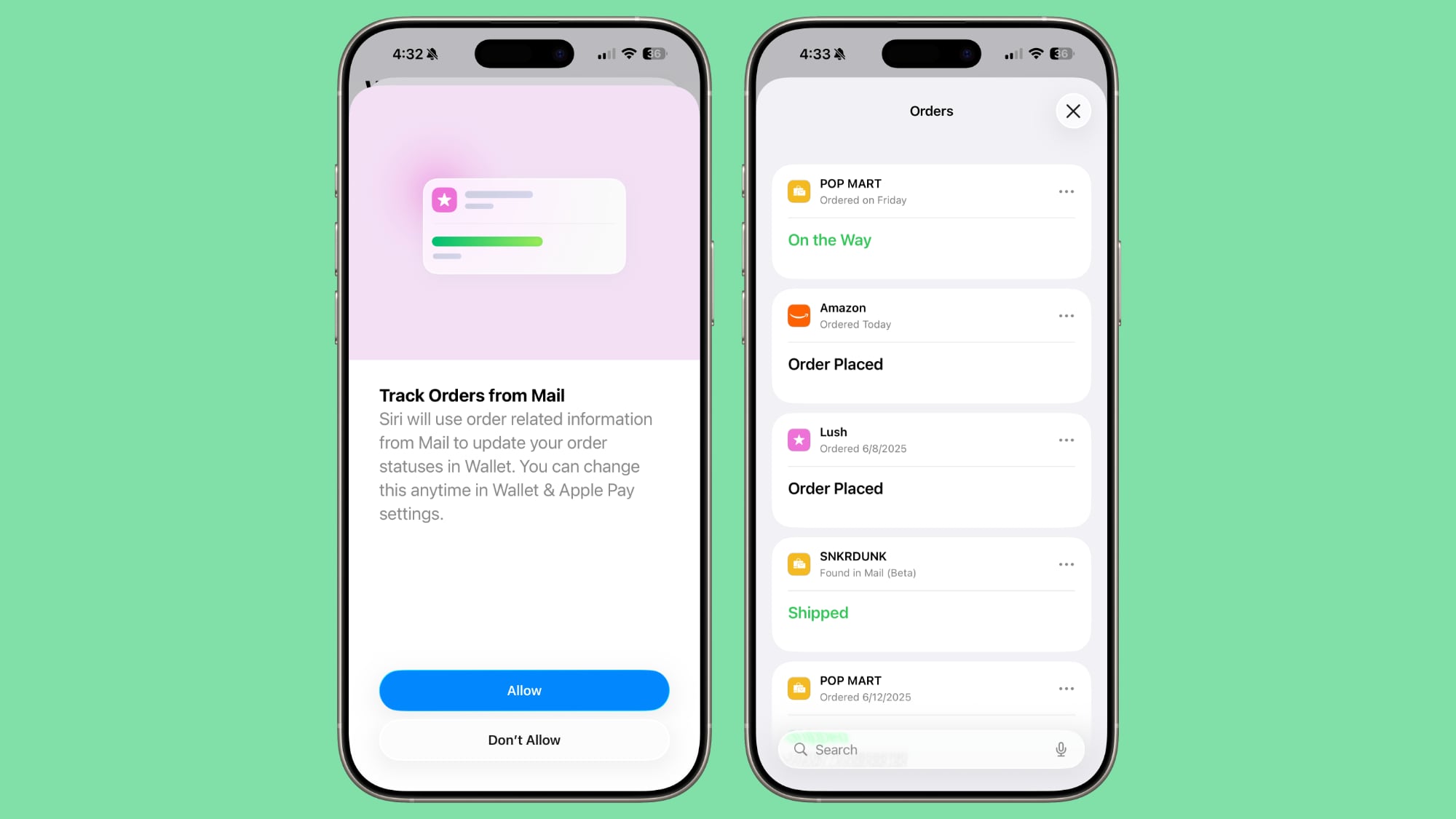
Apple Intelligence is used to locate order related information from the Mail app, and then orders are pulled into the Wallet app. The ‌iPhone‌ can detect tracking numbers and order numbers, and update the status of packages as they move from order to delivery.

Orders can be accessed by tapping on the "..." button in the Wallet app and tapping on the Orders option. The feature is opt-in, and you do need a device capable of ‌Apple Intelligence‌ to use it.

Apple says that order tracking in the Wallet app is being made available in a beta capacity, and it's not perfect yet. Some orders don't update properly and need to be manually marked as complete, and some don't show up in the app.

Digital IDs


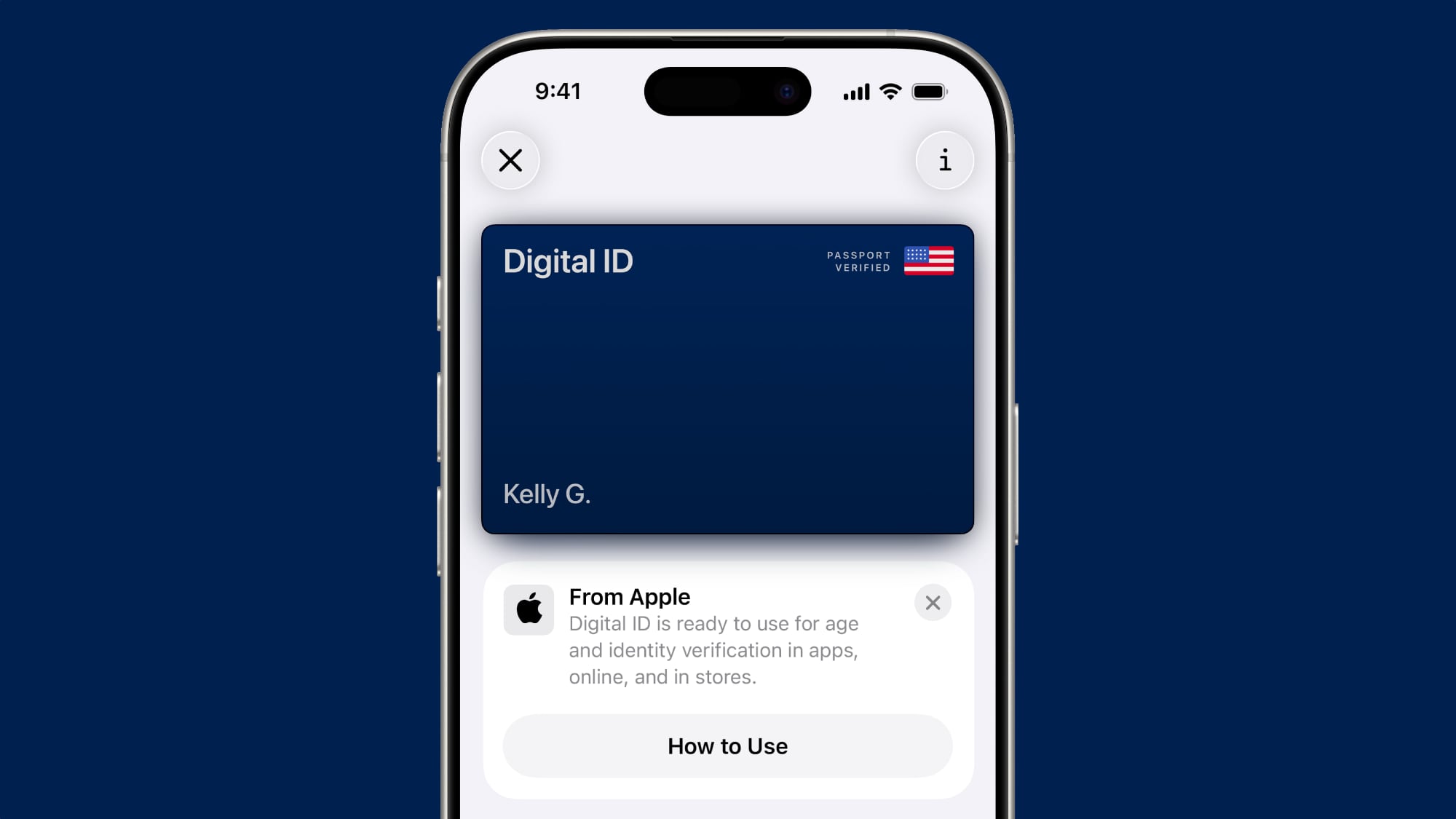
With ‌iOS 26‌, Apple Wallet will allow ‌iPhone‌ users to add a U.S. passport that can be used in lieu of a physical passport for domestic travel.


The Digital ID can be stored on the ‌iPhone‌ or the Apple Watch, and it can be used at select TSA checkpoints throughout the United States. It is Real ID-compliant, as a passport can be presented instead of a Real ID when traveling.

Digital IDs do not replace physical passports, and Apple warns that they cannot be used for international travel or border crossings. In these situations, a physical passport will be required, but for domestic travel, ‌iPhone‌ users won't need to pull out a passport and can instead pass through TSA checkpoints more quickly.

As with state driver's licenses and IDs, Digital IDs will work for age and identity verification in apps, retail store locations, and new in ‌iOS 26‌, websites.

Enhanced Boarding Passes


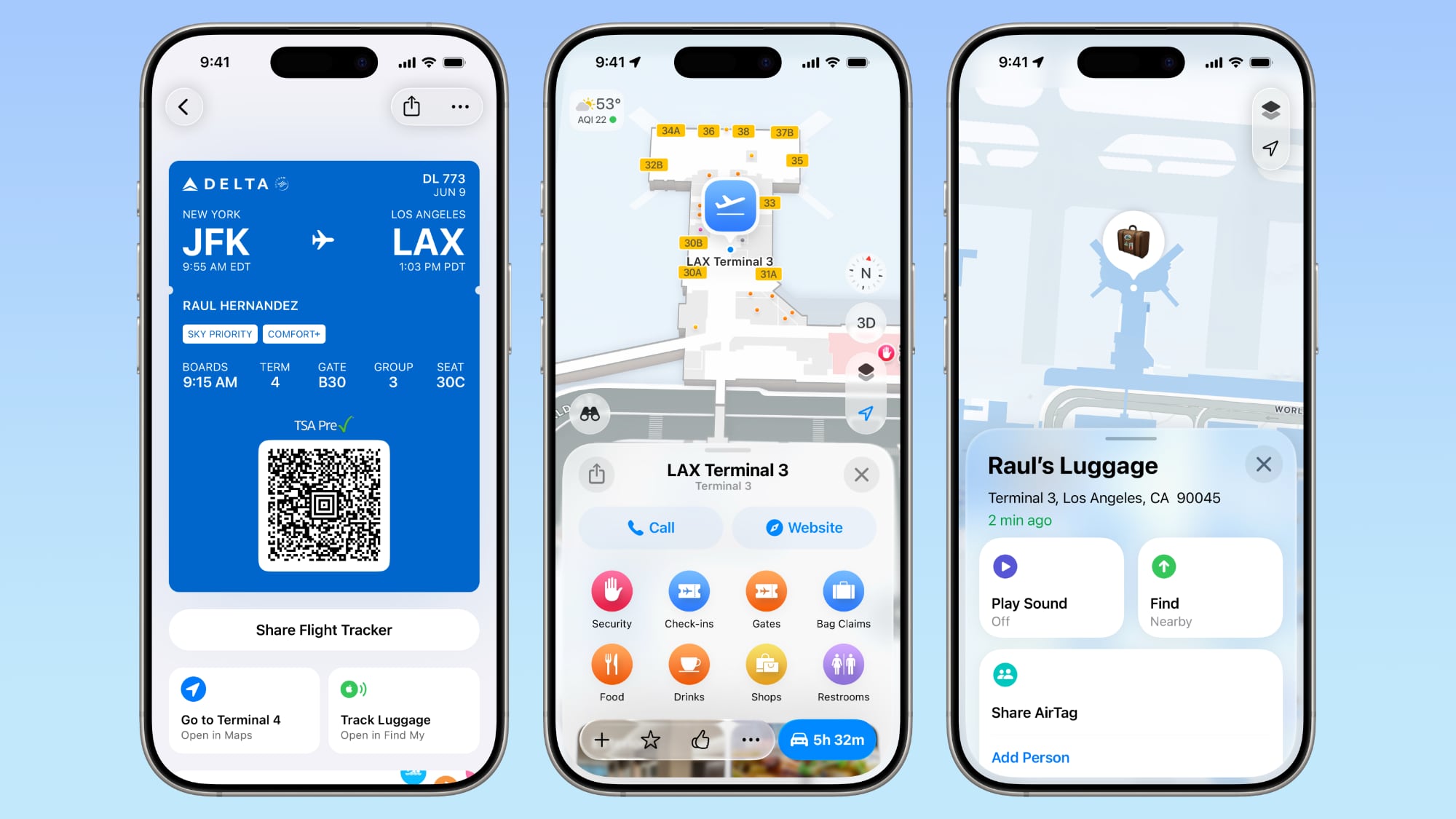
Boarding passes for flights that are stored in the Wallet app are able to display more information in ‌iOS 26‌. You'll see maps that will help you navigate through the airport, and an option to access Find My to track items, report missing bags, and more using the ‌Find My‌ airline integration features.


Live Activities Support


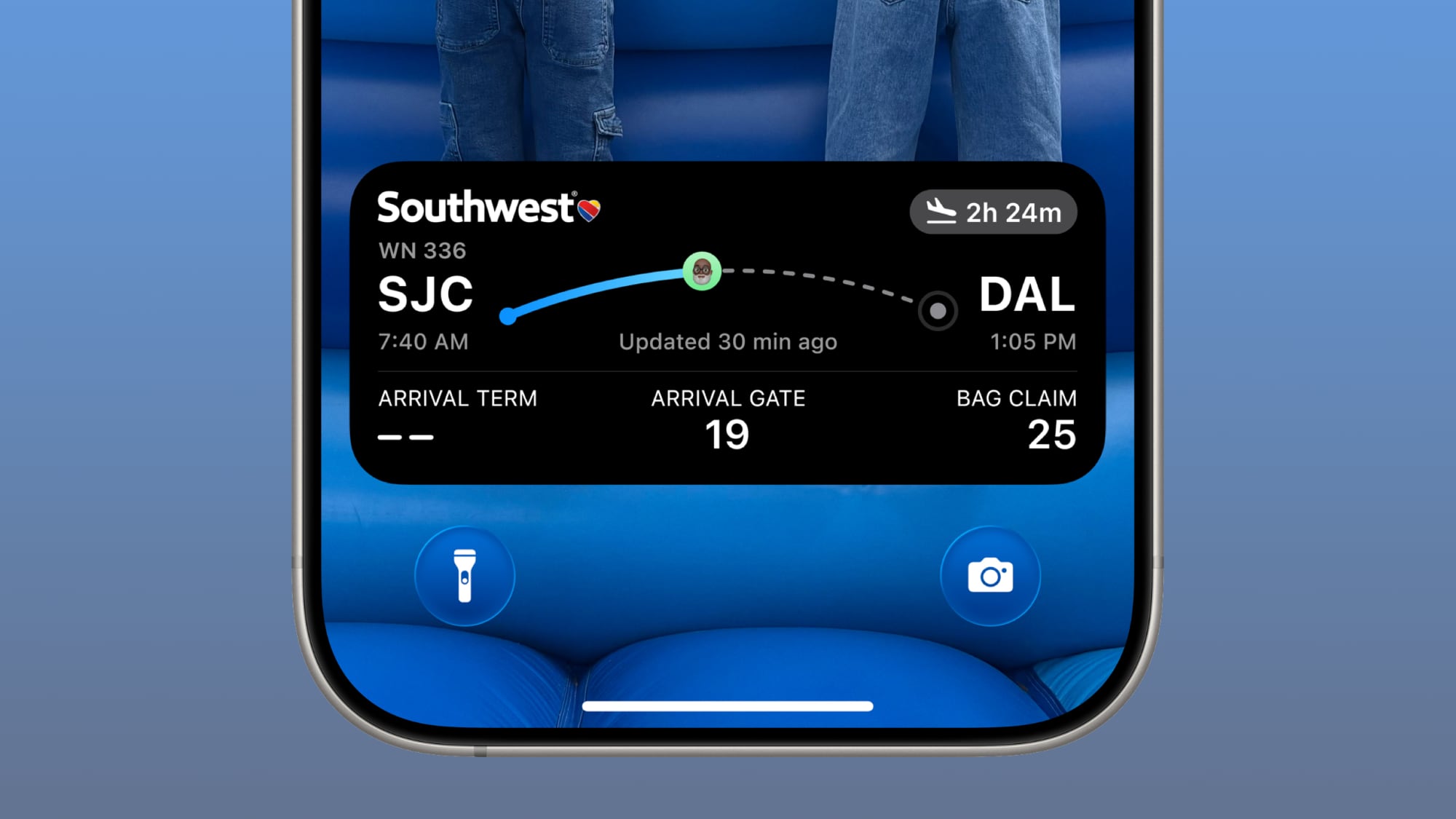
Boarding passes in the Wallet app support Live Activities, providing real-time updates on a flight. Flight information will be displayed on the Lock Screen and in the Dynamic Island, plus the Live Activity for a flight can be shared with other people.


Credit Card Info


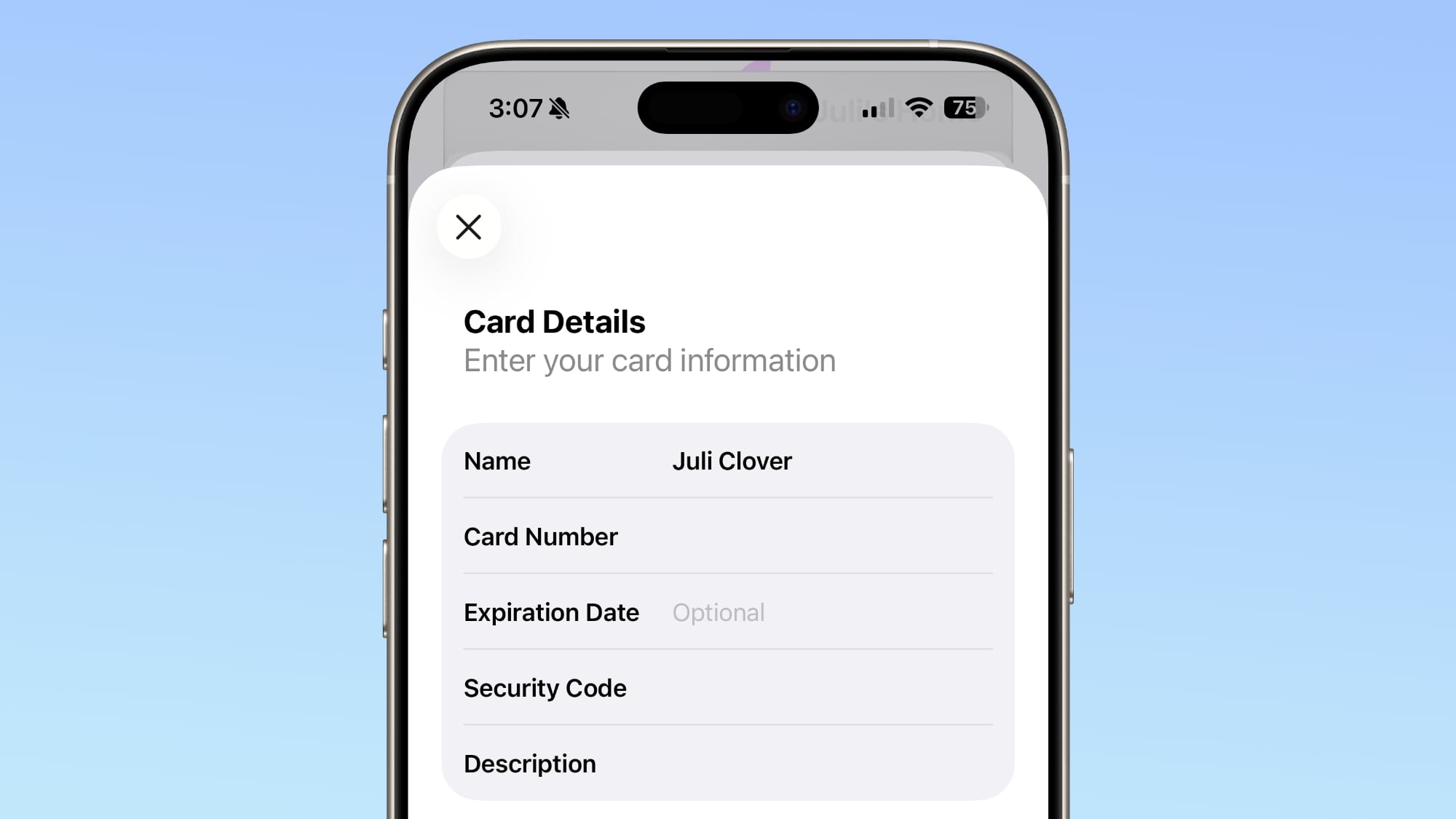
The Wallet app settings now includes an "AutoFill" section where you can view and store full credit card details like card number, expiration date, and security code.


Ad Controls


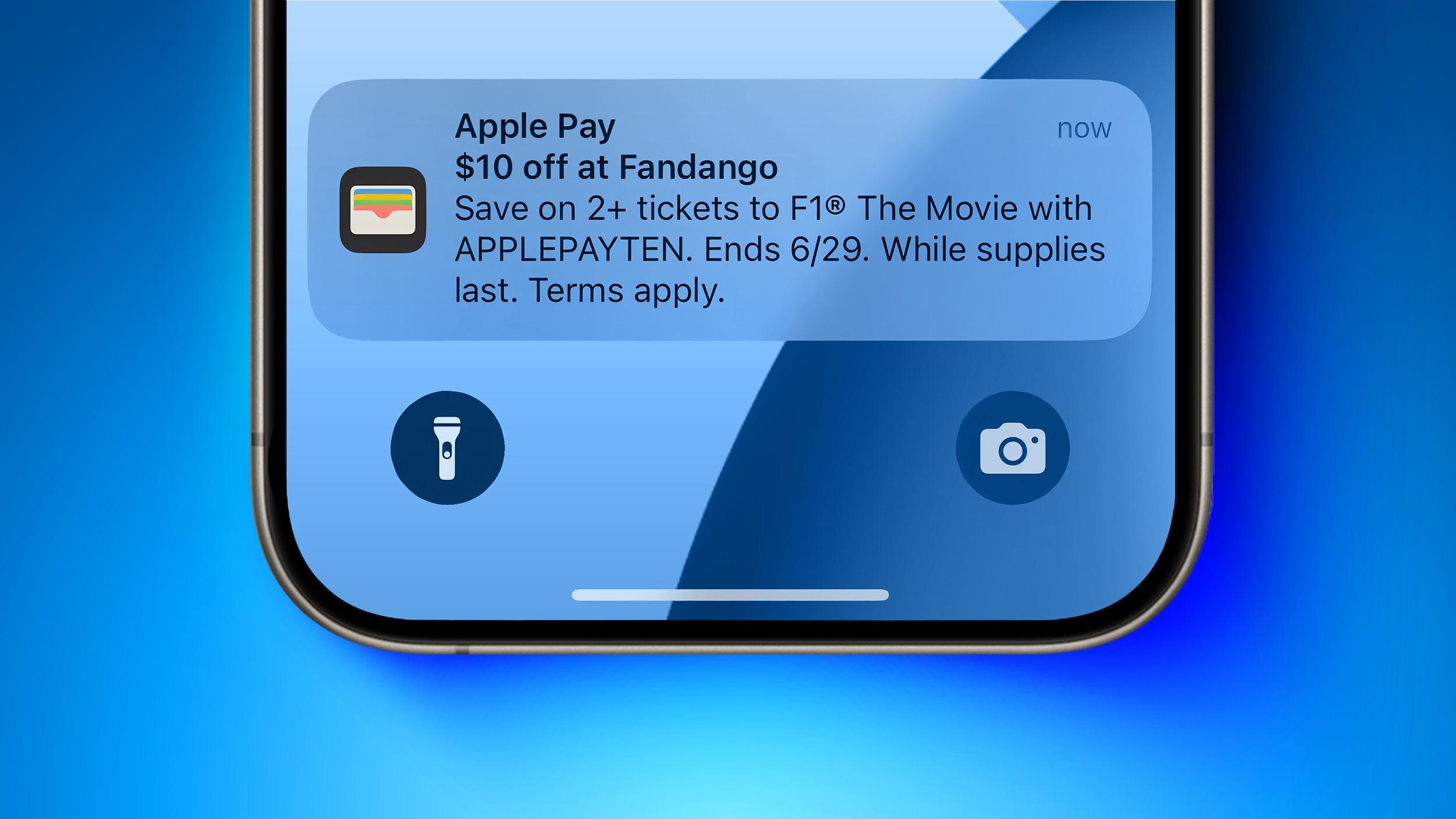
Apple added an option to turn off offers and promotions sent through the Wallet app, so you can turn off ads like the F1 offer that Apple received criticism for.


To turn off ads, open the Wallet app and tap on the three dots in the upper right corner. From there, toggle off the Offers and Promotions button.

Read More


To learn more about all of the new features in ‌iOS 26‌, make sure to check out our dedicated iOS 26 roundup. ‌iOS 26‌ will launch in September.
This article, "iOS 26: 5 New Features in the Wallet App" first appeared on MacRumors.com

Discuss this article in our forums
  •  

Apple Watch Ultra 3 Coming Soon: What to Expect

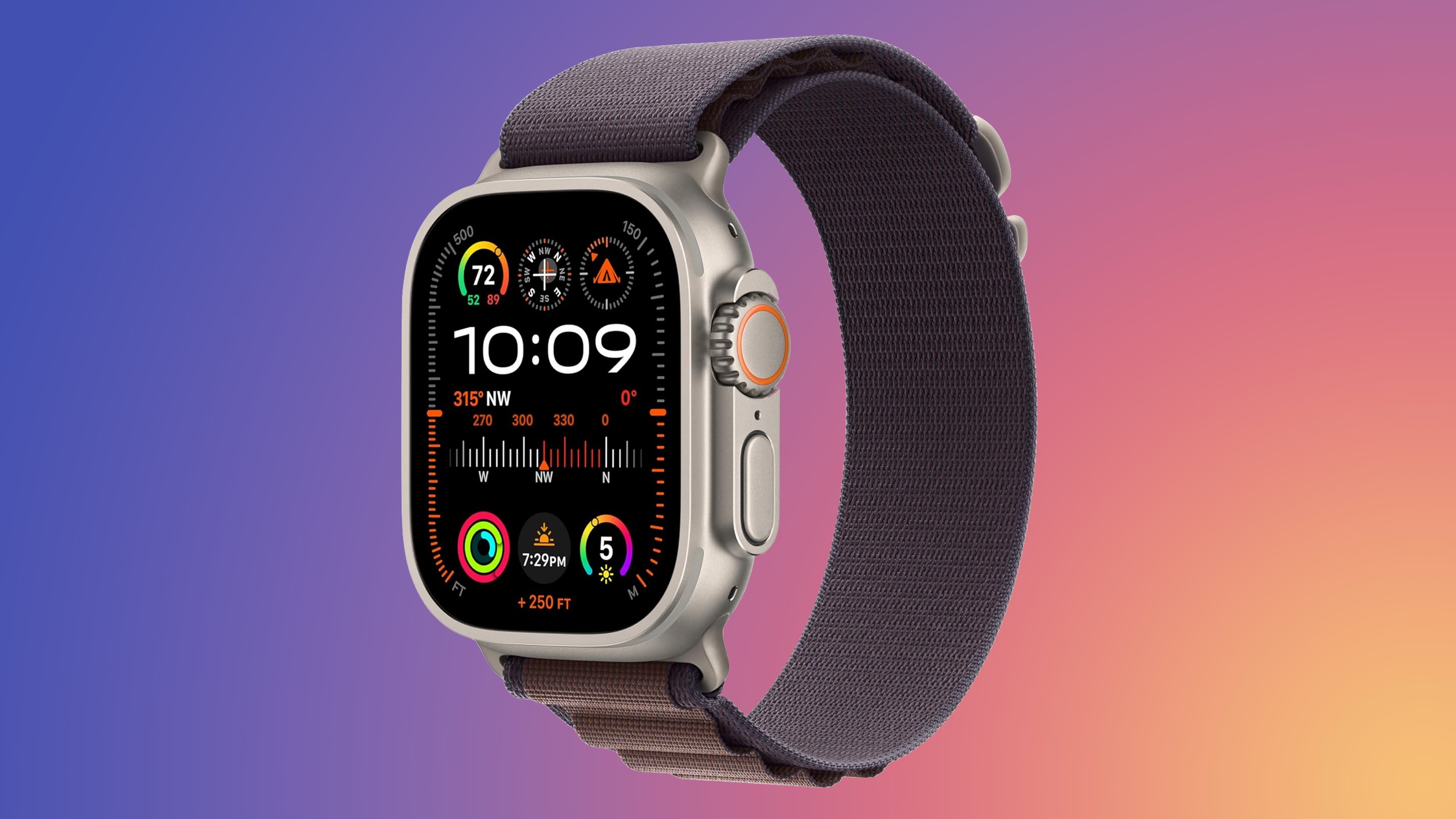
We have less than two weeks to go until Apple's September 9 "Awe Dropping" event, and it's finally time for the Apple Watch Ultra to get a refresh. Apple introduced a new color last year, but there was no new model, so it's due for an update.


There are some useful new features in the works, which we've outlined below.

Design and Display


There aren't rumors of a redesign for the Apple Watch Ultra and it's still relatively new, but it does look like it's going to get an updated display.

Code in the iOS 26 beta hinted at a 422 x 514 pixel display for the Ultra 3, up from 410 x 502 in the Ultra 2. Since there's no rumors of a larger case, the bigger display could be due to a reduction in bezel size.

The Apple Watch Ultra 3 is expected to have the biggest Apple Watch display to date.

Last year, Apple improved the Apple Watch Series 10 with an LTPO3 OLED display, and that technology will likely expand to the Apple Watch Ultra 3. When viewed at an angle, the Series 10 display is up to 40 percent brighter, and minimum brightness goes down to 1 nit for an improvement to the always-on display.

On the Series 10, the 1 nit brightness enables a second hand that updates even when the wrist is down when used with compatible watch faces.

Processor


The Apple Watch Ultra 3 is expected to include an updated S11 chip, but the S11 is going to offer the same performance as the S9 and the S10 as it has the same underlying processor technology. Since the current Apple Watch Ultra uses the S9, there may not be much in the way of performance improvements.

While the chip is basically the same, the S11 could be smaller overall, allowing for more internal space to be dedicated to the battery and other components.

Satellite Connectivity


The Apple Watch Ultra 3 will be Apple's first watch with satellite connectivity, enabling an Emergency SOS feature that can be used when there's no cellular or Wi-Fi connectivity available.

Given that the Apple Watch Ultra is targeted toward adventurers, it could be a particularly attractive feature for those who like to journey to remote areas.

If the Apple Watch Ultra 3 satellite connectivity mirrors what's available on the iPhone, wearers could also be able to send texts via satellite even in non-emergency situations.

Blood Pressure Monitoring


Apple has been working on blood pressure monitoring technology, and it could be ready to debut in 2025 Apple Watch models. It's still not yet clear if it's coming this year, but if it does, it will be more limited than standard blood pressure monitoring devices.

The feature won't provide specific systolic and diastolic readings, and it will instead track blood pressure trends and let the wearer know if hypertension is detected. Apple Watch users could then share that information with a healthcare professional for further investigation.

Hypertension often goes unnoticed until it cases serious damage, so by detecting early warning signs, the Apple Watch could be used preventatively.

Cellular Connectivity


Apple is planning to use 5G RedCap chips from MediaTek for the Apple Watch Ultra 3, enabling 5G connectivity for the first time. Current Apple Watch models are limited to LTE.

5G RedCap is a version of 5G that's designed specifically for wearable devices that don't need the speed and bandwidth of standard 5G networks, but it could bring improvements over LTE speeds.

Charging


The Apple Watch Series 10 uses a metal rear casing with a larger charging coil and an integrated antenna instead of a ceramic rear casing, and these changes may come to the Ultra 3.

The updated charging coil could allow the Apple Watch Ultra to charge much faster than before. The Series 10, for example, charges to 80 percent in a half hour, 15 minutes faster than the Series 9.

Launch Date


Apple will introduce the Apple Watch Ultra 3 on September 9 at 10:00 a.m. Pacific Time. From there, pre-orders could take place on Friday, September 12, and a launch could follow on Friday, September 19.
This article, "Apple Watch Ultra 3 Coming Soon: What to Expect" first appeared on MacRumors.com

Discuss this article in our forums
  •  

iOS 26: What's New With the Podcasts App

The Podcasts app didn't get as many iOS 26 updates as some of Apple's other apps, but there are some design changes and feature tweaks that are worth knowing about.


Liquid Glass


Like all of Apple's apps, the Podcasts app adopts the new Liquid Glass design language. UI elements have a glass-like, translucent look that let the background art shine through.


Buttons have a more rounded design and the navigation bar no longer takes up the entire bottom of the app. The Browse tab is now the New tab, and the Search tab has the search bar at the bottom of the display.

There's also an updated Liquid Glass icon that looks like several stacked layers of glass.

Updated Speed Controls


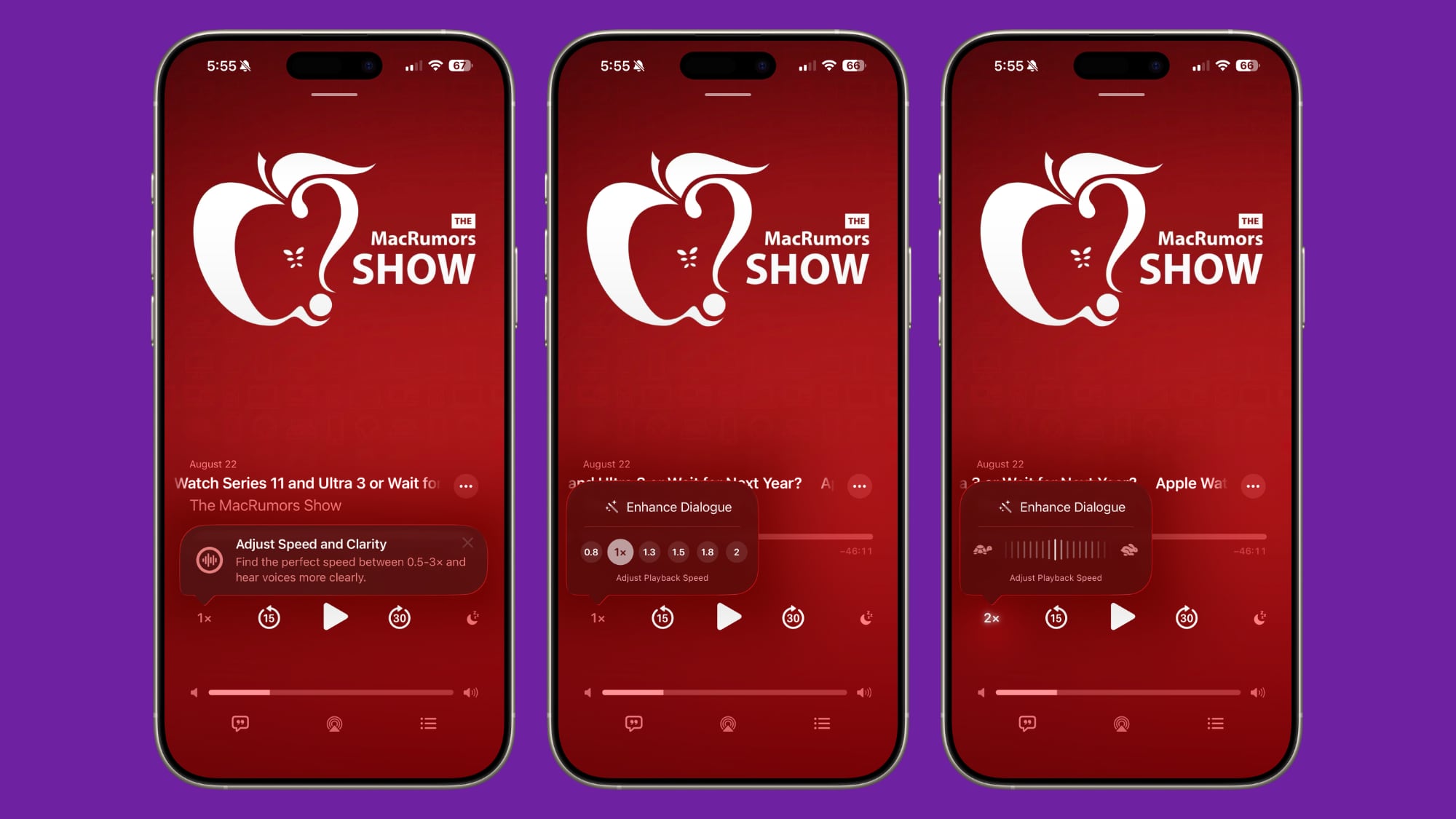
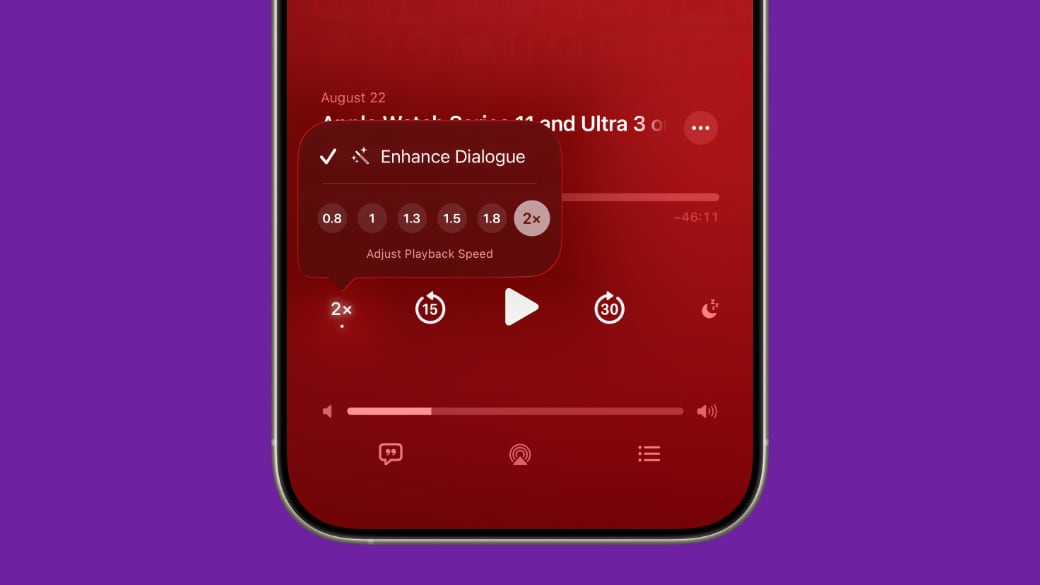
‌iOS 26‌ includes options to change the playback speed of a podcast. When you're playing a show, tap on the "1x" button in the corner and you'll be able to change the speed. Apple offers multiple playback speeds ranging from 0.5x to 3x. In iOS 18, you could only select from four fixed speed options: 1.25x, 1.5x, 1.75, and 2x.


To change the playback speed, tap one of the preset options or drag a finger over one of the options to bring up a dial that allows for more granular 0.1x adjustments.

Enhance Dialogue


The Podcasts app includes an Enhance Dialogue feature that is designed to isolate voices so they sound clearer amid any background noise.


To use Enhance Dialogue, play a show in the Podcasts app. From there, open up the fullscreen playback controls, tap the "1x" playback speed button, and choose the Enhance Dialogue option.

Per-Show Settings


The Podcasts app will remember your Enhance Dialogue and playback speed preference for each individual podcast, so it doesn't need to be turned on every time you listen and settings won't affect other podcasts.

Read More


More on the features that are available in ‌iOS 26‌ can be found in our iOS 26 roundup.
Related Roundups: iOS 26, iPadOS 26
Related Forum: iOS 26

This article, "iOS 26: What's New With the Podcasts App" first appeared on MacRumors.com

Discuss this article in our forums
  •  

Get a Free Month of Apple Arcade From Halfbrick

Halfbrick, the developer behind popular titles like Fruit Ninja, teamed up with Apple to offer free Apple Arcade promo codes, and there's still time to take advantage of the deal.


Both new and returning subscribers can sign up on the Halfbrick website to get a free one-month ‌Apple Arcade‌ trial. New subscribers can pair the free month with Apple's 30-day trial option, for a total of two free months. As long as it's been more than 30 days since you last tried ‌Apple Arcade‌, returning subscribers can also get a free month.

The ‌Apple Arcade‌ promo codes are available in the United States, Canada, Australia, UK, Germany, Japan, Philippines, Brazil, and Mexico.

‌Apple Arcade‌ is normally $6.99 per month for the whole family, and there are hundreds of ‌Apple Arcade‌ titles you can try. ‌Apple Arcade‌ games have no in-app purchases or ads, which is ideal for kids.

Halfbrick is offering the free ‌Apple Arcade‌ codes to promote a Bluey-themed Fruit Ninja crossover event that's been going on this summer. Fruit Ninja Classic+ users can get special in-game prizes like Bluey wands, power ups, and dojos, with the last Bluey event wrapping up this week.
This article, "Get a Free Month of Apple Arcade From Halfbrick" first appeared on MacRumors.com

Discuss this article in our forums
  •  

Apple Releases Xcode 26 Beta 7 With GPT-5 Support and Claude Integration

Apple today released the latest version of Xcode 26, introducing several new features that developers can take advantage of.


ChatGPT in Xcode now supports GPT-5, so developers can choose to start new conversations with GPT-5 or GPT-4.1. GPT-5 is the new default option, with two models to select from. GPT-5 is optimized for quick, high-quality results that Apple says will work for most coding tasks.

For more difficult tasks, developers can select GPT-5 (Reasoning), which spends more time thinking before providing a response.

Claude in Xcode is now available in the Intelligence settings panel in the Xcode app, so users can add their existing paid Claude account and use Claude Sonnet 4 for coding tasks.

When Xcode 26 officially launches, the app will support coding help from either ChatGPT or Claude, providing users with the option to use their favorite chatbot. Developers are also able to bring API keys from other providers or run local models on Apple silicon Macs.
Tag: Xcode

This article, "Apple Releases Xcode 26 Beta 7 With GPT-5 Support and Claude Integration" first appeared on MacRumors.com

Discuss this article in our forums
  •  
❌