Apple today started selling new accessories for its Vision Pro headset, including the Logitech Muse and Dual Knit Band, with more on the way.
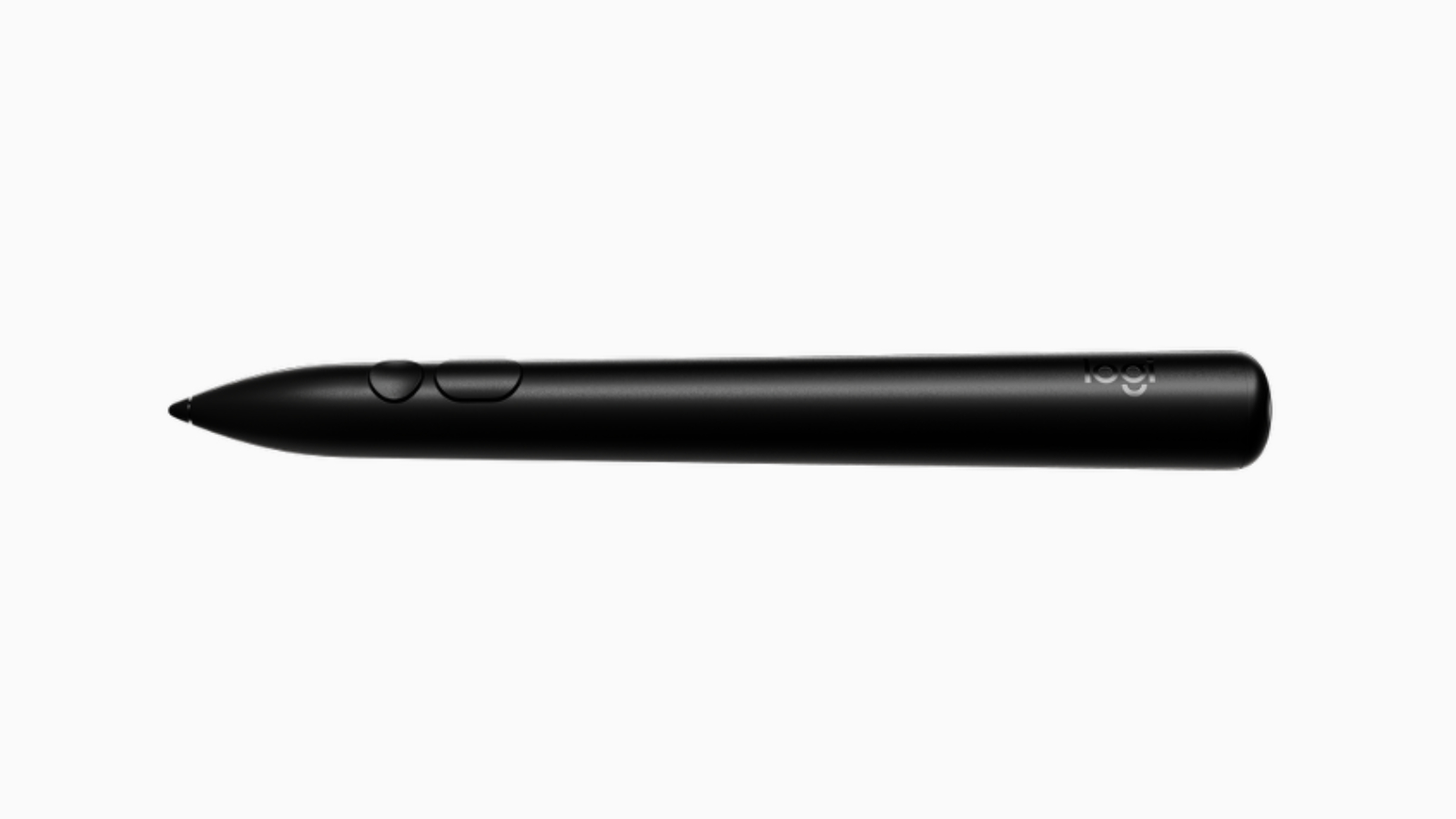
The Logitech Muse is a spatially-tracked stylus developed for use with the Vision Pro. It was announced at WWDC earlier this year. The Muse is intended to support the next generation of spatial computing workflows enabled by visionOS 26. The device incorporates six degrees of freedom (6DoF) tracking, pressure-sensitive tips, and real-time haptic feedback to allow users to interact with digital environments through precise input and tactile realism.
Logitech Muse is a spatial accessory designed to enhance the way you work, create, and collaborate with Apple Vision Pro. Muse combines a familiar form factor with advanced technology, offering a precise, immersive workflow in both productivity and creativity apps.
Seamless motion tracking in six degrees of freedom with intuitive controls allows you to draw, annotate, and interact naturally in space. Real-time haptic responses add textural realism to create a truly engaging experience. A pressure-sensitive tip and force-sensing button allow you to vary line thickness whether drawing on a surface or in the air.
According to Logitech, Muse is intended for use across a wide range of spatial computing applications, including 3D design, collaborative workspaces, and immersive visualization tools. The device features both physical buttons and gesture controls. The Logitech Muse costs $129.95 and is now available from Apple.
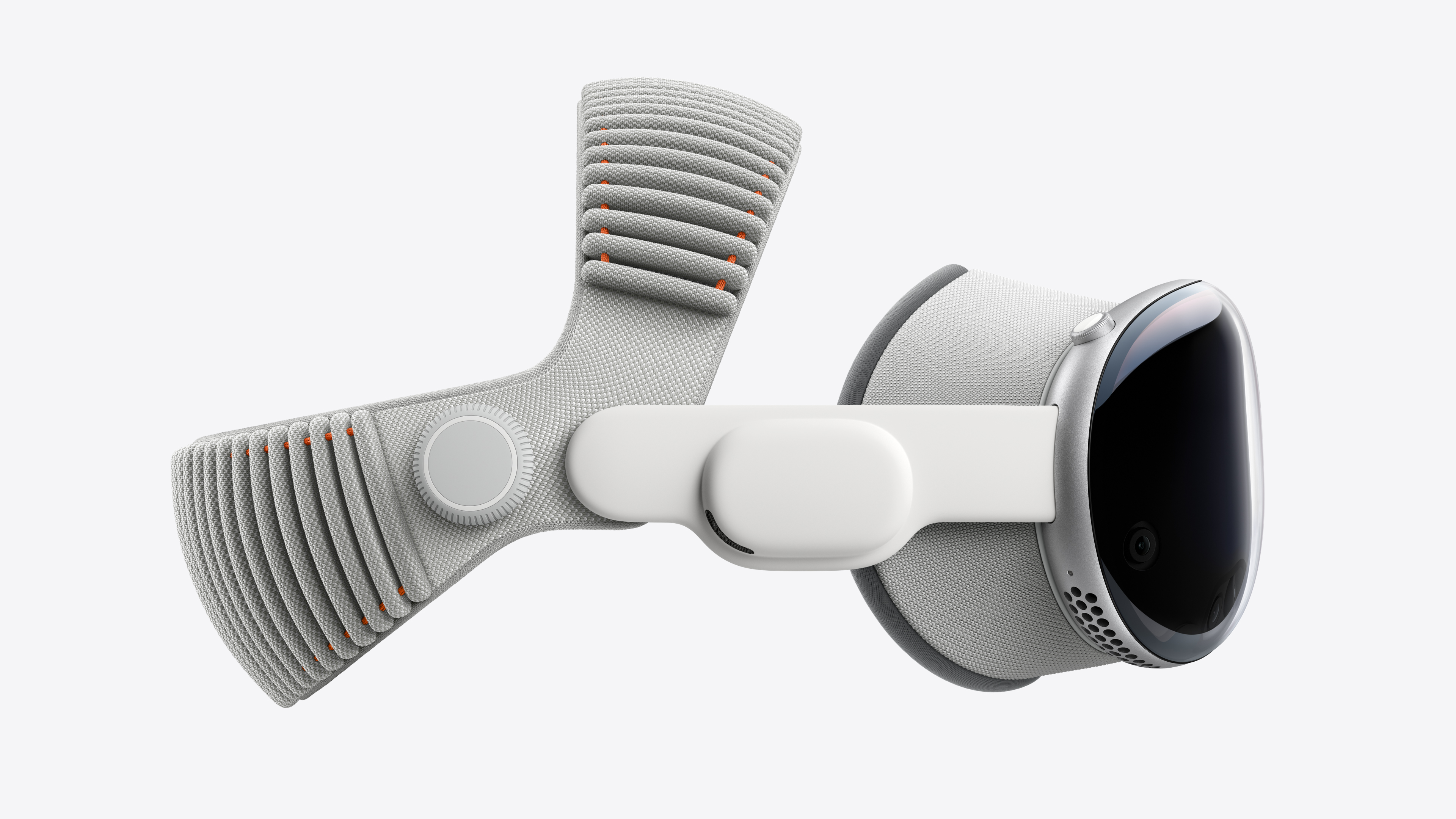
Apple's new Dual Knit Band for the Vision Pro is also now available for $99. It comes with the new Vision Pro with the M5 chip, but is available separately and compatible with the M2 Vision Pro.
Designed for Apple Vision Pro, the Dual Knit Band provides lasting comfort and stability — with soft, breathable upper and lower straps and a counterbalanced design. Its dual-function Fit Dial makes it easy to adjust each strap independently for a personalized fit. The Dual Knit Band attaches to the Audio Straps with a simple and secure mechanism, and release tabs allow you to quickly detach it when needed.
In addition, Apple today confirmed that the PlayStation VR2 Sense controller and Controller Charging Station will be available for $249.95 from the Apple Store online in the U.S. beginning Tuesday, November 11.
The new 14-inch MacBook Pro with an M5 chip does not include a charger in the box in European countries, including the U.K., Ireland, Germany, Italy, France, Spain, the Netherlands, Norway, and others, according to Apple's online store.
In the U.S. and all other countries outside of Europe, the new MacBook Pro comes with Apple's 70W USB-C Power Adapter, but European customers miss out.
Apple has gradually stopped including chargers with many products over the years — a decision it has attributed to its environmental goals. In addition, the European Union has implemented new regulations related to electronic waste.
Apple still includes a USB-C to MagSafe 3 cable in the box with the 14-inch MacBook Pro in Europe, so you only need to supply a charger if you need one.
In the U.K., the 70W USB-C Power Adapter costs £59.
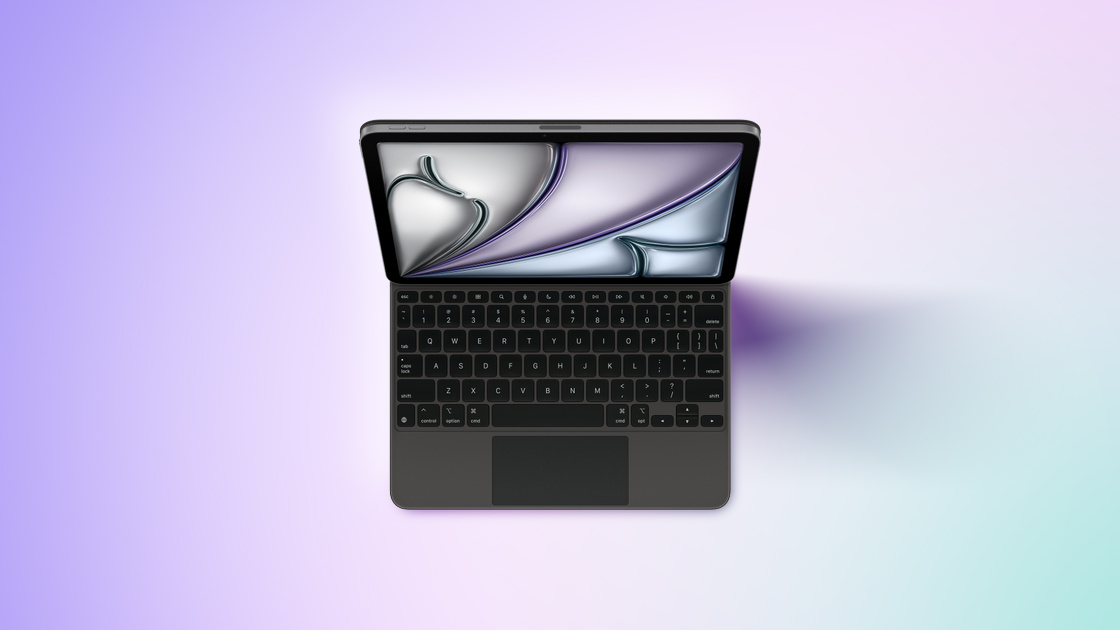
Apple today released a new version of the Magic Keyboard for iPad Air in black.
Previously, the Magic Keyboard for iPad Air was only available in white. It is based on the older Magic Keyboard for the iPad Pro and iPad Air, which was available in both black and white, and was replaced by a redesigned version with a aluminum top case, backlighting, and a trackpad with haptic feedback last year.
The Magic Keyboard for iPad Air continues to be priced at $269 for the 11-inch version and $319 for the 13-inch version.
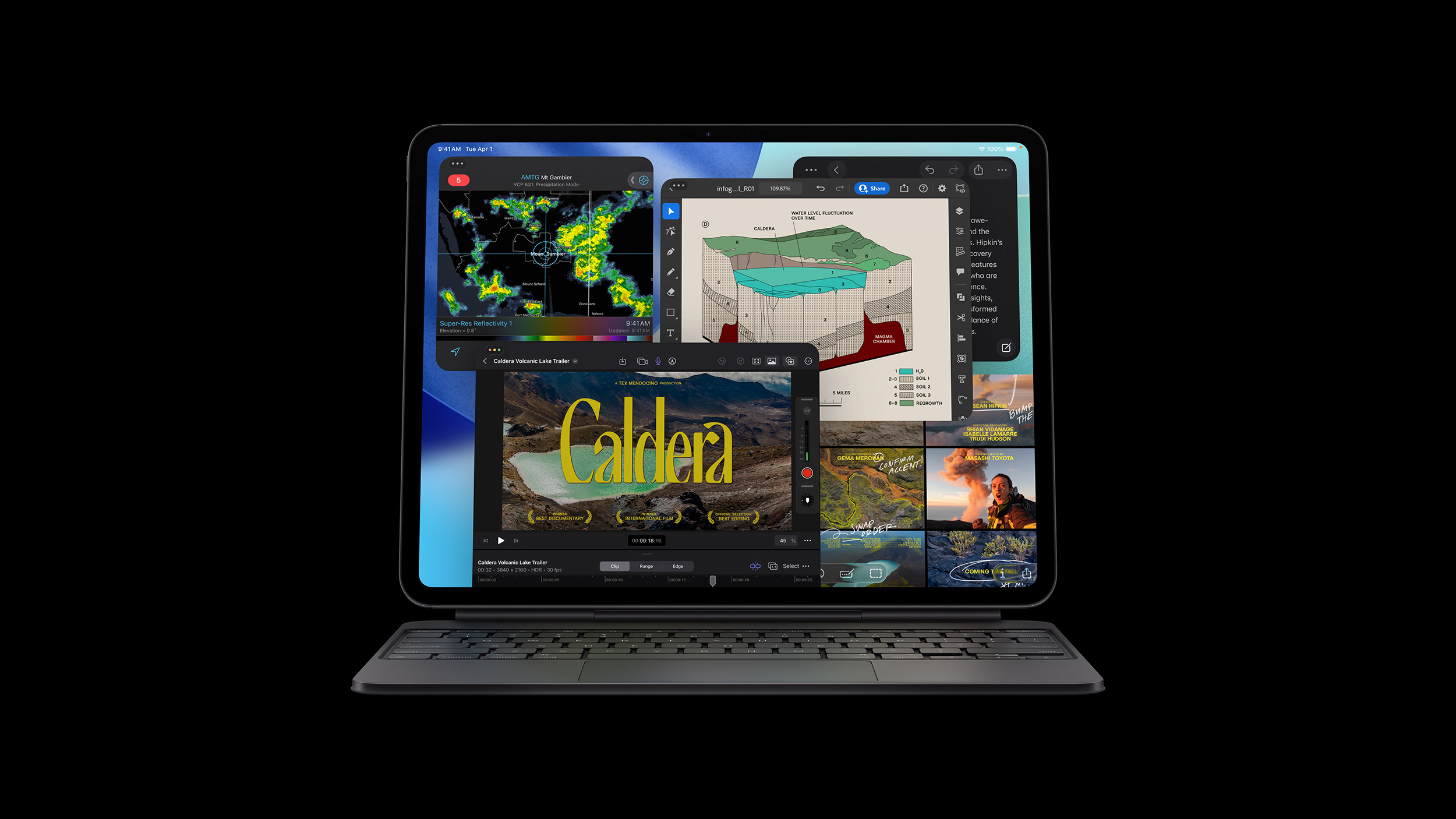
Apple today announced the next-generation iPad Pro, featuring the custom-designed M5, C1X, and N1 chips.
The M5 chip has up to a 10-core CPU, with four performance cores and six efficiency cores. It features a next-generation GPU with Neural Accelerator in each core, allowing the new iPad Pro to deliver up to 3.5x the AI performance than the previous model, and a third-generation ray-tracing engine. A faster 16-core Neural Engine also delivers more energy-efficient performance. Apple says that performance gains and breakthrough improvements over iPads with the M1 chip are "staggering".
In addition to the M5 chip, the cellular versions of the new iPad Pro feature Apple's custom-designed C1X modem, which allows up to 50% faster cellular data performance than its predecessor, with much greater efficiency.
It also features the N1 chip, a new Apple-designed wireless networking chip that enables Wi-Fi 7, Bluetooth 6, and Thread. Apple says the N1 brings better performance when connected to 5GHz networks, and improves the overall performance and reliability of features like Personal Hotspot and AirDrop.
The new iPad Pro features over 150GB/s of unified memory bandwidth, which is almost a 30% increase compared to the previous generation. It also offers up to 2x faster storage read and write speeds, and the 256GB and 512GB models start with 12GB of unified memory.
The new iPad Pro adds the ability to drive external displays at up to 120Hz and now supports Adaptive Sync, which provides the lowest possible latency in external display performance.
Fast charging is now supported, allowing the new iPad Pro to charge up to 50% in around 30 minutes with a 40W adapter or higher.
The new iPad Pro is available to pre-order starting today, and will be available in stores on Wednesday, October 22.
The M5 chip has a 10-core CPU, a 10-core GPU with Neural Accelerators, and a 16-core Neural Engine, and we have confirmed the Vision Pro still has 16GB of RAM.
With the M5 chip, the Vision Pro offers faster performance and longer battery life compared to the previous model with the M2 chip. Apple has not provided any overall performance figures, but its website says the Vision Pro now offers up to three hours of video playback per charge, compared to up to 2.5 hours for the previous model.
Apple says the M5 chip enables the rendering of 10% more pixels on the displays compared to the previous model, resulting in sharper images and crisper text. And the Vision Pro can now ramp up to a 120Hz refresh rate, up from the previous limit of 100Hz. Apple says 120Hz support reduces motion blur and provides a smoother experience when using Mac Virtual Display.
With the M5 chip, the Vision Pro gains hardware-accelerated ray tracing and mesh shading, for improved graphics rendering. These capabilities were first introduced with the M3 chip, but the previous Vision Pro only had an M2 chip.
Apple says the M5 chip's faster 16-core Neural Engine, and a Neural Accelerator in each GPU core, make AI features run up to 50% faster than on the previous model.
The updated Vision Pro still has an R1 chip for input processing. The headset continues to support Wi-Fi 6, rather than Wi-Fi 6E or Wi-Fi 7, and Bluetooth 5.3.
There are no design changes or new color options, such as the rumored Space Black. There is still a tethered battery pack, rather than a built-in battery.
The updated Vision Pro comes with the Dual Knit Band, a Light Seal, two Light Seal Cushions, a cover for the front of the device, a polishing cloth, a battery, a USB-C charging cable, and Apple's new 40W Dynamic Power Adapter with 60W Max.
The new Dual Knit Band comes in small, medium, and large sizes. It is available to purchase separately for $99, and it is compatible with the previous-generation Vision Pro. You can find your preferred size by using the Apple Store app on the iPhone.
Apple says the Dual Knit Band features two straps knitted into a single piece. The upper strap goes across the top of the head, and the lower strap goes across the back of the head. The lower strap has tungsten inserts that provide a counterweight for additional comfort, balance, and stability. You can adjust the fit of both of the straps with the Fit Dial.
Another new accessory is the Logitech Muse spatial stylus, and Apple will begin selling the PlayStation VR2 Sense controller starting Tuesday, November 11.
The updated Vision Pro is available to pre-order starting today, and it will begin arriving to customers and launch in stores on Wednesday, October 22.
In the U.S., the Vision Pro continues to start at $3,499, and it can be configured with 256GB, 512GB, or 1TB of storage. The new model is also available in Australia, Canada, China, France, Germany, Hong Kong, Japan, the U.K., and the United Arab Emirates. Availability in South Korea and Taiwan will begin at a later date, according to Apple.
You can demo the new Vision Pro at an Apple Store starting October 22.
With the iPadOS 26.1 update, set to be released later this year, Apple says the Vision Pro app is expanding to iPad. It was previously on the iPhone only.
In addition, the base 14-inch MacBook Pro can now be configured with up to 4TB of storage on Apple's online store, whereas the previous model maxed out at 2TB. However, the maximum amount of unified RAM available for this model remains 32GB.
Like the M4 chip, Apple's next-generation M5 chip has a 10-core CPU, 10-core GPU, and 16-core Neural Engine, but it is faster. Apple says the M5 chip offers up to 15% faster CPU performance, and up to 45% faster graphics, compared to the M4 chip.
An enhanced 10-core GPU has a Neural Accelerator in each core, enabling more than 4× the peak GPU compute performance compared to the M4 chip, according to Apple.
Memory bandwidth has increased from 120GB/s to 153GB/s.
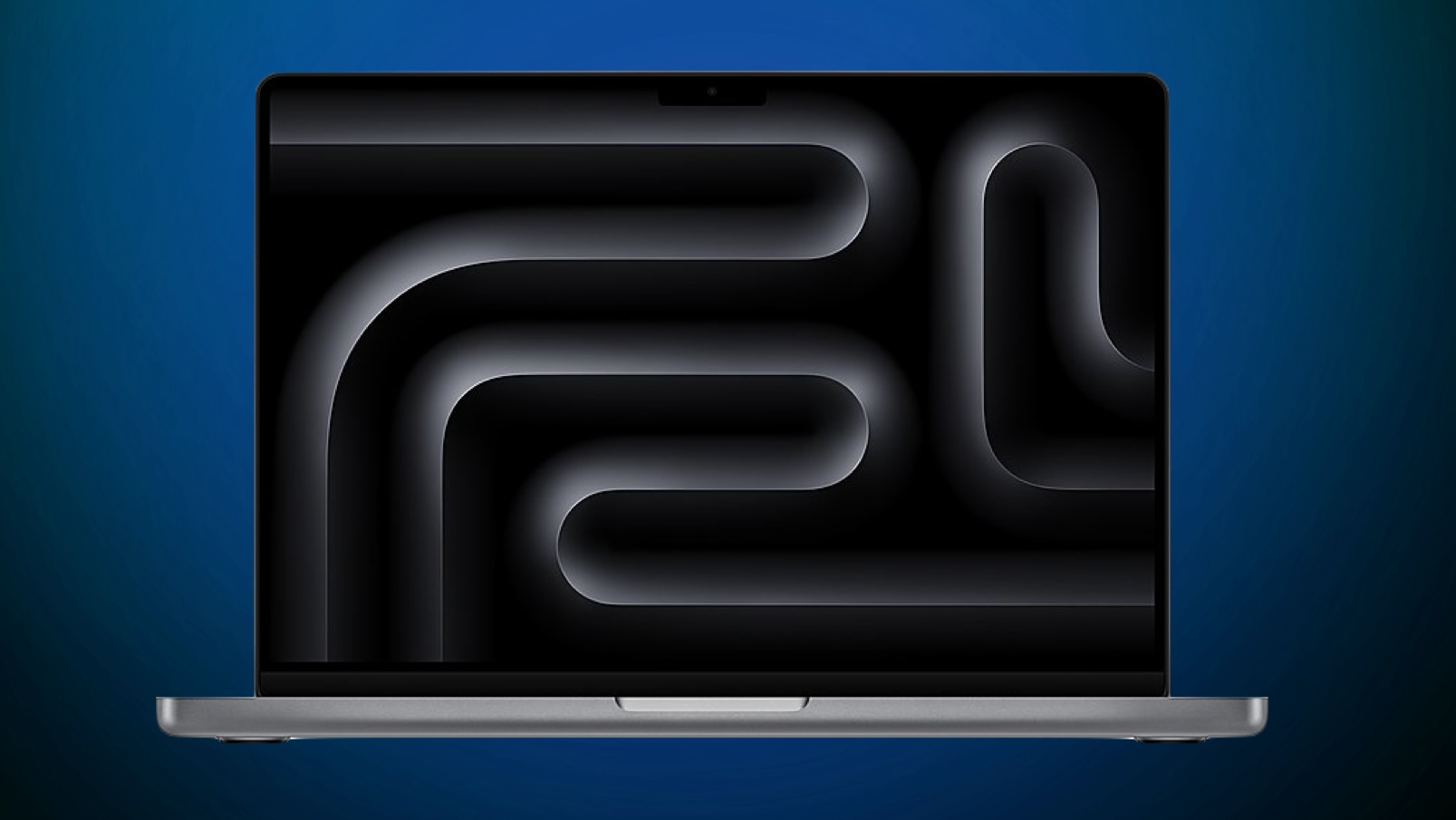
There are no major design changes, with the base 14-inch MacBook Pro still having a Liquid Retina XDR display with up to 1,000 nits (SDR) and up to 1,600 nits (HDR) of brightness, three Thunderbolt 4 ports, an HDMI port, an SD card slot, a headphone jack, a MagSafe 3 magnetic charging port, and a backlit Magic Keyboard with Touch ID.
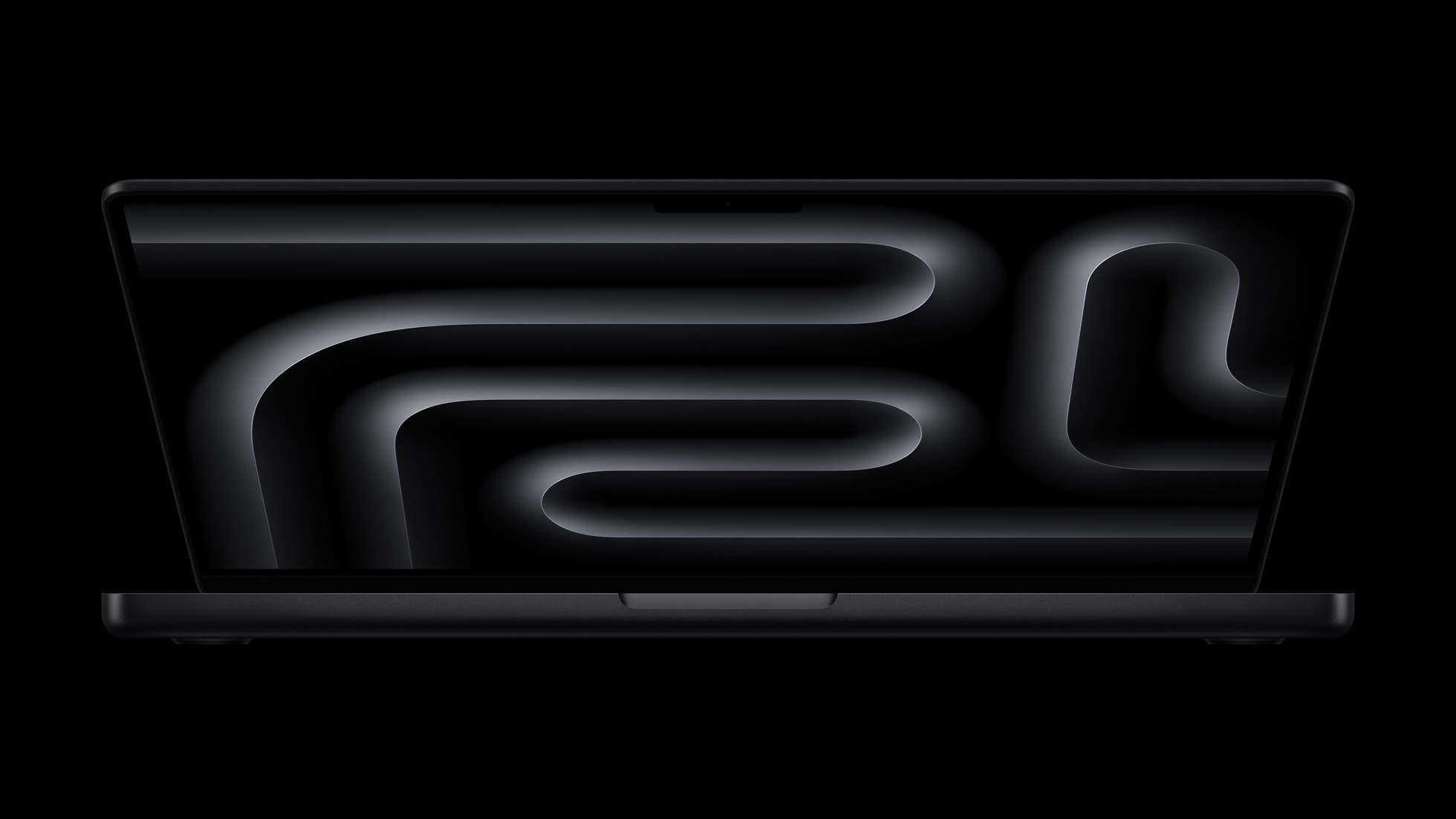
The new 14-inch MacBook Pro with the M5 chip is available to pre-order starting today, and it will begin arriving to customers and launch in stores on Wednesday, October 22. In the U.S., pricing starts at $1,599, for a configuration with 512GB of storage and 16GB of RAM. Available finishes include Silver and Space Black.
Apple says the 14-inch MacBook Pro continues to offer up to 24 hours of battery life, and it remains limited to Wi-Fi 6E, rather than Wi-Fi 7.
The new 14-inch MacBook Pro comes with a 70W USB-C Power Adapter, except in Europe.
Today's announcement does not include higher-end 14-inch and 16-inch MacBook Pro models with M5 Pro and M5 Max chips, which are expected to launch in early 2026.
Apple is going to launch a new version of the MacBook Pro as soon as tomorrow, so we thought we'd go over what to expect from Apple's upcoming Mac.
M5 Chip
The MacBook Pro will be one of the first new devices to use the next-generation M5 chip, which will replace the M4 chip.
The M5 is built on TSMC's more advanced 3-nanometer process, and it will bring speed and efficiency improvements. A leaked iPad Pro with an M5 chip was benchmarked two weeks ago, and it featured 12 percent faster multi-core CPU performance compared to the M4 chip, and a 36 percent faster GPU.
The M5 chip in the iPad Pro had a 9-core CPU, but the M5 in the new MacBook Pro could have a 10-core CPU like the 10-core M4 chip in the current version of the MacBook Pro.
Design
There are no rumors of design changes, and we are expecting the upcoming M5 MacBook Pro to look just like the M4 version. There is a possibility that Apple will add a new color, because a teaser for the MacBook Pro seems to feature a MacBook Pro with a blue tint.
It's possible we'll get a dark blue version of the MacBook Pro that matches the iPhone 17 Pro.
Other Possible Updates
Aside from an M5 chip, we haven't heard of any new features that will be available in the M5 MacBook Pro.
While not rumored, Apple could perhaps add the upgraded 18-megapixel Center Stage front-facing camera that's in the iPhone 17, or introduce the N1 networking chip with Bluetooth 6 and Wi-Fi 7 support. The current version of the MacBook Pro is limited to Wi-Fi 6E, even though the iPhone has supported Wi-Fi 7 for the last two years.
Apple may not be planning for significant hardware changes other than the chip, because swapping the camera or the networking chip would require more significant internal updates compared to just an M4 to M5 chip swap.
Just One Model?
It's looking like we're only going to get a single updated MacBook, with Apple adding the M5 to the base 14-inch model.
The MacBook Pro line typically features Pro and Max chips in higher-end 14-inch and 16-inch machines as well, but those chips are apparently not ready yet and won't be coming until 2026.
The M5 Pro and M5 Max MacBook Pro models are expected in early 2026.
Why You Shouldn't Buy One
If you're not in serious need of a new MacBook Pro, 2025 is a bad time to upgrade. The next-generation MacBook Pro after the late 2025/early 2026 models is expected to feature an OLED display, which will mark a major upgrade in display quality.
Of course, it's possible that the base 14-inch MacBook Pro isn't going to get an OLED display and will stick with mini-LED, but it's not clear at this point.
The transition to OLED will also likely bring a design update along with M6 chip technology, which is another reason to wait.
Launch Date
Apple's marketing chief Greg Joswiak teased the M5 MacBook Pro earlier today, so it's likely going to launch imminently, perhaps as soon as tomorrow morning.
Apple CEO Tim Cook is in Shanghai, China to celebrate the upcoming launch of the iPhone Air in the country, and during his visit, he met with Pop Mart CEO Wang Ning and The Monsters creator Kasing Lung.
On Chinese social network Weibo, Cook said that Lung demonstrated how he sketches his characters on his iPad Pro with an Apple Pencil. Lung is the designer behind the Labubu character that has become wildly popular worldwide.
During the meeting, Lung gifted Cook a one-of-a-kind Labubu modeled after Cook. The Labubu features white fur, glasses, black jeans, a blue shirt, sneakers, and a tiny iPhone 17.
Cook, meanwhile, said that Labubu "now has her own new iPhone 17 Pro in Cosmic Orange," and Lung drew a picture of Cook meeting Labubu.
Lung shared a selfie with Cook on Instagram, and also offered a closer look at Cook's unique "Tim Cook Labubu."
While in China, Cook also stopped by the Apple Pudong retail location, met with the Lilith Games team behind AFK Journey, and visited Wang Feifei on the set of her new music video, which was filmed in a single shot using an iPhone 17 Pro.
iPhone Air preorders are set to launch in China on October 17, with a launch to follow on October 22. The iPhone Air was delayed in China because Apple needed regulatory approval for an iPhone without a physical SIM.
At 5.6mm, the iPhone Air is too thin for a physical SIM slot, and so it will be the first eSIM iPhone that Apple offers in China.
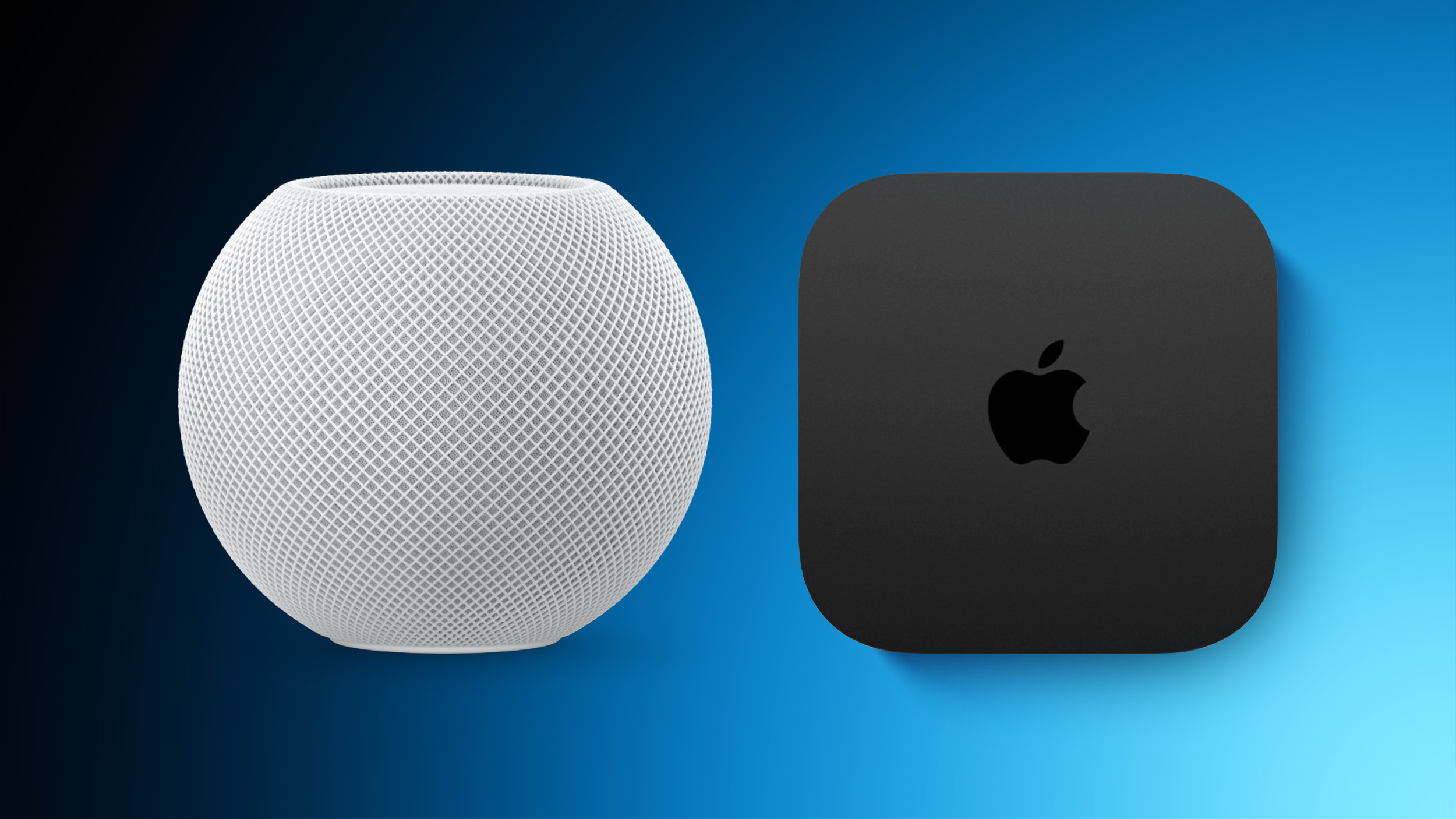
HomePod mini and Apple TV inventory is starting to dwindle at select Apple Store locations around the world, suggesting that new models may be imminent.
For example, the HomePod mini is completely out of stock in all five color options at Apple's flagship Regent Street store in London, as of this writing.
Some other HomePod mini and Apple TV configurations are out of stock at some Apple Store locations, but online availability is faring better for now.
Both the HomePod mini and Apple TV are expected to be updated this year, and the following new features and changes have been rumored for the devices:
Open source software is becoming more and more important, especially in the public sector in Europe. Open source implies providing access to its source code or segments of it, permitting utilization, modification, additions, and distribution. This means that the software is particularly transparent and therefore secure and reliable. By using an open source software in the public sector, you make sure to play it safe. You also stay independent by avoiding a vendor lock-in, which could save a lot of money.
OpenProject is a popular choice in the public sector when looking for task or project management software. But what about other software categories like file sharing, messaging or an office suite? There are several great software solutions on the market which are gaining more and more recognition in the European public sector.
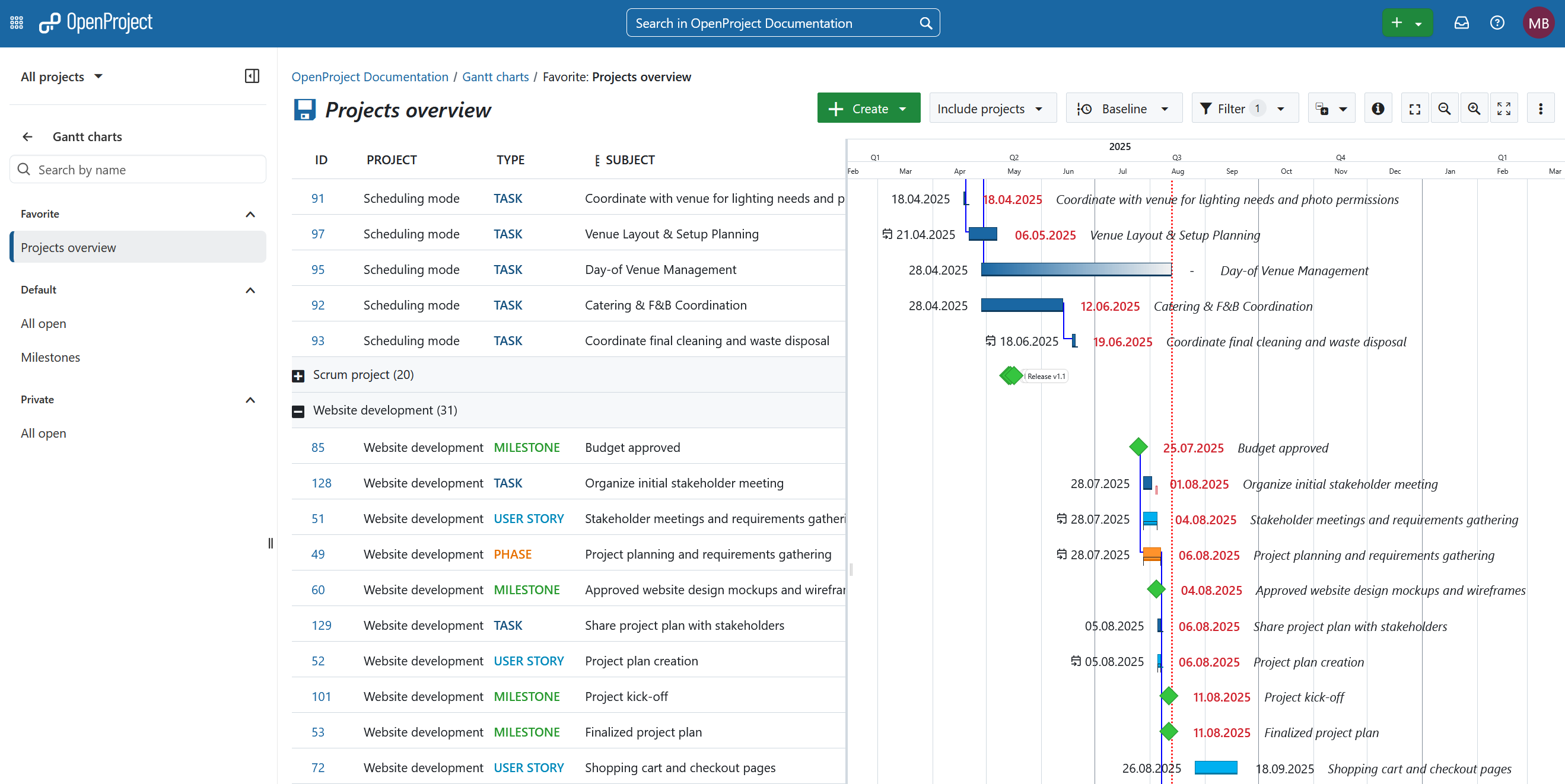
OpenProject: The open source project management software
You are reading this article on the OpenProject blog: We provide an open source software for efficient task and project management – all in one system. OpenProject is suitable for various project management methodologies, including classic, agile and hybrid approaches. It facilitates collaboration between distributed teams throughout the project lifecycle. OpenProject is designed for organizations of all sizes and industries that manage their projects according to open source principles and value data control.
Manage your tasks and projects with various OpenProject highlight features like:
Nextcloud: The open source content collaboration platform
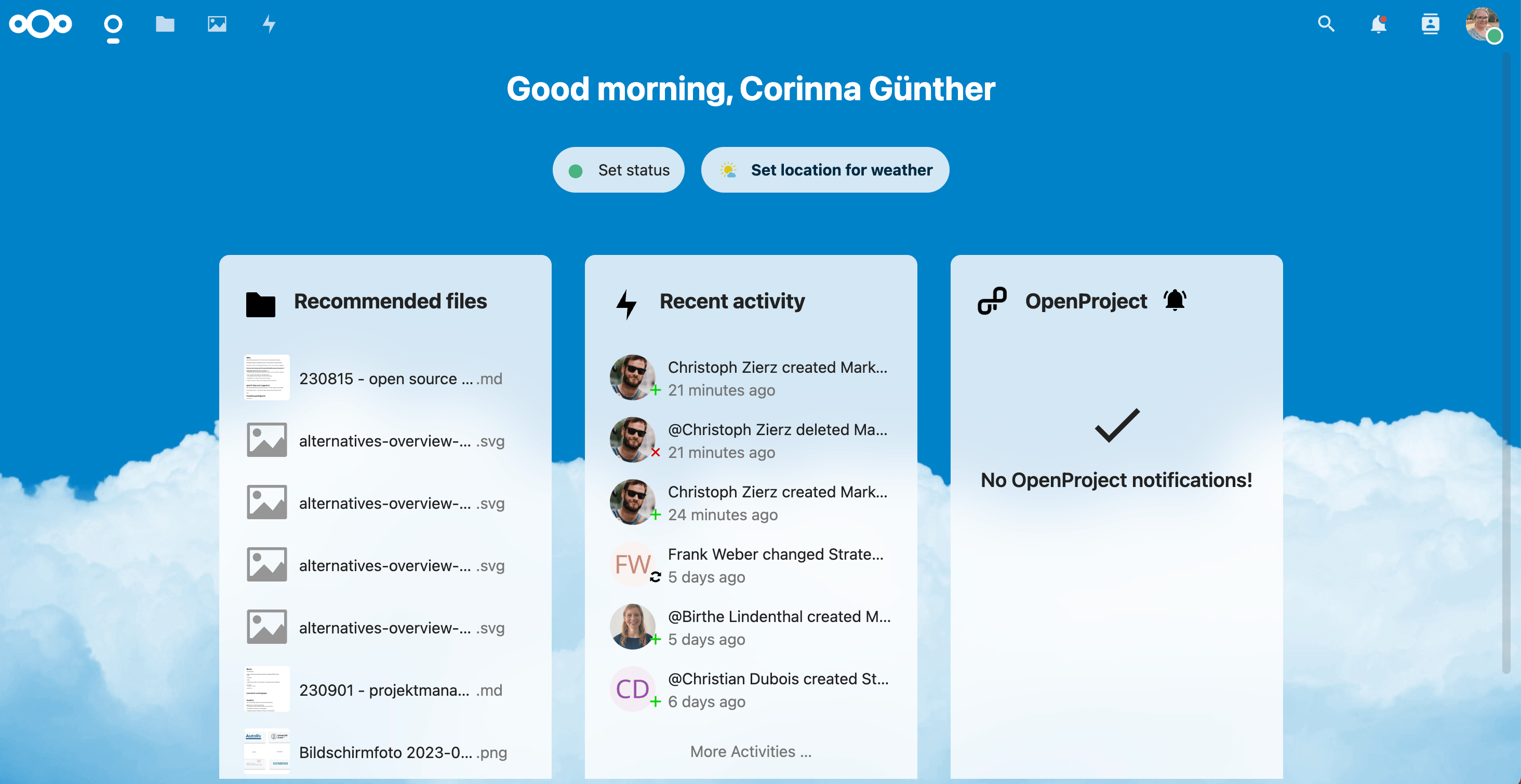
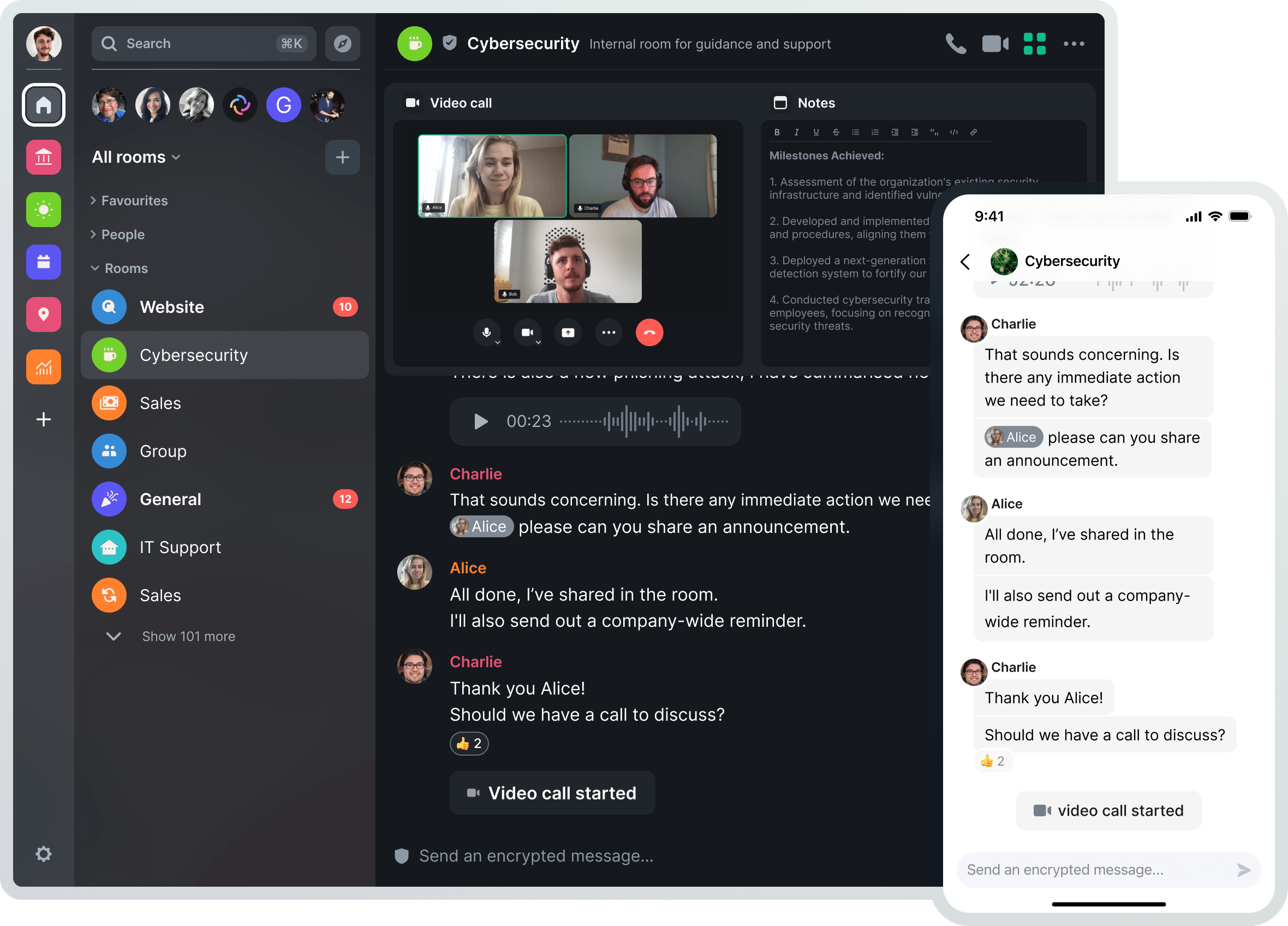
“Regain control over your data” – is what Nextcloud offers you. The open source software enables users to collaborate remotely and share data in an easy and secure way. This is particularly appreciated by customers from the public sector. Nextcloud works on-premises or as SaaS in a cloud version.
With the Nextcloud Hub, you can work and collaborate in – currently – six different areas:
Nextcloud Files: Universal file access and sync platform.
Nextcloud Talk: Private audio and video conferencing with text chat and screen sharing option.
Nextcloud Groupware: Calendar, contacts, mail and other productivity features.
Nextcloud Assistant: Local AI assistant that can generate content and more.
Nextcloud Flow: Set of intuitive components to automate workflows.
Tip
If you already use OpenProject, you have one more reason to manage your files via Nextcloud! There is a Nextcloud integration for OpenProject and an OpenProject app for Nextcloud – to provide the best user experience based on open source software.
Try out Nextcloud file management in a free 60 minutes trial and get access to Nextcloud Files, Nextcloud Groupware, and Nextcloud Office.
XWiki: The open source enterprise wiki
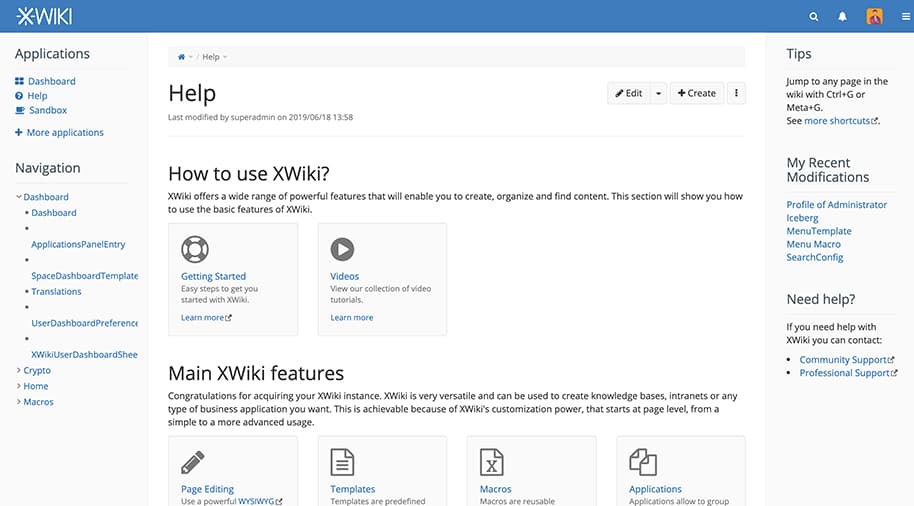
XWiki offers an open source generic platform for developing projects and collaborative applications. Customers use XWiki as an open source alternative to Confluence.
XWiki offers many features, for example:
Advanced collaborative editing: WYSIWYG and macro editors
Structured information: AppWithinMinutes, livetables, blog and more
Enterprise integration: Groups management, LDAP connection and more
Flexibility and extensibility: Over 600 extensions
Element is an open source and Matrix-based end-to-end encrypted messenger and secure collaboration app. In contrast to other messenger software products, your communication is end-to-end-encrypted, which makes chatting about confidential information feel much more relaxed. Especially when using a messenger, people quickly forget that they may be exchanging sensitive data.
The Element messenger offers group chats for individuals or teams, voice and video chat and also bridges between communication silos like WhatsApp or Signal.
Tip
At OpenProject, we are passionate about using open source software solutions for our work. So we use Element to chat between colleagues, discuss topics in channels, and organize socializing events like game nights. Always knowing that our data is secure and end-to-end-encrypted.
Get started with Element by contacting their sales team and choose between a self-hosted or the fully-managed cloud version.
Univention: The open source solution for identity and access management
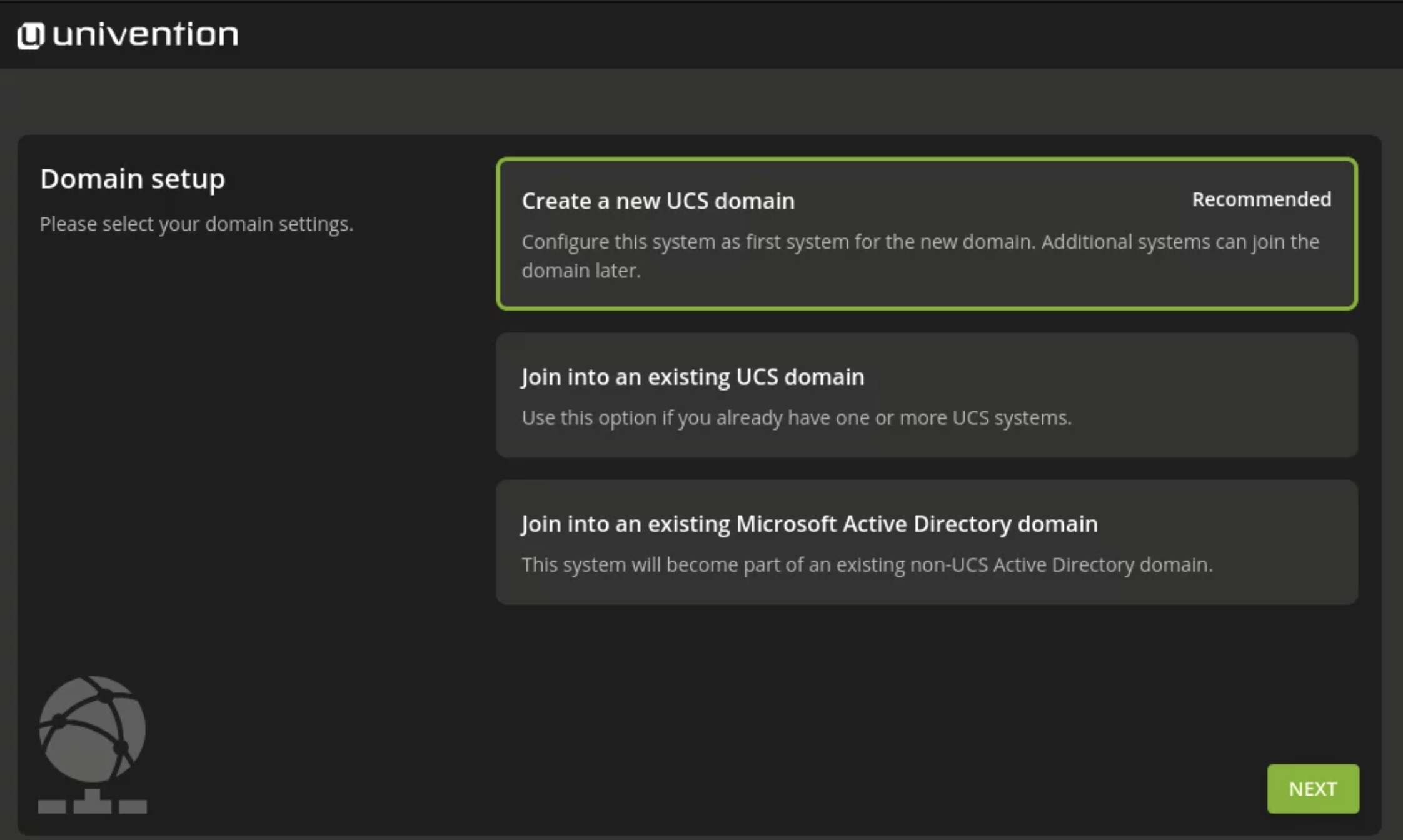
Univention develops open source solutions for central identity and access management in large network infrastructures. Customers are enterprises, IT admins and especially educational and administrative organizations. Apart from the Univention Corporate Server (UCS), there is UCS@school, a platform particularly optimized for educational use cases.
UCS can be easily integrated into existing environments, and the integrated app center offers a multitude of enterprise solutions. Thanks to Univention, the open source and sovereign workplace solution openDesk is based on a reliable and secure IT infrastructure.
Take a look at Univention to see their products, read about use cases and start a demo.
Open-Xchange: The open source e-mail provider
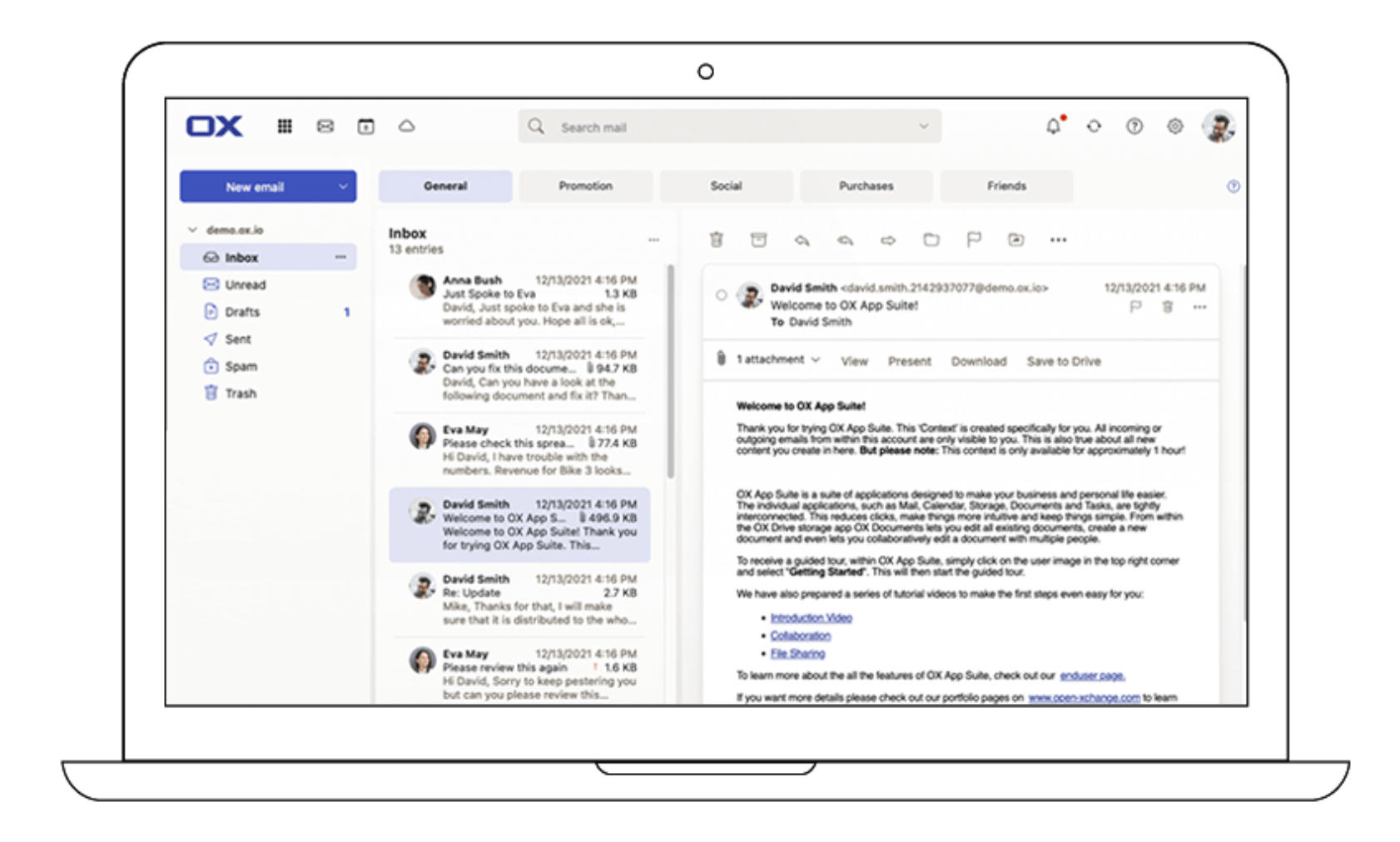
Open-Xchange (OX) provides an e-mail platform for hosting, telcos and organizations, especially for the public sector. These are OX’s different products for secure e-mail communication:
OX Cloud: An e-mail and collaboration solution for e-mail providers
OX App Suite: A modular e-mail and productivity suite
PowerDNS: A provider of secure open source and commercial DNS software
Dovecot Pro: A full-service e-mail platform with compliant support for the IMAP, POP3, LMTP, and Manage Sieve protocols
Collabora Online is an open source office suite that supports all major document, spreadsheet and presentation file formats to integrate in your own infrastructure. It works both for organizations or enterprises and for hosting and cloud businesses. Available on desktop and mobile.
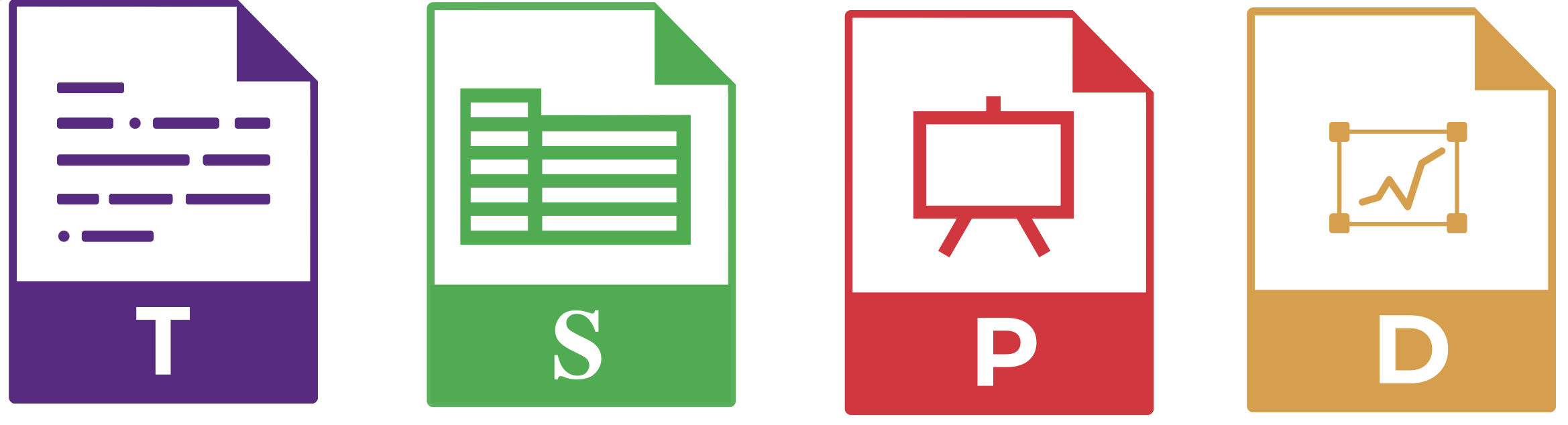
These are Collabora Online’s apps:
Writer: A WYSIWYG text editor that supports odt, .docx, .doc, .docm and .rtf
Calc: A spreadsheet app that supports .ods, .xlsx, .xls, .xlsm and .csv
Impress: A presentation editor that supports .odp, .pptx and .ppt
Draw: An app to draw shapes and diagrams that supports .odg and .vsd
Tip
Collabora is well integrated online with Nextcloud, so you can create documents directly in Nextcloud Office and edit them collaboratively.
Nordeck: Open source widgets for Element, Matrix and Jitsi
Nordeck offers support in the classic digitization steps in terms of connecting and networking prefabricated solutions, as well as development services in the open source area. It stands for sovereign and secure digital solutions.
Apart from offering individual software solutions and consulting, Nordeck has developed widgets for Element:
NeoBoard: A collaboration board with fixed stage size and division into individual slides
NeoBarCamp: A session planner for the workshop format “BarCamp”
NeoDateFix: A widget to have scheduled video meetings
NeoChoice: A voting widget to make quick decisions based on individual opinions
API Toolkit: A reusable framework for creating matrix widgets
What is better than one open source tool? Right - several open source tools, combined in one workplace solution. This is available with openDesk, as we explained in an initial blog post: “The rise of the Sovereign Workplace: Your open source alternative to Microsoft and Google”. With openDesk, you get access to multiple open source software products combined in a flexibly customizable workplace solution. Book a demo now on the official openDesk website.
The decisive factors for the choice of software in the public sector are data sovereignty, transparency and security without vendor lock-in. Therefore, we should increasingly rely on open source software in Europe. Let’s continue working together to realize a true open source alternative. This way, companies stay independent and at the same time know: My data is safe.
MacRumors videographer Dan Barbera has been testing all four of Apple's new iPhones for the last few weeks, so if you're still thinking about getting one an iPhone 17, iPhone 17 Pro/Pro Max, or iPhone Air, you'll want to watch his latest video.
OpenProject 16.5 has been released and this version introduces new features and improvements again. Please take a few minutes to learn what changes for you. We will summarize the most important changes in this blog article and, as always, please see our release notes that contain all changes, features and bug fixes.
Add work packages to a meeting section in the Meetings tab
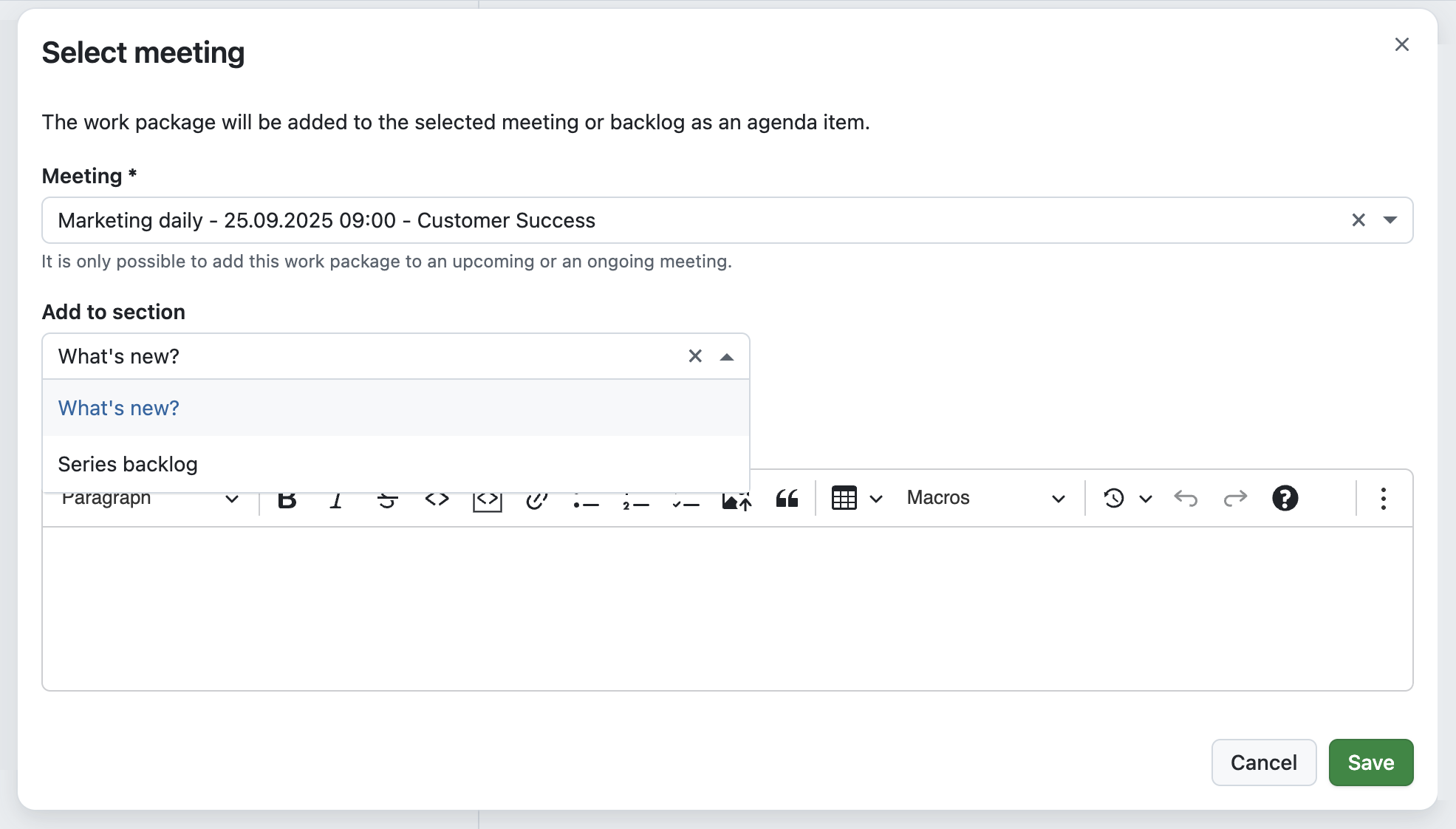
When preparing for a meeting, it’s often the small details that make a big difference. Until now, adding a work package to a meeting from the Meetings tab was already possible, but it always landed at the end of the agenda. Teams then had to manually move it to the right section — an extra step that sometimes led to confusion.
With 16.5, this process becomes much smoother. When you add a work package to a meeting, you can now add it directly to the right section or choose the backlog. The improved meeting selector also makes it easier to find the right meeting, whether it’s one of your upcoming appointments or part of a recurring series.
Choose color mode more conveniently with “Increase contrast” checkboxes
Over the last releases, we have steadily improved how you can adapt OpenProject’s appearance to your needs. In 16.4, we introduced the option to automatically sync the color mode with your operating system, as well as a dark high-contrast mode alongside the existing light one.
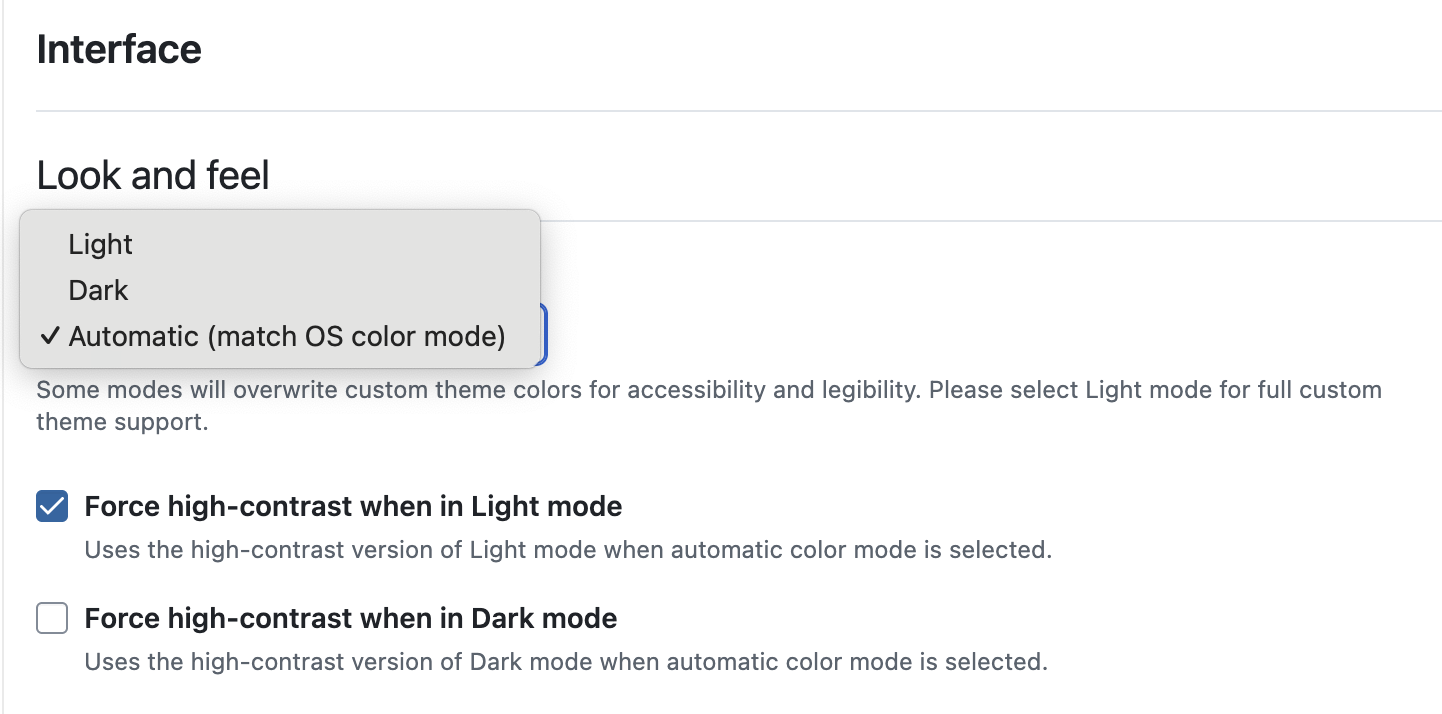
With 16.5, we are making these settings even more practical. Instead of switching between multiple predefined modes, you can now simply choose Light, Dark, or Automatic, and then enable an “Increase contrast” checkbox for the selected mode.
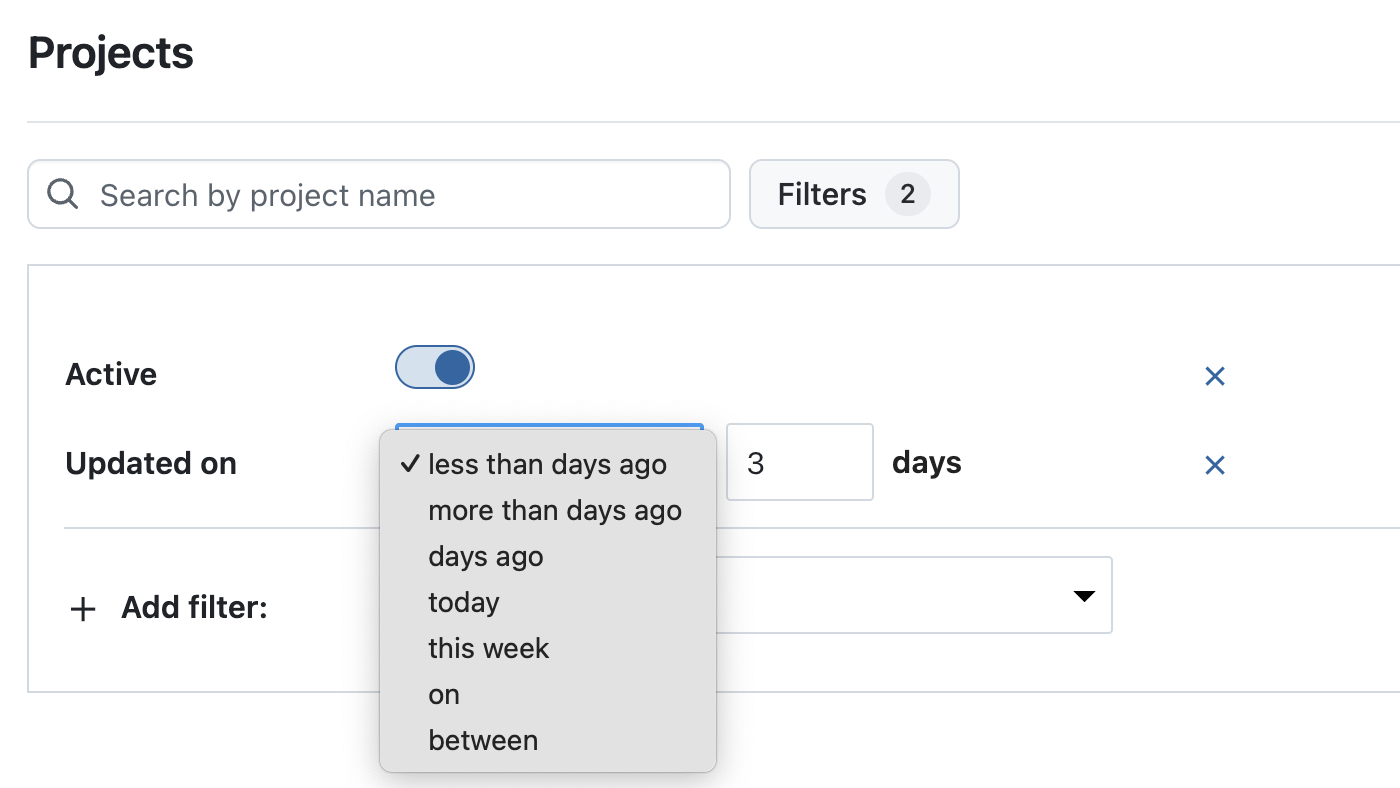
When you manage many projects, you often just want to see what changed recently. In 16.5, project lists include an “Updated on” filter and a sortable “Updated on” column. Sort by this column (newest first) or combine the filter with other criteria to focus on the projects that were modified most recently.
For integrations and automation, the API now supports an updated_at filter on the /api/v3/projects endpoint. This lets you request only projects changed since a given timestamp — useful for delta syncs that reduce waiting time and server load.
Note
Updated on reflects direct changes to the project itself (for example, a new custom field or a renamed project). Latest activity at is much broader and includes activity within the project, such as attribute changes to work packages.
Jump to highlighted target elements from deep links
Deep links are especially useful when you want to point colleagues directly to a specific item in OpenProject. With 16.5, these links now do more than just open the right page — they also scroll to the exact position and highlight the target element.
For example, when sharing a link to a comment in the Activity tab or to an item in a meeting agenda, the element is automatically displayed near the top of the page and temporarily marked with a blue outline. This makes it clear what the link refers to, helping teams save time and avoid misunderstandings.
Confirm critical actions with more accessible danger dialogs
Accessibility is an ongoing priority for us, and with 16.5 we have improved how danger dialogs work for users of assistive technologies. These dialogs are shown when potentially destructive actions require an extra confirmation step.
In this release, we added ARIA semantics so that screen readers announce the relationship between the confirmation checkbox and the action button. When the checkbox is checked, users hear that the button to proceed is now active; when it is unchecked, they are informed that the button is inactive and that they need to tick the checkbox to continue.
Better access to helpful information
Finding the right information quickly is essential, especially when you are just getting started or want to dive deeper into specific features. With 16.5, we have updated the help menu in the header navigation (the ? icon on the right). The entries have been restructured, links refreshed, and localizations added to make it easier to find what you are looking for.
We also included a new Getting started video right inside the menu, giving new users a simple introduction to OpenProject and offering a helpful refresher for experienced teams. These changes are also reflected in the Community widget that is displayed on the home page of every new instance, so guidance is available right from the start.
OpenProject 16.5: Migration, installation, updates and support
You will find more information about all new features and changes in our Release notes or in the OpenProject Documentation.
If you need support, you can post your questions in the Community Forum, or if you are eligible for Enterprise support, please contact us and we are happy to support you personally.
New to OpenProject? To test all features of OpenProject 16.5 right away, create a 14 days free trial instance for our OpenProject Enterprise cloud.
Prefer to run OpenProject 16.5 in your own infrastructure? Here you can find the Installation guidelines for OpenProject.
A very special thank you goes to Helmholtz-Zentrum Berlin, City of Cologne, Deutsche Bahn and ZenDiS for sponsoring released or upcoming features. Your support, alongside the efforts of our amazing Community, helps drive these innovations. Also a big thanks to our Community members for reporting bugs and helping us identify and provide fixes. Special thanks for reporting and finding bugs go to Alexander Aleschenko, Lars Tiedemann, Akihiko Fujikawa, and Johannes Baumgarten.
Last but not least, we are very grateful for our very engaged translation contributors on Crowdin, who translated quite a few OpenProject strings! This release we would like to particularly thank the following users:
Samo, for a great number of translations into Turkish.
Kuma Yamashita, for a great number of translations into Japanese.
Would you like to help out with translations yourself? Then take a look at our translation guide and find out exactly how you can contribute. It is very much appreciated!
As always, we welcome any feedback on this release. 💙
The feature is available on Apple Watch Series 9, Series 10, Series 11, Ultra 2, and Ultra 3 models running watchOS 26. It is not available on any Apple Watch SE models. Users can set up the feature in the Health app on a paired iPhone.
The feature can alert users if signs of chronic hypertension (high blood pressure) are detected, according to Apple. Based on data from the Apple Watch's optical heart sensor, the feature can analyze how a user's blood vessels respond to the beats of the heart. The algorithm works passively in the background, reviewing data over 30-day periods, and users are notified if consistent signs of hypertension are detected.
Apple says the feature does not require calibration, does not measure blood pressure directly, and does not surface a blood pressure reading to users.
Apple said the feature underwent "rigorous scientific validation," as outlined in a 12-page document. According to the company, it was developed with advanced machine learning and training data from multiple studies totaling more than 100,000 participants, and its performance was then validated in a clinical study of more than 2,000 participants.
Apple says the feature is "not intended for use by people under 22 years old, those who have been previously diagnosed with hypertension, or during pregnancy."
Apple has quietly added a protective silicone ring to its in-store MagSafe charging stands following reports of marks appearing on some iPhone 17 series display models, according to Consomac.
The apparent move comes after Apple last month confirmed that worn MagSafe chargers in retail stores were causing what appeared to be scratches on the iPhone 17 Pro and iPhone 17 Pro Max. There have also been reports of the marks appearing on iPhone Air models.
Apple said the marks were actually material transfer from the stand to the phone, and could be removed with cleaning. The company also noted that other models like the iPhone 16 were affected by the problem.
It's currently unclear whether the in-store display change is localized to France, where the Consomac report originates, or if it's just a snapshot of a more widespread rollout to Apple retail stores in other countries.
Separately, Apple has addressed concerns about scratching on the camera plateau area of the iPhone 17 Pro models, saying the edges have similar characteristics to aluminum cases on other Apple devices, like MacBooks, and may show normal wear and tear over time.