❌

Reading view

Meta Launches 'Instants' App for Sharing Disappearing Photos on Instagram

Meta today announced the launch of Instants, a new image sharing option on the Instagram social network. Instants are ephemeral photos that disappear from Instagram after they're viewed by a user's friends or after a 24-hour period.
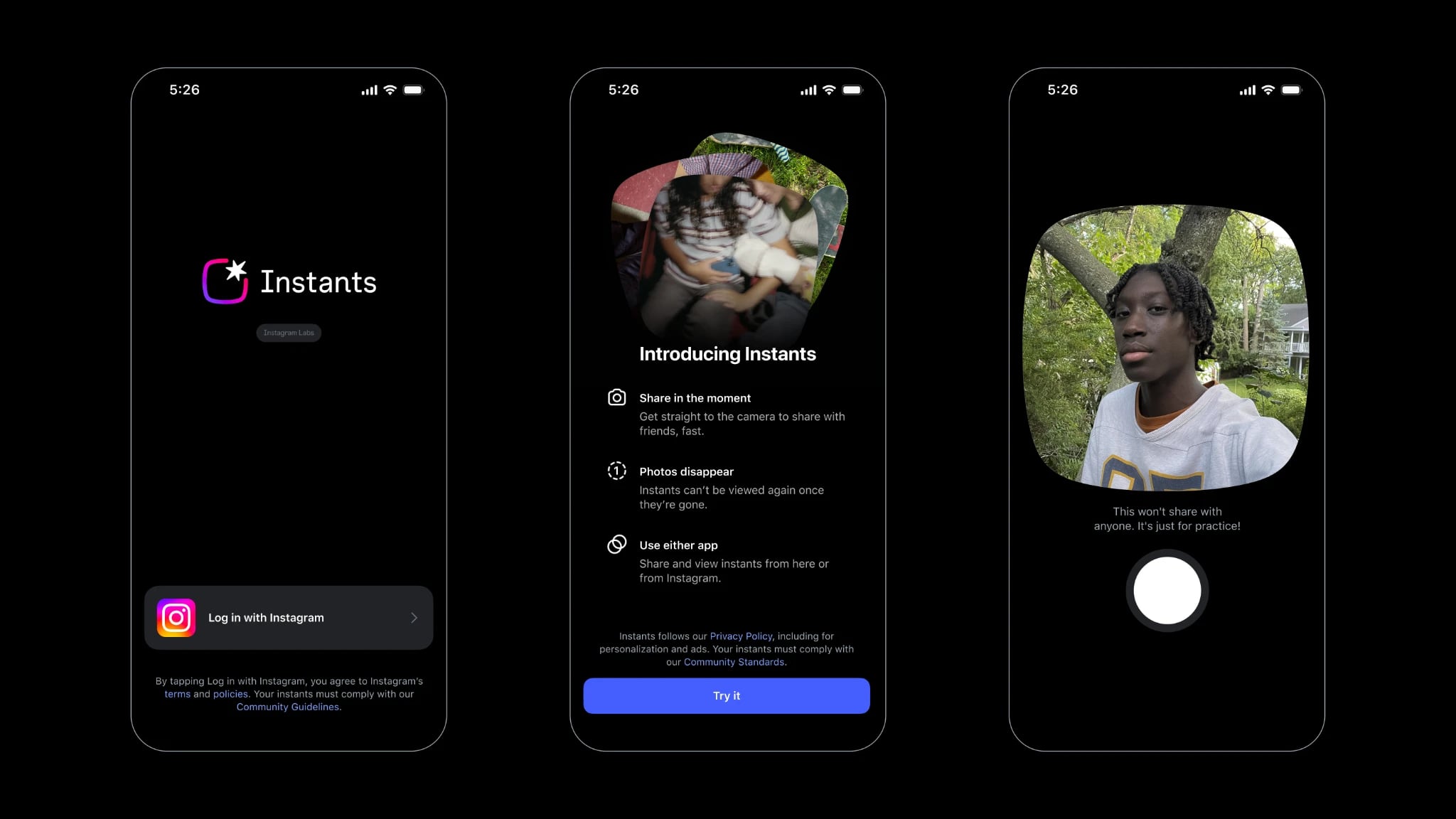

Reactions and replies to Instants images show up in DMs instead of on the post. Instants photos are only displayed for a short period, but they are saved to a user's archive for a year and can be reshared to Stories. Instants cannot be edited, with no option for filters, stickers, or modifications beyond captions. That sets them apart from Stories, which is already an Instagram feature.

Instants is an Instagram feature, but Meta has also developed a standalone Instants companion app "for quicker camera access." The standalone app is a direct competitor to Snapchat, the original ephemeral image social network. The new app can be used for sharing Instants, but on Instagram, users can also share Instants from a new camera option in the Direct Messages section of the app.

Instants can be viewed on Instagram by opening up DMs and tapping on the new Instants box in the bottom right corner of the inbox. Photos can be shared with friends set as close friends, or as mutuals, aka followers that an Instagram user follows back. Instants are not able to be screenshotted or screen recorded, providing privacy features not available with other Instagram image types.

Meta says that Instants are designed for casual, everyday photos. The standalone app is limited to select countries, as Meta says that it is an experiment. Images shared on the Instants app will show up for friends on Instagram, and images shared on Instagram will show up in the Instants app.

Instants on Instagram is available globally starting today, and the app is also available for download in countries where it is supported.
This article, "Meta Launches 'Instants' App for Sharing Disappearing Photos on Instagram" first appeared on MacRumors.com

Discuss this article in our forums
  •  

How to Resize Photos on iPhone & iPad with the Free Image Size App

Are you looking to resize your photos captured on iPhone or iPad, and make them smaller in size? This may be necessary if you want to upload images to a site where there’s a size limit or you want to fit your image into a certain space on a web page. As complicated as this ... Read More
  •  

Apple Highlights Photos Shot on iPhone During NASA's Mission to Moon

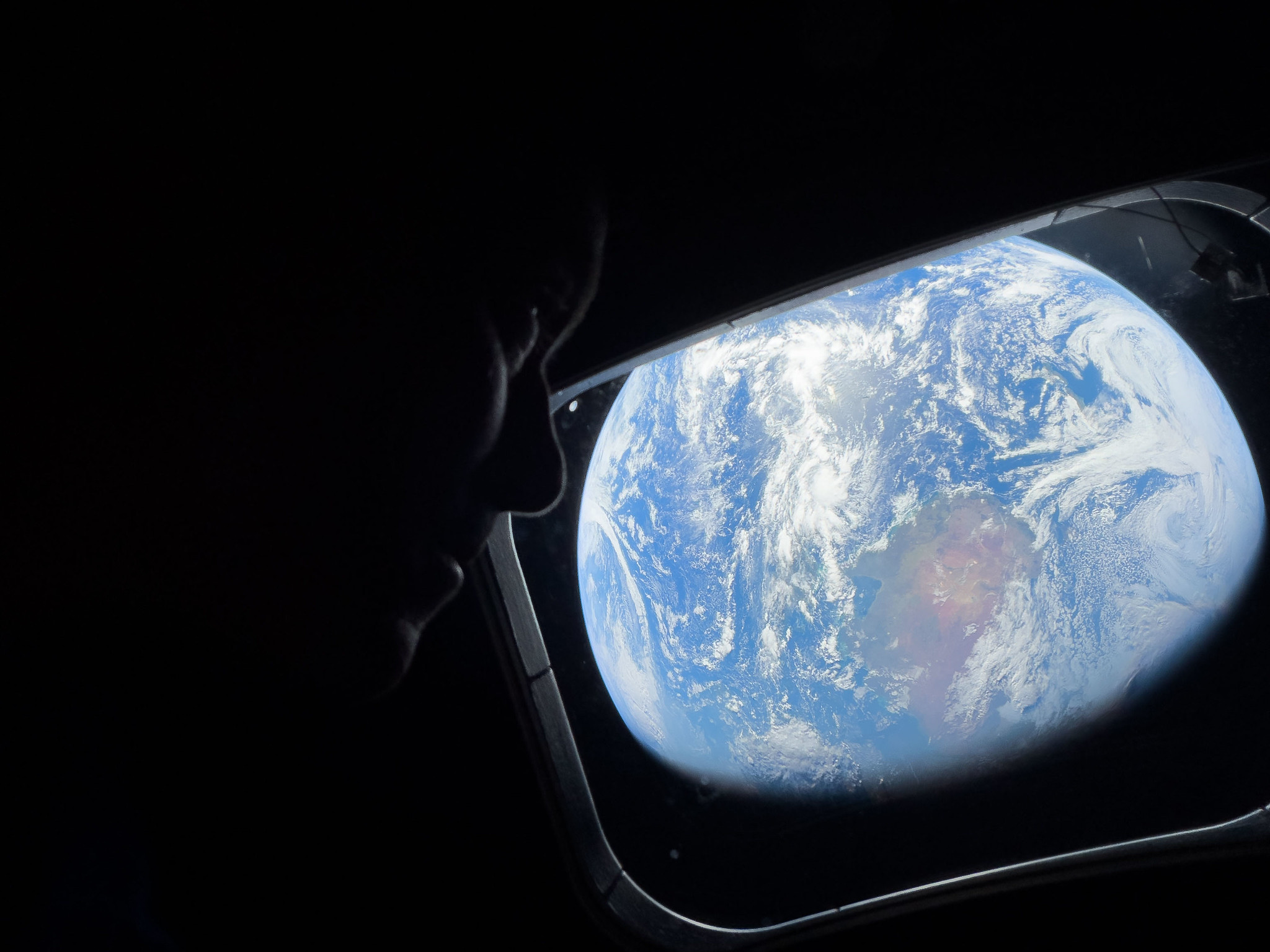
As we previously reported, astronauts aboard NASA's Orion spacecraft used the iPhone 17 Pro Max to take selfies of themselves with the Earth in the background during the Artemis II mission around the far side of the Moon last week.


Now that the crew members have safely returned to Earth, Apple's CEO Tim Cook and marketing chief Greg Joswiak have both turned to social media to congratulate them on their successful mission and highlight the iPhone's involvement.

"You captured the wonders of space and our planet beautifully, taking iPhone photography to new heights, and we're grateful you shared it with the world," wrote Cook. "Your work continues to inspire us all to think different. Welcome home!"

Congratulations to Artemis II on a successful mission! You captured the wonders of space and our planet beautifully, taking iPhone photography to new heights, and we’re grateful you shared it with the world. Your work continues to inspire us all to think different. Welcome home!

β€” Tim Cook (@tim_cook) April 11, 2026

"Honored that NASA astronauts brought iPhone to space with them," said Joswiak. "One small step for iPhone. One giant leap for space selfies."

In February, NASA announced that the iPhone had been fully qualified for extended use in orbit, with reports indicating that each of the four crew members aboard the Orion were equipped with an iPhone 17 Pro Max for personal photos and videos.

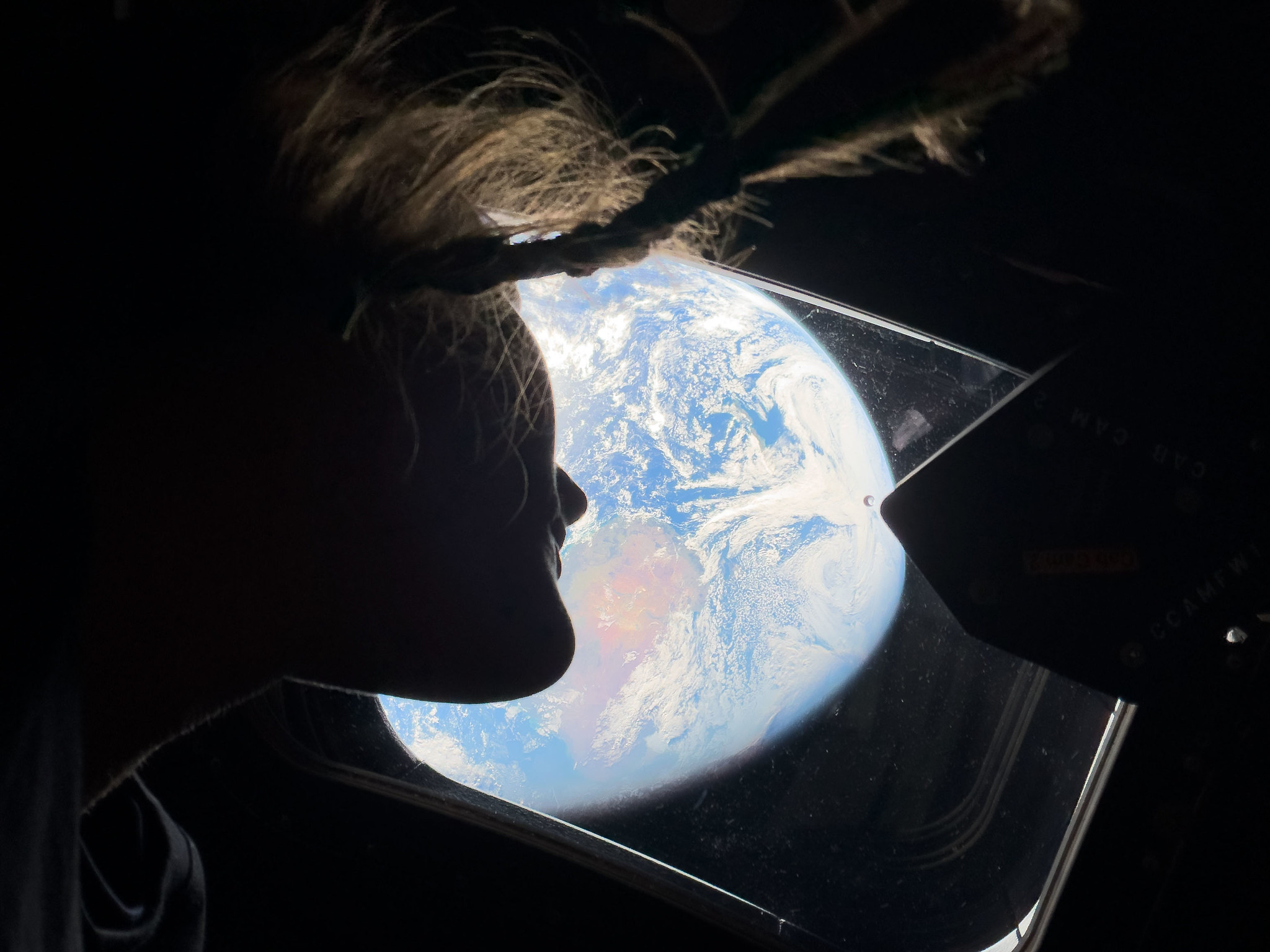
The photos show Artemis II's Commander Reid Wiseman and Mission Specialist Christina Koch looking back at Earth through one of the Orion's main cabin windows. Flickr data indicates that these photos were shot with the iPhone 17 Pro Max's front-facing camera on April 2, which was the second day of the mission.

Shot on iPhone 17 Pro Max (Wiseman)
Shot on iPhone 17 Pro Max (Koch)

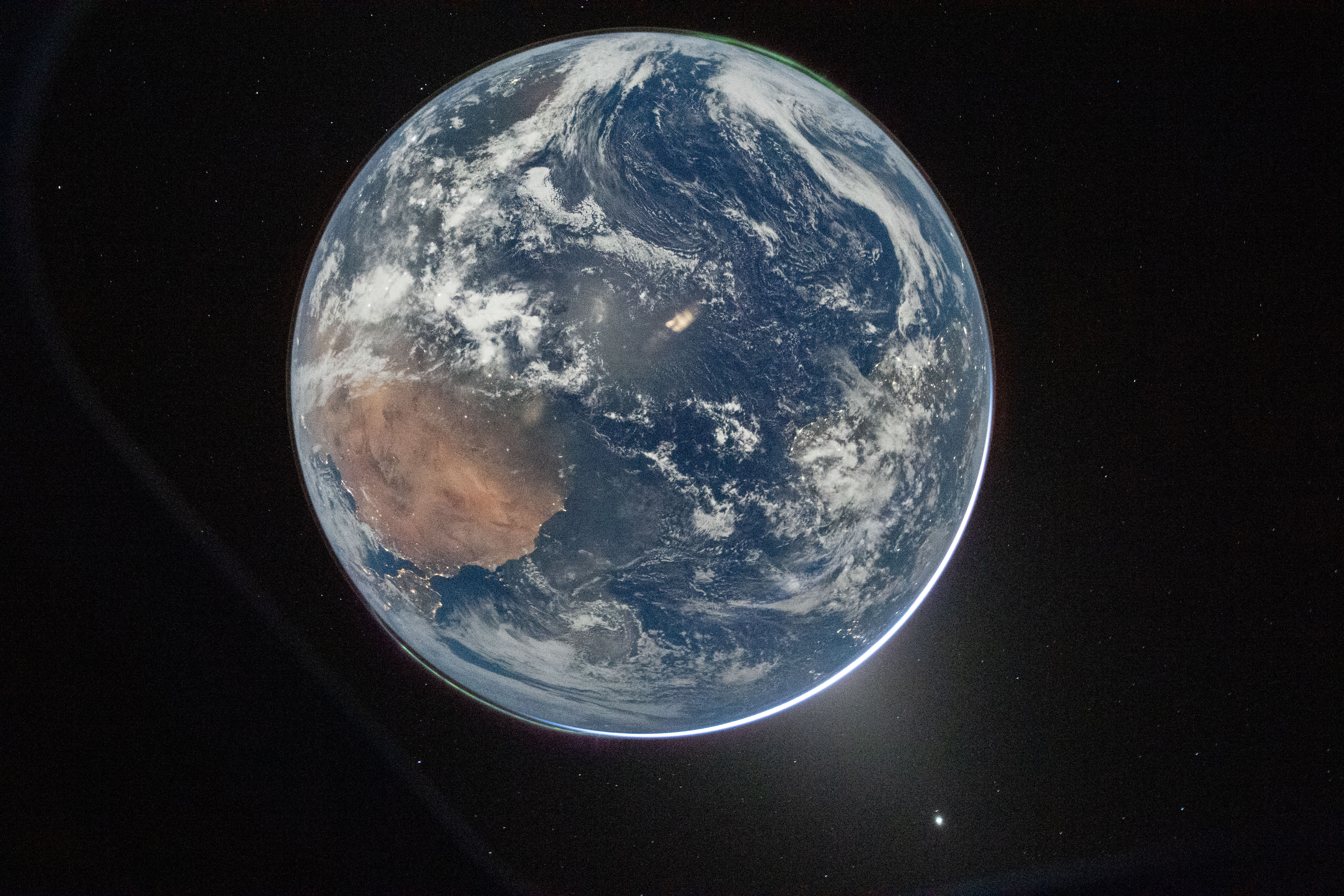
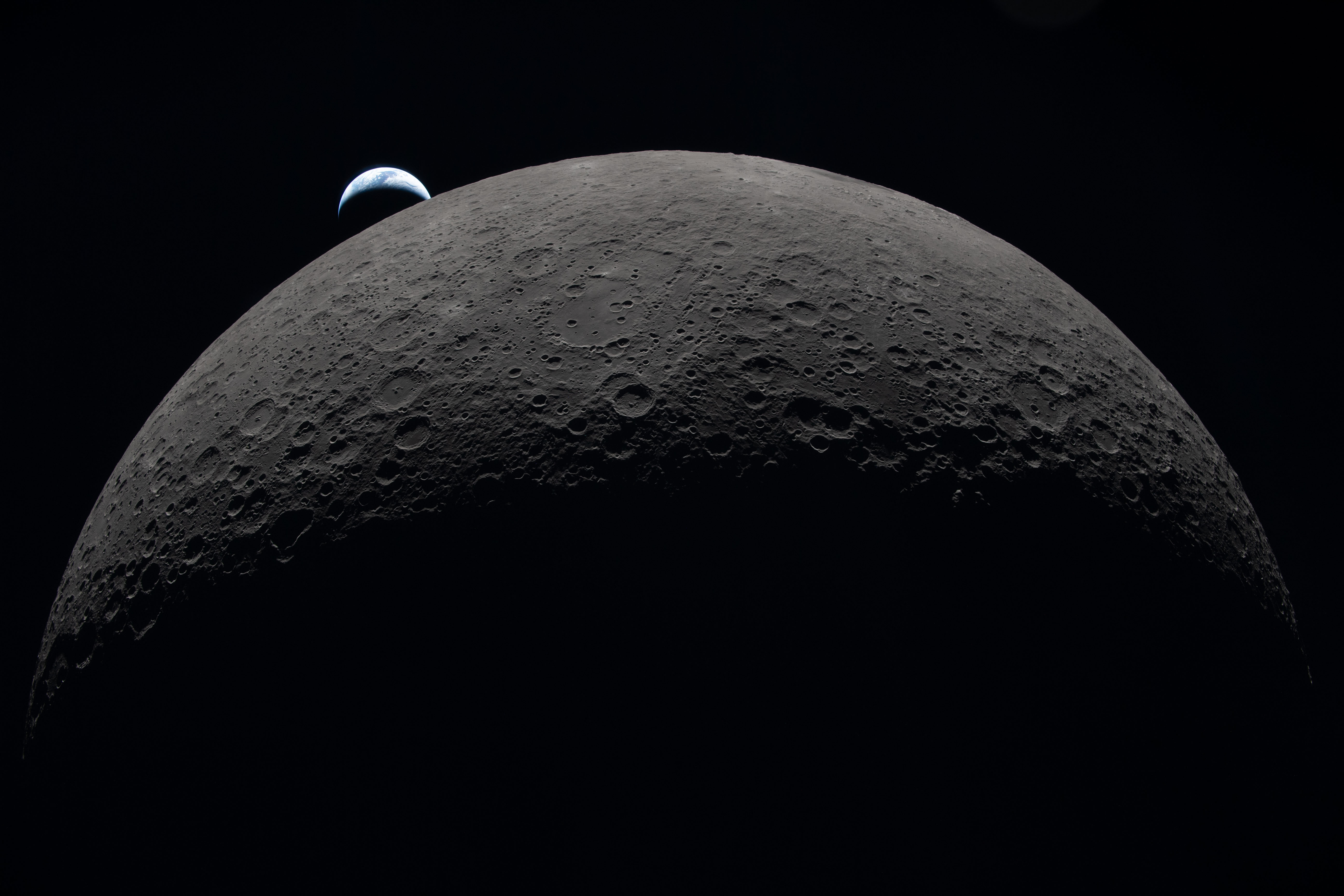
Most other photos from the mission shared so far were captured with other cameras, such as the Nikon D5, Nikon Z 9, and GoPro HERO4 Black.

Shot on Nikon D5
Shot on Nikon D5

Artemis II was NASA's first crewed mission to the Moon since 1972. The crew reached the far side of the Moon on Monday, breaking the all-time record for the farthest distance traveled from Earth by humans. However, the Orion does not have landing capabilities, so it was a flyby mission only. The spacecraft returned to Earth on Friday.
Related Roundup: iPhone 17 Pro
Related Forum: iPhone

This article, "Apple Highlights Photos Shot on iPhone During NASA's Mission to Moon" first appeared on MacRumors.com

Discuss this article in our forums
  •  

NASA Shares Photos Shot on iPhone 17 Pro Max During Artemis II Mission to the Moon

NASA has shared three incredible photos shot on the iPhone 17 Pro Max by astronauts during the Artemis II mission to the Moon.

Shot on iPhone 17 Pro Max (Wiseman)

In February, NASA announced that the iPhone had been fully qualified for extended use in orbit, with reports indicating that each of the four crew members aboard the Orion are equipped with an iPhone 17 Pro Max for personal photos and videos.

The photos show Artemis II's Commander Reid Wiseman and Mission Specialist Christina Koch looking back at Earth through one of the Orion spacecraft's main cabin windows. Flickr data indicates that these photos were shot with the iPhone 17 Pro Max's front camera on April 2, which was the second day of the mission.

Shot on iPhone 17 Pro Max (Koch)

All other photos from the mission shared so far were captured with other cameras, such as the Nikon D5, Nikon Z 9, and GoPro HERO4 Black.

Shot on Nikon D5

Artemis II is NASA's first crewed mission to the Moon since 1972. The crew is expected to reach the far side of the Moon on Monday, breaking the all-time record for the farthest distance traveled from Earth by humans. However, the Orion is not capable of landing on the Moon and is set to return to Earth on April 10.
Related Roundup: iPhone 17 Pro
Tags: NASA, Photos
Related Forum: iPhone

This article, "NASA Shares Photos Shot on iPhone 17 Pro Max During Artemis II Mission to the Moon" first appeared on MacRumors.com

Discuss this article in our forums

  •  

How to Access Portrait Camera Mode in iOS 26 on iPhone

Camera app received a dramatic redesign with iOS 26, and many iPhone users have found that the new interface is confusing, leading them to believe that some prominent features of iPhone Camera have been removed. For example, many iPhone users running iOS 26 now think Portrait Mode camera has been removed or is no longer ... Read More
  •  

iPhone Disconnected from Image Capture While Importing? Try This Fix

Image Capture has long been a preferred method of getting photos from an iPhone to a computer or external drive, but something I have run into fairly often over the last several years is that Image Capture occasionally randomly disconnects the iPhone during an image transfer. This obviously ends the image transfer in a failure, ... Read More
  •  

Turn Several Live Photos into a Single Video on iPhone

Did you know it's possible to take multiple Live Photos from your iPhone's photo library and turn them into a single continuous video? Keep reading to learn how it's done.


On iPhone and iPad, Live Photos bring your pictures to life by adding a few seconds of video before and after the shot, creating a living memory rather than a static image.

While Live Photos are great on their own, it's also possible to weave several together to create a video montage. This process transforms a collection of moments into a cohesive narrative, and offers an easier way to share and relive your memories.

Whether it's a series of shots from a special event, a day out with friends, or a compilation of everyday moments, the following steps show you how to turn several Live Photos into a video that can encapsulate their essence in a way that a single photo or traditional video might not.

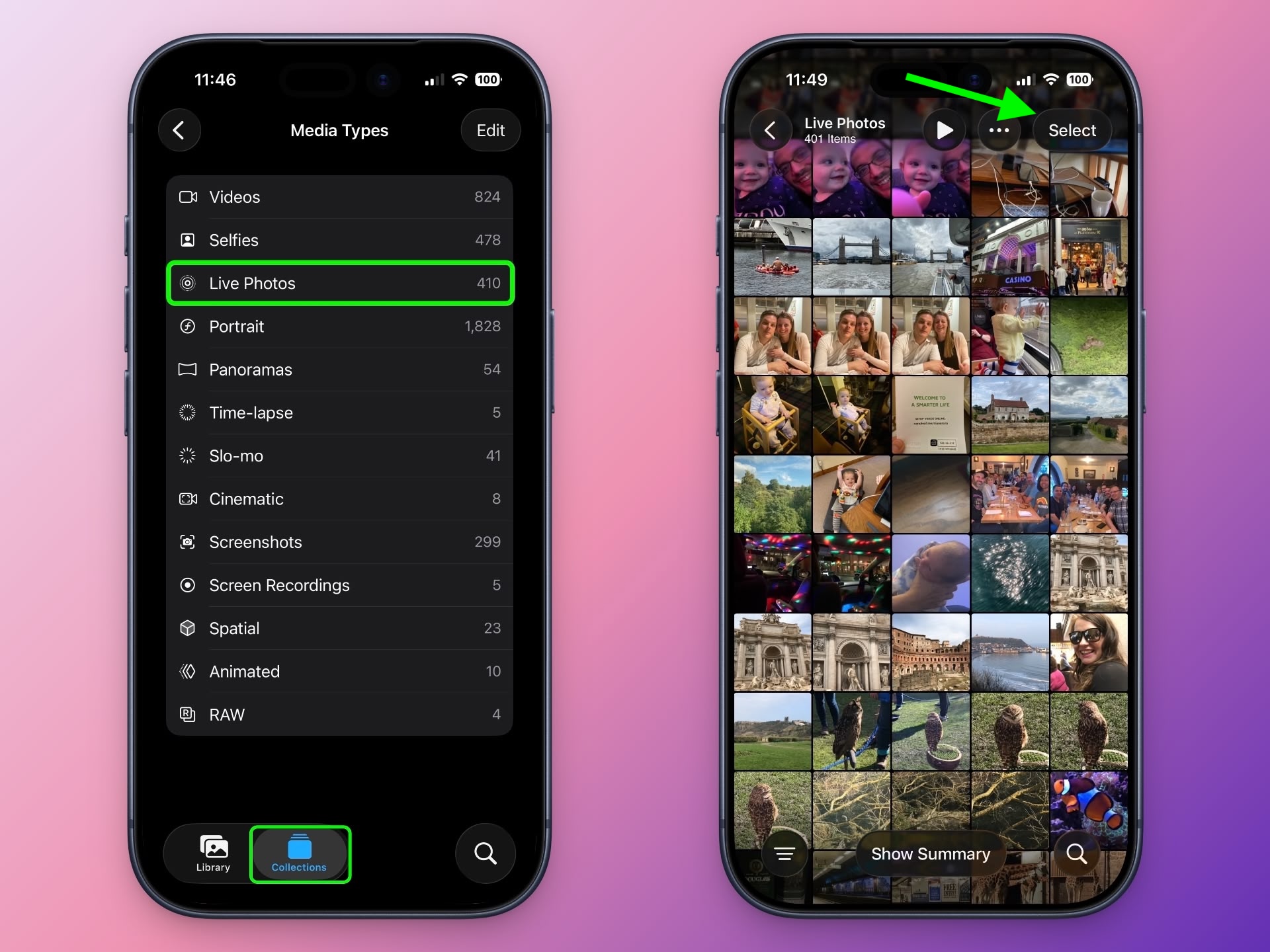
  1. In the Photos app, tap the Collections icon at the bottom of the screen.

  2. Scroll down to "Media Types," and tap Live Photos.

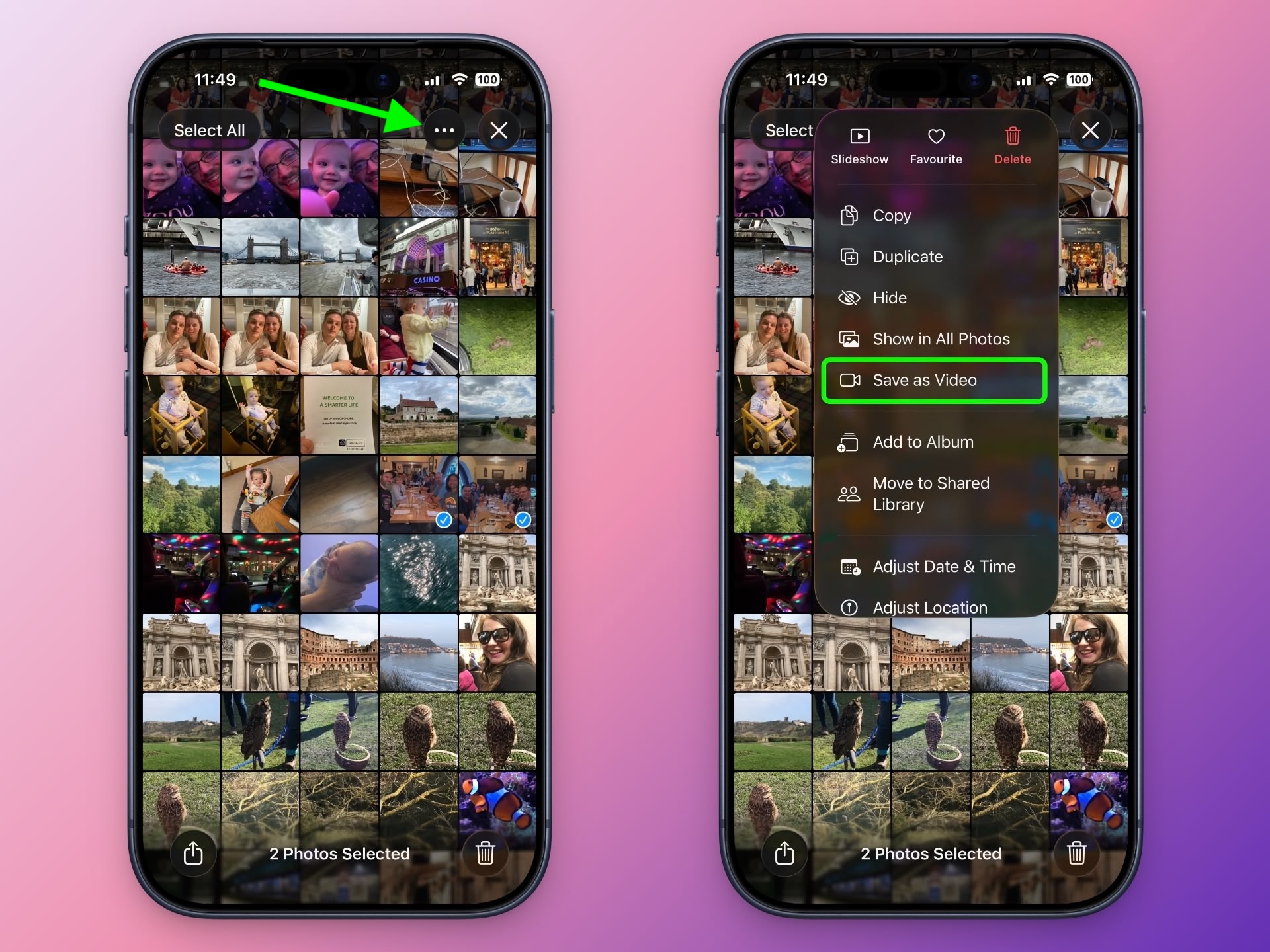
  3. Tap Select in the top-right corner, then tap the Live Photos you want to include in your video so that a little checkmark appears on each one.
    photos
  4. Tap the button with three dots in the top-right corner.

  5. Choose Save as Video in the pop-up menu.
    photos
That's all there is to it. To watch your newly created video, return to the Library view or find it in the Videos category under Media Types.

Note that the video will be dated to when the Live Photos were originally taken, so unless you have the Sort by Recently Added option checked, they may not show as the latest video in your collection.
Tag: Photos

This article, "Turn Several Live Photos into a Single Video on iPhone" first appeared on MacRumors.com

Discuss this article in our forums

  •  
❌