Login
Login
NASA Shares Photos Shot on iPhone 17 Pro Max During Artemis II Mission to the Moon
NASA has shared three incredible photos shot on the iPhone 17 Pro Max by astronauts during the Artemis II mission to the Moon.
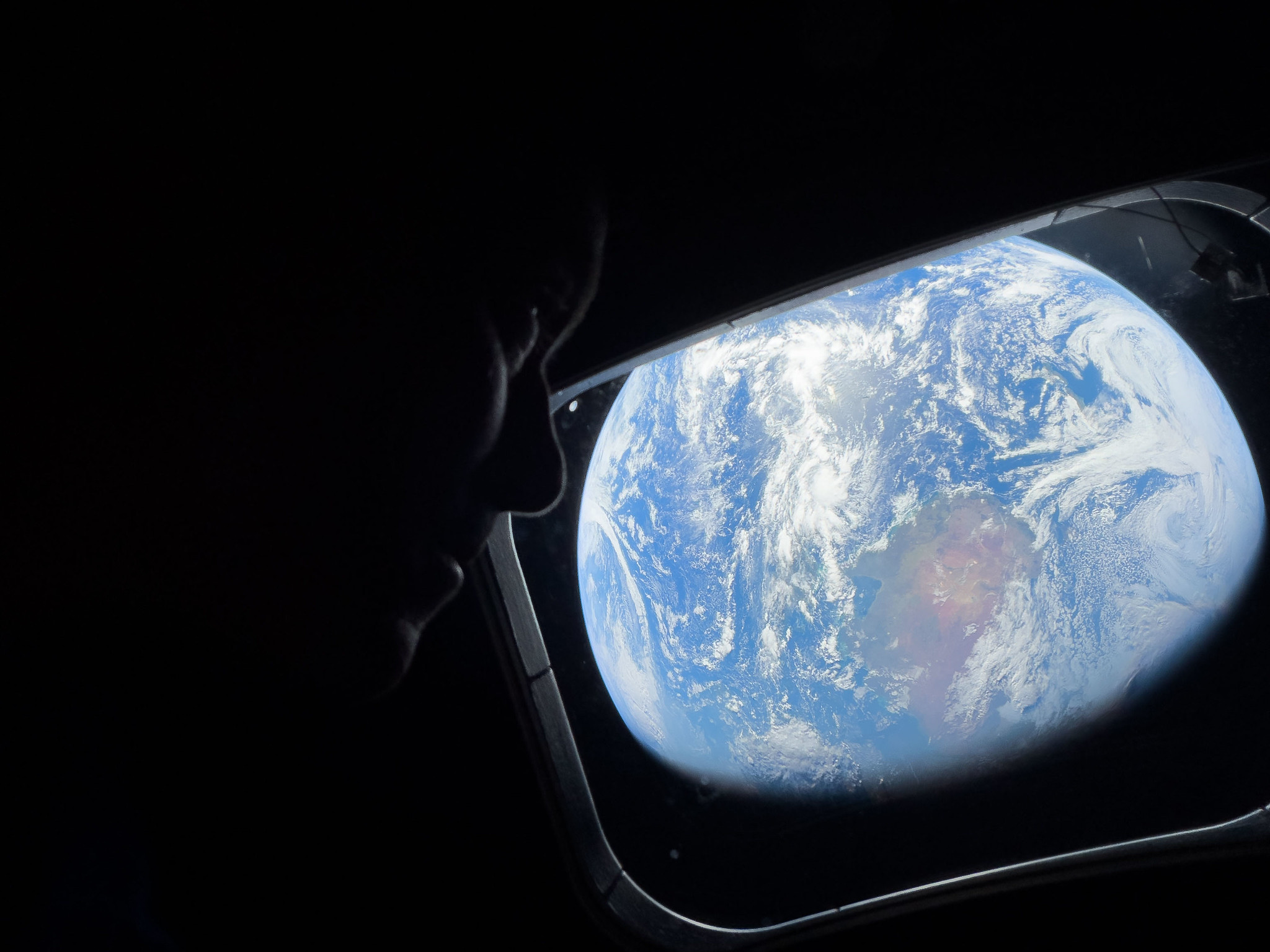 Shot on iPhone 17 Pro Max (Wiseman)
In February, NASA announced that the iPhone had been fully qualified for extended use in orbit, with reports indicating that each of the four crew members aboard the Orion are equipped with an iPhone 17 Pro Max for personal photos and videos.
The photos show Artemis II's Commander Reid Wiseman and Mission Specialist Christina Koch looking back at Earth through one of the Orion spacecraft's main cabin windows. Flickr data indicates that these photos were shot with the iPhone 17 Pro Max's front camera on April 2, which was the second day of the mission.
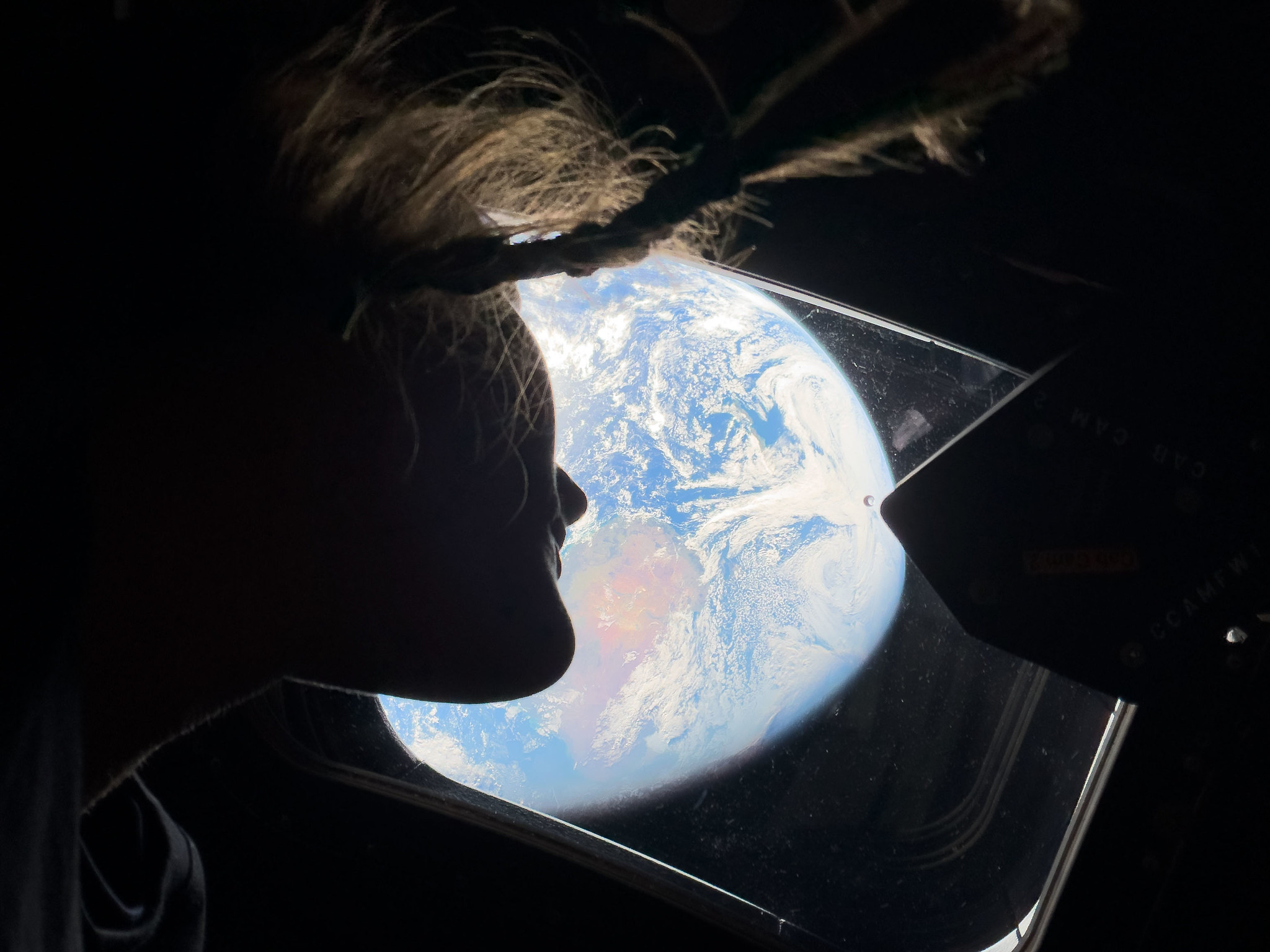 Shot on iPhone 17 Pro Max (Koch)
All other photos from the mission shared so far were captured with other cameras, such as the Nikon D5, Nikon Z 9, and GoPro HERO4 Black.
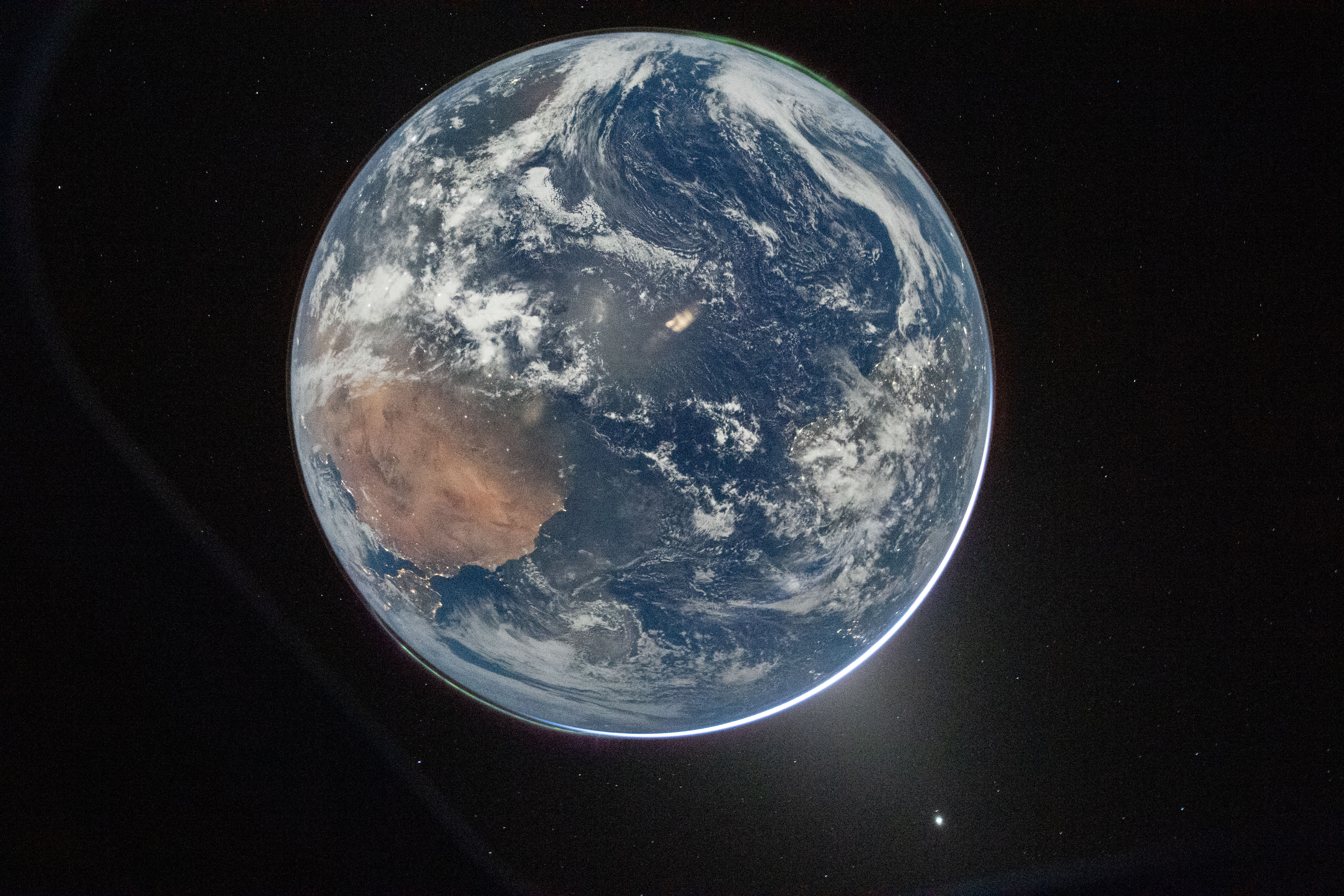 Shot on Nikon D5
Artemis II is NASA's first crewed mission to the Moon since 1972. The crew is expected to reach the far side of the Moon on Monday, breaking the all-time record for the farthest distance traveled from Earth by humans. However, the Orion is not capable of landing on the Moon and is set to return to Earth on April 10.
This article, "NASA Shares Photos Shot on iPhone 17 Pro Max During Artemis II Mission to the Moon" first appeared on MacRumors.com
Discuss this article in our forums
Shot on iPhone 17 Pro Max (Wiseman)In February, NASA announced that the iPhone had been fully qualified for extended use in orbit, with reports indicating that each of the four crew members aboard the Orion are equipped with an iPhone 17 Pro Max for personal photos and videos.
The photos show Artemis II's Commander Reid Wiseman and Mission Specialist Christina Koch looking back at Earth through one of the Orion spacecraft's main cabin windows. Flickr data indicates that these photos were shot with the iPhone 17 Pro Max's front camera on April 2, which was the second day of the mission.
Shot on iPhone 17 Pro Max (Koch)All other photos from the mission shared so far were captured with other cameras, such as the Nikon D5, Nikon Z 9, and GoPro HERO4 Black.
Shot on Nikon D5Artemis II is NASA's first crewed mission to the Moon since 1972. The crew is expected to reach the far side of the Moon on Monday, breaking the all-time record for the farthest distance traveled from Earth by humans. However, the Orion is not capable of landing on the Moon and is set to return to Earth on April 10.
Related Roundup: iPhone 17 Pro
Buyer's Guide: iPhone 17 Pro (Neutral)
Related Forum: iPhone
This article, "NASA Shares Photos Shot on iPhone 17 Pro Max During Artemis II Mission to the Moon" first appeared on MacRumors.com
Discuss this article in our forums