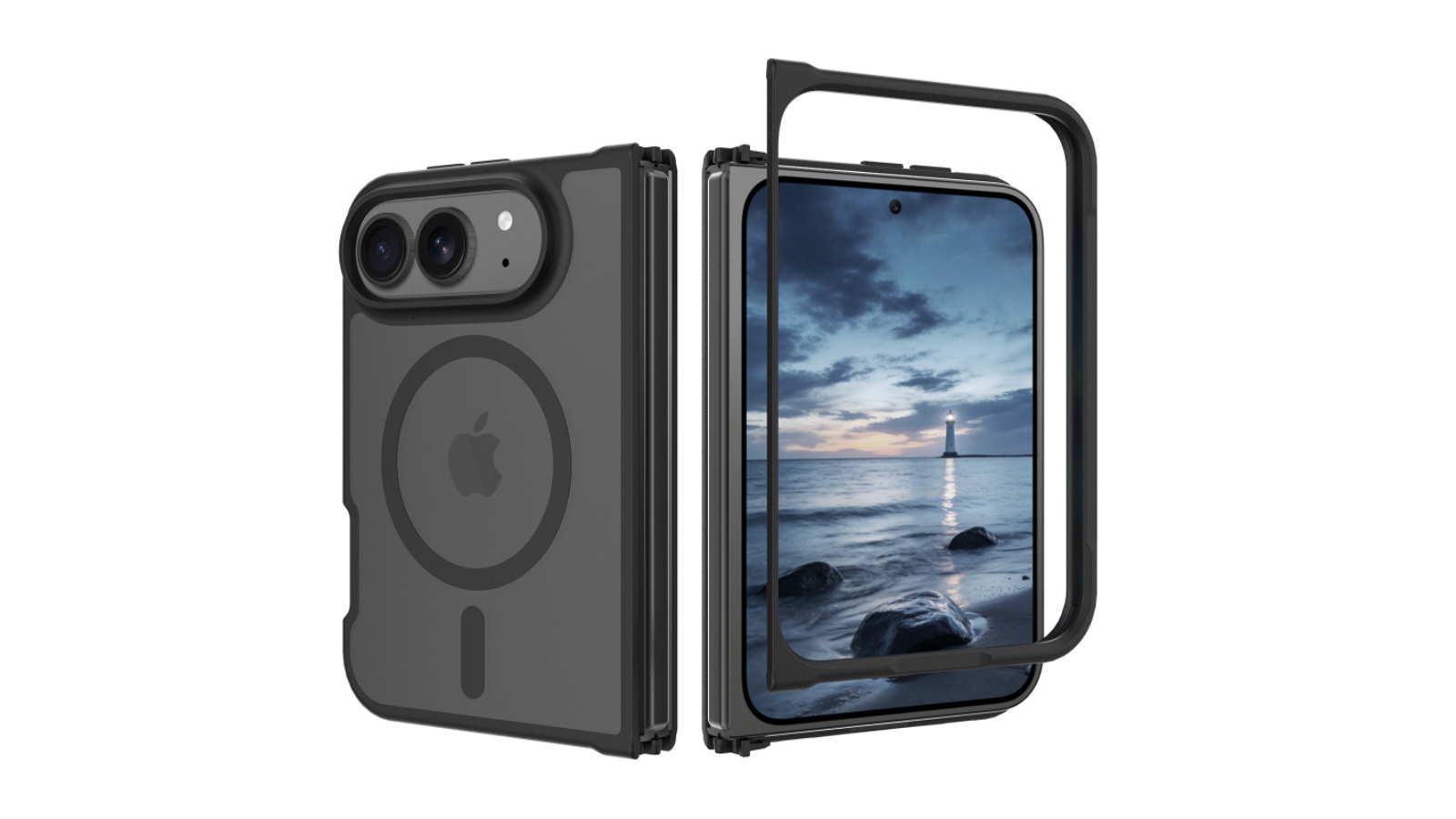
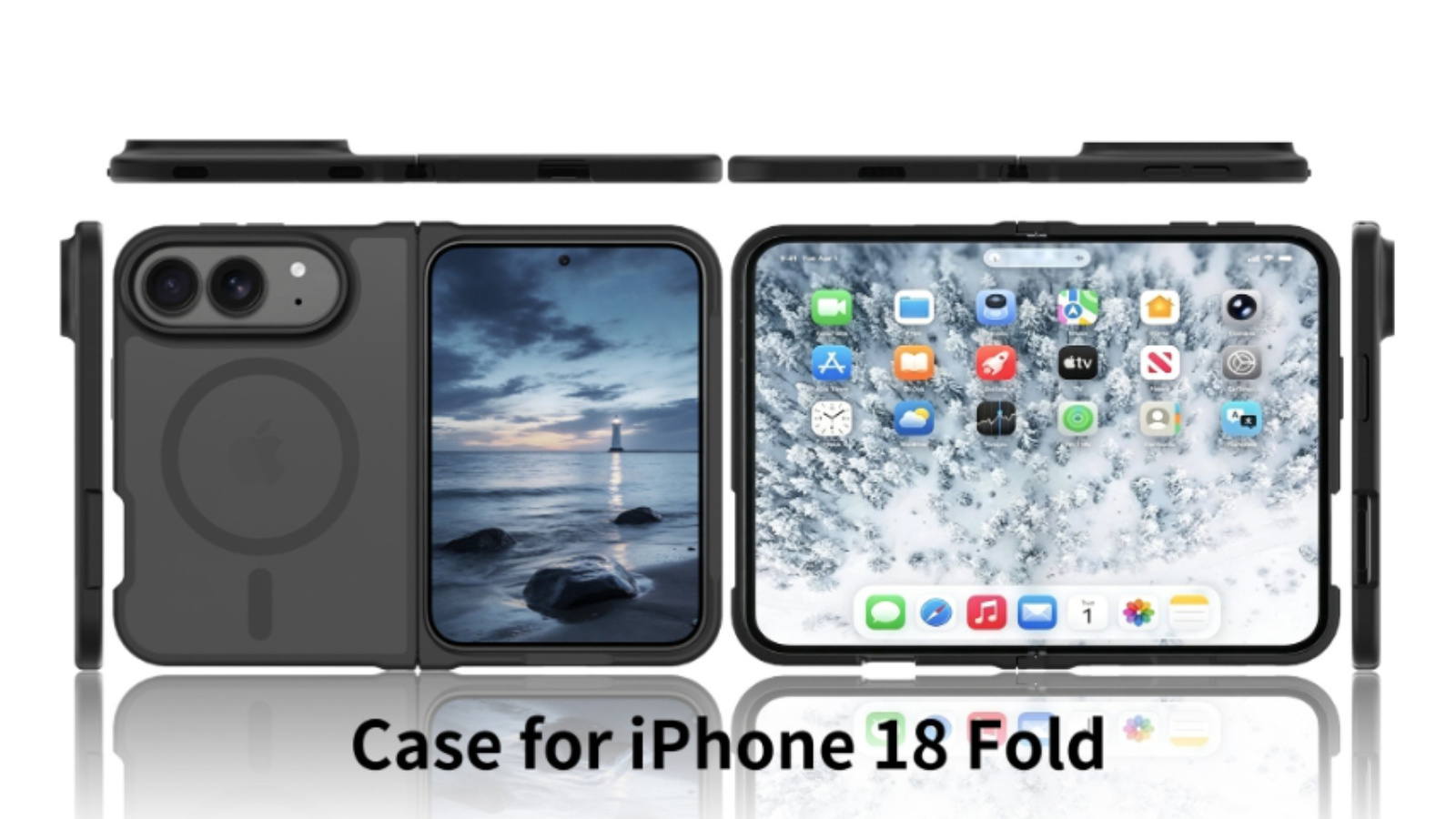
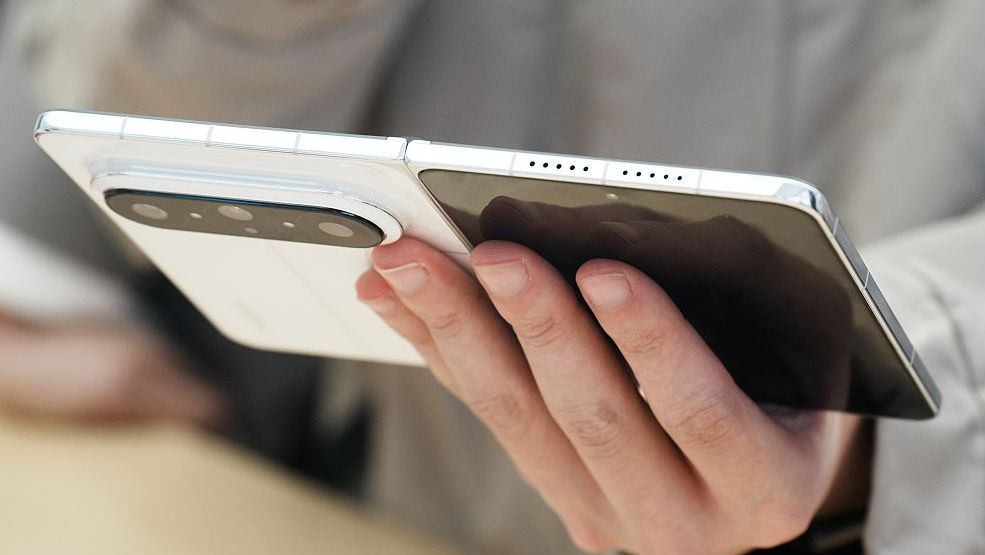
Accessory maker iFunSmart has begun listing the first protective cases for Apple's upcoming foldable iPhone, corroborating rumors about the device's design.
Case makers routinely begin mass producing accessories ahead of a new iPhone announcement, working from dummy units or leaked CAD files to size their molds. Their designs are speculative, but they have historically proven accurate to the millimeter, since accessory makers cannot afford to be left without product on launch day. Leaker Sonny Dickson shared images of foldable iPhone dummy units in April, providing the kind of reference template that typically circulates among case manufacturers.
The listings, spotted by French Apple site iPhoneSoft, show an unobtrusive rear camera plateau housing two lenses, a slim profile, and a circular cutout for MagSafe-style magnets. iFunSmart describes the cases as offering military-grade drop protection, integrated N52 magnets, a translucent matte finish, and 1.5mm raised camera lips alongside a 1mm raised screen bezel.
The design broadly corroborates the design outlined in rumors and seen on dummy units, suggesting the foldable's exterior is increasingly clear. Only two camera lens cutouts are present, in line with reports that Apple plans to skip the telephoto camera. A cutout for a Camera Control button is also visible, but there is no Action button. The listing depicts a multi-part case with separate snap-on sections rather than a single-piece shell owing to its folding design.
The presence of magnets in the case does not necessarily mean Apple has built MagSafe into the foldable iPhone itself, and there has previously been speculation that the device could lack the feature. The N52 magnets could simply be embedded into the case to attach to external MagSafe accessories such as wireless chargers and car mounts, without aligning with a corresponding magnet array inside the device.
iFunSmart's listings are likely to be among the first of many. Accessory makers typically flood the market with cases in the months ahead of a new iPhone launch, and further variants from competing brands should appear in the run-up to the device's announcement.
Apple is widely expected to launch the device alongside the iPhone 18 Pro and iPhone 18 Pro Max in fall 2026. Leaks point to a 5.5-inch external display, a 7.8-inch inner display, a folded thickness of around 9.5mm and a thickness of about to 4.5mm when open, the A20 Pro chip with 12GB of memory, dual 48-megapixel rear cameras, and Touch ID in the side button rather than Face ID. The device is expected to start at around $2,000.
Instagram has introduced a new feature called “Instants” which seems to be inspired by Snapchat in that it allows for instant expiring pictures to be sent to people. Like any new feature, some people are going to like it, and some people are going to not like it, and if you happen to find the ... Read More
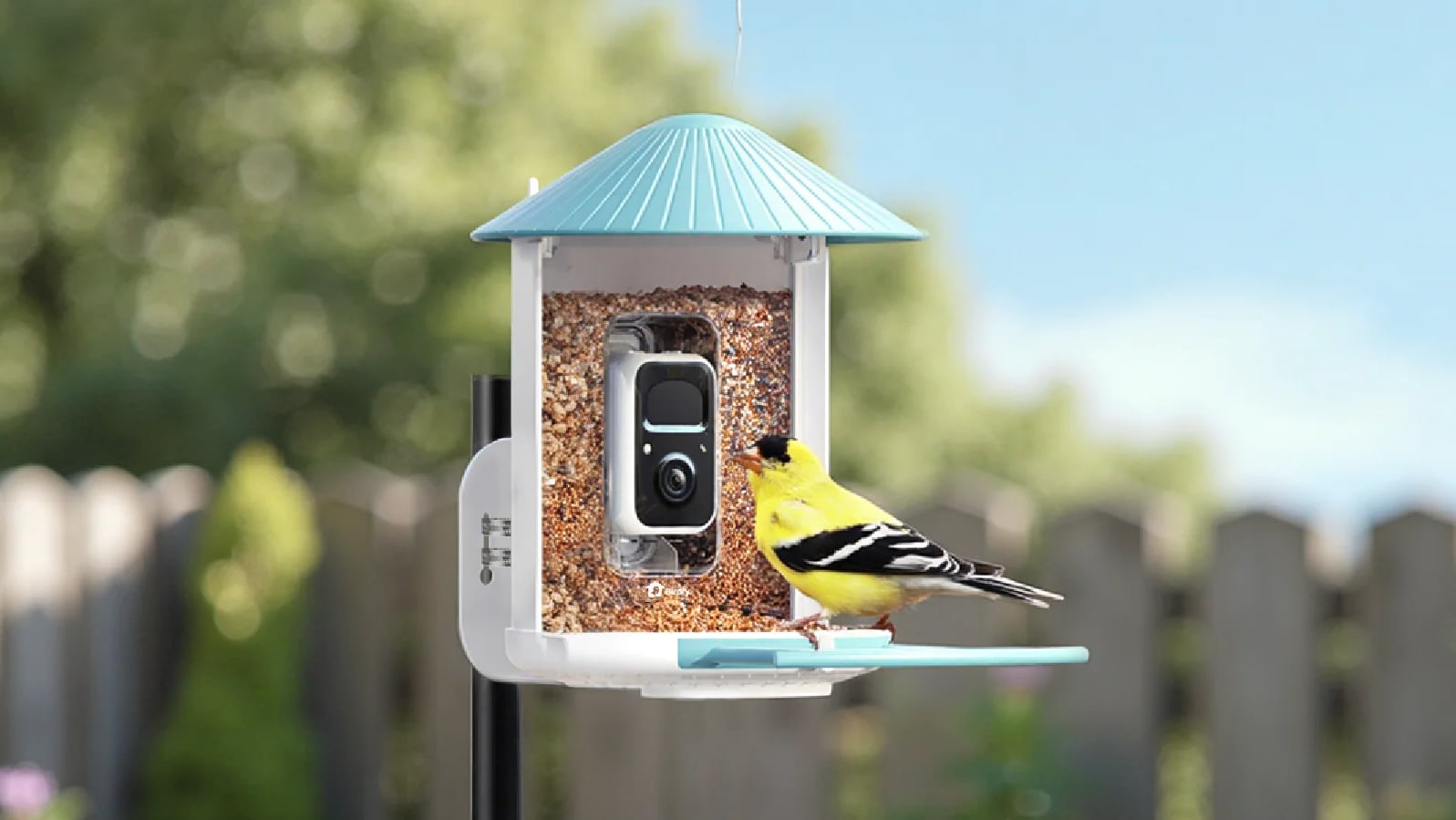
There are multiple companies making bird feeders with AI identification that send you pictures and info on the birds visiting your home, and Birdfy is one of the better-known brand names. I've reviewed and regularly use multiple Bird Buddy products, so when Birdfy asked if I wanted to give their bird feeders a look last winter, I said yes.
Birdfy has a lot of bird feeder options at different prices, along with camera-equipped bird baths and bird houses. I've been testing the standard Birdfy Feeder ($170 with solar panel and lifetime AI included), the Birdfy Feeder 2 Duo ($360), and the Birdfy Bath Pro (currently $280) for the past five months, so I'm very familiar with the product options and the Birdfy software, which is a major factor when choosing a smart product.
Birdfy products record bird visits, providing AI species identification and photos and videos that you can watch. You just need to put them in a spot that gets a decent Wi-Fi signal to view the birds that are coming to your area.
Birdfy Feeder
The Birdfy Feeder is a good starting point for someone new to bird feeders. There's a cheaper model that starts at $80, but the Birdfy Feeder has a 2K high-definition camera and an option to buy it with lifetime AI bird identification.
The lower-priced Birdfy options can be purchased with or without a solar panel, and I think the solar panel is worth getting. It's an extra $40, but as long as your feeder is somewhere with partial sun, the solar panel provides enough power to prevent the camera from having to be manually charged.
My Birdfy Feeder is in a spot with morning and afternoon sun, and it has never dipped below a 90 percent charge. I have the other Birdfy feeder in a wooded area, also with solar panel, and it hovers at about 50 percent battery. I had to charge it once in the winter, but I haven't needed to do so again.
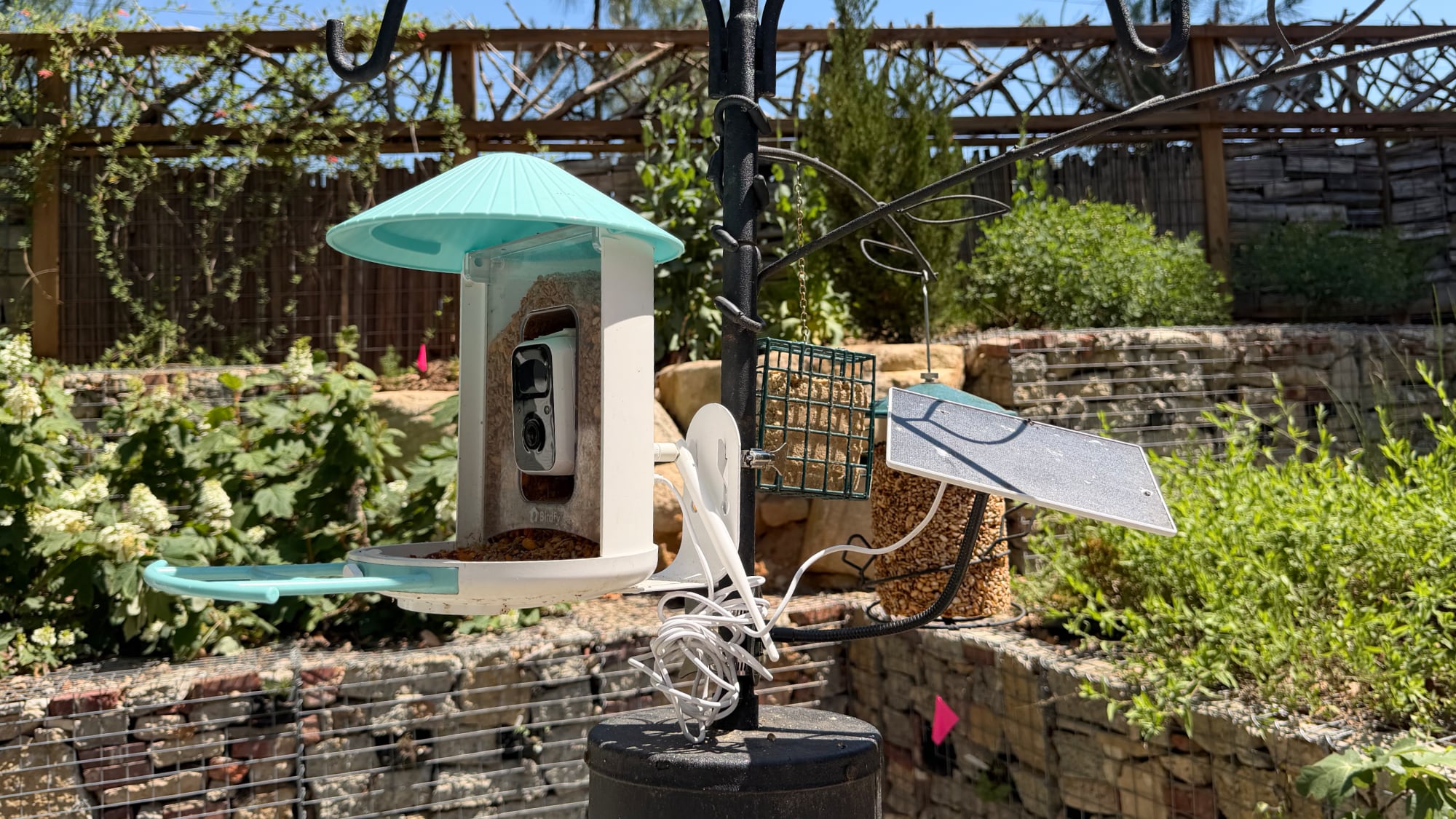
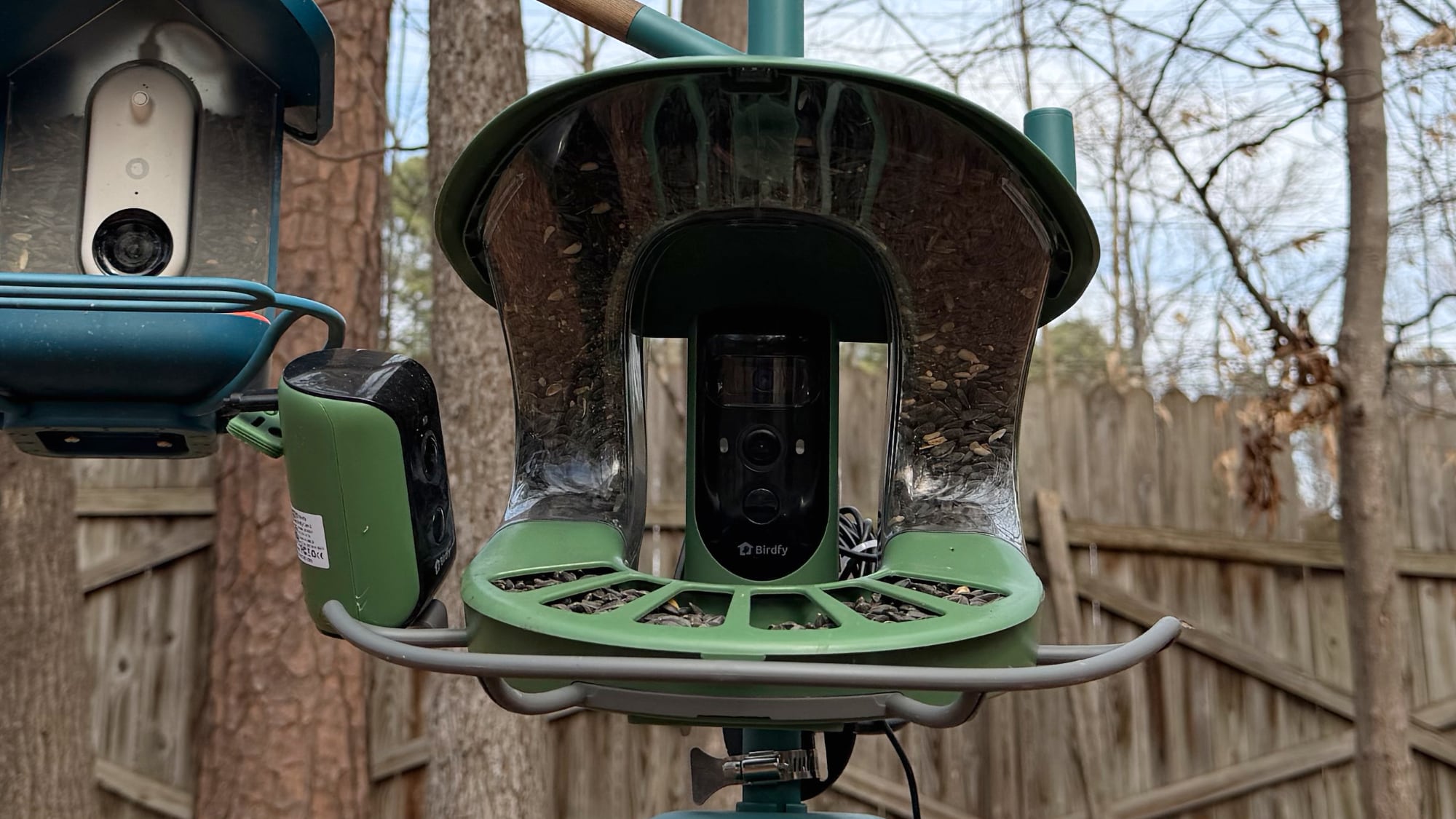
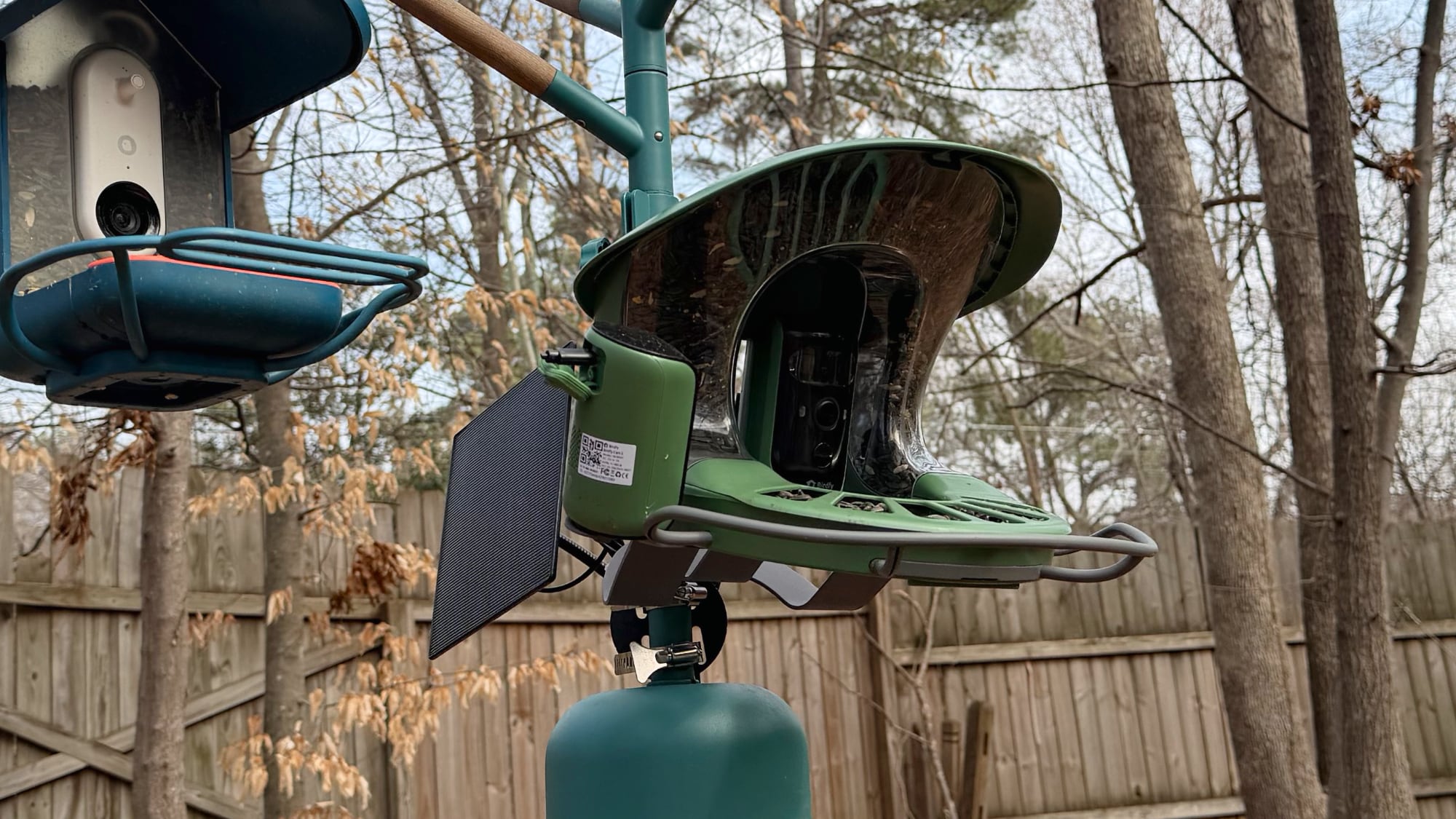
The solar panel that comes with the Birdfy Feeder is not attached to the feeder itself, so it can be positioned a couple of feet away if necessary. There are pros and cons to that setup compared to the Bird Buddy, where the solar panel is on the roof of the feeder. The Bird Buddy is a more compact, all-in-one design with no extra cords, and I prefer that look. The Birdfy solar panel is larger and more versatile, but it's also more visible and there is a cable to contend with.
While the Bird Buddy hangs or can be mounted, Birdfy's feeders are all meant to be mounted to a pole, tree, wall, or post. There's no loop for hanging one up, and feeder designs don't work for hanging. Birdfy includes multiple mounting options, which is nice, but also more complicated than the Bird Buddy.
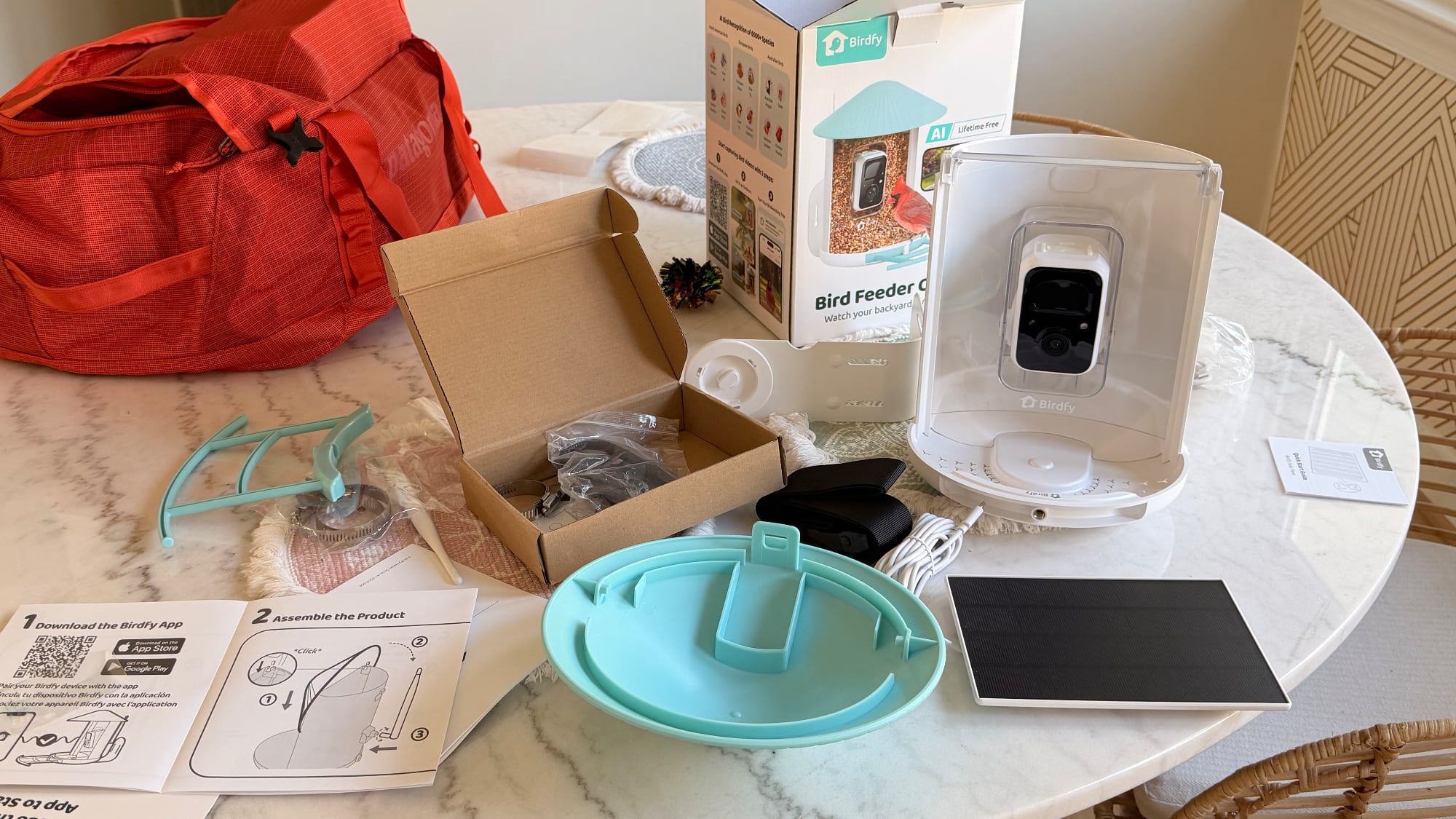
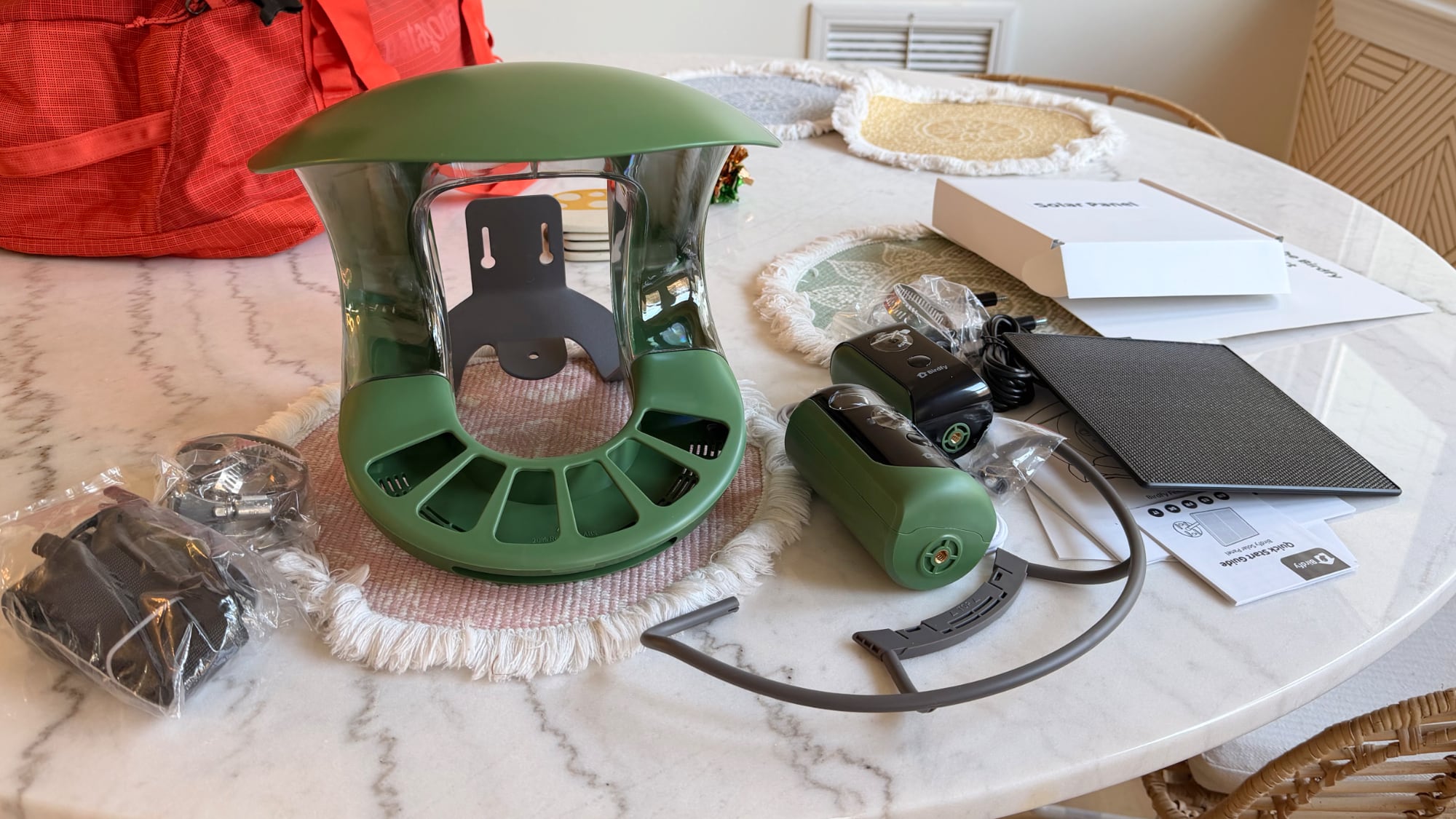
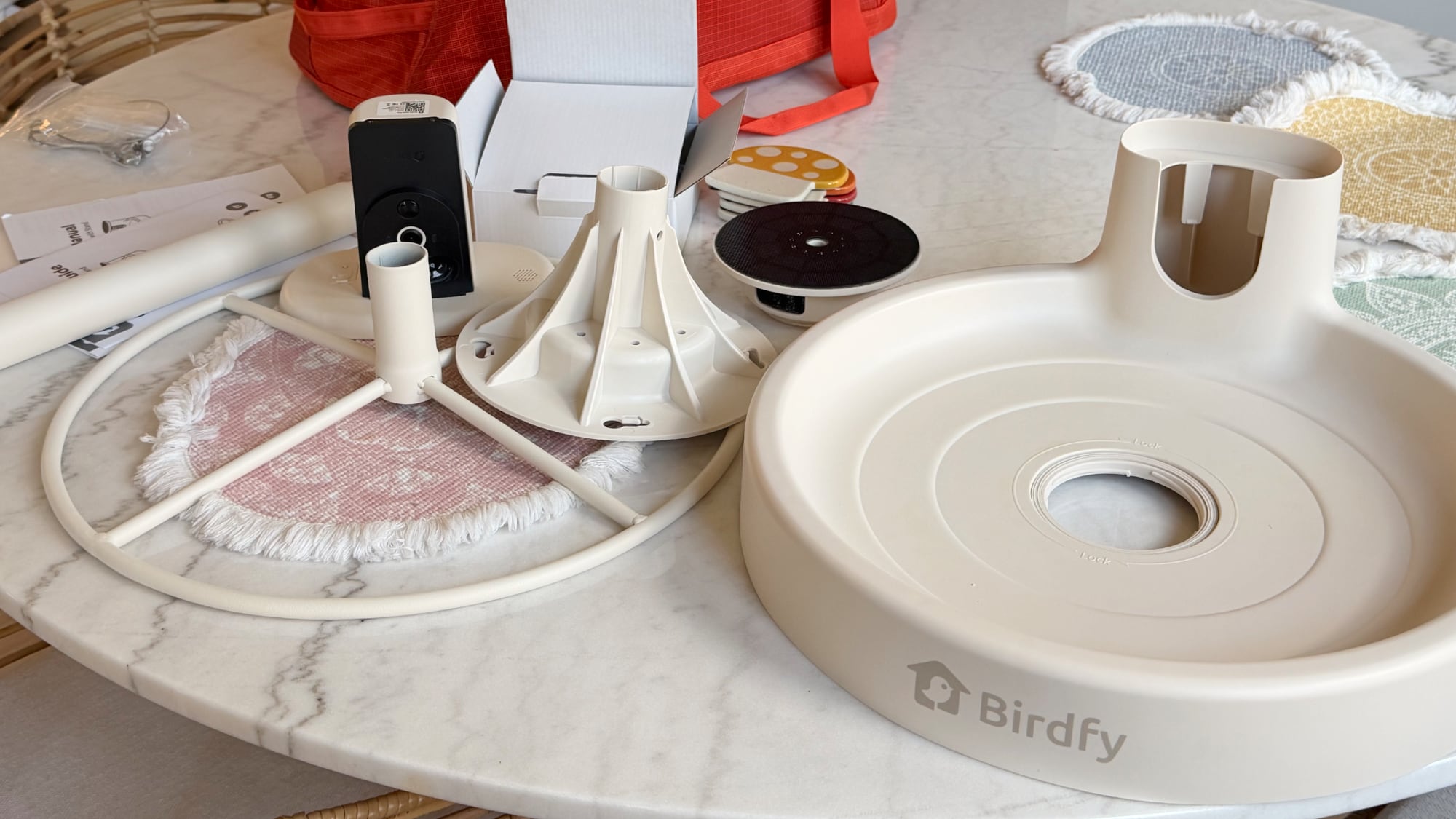
There are a lot of components in the box, and for someone that just wants to put up a bird feeder and connect to an app, Birdfy products might feel overwhelming. I've gifted a Bird Buddy to older family members and it's been a hit, but I'd be more hesitant to gift the Birdfy to those same people.
Unless you live somewhere with no tree-climbing seed-loving creatures, mounting to a tree with the included tree straps isn't ideal because it makes access too easy.
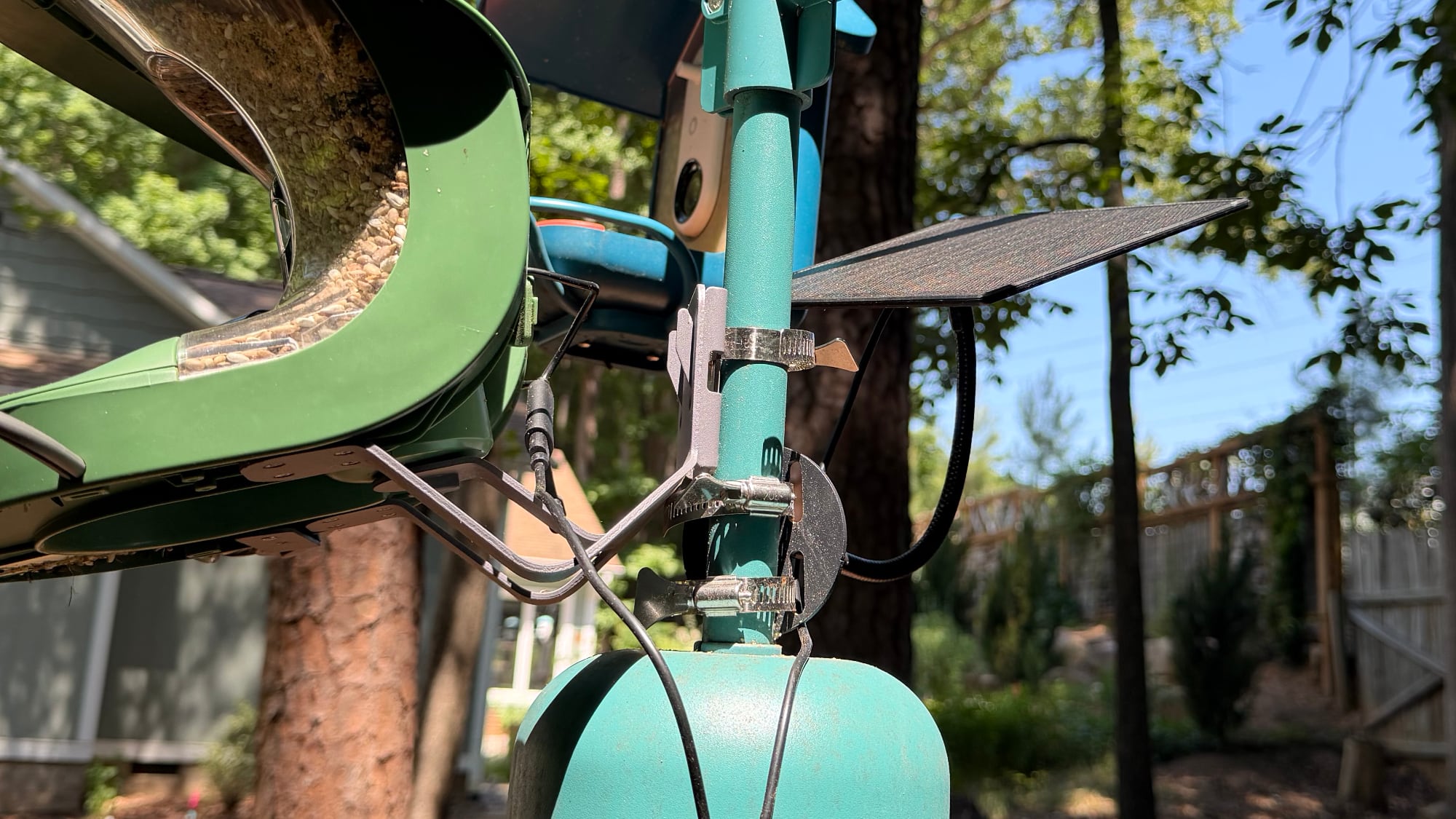
Mounting on a wall or a post can work, but my squirrels will climb the side of my house to leap over to bird feeders. I like hanging feeders like the Bird Buddy because I can put them on a pole with a baffle without a hassle and keep them away from squirrels. Birdfy also supports pole mounting, but it uses adjustable metal hose clips that take longer to install.
I can't put the Birdfy Feeder on one of the hanging branches because of its design, so it has to be on the pole itself just above the baffle that I have. It's sturdy and works fine. All of the mounting options work in the same way, in that you install a metal plate that the Birdfy Feeder then attaches to. That lets you remove it without having to unmount it for cleaning, filling, and charging.
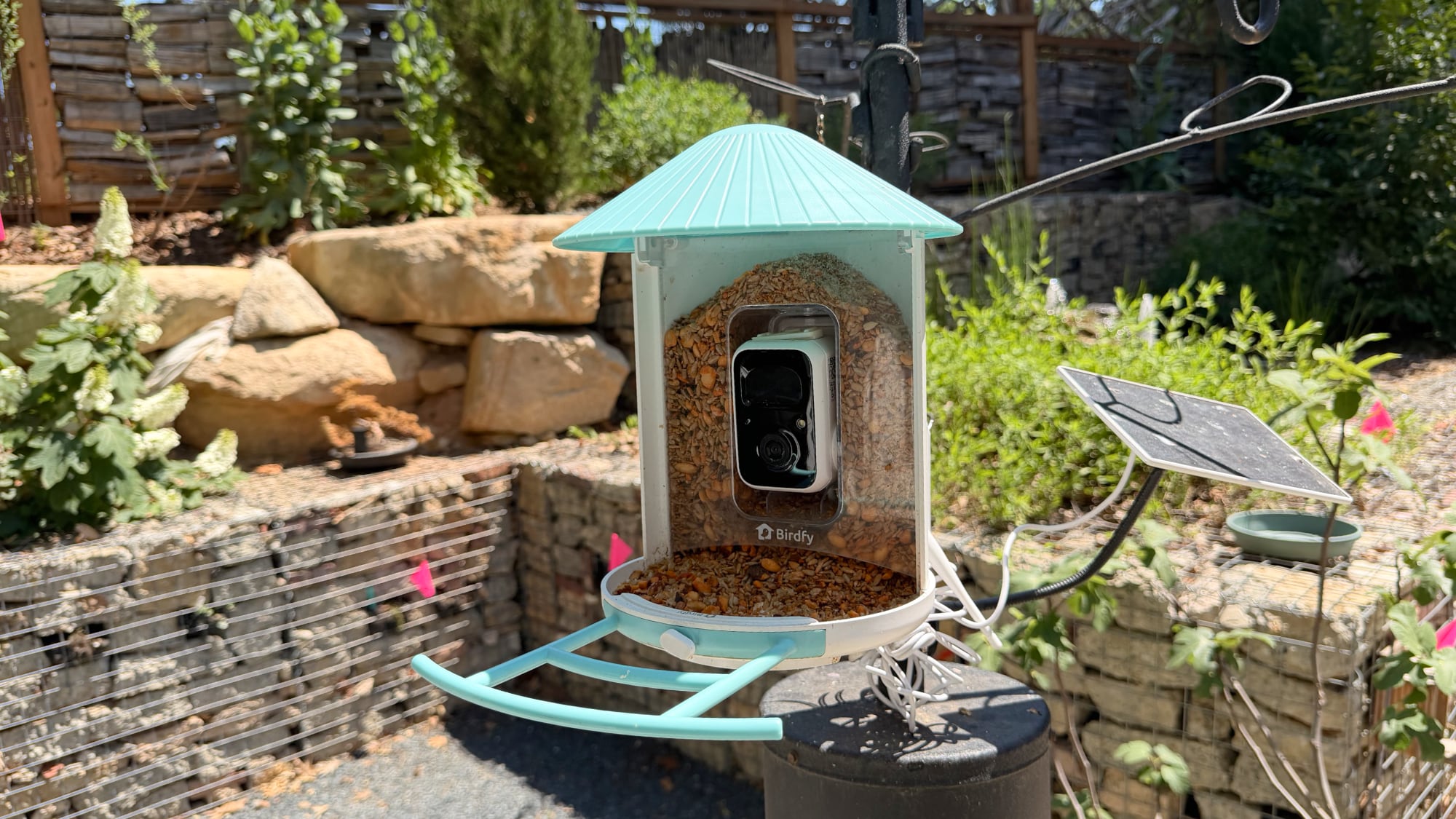
The Birdfy Feeder has a simple design where the seed goes into a reservoir at the sides of the camera, which is in the middle of the feeder. The top pops up so you can fill it, and it holds a good amount of seed. I fill it about once a week, and I have a lot of birds visiting.
The roof keeps the seed dry for the most part, and there is an included perch for the birds to land on. The camera slots into the feeder, and then the solar panel plugs in at the back of the camera (if you have the solar panel). If you don't have a solar panel, you take the Birdfy Feeder off the mount and charge it with USB-C.
Birdfy uses white plastic for the standard Feeder I tested (with blue or yellow accents), though there are wood options for those that prefer that look. The plastic has held up well so far through rain, sun, and freezing temperatures over the winter, and Birdfy says it's IP65. Since the Feeder can be removed from the mount, it's simple to clean. Bird feeders need to be cleaned every two weeks or so, and I typically rinse them in hot water, spray them with alcohol, give them a bit of a scrub where necessary, rinse again, and let them dry. Refilling the seed is simple, and I don't even take it down for that. I just need to pop open the roof and pour the seed in. I do wish Birdfy included a seed pouring device like the Bird Buddy does, but a measuring cup or a 3D-printed solution works fine.
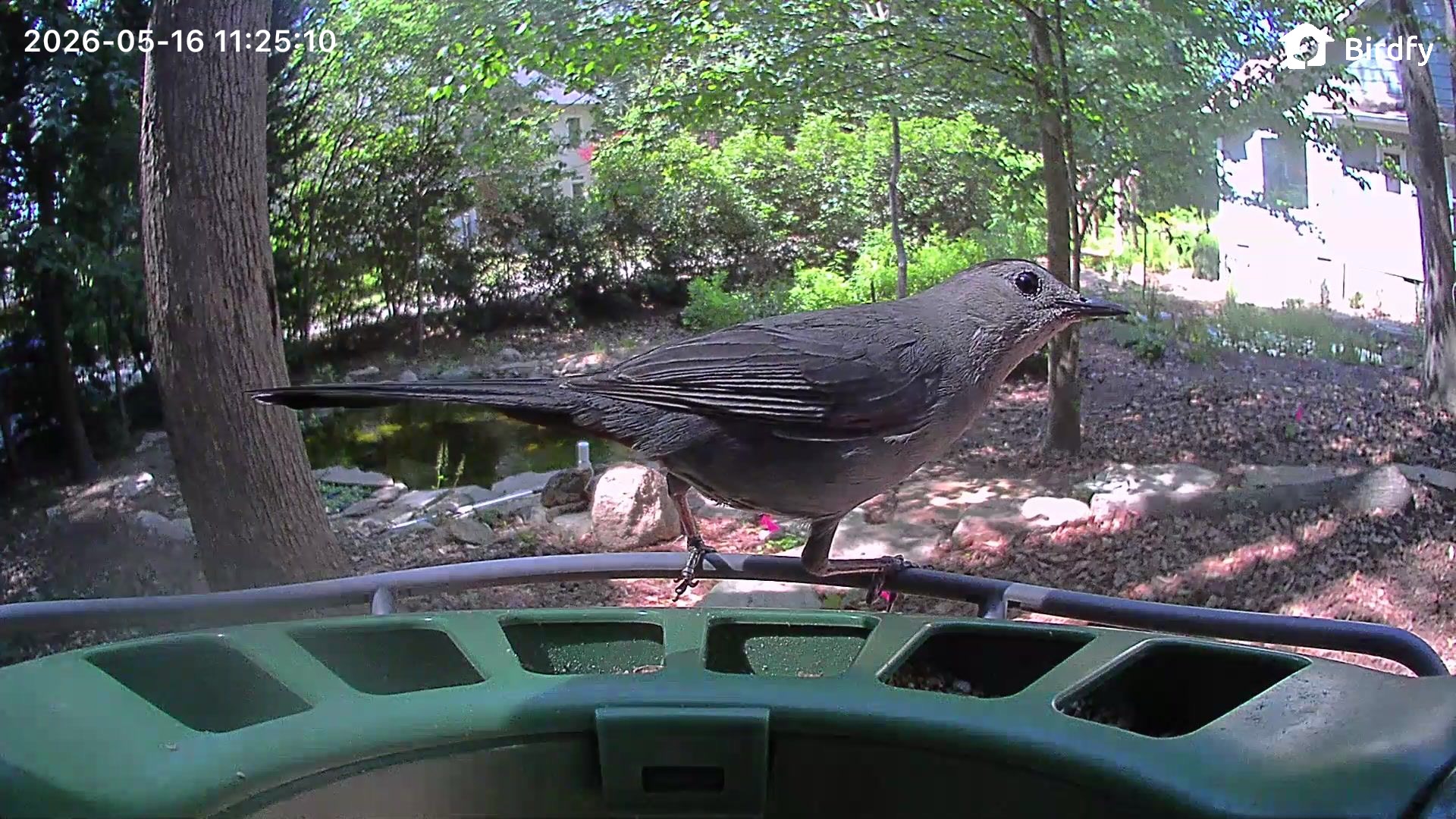
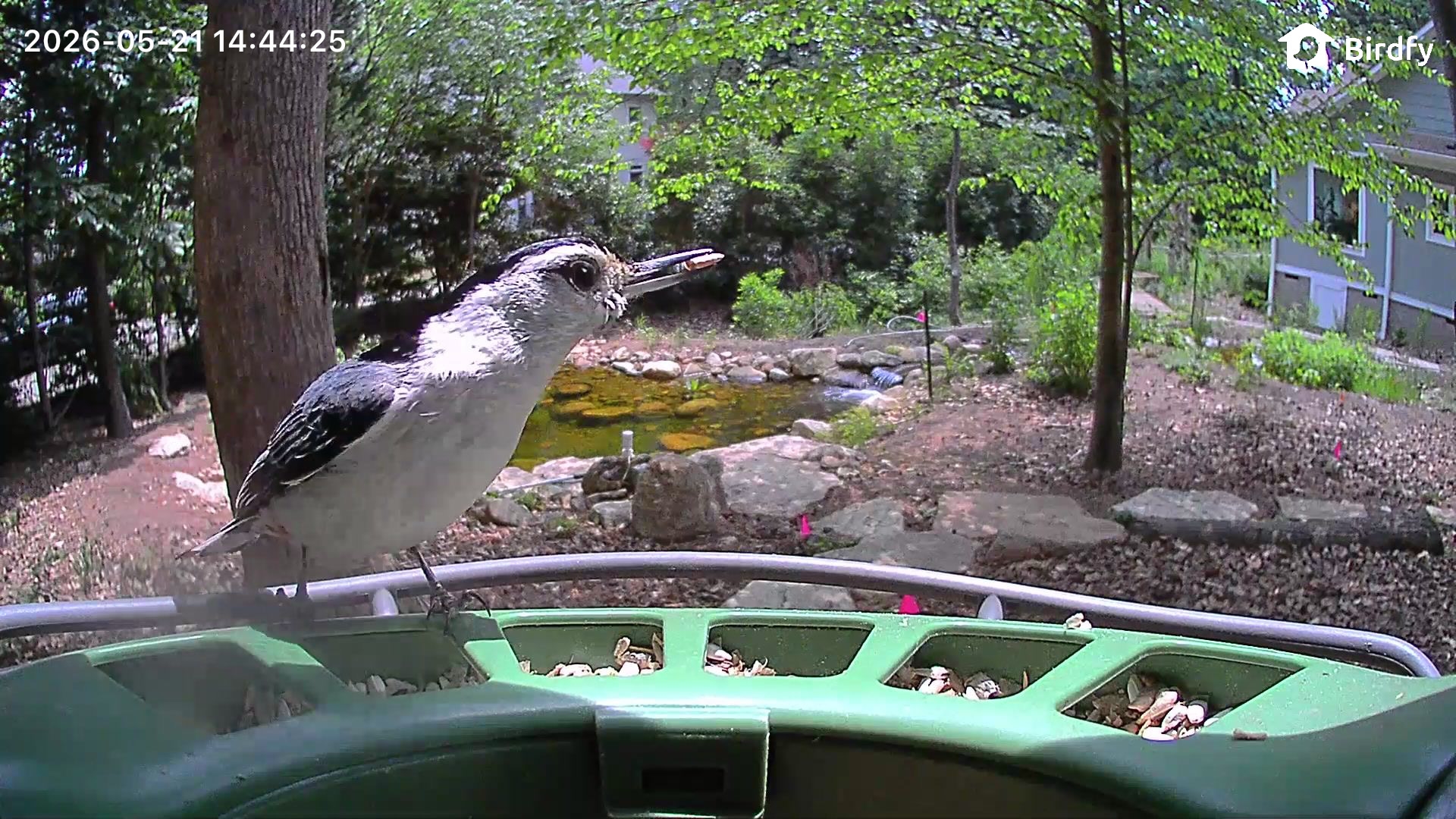
The camera in the Birdfy Feeder is 2K, and the image quality is on par or better than the Bird Buddy. I get clear images and videos, but the camera doesn't handle direct sun well, so when it's sunny, video quality suffers. I don't think the Birdfy Feeder has the best video I've seen from a camera, but it's similar to the Bird Buddy and my outdoor security cameras.
I don't have many night visits from birds, but there are night vision modes. There's an infrared mode for black and white recording, or a mode that uses white light to provide illumination for recording in color. Neither mode is very clear, so it's just a matter of whether you'd prefer to have more detail in infrared mode or color with less detail.
Birdfy Feeder 2 Duo
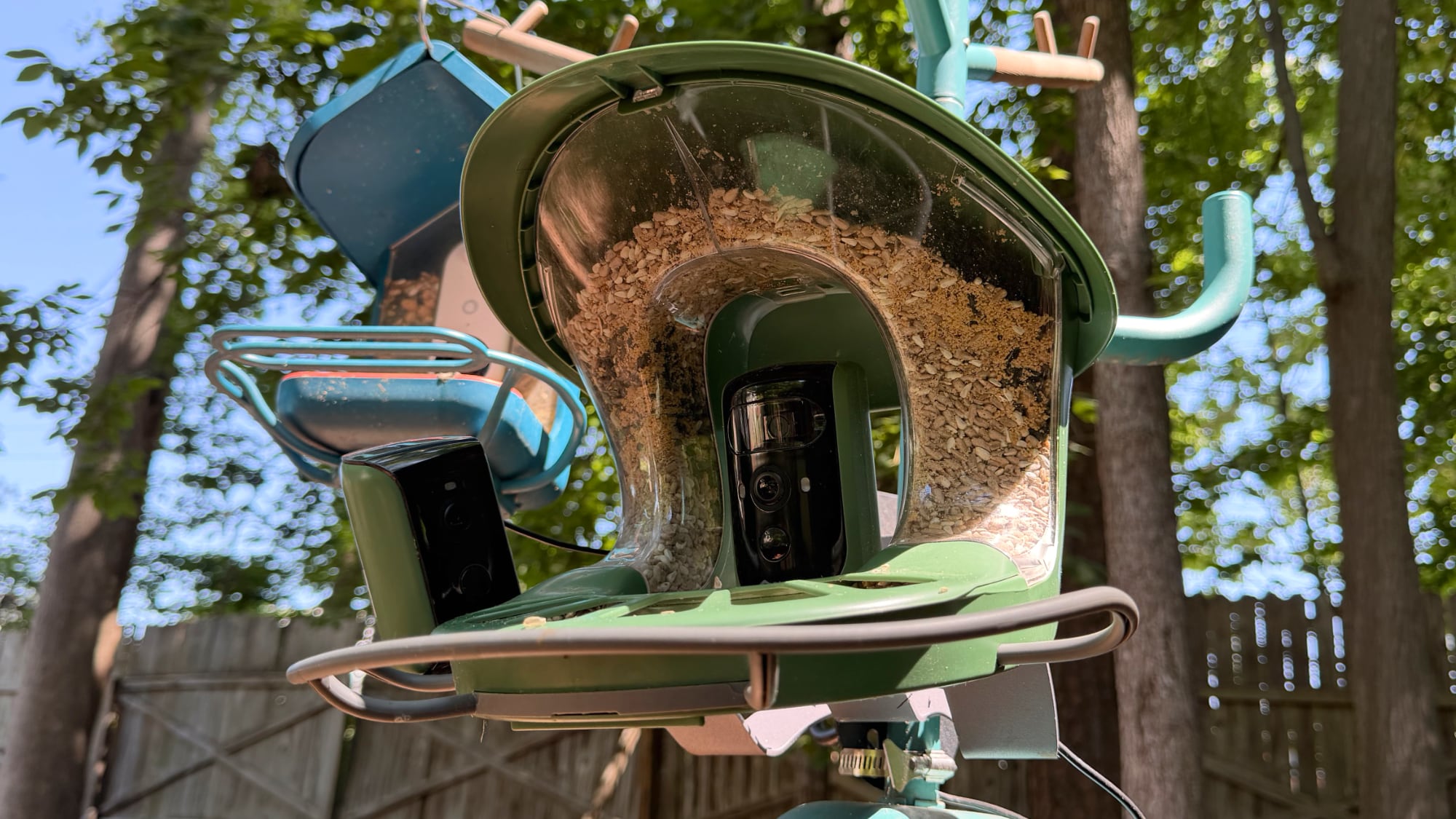
The Birdfy Feeder 2 Duo has a different design than the Birdfy Feeder, and it's expensive, so this is an upgrade version for someone who loves bird watching. The Duo has two cameras instead of one, with three lenses between them. One camera is located in the center and it has a wide-angle lens and a close-up portrait lens, while another camera captures side angles.
The portrait camera is 2K and some bird shots come out crisp and vivid, and I've also been happy with the wider-angle videos and images. Photo and video quality depend on the lighting conditions, connection, the length of time a bird stays, when the camera captures the shot, whether the lens is clean, and the weather conditions outside, so results are always variable with all of my bird feeders.
Getting multiple angles is fun, because if one camera doesn't pick up a bird, it's likely going to get captured from the other camera. It's ideal for birds that tend to stick to the sides of the feeder and just flit in to grab a quick seed. My Bird Buddy is unable to capture visits when the bird is not in the center of the feeder.
I wish that at the $360 price point, the camera quality was even better. Videos come out well and look good for the most part, but the portrait lens is not as crisp as I would have hoped.
Seed goes in a hopper that splits around the central camera. The lid flips open and the seed is poured inside, and it fills the feeder tray. The tray has bars at the bottom that can prevent larger birds from getting to the seed, and some people use those kinds of barriers on bird feeders to cut down on mess.
The Birdfy Feeder 2 Duo is made of plastic, but it is black and green, so it blends in better outside. It too has held up well through the winter, and it has IP66 water and dust resistance rating. It mounts the same way as the Birdfy Feeder, with multiple mounting options. I tried this one strapped to a tree to begin with, but it was too easy for squirrels to reach, and they ate all the seed. They also chewed through the USB-C cable that connects the cameras to the solar charger, and I had to get a replacement. I moved it to a bird feeder pole with a baffle that's a good eight feet from trees, and the squirrels can no longer reach it.
The solar panel for the Birdfy Feeder 2 Duo is a separate component, and it connects to the feeder with a USB-C cable. To power more than one camera, it uses a split USB-C cable. I have the feeder in a spot with little direct sunlight, and I have had to manually charge the cameras twice. Since they charge over USB-C, I bring a USB-C battery pack out and charge them at the feeder, but it's also easy to remove the feeder from the bracket that holds it in place for charging and cleaning.
Bird Bath Pro
I first put the Bird Bath Pro out in December, and I thought it was a failure. I had no bird visits for the first two months it was outside, but when spring came, it became a wildlife favorite.
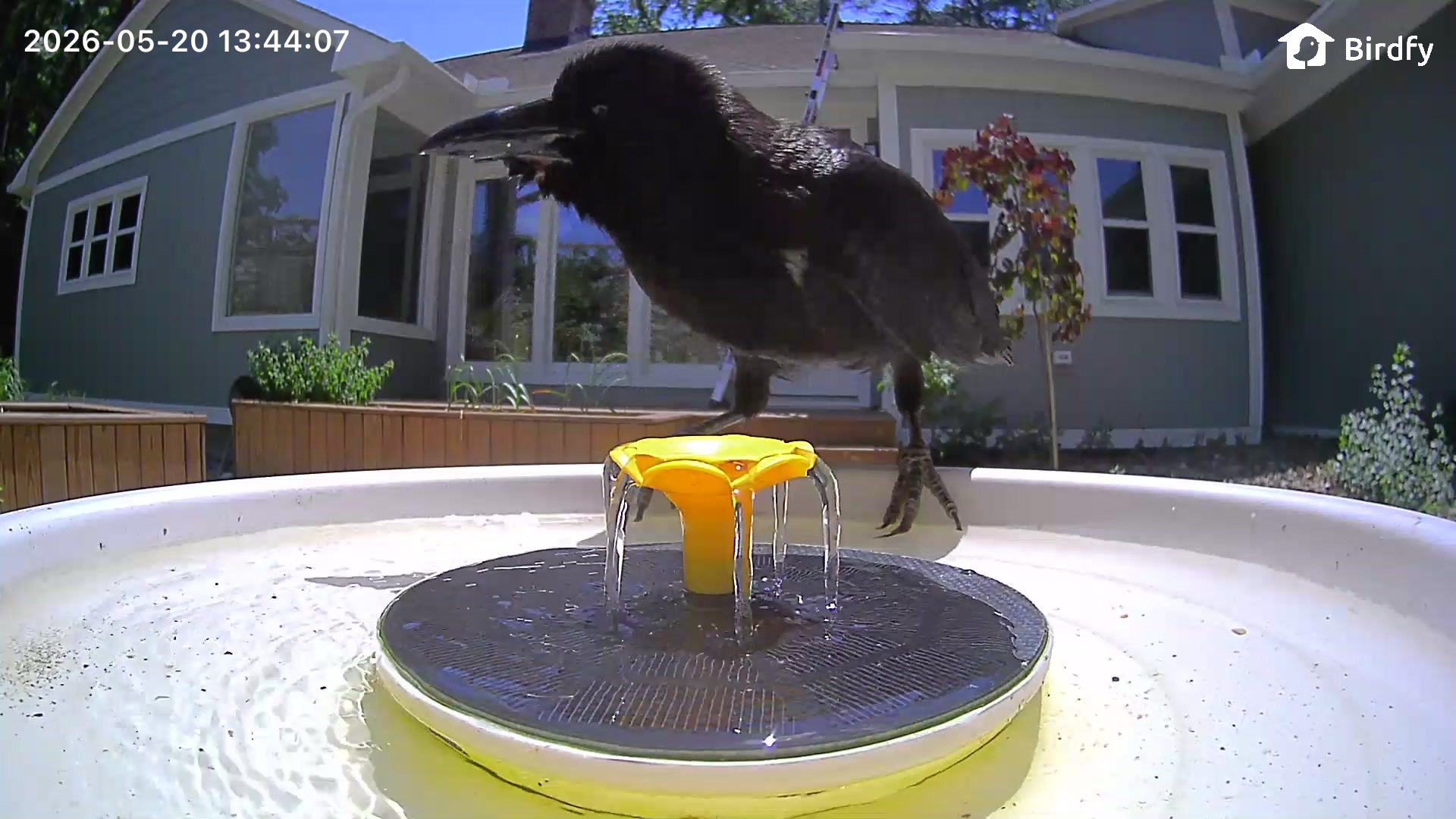
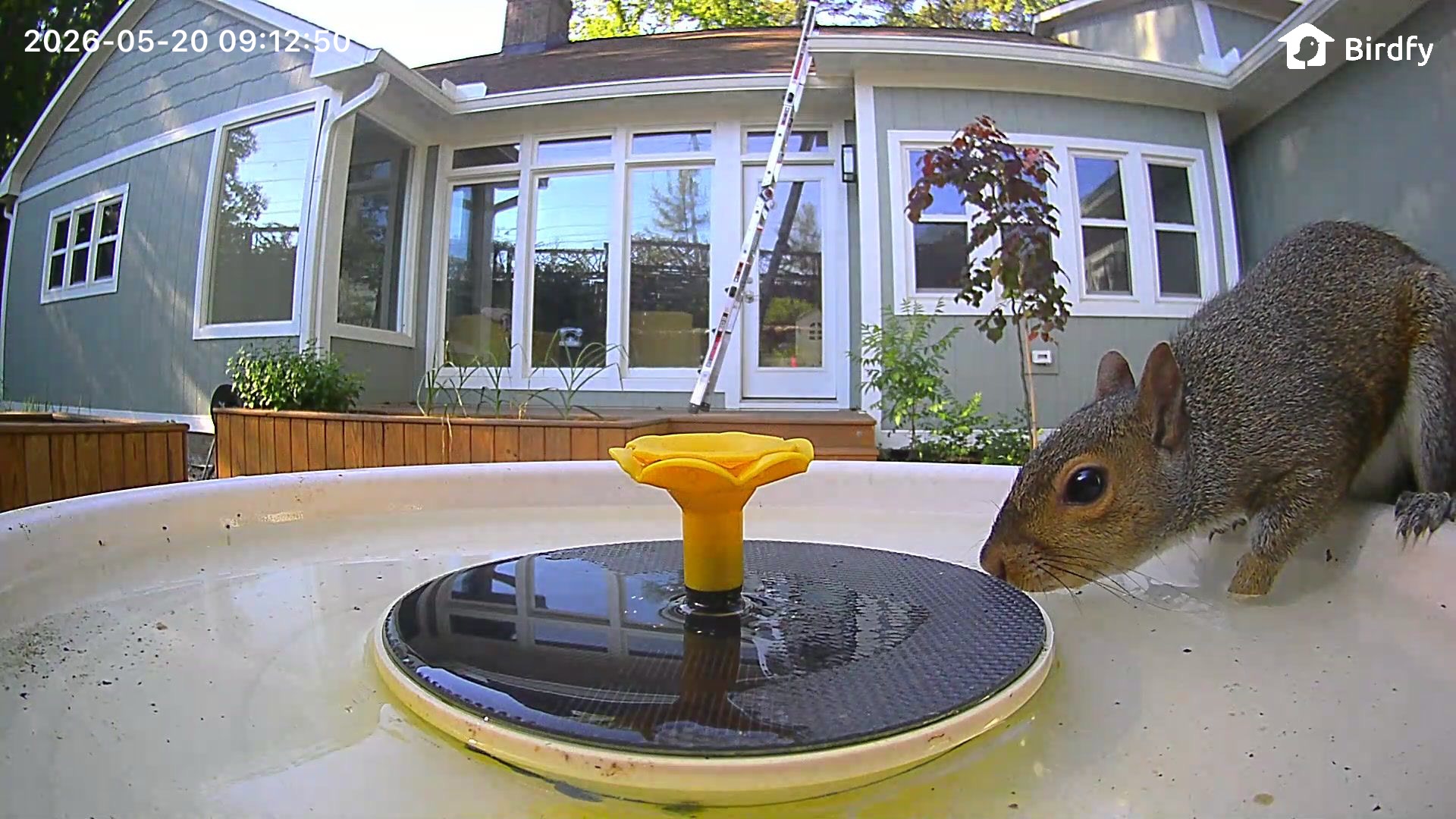
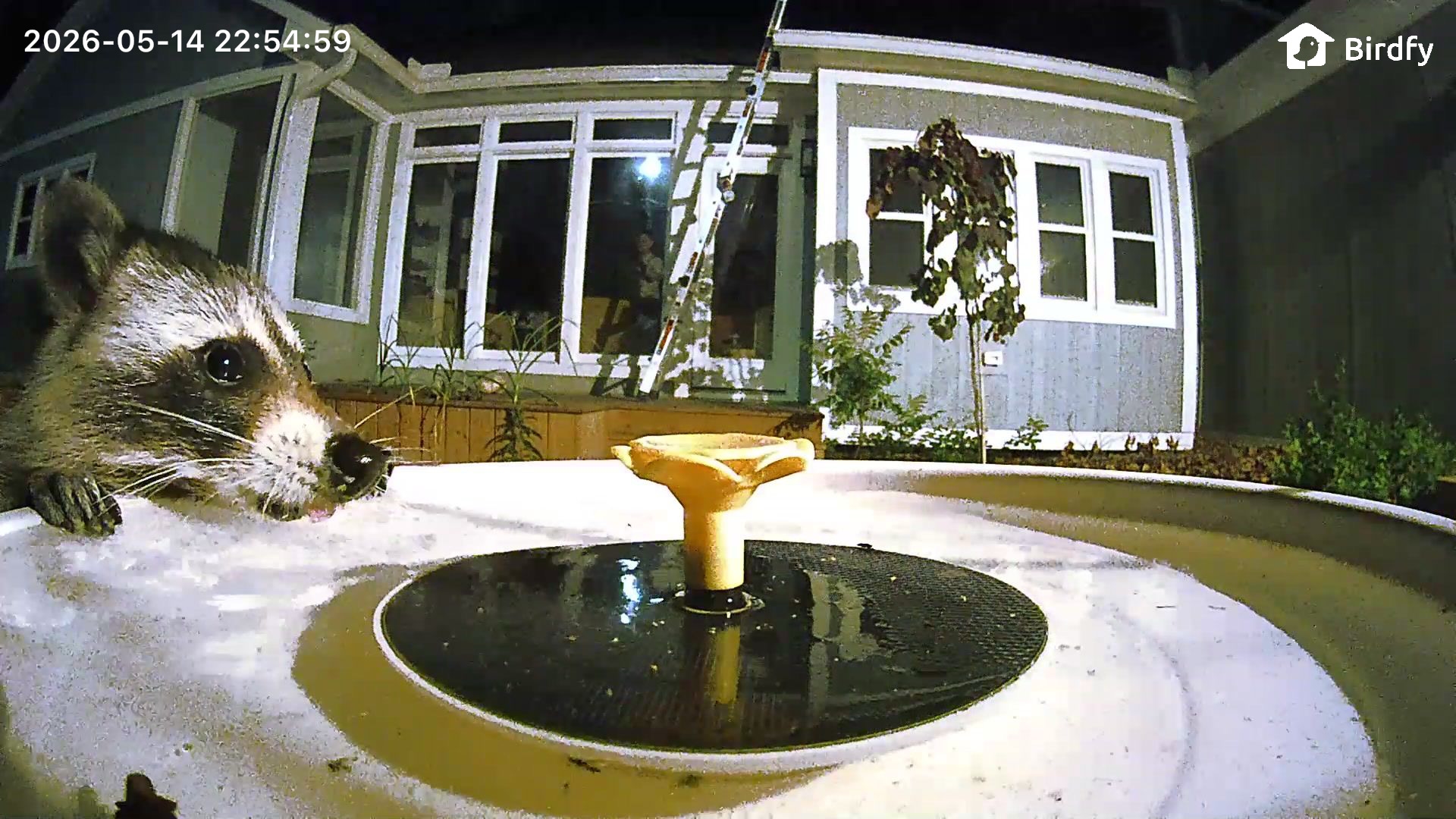
While I do occasionally see birds taking a bath in the Bird Bath Pro, it's used more often as a drinking fountain. Even though the bird bath is next to a fountain and also close to my pond, it is the preferred drinking spot for every creature nearby.
The crows that come to my house like to take a mouthful of food, spit it into the bird bath, and eat it like bird cereal. A raccoon that comes by every night drinks from it, as does a local fox. The squirrels are especially fond of the bird bath and drink from it every day.
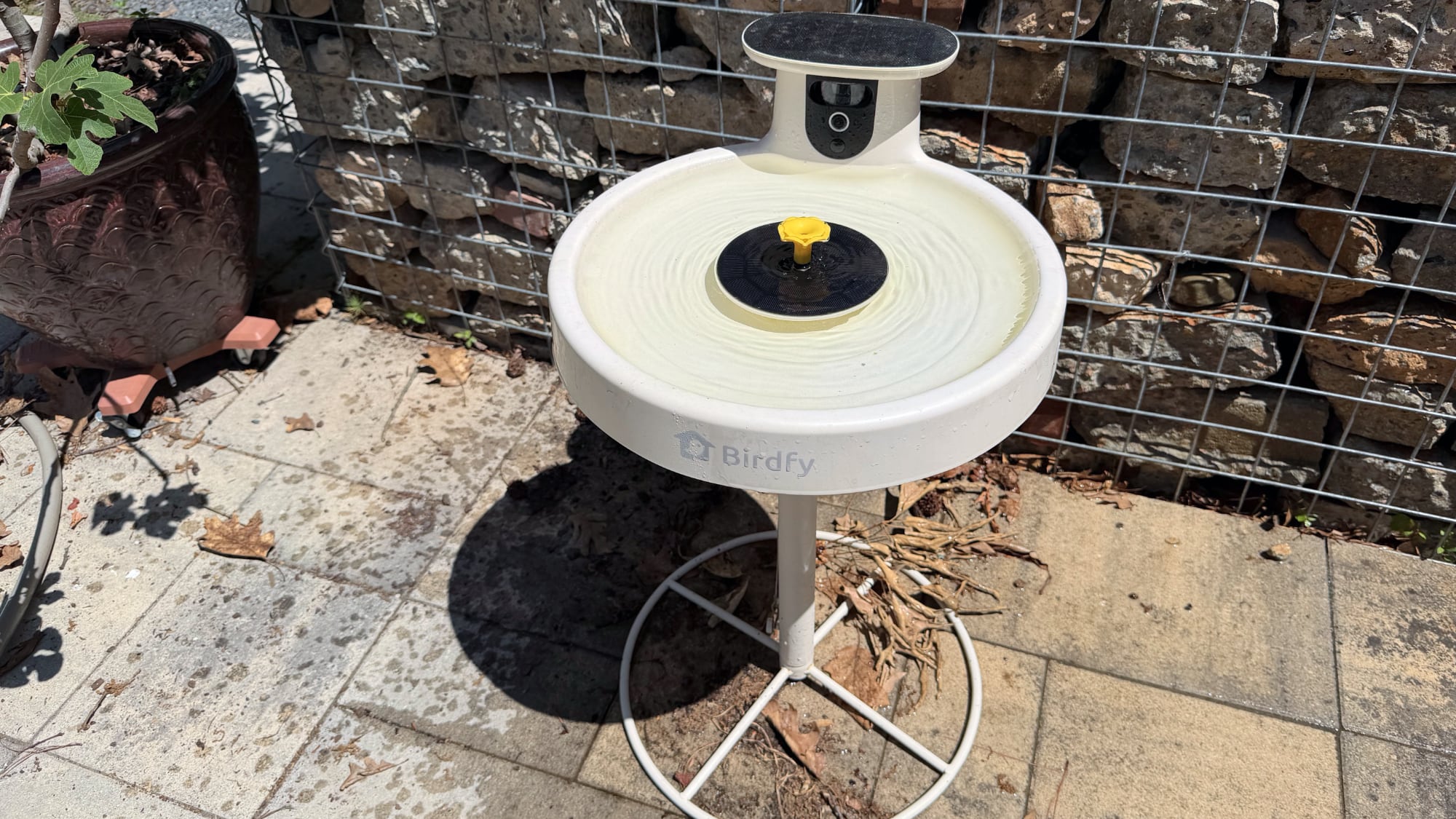
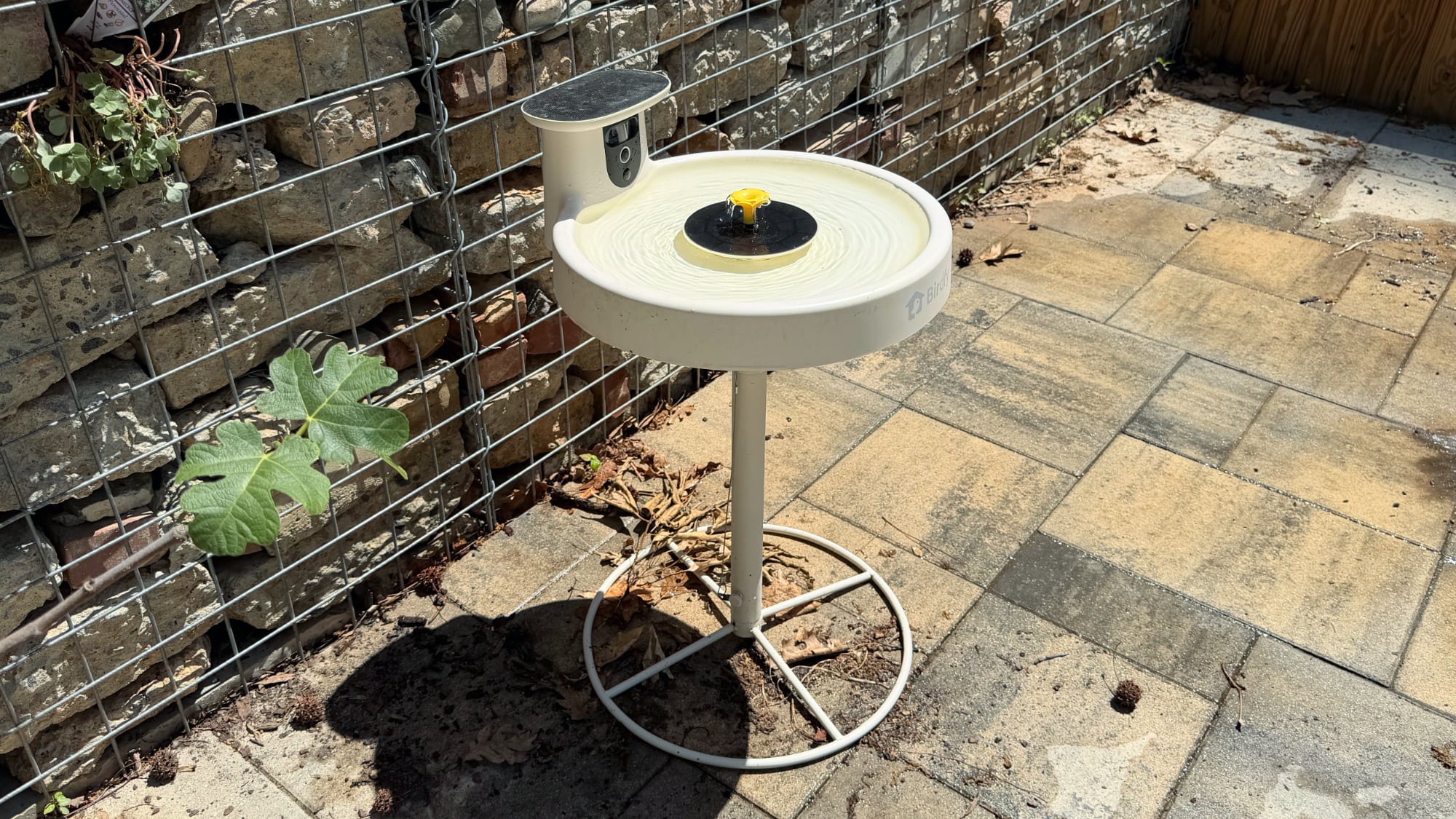
The Bird Bath Pro is made from plastic, and it has an optional base that you can get from Birdfy. I thought it might be a little low, but it's a height birds seem to like. It holds maybe an inch of water, or a little more if I fill it to the top. A built-in solar-powered fountain comes on when the sun is out to move the water, which prevents mosquitoes.
I don't see the fountain run when it's not in direct sunlight, so it's not on all the time. I'd like to see it run more often, but it seems to be designed to work only some of the time. The birds will use it either way. There is a filter in the fountain part of the Bird Bath Pro to keep the mechanism from getting jammed up with debris, and that should be replaced or cleaned regularly. Speaking of the fountain, there are interchangeable nozzles with different spray patterns to choose from. I use the flower that has gentle water movement.
The Bird Bath Pro tends to get dirty quickly, so I wipe it out and change the water every other day. Other than the cleaning and the filling, it doesn't take much more work, and I think I like it even more than my bird feeders.
Like the other Birdfy cameras, it struggles somewhat in direct sun and the image gets washed out. It's also not crystal clear because birds don't stay still for glamour shots, but I enjoy the photos and videos.
Setting up the Bird Bath Pro is simpler than setting up the cameras, because it's mostly all one piece. The camera fits into a slot in the bird bath, and then it's ready to go. No attaching it to a pole with clips or straps, and the filter and fountain parts are easy to figure out.
Birdfy App
All of the Birdfy products use the Birdfy iOS and Android app for bird identification and visit alerts. The Birdfy app works, but I think it's confusingly designed and not as intuitive as the Bird Buddy app. It's used for everything from setup to viewing bird images.
I did not like the Birdfy setup process. It's the standard connect, enter Wi-Fi password, and add to app system that most products use, but when you put the Birdfy cameras into pairing mode, they beep incessantly until successfully paired. It was by far the most irritating setup process I've ever gone through just because of the noise. Once connected to Wi-Fi, Birdfy's devices work fine, and I haven't had interruptions in service.
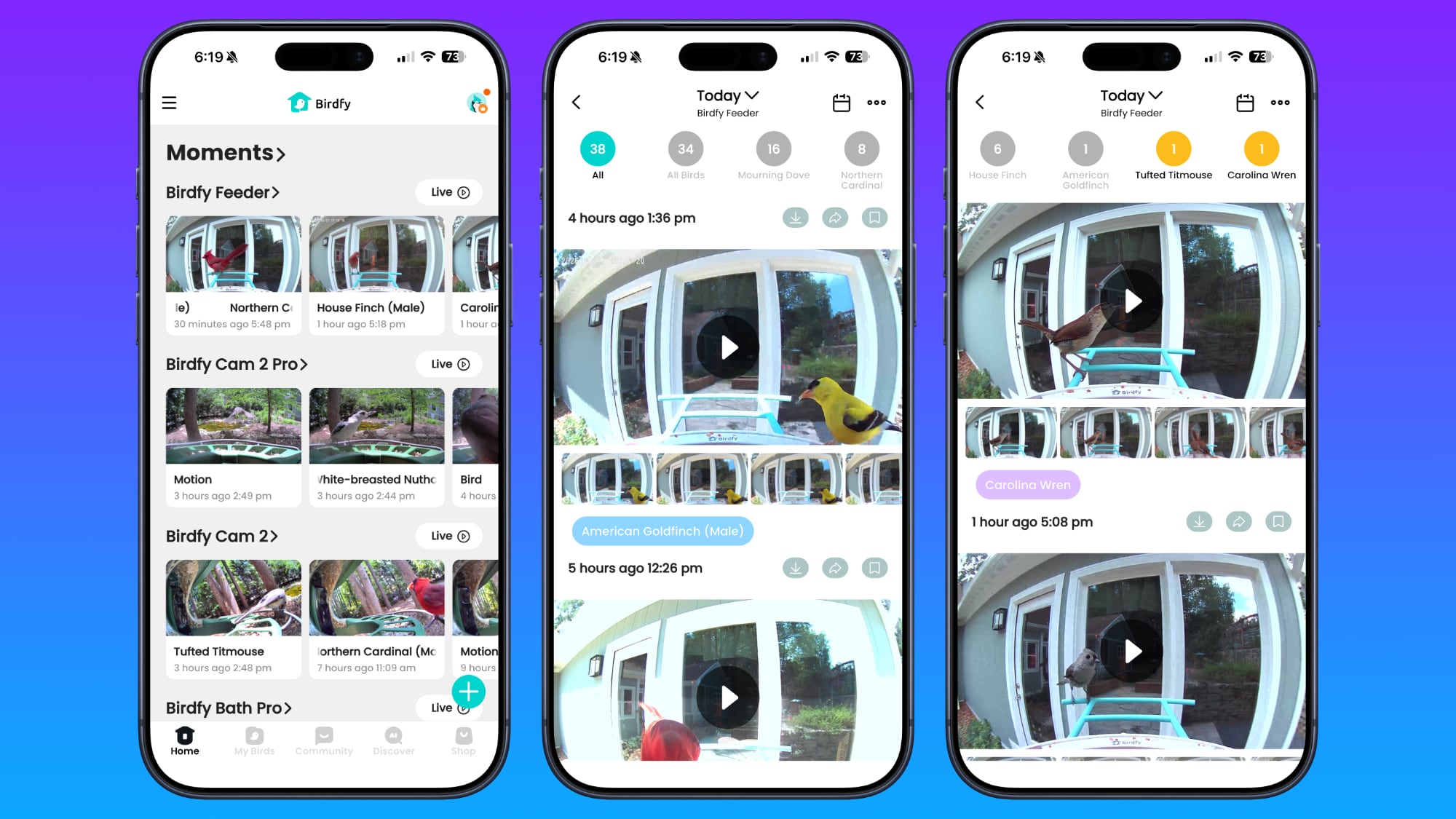
The app opens to a Home section that shows a view of each Birdfy camera, and you can tap in to see captured moments or get to a live view. Tapping into a camera provides an overview of the day with a readout of the total number of bird visits and the bird visits by species. Scrolling down lets you watch all of the videos for the day, and if you keep scrolling, you can swap to prior days. There's also a calendar icon you can use to get to previous recordings.
Birdfy's app gets a lot of birds right, but it makes errors regularly and there are some fleeting visits where it can't identify the bird type. As I'm writing this review, I've had 47 visits, some of which involved more than one bird at a time. The app correctly identified 38 birds, but marked 14 unknown. Two birds were incorrectly identified. It called a house finch a canyon towhee (despite correctly identifying finches the rest of the time), and marked a white-breasted nuthatch as a brown-headed nuthatch.
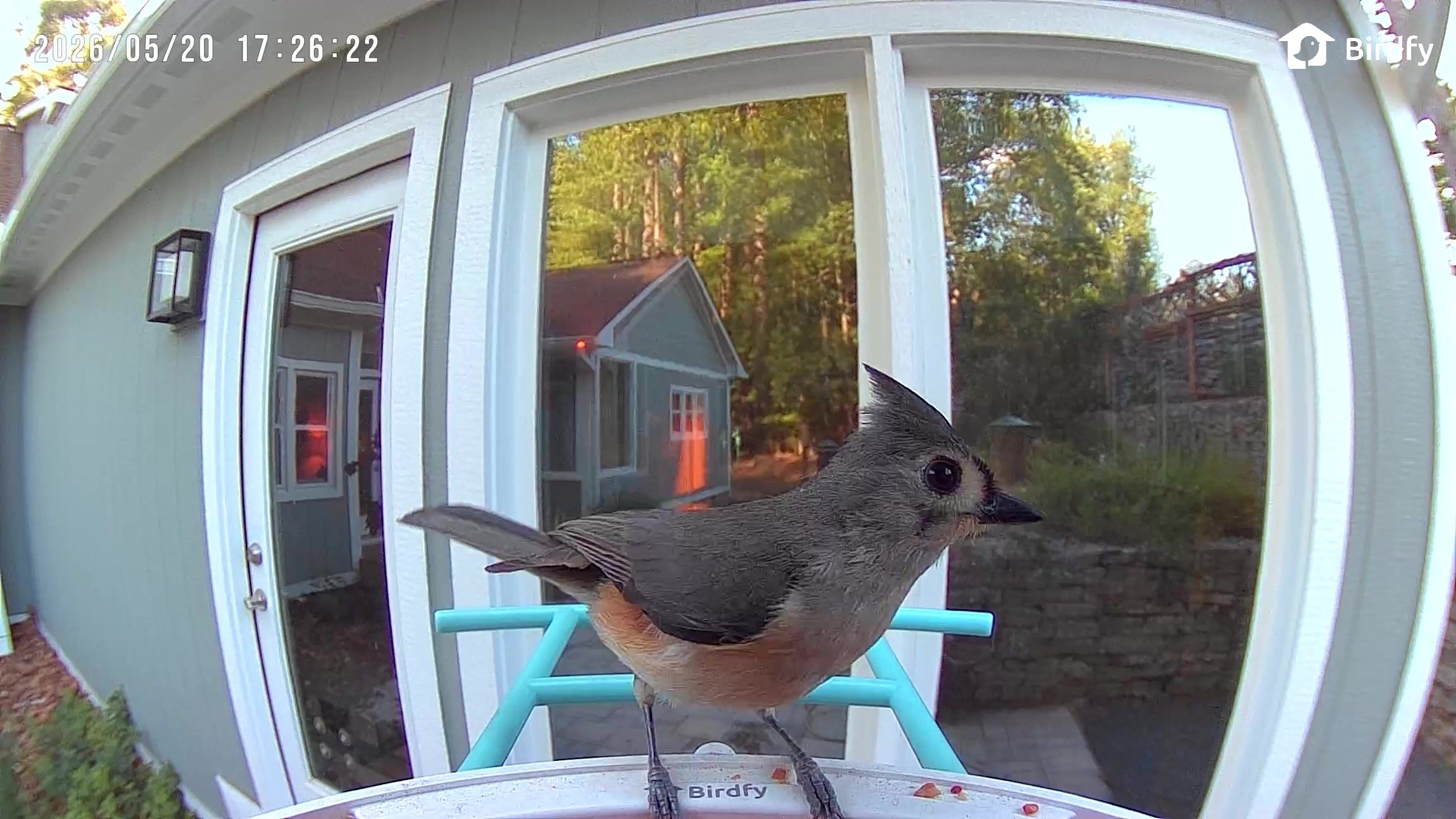
Yesterday, I had 73 visits. Of those visits, 12 were unidentified, one house finch was misidentified as a canyon towhee again, and a tufted titmouse was incorrectly named an oak titmouse. It's not able to identify crows, and it sometimes struggles with the raccoons and squirrels that visit the bird bath. I can tell when it's wrong because I know the local birds by sight, but misidentification is a bigger problem for users that aren't aware of what's around. On the plus side, it's right much more often than it's wrong, and it is able to tell male or female for some birds. Birdfy says it is able to identify over 6,000 bird species.
The camera does not use AI to decide when to record. If it detects motion, it records. It will pick up people walking by and other random movement. Unlike the Bird Buddy, it does send a notification for every bird visit, and that's a lot of notifications.
I wish there was an option for daily highlights instead of a notification for each visit. I can exclude certain types of birds in the app, but since it sometimes misidentifies birds, I don't want to do that. I mostly ignore the notifications now though, since I'm getting 50+ per day. The Bird Buddy sends occasional postcards from the best bird visits, and I think that's a much better way to do it.
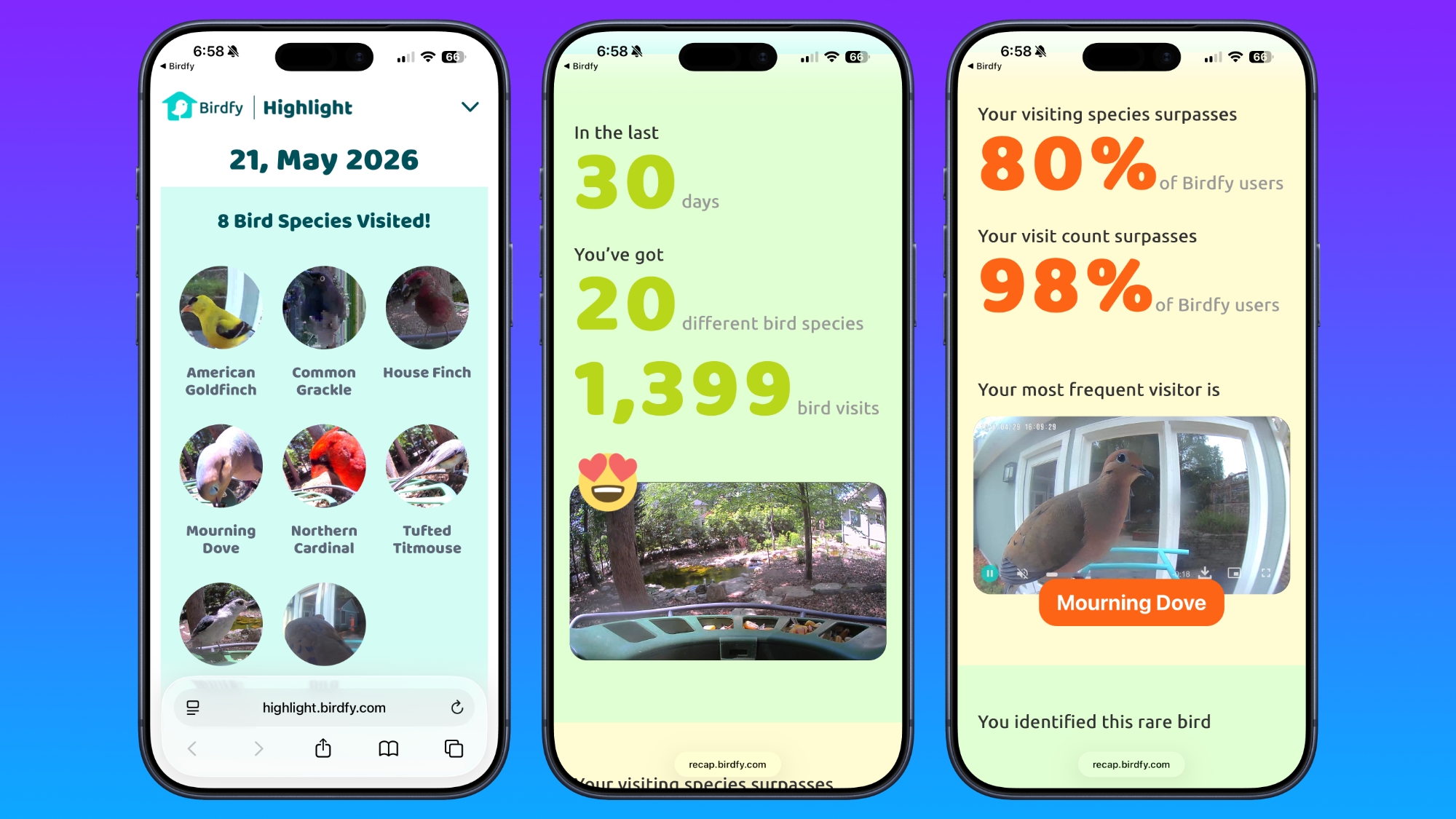
Birdfy does have a useful recap feature, but it's not obvious. You need to tap on your profile and then tap on Highlight. It opens a recap on the web rather than in the app, which is a weird choice. It gives an overview of everything that visited in a day, and lets you know when you've had a certain type of bird visit for the first time. You also get overall monthly recaps.
There is no fee for the Birdfy AI if you buy it upfront with the camera. Cameras with "lifetime" AI are around $20 higher, and I think that's worthwhile not to have a subscription. You get free AI, 5GB storage, and 20-second video recordings that are kept for a month, but you can also pay for a subscription for expanded cloud storage.
The $6.99/month Plus plan keeps videos for 60 days and expands recordings to 30 seconds each, plus it provides 20GB storage and 15 percent off Birdfy products. There's also a Bird Data feature for visit statistics, activity patterns, and time-of-day analysis. Since the Plus plan only extends recordings by 10 seconds and it is limited to two Birdfy devices, it doesn't seem like a good value. It makes more sense to pay for AI access when making an initial purchase and doing without the extra features. Birdfy does have a 50 percent discount for those who bought the lifetime AI, but the device limit still doesn't feel worth it even at $3.50/month.
Local storage is not an option as an alternative to cloud storage, but video clips and images can be downloaded and shared.
Bottom Line
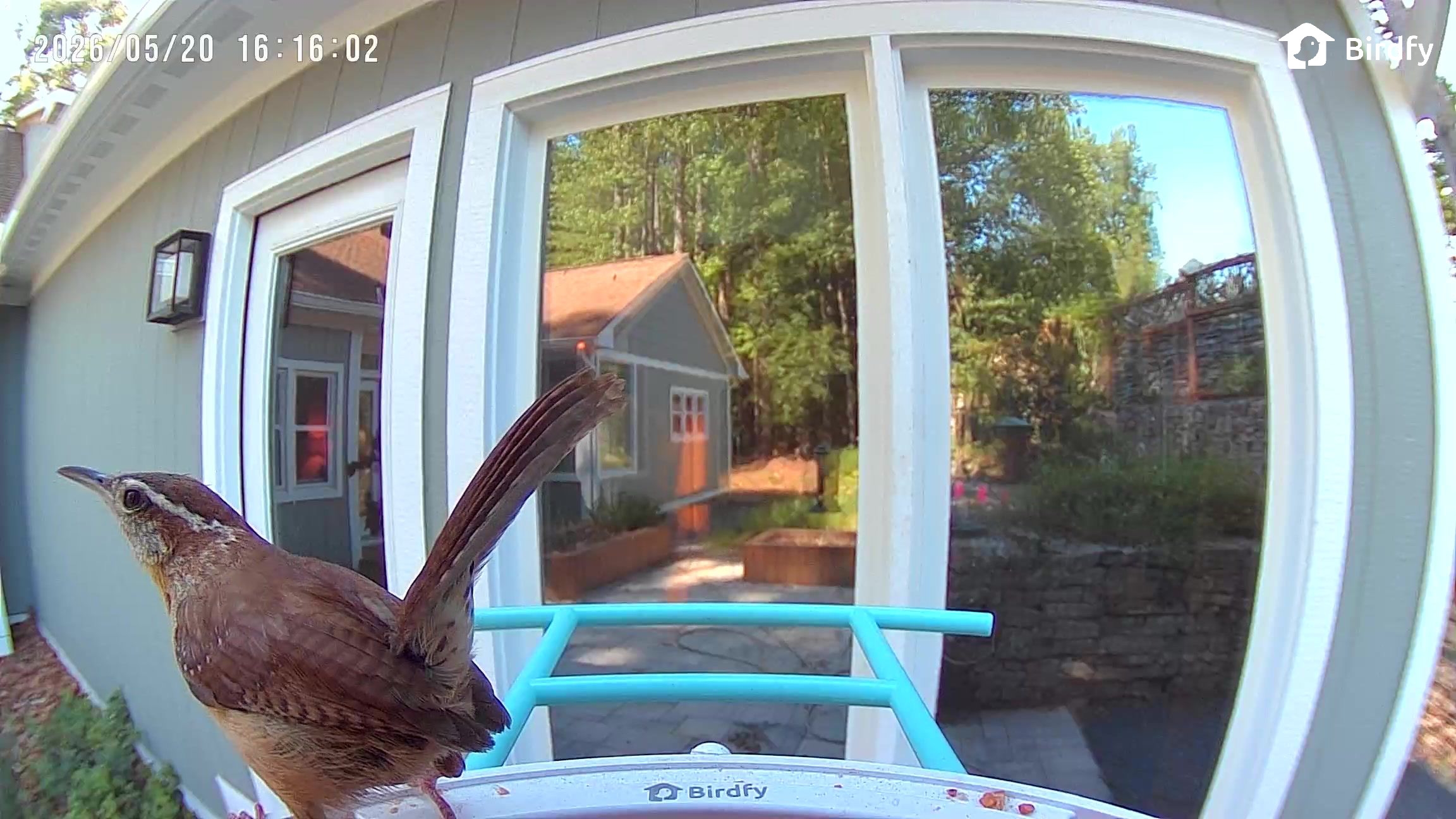
Smart bird feeders can feel repetitive because most people get the same birds with the exception of seasonal migration, but it's still fun to see the antics that the regulars get up to. I have bird spats, bird couples that come in pairs and check in often, little wrens that like to carry around large peanuts, and silly doves that like to just sit on the food. It's also always a treat to see colorful bluebirds and goldfinches that I don't get as often as cardinals, mourning doves, and sparrows.
Birdfy has an extensive product line with different feeder styles and multiple price points, which makes it easy to recommend. The app and the setup are not as simple as the Bird Buddy and I'd be a little hesitant to get a Birdfy Feeder as an option for someone who isn't app and iPhone savvy, but it's not impossible to figure out.
For any bird watcher that can figure out an app that's somewhat convoluted, it's a fun product for keeping tabs on what's around your home. There are lifetime AI options that don't require a subscription, and the AI had a good (but not perfect) accuracy rating in my testing. The feeders are easy to fill and clean because they all use the same easy-access mount, but there is no hanging option and that makes them a target for squirrels and other critters depending on location.
The standalone solar panels are useful for finding just the right sun spot for charging, though it does introduce extra cabling to deal with compared to an all-in-one solution.
Of the Birdfy products I tested, I liked the Bird Bath Pro best. It's been a hub of activity, and it provides a look at birds doing something other than eating. If you live somewhere that you can't have bird feeders (like somewhere with rat or mouse concerns), the Bird Bath Pro is a product that will still let you see local birds.
How to Buy
Birdfy's products can be purchased from the Birdfy website. The Birdfy Feeder is $170 for the lifetime AI and the solar panel, the Birdfy Feeder 2 Duo with three lenses is $360, and the Bird Bath Pro is priced at $280 for the version with lifetime AI and an included stand. The stand-free model is $200.
If you’re a retro Macintosh computer fan you might like this fun wallpaper pack for iPhone, which makes your iPhone lock screen and home screen look a lot like a good old Macintosh from 1984. The creator of these retro iPhone wallpapers, ogerx, says they are inpsired by the legacy of Macintosh, but with a ... Read More
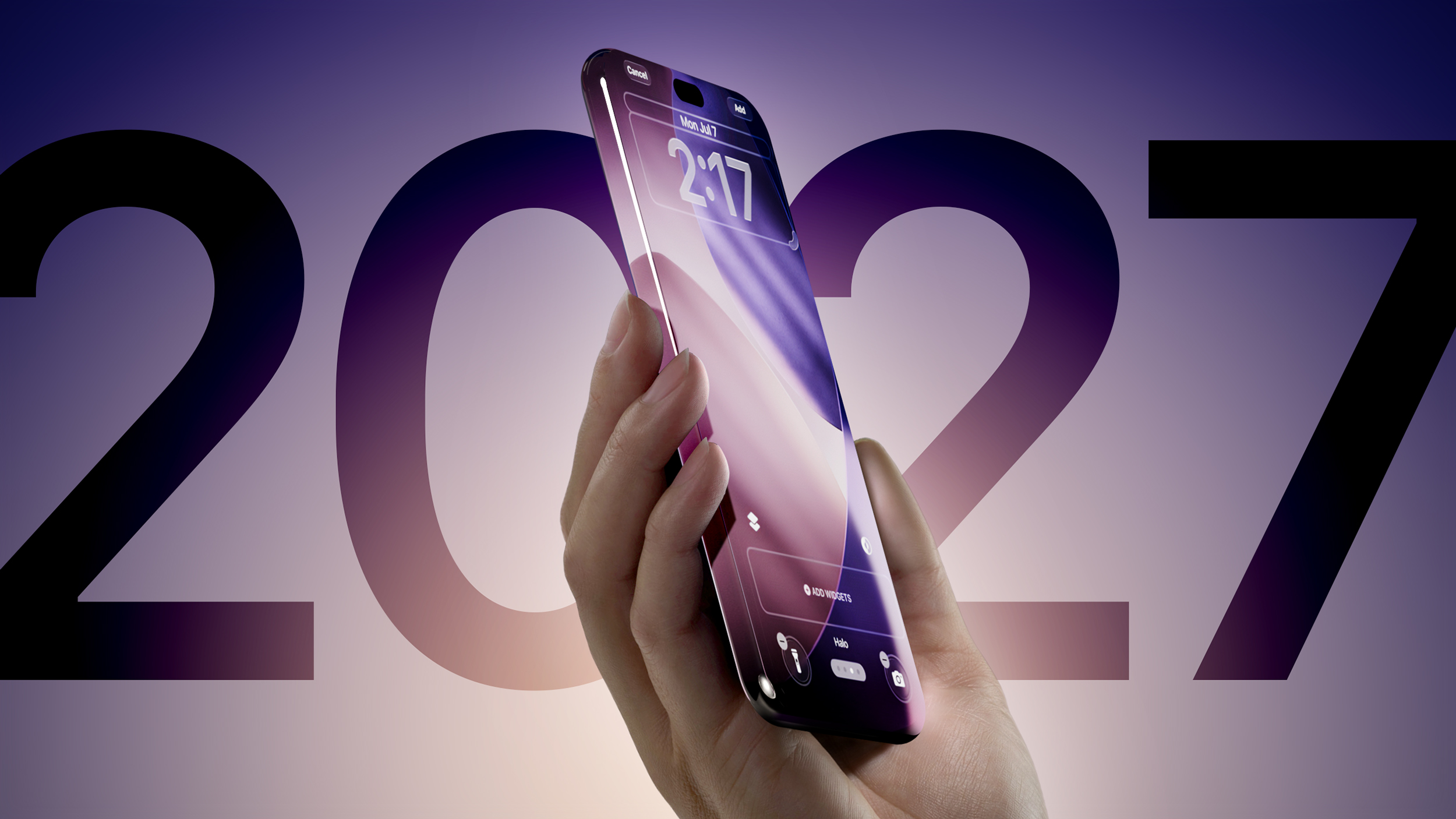
Apple is testing an iPhone 19 Pro with a display that curves around all four edges of the device, a leaker out of China has claimed.
According to Weibo-based Digital Chat Station, the 2027-generation Pro device, currently at the evaluation stage, has a hole-punch cutout in the display for the front-facing camera, but Face ID is completely hidden under the panel.
The claim is notable because multiplereports suggest Apple is aiming to launch a 20th-anniversary iPhone next year featuring a quad-curved display with no cutouts. Whether Apple plans to position the commemorative model as an ultra-premium tier above its Pro and Pro Max lineup has remained unclear, but the leaker's latest comments suggest that could be the case.
That said, if Apple is planning to use quad-curved panels across both the iPhone 19 Pro and iPhone 19 Pro Max, it would leave the company less room to differentiate them from the rumored commemorative iPhone.
One way Apple could play it is to keep the uninterrupted display exclusive to the 20th-anniversary iPhone while leaving a hole-punch cutout in the 19 Pro models – an option that the leaker's comments do seem to imply. However, Apple is said to be finding it particularly challenging to get both the Face ID system and the front-facing camera under the panel, with the selfie camera proving to be the most difficult to hide.
If existing technologies can't hide the camera under the panel without degrading quality, Apple is unlikely to go ahead with it – which would leave the 2027 iPhone series' differentiation outlined here unresolved.
Digital Chat Station has more than three million followers on Weibo, and has a track record of accurately leaking Apple-related information. For example, they accurately revealed the overall design of the iPhone Air and iPhone 17 Pro, as well as the triple 48-megapixel rear camera system of the iPhone 17 Pro. Recently, the leaker claimed Apple's first foldable, expected to arrive alongside the iPhone 18 Pro models, will be called "iPhone Ultra."
The iPhone Voice Messages feature is quite useful and fun, allowing for audio recordings to be sent to and from people in the Messages app. Voice Messaging allows people to hear your voice, and you to hear theirs, and for many people it’s easier to speak into their iPhone rather than tap out a long ... Read More
The latest iOS versions for iPhone include a custom gradient wallpaper generator, allowing you to make some nice looking wallpapers of your choice, but many users are likely to miss the feature because it’s tucked into the LGBTQ Pride wallpaper collection on the iPhone. Want a multicolor gradient blue wallpaper? A greyscale gradient? A gradient ... Read More
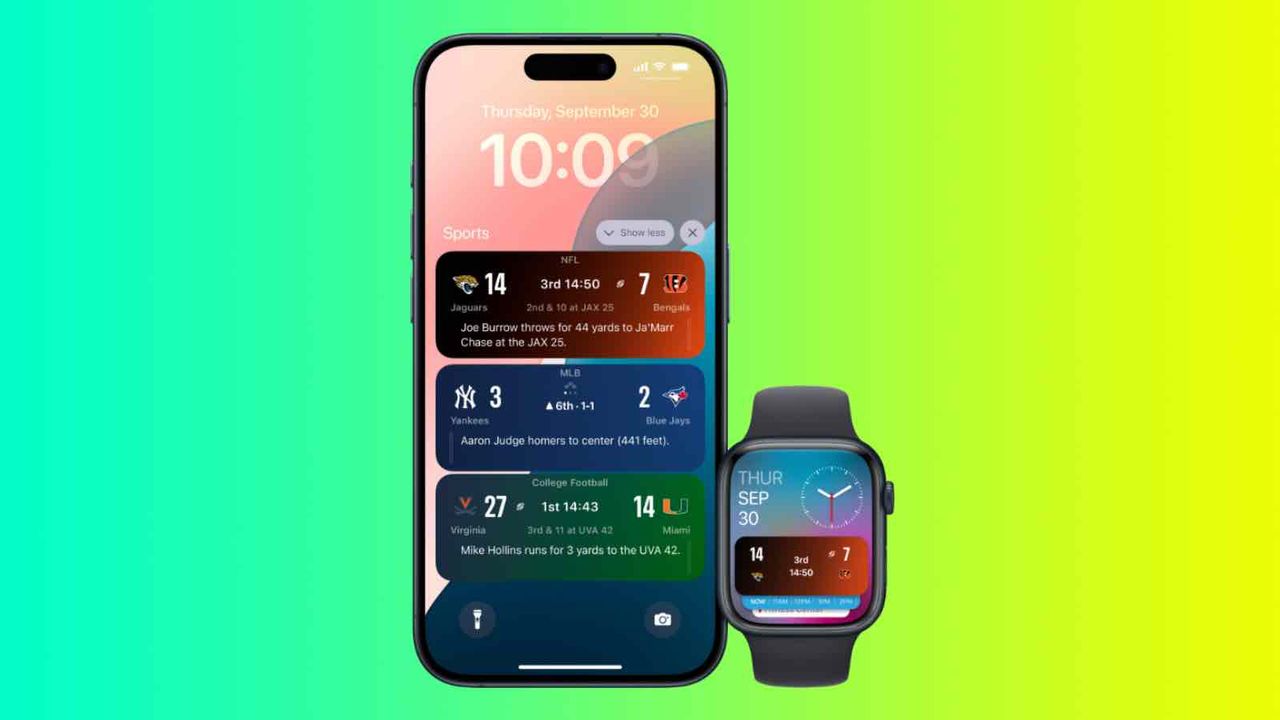
Apple is expanding the Apple Sports app to 90 new markets ahead of FIFA World Cup 26 while introducing a more visual tournament experience with live formations, lineup tracking, and real-time match updates.
Apple is expanding the Apple Sports app to 90 new markets ahead of FIFA World Cup 26 while introducing a more visual tournament experience with live formations, lineup tracking, and real-time match updates.
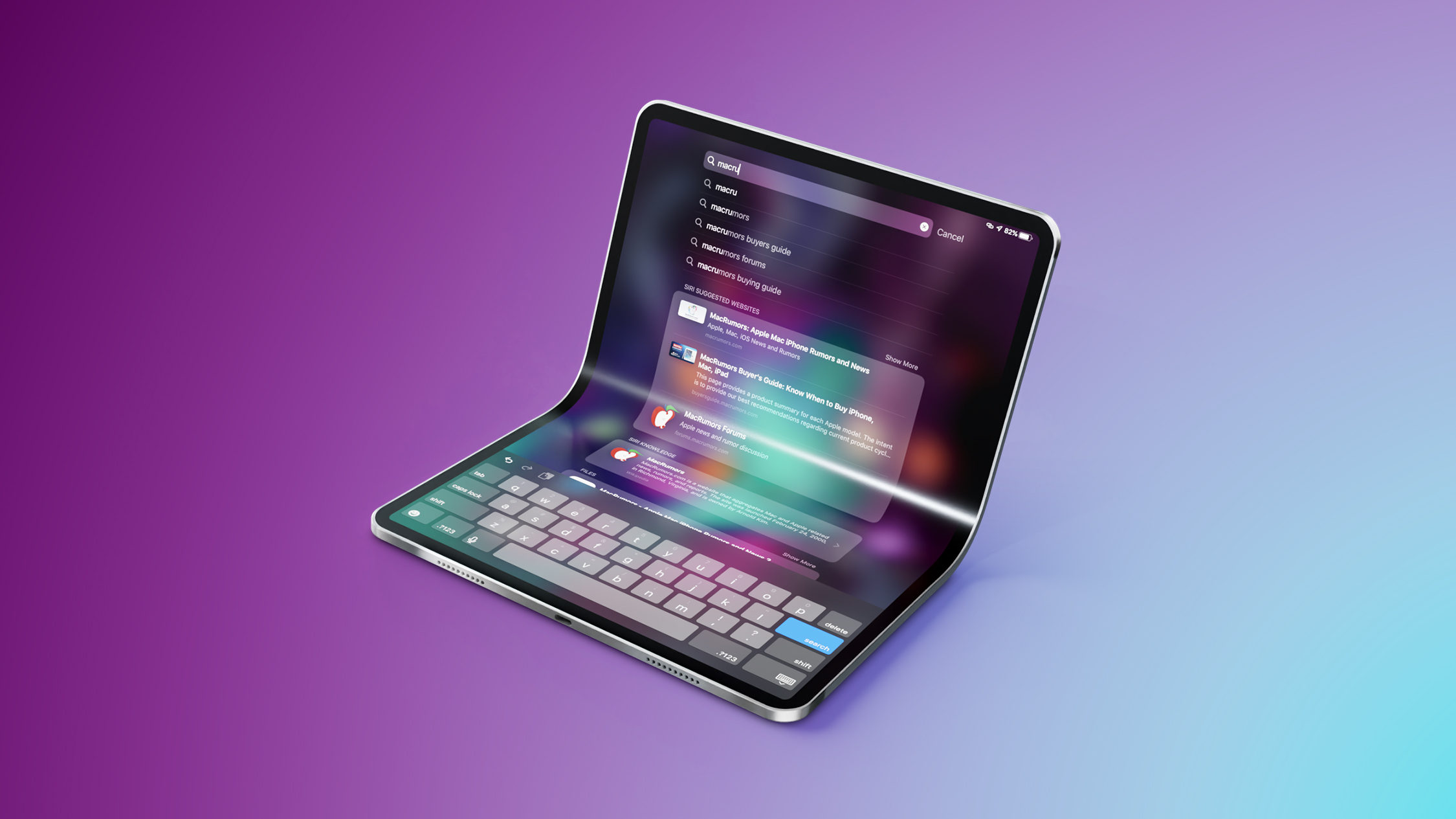
Apple is still developing a large foldable iPad despite technical hurdles, and it should feature the same crease-free hinge design as Apple's rumored "iPhone Ultra," its first foldable iPhone expected to launch in the fall.
That's according to Weibo-based Digital Chat Station. The popular Chinese-language leaker implies that Apple's large foldable iPad will create a new market for giant folding tablets, but it's likely to still be some ways off yet.
A report in July last year claimed Apple had decided to pause work on a larger-screened foldable iPad because of development issues, but Bloomberg reported in March that development continues.
According to Bloomberg's previous reporting, Apple wanted to launch the device in 2028, but problems with weight and display technology are likely to cause it to be pushed back until 2029.
The device is believed to have a Samsung-made 18-inch display, and will challenge Apple's long-running tradition of keeping the Mac and iPad as separate devices. Some have referred to it as a foldable iPad, while others have called it an all-display MacBook, but concerns remain about its practicality when it comes to typing.
When closed, the iPad resembles a MacBook, with an aluminum exterior and no outer display. When opened, it unfolds to roughly the size of a 13-inch MacBook Air, but without a physical keyboard. Due to its large display and aluminum chassis, current prototypes weigh about 3.5 pounds, making them considerably heavier than existing iPad Pro models.
An 18-inch OLED foldable display will surely be expensive, too, given that Apple charges $1,299 for the 13-inch iPad Pro. If prices don't come down for components over the next few years, the foldable iPad could cost as much as $3,900. It also sounds like Apple still has work to do to perfect its hinge/crease designs.
Meanwhile, Apple's foldable iPhone, which could take the name "iPhone Ultra," is expected to arrive in the fall alongside Apple's new iPhone 18 Pro and iPhone 18 Pro Max models, barring any last-minute production mishaps. The folding iPhone is said to feature a 5.5-inch display when closed, and a 7.8-inch display when open, plus a super-thin design with minimal crease and a durable hinge.
Last year, accessory maker Nimble came out with the Wally Stretch power adapters, and they've become some of my favorite charging options.
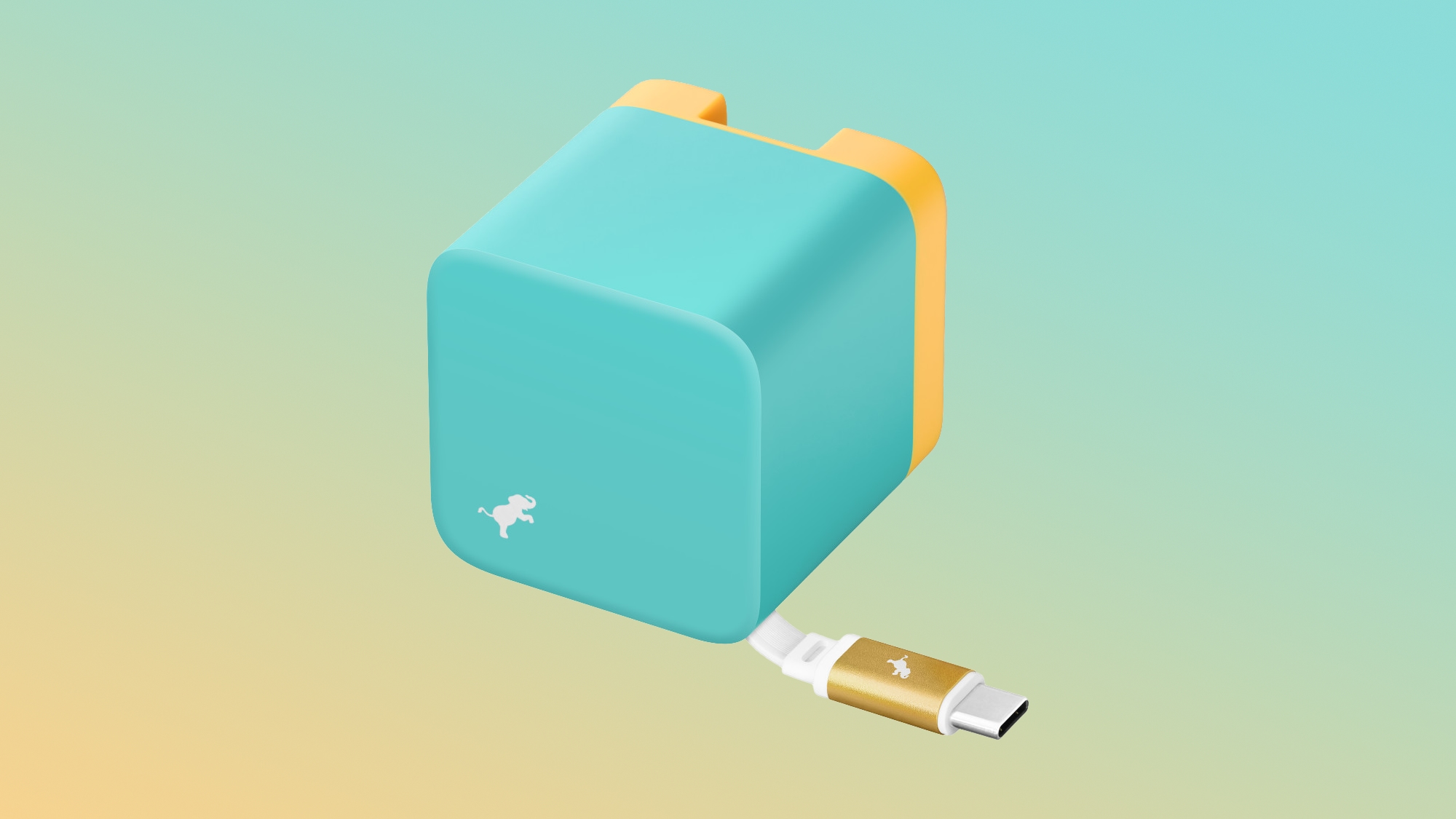
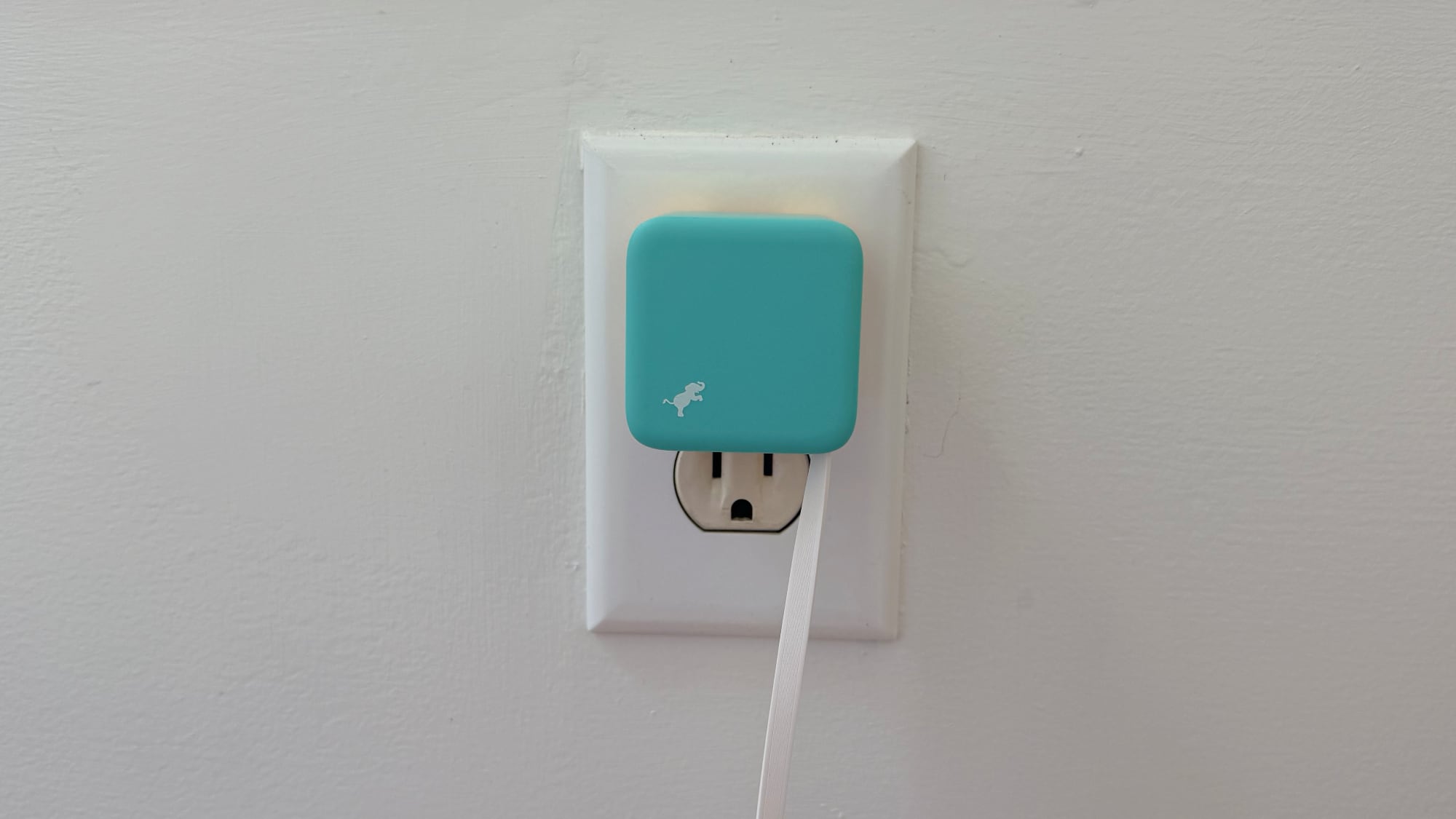
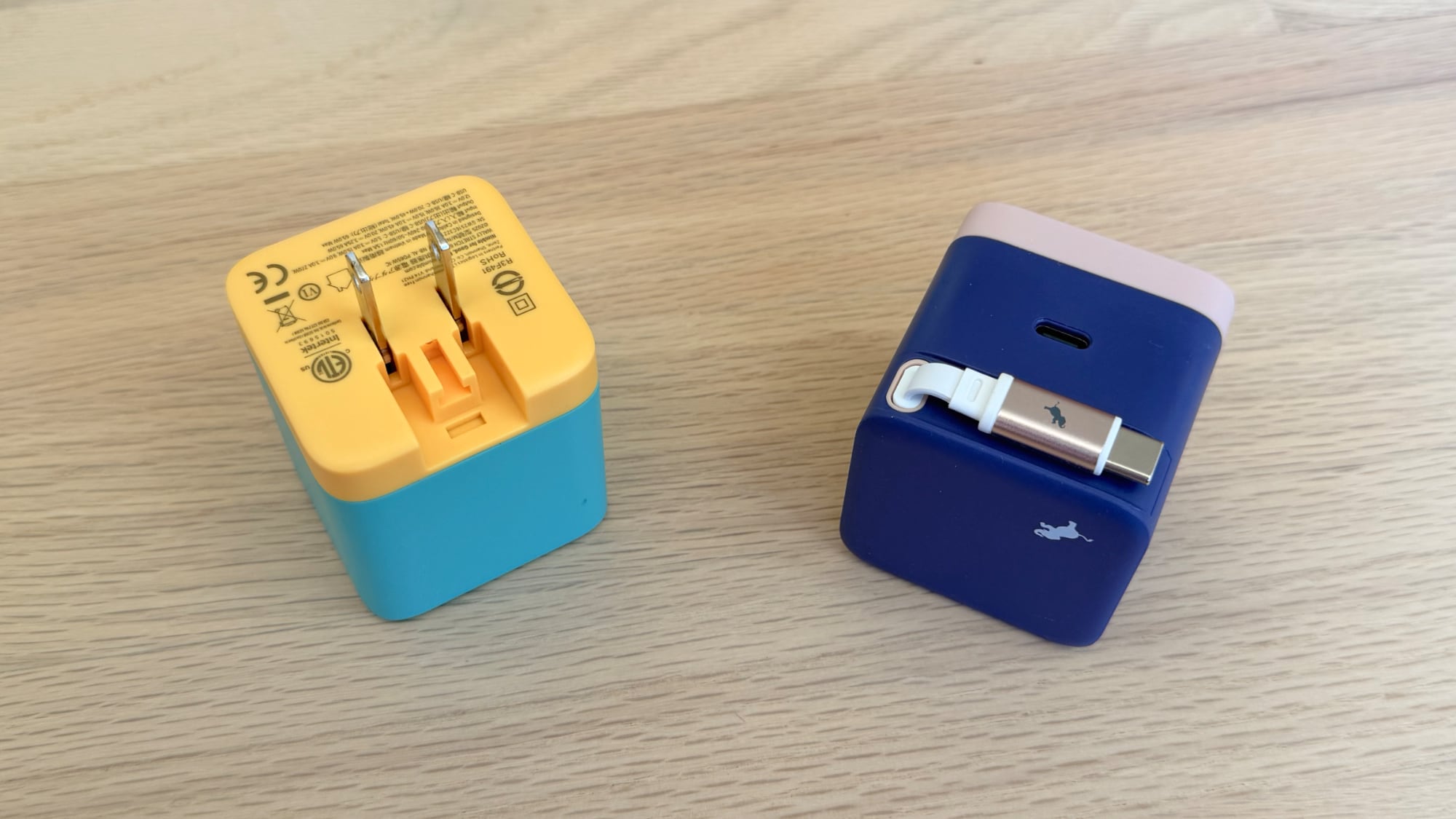
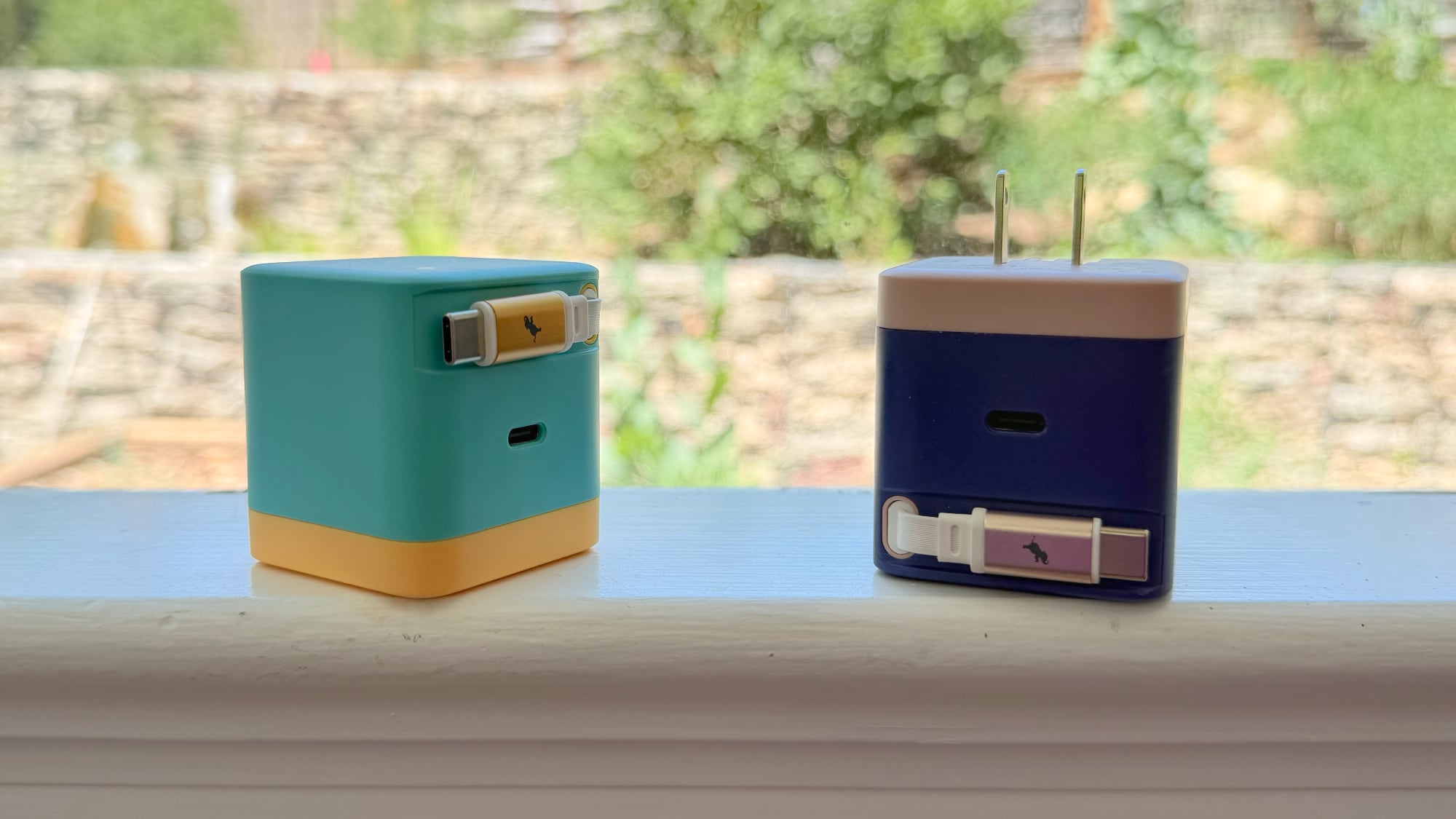
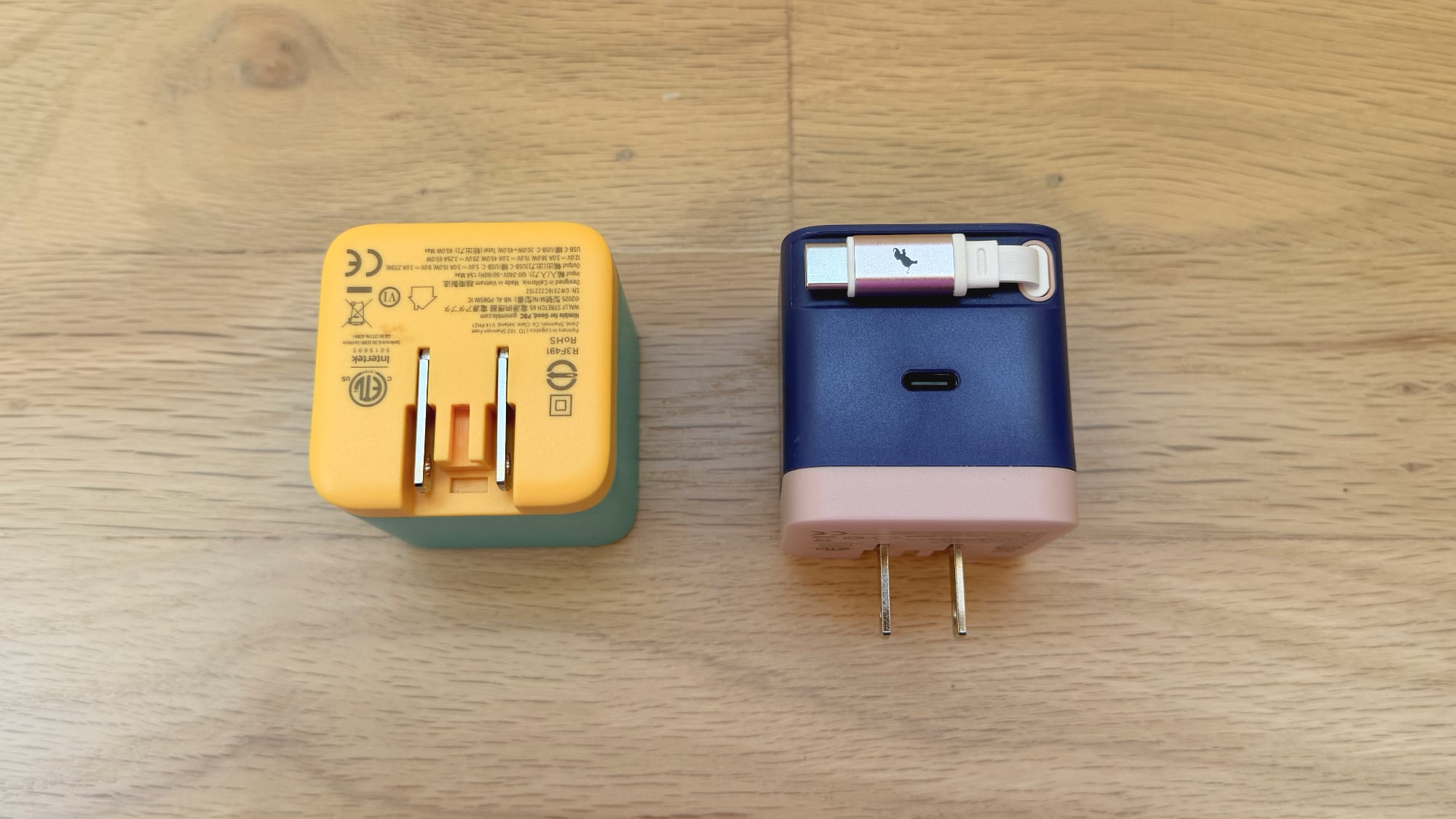
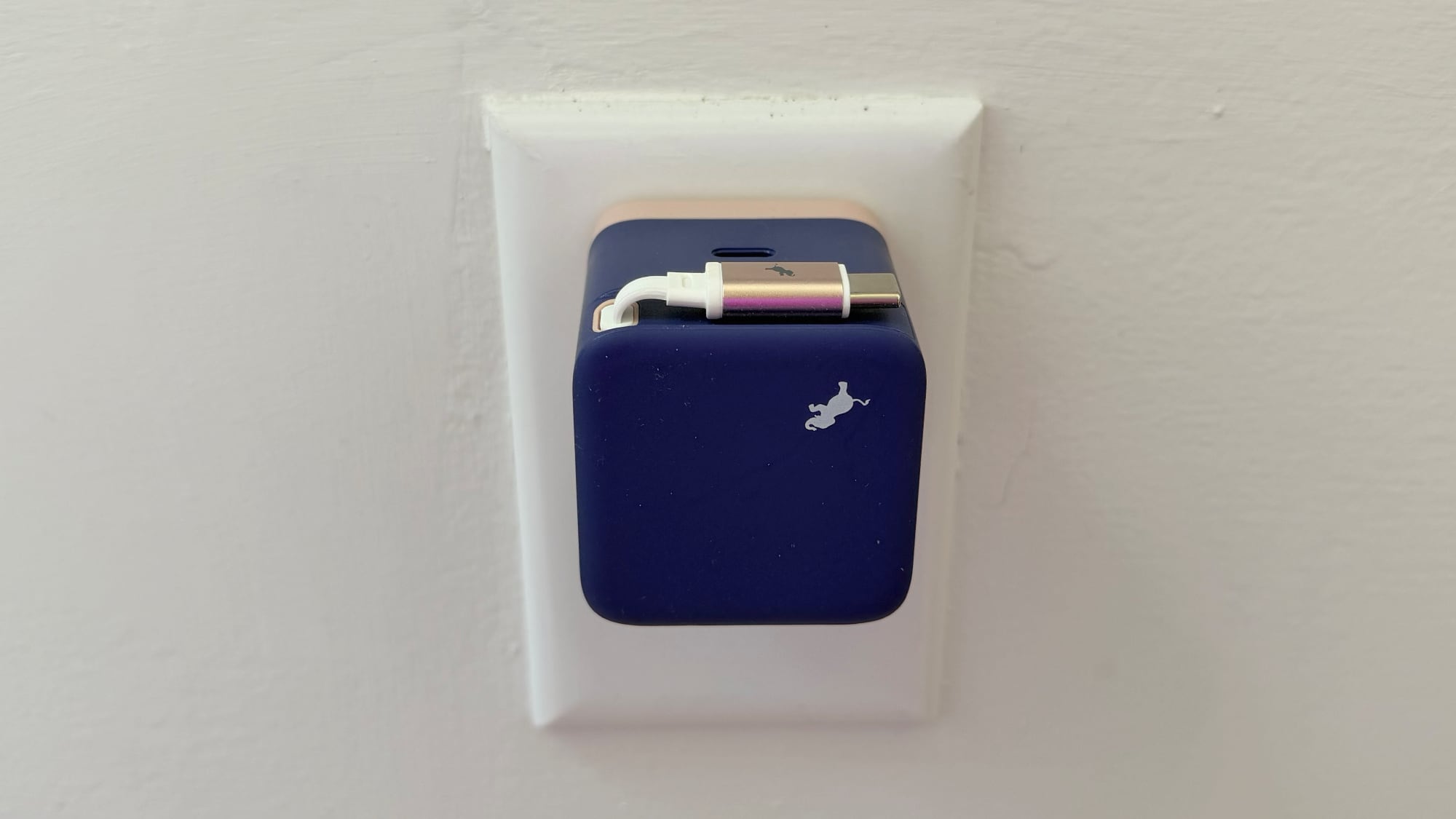
The Wally Stretch is available in 35W and 65W options, and it has an excellent design. It's a simple cube with prongs that fold down, a retractable USB-C cable, and an extra USB-C port. The 65W model that I tested is thicker than the comparable 70W Apple charger, but it's smaller in length and width.
Nimble's charger is just about two inches all around, and it looks like a block. While Nimble sells the 35W charger in black and the 65W charger in white, Apple offers 65W Wally Stretch in better colors. It comes in teal with a yellow accent and a gold-topped cable, along with deep purple with a pink accent and a silver-topped cable. I'm a big fan of any charger that's not your standard black or white, and I use the Wally Stretch chargers with my desktop power strip.
The retractable USB-C cable measures in at two feet, which is a great length for desktop use. It's also worked well for traveling between locations, and two feet seems to be an all-around useful length. Some people prefer much longer cables, and there aren't options with the Wally, which is a downside. There is, however, an extra USB-C port at the bottom where a longer cable can be plugged in if desired.
65W is enough for me to power even a 16-inch MacBook Pro when it's not under heavy load, and it's more than sufficient for my MacBook Air, iPad Pro, and iPhone. Even when charging two of the latter three devices at the same time, I get fast charging.
A retractable cable paired with an extra USB-C port all in a small package makes the Wally Stretch one of my most flexible power adapters. I would pick it over a standard Apple charger in all situations, and over many third-party chargers. The only situation where I reach for something else is when I need more than two ports or higher watts, but that doesn't happen too often. I think the only thing that would make the Wally Stretch better is an XL version with two retractable cables and 140W.
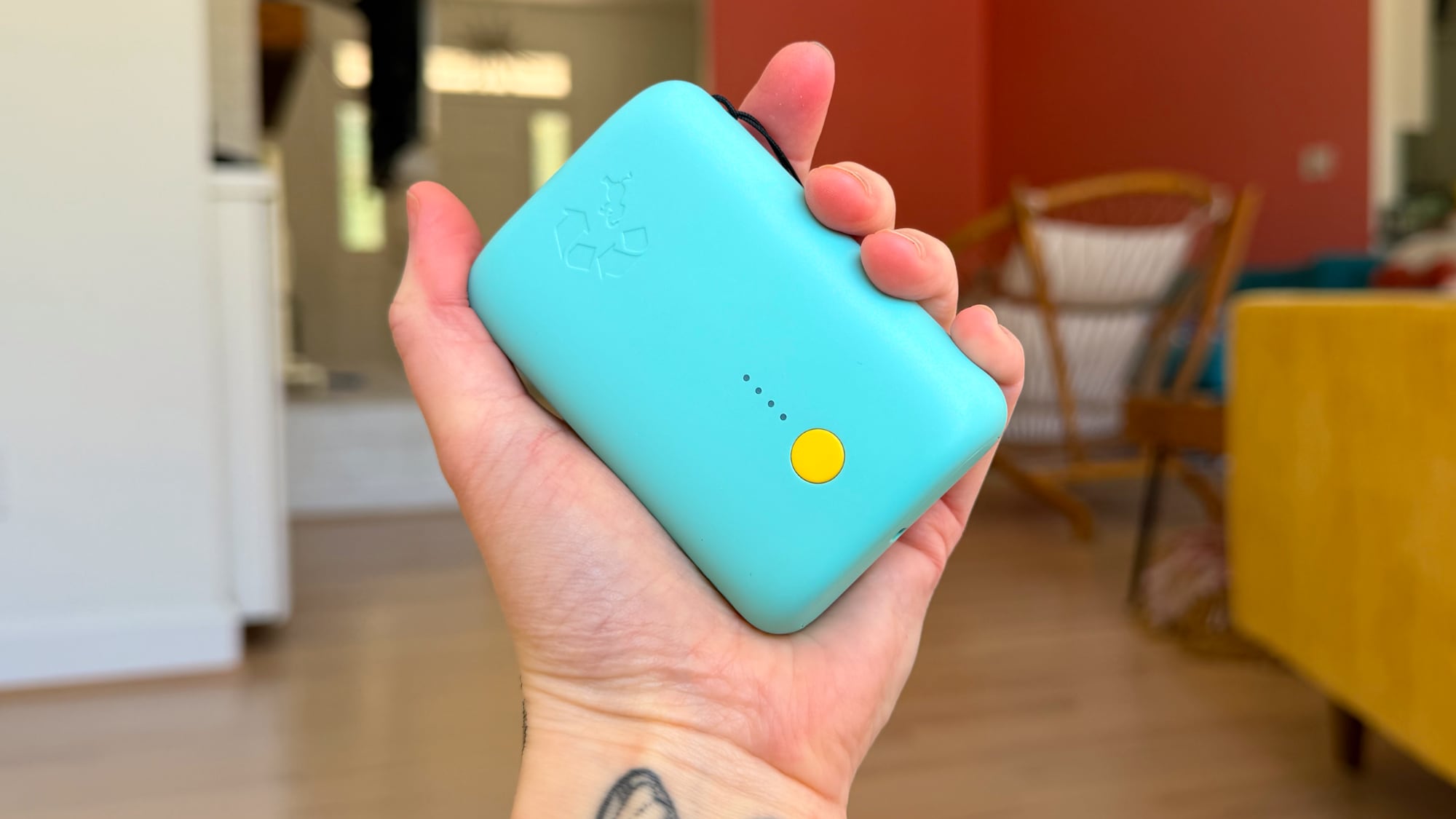
Nimble also makes power banks that I like a lot, again because they come in colors other than your standard black or white. The Nimble 10k Champ Portable Charger I tested is teal with yellow accents, and it has some design elements I've found useful.
It's small, and it tucks nicely into a pocket or a bag. It has a lanyard, which is a feature that I find surprisingly useful for a power bank. I can always track it down in my backpack, and I can put it around my wrist when I'm charging my iPhone with a short cable. I wouldn't have thought a lanyard would make a difference, but I have a decent selection of power banks, and I always pick the ones with the lanyard first when I need one.
The Nimble Champ is 3.4 inches long, 2.3 inches wide, and under an inch thick, plus it's lightweight at six ounces. There's a yellow button on the front that can be pressed to see remaining power level, which is reflected via four LED dots. That's standard for power banks, and it's fine. Some power banks have a little LED display that shows exact level, and I do prefer the more exact readout, but it's not a make-or-break feature.
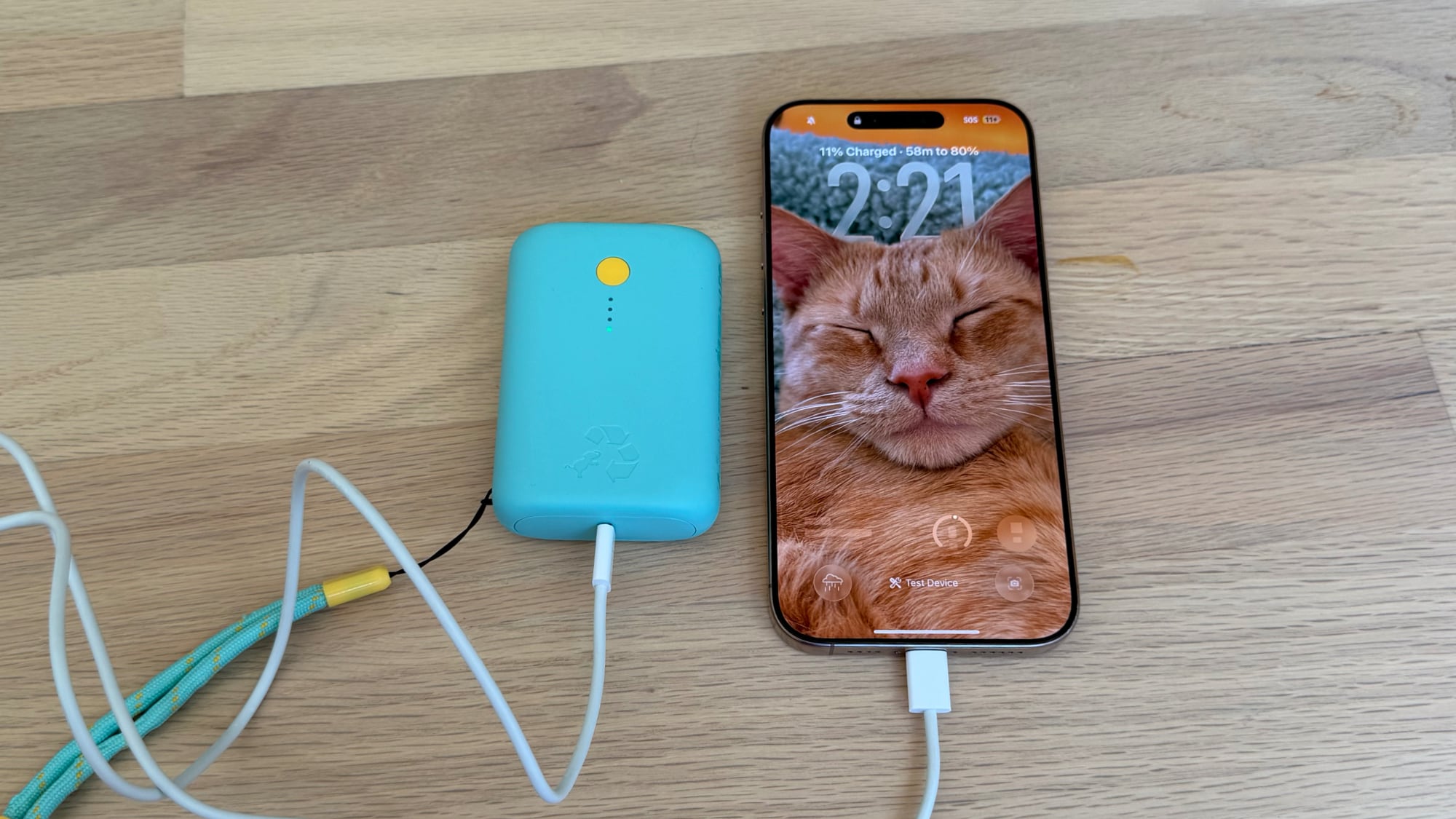
There are two USB-C ports for charging an iOS device or for charging the power bank, and while it does come with an included USB-C cable, I wish it was a color-matched cable instead of a plain cable. A power bank designed to stand out with a bright color should have a cable that goes along with it, but I do understand the plain cable choice because it keeps costs lower. Nimble's power bank is $60, which makes it reasonably priced.
I have an Anker Nano power bank with a lanyard and a retractable cable and it is the one that I love the most. Nimble Champ is my second pick, just because I like integrated cables that don't require me to hunt down a cable and that don't result in excess cable I don't need. Nimble does actually have an updated version with a retractable cable and an exact readout of charging capacity, but it's more expensive at $80.
This is a 10K power bank, so it has enough power to charge an iPhone 17 Pro Max from 0 to 100 and then some, but it is limited to 20W fast charging. Apple's iPhone 17 models charge to 50 percent in 20 minutes with a 40W adapter, so you're not going to get maximum charging speeds with the Nimble Champ. I probably wouldn't choose the Nimble Champ in a situation where you need to optimize for the fastest possible charging for an iPhone 17, but it's great if charging that's a bit slower isn't an issue.
Bottom Line
Nimble's Wally is a useful power adapter for everything from the Mac to the iPhone, and the retractable cable is super convenient. I'd definitely recommend it to anyone looking for a power adapter for desktop or travel use.
The Nimble Champ is a budget-friendly power bank that's brightly colored and slim enough to carry in a pocket. It's a good pick as long as you don't need the fastest USB-C charging.
The latest versions of iOS and iPadOS support a feature that allow you to easily see who and what devices are using data on Personal Hotspot. This is particularly useful if you find yourself using Personal Hotspot often, and perhaps find yourself hitting overages or getting throttled from Personal Hotspot data usage over cellular. By ... Read More
Apple is already planning a second version of the "four-edge bending" display that is rumored to debut on next year's 20th-anniversary iPhone, claims a new report out of Korea.
For the 20th-anniversary iPhone, Apple is said to be introducing a display that curves down around all four edges of the device for a borderless visual experience. It could be one of the biggest design shifts in the iPhone's history since the 10th anniversary iPhone X, which saw Apple drop the Home button, introduce a notched display, and adopt an intuitive swipe gesture-based navigation interface.
Today, ETNews reports that Apple is planning a two-stage rollout for the new OLED display technology that the commemorative iPhone will use, with a more advanced version said to be coming a year later.
For the 2027 variant, Apple will reportedly rely on OLED technology that uses a magnesium-silver (MgAg) alloy in the cathode layer. This implementation can cause image distortion and brightness loss in the curved areas, but Apple is apparently willing to live with the compromise for the 20th-anniversary iPhone while more advanced technology scales.
Apple then plans to address the issue in 2028 by transitioning to next-generation transparent electrodes. Apple will reportedly switch to indium zinc oxide (IZO) cathode materials, and because IZO is more transparent, it should reduce distortion, uneven brightness, and heat issues around the curved edges while enabling even narrower bezels.
ETNews reports that Samsung Display and LG Display have already been put on alert to prepare for the two-stage rollout. LG recently announced a ₩1.106 trillion investment (roughly $790 million) in OLED infrastructure, which industry observers believe is connected to development and mass production of the new technology.
Meanwhile, Samsung is reportedly evaluating whether its existing OLED lines can accommodate the required hardware, but a dedicated production line is not out of the question, and may well be necessary.
Bloomberg in May 2025 reported on Apple's plans to launch a "mostly glass, curved iPhone without any cutouts in the display" for its 20th-anniversary model. The Information last year also cited multiple sources claiming that at least one new iPhone model launching in 2027 will have a truly edge-to-edge display.
If your iPhone suddenly starts recording a voice message seemingly at random while you’re in the Messages app, you’re probably unintentionally triggering a feature called Raise to Listen. This feature is part of the iOS Messages app, where lifting the iPhone to your ear can automatically start to play or record an audio message. The ... Read More
According to a new survey, 14% of iPhone users say 'new phone concepts' is their biggest reason for upgrading, which bodes well for the fortunes of the iPhone Ultra.
Following last month's coverage of an unofficial Mac port of Notepad++ that the original developer called out for trademark violation, the dispute has now been resolved with a rebrand.
The macOS port was previously released by Andrey Letov under the Notepad++ name without authorization. Don Ho created the original Windows code editor in 2003, and had publicly objected to the unofficial app's use of his trademark and the inclusion of his name and biography on its author page. After settling the dispute, the app has subsequently been renamed Nextpad++.
The site for Nextpad++ has been thoroughly updated and clearly states that the app is an "open-source and independent community port of Notepad++ to macOS." Elsewhere, Letov's About page describes the project as a Mac port of the Notepad++ GPL codebase, built on Objective-C++, Scintilla, and Cocoa, and shipped as a universal binary for Apple silicon and Intel Macs. The app also has a new icon.
Names aside, it seems Daring Fireball's John Gruber is less than charmed by the result, describing the app as feeling "unholy" and suggesting the rapid port could only have been built with AI vibe-coding tools. The site states development began on March 10.
While something new is always around the corner, now might be a particularly good time to hold off on buying a new iPhone if you are able to.
The reason to consider waiting is that Apple is reportedly working on a special 20th-anniversary iPhone for release in September 2027, and rumors suggest that the device will feature the biggest redesign since the iPhone X in 2017.
According to Bloomberg, the 20th-anniversary iPhone will have "glass edges that curve seamlessly into the display on all four sides."
The Information reported that one of Apple's early 20th-anniversary iPhone prototypes lacked bezels around the screen. The device had only a "narrow metal band running around the midpoint of the device's edge, where the buttons sit."
Apple has also aimed for the device to have no cutouts in the screen, according to The Information, but it is unclear if the company will be able to move both the front camera and the Face ID system under the screen by next year.
Overall, it sounds like Apple has ambitious goals with the 20th-anniversary iPhone, and that makes it a device that might be especially worth waiting for. Of course, this advice will not apply to you if you upgrade your iPhone every single year regardless, but the average customer holds on to their iPhone for two to four years.

 Login
Login