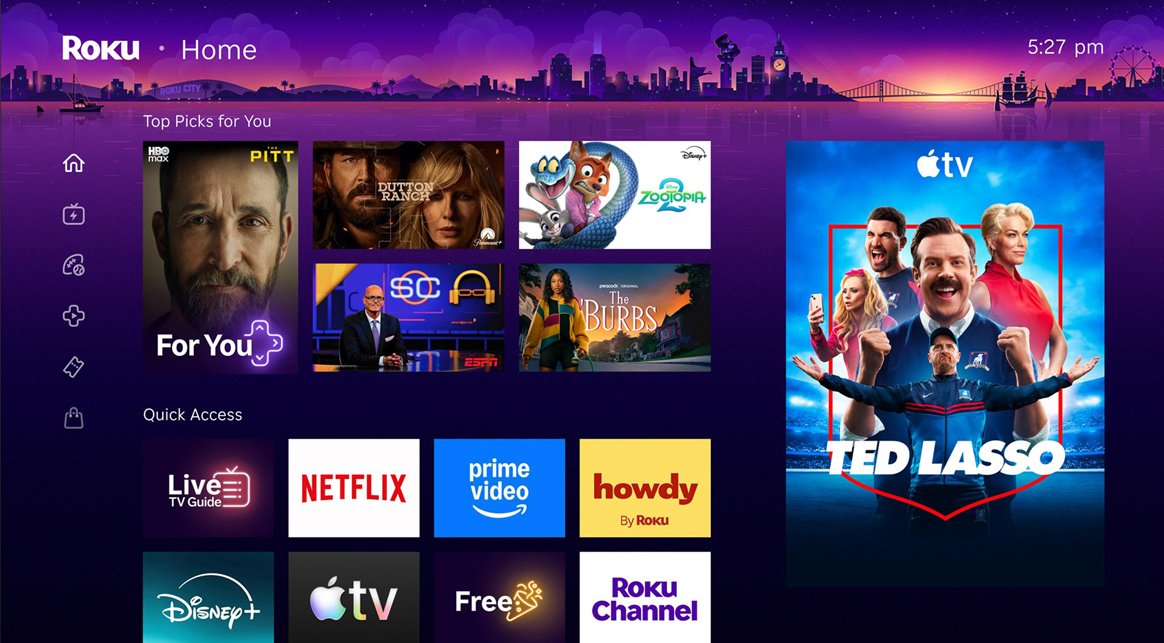
Roku today announced that its home screen is receiving its biggest redesign in more than a decade. The new home screen will begin rolling out to Roku TVs and streaming devices across the U.S. starting today, with more countries to follow later. The changes will appear automatically, with no software update required.
At the top of the home screen, a new "Top Picks for You" section provides recommendations based on your watch history and what is trending on Roku.
A new AI-powered "Quick Access" section surfaces the apps you use most, such as the Apple TV app. There is still a separate page containing a complete list of apps that you have installed on your Roku device if you need it.
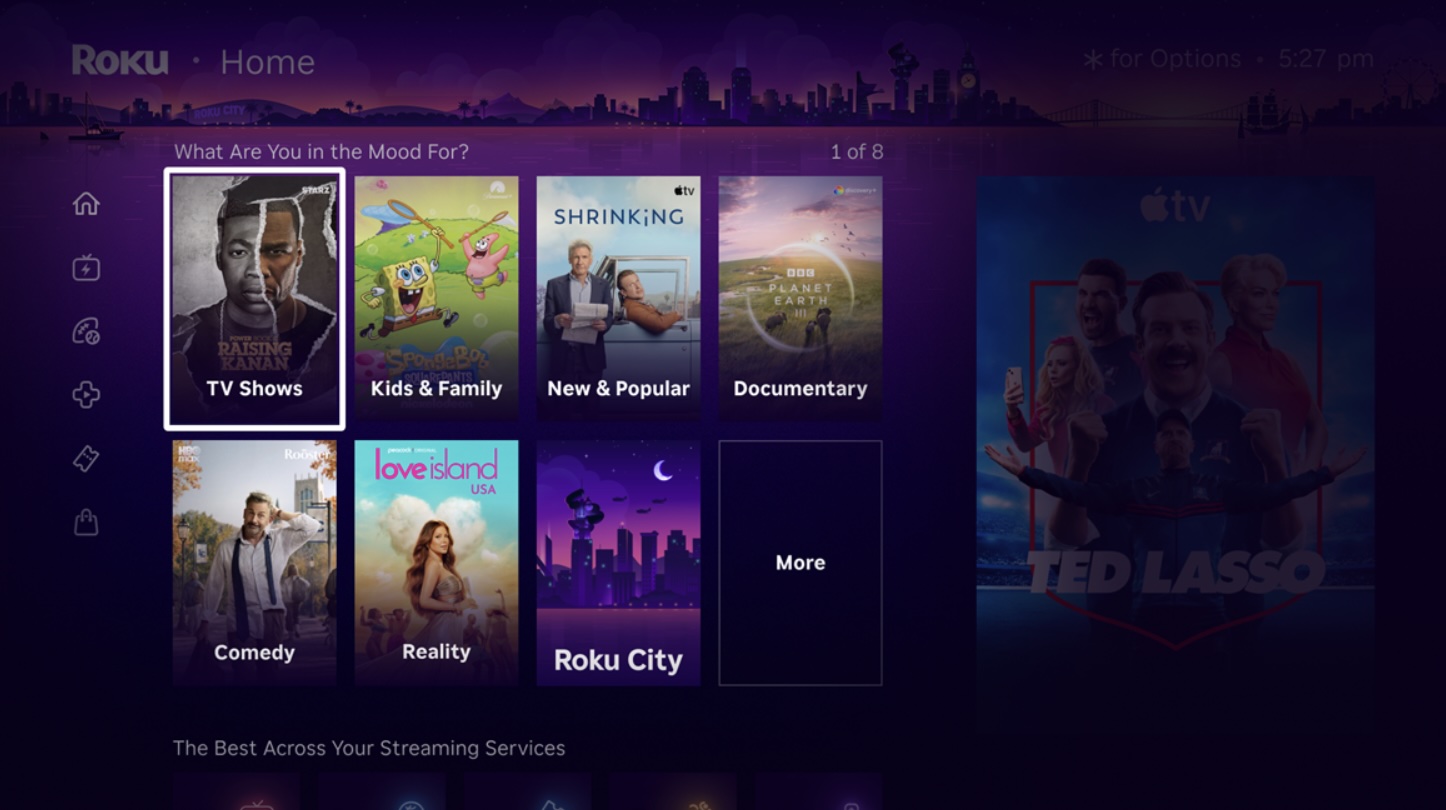
New curated hubs called "Destinations" offer content organized by genres and moods, such as comedy, reality, movies, sports, documentaries, and more.
The menu on the Roku home screen now has a collapsed design with icons, rather than expanded text labels. Roku says this change provides a cleaner canvas for discovering content, but it also results in a large ad being shown persistently on the right side of the screen. Previously, the ad would only appear in certain views.
A new "Shortcuts" section provides quick access to features like Continue Watching, Sleep Timer, Save List, and more, all in one place.
If you are a fan of the Roku City screen saver, there is now an on-screen tile that you can select to view it at any time. You can explore the screen saver's iconic cityscape, plus access Daily Trivia and other mini-games.
La canciller Rosa Villavicencio aseguró desde Estados Unidos que los colombianos residentes en el exterior podrán participar en las elecciones presidenciales sin que su situación migratoria sea un impedimento para ejercer el derecho al voto.
Apple is developing a new feature that will lock your iPhone if it's snatched from your hand by a thief, according to Apple code seen by 9to5Mac. The option will use the gyroscope, accelerometer, and other sensors to determine when an iPhone has been grabbed. It'll also rely on a paired Apple Watch to detect when the iPhone has suddenly moved away from the owner's wrist.
Once the iPhone is yanked from your hand, it will lock and activate Stolen Device Protection to prevent thieves from accessing information on it.
Stolen Device Protection adds extra security to your iPhone when you're away from familiar locations like home or work. It requires biometric authentication for actions like accessing stored passwords or credit cards, and there are built-in hour-long delays for actions like changing an Apple Account password.
The feature was originally designed to protect iPhone users from stealthy thieves who observe someone's passcode and then snatch an iPhone. With a passcode, thieves could get into apps and access bank account data and other sensitive information, but Stolen Device Protection prevents that from happening.
Android already has a Theft Detection Lock feature that locks a smartphone in a snatch-and-grab theft situation.

 Login
Login