Reading view

AirPods Max 1 vs. AirPods Max 2 Buyer's Guide: 25+ Differences Compared

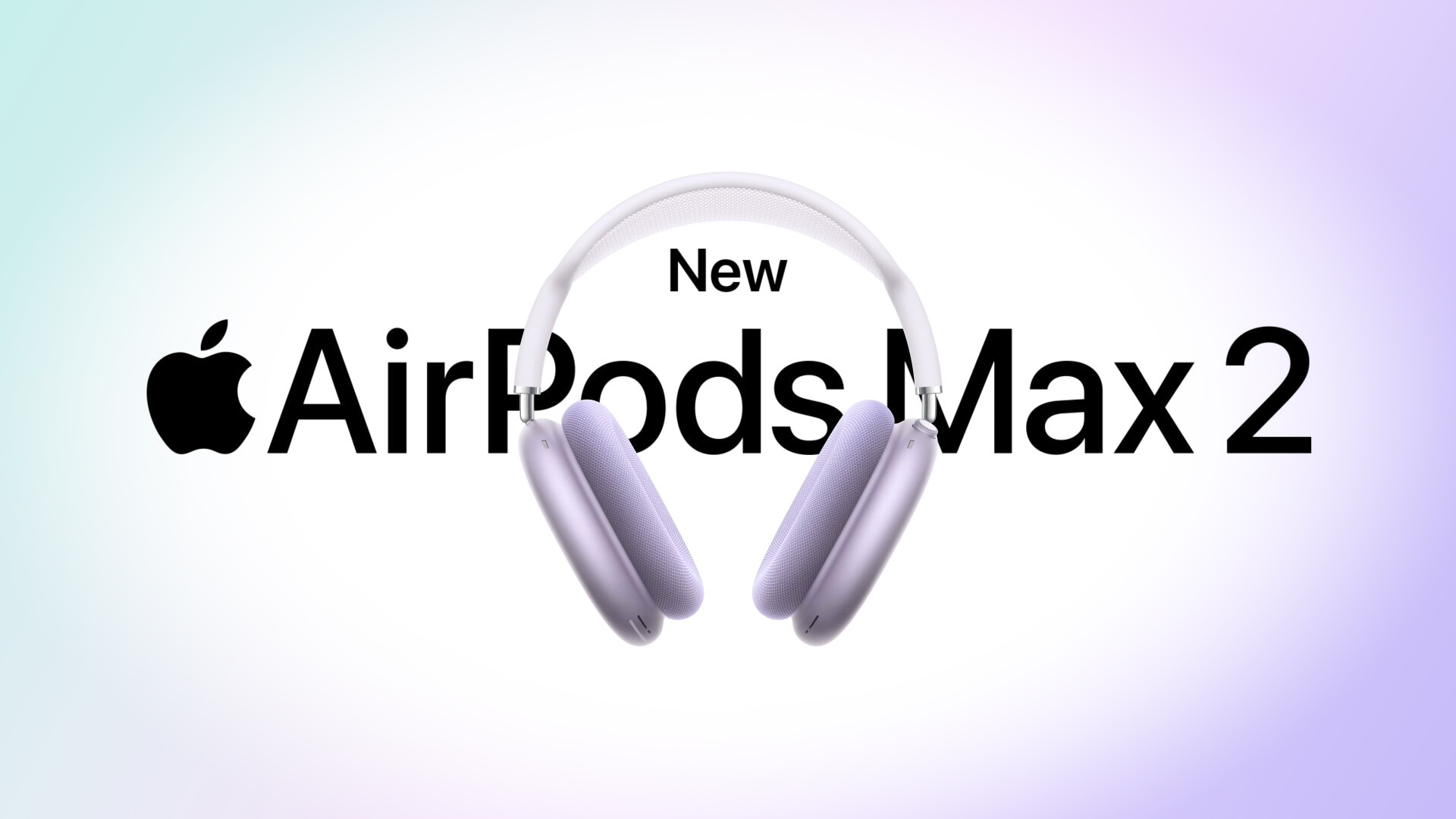
Apple has now announced the AirPods Max 2, bringing the first major hardware upgrade to Apple's over-ear headphones since their debut. So how does the new model compare with both earlier versions of ‌AirPods Max‌?


In late 2020, Apple announced the AirPods Max, a whole new AirPods variant with an over-ear design. In September 2024, the company refreshed the AirPods Max's selection of color options and swapped the Lightning port for USB-C, enabling 24-bit, 48 kHz lossless audio over a wired connection.

Now, with the arrival of the ‌AirPods Max 2‌, Apple has introduced a far more substantial upgrade than the 2024 refresh. The new model adds the H2 chip, more powerful Active Noise Cancellation, improved Transparency Mode, Adaptive Audio features such as Conversation Awareness and Personalized Volume, updated Bluetooth 5.3 connectivity with reduced latency, and enhancements to Spatial Audio and sound quality.


Following the announcement, the full range of differences between the original Lightning model, the USB-C refresh, and ‌AirPods Max 2‌ are outlined below:


AirPods Max
(2020, Lightning)
AirPods Max
(2024, USB-C)
‌AirPods Max 2‌
(2026)
H1 chip H1 chip H2 chip
Active Noise Cancellation Active Noise Cancellation Improved Active Noise Cancellation (1.5x stronger)
Transparency Mode Transparency Mode Improved Transparency Mode
Adaptive Audio
Conversation Awareness
Voice Isolation
Personalized Volume
Loud Sound Reduction
Camera Remote
Live Translation
"Hey Siri" commands "Hey ‌Siri‌" commands "Hey ‌Siri‌" and "‌Siri‌" commands
‌Siri‌ Interactions (privately respond to ‌Siri‌ announcements by simply nodding their head yes or gently shaking their head no)
Custom high dynamic range amplifier
New digital signal processing algorithm
Spatial Audio Spatial Audio Improved Spatial Audio (improved localization of instruments, more accurate and consistent bass response, and more natural-sounding mids and highs)
Lossless Personalized Spatial Audio via USB-C to USB-C cable Lossless Personalized Spatial Audio via USB-C to USB-C cable
Enhanced audio via Lightning to 3.5mm audio cable "24-bit, 48 kHz lossless audio" via USB-C to USB-C cable "24-bit, 48 kHz lossless audio" via USB-C to USB-C cable
Audio recording Audio recording "Studio-quality" audio recording
Create and mix audio in Personalized Spatial Audio with head tracking via USB-C to USB-C cable Create and mix audio in Personalized Spatial Audio with head tracking via USB-C to USB-C cable
Bluetooth 5.0 Bluetooth 5.0 Bluetooth 5.3
Reduced wireless audio latency
Reduced latency audio via Lightning to 3.5mm audio cable "Ultra-low" latency audio via USB-C to USB-C cable or USB-C to 3.5mm audio cable "Ultra-low" latency audio via USB-C to USB-C cable or USB-C to 3.5mm audio cable
Lightning port USB-C port USB-C port
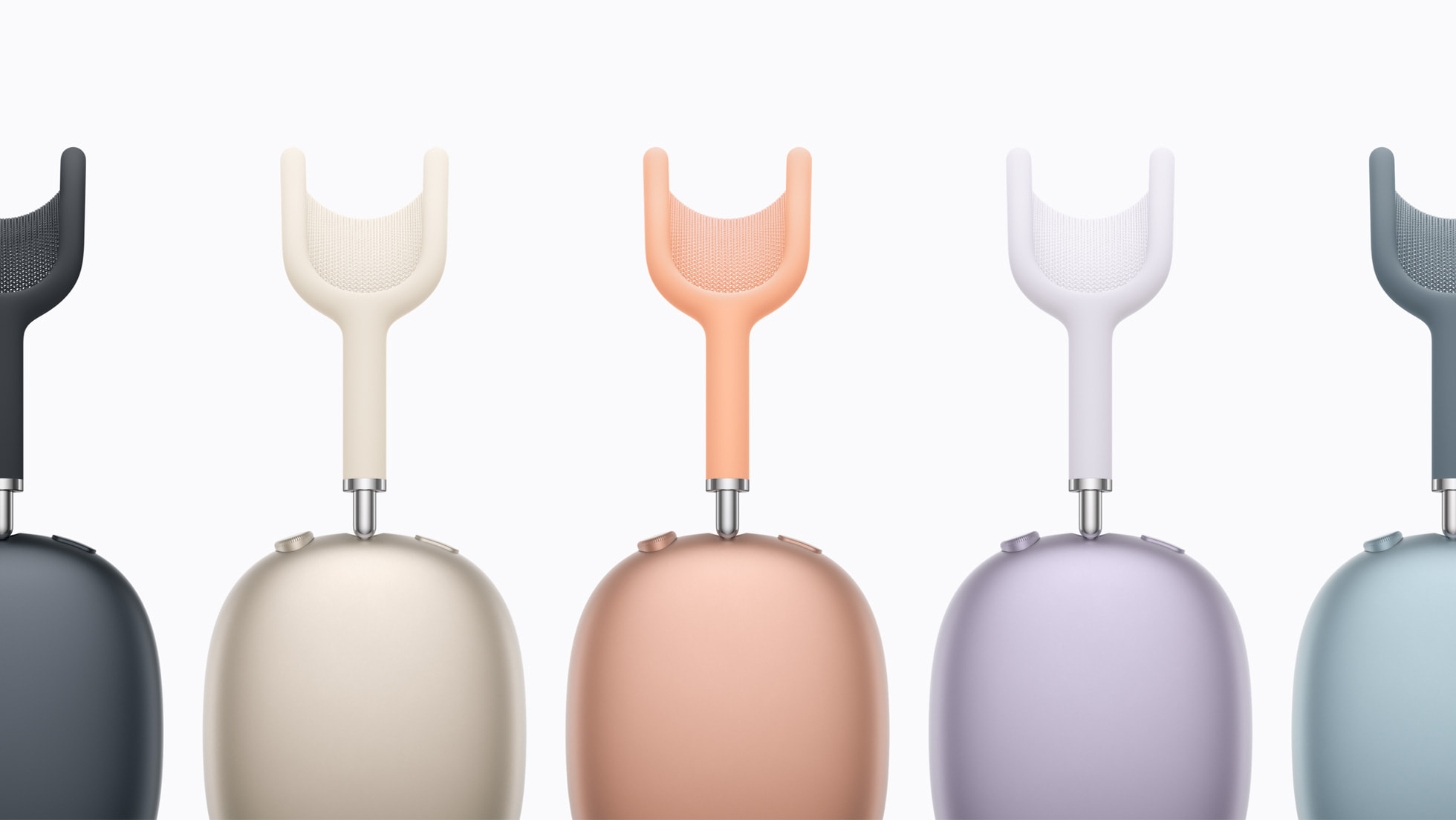
Available in Silver, Space Gray, Sky Blue, Pink, and Green Available in Starlight, Midnight, Blue, Purple, and Orange Available in Starlight, Midnight, Blue, Purple, and Orange
Released December 2020 Released September 2024 Release in April 2026
Now discontinued Now discontinued $549


The original AirPods Max with Lightning are becoming increasingly difficult to find as remaining inventory has gradually dried up over the past two years. While some third-party retailers may still have limited stock or refurbished units available, the model is no longer widely sold. For buyers who can still locate a pair at a substantial discount, the Lightning version can remain an appealing option. It offers the same distinctive design, premium build quality, Active Noise Cancellation, Transparency mode, and Spatial Audio support that defined the product when it launched in 2020. If you primarily use AirPods Max wirelessly for casual listenin, have no interest in the newer software capabilities, or have other Lightning devices, the original model still delivers a good core experience.

The AirPods Max with USB-C, introduced in 2024, remain widely available and until today represented Apple's current version of the headphones. Aside from the switch from Lightning to USB-C and a new set of color options, the hardware is largely identical to the original model. A firmware update alongside iOS 18.4 restored wired audio input and enabled 24-bit, 48 kHz lossless audio over a USB-C connection when used with a USB-C to USB-C cable. This gives the USB-C model a clear advantage over the Lightning version for users who want the best possible wired audio quality. It also enables creator-focused capabilities such as Lossless Personalized Spatial Audio and the ability to create or mix content in Spatial Audio with head tracking. For most users listening wirelessly, however, the overall experience remains very similar to the original model.

The newly announced ‌AirPods Max 2‌ represent the first meaningful upgrade to the product since its debut. The new model introduces Apple's H2 chip, enabling significantly improved Active Noise Cancellation, enhanced Transparency Mode, and Adaptive Audio features such as Conversation Awareness, Personalized Volume, and Voice Isolation. Apple has also improved Spatial Audio performance and added Bluetooth 5.3 with reduced wireless latency. Together, these upgrades bring the over-ear AirPods much closer to the capabilities offered by Apple's latest in-ear AirPods models.

For buyers deciding between generations, the choice largely comes down to how important the new features are. The original AirPods Max still deliver the premium design, sound quality, and wireless listening experience that made them popular. However, for those who want stronger noise cancellation, new features like Live Translation, and the most future-proof option, ‌AirPods Max 2‌ are clearly the model to choose.

Existing owners of the original AirPods Max may want to weigh the benefits of the H2 chip, improved Active Noise Cancellation, Adaptive Audio features such as Conversation Awareness and Personalized Volume, and reduced wireless latency. Users with the Lightning version may be more inclined to upgrade given their device's age, while those with the newer USB-C variant may find the improvements less essential if they are satisfied with the current feature set. For frequent travelers, people who regularly listen in noisy environments, or anyone who simply wants the most advanced version of Apple's over-ear headphones, the upgrade may still be worthwhile.

AirPods frequently see hefty discounts on Amazon and other third-party retailers, so stepping up to the ‌AirPods Max 2‌ may be more worth it if you can take advantage of one of those deals. The AirPods Max often see solid discounts, so it is always worth seeking the best price using our Deals roundup.
Related Roundup: AirPods Max 2
Buyer's Guide: AirPods Max (Buy Now)
Related Forum: AirPods

This article, "AirPods Max 1 vs. AirPods Max 2 Buyer's Guide: 25+ Differences Compared" first appeared on MacRumors.com

Discuss this article in our forums

  •  

AirPods Max 2 Reveal iOS 26.4 Launch Date

Apple today introduced the second-generation version of its over-ear AirPods Max headphones, and some of the software requirements in the fine print give us some insight into when Apple's iOS 26.4 update will be released to the public.


To use several of the added features like Live Translation, the AirPods Max 2 will need to be paired with an iPhone running iOS 26.4, an iPad running iPadOS 26.4, or a Mac running macOS Tahoe 26.4.

The AirPods are set to launch in early April, which means iOS 26.4 and its sister updates will need to launch during the same time frame. iOS 26.4 will be here by the first week of April, and it could even launch before the end of March.

We're at the fourth beta now, so the release candidate version could come at any time. The release candidate likely includes ‌AirPods Max 2‌ mentions in the code, so Apple was probably holding back on providing it to developers and public beta testers until the ‌AirPods Max 2‌ were announced.

Apple plans to begin accepting preorders for the ‌AirPods Max 2‌ on Wednesday, March 25. There is no more specific launch date than "early April," which suggests the first week and a half of the month.

Features that require iOS 26.4 include Live Translation, Adaptive Audio, Conversation Awareness, "Siri" wake word support, Voice Isolation, and the new Digital Crown controls for using the AirPods Max as a camera button. Apple says the feature set will require the latest AirPods Max firmware as well as the iOS 26.4, iPadOS 26.4, and ‌macOS Tahoe‌ 26.4 software.
Related Roundups: AirPods Max 2, iOS 26, iPadOS 26
Buyer's Guide: AirPods Max (Buy Now)
Related Forums: AirPods, iOS 26

This article, "AirPods Max 2 Reveal iOS 26.4 Launch Date" first appeared on MacRumors.com

Discuss this article in our forums
  •  

AirPods Max 2's Digital Crown Has a Useful New Feature

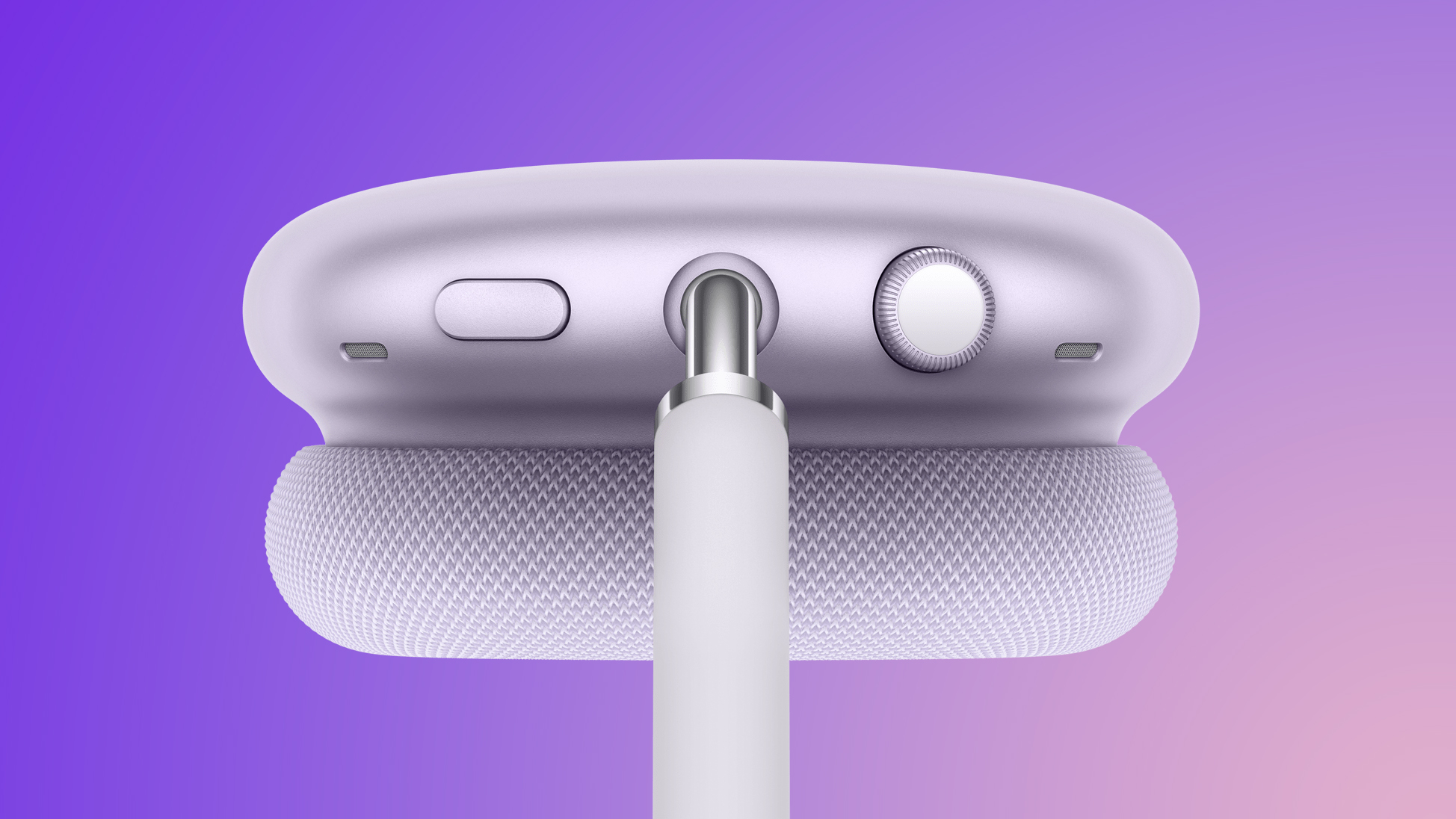
While the new AirPods Max 2 have the same overall design as the previous AirPods Max, the Digital Crown has received a small but useful upgrade.


On the AirPods Max 2, a new Camera Remote feature allows you to press the Digital Crown to take a photo and start or stop video recording while using Apple's Camera app or compatible third-party camera apps on an iPhone or iPad.

Apple says this feature requires AirPods Max 2 that are running the latest firmware and paired with iPhone and iPad models running iOS 26.4 or iPadOS 26.4 or later. Those software versions are still in beta testing, but they will be released in time for the AirPods Max 2 launch in early April, barring any unforeseen delays.

Here are all of the Digital Crown controls on AirPods Max 2:

  • Turn for volume control

  • Press once to play or pause media

  • Press once to answer a call or mute or unmute

  • Press once for camera remote

  • Press twice to end a call

  • Press twice to skip forward

  • Press three times to skip back

  • Press and hold for Siri

Other upgrades compared to the previous generation include the H2 chip, increased active noise cancellation, improved sound quality, and features such as Adaptive Audio, Conversation Awareness, Voice Isolation, and Live Translation. In addition, AirPods Max 2 support a shorter "Siri" command alongside the longer "Hey Siri."

Read the rest of our AirPods Max 2 coverage to learn more:AirPods Max 2 will be available to order on Apple.com and in the Apple Store app starting Wednesday, March 25, with U.S. pricing set at $549. Apple says the headphones will launch in early April, but it has yet to provide a specific release date.
Related Roundup: AirPods Max 2
Buyer's Guide: AirPods Max (Buy Now)
Related Forum: AirPods

This article, "AirPods Max 2's Digital Crown Has a Useful New Feature" first appeared on MacRumors.com

Discuss this article in our forums

  •  

Apple Acquires Final Cut Pro Plugin Company MotionVFX

Apple today acquired MotionVFX, a major developer of plugins, visual effects, and motion graphics tools for Final Cut Pro.


MotionVFX is a Polish software company founded by Szymon Masiak in 2009. It creates high-quality plugins, transitions, templates, and visual effects (VFX) for video editors, specializing in tools for Final Cut Pro, DaVinci Resolve, and Apple Motion. From MotionVFX's website today:

We are extremely excited to share that MotionVFX is joining the Apple team to continue to empower creators and editors to do their best work.

For over 15 years, we've been on a mission to create world-class, visually inspiring content and effects for video editors. From the very beginning, we’ve been all about quality, ease of use, and great design. These are also the values that we admire most in Apple’s products, and we’re thrilled to be able to embrace them together.

We'd like to take this opportunity to thank all our amazing customers and supporters who have been with us through all these years. You inspired us, you challenged us, and you helped our products become what they are today. We are incredibly grateful to be part of this amazing community and excited to continue our work to serve you.

This is the beginning of something truly wonderful!


MotionVFX has long been one of the most prominent third-party developers in the Final Cut Pro ecosystem. Its plugins are widely used by YouTubers, filmmakers, and broadcast editors looking to add high-end motion graphics and stylized visual effects without building them from scratch.

Among its most popular tools are mFilmLook, which provides cinematic color grading and film emulation effects, and mO2, a powerful plugin that enables the use of 3D models directly inside Final Cut Pro and Apple Motion. MotionVFX also offers Design Studio, a panel extension that allows users to browse and install effects and templates directly within Final Cut Pro.

MotionVFX's expertise in templates, transitions, and 3D workflows could help Apple improve Final Cut Pro's built-in graphics tools, potentially reducing reliance on third-party plugins. The acquisition will likely strengthen Apple's latest push into professional video production, especially as the company continues to bolster its new Apple Creator Studio subscription service.

MotionVFX's 70 employees today joined Apple as part of the acquisition. The company was already a worldwide partner of Apple.

MotionVFX did not indicate whether its existing products will continue to be sold independently following the acquisition. For now, the company's plugin catalog remains available through its website and the MotionVFX marketplace.
This article, "Apple Acquires Final Cut Pro Plugin Company MotionVFX" first appeared on MacRumors.com

Discuss this article in our forums

  •  

What Hasn't Changed With AirPods Max 2

The AirPods Max 2 feature the H2 chip, improved Active Noise Cancellation, and Adaptive Audio capabilities, but the design and much of the hardware remains unchanged.


Most notably, the overall industrial design is identical. AirPods Max 2 retain the same aluminum ear cups, stainless steel headband frame, telescoping arms, and knit mesh canopy introduced with the original model. The dimensions, weight, and overall construction appear to be unchanged, meaning the headphones look and feel the same as previous versions. The knit mesh canopy is also the same despite criticism over time that the fabric can stretch or lose tension with prolonged use.

The Smart Case has also not been updated and the device still uses the same case introduced in 2020, which covers the ear cups while leaving the headband exposed and places the headphones into an ultra-low-power state when stored inside.

The Smart Case drew criticism when AirPods Max first launched, with many reviewers pointing to its unusual appearance and the limited protection it offers compared to traditional headphone cases. Some users also reported that the material damaged easily and creased over time.

Because AirPods Max lack a dedicated power button, placing the headphones in the Smart Case is effectively the only reliable way to force them into their lowest-power standby mode. Without the case, the headphones can remain active for extended periods. Despite these criticisms, Apple has not redesigned or replaced the Smart Case.

The acoustic hardware also appears to be essentially the same across generations. The ‌AirPods Max 2‌ continue to use Apple's custom 40mm dynamic drivers and the same basic acoustic architecture introduced with the original model. However, they add a new custom high dynamic range amplifier and updated digital signal processing, meaning sound improvements are likely driven more by amplification and processing changes than by redesigned drivers.

Color options have also remained consistent across the last two versions of the headphones. The 2024 USB-C refresh introduced Starlight, Midnight, Blue, Purple, and Orange, and those same finishes carry over to the ‌AirPods Max 2‌. These replaced the original lineup of Silver, Space Gray, Sky Blue, Pink, and Green.

Battery life is also unchanged. AirPods Max continue to offer around 20 hours of listening time with Active Noise Cancellation and Spatial Audio enabled, matching Apple's original estimate.
Related Roundup: AirPods Max 2
Buyer's Guide: AirPods Max (Buy Now)
Related Forum: AirPods

This article, "What Hasn't Changed With AirPods Max 2" first appeared on MacRumors.com

Discuss this article in our forums

  •  

Apple Announces AirPods Max 2 With H2 Chip and More

Apple today unveiled AirPods Max 2, with key upgrades including the H2 chip, increased active noise cancellation, improved sound quality, and features such as Adaptive Audio, Conversation Awareness, Voice Isolation, and Live Translation.


The new AirPods Max have the same overall design as the previous generation, with most of the new features coming from the upgrade to the H2 chip:
- Adaptive Audio adjusts the levels of ANC and Transparency in response to the environment automatically to optimize the audio experience.

- Conversation Awareness helps lower content volume and reduce background noise when a user starts speaking to someone nearby.

- Live Translation, powered by Apple Intelligence, helps users communicate across languages in person.

- Voice Isolation uses advanced computational audio powered by H2 to prioritize the voice during calls, while blocking out ambient noise.
AirPods Max 2 also support Personalized Volume, which adjusts the volume based on a combination of your surroundings and your volume preferences.

With the H2 chip, Apple says the AirPods Max 2 deliver up to 1.5× more effective active noise cancellation than the previous generation, and it promised that the Transparency mode that lets in some ambient noise sounds even more natural.


AirPods Max 2 feature a new high dynamic range amplifier for "even cleaner audio," and Apple says Spatial Audio content "sounds better than ever." The headphones also have reduced wireless audio latency compared to the previous generation.

The headphones still have a USB-C port for charging and lossless audio. Apple advertises up to 20 hours of battery life on a single charge with active noise cancellation enabled, which is unchanged compared to the previous generation.

Like the previous AirPods Max running iOS 18.4 or newer, the AirPods Max 2 support 24-bit, 48 kHz lossless audio with the included USB-C cable, for the highest-quality wired playback. For wireless connectivity, AirPods Max 2 support Bluetooth 5.3, whereas the previous AirPods Max support Bluetooth 5.0.

Color options remain Midnight, Starlight, Orange, Purple, and Blue.


A new Camera Remote feature allows users to press the Digital Crown on the AirPods Max 2 to take a photo and start or stop video recording while using Apple's Camera app or compatible third-party camera apps on an iPhone or iPad.

AirPods Max 2 will be available to order on Apple.com and in the Apple Store app starting Wednesday, March 25 in the U.S. and more than 30 other countries, and they launch on an unspecified day in early April. In the U.S., AirPods Max 2 have the same $549 price as the previous AirPods Max, which Apple is no longer selling.

AirPods Max 2 come with a Smart Case, which has the same design as it always has. The headphones enter an ultra-low-power state when placed in this carrying case, which is fairly important, as the headphones still lack a power button.

These are technically the third AirPods Max headphones to be released. The original AirPods Max with a Lightning port launched in December 2020, and the headphones received a minor update with a USB-C port and new color options in September 2024.
Related Roundup: AirPods Max 2
Buyer's Guide: AirPods Max (Buy Now)
Related Forum: AirPods

This article, "Apple Announces AirPods Max 2 With H2 Chip and More" first appeared on MacRumors.com

Discuss this article in our forums
  •  

MacBook Neo 2 With a Touch Screen Has Gone From Yes to Maybe to No

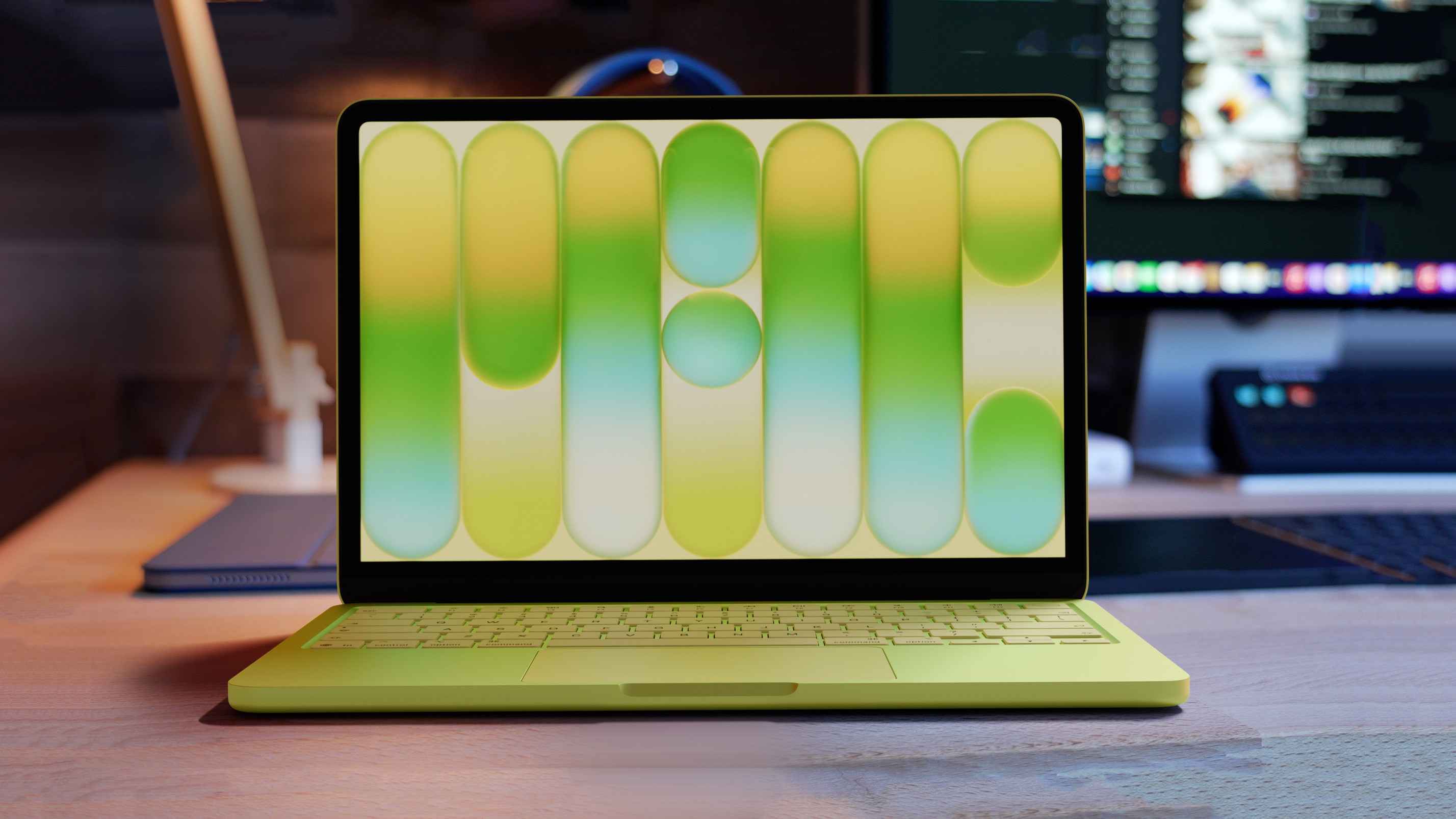
A second-generation MacBook Neo with a touch screen has gone from a yes to a maybe to a no, according to rumors.


In his Power On newsletter today, Bloomberg's Mark Gurman said Apple has yet to decide whether to bring touch-screen support to any Macs beyond the next high-end MacBook Pro, which is expected to be released in late 2026 or early 2027.

A touch screen would slightly increase the cost of making the MacBook Neo, which is priced as low as $499, so the laptop will likely remain without one for years.

In September 2025, Apple analyst Ming-Chi Kuo said the second-generation MacBook Neo "could" include touch support, but last week he said it "may" not happen after all, and now Gurman has completely ruled out the possibility for now.

"I'd be shocked if a touch screen comes to the Neo in the next three years," said Gurman.

Nevertheless, a second-generation MacBook Neo will likely be released next year, according to Kuo. The key upgrade should be the A19 Pro chip with an increased 12GB of RAM, up from the A18 Pro chip with 8GB of RAM in the current model.

Related Roundup: MacBook Neo
Buyer's Guide: MacBook Neo (Buy Now)
Related Forum: MacBook Neo

This article, "MacBook Neo 2 With a Touch Screen Has Gone From Yes to Maybe to No" first appeared on MacRumors.com

Discuss this article in our forums

  •  

OpenProject 17.2: Bring AI to your projects. Without giving up control.

OpenProject 17.2 has been released and introduces several improvements across the platform. This release opens new possibilities for integrating AI into your project workflows, improves transparency on the Project Overview page, and continues our work on usability and accessibility.

One highlight of this release is the introduction of the MCP Server, which enables secure connections between OpenProject and AI systems while keeping full control over how project data is accessed.

In this article, we highlight the most important changes and what they mean for your daily work. As always, please see our release notes that contain the complete list of features, changes, and bug fixes.

A quick article navigation:

Bring AI to your projects with secure MCP Server (Professional plan and higher)

Artificial intelligence is quickly becoming part of everyday work. Teams are exploring AI assistants that can answer questions, summarize information, and help analyze project data.

Many organizations are therefore asking the same question: How can we bring AI into our project workflows without losing control over our data and systems?

With OpenProject 17.2, we introduce the MCP Server, a new capability that enables secure connections between OpenProject and AI systems.

The MCP Server implements the Model Context Protocol (MCP) and exposes OpenProject’s APIv3 resources as MCP-compatible endpoints. This allows external tools, including large language models (LLMs) and other MCP clients, to access structured project data from OpenProject in a controlled way.

With this connection in place, AI assistants can interact with real project context. For example, they can summarize project status, analyze dependencies between work packages, or support planning workflows based on up-to-date information from OpenProject.

At the same time, control remains fully in your hands. The MCP Server integrates with OpenProject’s authentication mechanisms, including OAuth2, API tokens, and external OpenID Connect providers. Administrators can configure the server directly in OpenProject and control aspects such as response formats and response volume.

The MCP Server was sponsored and developed with the support of Mercedes-AMG, who are actively using it in their OpenProject environment. Their collaboration helped shape the feature based on real-world requirements and demonstrates how large organizations can benefit from securely connecting AI workflows to their project data.

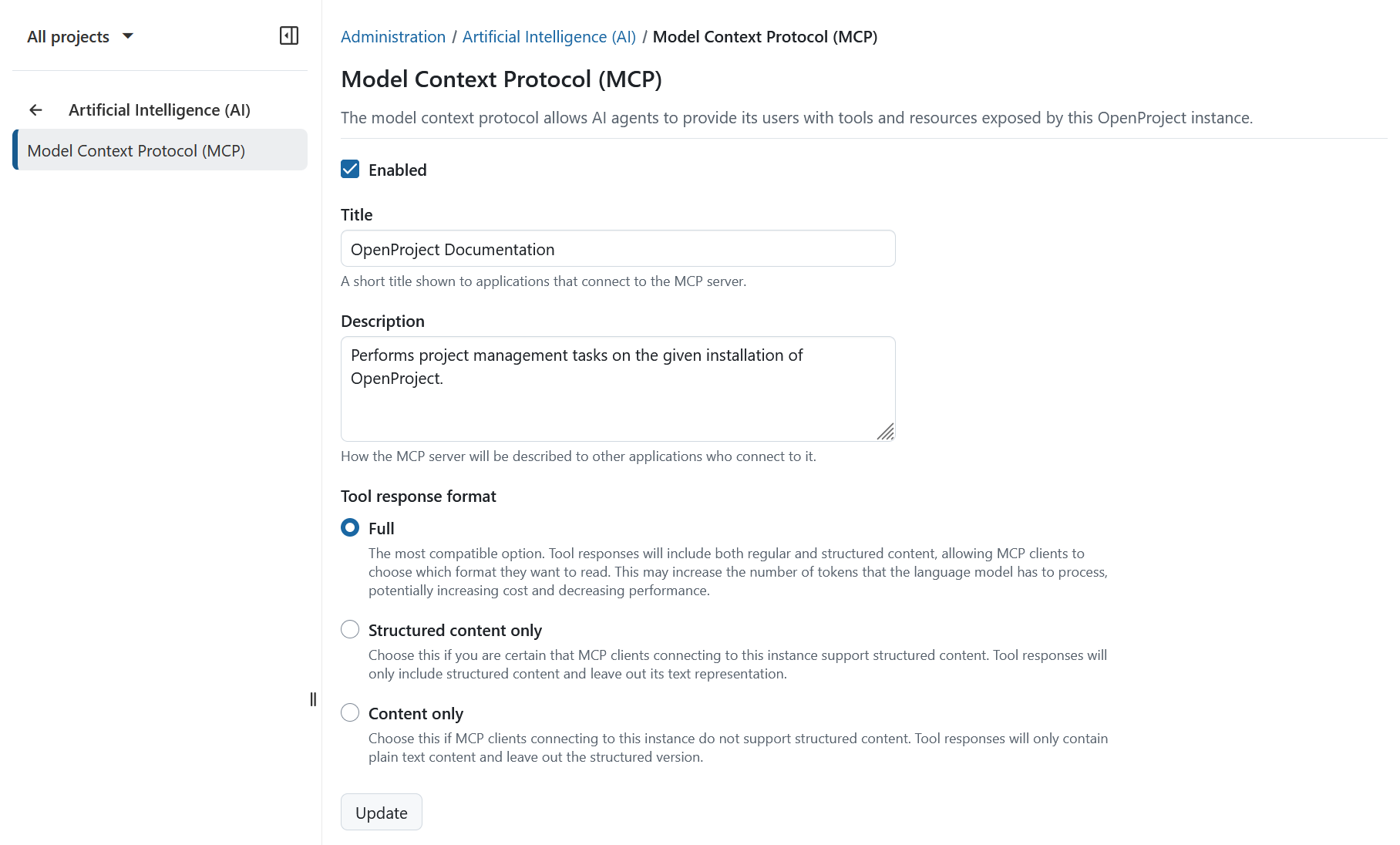
OpenProject administration page showing the Model Context Protocol (MCP) settings, including options to enable the MCP server and configure title, description, and tool response format.

Administrators can configure the MCP Server directly in the OpenProject administration interface and control aspects such as response formats and response volumes. This allows organizations to decide how their project data is exposed and how external tools interact with it.

To learn about how to use the MCP server, please see our documentation.

Note

The MCP Server is available as an Enterprise add-on in the Professional plan and higher. See our pricing page and contact us for more information on upgrading to a higher plan.

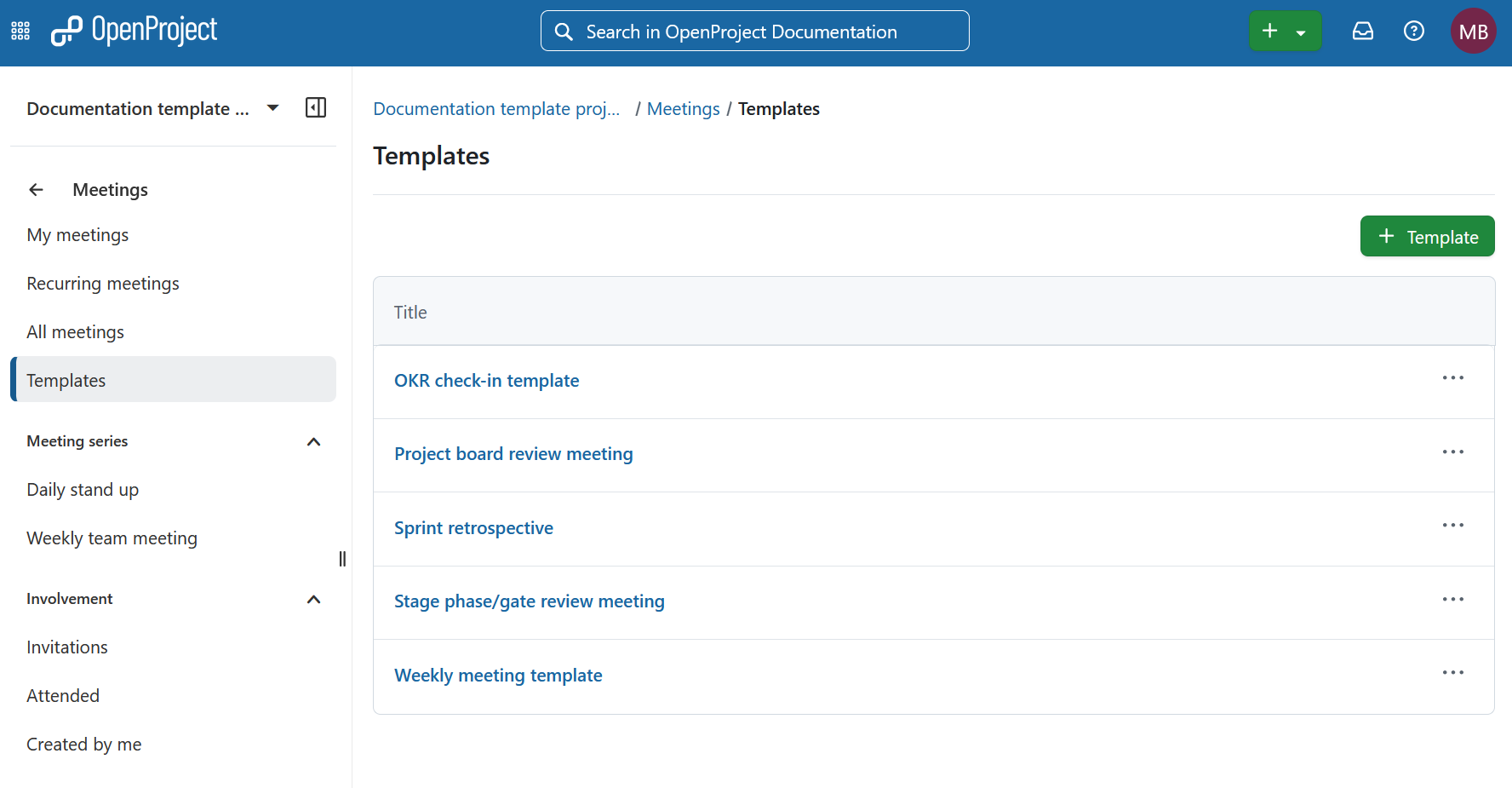
Reusable meeting templates (Basic plan and higher)

Preparing meetings often involves recreating the same agenda structure again and again. With OpenProject 17.2, administrators can now define reusable meeting templates that provide a predefined agenda layout for their teams.

Instead of starting from scratch, users can select a template when creating a meeting. The agenda will automatically include predefined sections and items.

This saves time when preparing meetings and helps teams reuse proven formats for discussions and decision-making.

OpenProject Meetings module showing the Templates page with reusable meeting templates such as OKR check-in template, sprint retrospective, and weekly meeting template.

Note

The reusable meeting templates are available as an Enterprise add-on in the Basic plan and higher. See our pricing page and contact us for more information on upgrading to a higher plan.

Project Overview improvements with budget widgets and improved accessibility

OpenProject 17.2 enhances the Project Overview page to provide clearer financial insights, easier editing, and improved accessibility.

Budget widgets for financial insights

Project managers and stakeholders can now see key financial indicators directly on the Overview page.

New widgets display information such as:

  • planned budget
  • actual costs
  • spent budget
  • remaining budget

Visual breakdowns by cost type and recent monthly actuals help teams understand financial trends directly within the project context.

OpenProject Project Overview page displaying budget widgets including total actual costs, planned budget, spent ratio, remaining budget, a pie chart of budget by cost type, and a chart of actual costs by month.

Inline editing for project description and status

The project description and project status widgets on the Overview tab can now be edited directly inline. Authorized users can update information directly where it is displayed.

OpenProject Project Overview page showing the project description widget being edited inline with formatting options and a save button.

Improved accessibility of Project Overview and dashboard widgets

We have significantly improved the accessibility of widgets on both the Project Overview and Project dashboard pages. Widgets are now fully operable via keyboard, provide clearer structural semantics for screen readers, and follow WCAG 2.1 AA guidelines for focus management, labeling, and navigation order.

These improvements ensure that project information and controls are accessible to all users, including those relying on assistive technologies.

Comment fields for project attributes

Project attributes often require additional explanation. For example, a chosen value may depend on assumptions, governance decisions, or project-specific context.

With OpenProject 17.2, administrators can now enable comment fields for project attributes. This allows users to document the reasoning behind selected attribute values directly where the attribute is maintained.

Comments follow the same permission logic as the attribute itself and are:

  • displayed alongside the attribute on the Project Overview page
  • tracked in project activity
  • included in exports
  • accessible via the API

This provides additional transparency and helps teams better understand important project decisions.

OpenProject administration interface for project attributes showing the option to add a comment text field when configuring a project attribute.

PDF export improvements

OpenProject 17.2 enhances PDF exports to provide more comprehensive reporting.

Work package queries can now include relationship columns, which are exported as structured tables in the PDF report. This ensures that dependencies between work packages remain visible in exported documentation.

In addition, WebP images embedded in work package descriptions are now supported in exported PDFs.

PDF export of an OpenProject work package displaying a structured table of related work packages and an embedded diagram image in the description.

Require login before opening external links (Premium plan and higher)

Following external links inside collaboration platforms can sometimes pose security risks.

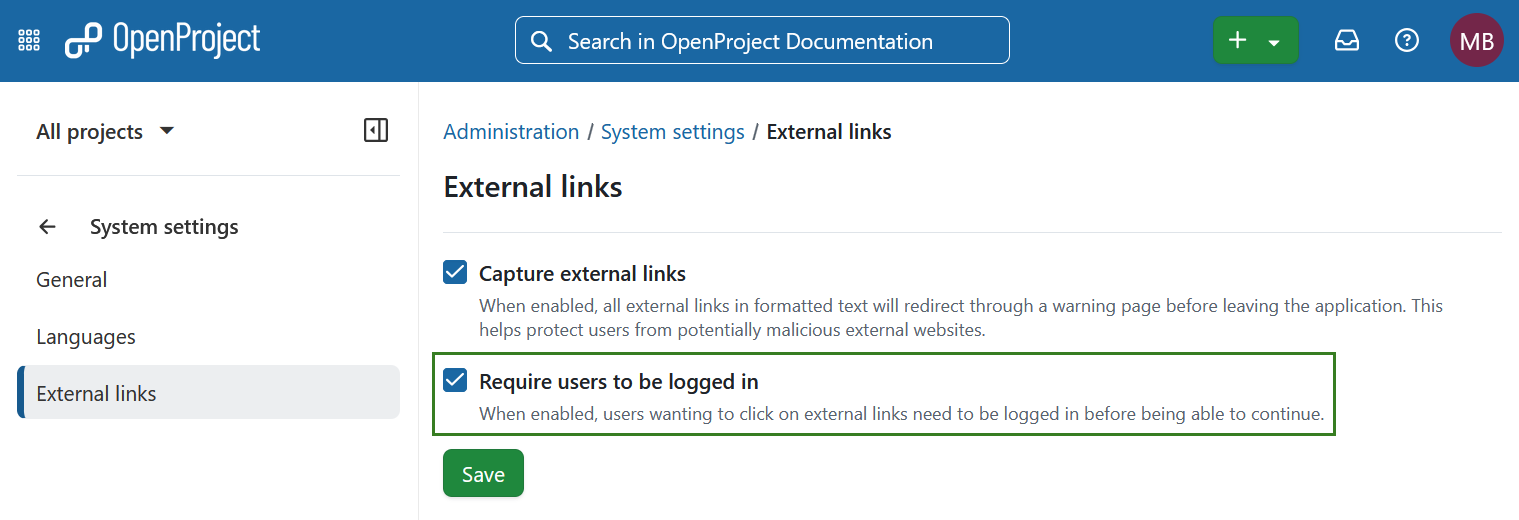
Building on the external link safety options introduced in OpenProject 17.1, OpenProject 17.2 adds the option to require users to be logged in before opening external links.

When this setting is enabled, users must authenticate before they can follow external links.

Note

This feature is available as an Enterprise add-on in the Premium plan and higher. See our pricing page and contact us for more information on upgrading to a higher plan.

OpenProject administration settings page for external links with the option enabled to require users to be logged in before following external links.

UX/UI updates with the Primer design system

OpenProject continues the transition to the Primer design system, helping unify the user interface across the application.

Backlogs module update

The Backlogs module has been updated using Primer components. This results in a cleaner layout and more consistent interaction patterns.

Work packages can now also be viewed in a split screen, allowing teams to manage backlog items while reviewing work package details.

OpenProject Backlogs module showing a backlog organized by versions with work packages listed on the left and the work package details displayed in a split screen on the right.

Improvements in administration interfaces

Administrative interfaces for Custom Fields, Versions, and Groups have also been aligned with the Primer design system.

OpenProject 17.2: Migration, installation, updates and support

Follow the upgrade guide for the packaged installation or Docker installation to update your OpenProject installation to OpenProject 17.2. We update your hosted OpenProject environments (Enterprise cloud) today, March 11, 2026.

You will find more information about all new features and changes in our Release notes and in the OpenProject Documentation.

If you need support, you can post your questions in the Community Forum, or if you are eligible for Enterprise support, please contact us and we will be happy to support you personally.

Credits

A very special thank you goes to Mercedes-AMG for sponsoring the MCP server feature and supporting its development. Your collaboration and real-world feedback helped shape this functionality and demonstrate how large organizations can benefit from securely connecting AI workflows to their project data in OpenProject.

We would also like to thank Helmholtz-Zentrum Berlin, City of Cologne, Deutsche Bahn and ZenDiS for sponsoring released or upcoming features. Your support, alongside the efforts of our amazing Community, helps drive these innovations. Also a big thanks to our Community members for reporting bugs and helping us identify and provide fixes. Special thanks for reporting and finding bugs go to Alexander Aleschenko, Gabor Alexovics, Jörg Mollowitz and Александр Татаринцев.

Last but not least, we are very grateful for our very engaged translation contributors on Crowdin, who translated quite a few OpenProject strings! This release we would like to particularly thank the following users:

  • Adam Siemienski, for a great number of translations into Polish.
  • Mehmet Coşkun, for a great number of translations into Turkish.
  • Liangzdz, for a great number of translations into Chinese Simplified.

Would you like to help out with translations yourself? Then take a look at our translation guide and find out exactly how you can contribute. It is very much appreciated!

As always, we welcome any feedback on this release.

  •  
❌