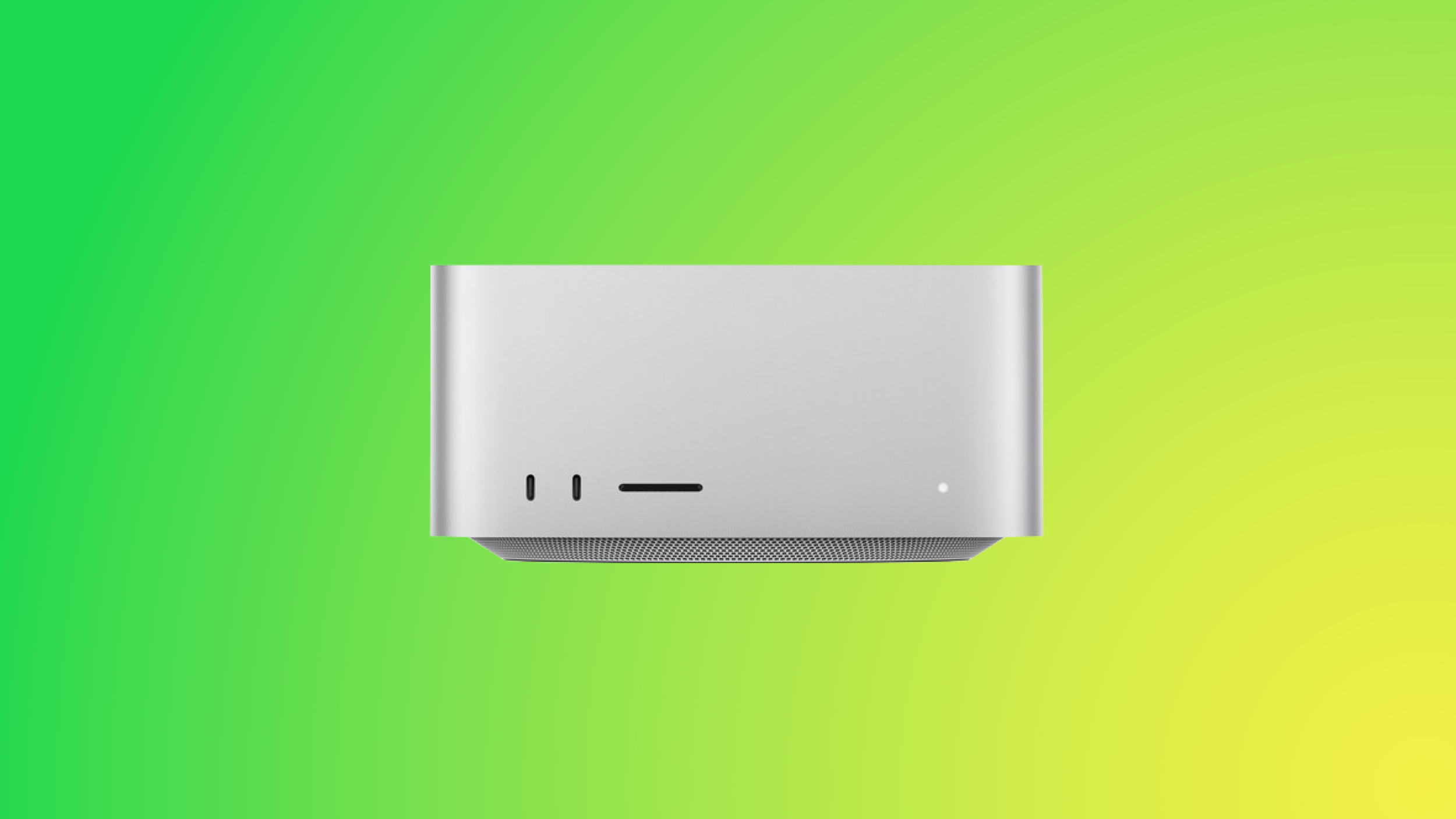
Apple is working on an updated version of the Mac Studio, and the new machine is expected to launch in the first half of 2026. We've rounded up what we know about the next-generation Mac Studio so far.
Design
We're not expecting Apple to redesign the Mac Studio, and there haven't been rumors of a design update. The Mac Studio will continue to have an Apple TV or Mac mini-like squircle design with rounded corners.
The Mac Studio is a much more compact desktop than the Mac Pro, measuring in at 3.7 inches tall and 7.7 inches wide. Apple has apparently put the Mac Pro on the backburner, and the Mac Studio is seen as the future of Mac desktop computing.
M5 Max and M5 Ultra Chips
We're expecting the Mac Studio to adopt M5 Max and M5 Ultra chips. The M5 Max chip will offer much faster CPU and GPU performance than the M5 chip that came out last October, and the M5 Ultra will double the M5 Max performance.
The M5 MacBook Pro models were updated with a faster SSD, so the Mac Studio and other Macs coming in 2026 could get the same refresh.
Studio Display 2
Apple debuted the first Studio Display alongside the Mac Studio, and there is a new Studio Display 2 rumored to be coming this year. We could get the new display alongside the new Mac Studio.
There haven't been rumors of pricing increases for the Mac Studio, so it could continue to start at $1,999.
Release Timing
Last weekend, Bloomberg's Mark Gurman said that new Mac Studio models "shouldn't arrive too long after the spring Mac refresh," which is expected to include new MacBook Pro models.
New MacBook Pro models could come as early as the week of March 2, so the Mac Studio will come sometime after that date.
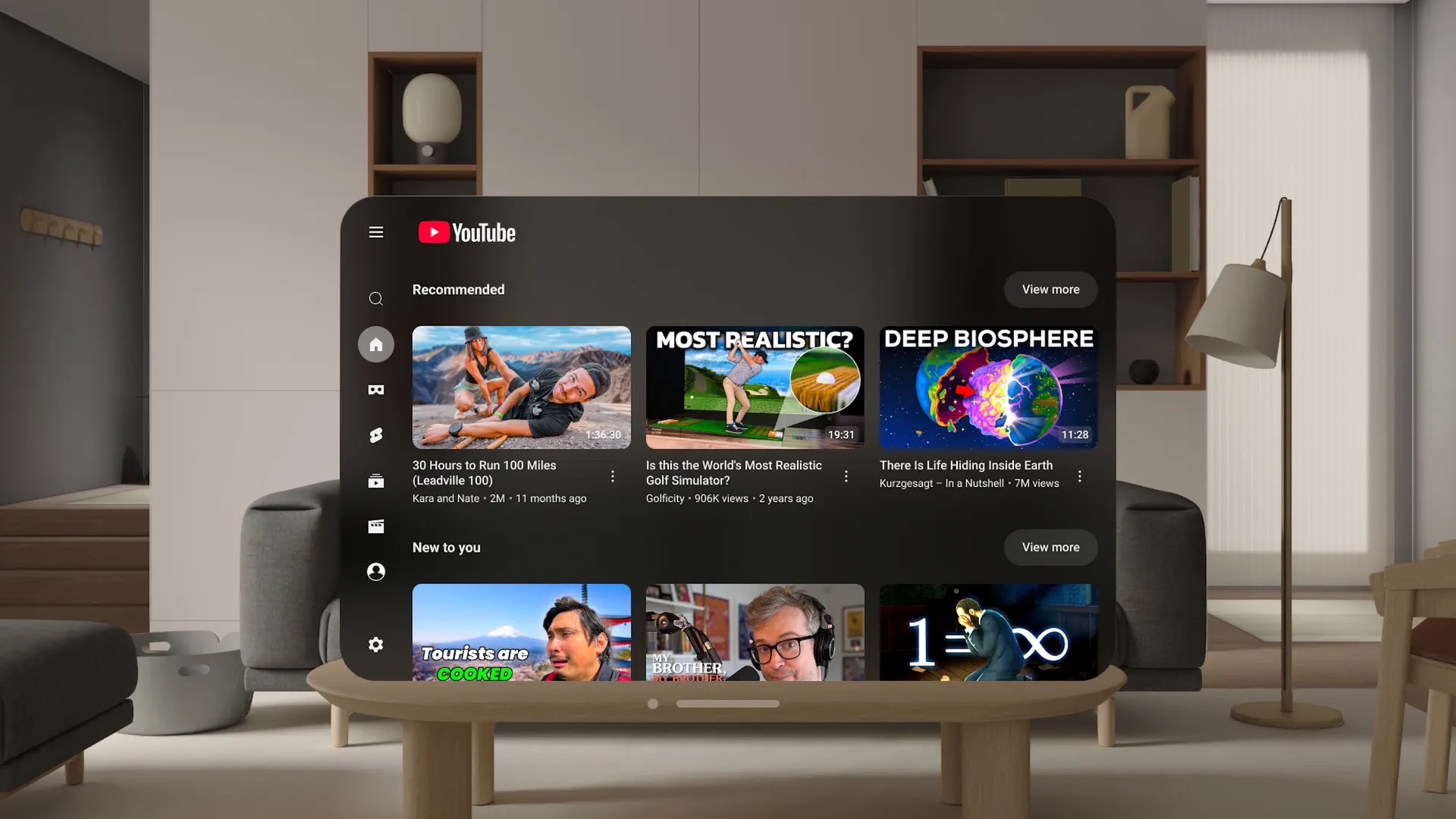
Starting today, an official YouTube app is available on the Apple Vision Pro, allowing you to watch videos on a theater-sized screen with immersive visionOS Environments.
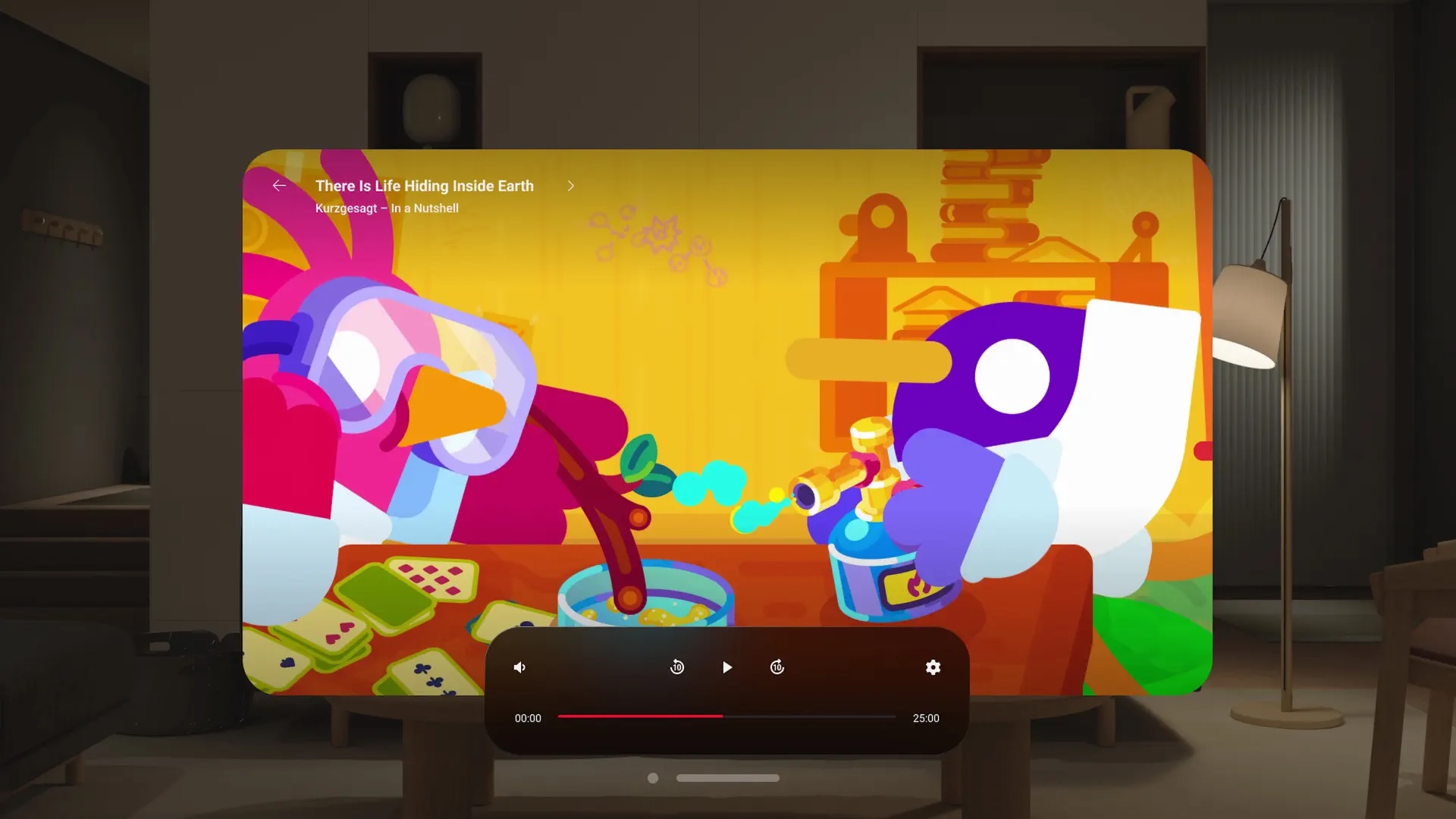
Every video on YouTube is available in the new, standalone visionOS app, including standard videos, 180° videos, 360° videos, and YouTube Shorts. And on the newer Apple Vision Pro with the M5 chip, you can even watch YouTube videos in 8K.
Apple Vision Pro users can access their YouTube subscriptions, playlists, watch history, and more.
It was already possible to watch YouTube videos via the Safari browser on the Apple Vision Pro, but there was no official YouTube app on the device until now. A third-party YouTube app called "Juno" was available on visionOS in 2024, but it was quickly removed from the App Store because it was deemed to be violating YouTube's Terms of Service.
The official YouTube app is available in the visionOS App Store. The app is compatible with Apple Vision Pro models with the M2 chip and the M5 chip.
OpenProject 17.1 has been released and introduces several major improvements across the platform. In this article, we highlight the most important changes and what they mean for your daily work. We will summarize the most important changes in this blog article and, as always, please see our release notes that contain all changes, features and bug fixes.
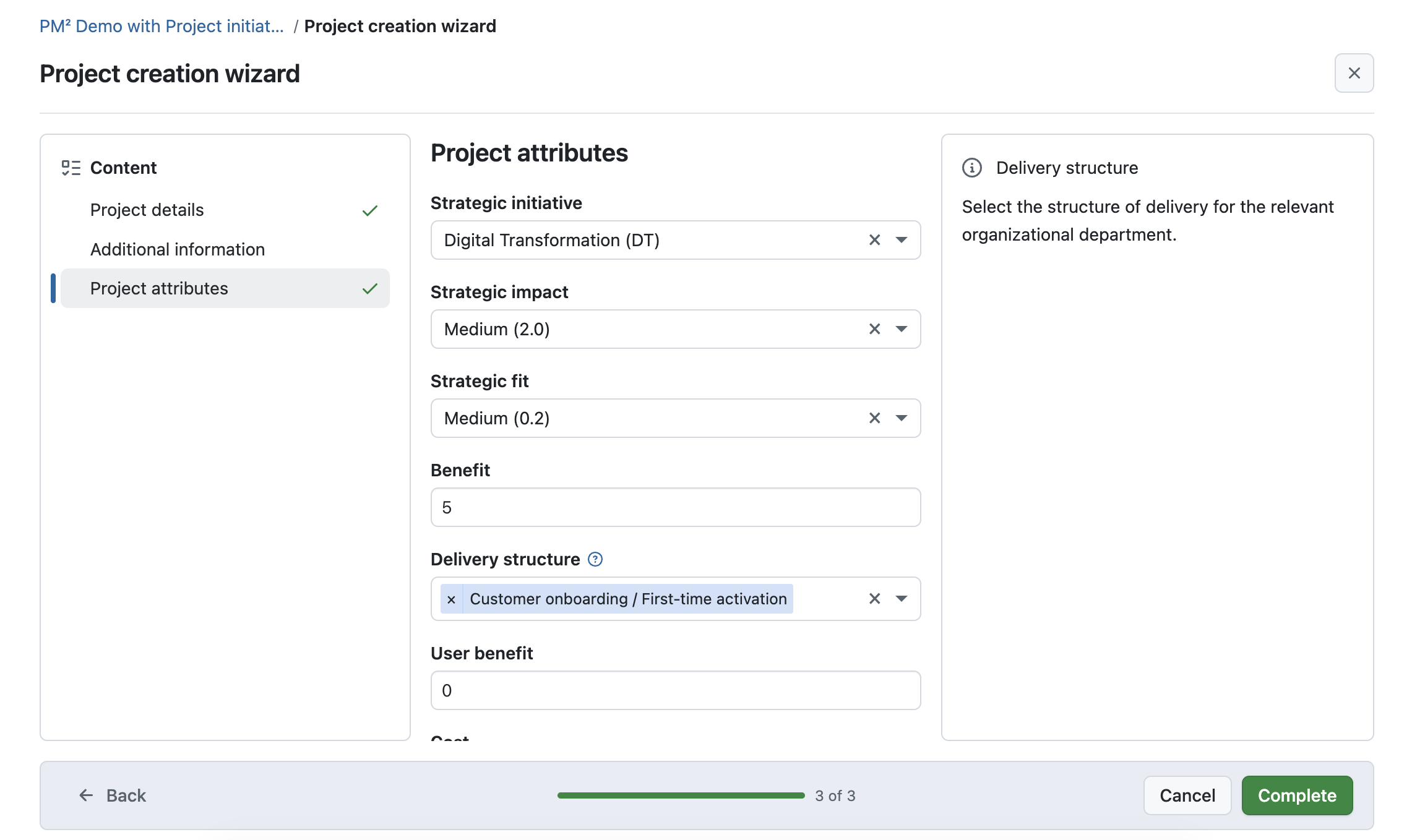
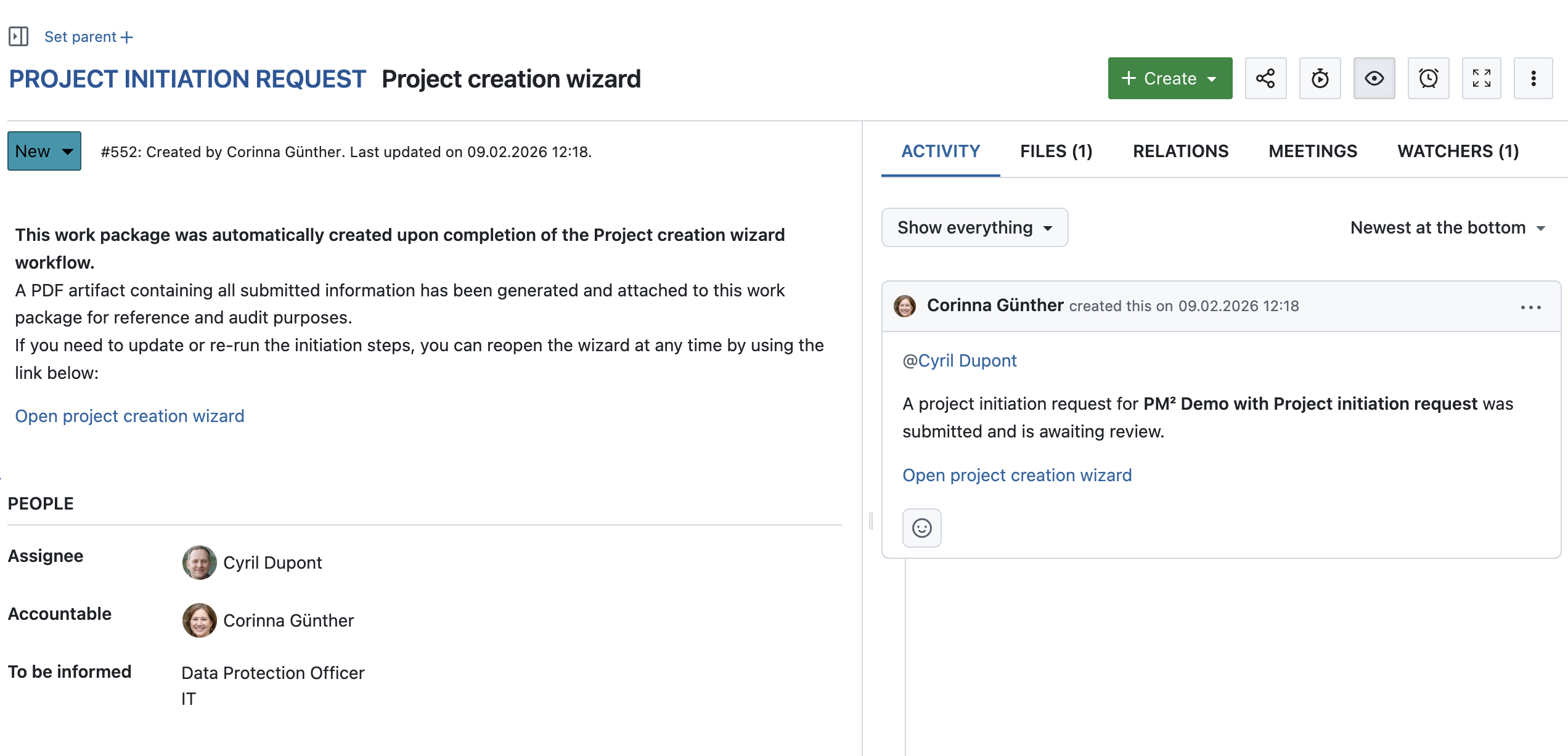
Starting new projects often involves more than just creating a project space. In many organizations, project initiation includes collecting key information, aligning stakeholders, and requesting formal approval before work can begin.
With OpenProject 17.1, automated project initiation requests help structure this process in a dedicated workflow. Instead of coordinating project details via emails, spreadsheets, or meetings, teams can collect all required information directly within OpenProject and track the initiation status transparently.
Project initiation requests are based on predefined templates and guide requesters through the necessary input. This makes project intake more consistent and reduces back-and-forth between project requesters, project managers, and decision-makers.
Once submitted, OpenProject automatically creates a work package with all relevant information as well as a PDF artifact. This way, initiation requests can be reviewed, discussed, and approved in a structured way before the project moves forward.
This feature is particularly useful for organizations with standardized project processes, governance requirements, or approval workflows. It supports a clear separation between requesting, reviewing, and starting projects, while keeping all information in one place.
Automated project initiation requests are available as an Enterprise add-on in the Premium plan. See our pricing page and contact us for more information on upgrading to a higher plan.
Smarter meeting workflows with work package outcomes and more
Meetings are most effective when decisions and action items are clearly captured and followed up on. With OpenProject 17.1, meeting workflows have been improved to help teams turn discussions into concrete next steps and keep recurring meetings better connected.
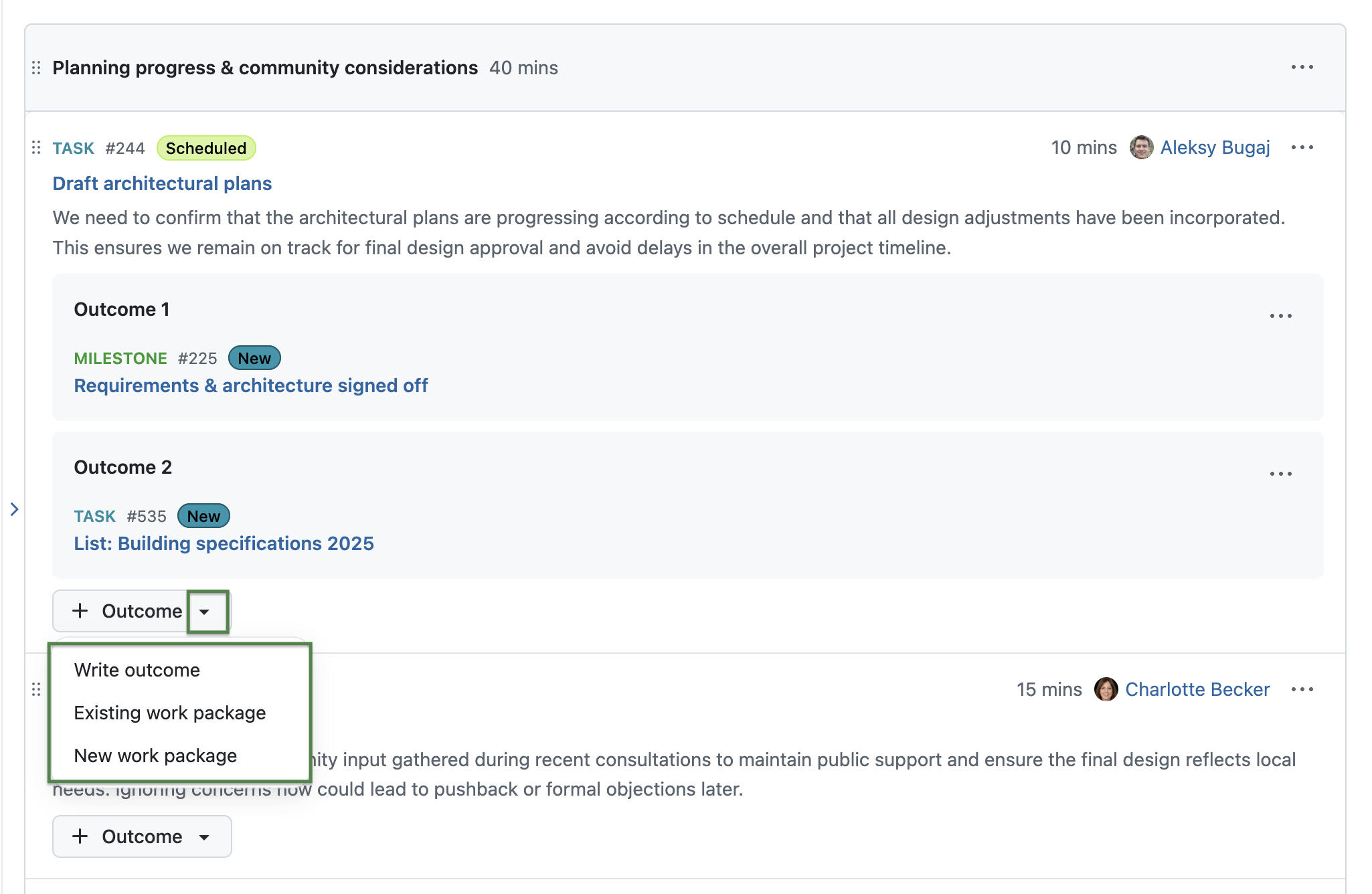
One of the great improvements is that meeting outcomes can now be directly created as work packages. Instead of manually transferring notes or action items after a meeting, teams can immediately turn agreed outcomes into tasks and assign responsibilities. This helps ensure that decisions made in meetings lead to actual progress.
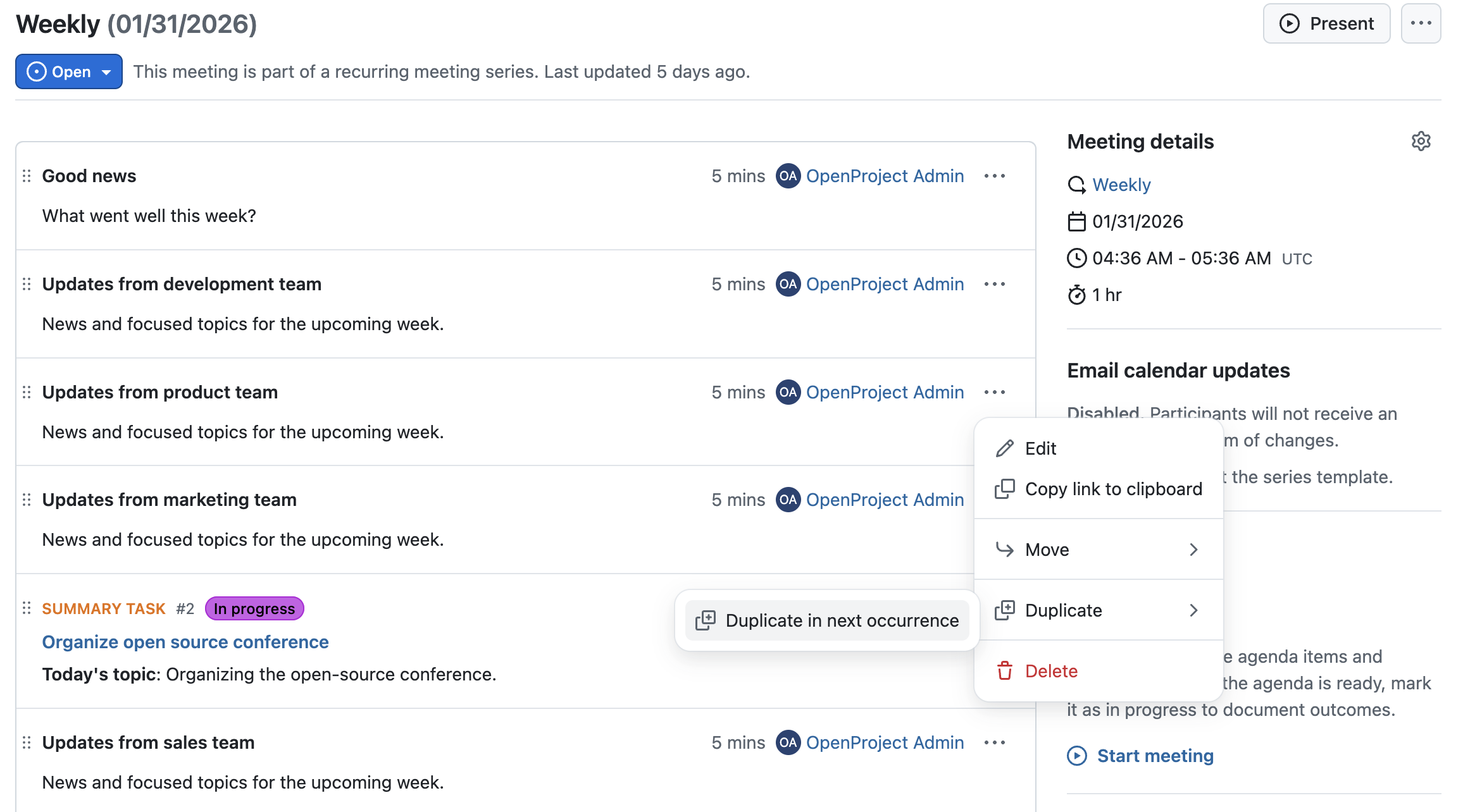
For recurring meetings, agenda items and outcomes can now be copied to the next occurrence. This makes it easier to continue discussions, revisit open points, or carry forward unfinished items without recreating content from scratch.
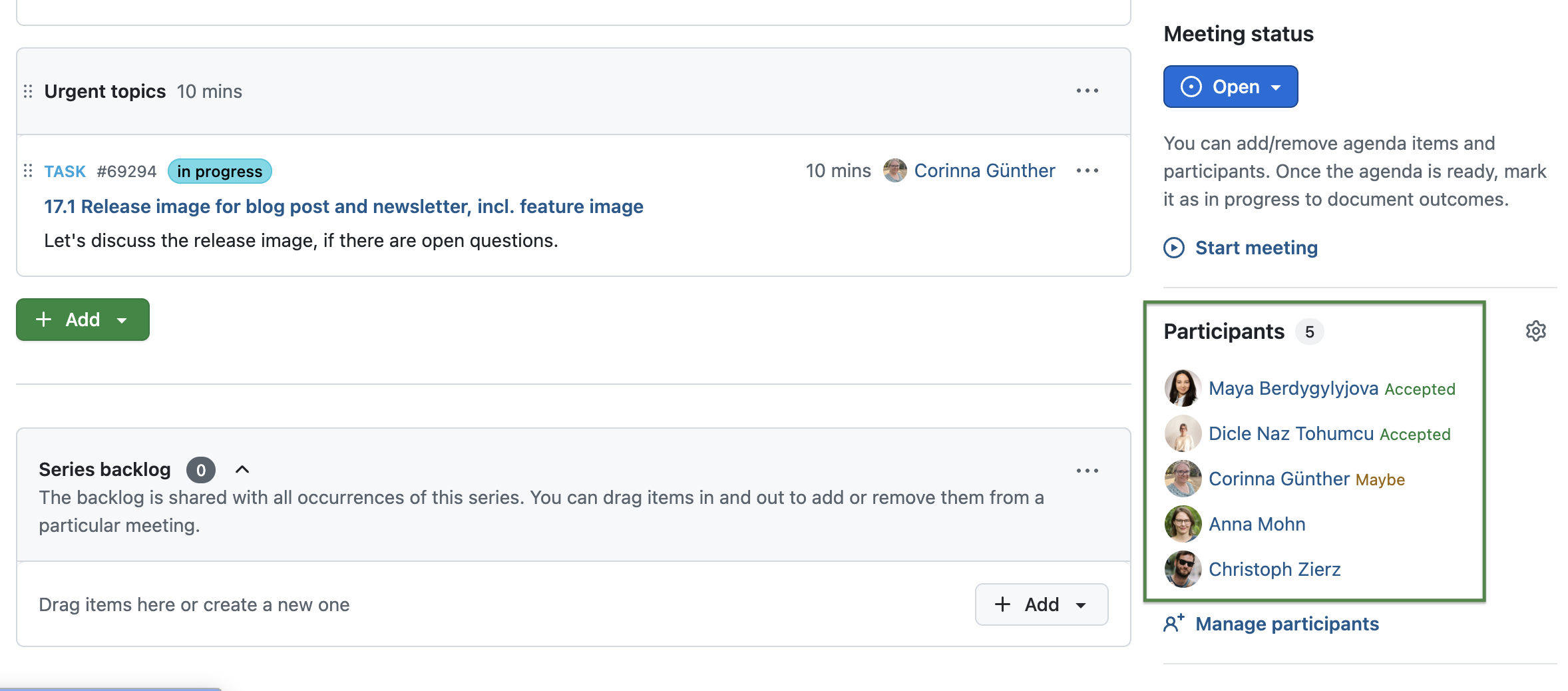
OpenProject 17.1 also improves calendar integration for meetings. Participant responses such as accepted, declined, or tentative are now visible directly in the meeting sidebar. These responses are collected from calendar invitations, for example when an ICS event is sent by email or downloaded and shared, giving organizers a clearer overview of who plans to attend.
Together, these improvements make meetings more actionable, better connected to ongoing work, and easier to manage across recurring sessions and external calendars.
Attribute highlighting released to Community edition
At OpenProject, we remain committed to our Community and are convinced that the continuous development of the OpenProject Community Edition benefits everyone. That’s why we regularly release Enterprise add-ons for the Community version. With OpenProject 17.1, we are releasing attribute highlighting for our Community, so that it’s no longer an Enterprise add-on.
Depending on which attributes you want to highlight – and which colors you choose – your work package table looks different. Here’s an example of a work package table highlighted by Priority:
OpenProject 17.1 offers more features and updates. To keep this article concise, here is a quick look at some additional improvements worth highlighting:
Enable a warning before opening external links in user-provided content (Enterprise add-on)
To improve security awareness, OpenProject 17.1 introduces an optional warning before opening external links that were added by users. This helps teams better assess potential risks when leaving OpenProject, especially in environments with many collaborators or external contributors. Available as Enterprise add-on in the Premium plan.
Read more about capturing external links in OpenProject.
Show short and weight values for Hierarchy and Weighted item list fields (Enterprise add-on)
Hierarchy and Weighted item list custom fields now display their short and weight values more clearly. This makes it easier to understand priorities and calculations at a glance, especially when working with structured data or aggregated values in larger projects.
Note
Hierarchy fields are available as Enterprise add-ons in the Basic plan and weighted item list fields are available as Enterprise add-on in the Premium plan. Read more about custom fields in OpenProject.
Improved performance and UX/UI updates
OpenProject 17.1 includes further performance improvements, bug fixes and UX/UI refinements across the application. The Activity tab has been optimized to load faster and provide a smoother experience, especially in projects with a large amount of activity.
In addition, several areas have been updated to use the Primer design system, including the Access tokens section in account settings, the Backlogs administration page, and the password confirmation dialog. These changes improve visual consistency and usability while keeping existing workflows intact.
OpenProject 17.1: Migration, installation, updates and support
You will find more information about all new features and changes in our Release notes and in the OpenProject Documentation.
If you need support, you can post your questions in the Community Forum, or if you are eligible for Enterprise support, please contact us and we will be happy to support you personally.
New to OpenProject? To test all features of OpenProject 17.1 right away, create a 14 days free trial instance for our OpenProject Enterprise cloud.
Prefer to run OpenProject 17.1 in your own infrastructure? Here you can find the Installation guidelines for OpenProject.
A very special thank you goes to Helmholtz-Zentrum Berlin, City of Cologne, Deutsche Bahn and ZenDiS for sponsoring released or upcoming features. Your support, alongside the efforts of our amazing Community, helps drive these innovations. Also a big thanks to our Community members for reporting bugs and helping us identify and provide fixes. Special thanks for reporting and finding bugs go to Johannes Baumgarten, Lea Fuchs, Александр Татаринцев, Stefan Weiberg, and Natalie Stettner.
Last but not least, we are very grateful for our very engaged translation contributors on Crowdin, who translated quite a few OpenProject strings! This release we would like to particularly thank the following users:
arnegronkjaer, for a great number of translations into Danish.
Would you like to help out with translations yourself? Then take a look at our translation guide and find out exactly how you can contribute. It is very much appreciated!
As always, we welcome any feedback on this release.
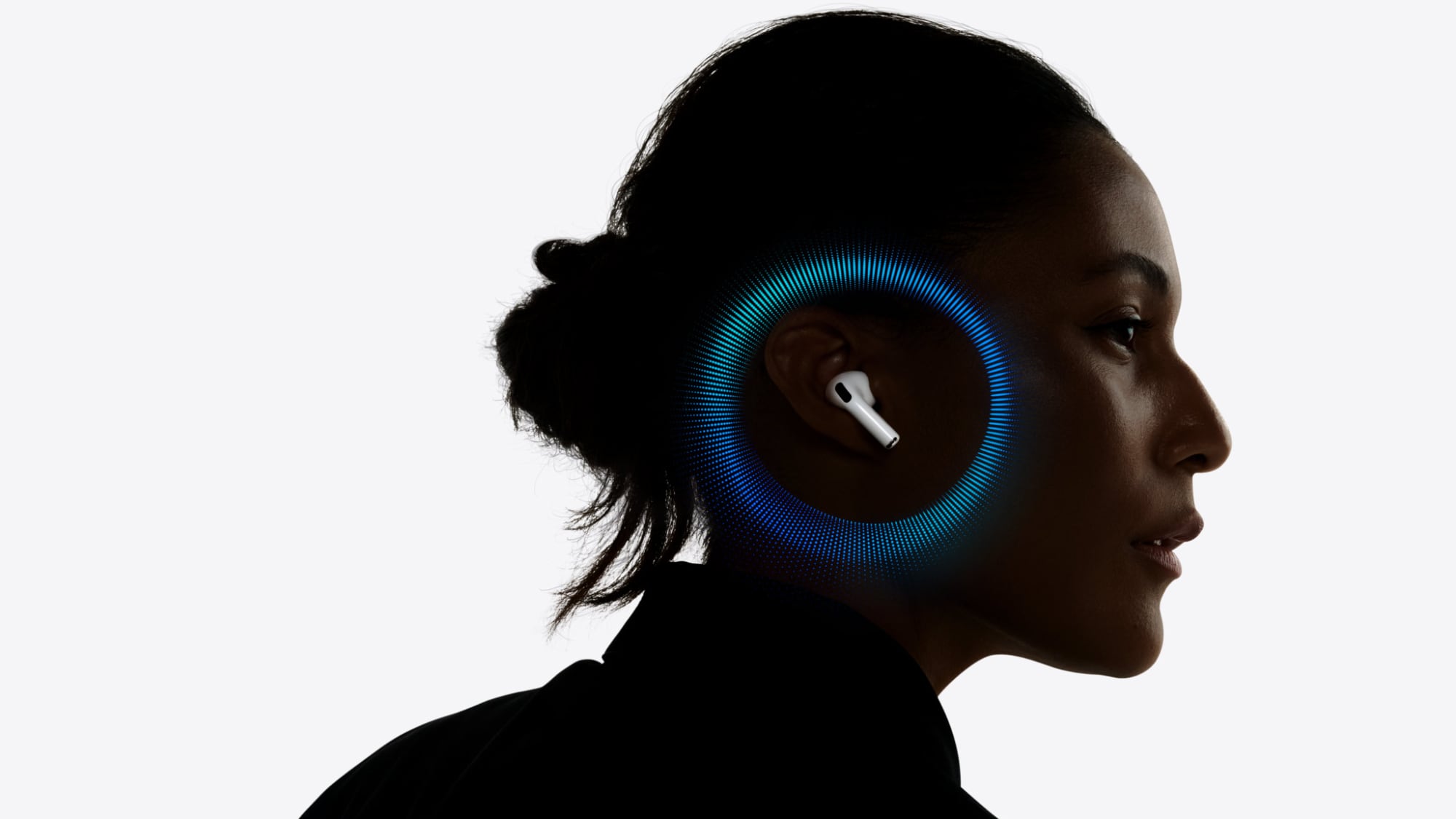
Apple's next-generation AirPods Pro will feature cameras to see around a user, according to the leaker and prototype collector known as "Kosutami."
In a new post on X, Kosutami said that the next AirPods Pro will be able to see around the wearer, presumably via cameras in each earbud. Supply chain analyst Ming-Chi Kuo said that the 2026 AirPods Pro will feature a "more significant" hardware upgrade in the form at least one tiny infrared camera. He previously said AirPods with infrared cameras could recognize hand gestures and provide an enhanced spatial audio experience with Apple's Vision Pro headset.
Kosutami added that the new AirPods Pro will be available at the same $249 price as the current model. This contrasts with previous rumors suggesting that the next AirPods Pro would be a secondary version of AirPods Pro 3 this year, sitting in the lineup alongside the current model.
The Chinese leaker known as "Instant Digital" corroborated the rumors about new AirPods Pro featuring infrared cameras for gesture controls, with some additional details and clarifications. Rather than being a new generation, the 2026 AirPods Pro will apparently be a pricier, high-end variant of the AirPods Pro 3 introduced in 2025, suggesting that both models will ultimately be on sale alongside each other. It is worth noting that Apple offers two version of the AirPods 4 at $129 and $179 price points, so this is a highly plausible move.
The current AirPods lineup has offerings priced at $129, $179, $249, and $549. An additional product between the $249 AirPods Pro 3 and $549 AirPods Max seems possible, especially given the rise of higher end Bluetooth earbuds from the likes of Bang Olufsen, Bowers & Wilkins, and Bose.
Regardless, back in September 2025, Kuo reported that Apple is planning to introduce a successor to the AirPods Pro 3 in 2026. This would be somewhat unusual since Apple normally waits around three years to make major changes to the AirPods' hardware. AirPods Pro 2 debuted at the iPhone 14 event in September 2022, and they were updated with a USB-C charging case and a few other tweaks in September 2023. Otherwise, Apple has waited about three years to update all of its AirPods models.
Whether they are a new, high-end version of the AirPods Pro 3 or full-fledged AirPods Pro 4, launch timing is currently unclear, but Apple typically announces new AirPods in the second half of the year. The original AirPods, AirPods Pro 2 and their subsequent USB-C revision, AirPods 4, and AirPods Pro 3 were all announced at Apple's annual iPhone event in September.
New MacBook Pro models with the M5 Pro and M5 Max chips could arrive as soon as Monday, March 2, according to Bloomberg's Mark Gurman.
In today's "Power On" newsletter, Gurman said that the release of new MacBook Pro models is tied to the release of macOS Tahoe 26.3. The launch is said to be slated for as early as the week of March 2. He added that the M4 Pro and M4 Max models on sale today remain in short supply, indicating that the launch of new models is close.
Updated Mac Studio models "shouldn't arrive too long after the spring Mac refresh," according to Gurman. A new Studio Display and Mac mini continue to be on Apple's roadmap for this year, along with an all-new low-cost MacBook powered by an iPhone chip. The most significant Mac launch this year will be overhauled MacBook Pro models with OLED displays and touch support.
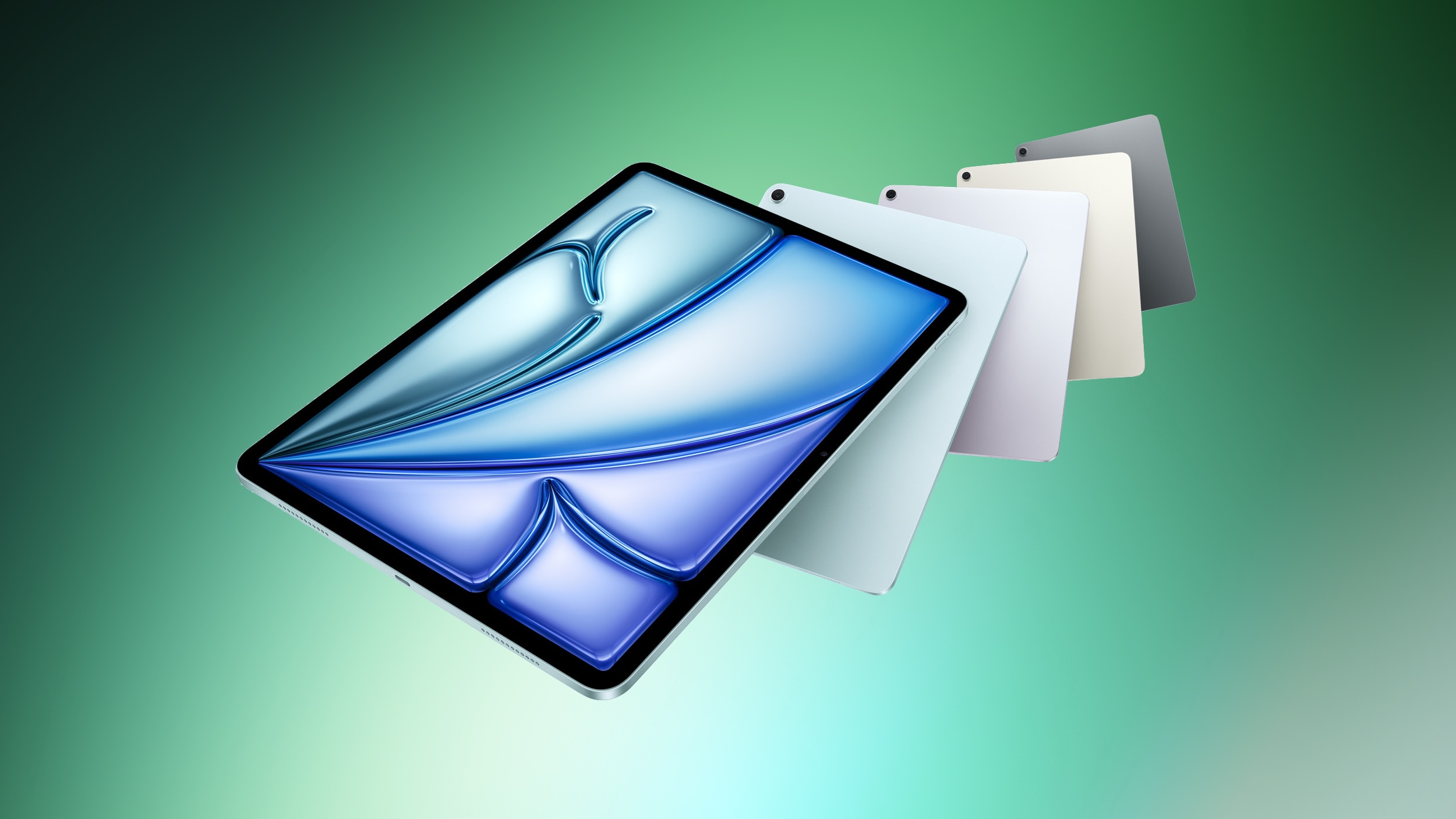
Apple is planning to launch new iPad and iPad Air models in the near future, Bloomberg's Mark Gurman reports.
Writing in today's "Power On" newsletter, Gurman explained that updated iPads are "coming soon," including a new entry-level iPad and a new iPad Air. Both devices are not expected to feature design changes or major enhancements, instead focusing on new chips. The 12th-generation iPad is set to feature the A18 chip, while the eighth-generation iPad Air will apparently feature the M4 chip. The iPad mini is said to be the only new iPad set to get a bigger upgrade this year, moving to an OLED display.
The new chip is perhaps most significant for the iPad, which will facilitate Apple Intelligence support on the device for the first time. Apple announced the 11th-generation iPad in March 2025 with the A16 chip, which does not support Apple Intelligence, despite the technology being widely available across Apple's other devices at that time.
The iPad saw strong sales over the holidays, largely driven by the entry-level model. Apple purportedly plans to market the new model heavily to enterprise customers.
Apple today shared an ad that shows how the upgraded Center Stage front camera on the latest iPhones improves the process of taking a group selfie.
"Watch how the new front facing camera on iPhone 17 Pro takes group selfies that automatically expand and rotate as more people come into frame," says Apple. While the ad is focused on the iPhone 17 Pro and iPhone 17 Pro Max, the regular iPhone 17 and the iPhone Air have the same Center Stage front camera with this functionality.
Apple provided more details in its iPhone 17 press releases last year:
Users no longer have to rotate their iPhone to take a landscape selfie — they can now take photos and videos in portrait or landscape while holding their iPhone vertically, enabling a more comfortable, secure grip and centred gaze. For group shots, Center Stage for photos uses AI to automatically expand the field of view and can rotate from portrait to landscape to include everyone in the frame.
All four of the latest iPhone models are equipped with an 18-megapixel Center Stage front camera with a square image sensor.
It's been four months since the iPhone Air came out, and it hasn't exactly been a resounding success. Sales are reportedly so low that Apple is delaying the next-generation model. MacRumors videographer Dan Barbera shares what it's been like using Apple's thinnest and lightest iPhone on a daily basis over the last few months.
With its super thin design, the iPhone Air still impresses even months later. It's much lighter than the other iPhone models, and a pleasure to use because of it. The iPhone Air is Apple's best one-handed smartphone, plus it impresses everyone who tries it out.
The frosted glass texture is attractive, and thanks to that titanium frame, it's durable. The glass resists fingerprints, plus it's not slippery, so it can be used without a case. That's a good thing, since a case tends to ruin the ultra thin feel. The iPhone Air is all glass, though, so it's still breakable if dropped and AppleCare+ is recommended.
The iPhone Air has the smallest battery in the iPhone 17 lineup, and there was a lot of concern that it wouldn't last all day. As long as you're not using it for high-end gaming, the battery is totally fine. Dan hasn't had a problem with battery life for day-to-day activities like browsing social media, YouTube, navigating, and using CarPlay.
If you're someone who only uses the Wide camera on the iPhone, you might not miss the Ultra Wide or Telephoto lenses, but having only a single-lens rear camera is one of the iPhone Air's major downsides. You get 1x and 2x zoom, but no 0.5x mode, no macro lens, and no 5x telephoto lens. It's definitely a dealbreaker for some people.
There's also only a single speaker, and while it's fine for use in quiet rooms, if you like to use your iPhone for things like listening to music in the shower, it might not be good enough.
The biggest thing wrong with the iPhone Air is the price tag. Sure, it's light, thin, and has an impressive design, but it's $999. For $200 less, you can get the standard iPhone 17 with two cameras and near identical performance, and for $100 more, you can get the iPhone 17 Pro, which has three cameras and faster performance. The only sacrifice is thinness, and it's clear that most people aren't willing to pay more to lose features for a thin and light design.
At this point, it's not entirely clear when a new iPhone Air is coming out. Rumors originally suggested we'd get the second-generation model in the fall of 2026, but sales were below expectations, so Apple is holding back on a new model to make some changes.
The next iPhone Air could have a second camera and display improvements like a smaller Dynamic Island to make it more appealing, with a potential launch happening in spring 2027.
With Superbowl weekend about to kick off, we take a look at the best places to watch the big game as well as where to get involved with local American Football clubs.
Football that you play with your feet and a ball reigns supreme in Colombia, but there’s also plenty of support for the types of football that you play with your hands and an egg. We’ve covered Aussie Rules football and Rugby Union before, but with the Superb Owl between Seattle Seahawks and New England Patriots coming up on Sunday, it’s time to look at the USA’s favourite sport in Colombia’s capital.
Bulldogs DC are one of the Colombian flag football teams in the capital
There’s a Colombian element this time around too, with star cornerback Christian Gonzalez lining up in the Patriots’ backfield. Born in Texas to a Caleño family, he went 15th in the 2023 draft and anchors pass coverage for New England.
He retains a great love for Colombia, saying that he’ll have mixed feelings if his country of birth and country of descent meet in this year’s World Cup in North America.
The game kicks off at 18:30 Colombian time, pretty much perfect for Sunday evening viewing. The pregame show by Green Day will be popular in Colombia, but it’s halftime that will draw all eyes to the screen.
Puerto Rican megastar Bad Bunny is scheduled to play and he hasn’t held back in commenting on ICE actions across mainland USA. He said “ICE out” while accepting an award at the Grammys, adding “We’re not savage, we’re not animals, we’re not aliens. We are humans and we are Americans.” That has made him the highest profile US Latino speaking out on the issue.
Watching is easy, but playing is certainly possible, with a wealth of clubs throughout la nevera and elsewhere in Colombia. We spoke to local organiser Javier Zuleta about how local American Football works and how to get involved, whether that’s full kit or flag.
Where to watch
This is by no means an exhaustive list – the match will be widely shown around Bogotá. However, it’s a Sunday night, and that means there will be a limited number of places open anyway, so it pays to check ahead. If you’re looking for a proper atmosphere, these places will sort you out on Sunday evening.
All these venues are running DAZN and Gamepass, so you won’t have to deal with dodgy streams or any sort of hiccups. All should feature a mixed crowd of Americans watching their home sport and Colombian fans of the NFL, making for a different atmosphere than you might previously have experienced.
International Centre
Superbowl party at the Meeting House
Meeting House
Closest to the centre, by the centro comercial San Martín at Calle 32 #6b-43 (3rd floor), the Meeting House offers a huge screen, plenty of tables and a long bar. They expect to busy, so reserve here to assure yourself of a place at the party.
They have a large terrace/patio for smoking, as well as activities such as Beer Pong if you’re not glued to the halftime show or Bad Bunny’s been cancelled. Expect a lively party atmosphere.
There’s a range of offers on cocktails and the full kitchen menu, with picadas probably as a special offer as well for the extra-hungry. Both bottled and draft beer is available as well as a range of spirits. They have pitchers up to a whopping 5 litres to make sure you’ve no chance of going thirsty.
Teusaquillo
Shots Lab
Shots Lab has plenty of screens for the Superbowl in Bogotá
Open from 3pm, the Shots Lab at Calle 45 #20-20 has a plethora of screens across three areas for your viewing pleasure. The early start means you can make sure you get a good seat and the number of screens means you’re assured of a good view wherever you are.
The owner is a Saints fan, so it’s pretty neutral. There’s two indoor spaces as well as an open-air patio which is cooler if it’s crowded and a dartboard if the game turns into a blowout. Rock music provides a solid backdrop.
They are running all their usual menu, as well as offers on cubetazos up until kick off o clock. Águila, Póker and Andina are at six for COP$25,000 while Club Colombia is at COP$30,000. They have an extensive menu and a good range of both beers and spirits.
Zona T
Irish Pubs
The Usaquén, Quinta Camacho and Zona T are your best bets here. They will have the games on at all locations with a dependable selection of beers and food. Best one for atmosphere is probably the Zona T where there are offers on nachos and wings with beer on a 100 inch screen.
Gigante is the craft beer option that stands out
Gigante
If you’re looking for craft beer while watching the match, this is your best bet. Owner Will Catlett serves up his own Gigante brews made locally. A California native, he’ll be backing fellow NFC West team the Seahawks.
Unsurprisingly, the screen is, well, gigante and there’s plenty of space inside to make sure you can see it. It’s conveniently located right in the heart of the Zona T at Carrera 14A #83-44.
Litre-and-a-half beer pitchers at COP$50,000 are a great deal, with 2×1 cocktails on a slew of options if you don’t want to chug the beers. Also at COP$50,000 are beer plus food (hamburger or choripan) combos to help make sure your stomach’s lined.
Wherever you end up, watching the Superbowl in Bogotá is great if you know what you’re doing. And why not consider popping along to check out some of the local teams’ training sessions – they’re friendly, welcoming and always looking for new members.
Apple today released watchOS 11.6.2 for the Apple Watch Series 6 through Series 10, Apple Watch SE 2, and Apple Watch Ultra and Ultra 2.
"This update provides important bug fixes and is recommended for all users," says Apple.
watchOS 11.6.2 will only appear on Apple Watch models that have not already been updated to watchOS 26 or later. There are no specific details available yet beyond Apple's vague release notes, so it is unclear what exactly the update includes.
Update: Apple says watchOS 11.6.2 "addresses a cellular network issue for Series 6, Series 7, Series 8, Series 9, Series 10, SE 2, Ultra, and Ultra 2 when establishing a connection to emergency services in Australia."
Japanese blog Mac Otakara today shared some alleged details about the iPhone 17e and iPad 12, which are both expected to be released within the next few months.
In February 2025, Apple discontinued the iPhone SE and released a new entry-level iPhone 16e. The device features a 6.1-inch OLED display, an A18 chip, Apple Intelligence, a single 48-megapixel rear camera, an Action button, a USB-C port, and more. The iPhone 17e would be the follow-up, spec-bumped model.
According to the report, which cites "reliable sources," the iPhone 17e will have a similar overall design as the iPhone 16e. While some previous rumors indicated that the iPhone 17e would have a Dynamic Island, the report said this information is not true and that the device will continue to have a notch like the iPhone 16e.
The publication expects three key upgrades for the iPhone 17e:
A19 chip: This one is no big surprise, but the iPhone 17e is expected to be powered by Apple's A19 chip, up from the A18 chip in the iPhone 16e. This upgrade will result in faster performance and power efficiency improvements.
C1X modem: Apple says its second-generation C1X modem for 5G and LTE is up to twice as fast as its first-generation C1 modem in the iPhone 16e. Apple also says the C1X is the most power-efficient modem in an iPhone to date.
N1 chip: Like the iPhone Air, the report said the iPhone 17e will be equipped with Apple's N1 chip for Wi-Fi, Bluetooth, and Thread. In the iPhone Air, the N1 chip supports Wi-Fi 7 and Bluetooth 6, and Apple says the chip improves the overall performance and reliability of features like Personal Hotspot and AirDrop.
As for the iPad 12, the report said that device will likely have a similar design as the iPad 11, but with a newer A18 chip that supports Apple Intelligence. That means the iPad 12 would have 8GB of RAM, up from 6GB in the iPad 11.
A separate report from Macwelt, available in English on Macworld, cites a source who said that Apple plans to announce the iPhone 17e with a press release on an unusual date: Thursday, February 19. The publication agreed that the iPhone 17e will not have a Dynamic Island, but they do expect the device to feature MagSafe, as previously rumored.
MagSafe: Unlike the iPhone 16e, the iPhone 17e will reportedly feature MagSafe for up to 20W-25W magnetic wireless charging. The iPhone 16e is limited to Qi wireless charging at up to 7.5W speeds. You would also be able to magnetically attach accessories like Apple's MagSafe Wallet to the back of the iPhone 17e.
Macwelt added that the iPhone 17e will still have a single rear camera.
Apple announced the iPhone 16e on Wednesday, February 19 last year, so the iPhone 17e would be unveiled exactly one year later if this rumor is accurate. It is quite uncommon for Apple to unveil new products on a Thursday, but anything is possible.
No other major changes have been rumored so far, so the iPhone 17e's overall design and other specs should be similar to the iPhone 16e. In the U.S., the iPhone 16e starts at $599, but there is no word yet on how much the iPhone 17e will cost.
 Login
Login