Reading view

OpenProject 16.5: Better planning and accessibility

OpenProject 16.5 has been released and this version introduces new features and improvements again. Please take a few minutes to learn what changes for you. We will summarize the most important changes in this blog article and, as always, please see our release notes that contain all changes, features and bug fixes.

Add work packages to a meeting section in the Meetings tab

When preparing for a meeting, it’s often the small details that make a big difference. Until now, adding a work package to a meeting from the Meetings tab was already possible, but it always landed at the end of the agenda. Teams then had to manually move it to the right section — an extra step that sometimes led to confusion.

With 16.5, this process becomes much smoother. When you add a work package to a meeting, you can now add it directly to the right section or choose the backlog. The improved meeting selector also makes it easier to find the right meeting, whether it’s one of your upcoming appointments or part of a recurring series.

This means less manual work, a clearer agenda from the start, and more efficient meeting preparation. See our user guide to learn more about how to add work packages to meetings.
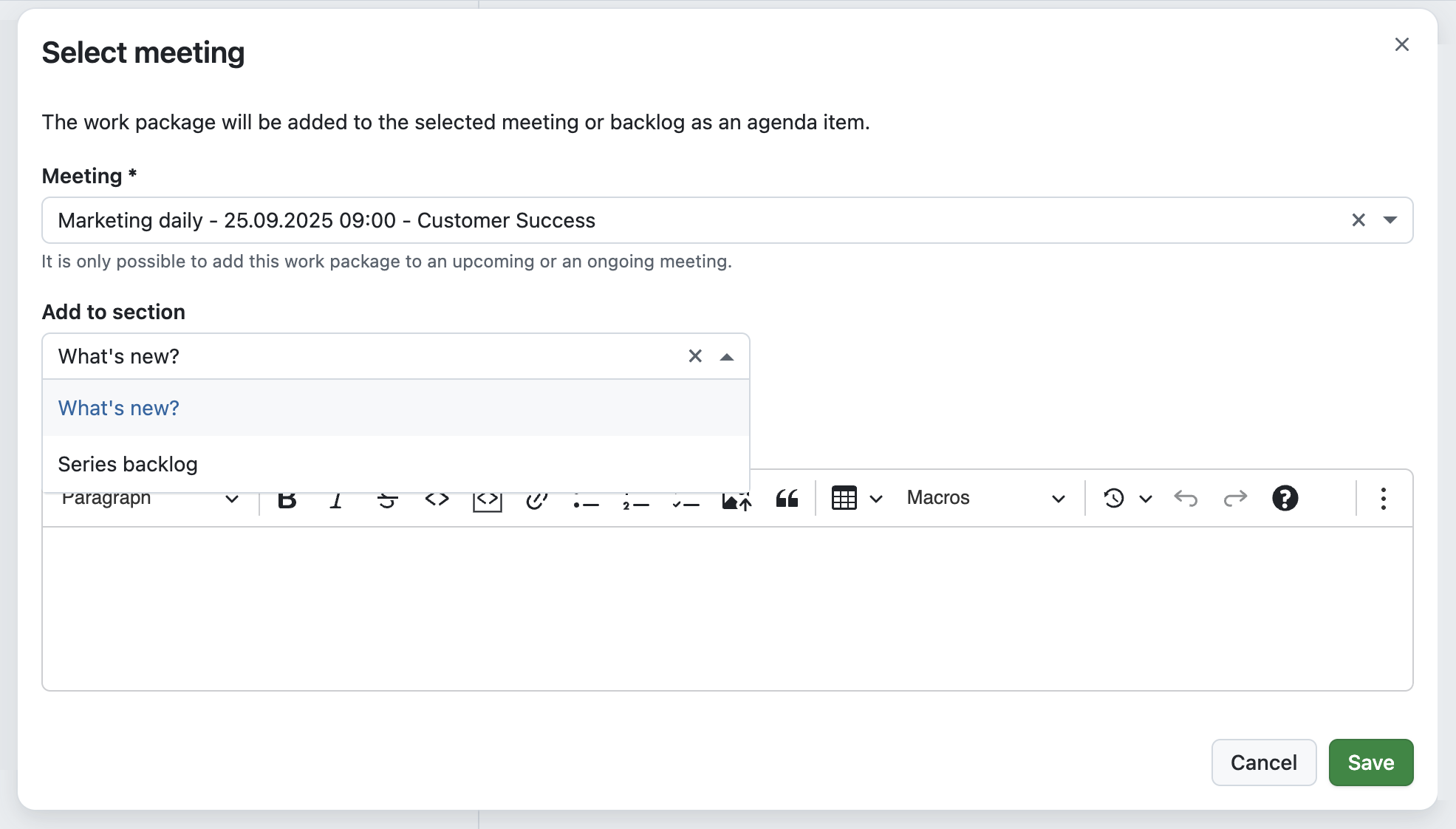
OpenProject work package, Meetings tab: Modal to “Select a meeting” with the Meeting selected being a Marketing daily and a “Add to section” dropdown with two sections to choose from.

Choose color mode more conveniently with “Increase contrast” checkboxes

Over the last releases, we have steadily improved how you can adapt OpenProject’s appearance to your needs. In 16.4, we introduced the option to automatically sync the color mode with your operating system, as well as a dark high-contrast mode alongside the existing light one.

With 16.5, we are making these settings even more practical. Instead of switching between multiple predefined modes, you can now simply choose Light, Dark, or Automatic, and then enable an “Increase contrast” checkbox for the selected mode.

This makes it easier to personalize OpenProject’s interface with just one click and improves accessibility. Learn more about the Look and feel options in OpenProject.
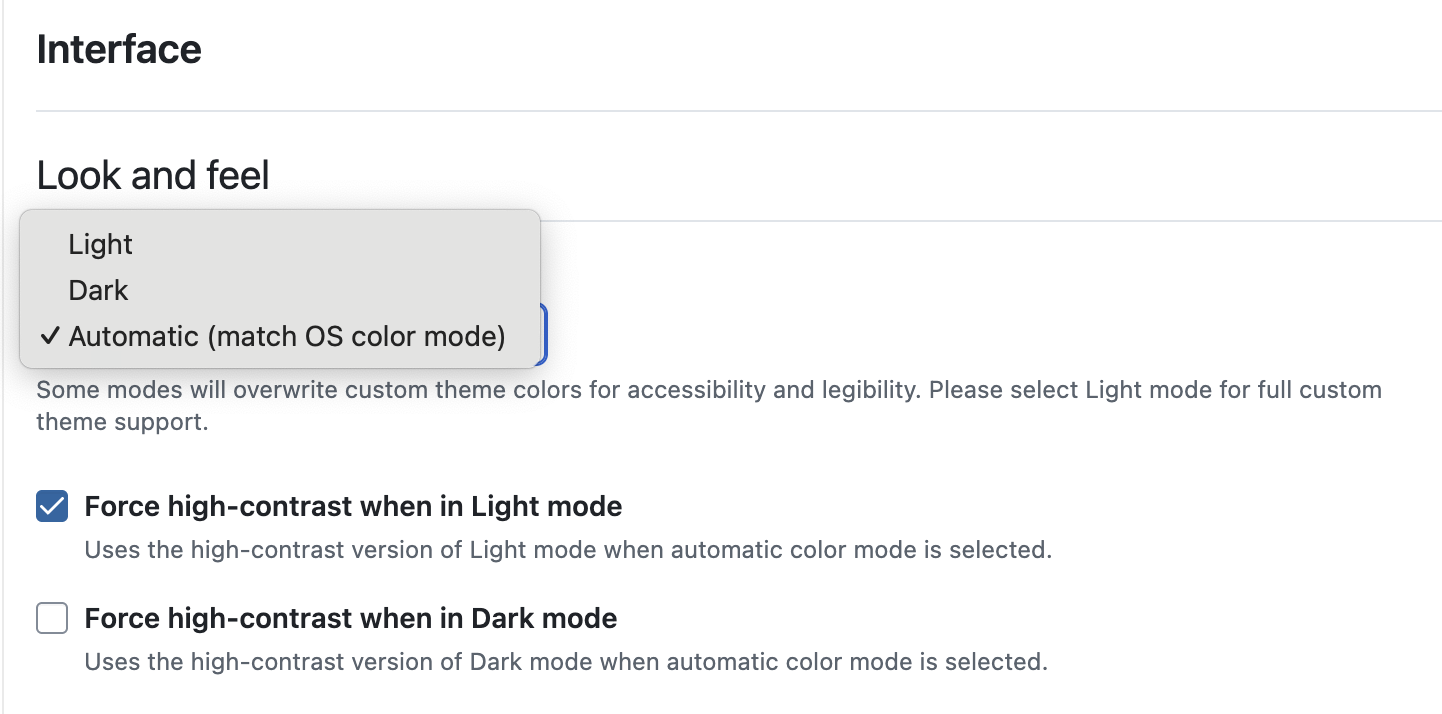
OpenProject account settings / Interface: Look and feel options reduced to “Dark”, “Light” and “Automatic”. Automatic is selected and below two checkboxes are displayed:” Force high contrast when in Light mode” and “Force high-contrast when in Dark mode”.

Filter projects by last update

When you manage many projects, you often just want to see what changed recently. In 16.5, project lists include an “Updated on” filter and a sortable “Updated on” column. Sort by this column (newest first) or combine the filter with other criteria to focus on the projects that were modified most recently.

For integrations and automation, the API now supports an updated_at filter on the /api/v3/projects endpoint. This lets you request only projects changed since a given timestamp — useful for delta syncs that reduce waiting time and server load.

Note

Updated on reflects direct changes to the project itself (for example, a new custom field or a renamed project). Latest activity at is much broader and includes activity within the project, such as attribute changes to work packages.
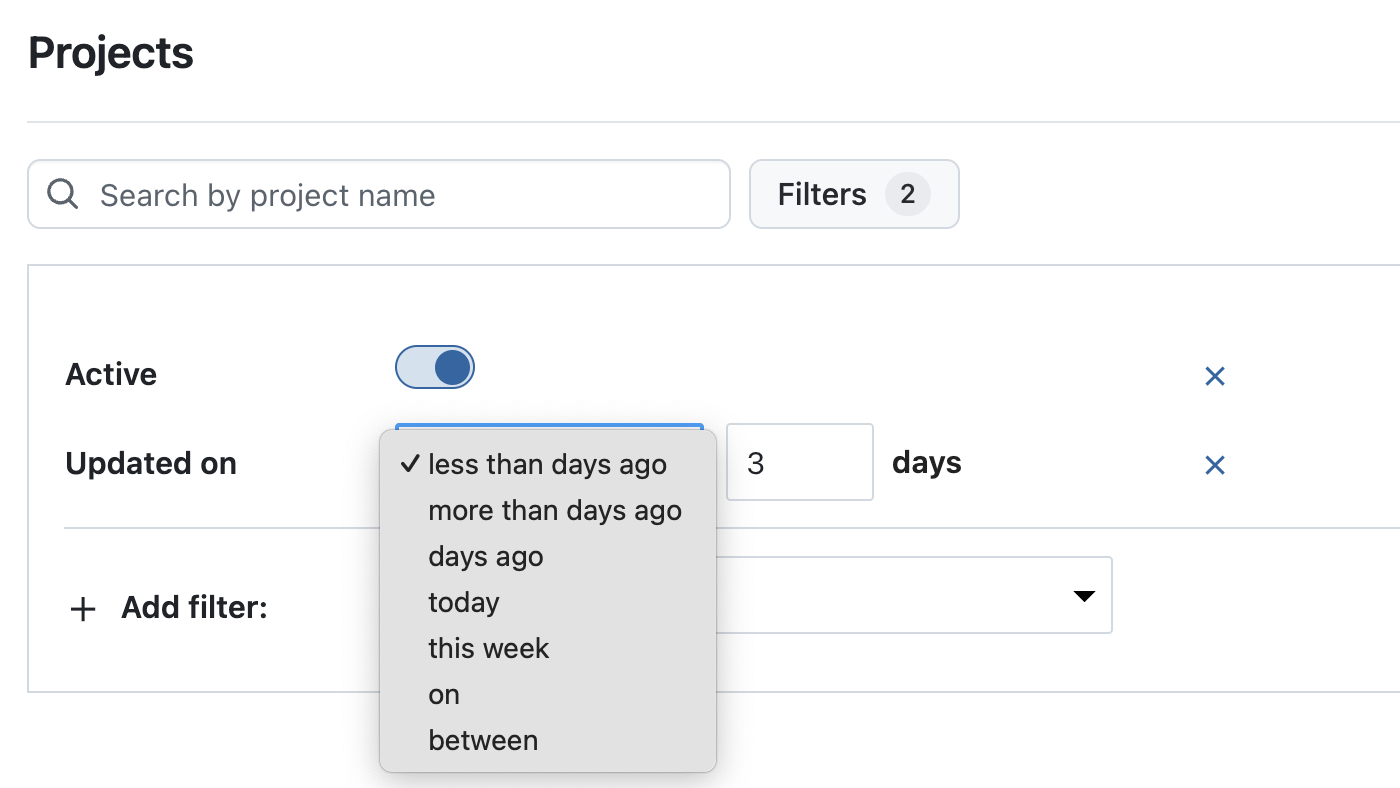
OpenProject project list, filtered for “Updated on” and selected “less than days ago” with a “3” added to the number of days.

Jump to highlighted target elements from deep links

Deep links are especially useful when you want to point colleagues directly to a specific item in OpenProject. With 16.5, these links now do more than just open the right page — they also scroll to the exact position and highlight the target element.

For example, when sharing a link to a comment in the Activity tab or to an item in a meeting agenda, the element is automatically displayed near the top of the page and temporarily marked with a blue outline. This makes it clear what the link refers to, helping teams save time and avoid misunderstandings.
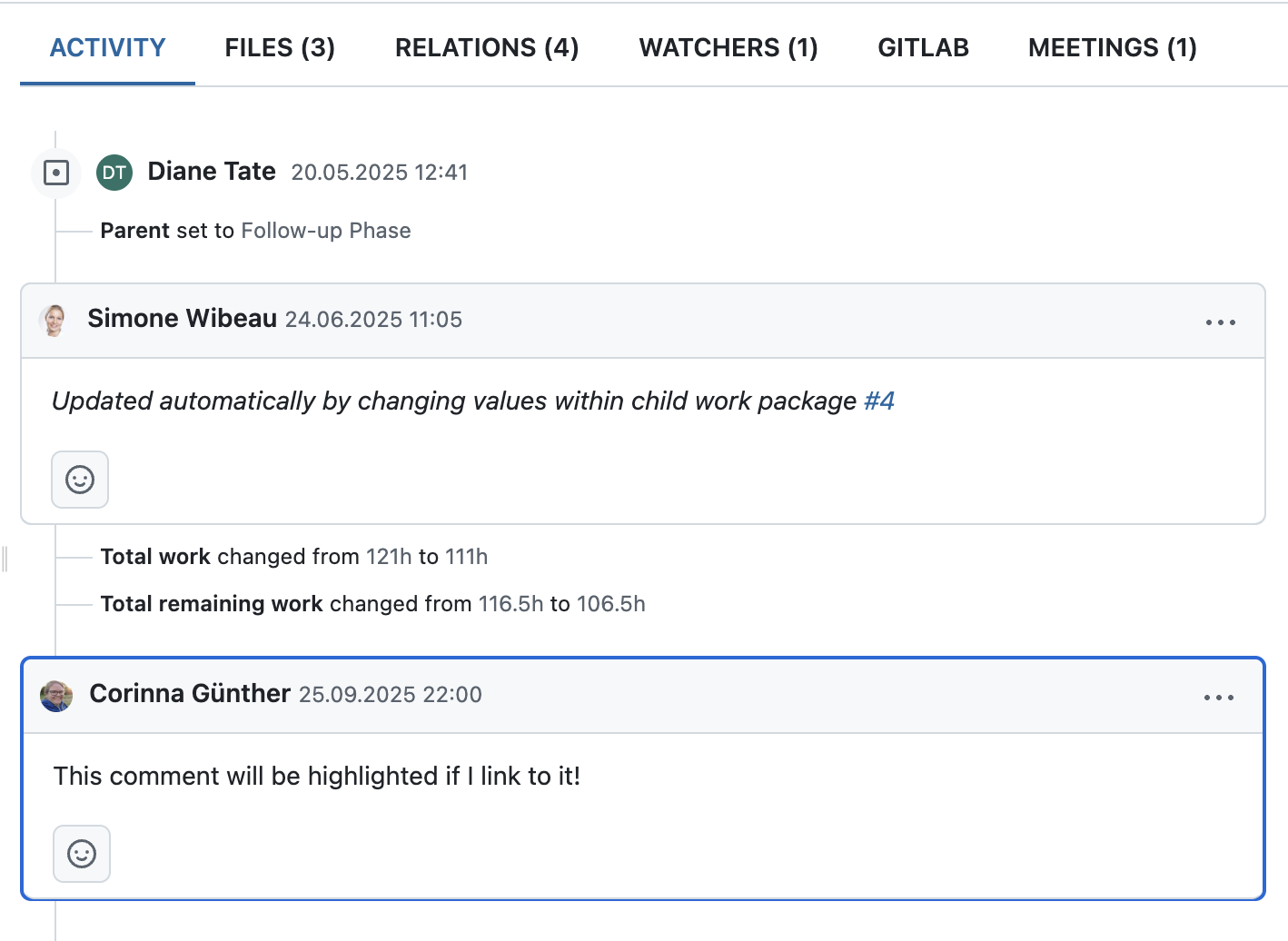
OpenProject work package Activity tab, comment highlighted with blue frame saying “This comment will be highlighted if I link to it!”

Confirm critical actions with more accessible danger dialogs

Accessibility is an ongoing priority for us, and with 16.5 we have improved how danger dialogs work for users of assistive technologies. These dialogs are shown when potentially destructive actions require an extra confirmation step.

In this release, we added ARIA semantics so that screen readers announce the relationship between the confirmation checkbox and the action button. When the checkbox is checked, users hear that the button to proceed is now active; when it is unchecked, they are informed that the button is inactive and that they need to tick the checkbox to continue.

Better access to helpful information

Finding the right information quickly is essential, especially when you are just getting started or want to dive deeper into specific features. With 16.5, we have updated the help menu in the header navigation (the ? icon on the right). The entries have been restructured, links refreshed, and localizations added to make it easier to find what you are looking for.

We also included a new Getting started video right inside the menu, giving new users a simple introduction to OpenProject and offering a helpful refresher for experienced teams. These changes are also reflected in the Community widget that is displayed on the home page of every new instance, so guidance is available right from the start.

OpenProject 16.5: Migration, installation, updates and support

Follow the upgrade guide for the packaged installation or Docker installation to update your OpenProject installation to OpenProject 16.5. We update your hosted OpenProject environments (Enterprise cloud) today, October 8, 2025.

You will find more information about all new features and changes in our Release notes or in the OpenProject Documentation.

If you need support, you can post your questions in the Community Forum, or if you are eligible for Enterprise support, please contact us and we are happy to support you personally.

Credits

A very special thank you goes to Helmholtz-Zentrum Berlin, City of Cologne, Deutsche Bahn and ZenDiS for sponsoring released or upcoming features. Your support, alongside the efforts of our amazing Community, helps drive these innovations. Also a big thanks to our Community members for reporting bugs and helping us identify and provide fixes. Special thanks for reporting and finding bugs go to Alexander Aleschenko, Lars Tiedemann, Akihiko Fujikawa, and Johannes Baumgarten.

Last but not least, we are very grateful for our very engaged translation contributors on Crowdin, who translated quite a few OpenProject strings! This release we would like to particularly thank the following users:

  • Haura Nabila Rinaldi, for a great number of translations into Indonesian.
  • Samo, for a great number of translations into Turkish.
  • Kuma Yamashita, for a great number of translations into Japanese.

Would you like to help out with translations yourself? Then take a look at our translation guide and find out exactly how you can contribute. It is very much appreciated!

As always, we welcome any feedback on this release. 💙
  •  

Apple Watch's High Blood Pressure Notifications Available in Canada and Singapore Starting Today

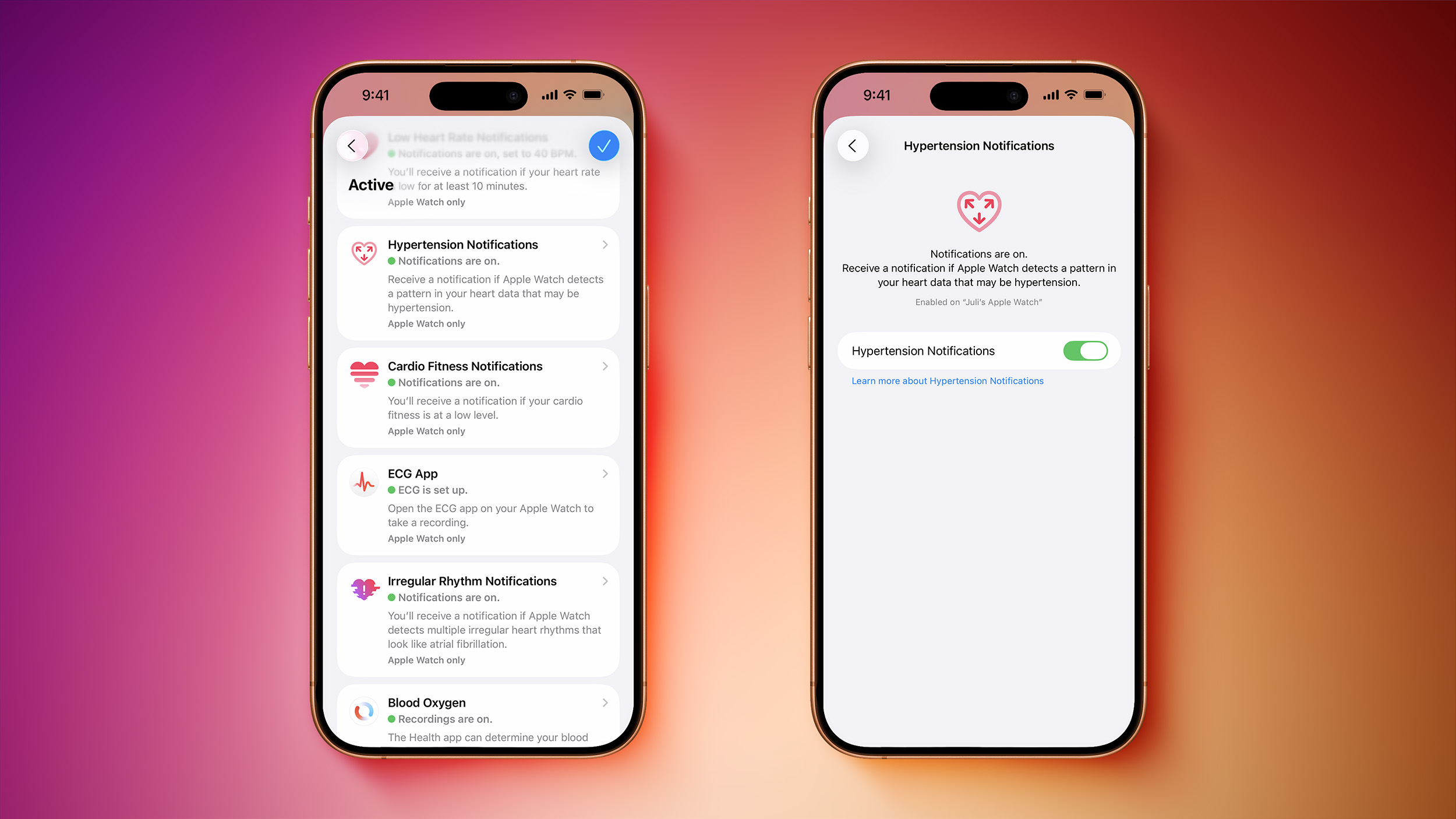
Apple today announced that its Hypertension Notifications feature on select Apple Watch models is available in Canada, Singapore, and Bahrain starting today.


The feature is available on Apple Watch Series 9, Series 10, Series 11, Ultra 2, and Ultra 3 models running watchOS 26. It is not available on any Apple Watch SE models. Users can set up the feature in the Health app on a paired iPhone.Hypertension Notifications first launched in the U.S. and more than 150 other countries and territories last month.

The feature can alert users if signs of chronic hypertension (high blood pressure) are detected, according to Apple. Based on data from the Apple Watch's optical heart sensor, the feature can analyze how a user's blood vessels respond to the beats of the heart. The algorithm works passively in the background, reviewing data over 30-day periods, and users are notified if consistent signs of hypertension are detected.

Apple says the feature does not require calibration, does not measure blood pressure directly, and does not surface a blood pressure reading to users.

Apple said the feature underwent "rigorous scientific validation," as outlined in a 12-page document. According to the company, it was developed with advanced machine learning and training data from multiple studies totaling more than 100,000 participants, and its performance was then validated in a clinical study of more than 2,000 participants.

Apple says the feature is "not intended for use by people under 22 years old, those who have been previously diagnosed with hypertension, or during pregnancy."
Related Forum: Apple Watch

This article, "Apple Watch's High Blood Pressure Notifications Available in Canada and Singapore Starting Today" first appeared on MacRumors.com

Discuss this article in our forums

  •  

Apple Modifies In-Store MagSafe Stands to Prevent iPhone 17 Marks

Apple has quietly added a protective silicone ring to its in-store MagSafe charging stands following reports of marks appearing on some iPhone 17 series display models, according to Consomac.


The apparent move comes after Apple last month confirmed that worn MagSafe chargers in retail stores were causing what appeared to be scratches on the iPhone 17 Pro and iPhone 17 Pro Max. There have also been reports of the marks appearing on iPhone Air models.

Apple said the marks were actually material transfer from the stand to the phone, and could be removed with cleaning. The company also noted that other models like the iPhone 16 were affected by the problem.

It's currently unclear whether the in-store display change is localized to France, where the Consomac report originates, or if it's just a snapshot of a more widespread rollout to Apple retail stores in other countries.


Separately, Apple has addressed concerns about scratching on the camera plateau area of the iPhone 17 Pro models, saying the edges have similar characteristics to aluminum cases on other Apple devices, like MacBooks, and may show normal wear and tear over time.

(Thanks, Sylvain!)
Related Roundup: iPhone 17 Pro
Related Forum: iPhone

This article, "Apple Modifies In-Store MagSafe Stands to Prevent iPhone 17 Marks" first appeared on MacRumors.com

Discuss this article in our forums

  •  

Must-Try tvOS 26 Features

Alongside iOS 26, Apple introduced a new tvOS 26 update for the Apple TV. tvOS updates aren't as feature rich as iOS updates and often go under the radar, so we thought we'd highlight some of the useful new features that you should check out.


  • Liquid Glass - Liquid Glass has a subtle presence in tvOS 26, with Apple adding Liquid Glass buttons, interface elements, and Control Center. It's not as extensive as Liquid Glass in ‌iOS 26‌, and it blends in well with the tvOS operating system.

  • Apple TV app - The ‌Apple TV‌ app has been overhauled and it displays more TV shows and movies on the screen at one time.

  • Profiles - It's much easier to switch profiles in tvOS 26, so you can keep the content that you like separate from the content that other people in the family prefer. You can choose a profile whenever you wake your ‌Apple TV‌ up from sleep. You'll get better suggestions on a per-person basis, and it's a great way to separate kid content from adult content.

  • Karaoke - When using Apple Music Sing, you can use your iPhone as a microphone. The ‌iPhone‌ can show you real-time lyrics, lyric translations, and lyrics pronunciation.

  • AirPlay - If you use third-party speakers with the ‌Apple TV‌, you can now set them as the default AirPlay speakers. Your ‌Apple TV‌ will then automatically use those speakers and you won't have to select your speaker each time you use the device.

  • FaceTime - FaceTime has been supported on the ‌Apple TV‌ since last year with an ‌iPhone‌ as the camera, but now there's an updated, card-style interface and support for Live Translation with captions.

  • Screen Savers - You can pick your favorite screen saver categories, choosing cityscape, earth, landscapes, and more. Each person can choose their own screen savers if desired.


Have a favorite tvOS 26 feature? Let us know in the comments below, and check out our video for even more tvOS tips and tricks.
Related Roundup: Apple TV
Buyer's Guide: Apple TV (Don't Buy)

This article, "Must-Try tvOS 26 Features" first appeared on MacRumors.com

Discuss this article in our forums

  •  

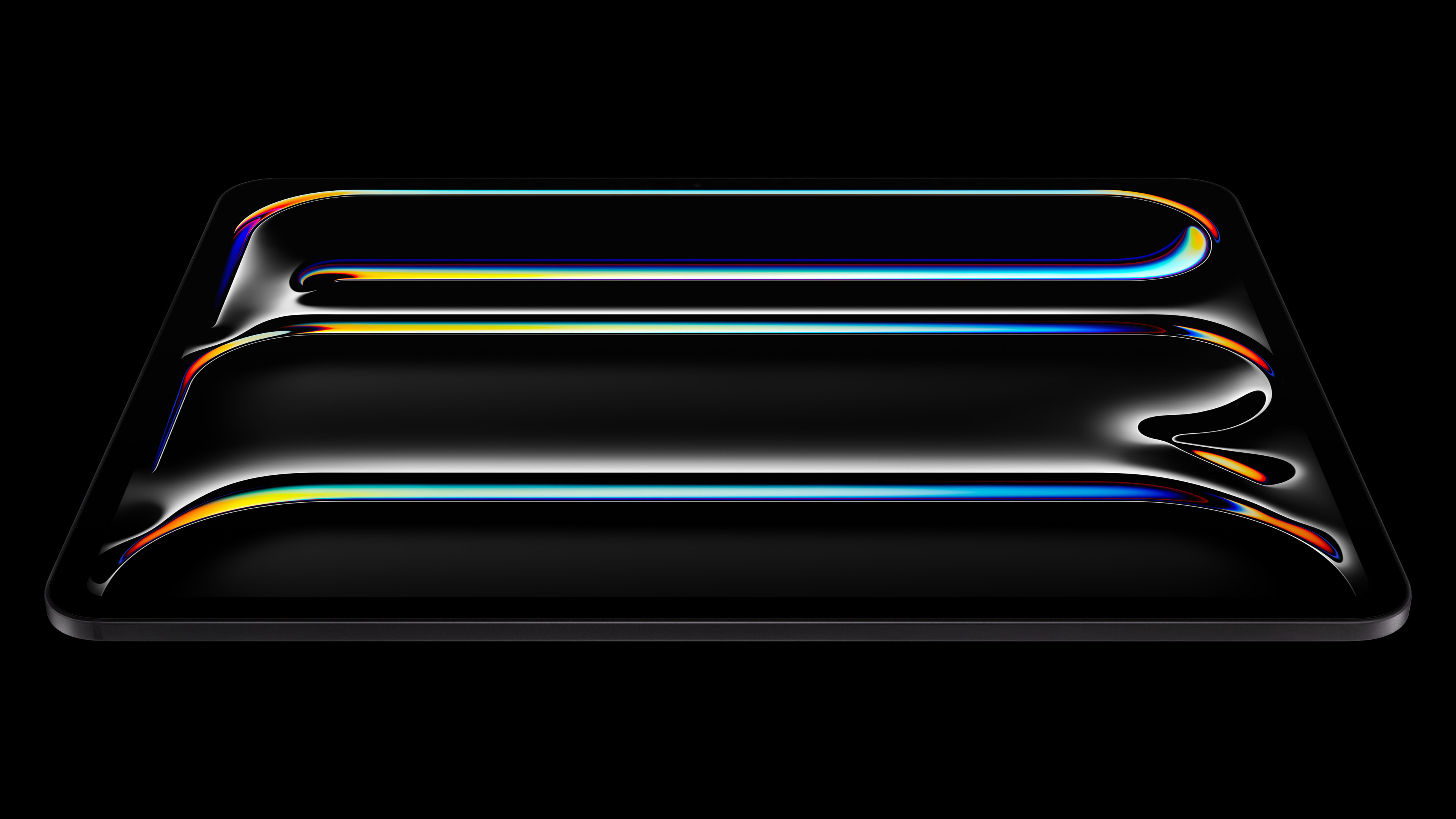
Next iPad Pro to Have Two Key Features, But One Rumor Still Uncertain

The next iPad Pro models are rumored to feature two key upgrades, including Apple's M5 chip, and an increased minimum of 12GB of RAM.


Last week, apparent unboxing videos for the next-generation 13-inch iPad Pro were uploaded to YouTube by Russian channels Wylsacom and Romancev768.

The same YouTube channels leaked the 14-inch MacBook Pro with the M4 chip before it was announced by Apple last year, so these latest leaks are likely legitimate.

The unboxing videos showed the M5 chip, and an increased minimum of 12GB of RAM.

According to Geekbench 6 benchmark results shown in one of the videos, the M5 chip offers up to 12% faster multi-core CPU performance and up to 36% faster graphics performance compared to the M4 chip in the current iPad Pro models from May 2024.

The benchmark result also showed the iPad Pro with 256GB of storage will have 12GB of RAM, just like the iPhone Air, iPhone 17 Pro, and iPhone 17 Pro Max. iPad Pro models with the M4 chip have only 8GB of RAM when equipped with 256GB or 512GB of storage, but models with 1TB or 2TB of storage are equipped with 16GB of RAM.

Last year, the iPad Pro was updated with an OLED display and a thinner design. No major design changes are expected this year, but the unboxing videos did reveal that "iPad Pro" will no longer be inscribed on the back of the next models.

Beyond the M5 chip and a minimum of 12GB of RAM, a third rumor is in jeopardy.

It was previously rumored that the next iPad Pro models would have two front cameras, allowing you to easily take photos and go on video calls in both portrait and landscape orientations. However, there is no evidence of a second front camera in the unboxing videos, with only an ambient light sensor visible in the top bezel in one of the videos.

In his Power On newsletter today, Bloomberg's Mark Gurman commented on the rumor:
I can say with certainty that M5 iPad Pros within Apple have the second lens. There's a history of Apple testing features at an advanced stage before pulling them (such as certain storage capacities or features like a second dock connector on the original iPad), but this would be a strange, last-minute cut.
We shall see. Apple will likely unveil the next iPad Pro models this month, so an official announcement is likely just a few weeks away.

Related Roundup: iPad Pro
Buyer's Guide: iPad Pro (Don't Buy)

This article, "Next iPad Pro to Have Two Key Features, But One Rumor Still Uncertain" first appeared on MacRumors.com

Discuss this article in our forums

  •  

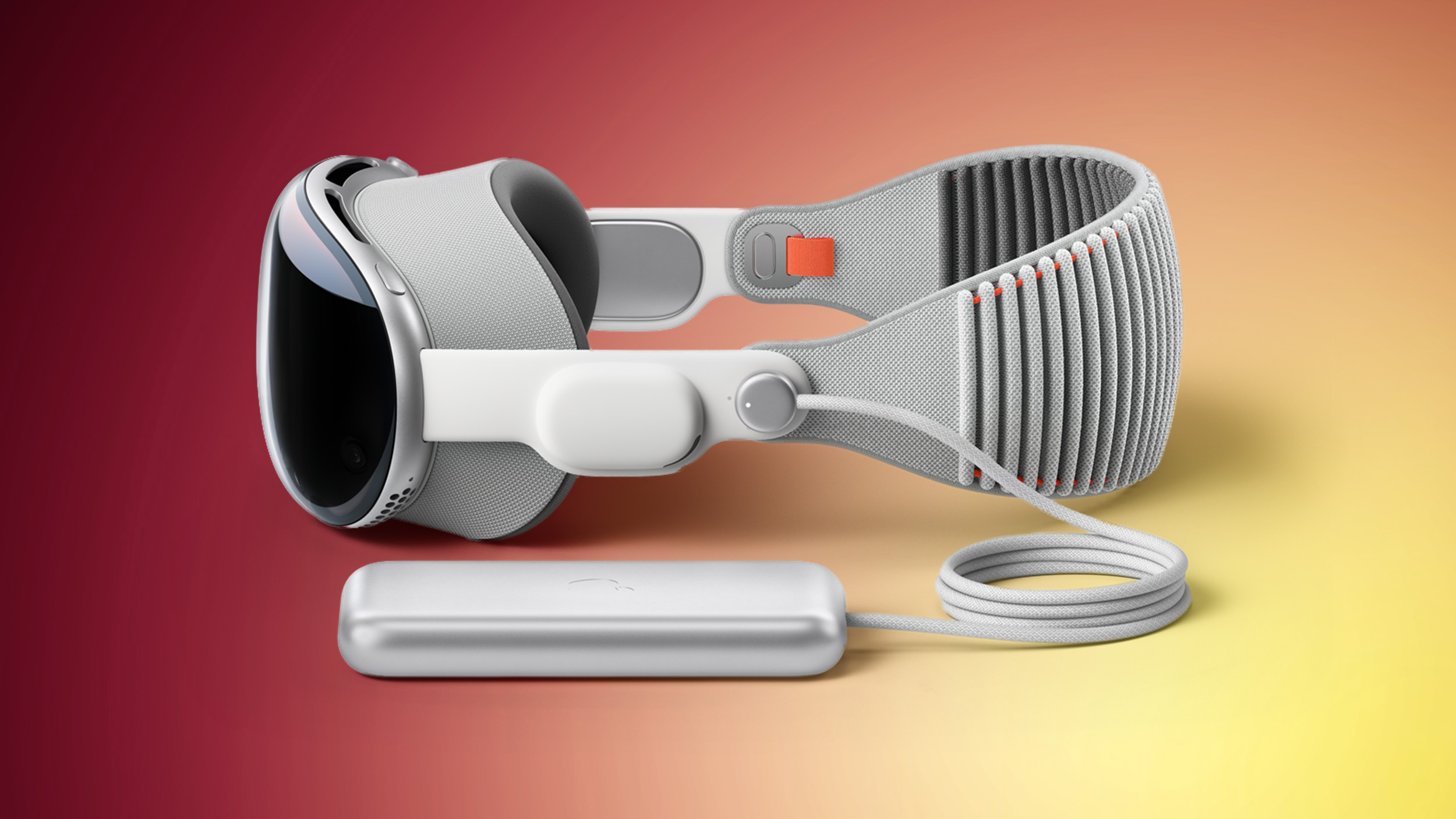
Upcoming Apple Vision Pro Could Get More Comfortable 'Dual Knit Band'

Apple is working on a next-generation version of the Vision Pro with an updated chip, and it could include a new Dual Knit Band that provides a more comfortable fit.


Updated Apple backend code found by MacRumors includes a reference to a "Dual Knit Band," which is not a band that exists at the current time. The Apple Vision Pro comes with a Solo Knit Band and a Dual Loop Band, but no Dual Knit Band.

Based on the name, the new band could be a cross between Apple's two existing bands, featuring the same comfortable material as the Solo Knit Band but with a more supportive two-band fit. A text description of the Dual Knit Band suggests that there will be an upper band that spans the top of the head and another band that fits behind the head.

Some people have made custom adjustments to the Vision Pro to get it to accommodate two Solo Knit Bands for extra support at the top of the head, and those that have gone that route suggest it is much more comfortable than Apple's current Dual Loop Band.

Back in July, Bloomberg's Mark Gurman said that the refreshed Vision Pro could include a new strap that would make it easier to wear the headset for long periods of time, and it looks like the rumor is accurate.

The Vision Pro weighs between 21.2 and 22.9 ounces, putting considerable strain on the head when it's worn for long periods of time. Some users find the weight of the device and the poor distribution of the Solo Knit Band to cause discomfort. The Dual Loop Band removes some of the weight from the face, but because it doesn't have the same knit design as the Solo Knit Band, it is less comfortable.

Apple is expected to refresh the $3,499 Vision Pro before the end of 2025. It will get a faster M5 chip, but Apple doesn't plan to make any other updates to the device.
Related Roundup: Apple Vision Pro
Buyer's Guide: Vision Pro (Neutral)
Related Forum: Apple Vision Pro

This article, "Upcoming Apple Vision Pro Could Get More Comfortable 'Dual Knit Band'" first appeared on MacRumors.com

Discuss this article in our forums

  •  

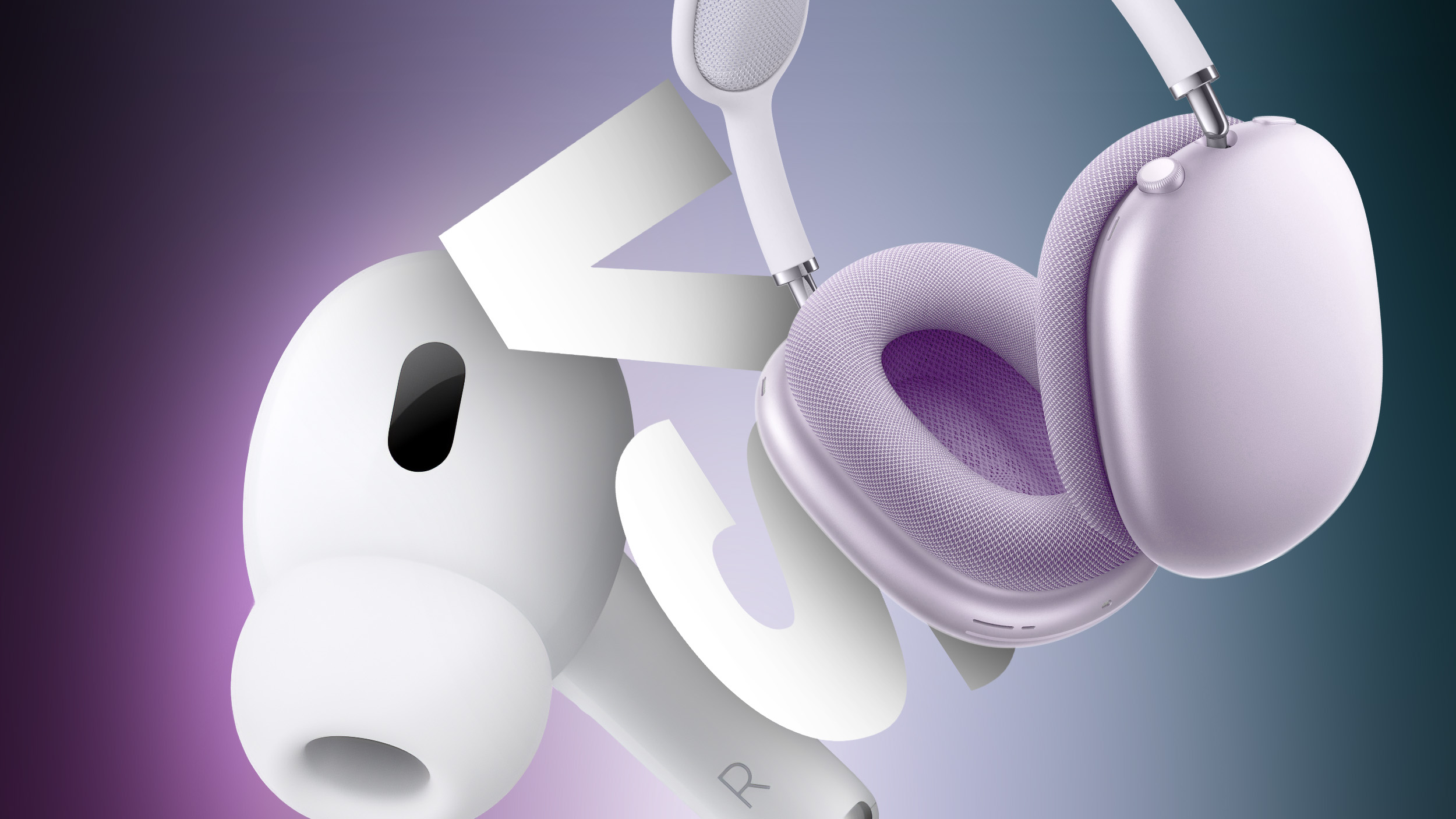
AirPods Pro 3 vs. AirPods Max Buyer's Guide: 30+ Differences Compared

The AirPods Pro 3 and AirPods Max are Apple's highest-end headphone options, so which should you choose?


Apple just debuted the ‌AirPods Pro 3‌, adding new features like improved active noise cancellation, the U2 chip, and heart rate monitoring. The AirPods Pro 2 were already more advanced than the ‌AirPods Max‌, which have not been meaningfully refreshed since their introduction in 2020, so the ‌AirPods Pro 3‌ take an even bigger leap ahead of their over-ear siblings. Nevertheless, there is still a good case for buying the ‌AirPods Max‌ against the AirPods Pro.

Both the ‌AirPods Max‌ and the AirPods Pro feature active noise cancellation, Personalized Spatial Audio with dynamic head tracking, volume controls, "Hey Siri" commands, and automatic switching. As the two highest-end AirPods options, should you consider purchasing the $249 ‌AirPods Pro 3‌, or do you need the ‌AirPods Max‌, which still sell for $549? Our guide helps to answer the question of how to decide which of these AirPods are best for you.


‌AirPods Pro 3‌ (2025) ‌AirPods Max‌ (2020, 2024)
Plastic design Aluminum, stainless steel, and silicone design
IP57 dust, sweat, and water resistant earbuds and charging case
Available in White only Lightning: Available in Silver, Space Gray, Sky Blue, Pink, and Green
USB-C: Starlight, Midnight, Blue, Purple, and Orange
In-ear fit Over-ear fit
Clip-on silicone/foam ear tips (five size options) Magnetic fabric ear cups
Skin-detect sensors Optical IR sensors
~10mm custom high-excursion Apple drivers and high dynamic range amplifiers 40mm dynamic Apple drivers and more powerful high dynamic range amplifiers
Dual beamforming microphones and inward-facing microphones Nine microphones (eight used for Active Noise Cancellation, three used for voice pickup)
H2 chips H1 chips
Bluetooth 5.3 Bluetooth 5.0
2.4GHz and 5GHz connectivity 2.4GHz connectivity
Lossless audio support with Apple Vision Pro Lossless audio via USB-C
"Hey ‌Siri‌" and "‌Siri‌" voice commands "Hey ‌Siri‌" voice commands
Force sensor for media and listening mode controls Noise control button for listening mode controls
Touch controls for volume adjustment Digital Crown for media controls and volume adjustment
Transparency and Adaptive Transparency Transparency
Adaptive Audio
Loud Sound Reduction
Hearing Protection
Hearing Test
Hearing Aid
Automatic Conversation Boost
Conversation Awareness
Live Translation
Heart rate sensing during workouts
Lanyard loop
U2 chip for Precision Finding
Speaker in charging case for Find My
Up to 8 hours of listening time on a single charge Up to 20 hours of listening time on a single charge
5 minutes in the case provides around 1 hour of listening time 5 minutes of charge time provides around 1.5 hours of listening time
Charge with Apple Watch charger, MagSafe charger, Qi wireless charging mats, and USB-C Charge via USB-C or Lightning only (depending on model)
‌MagSafe‌ Charging Case Smart Case to preserve battery charge in ultra-low-power state
$249 $549


While there is some overlap between the AirPods Pro and ‌AirPods Max‌ with features like Active Noise Cancellation and Transparency, the entirely different fit and form factor of the headphones should make it easier for most customers to decide which device they prefer. Some users will even buy and use both.

The ‌AirPods Max‌ offer a wide range of color options and a premium design, making them more of a fashion accessory. They also feature much longer continuous battery life from a single charge. If you dislike the in-ear design of the AirPods Pro, the ‌AirPods Max‌ may also be more comfortable, especially for longer listening sessions.

Owing to its over-ear design and significantly larger drivers, the ‌AirPods Max‌ deliver markedly better audio quality than the AirPods Pro, so if your main priority is audio quality, the ‌AirPods Max‌ will undoubtedly be the best choice. They also support Lossless Audio via USB-C.

On the other hand, the ‌AirPods Pro 3‌ offer a high-level of convenience and portability due to their small size and charging case. The audio quality of the AirPods Pro cannot rival the ‌AirPods Max‌, but features like Adaptive Audio, Loud Sound Reduction, Conversation Boost are ideal for when you're on the go.

Due to their lightweight, in-ear design and sweat and water resistance, the AirPods Pro are perfect for outdoors use and fitness activities. They also now feature heart-rate monitoring during workouts.

The ‌AirPods Pro 3‌ are much more versatile when it comes to charging, with four different ways to charge, compared to the ‌AirPods Max‌'s obligatory USB-C port. Due to their size, weight, less durable design, and limited portability, the ‌AirPods Max‌ are best used at home for high-fidelity, prolonged listening sessions, while the AirPods Pro offer a more balanced experience with a high level of convenience and portability.

It is also worth noting that the AirPods Pro have many more features than the ‌AirPods Max‌, such as "‌‌Siri‌‌" voice commands, Precision Finding, Bluetooth 5.3, wireless lossless audio with the Vision Pro, Live Translation, and Hearing Test.

AirPods frequently see hefty discounts on Amazon and other third-party retailers, so stepping up to the Max version may be more worth it if you can take advantage of one of those deals. Both sets of AirPods often see solid discounts, so it is always worth seeking the best price using our Deals roundup.
Related Roundups: AirPods Max, AirPods Pro 3
Related Forum: AirPods

This article, "AirPods Pro 3 vs. AirPods Max Buyer's Guide: 30+ Differences Compared" first appeared on MacRumors.com

Discuss this article in our forums

  •  

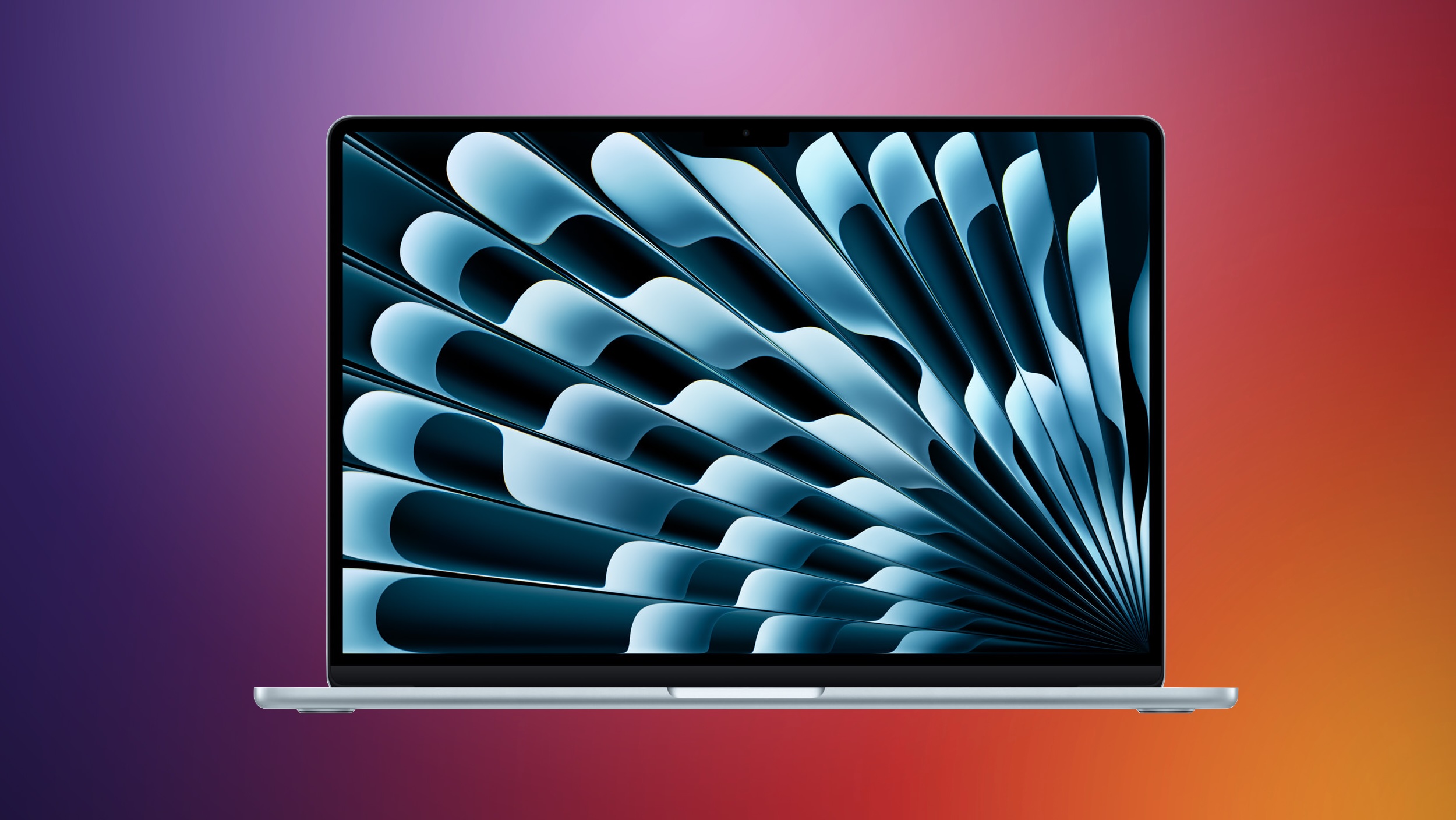
M5 MacBook Air: Release Date, Features, and Performance Predictions

The MacBook Air is Apple's most popular laptop – a thin, fanless machine that wields quiet power thanks to the efficiency of Apple silicon. While the M4 model isn't exactly old, attention is already turning to its successor.


Apple doesn't telegraph new product launches ahead of time, but we can draw a surprisingly clear picture of what to expect by looking at Apple's silicon roadmap, release cycles, and past upgrades.

Release Timing and Price


Apple appears to have settled into a spring refresh cycle for the MacBook Air. After releasing the M2 model in mid-2022 with an all-new design, Apple skipped 2023 and then delivered back-to-back M3 and M4 MacBook Air updates in March 2024 and March 2025, respectively.

Indeed, Bloomberg's Mark Gurman reports that Apple plans to roll out M5 versions of the MacBook Air in the first quarter of 2026. This suggests a likely March 2026 window – unless Apple breaks the cycle, of course. As for pricing, we expect it to remain stable, with the base model sticking with the current entry-level $999 price.

Processor Upgrade


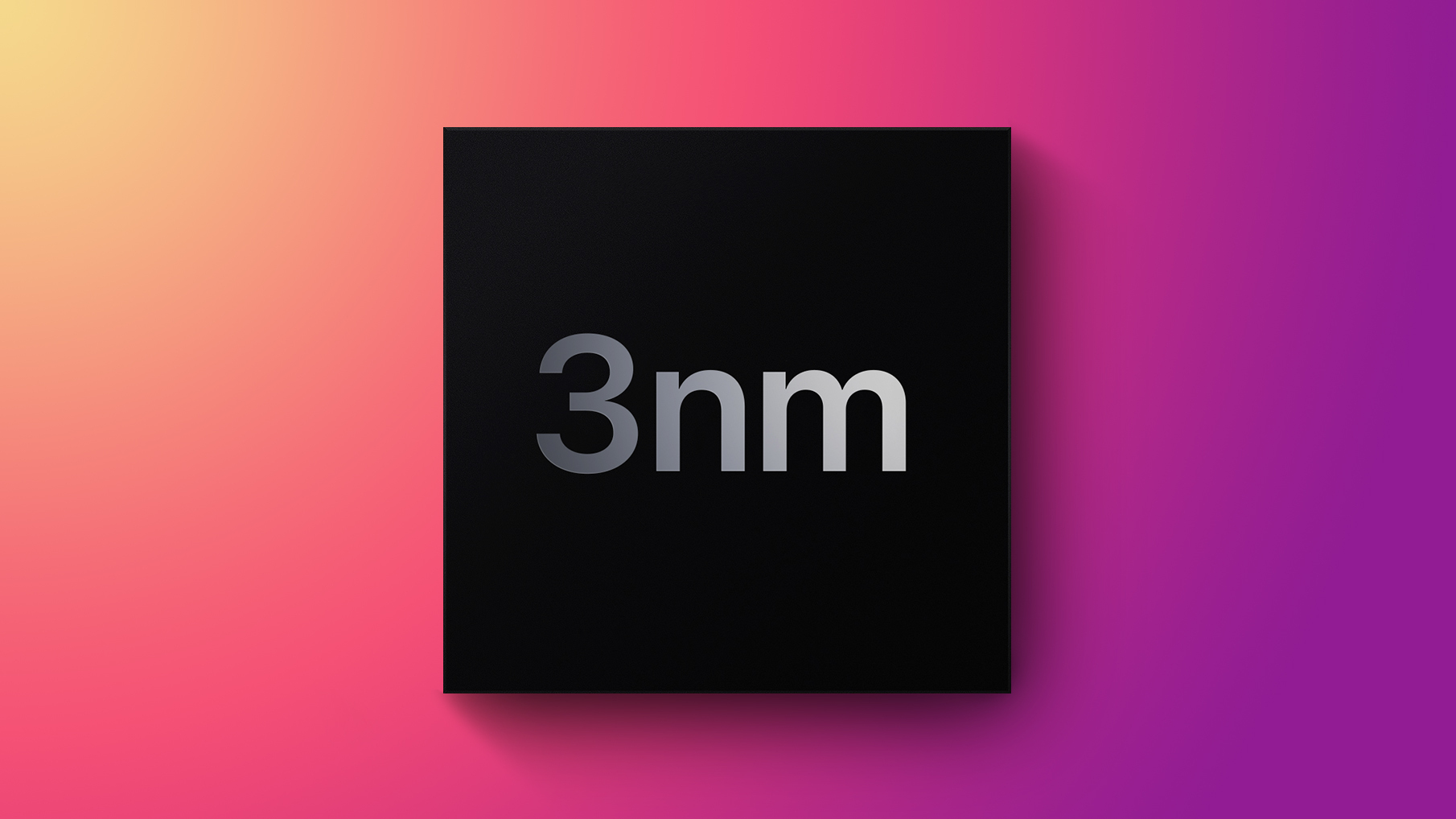
The M5 series is expected to feature an enhanced ARM architecture and is reportedly being manufactured using TSMC's advanced 3-nanometer process technology. Apple's decision to forgo TSMC's more advanced 2nm process for the M5 chip is believed to be due to cost considerations.

Recent leaked benchmarks – allegedly from a next-gen iPad Pro running an M5 chip – show single-core scores around 4,133 and multi-core scores around 15,437. That's roughly a 12-15% jump over the current M4 iPad Pro in both categories. As for graphics performance, the M5 chip appears to have up to a 36% faster GPU compared to the M4 chip.

The benchmark suggests Apple has focused on modest clock speed increases and core-level efficiency improvements for the M5 chip, rather than an architecture overhaul. In other words, the M5 will be similar to the step-wise performance upgrade from M3 to M4. Expect 10-15% faster CPU speeds, a slightly more powerful GPU, and better efficiency, potentially leading to even longer battery life.

As a result, the M5 MacBook Air will likely feel more responsive in daily use, particularly in single-threaded tasks, but it won't dramatically outpace the M4 for sustained workloads like video rendering.

Display and Other Possible Changes


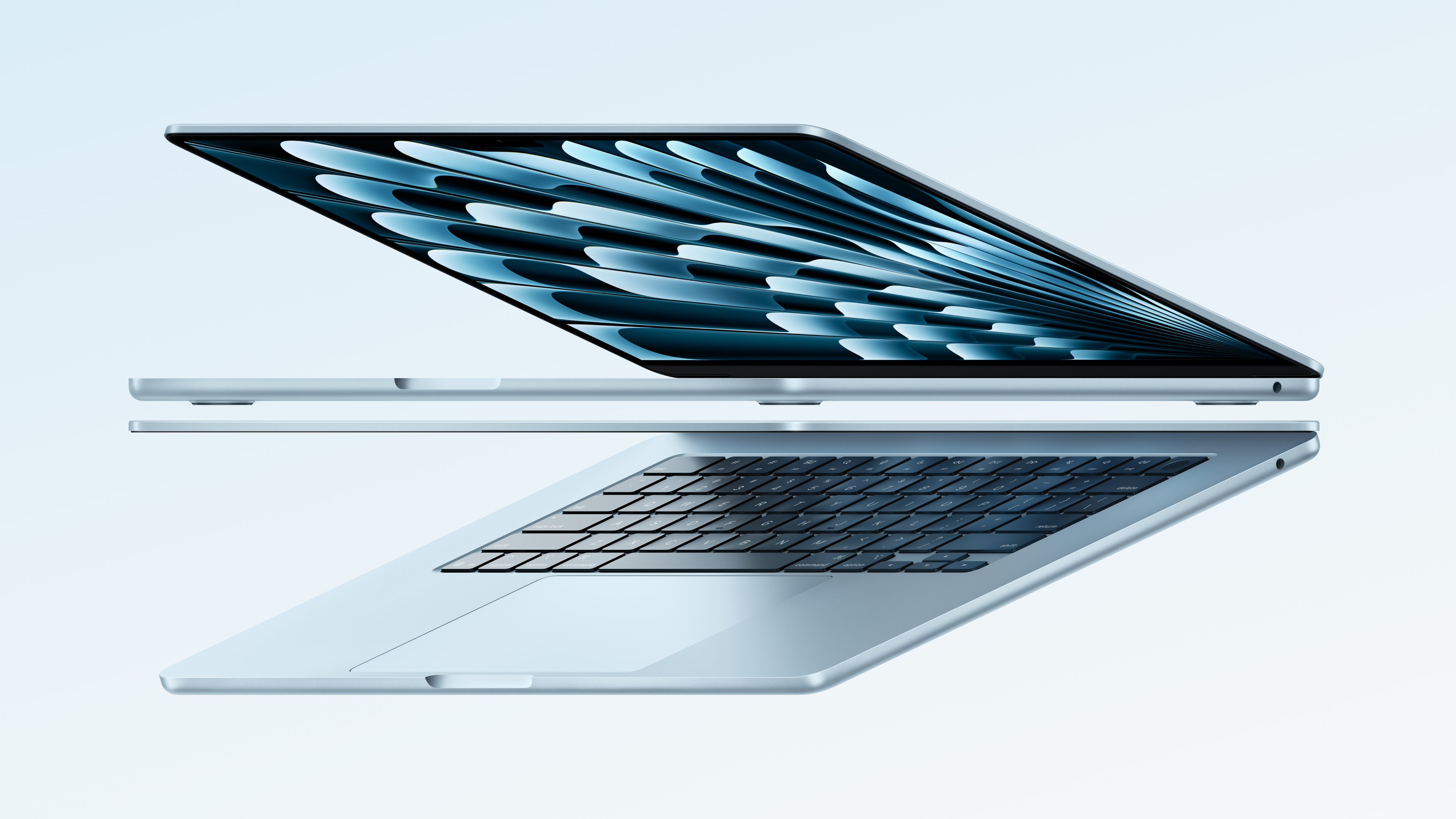
M4 MacBook Air in Sky Blue, the color Apple debuted earlier this year

Apple tends to stick with the same industrial design for multiple chip generations. The current MacBook Air design (introduced with the M2 model) is only three years old and shows no signs of ageing. Expect the same 13- and 15-inch sizes, the same fanless aluminium unibody, and similar display technology – that means no OLED, which Apple appears to be saving for initial adoption in the MacBook Pro line later next year or in 2027.

If there are any physical changes, they'll likely be subtle. Think improved webcam quality, or tweaks to accommodate the next generation of wireless connectivity (such as Wi-Fi 7 or Bluetooth LE Audio). You never know – Apple could even offer the machine in a new color, just like it did this earlier year with the M4.

Looking Further Ahead


According to reports out of Korea, Apple plans to release a MacBook Air with an improved LCD display in 2027, featuring Oxide TFT technology instead of the current amorphous silicon (a-Si) panels.

The new display technology is said to be a significant upgrade over current MacBook Air screens. Oxide TFT LCD panels offer better power efficiency and improved performance compared to traditional a-Si displays, resulting in sharper images, smoother scrolling, and enhanced battery life.

The transition to Oxide TFT technology should also mean faster pixel response times and more consistent brightness across the screen. In practical terms, this should translate to reduced motion blur when watching videos or gaming, and more uniform lighting without the "clouding" effect sometimes visible on current LCD displays.
Related Roundup: MacBook Air
Related Forum: MacBook Air

This article, "M5 MacBook Air: Release Date, Features, and Performance Predictions" first appeared on MacRumors.com

Discuss this article in our forums

  •  

Here's Why the Apple Watch and Mac Mini Are No Longer Advertised as 'Carbon Neutral'

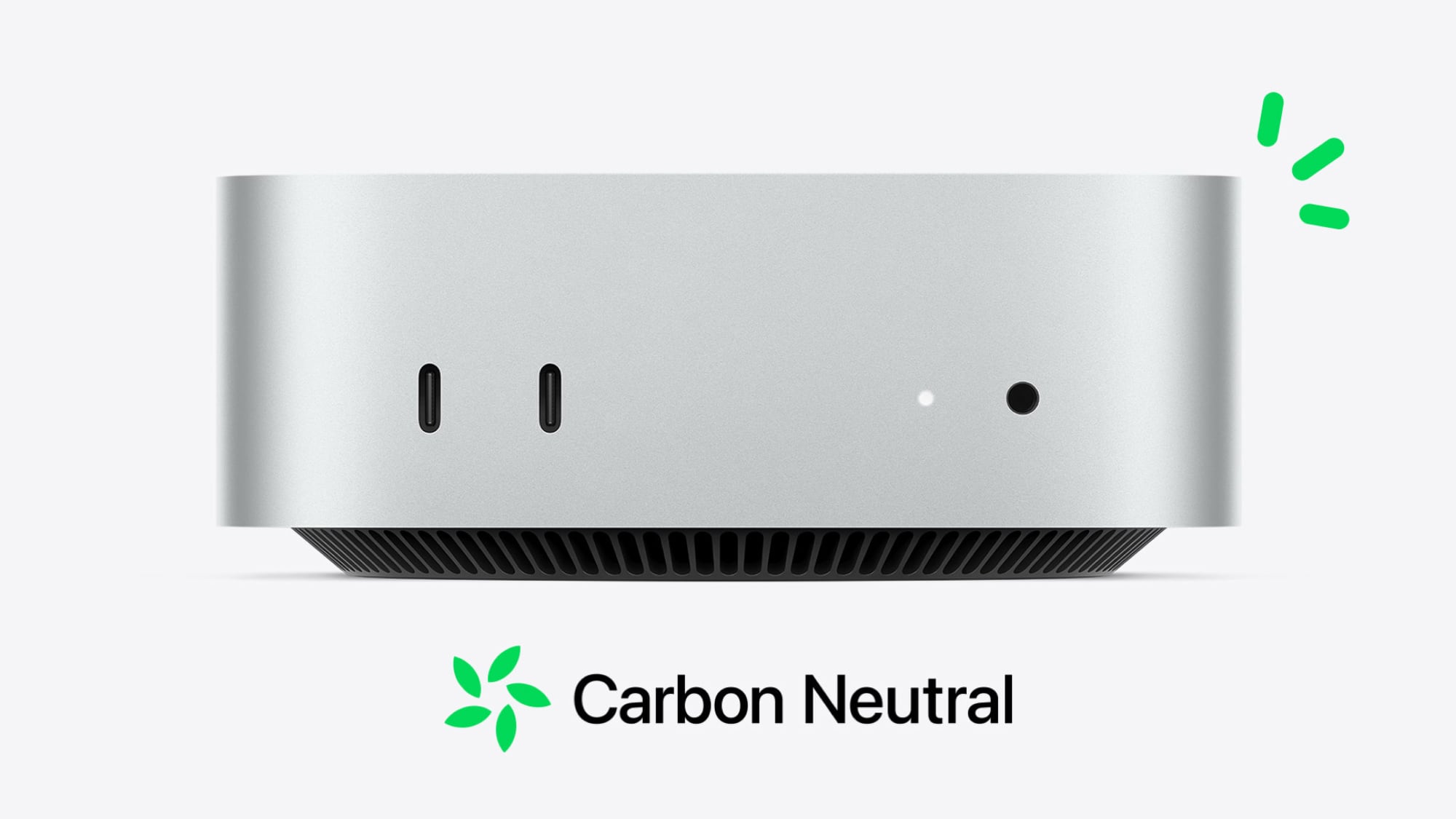
As noted by the French blog WatchGeneration, the Apple Watch and Mac mini are no longer advertised as "carbon neutral" products on Apple's website.


The term "carbon neutral" means that, on a net basis, a product does not add any carbon dioxide to the atmosphere. Apple achieves this by reducing emissions and through projects that offset carbon, including working with Forestal Apepu to develop fast-growing eucalyptus forests for timber production on deforested lands in Paraguay.

When paired with select bands, the Apple Watch Series 9 and Apple Watch Ultra 2 models were Apple's first carbon-neutral products, and the Apple Watch Series 10 and the latest Mac mini with M4 chips were also advertised as being carbon neutral.

In 2023, Apple said each carbon neutral Apple Watch model met the following strict criteria: 100% clean electricity used for manufacturing and product use, at least 30% recycled or renewable material by weight, and at least 50% of shipments occurring without air transportation. Apple said these combined efforts resulted in at least a 75% reduction in product emissions for the new Apple Watch models, and it said it would use "high-quality carbon credits" to address the "small amount of remaining emissions."

However, starting with the Apple Watch Series 11 and Apple Watch Ultra 3, Apple no longer includes a "carbon neutral" label on its product pages or packaging worldwide. Apple also removed the label from its Mac mini product pages. This change took effect worldwide following Apple's iPhone event in September.

There are a few reasons why.

In August, Apple's vice president of environment Sarah Chandler told Fast Company that this change was not the result of a change in the company's environmental efforts. Instead, a new law in the EU taking effect in September 2026 will ban companies from using claims like "carbon neutral" or similar across packaging, ads, and product pages.

Second, a German court ruled the Apple Watch could no longer be advertised as "carbon neutral," after a local environmental group accused Apple of "greenwashing" with misleading carbon neutrality claims. According to Reuters, some ecologists said carbon offsetting plantations can actually harm biodiversity and require high water usage.

Apple likely still considers the Series 11 and Ultra 3 to be carbon neutral internally, but it is getting ahead of laws and rulings that prevent it from advertising it. Apple removed the label worldwide to avoid potentially confusing customers.

Given the Mac mini received no changes last month, it likely remains carbon neutral too.

Apple is still aiming for carbon neutrality across its global footprint by 2030.

"We're proud of our carbon neutral products and on track to achieve carbon neutrality throughout our entire supply chain by 2030," said Apple, in a statement shared with Fast Company. "Every Apple product is designed with the environment in mind, and that commitment will continue, regardless of new EU rules restricting how we can talk about it."
Related Roundups: Apple Watch 11, Mac mini
Related Forum: Mac mini

This article, "Here's Why the Apple Watch and Mac Mini Are No Longer Advertised as 'Carbon Neutral'" first appeared on MacRumors.com

Discuss this article in our forums

  •  

New iPhones See 'Stronger Than Expected' Demand With One Exception

Nearly two weeks after the iPhone 17 series launched, analysts at investment banking firm Morgan Stanley said demand for the devices has been "modestly stronger than we originally expected," based on a combination of extended shipping estimates on Apple's online store and information it gathered from Apple's supply chain.


There has been strong early demand for the iPhone 17, iPhone 17 Pro, and iPhone 17 Pro Max, according to the analysts. However, they said the ultra-thin iPhone Air has faced "relative weakness" in demand so far.

"Our supply chain checks suggest an iPhone 17 build increase is likely imminent," wrote Morgan Stanley analyst Erik Woodring, in a research note today. In the second half of 2025, Apple's supply chain might increase its production of the new iPhones to more than 90 million units, up from 84 million to 86 million units currently, the note said.

Morgan Stanley has raised its price target for Apple shares to $298. However, analysts believe the company's stock price already reflects strong demand for the iPhone 17 series, and they would need to see even more upside "to argue for more sustained near-term stock outperformance." Apple's shares are trading for around $256 at the time of writing.

The analysts are bullish about iPhone shipments in 2026 and 2027, as Apple is widely expected to release its first foldable iPhone model in September next year.

"iPhones are getting old and Apple's biggest innovation in years less than 12 months away," the analysts wrote, in reference to the long-rumored foldable iPhone.
Related Roundups: iPhone 17, iPhone 17 Pro
Related Forum: iPhone

This article, "New iPhones See 'Stronger Than Expected' Demand With One Exception" first appeared on MacRumors.com

Discuss this article in our forums

  •  

OpenProject integration app for Nextcloud released in version 2.10.0

We have released version 2.10.0 of the OpenProject integration app for Nextcloud! ✨ This update brings several usability improvements and fixes to make your project collaboration experience even smoother.

We recommend updating to the latest version via your Nextcloud app center to benefit from the newest enhancements.

Changes of the release 2.10.0:

  • Clearer error messages for missing or unsupported apps
  • Improved group handling to avoid user removal issues
  • Enhanced SSO support for external token exchange setups
  • Better translations and more user-friendly messages

Thanks to Nextcloud for the continued partnership!

  •  
❌