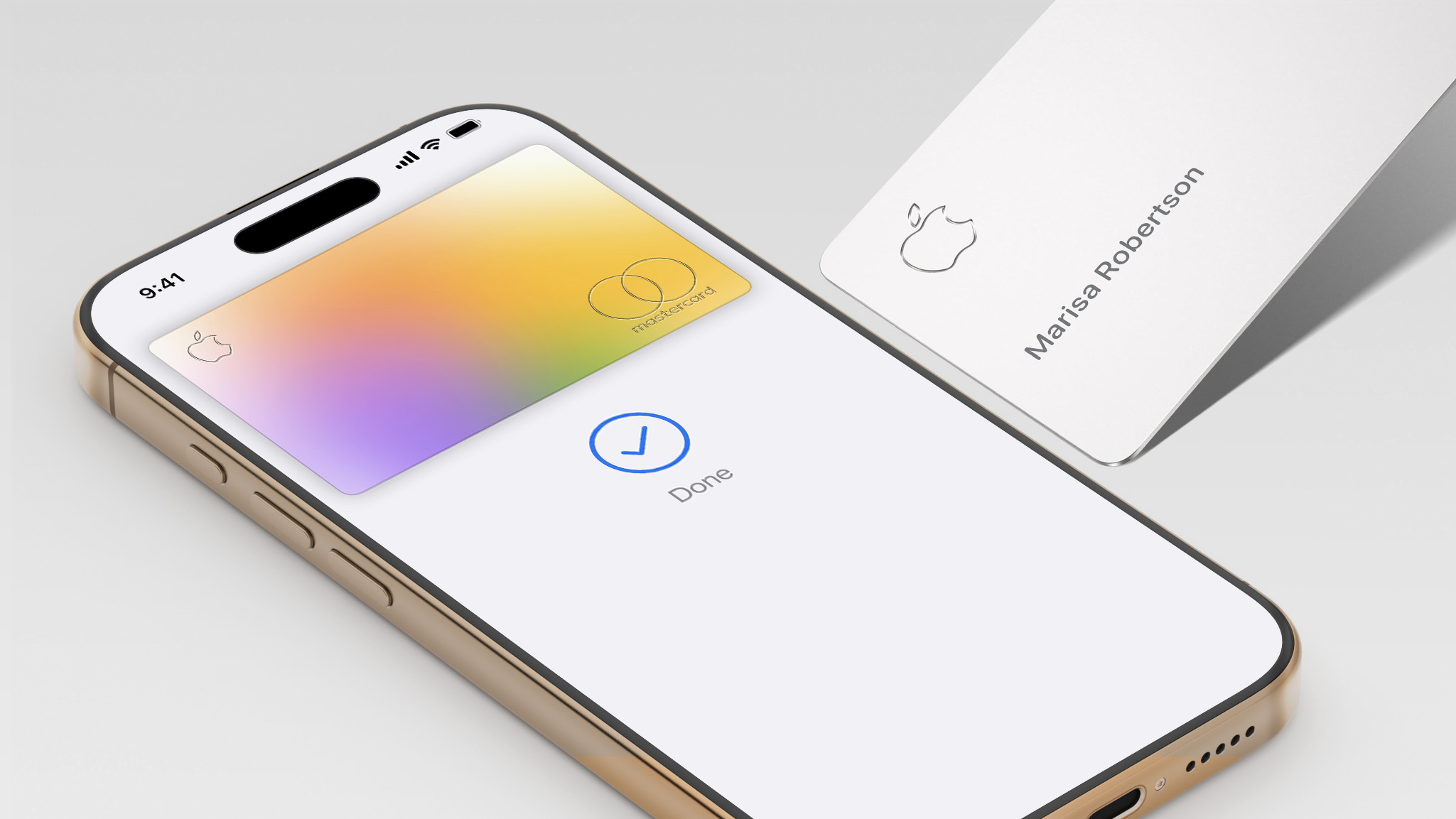
Starting as early as next week, customers who sign up for an Apple Card at Apple's retail stores in the U.S. will receive $249 cash back when they purchase AirPods Pro 3, according to Bloomberg's Mark Gurman. The promotion has yet to be officially announced by Apple, so exact terms and conditions are not available at this time.
AirPods Pro 3 are priced at $249 in the U.S., so customers who sign up for an Apple Card will effectively get free AirPods Pro through this promotion.
Apple Card cash back is known as Daily Cash, so customers would receive the $249 cash back on the same day as they sign up for the card.
As a refresher, the Apple Card launched in 2019, and it remains available in the U.S. only. The credit card can be managed in the iPhone's Wallet app, with color-coded spending summaries. The card has no annual fee, and it offers 2% to 3% cash back on purchases via Apple Pay and 1% back on purchases with the physical card.
Apple Card holders can also open a high-yield savings account.
Apple's iPhone 17 Pro has been named the fastest-charging phone overall in a new CNET lab test covering 33 smartphones, with Samsung's Galaxy S26 Ultra taking the top spot for wired charging speed.
To determine the rankings, CNET's lab team ran each phone through a 30-minute wired charging test starting at 10% battery or less, using the phone's included cable and a wall charger rated at or above the device's maximum supported speed. Phones that support wireless charging went through a matching 30-minute wireless test using a Qi (7.5W), Qi2 (15W), or Qi2.2 (25W) charger matched to the phone's peak supported speed. CNET then averaged the wired and wireless results into an overall charging score.
The iPhone 17 Pro's win in the overall category is partly a function of its relatively compact 4,252mAh battery, which is smaller than the 5,000mAh or larger capacities common among competing flagships. With less capacity to fill, the 17 Pro charges faster in absolute terms, and it supports both 40-watt wired charging and 25-watt Qi2.2 wireless charging. CNET notes that battery size is just one factor in overall battery life, alongside processor and software efficiency, and in its battery life testing, the iPhone 17 Pro Max came out on top for endurance.
For wired charging, Samsung's Galaxy S26 Ultra took the top spot, adding 76% charge in 30 minutes via its 60-watt wired charging speed, the fastest of any Samsung flagship to date. The iPhone 17 Pro came in second at 74%, tied with Motorola's Moto G Stylus (2025). The OnePlus 15 followed with 72%, while the iPhone 17, iPhone 17 Pro Max, and Samsung Galaxy S25 FE each reached 69%.
Apple's iPhone 17 Pro also claimed the fastest wireless charging result, gaining 55% in 30 minutes. The iPhone 17 Pro Max added 53%, followed by the iPhone 17 at 49%, the iPhone Air at 47%, and the Galaxy S26 Ultra at 39%. CNET again attributes the 17 Pro's edge over the 17 Pro Max largely to its smaller battery, since both devices share the same A19 Pro chip and software.
Across all brands tested, Apple had the most consistent fast-charging performance by a considerable margin, averaging 54.6% across the four iPhone 17 models and the iPhone Air. Samsung's nine-phone average came in at 38.5%, with the Galaxy S26 Ultra as its strongest performer and the Galaxy Z Fold 7 as its weakest at 29%.
Silicon-carbon batteries, which use a silicon-based anode rather than graphite to enable higher capacities and faster charge rates, appeared among several of the top performers. The OnePlus 15, for example, recharged 72% of its 7,300mAh silicon-carbon battery in 30 minutes using a proprietary 80-watt charger. Silicon-carbon phones in the U.S. remain limited to OnePlus, RedMagic, and Poco. Apple, Samsung, and Google have not yet adopted the technology.
On this week's episode of The MacRumors Show, we discuss Google's latest wave of announcements for Android and Gemini, the newly announced Fitbit Air, and Apple Watch Series 12 rumors.
The centerpiece of Google's announcements this week was Gemini Intelligence, Google's new umbrella platform for AI across phones, watches, cars, and laptops. Its headline capability is cross-app automation: users can photograph an event flyer and ask Gemini to find tickets on Expedia, or pull up a grocery list and have it build a cart in a shopping app. A companion feature called Create My Widget lets users describe a home screen widget in natural language and have Gemini generate it, drawing from Gmail and Calendar to build a personalized dashboard.
Google also unveiled the Googlebook, a new laptop category designed from the ground up around Gemini with partners including Acer, Asus, Dell, HP, and Lenovo arriving this fall. Gemini in Chrome for Android gained an agentic browsing layer rolling out end of June, and Android Auto received AI-generated contextual replies and DoorDash voice ordering. A Meta partnership brings Ultra HDR, native stabilization, and night mode to Instagram on Android flagship devices.
In January, Apple and Google announced a partnership under which Gemini would power the next generation of Apple Foundation Models, including a more personalized Siri expected this year. Apple's equivalent cross-app Siri actions were announced at WWDC 2024 but have not yet shipped; Gemini Intelligence is rolling out this summer using the same underlying technology.
Google also unveiled the Fitbit Air this week, a screenless fitness tracker priced at $99 that ships on May 26. The device weighs just 12 grams with the band and tracks heart rate, AFib, HRV, SpO2, and sleep stages in a small pill-shaped design with no display, no buttons, and no notifications. Battery life lasts for seven days, with a five-minute fast charge delivering a full day of use. A Stephen Curry Special Edition is priced at $129, with core tracking free and Google Health Premium adding an AI Coach for $9.99 per month after a three-month trial.
The launch accompanies a broader rebrand. The Fitbit app becomes Google Health on May 19, with Google Fit folded in, Apple Health data supported on iOS, and APIs for Garmin, Whoop, and Oura. Bloomberg's Mark Gurmanreported earlier this year that Apple has scaled back a comparable Health+ coaching service, with the feature now unlikely to launch. The Apple Watch SE starts at $249 and requires daily charging, and the Fitbit Air's $99 price with no mandatory subscription addresses a segment Apple does not cover.
We also discuss the Apple Watch Series 12, which is shaping up to be an incremental upgrade. Bloomberg's Mark Gurman said in March that he does not expect any major design changes, and a significant redesign is now not expected until 2028.
The leaker known as "Instant Digital" said this week that Touch ID, which appeared in leaked Apple code last year, has been deprioritized in favor of battery life improvements. DigiTimes previously reported on an eight-sensor array on the back of at least one 2026 model, though blood pressure monitoring is said to be further out. A new chip is expected, with leaked code indicating a meaningful upgrade from the S10 used across the last three series. watchOS 27 will be previewed at WWDC on June 8.
If you haven't already listened to the previous episode of The MacRumors Show, catch up to hear our discussion about how the global memory shortage is forcing Apple's hand across multiple key products, killing configurations, delaying launches, and prompting spec decisions that would have seemed unlikely a year ago.
The MacRumors Show is on X @MacRumorsShow, so be sure to give us a follow to keep up with the podcast. You can also email us at podcast@macrumors.com or head over to The MacRumors Show forum thread. Remember to rate and review the podcast, and let us know what subjects and guests you would like to see in the future.
Apple has slashed prices on the iPhone 17 Pro series in China by 1,000 yuan (around $138) in anticipation of the annual 618 shopping festival, one of the country's largest mid-year online retail events.
The cuts went live on Friday on JD.com and Tmall, with Apple's official store on the latter platform applying a direct 1,000-yuan discount on the iPhone 17 Pro series. On JD.com, taking into consideration trade-in offers and platform promotions, some iPhone 17 Pro models can be picked up for as low as 6,999 yuan (around $968). That's the lowest price since the device's launch, according to the Global Times.
The standard iPhone 17 also received its first notable markdown. Some configurations are now available for 4,499 yuan (around $622) including discounts, bringing it well under the 6,000-yuan threshold for China's national trade-in subsidy, which knocks 15% off qualifying devices up to a 500-yuan cap – something that customers of the Pro models miss out on.
News of Apple's price cuts quickly shot to the top of social media platform Weibo's trending list on Friday. Meanwhile, Huawei has also introduced lower prices for its high-end foldable models for the first time.
"Apple and Huawei are the two companies most closely benchmarked against each other in the high-end segment," said Liu Dingding, a technology industry analyst speaking to the Global Times. "Other brands still hold market share, but in terms of premium-market influence, the rivalry is increasingly centered on these two players."
Liu said both companies are using this year's shopping festival window to quickly lift orders and shipments while competing for a larger share of replacement demand.
Apple's iPhone 17 series has been a runaway hit in China so far. Apple reported $26 billion in Chinese revenue during its fiscal first quarter, a 38 percent year-over-year increase and the company's best-ever performance in the region. China now accounts for roughly one-fifth of Apple's total global sales.
The results are a major turnaround after nearly three years of declining sales in the country, where Apple has faced stiff competition from domestic rivals like Huawei, Xiaomi, and Vivo.
Apple CEO Tim Cook is currently on his way back home from China, following his participation in an official U.S. business delegation accompanying President Donald Trump as he met with Chinese president Xi Jinping.
Apple Watch is now eleven generations in, and packed with useful features that are easy to miss at first glance. To help you get more out of your device, we've rounded up 15 practical tips you might not have discovered yet, including a few that long-time users often overlook.
Bounce Between Two Apps
On your Apple Watch, double-press the Digital Crown to see a deck of all currently open apps, and turn it to scroll through them. From this view, you can jump back to the last app you were using. Simply tap on an app screen to switch to it, or swipe left on its card and tap the red X button to quit it.
Switch App Views
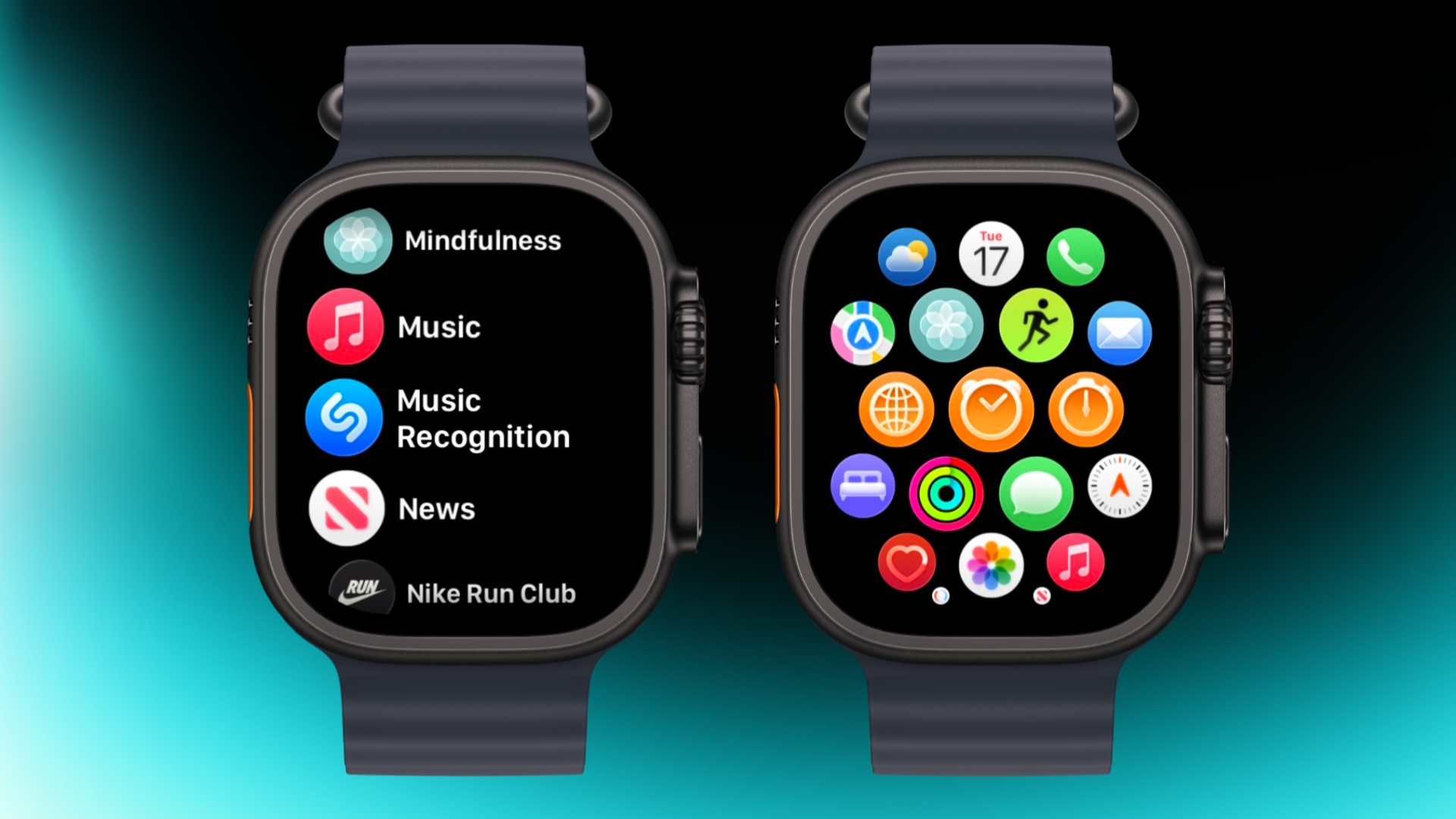
If the app grid feels messy, switch to List View. Open the Watch app on iPhone, tap App View, and choose List View. From then on, pressing the Digital Crown will show your apps in a simple, scrollable list.
Rearrange Apps
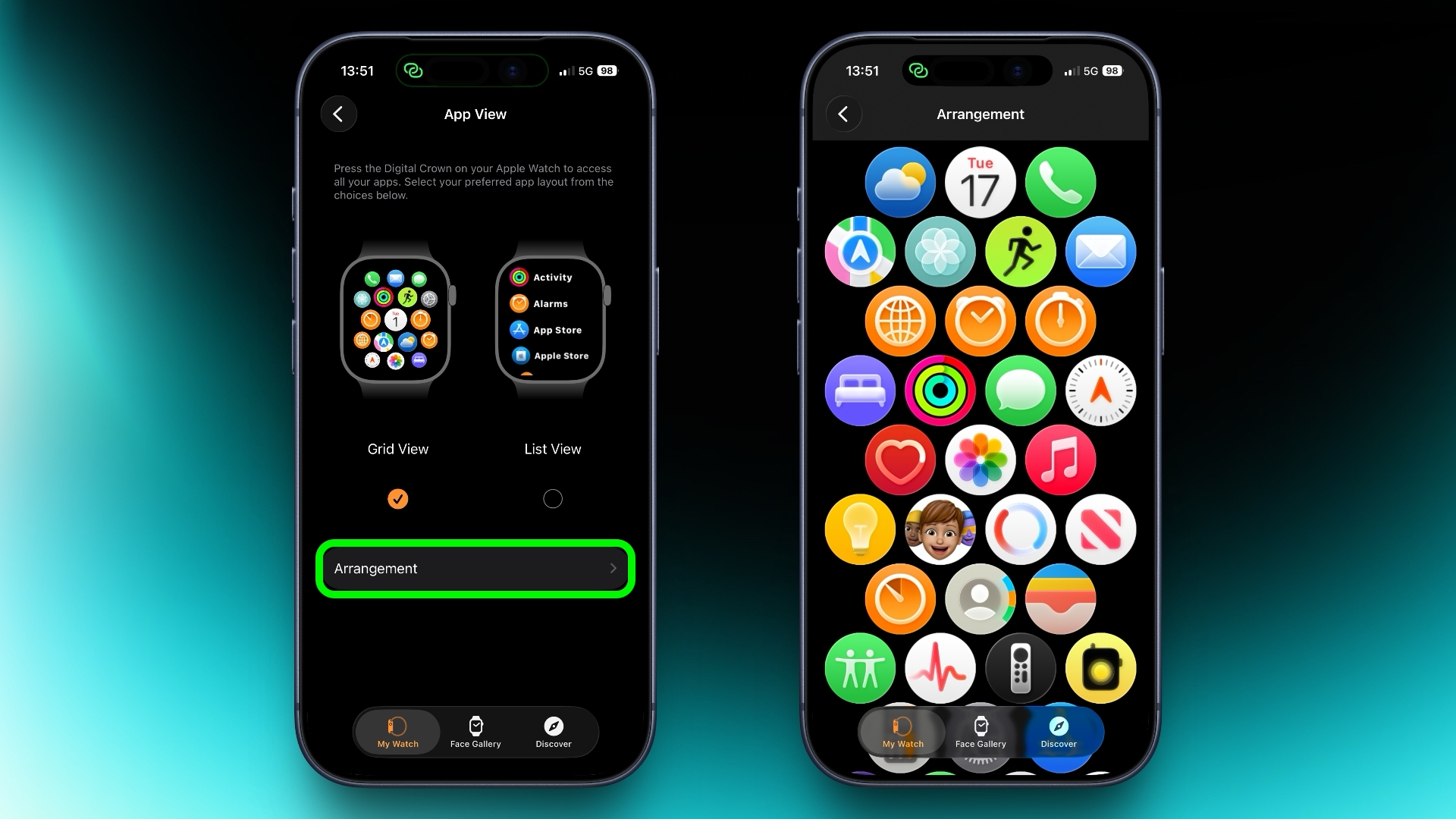
You can rearrange your apps so that the ones you use most are closer to hand. Simply press and hold on any app in the grid view, then drag it where you want. Alternatively, open the Watch app on your iPhone, go to App View ➝ Arrangement, and move things around there instead.
Ping Your iPhone
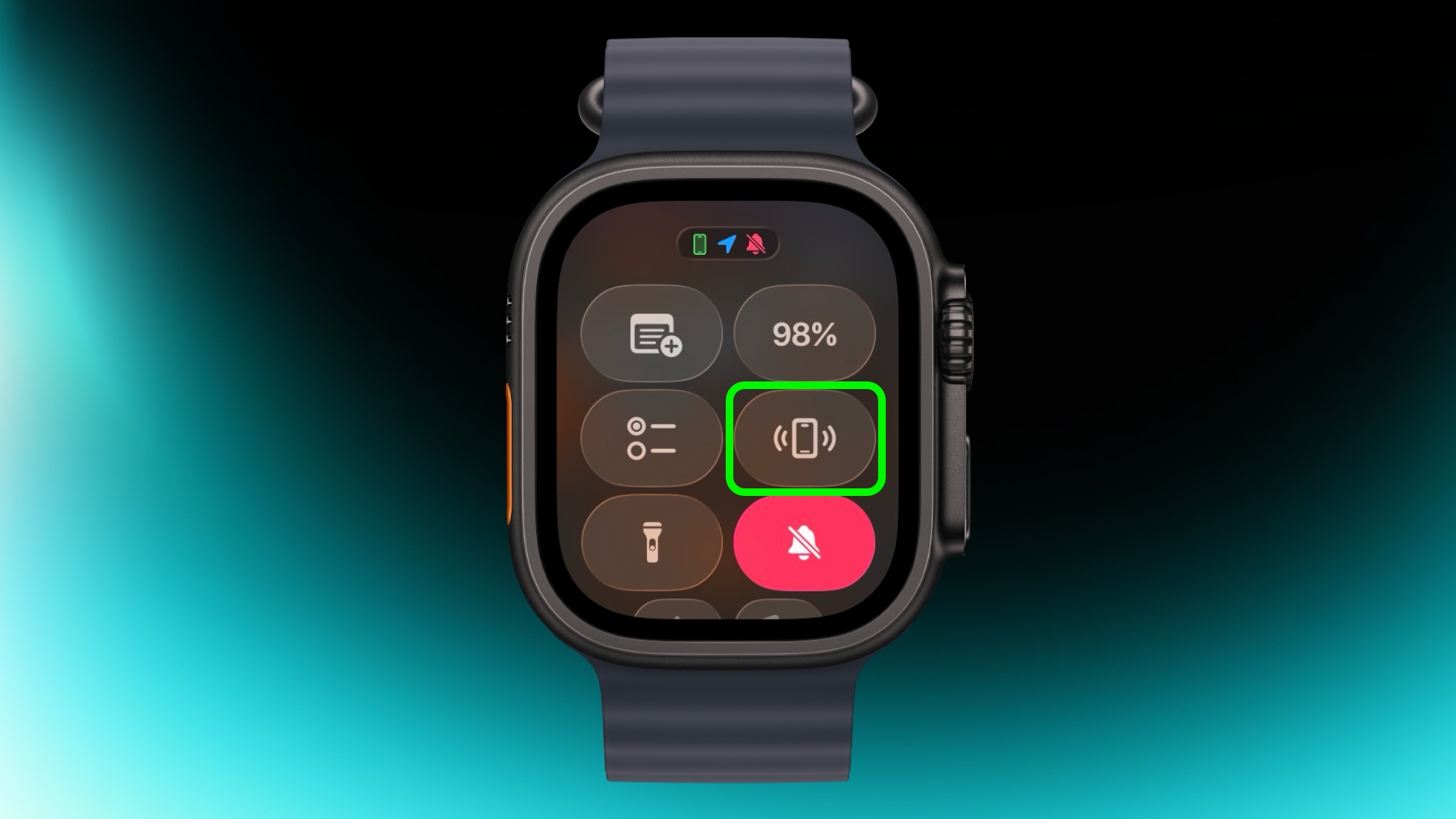
If you've misplaced your iPhone but you're sure it's nearby, open Control Center with a press of the Side button, then tap the phone icon to make it ping. Press and hold that icon and the iPhone's camera flash will blink too, which can help if it's hidden under something.
Skip the Countdown
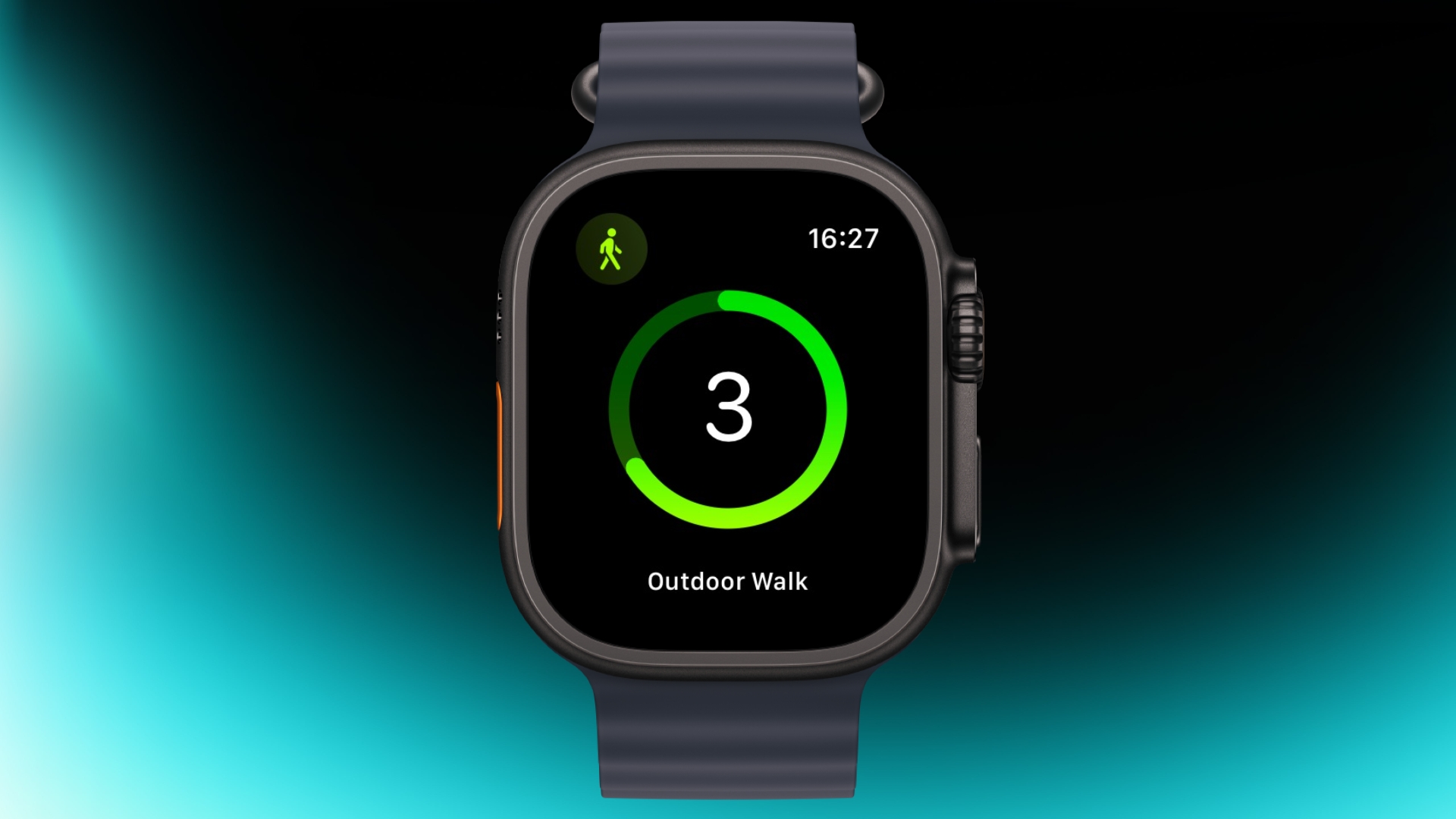
If you're eager to start a workout, the three-second countdown before it starts can be skipped. Just tap the screen when the countdown begins and your workout will start immediately. If you find yourself doing this regularly, consider turning on Precision Start in Settings ➝ Workout.
Customize Vibration Strength
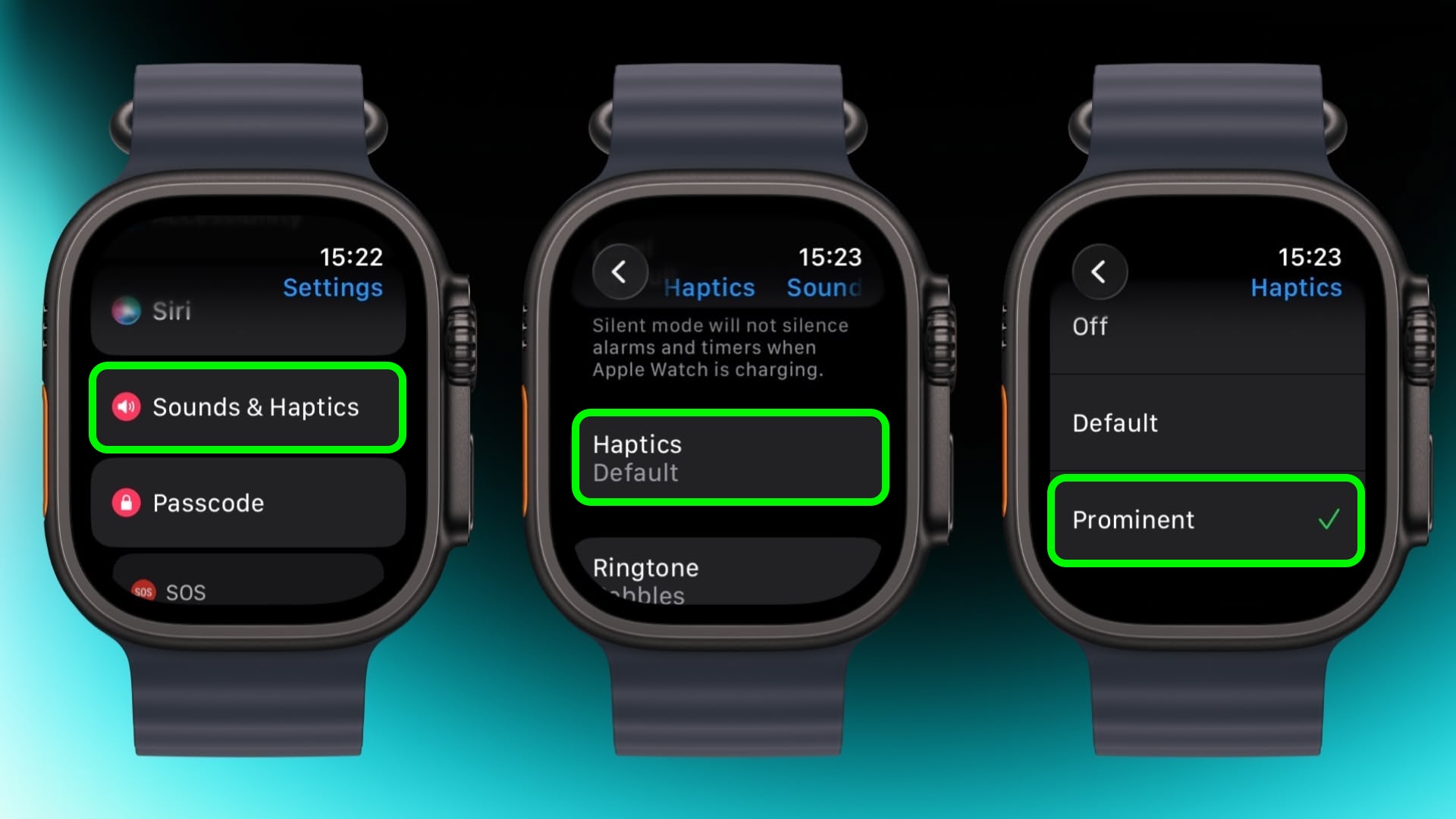
If you keep missing notifications, go to Settings ➝ Sounds & Haptics ➝ and change from Default to Prominent. This adds an extra tap pattern before alerts so they're harder to ignore.
Perform Precision Timing
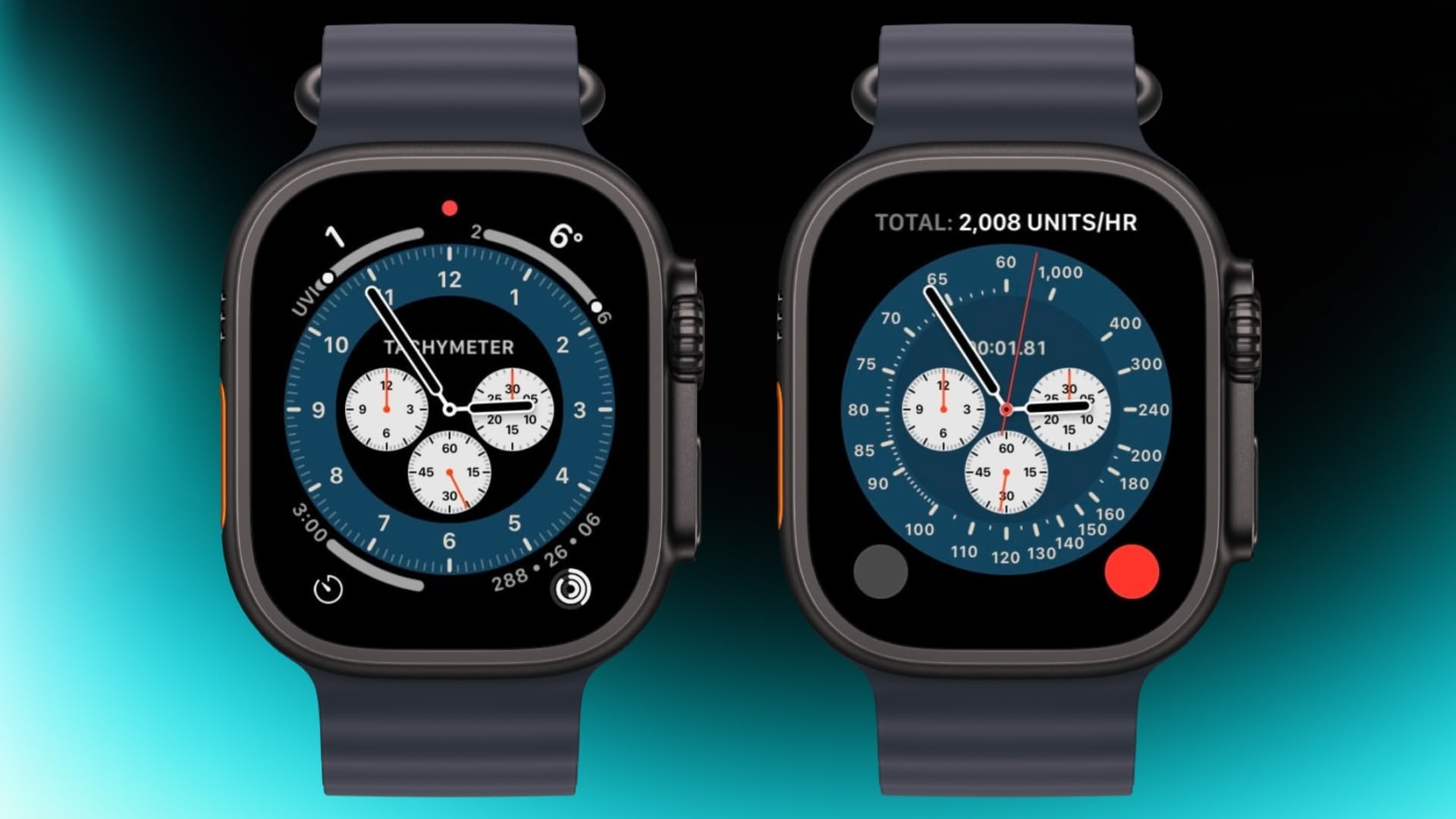
The Chronograph Pro watch face transforms into an actual chronograph. Tap the outer edge surrounding the main 12-hour dial on this watch face to record time on scales of 60, 30, 6, or 3 seconds. Alternatively, select the tachymeter timescale to measure speed based on time travel over a fixed distance.
Jump to the Top
If you've scrolled way down in an app and want to jump back to the top, just tap the time in the top corner of the screen. It works in most apps and saves a lot of scrolling.
Remove Apps
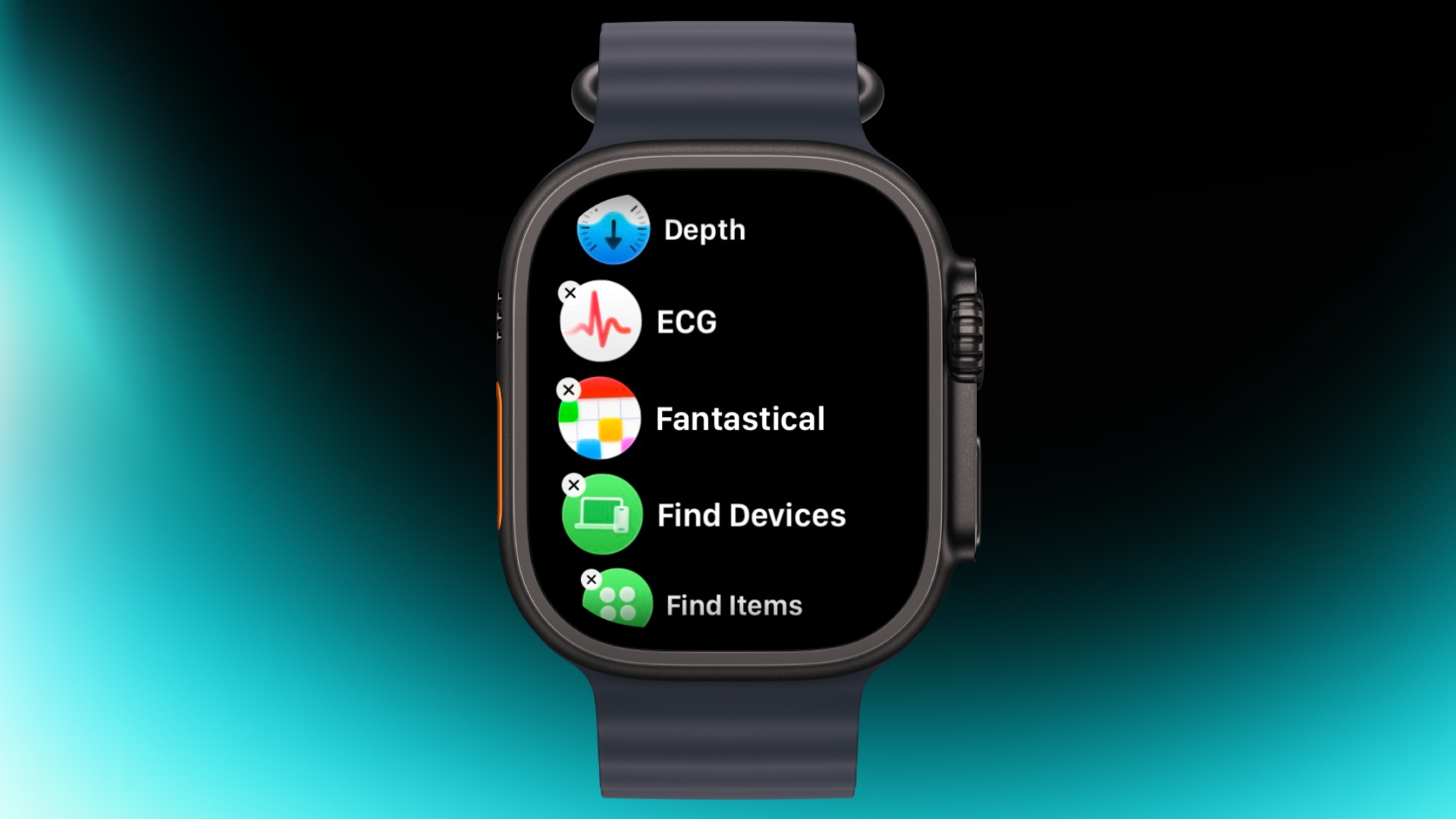
Clearing out apps you don't use on your Apple Watch is easy. In the List or Grid View, press and hold on the screen until the apps jiggle, then tap the small x in the corner of the app icon to delete it. This works for most system apps and all third-party apps.
Customize Control Center
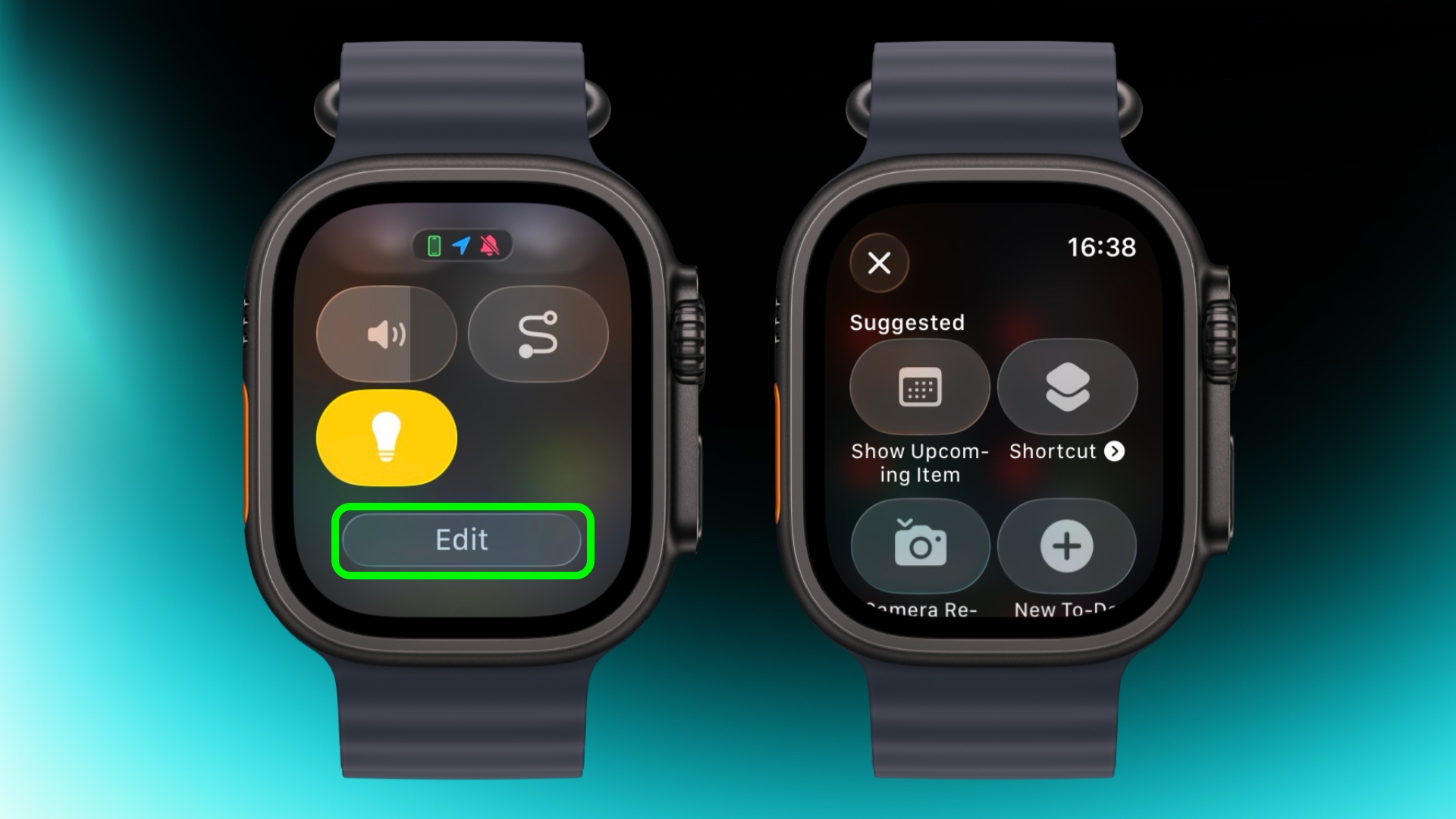
By default, Control Center (accessed via the Side button) gives you quick access to things like Wi-Fi, battery, and Do Not Disturb. But it's worth seeing what else you can add to it that you'd like quick access to. Tap the Edit button at the bottom, then tap the + icon in the top-left corner of the screen. System options such as New Note and Lights are particularly handy, and you might see some third-party options listed too, depending on your installed apps.
Speak the Time Out Loud
If you're using the Mickey or Minnie watch face, tap on the character and they'll speak the time out loud. Just make sure your sound is turned on. In fact, you can also have Siri read the time on any watch face by tapping and holding with two fingers on the display. Again though, sound needs to be enabled.
Customize Smart Replies
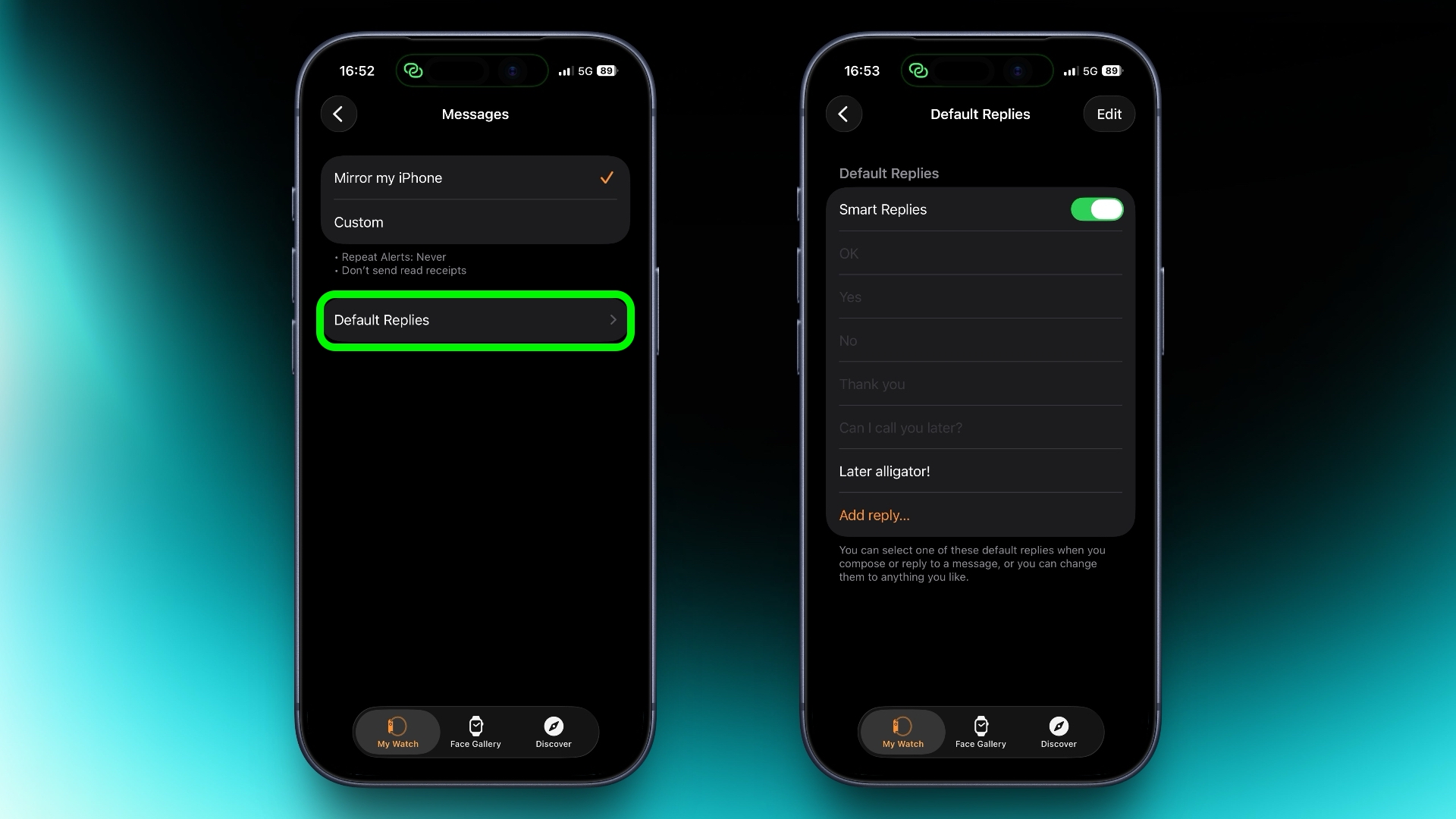
Smart Replies are handy when you want to reply with just a few words. In the Watch app on iPhone, go to Messages and tap Default Replies to customise what shows up. Then when a message comes in, simply swipe down to pick one of your preset replies.
Pause Activity Rings
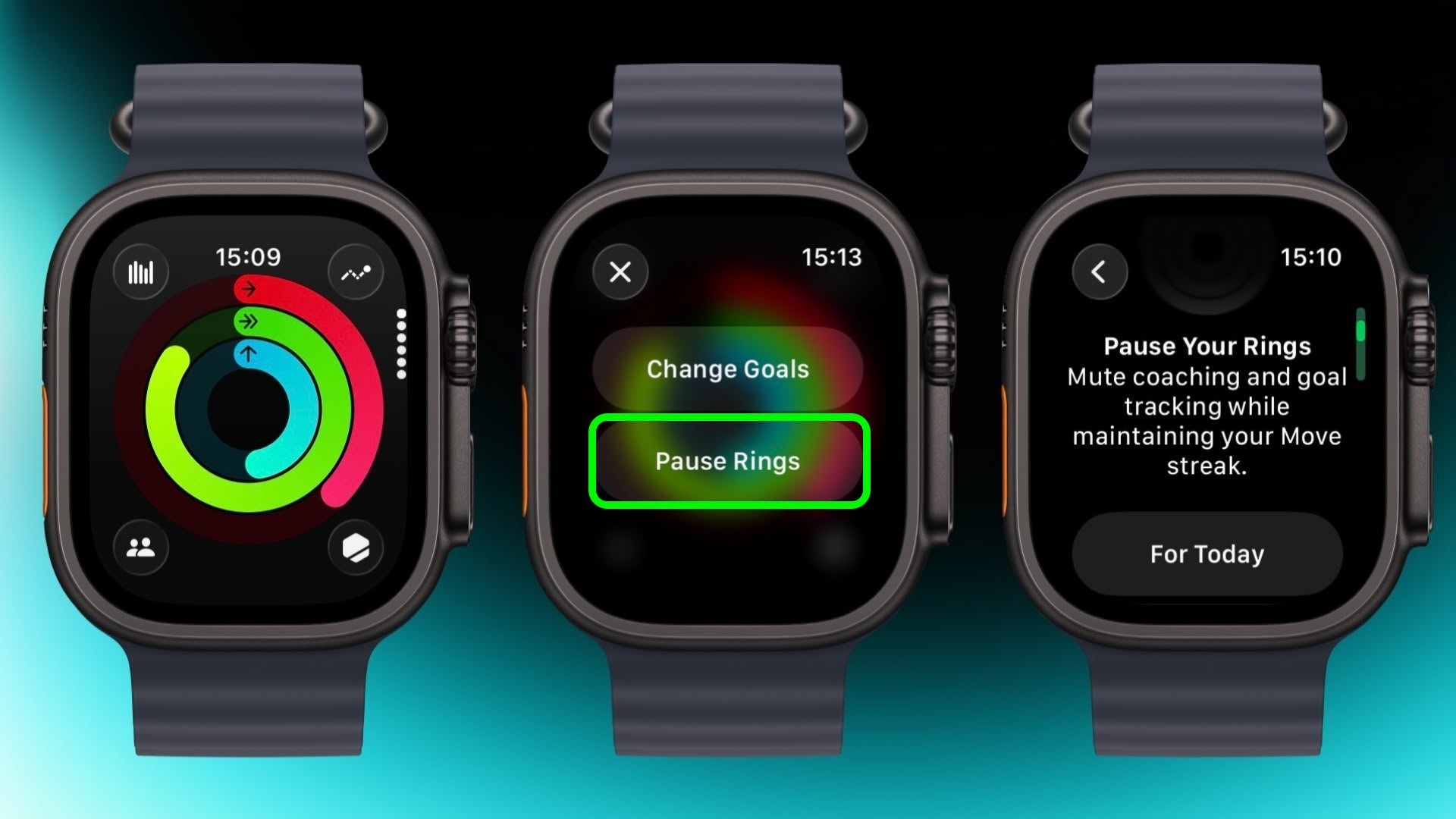
Feeling unwell but hoping to keep your streak intact? In the Activity app, select your rings to access the option to suspend them for the day, or set a pause that lasts until a chosen date up to 90 days ahead.
Create a Note
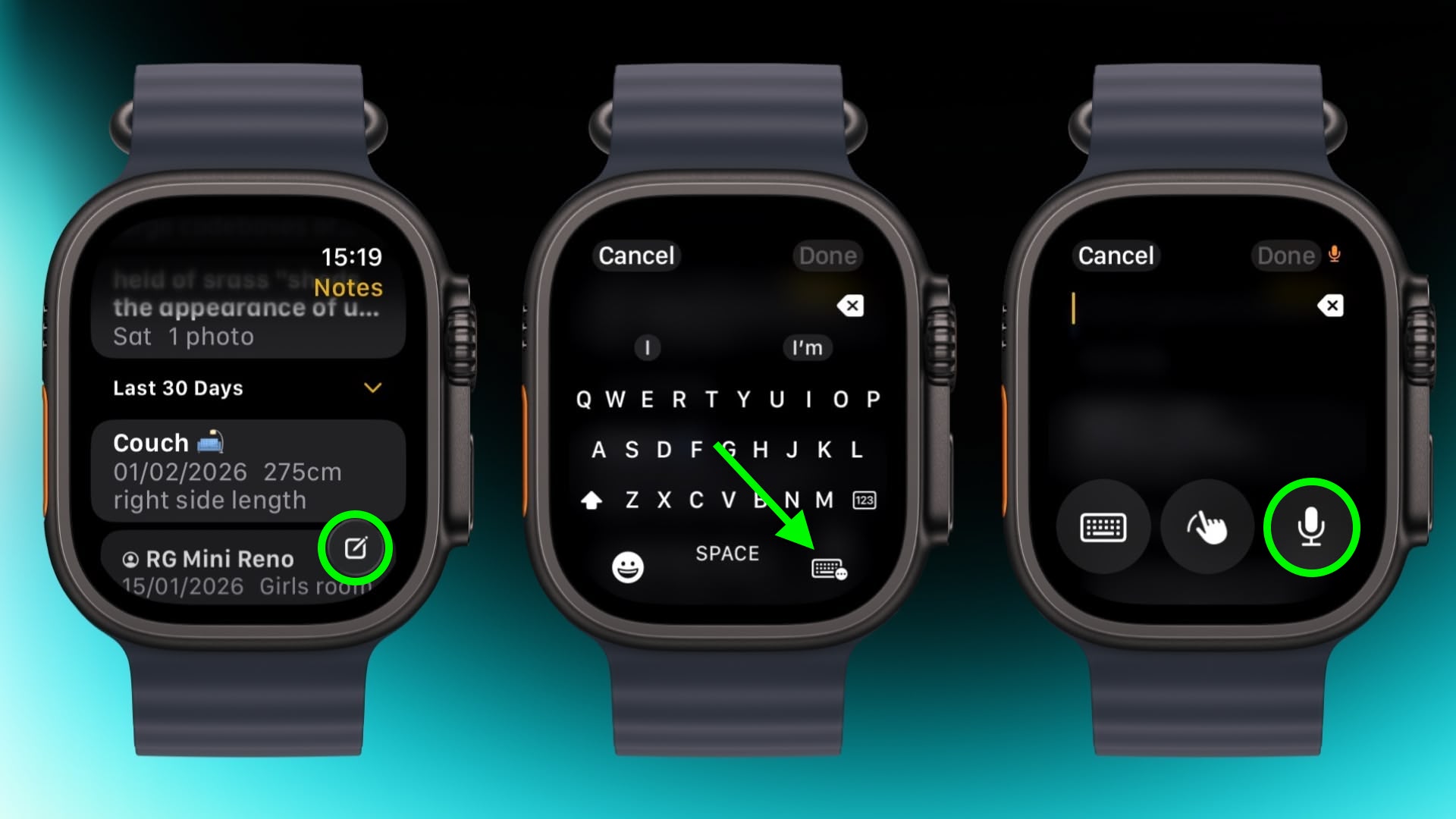
In the new Notes app in watchOS 26, you can't modify existing notes on Apple Watch, but you can create a new one by tapping the compose control in the bottom-right corner and speaking your text. Because Notes sync through iCloud, you can refine or reorganize everything later on a device with a physical or on-screen keyboard.
Mute and Dismiss Alerts
With a quick wrist flip, you can clear the current screen and go back to the watch face. The same gesture can be used to mute calls, stop timers, and dismiss notifications. The feature, which is on by default, is supported on Apple Watch SE (3rd generation), Series 9, Ultra 2, and later.
Apple's iPad that's just an iPad with no Air or Pro attached is its most appealing tablet because of the affordable starting $349 price tag, but if you've been thinking about buying one, you should wait.
Apple refreshed the iPad in March 2025, so it's over a year old. That's reason enough not to buy when there's a new model on the horizon, but this year, there's even more to lose by purchasing now.
The 2025 iPad has an A16 chip inside that does not support Apple Intelligence. It does not have features like Writing Tools, Image Playground, Clean Up, Live Translation, notification summaries, Smart Reply, Priority Messages in Mail, Visual Intelligence, and multiple other AI-related tools.
Apple Intelligence is still new so it might not sound like a big deal to miss out on those capabilities, but not having access to it is going to become more of a problem as Apple continues implementing new AI features.
Rumors suggest there are big changes coming in iOS 27. Siri is going to get smarter and turn into a full chatbot, the Camera app is going to get Visual Intelligence integration, the Photos app will have AI image editing tools, Shortcuts may be more automated, and there are probably features coming that haven't even been rumored yet.
The A16 iPad will likely feel outdated in the next year or two because of the feature set it won't have access to.
The next iPad is likely to get the A18 chip, and the A18 does support Apple Intelligence. It will have faster performance, more RAM, and most importantly, future-proofing and access to the AI features that Apple is investing in.
Holding out for the next iPad will take some patience, because right now, we don't know when it's coming. Updating the iPad alongside the low-cost iPhone 17e would have made sense, but that didn't happen. A new entry-level iPad isn't coming in the first half of 2026, so we're likely going to be waiting until September or October.
Bloomberg's Mark Gurman said in March that an updated low-cost iPad is "ready to go" and "still coming this year." Even though the wait may be several months, we think it's worth holding out for the next iPad instead of buying now because of the upgrade that comes with Apple Intelligence support.
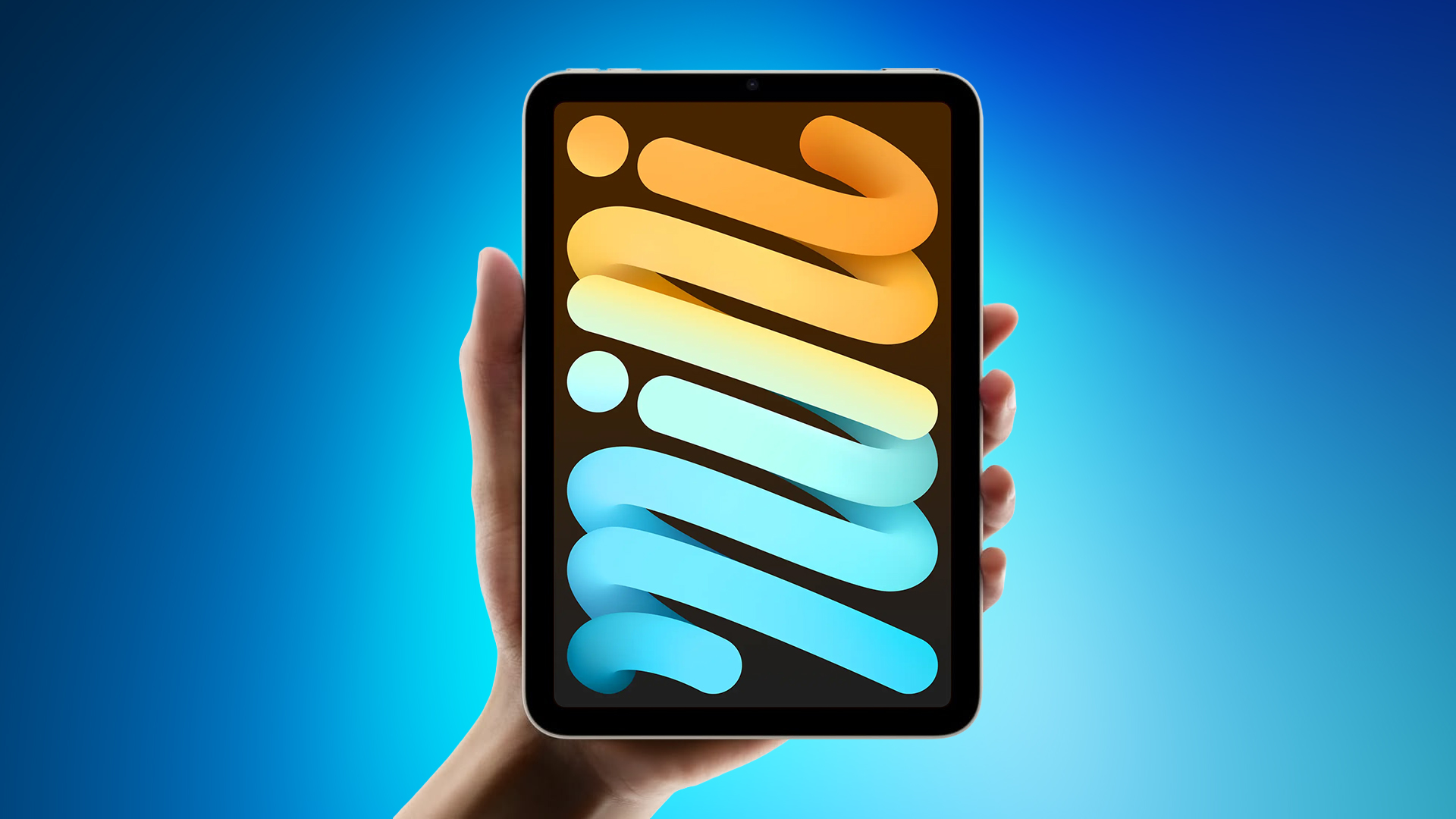
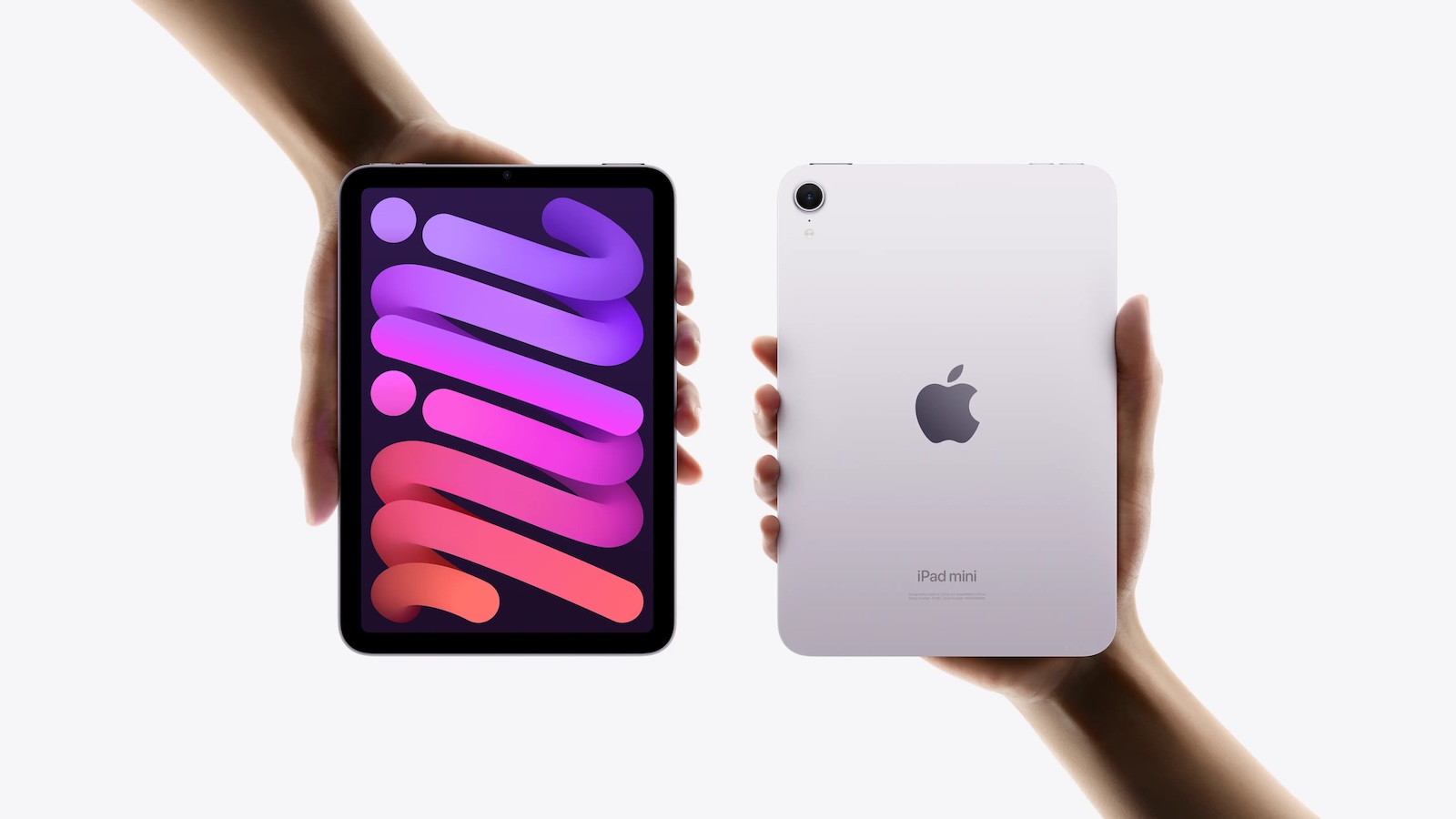
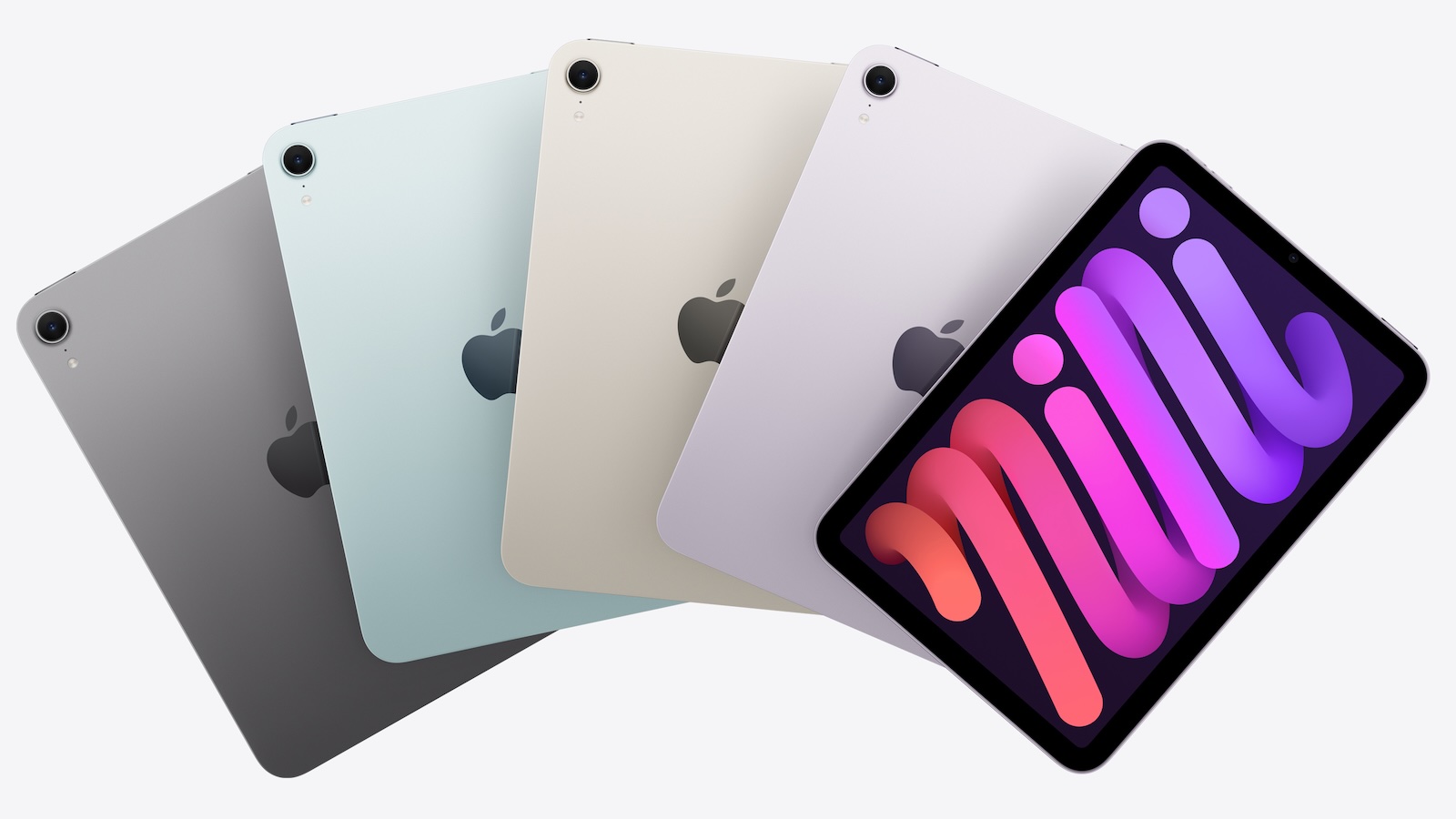
According to the latest rumors, Apple is close to launching its next-generation iPad mini. So what should we expect from the successor to the iPad mini 7 that Apple released over a year ago? Read on to find out.
Processor and Performance
Apple is working on a next-generation version of the iPad mini (codename J510/J511) that features the A19 Pro chip, according to information found in code that Apple mistakenly shared in August.
Apple's A19 Pro chip since debuted in the iPhone Air and iPhone 17 Pro models. The iPhone 17 Pro models include the higher-end version of Apple's A19 Pro chip with a 6-core CPU and a 6-core GPU, while the iPhone Air uses a mid-tier A19 Pro chip with one fewer GPU core than the A19 Pro chip used in the iPhone 17 Pro and Pro Max.
If the code leak is accurate for the iPad mini 8, Apple is likely to use the mid-tier A19 Pro chip found in the iPhone Air. This is based on the fact that the A17 Pro chip used in the iPad mini 7 has a 6-core CPU with two high-performance cores and four efficiency cores, along with a 5-core GPU, compared to the 6-core GPU found on the A17 Pro used in the iPhone 15 Pro.
Apple built the A19 Pro chip on an upgraded third-generation 3-nanometer N3P process for modest speed and efficiency improvements. The chip includes a 16-core Neural Engine, next-generation dynamic caching, and unified image compression.
The GPU in the A19 Pro has an upgraded architecture with a larger cache, more memory, and Neural Accelerators that are built into each core. Apple says that this change provides 3× the peak GPU compute over the prior-generation chip. There's also an upgraded 16-core Neural Engine for AI tasks.
There is an outside chance that Apple opts for the A20 Pro chip for the new iPad mini. The claim has been made by a MacRumors tipster who analyzed a macOS kernel debug kit containing internal Apple codenames. However, the iPad mini has not always received Apple's newest A-series chip at the time it was updated, so the A19 Pro cannot be ruled out at this time. iPhone 18 Pro models are also expected to use the A20 Pro chip, which will reportedly be fabricated with TSMC's advanced 2nm process.
Display
Apple's plan to transition the iPad mini from an LCD to an OLED display is widely rumored. According to Bloomberg's Mark Gurman, the small form-factor tablet is likely to be the next Apple device to adopt OLED. According to a Chinese leaker with sources in Apple's supply chain, Apple has evaluated a Samsung-made OLED display for its next iPad mini model.
It remains unclear whether the iPad mini 8 will feature a higher refresh rate than the 60Hz LCD display used in the existing iPad mini 7, but since the new base iPhone 17 now uses a 120Hz ProMotion panel, it would be reasonable to expect the same on the first OLED iPad mini. A separate report has suggested the iPad mini 8's screen could increase in size from 8.3 inches to 8.7 inches with the adoption of OLED.
OLED panels can individually control each pixel, resulting in more precise color reproduction and deeper blacks compared to other common display technologies. They also provide superior contrast, faster response times, better viewing angles, and greater design flexibility. All of Apple's flagship iPhones use OLED panels, and in May 2024 the company brought the display technology to the iPad Pro for the first time.
Unlike Apple's iPad Pro models, which feature two-stack low-temperature polycrystalline oxide (LTPO) OLED panels, the iPad mini may have a single-stack low-temperature polycrystalline silicon (LTPS) panel, which would make it dimmer.
Chassis Design
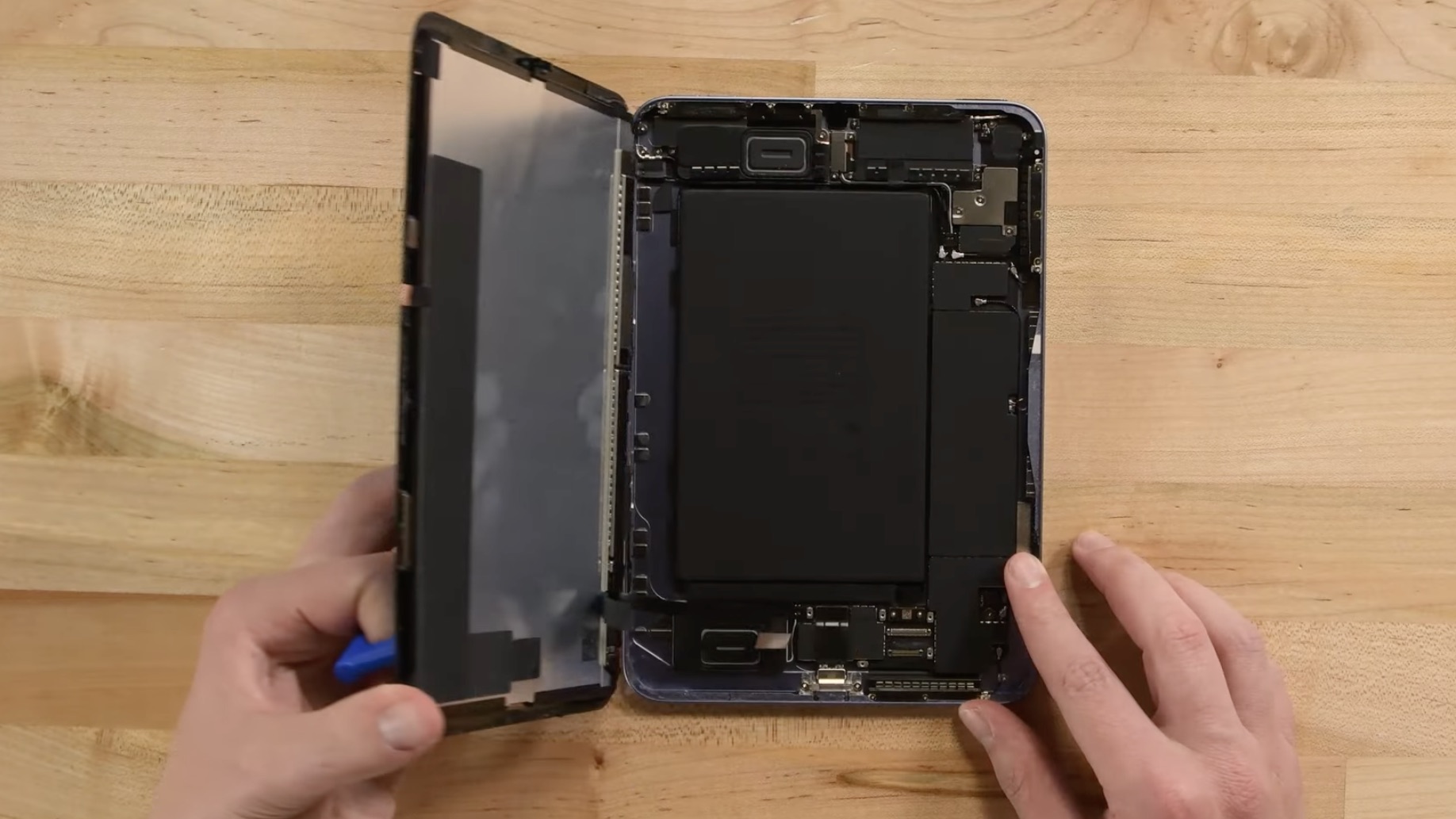
Apple is reportedly working to give the iPad mini 8 a more water-resistant design, according to Bloomberg's Mark Gurman. The updated casing would bring protection levels closer to those of the iPhone, making the tablet safer for use in damp environments.
To achieve this, Apple is said to have designed a new vibration-based speaker system that eliminates the need for traditional speaker holes. By using sound-emitting surfaces instead of open grilles, the company can reduce potential entry points for water and dust, resulting in a more sealed, durable enclosure.
On the iPhone, Apple relies on adhesives and gaskets to shield speakers and other openings from moisture. The iPad mini's approach appears to go further, doing away with the holes altogether. Current iPad mini models lack any official IP rating, but the upcoming version could mark the first in the lineup to feature a certified level of water protection.
Apple patents could offer further clues to the new design direction. For example, a 2014 patent outlines a "mechanically actuated panel acoustic system" that vibrates flat surfaces to generate sound, effectively turning parts of a device's chassis into a speaker diaphragm. This could potentially allow Apple to produce audio without visible speaker holes. The patent suggest Apple has been building towards a sealed, vibration-based acoustic system for several years.
Release Date
According to research firm Omdia, the iPad mini is expected to adopt an OLED display in 2027. However, Korea's ET News and ZDNET Korea have both suggested that the iPad mini will be updated with an OLED display in 2026. Bloomberg has also said the update could come as soon as this year.
The most recent word on the subject comes from Weibo-based leaker Instant Digital, who claims the OLED iPad mini will be launched in the second half of 2026 at the earliest.
In May 2024, it was reported that Samsung Display had started developing sample OLED panels for a future iPad mini, with plans to initiate mass production at its facility in Cheonan in the second half of 2025. The same report claimed that Apple will bring an OLED panel to the iPad Air alongside the iPad mini in 2026, though Apple only refreshed the iPad Air in March, and more recent reporting suggests an OLED iPad Air will arrive in early 2027.
The latter outlook aligns with a December report by analyst firm Display Supply Chain Consultants (DSCC) that said an 8.5-inch OLED iPad mini is planned for a 2026 launch, while 11-inch and 13-inch OLED iPad Air models are expected to follow in 2027.
Ultimately, there are no rumors suggesting exactly when the next iPad mini will be released, but a launch later in 2026 has a high probability.
Pricing
Apple's iPad mini with OLED display technology and improved water resistance is expected to be more expensive, and Apple could charge up to $100 more for the device, according to Bloomberg's Gurman. The iPad mini is currently priced starting at $499. Gurman has previously argued that Apple should consider a lower-end version of the mini, or at least a change to its current $499 starting price, given that it's up against rival products that cost a lot less.
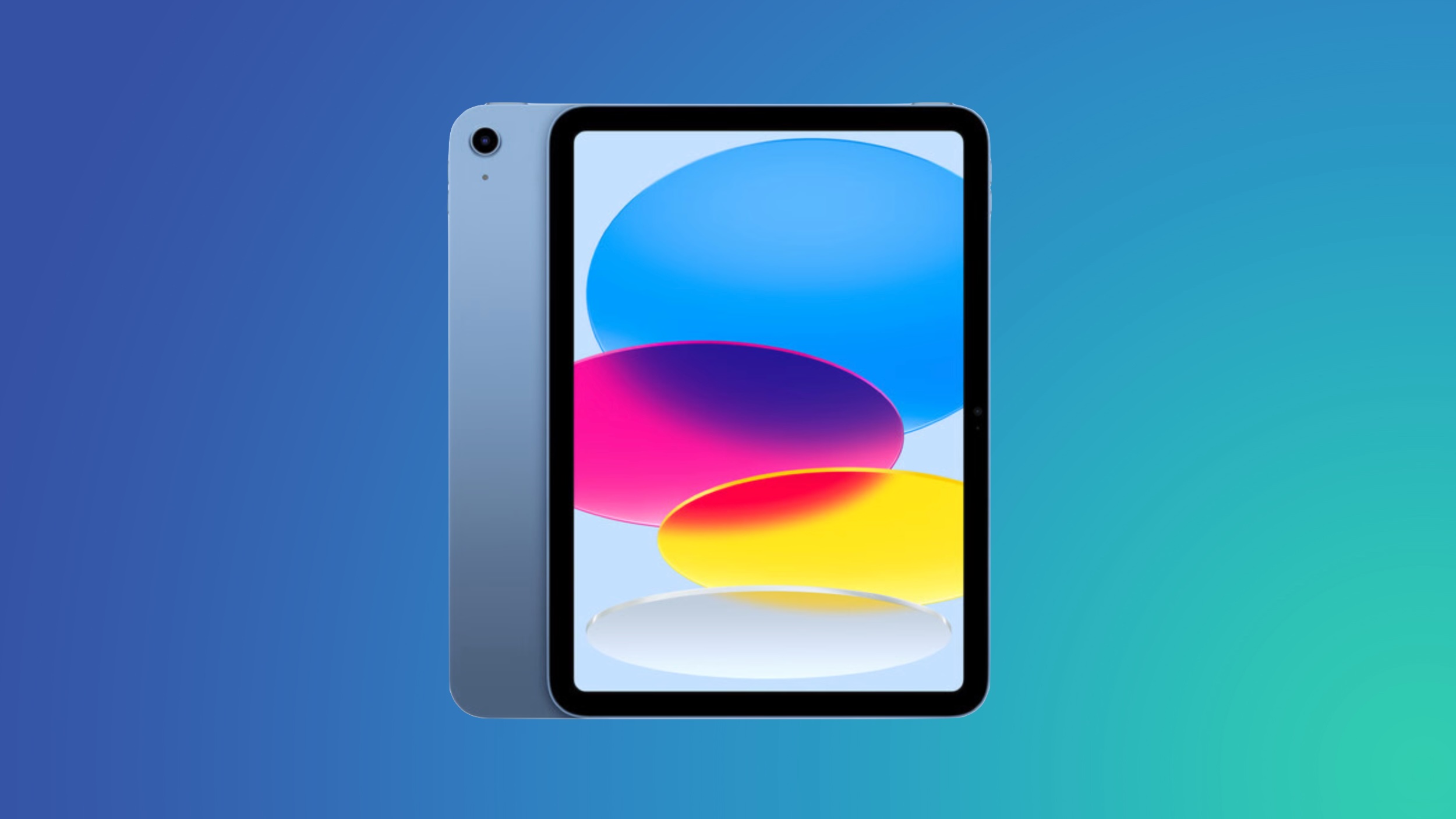
However, Apple users who are looking for a more affordable option should probably consider the 10th-generation iPad instead. Starting at $329, the iPad offers many iPad mini features, such as Touch ID and Center Stage, but at a lower price that balances functionality and affordability.
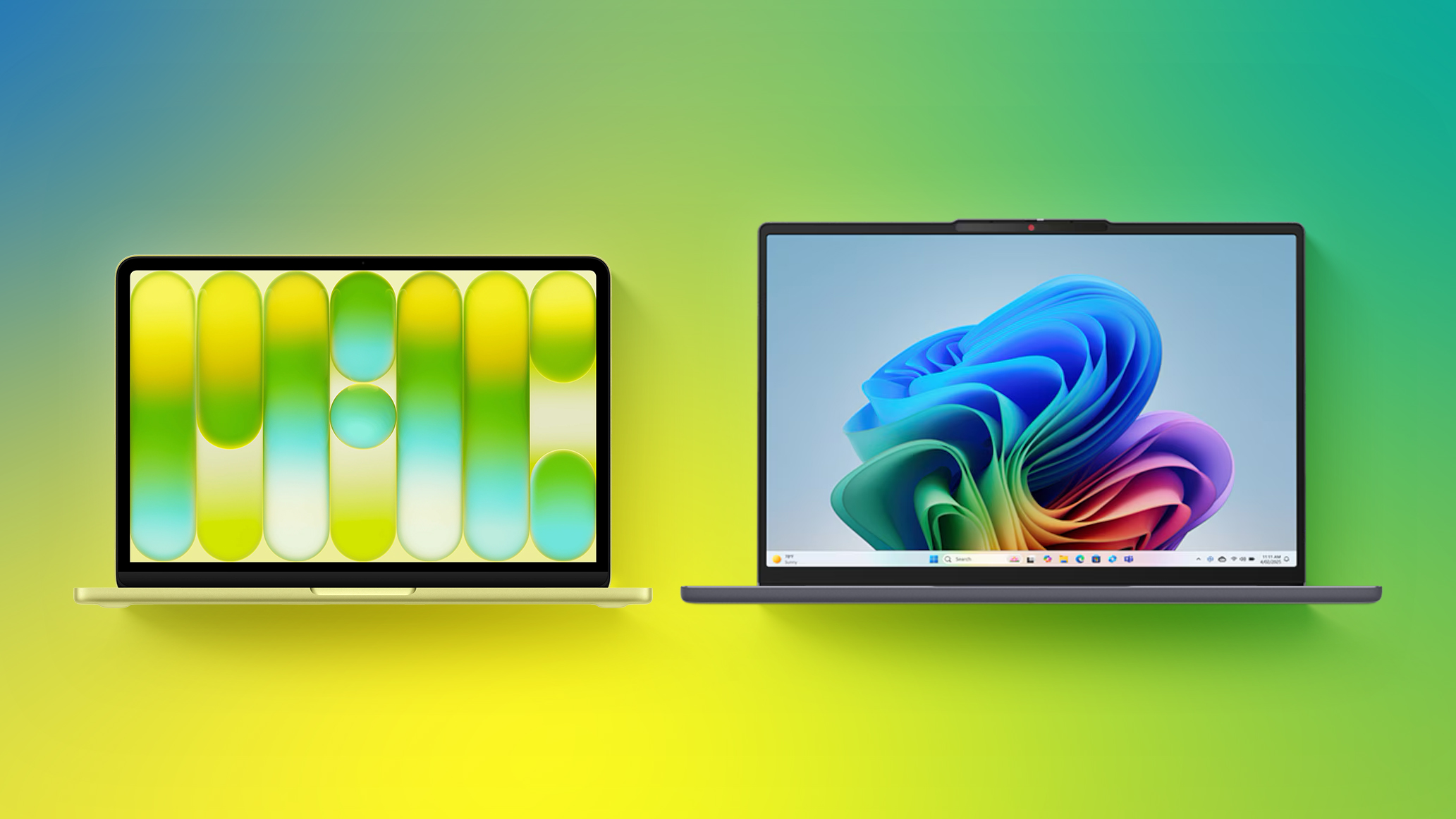
Microsoft has responded to the MacBook Neo by commissioning a study that highlights advantages of some Windows laptops.
Market research firm Signal65 evaluated four Windows laptops:
Lenovo's IdeaPad Slim 3x
Lenovo's Yoga 7i
HP's OmniBook 5
HP's OmniBook X Flip
With a starting price of $549.99 on Best Buy's online store in the U.S. at the time of this writing, the IdeaPad Slim 3x is the only laptop in the study that currently rivals the MacBook Neo's starting price of $499 (college students) to $599 (general public). The other three laptops currently start at $749 to $1,029 at Best Buy.
Signal65 outlined some of the IdeaPad Slim 3x's advantages over the MacBook Neo:
Feature
IdeaPad Slim 3x
MacBook Neo
Display Size
15.3-inch
13-inch
CPU
Snapdragon X1 with "90% faster" multi-core Cinebench 2026 score
A18 Pro
Base RAM
16GB
8GB
Fingerprint Scanner
Included
Touch ID limited to $699 model
Ports
1× USB-C, 2× USB-A, SD, and HDMI
2× USB-C only
Wi-Fi
Wi-Fi 7
Wi-Fi 6E
Backlit Keyboard
Yes
No
Touch Screen
Yes
No
In addition, the IdeaPad Slim 3x achieved longer battery life (16 hours and 29 minutes) compared to the MacBook Neo (13 hours and 28 minutes) in a Tom's Guide test, with Lenovo able to fit a larger battery inside a 15-inch laptop.
The study indicated that the IdeaPad Slim 3x has 512GB of storage, but the $549.99 base model has a 256GB SSD, which matches the MacBook Neo.
Through June 30, Microsoft is offering U.S. college students a free one-year Microsoft 365 Premium subscription, a free one-year Xbox Game Pass Ultimate subscription, and a free Xbox controller with the purchase of a qualifying Windows laptop, including the IdeaPad Slim 3x. The bundle has a value of more than $500.
On the other hand, the MacBook Neo has some advantages over the IdeaPad Slim 3x:
Feature
MacBook Neo
IdeaPad Slim 3x
Display Resolution
2,408×1,506 pixels (Retina quality)
1,920×1,200 pixels
Display Brightness
500 nits
300 nits
Build Material
Fully aluminum enclosure
Mix of aluminum and plastic
Webcam
1080p camera
720p camera
Moreover, many reviewers indicated that the MacBook Neo has a superior trackpad and speakers compared to Windows laptops within the same price range. Plus, the MacBook Neo runs macOS instead of Windows, so it benefits from Apple's tight hardware and software integration and features that work across multiple Apple devices.
While it is unsurprising that this Microsoft-backed study is focused on promoting Windows laptops, the reality is that the MacBook Neo and the IdeaPad Slim 3x both have pros and cons. More competition in the affordable laptop market is a win overall.
OpenProject 17.4 has been released and as announced in our blog, the Jira Migrator is now available without feature flag and allows the migration of basic custom fields. This is a great step towards a full functioning Jira migration, on which the OpenProject team is currently working on. Version 17.4 also introduces Backlog buckets and more improvements to agile project management.
In this article, we highlight the most important changes and what they mean for your daily work. And, as always, please see our release notes that contain all changes, features and bug fixes.
Most of you are aware that the Jira Data Center will reach the end of life (EOL) on 28 March 2029. After this date, Data Center licenses and apps will expire and become read-only, meaning that cloud hosting will be the only supported option. So teams around the world are searching for a Jira alternative: A highly functional tool that provides flexible hosting options and allows them full control over their data.
However, migrating to a new tool can present challenges ranging from time-consuming tasks to complex technical problems. That is why OpenProject is developing a tool that will make the transition effortless: The Jira Migrator. This ready-to-use solution allows teams to migrate their data from Jira to OpenProject with an easy, user-friendly dialogue. For more details, please refer to our documentation on the Jira Migrator.
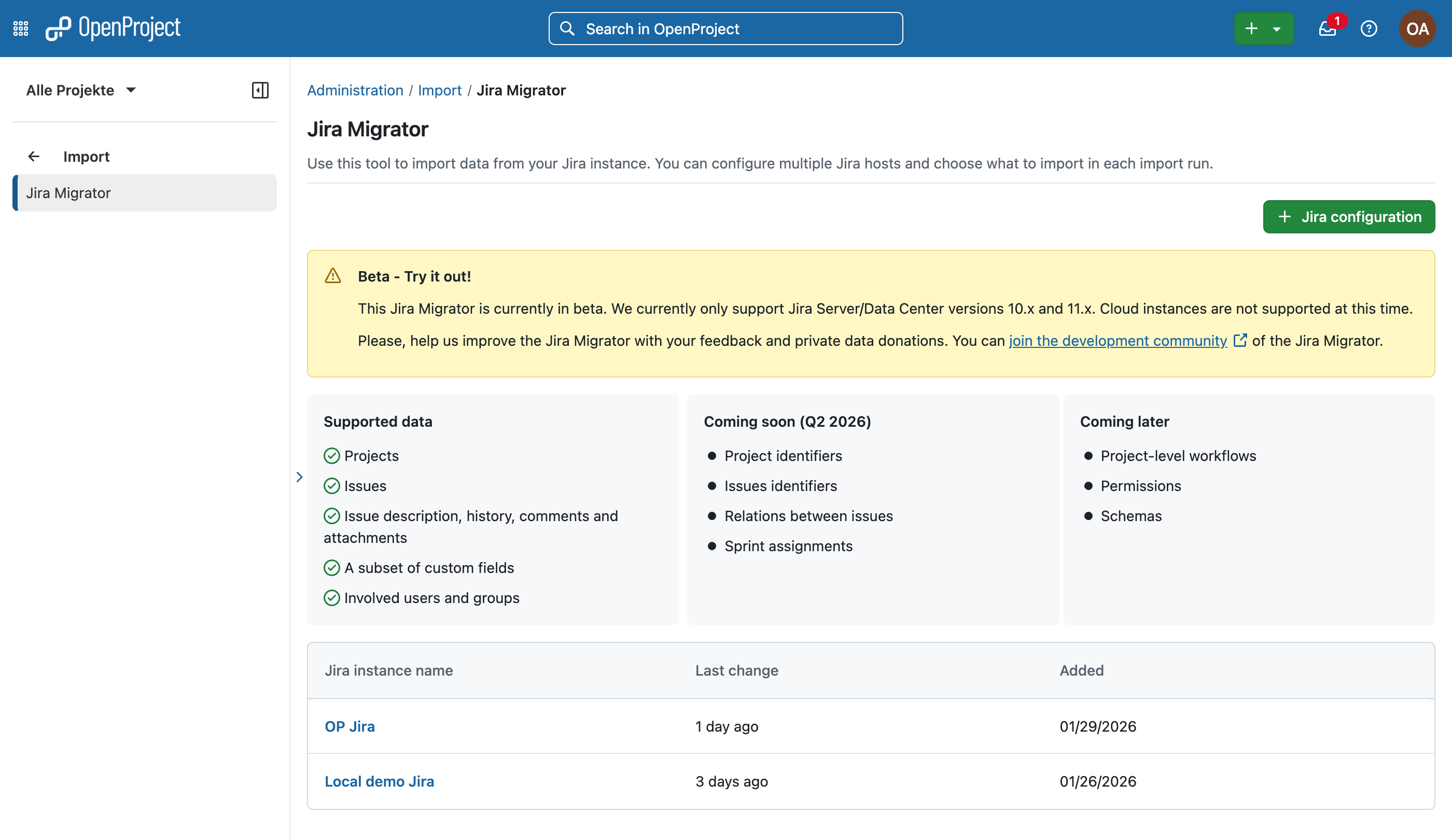
With the release of OpenProject 17.4, the Jira Migrator is available without feature flag, but still in a beta version — we encourage you to test it and give us feedback, but we do not recommend using it in production environments. However, this step represents a major milestone for us, as it will enable us to encourage even more people to try out the Jira Migrator.
We understand the importance of the Jira Migrator being fully usable, which is why we have made it an integral part of our roadmap. With every release, we introduce new features and improvements to make migration as easy as possible for as many teams as possible.
For exclusive insights on the Jira Migrator and all Jira migration topics, please contact us and we will put you on the dedicated newsletter list. You can also follow us on social media to get the latest OpenProject news.
New with 17.4: Jira Migrator imports basic custom fields
The key new feature in 17.4 is that it is now possible to migrate custom fields from Jira to OpenProject. This applies to custom files that have a corresponding field type in OpenProject, such as text, numbers, dates, and select lists.
This is another important step on our way to providing a comprehensive and user-friendly migration wizard for Jira. The ability to transfer custom fields is a key feature here, as it enables organizations and teams with highly customized project management setups to make the transition with little effort.
To make a migration as easy as possible, there is not only the need for great software but also for a reliable guide on how to use it. We provide you with a detailed instruction manual that guides you step by step through the migration dialogue and explains every function in depth.
Already with previous versions, it was possible to migrate projects, issues (with name, title, description, attachments), users (with name, email, project membership), statuses, and types from Jira to OpenProject. And there is much more to come! We are continuously working on improving the Jira Migrator by adding new data types and improving the migration process itself.
In support of our development process for the Jira Migrator, we are collecting anonymized data samples to test and validate import capacities under real conditions. Please contact us if you want to donate your data; we will sign an NDA to ensure confidentiality.
Agile improvements: Backlog buckets, better drag & drop and more
As we at OpenProject operate using agile workflows ourselves, we understand how important intuitive usability and reliable features are for simplifying workload management.
In this release, we are focusing on speeding up the organization of the backlog and sprint planning process by providing backlog buckets and improved backlog interactions to simplify workflows for agile teams in OpenProject. Individual customization options are particularly important to us, as they support the specific needs of agile teams.
This release is part of our ongoing goal to support agile work in OpenProject, which we also outlined in our recent blog article “The future of agile work”.
Organizing with Backlog buckets
With a long and unstructured backlog, it becomes difficult to keep track of work packages and plan the next sprint efficiently. Without a clear overview, teams often spend too much time searching for items and switching between views.
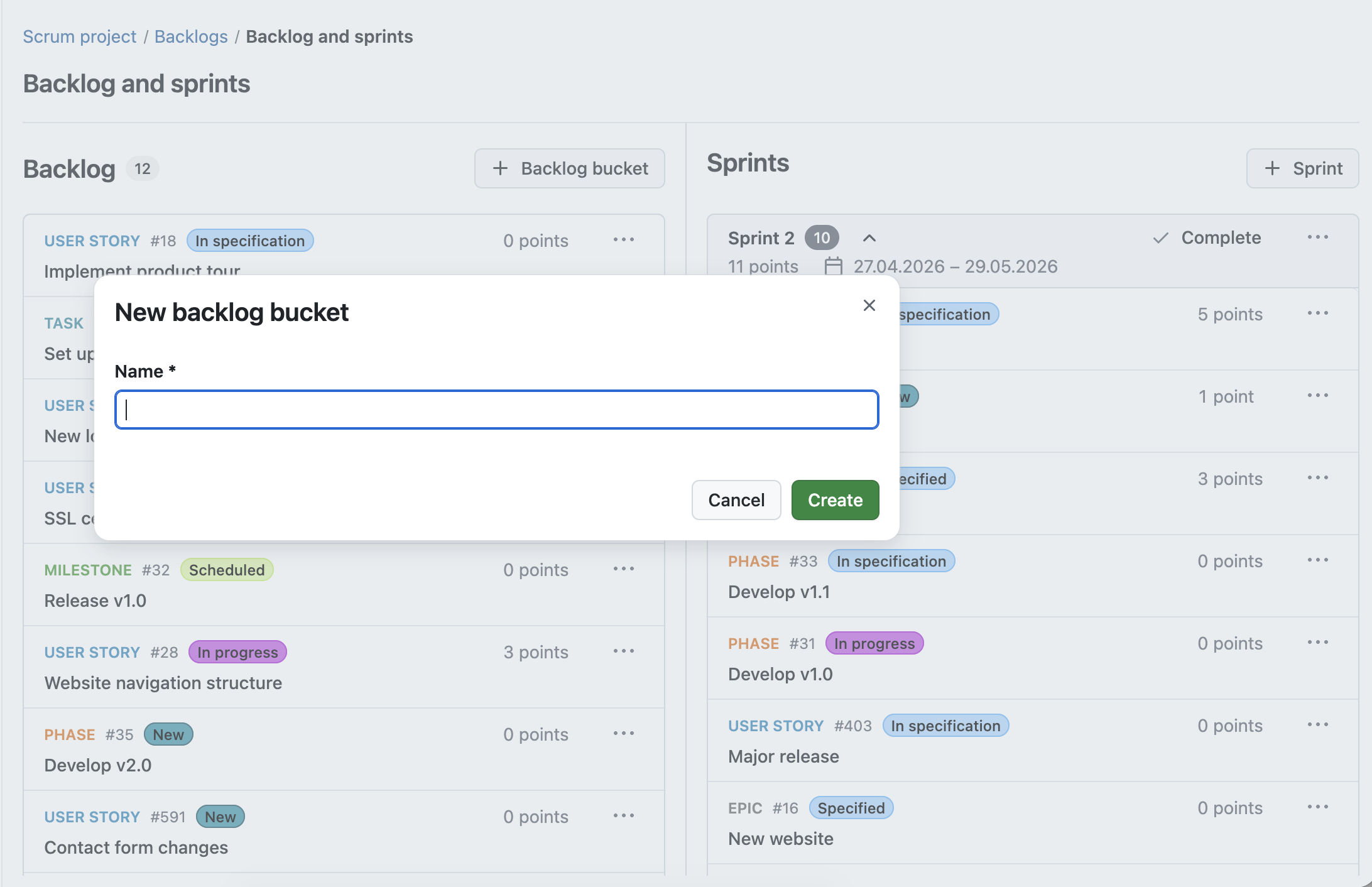
With OpenProject 17.4, we introduce Backlog buckets, a new way to structure your backlog. Work packages can now be grouped into clearly defined lists, making it easier to organize and prioritize upcoming work. Within each bucket, work packages can be sorted and adjusted as priorities change. Each bucket can be named individually, allowing teams to create categories that fit their workflow.
Backlog buckets guarantee an organized backlog, structured into manageable sections. Teams and sprint planners are able to group by their specific needs, making it easier to plan and prioritize their work.
Improved backlog interactions for faster planning
Working with large backlogs requires quick and efficient interactions. When moving work packages or checking details takes too many steps, planning becomes slow and fragmented.
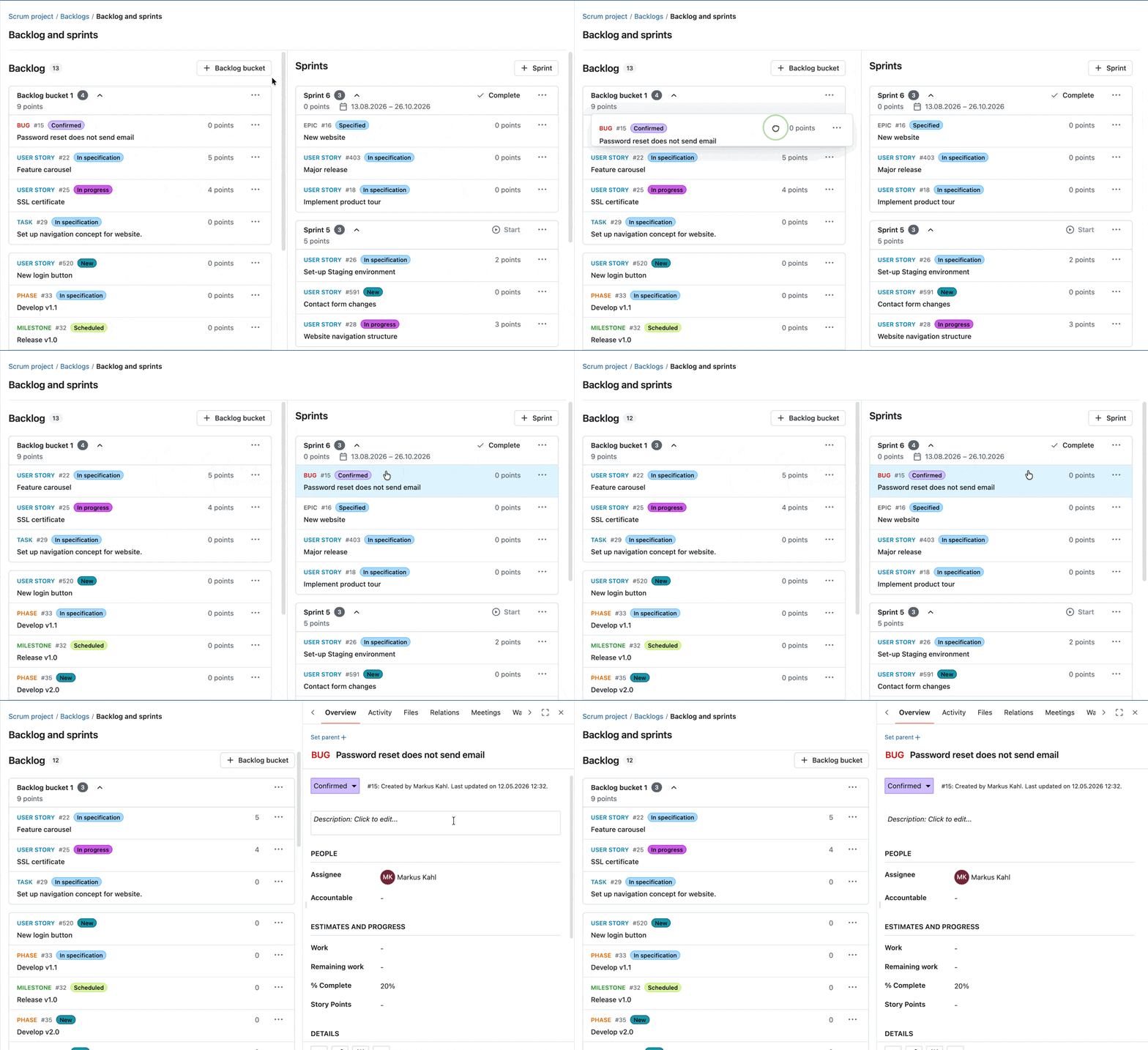
With OpenProject 17.4, we improved how you interact with the Backlogs module. Work packages are now fully draggable, making it easier to move them during backlog refinement and sprint planning. At the same time, you can still open work packages in a side panel with a single click, allowing you to view and edit details without losing context.
These improvements help you move seamlessly between planning and execution, making backlog refinement faster and more intuitive.
New action button in the sprint header
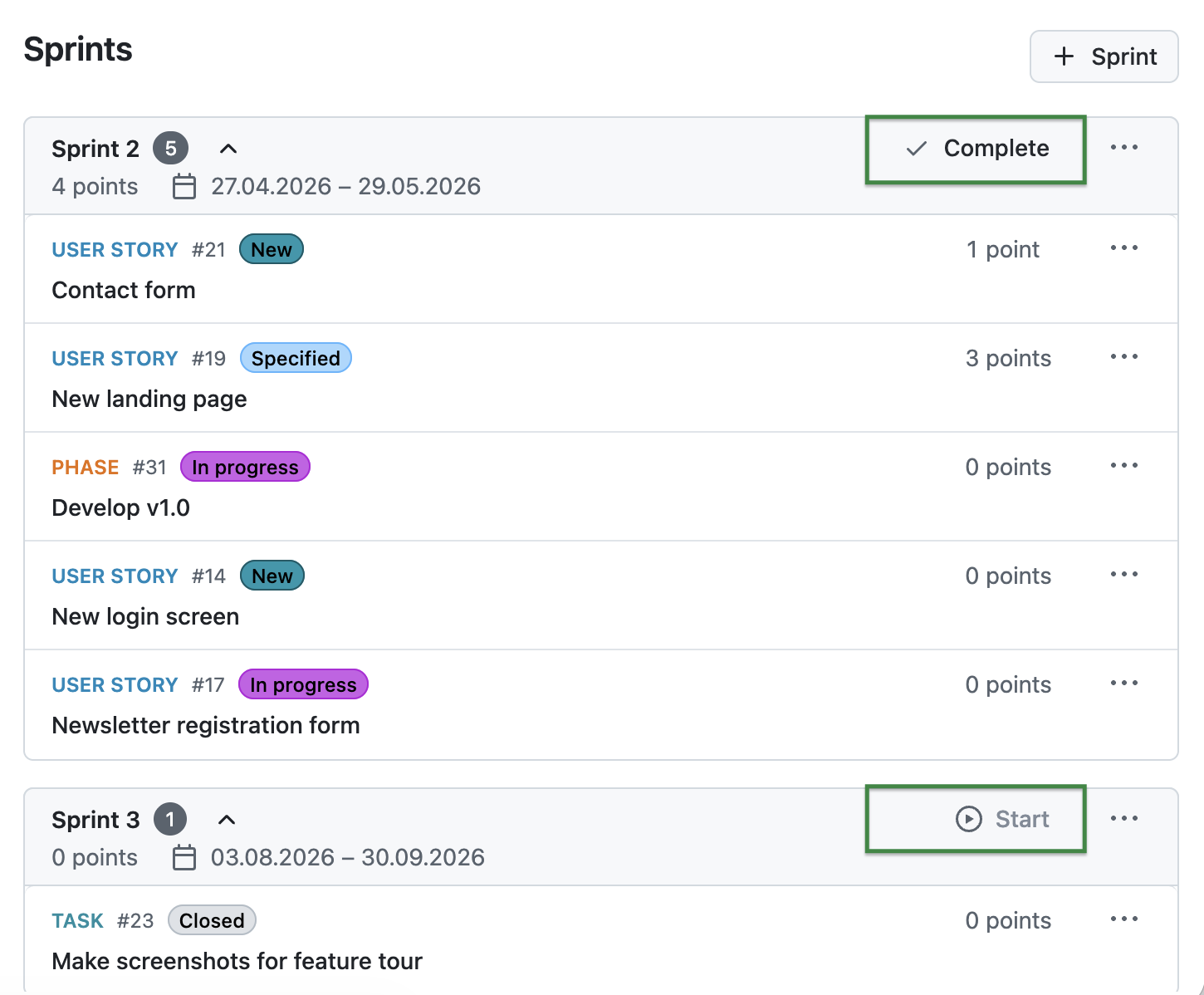
With OpenProject 17.4, you can now start or complete sprints directly from the sprint header using dedicated action buttons. This makes these actions easier to access and improves the visibility of what you can do next in your sprint workflow.
OpenProject 17.4 offers more features and updates. To keep this article concise, here is a quick look at some additional improvements worth highlighting:
You will find more information about all new features and changes in our Release notes and in the OpenProject Documentation.
If you need support, you can post your questions in the Community Forum, or if you are eligible for Enterprise support, please contact us and we will be happy to support you personally.
New to OpenProject? To test all features of OpenProject 17.4 right away, create a 14 days free trial instance for our OpenProject Enterprise cloud.
Prefer to run OpenProject 17.4 in your own infrastructure? Here you can find the Installation guidelines for OpenProject.
A very special thank you goes to Helmholtz-Zentrum Berlin, City of Cologne, Deutsche Bahn and ZenDiS for sponsoring released or upcoming features. Your support, alongside the efforts of our amazing Community, helps drive these innovations. Also a big thanks to our Community members for reporting bugs and helping us identify and provide fixes. Special thanks for reporting and finding bugs go to Andreas H., Madhu Reddy, and Anna Mund.
We also want to thank Community contributor K. Uihlein for contributing to our documentation of the OpenProject GitLab Integration. This is much appreciated.
Last but not least, we are very grateful for our very engaged translation contributors on Crowdin, who translated quite a few OpenProject strings! This release we would like to particularly thank the following users:
Samo, for a great number of translations into Turkish.
NCAA, for a great number of translations into Danish.
Would you like to help out with translations yourself? Then take a look at our translation guide and find out exactly how you can contribute. It is very much appreciated!
As always, we welcome any feedback on this release.
Many teams are currently looking for alternatives to Jira. Often under time pressure to find a solution that fits their needs. Migrating, however, requires more than just moving data from one tool to another. It means understanding how your existing setup translates to a new system, as well as being open to workarounds, compromises, and potential improvements.
With the OpenProject Jira Migrator, we support this process step by step. On May 13, it will be available without a feature flag as part of OpenProject 17.4. In addition to the basic functionality already available, it will support the import of basic custom fields — an essential part of task and project management.
In this article, we explain what this means for your Jira exit.
Migrating from Jira is not a one-to-one process
While many core concepts such as work packages, workflows, or custom fields exist in both systems, they are often named, structured, and handled differently.
In Jira, configurations are frequently tailored to individual projects and extended with plugins. Some plugin-based configurations in Jira do not have a direct equivalent in OpenProject and may require alternative approaches. In OpenProject, similar use cases can often be achieved, but sometimes require a different setup or approach. This means that migrating your data is not only about transferring information, but also about adapting it to a new system.
As a result, workarounds and adjustments are often part of the process. Being open to these changes is key to a successful migration, and can also be an opportunity to simplify and improve existing structures.
Preview of OpenProject 17.4: Jira Migrator available without a feature flag
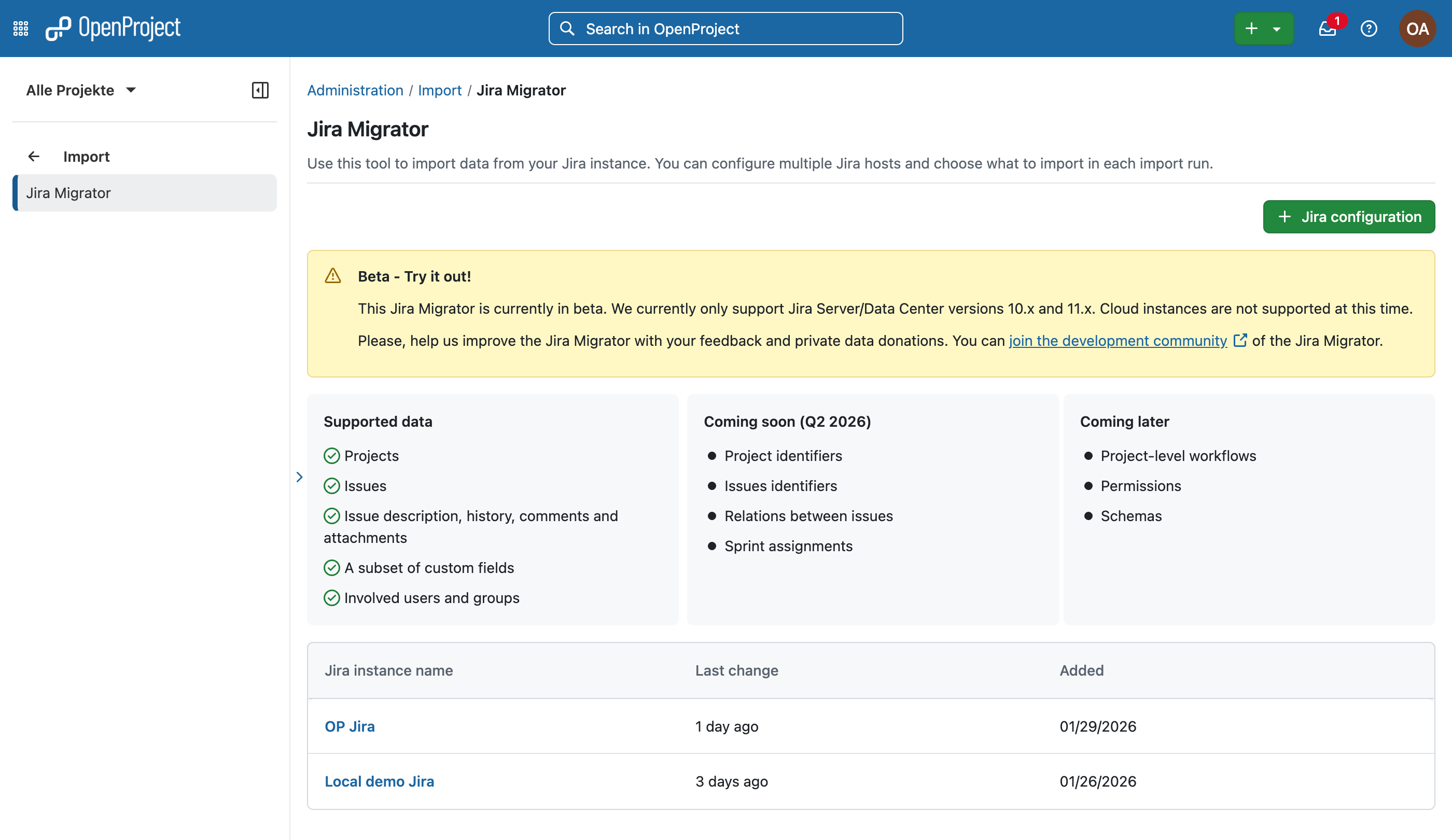
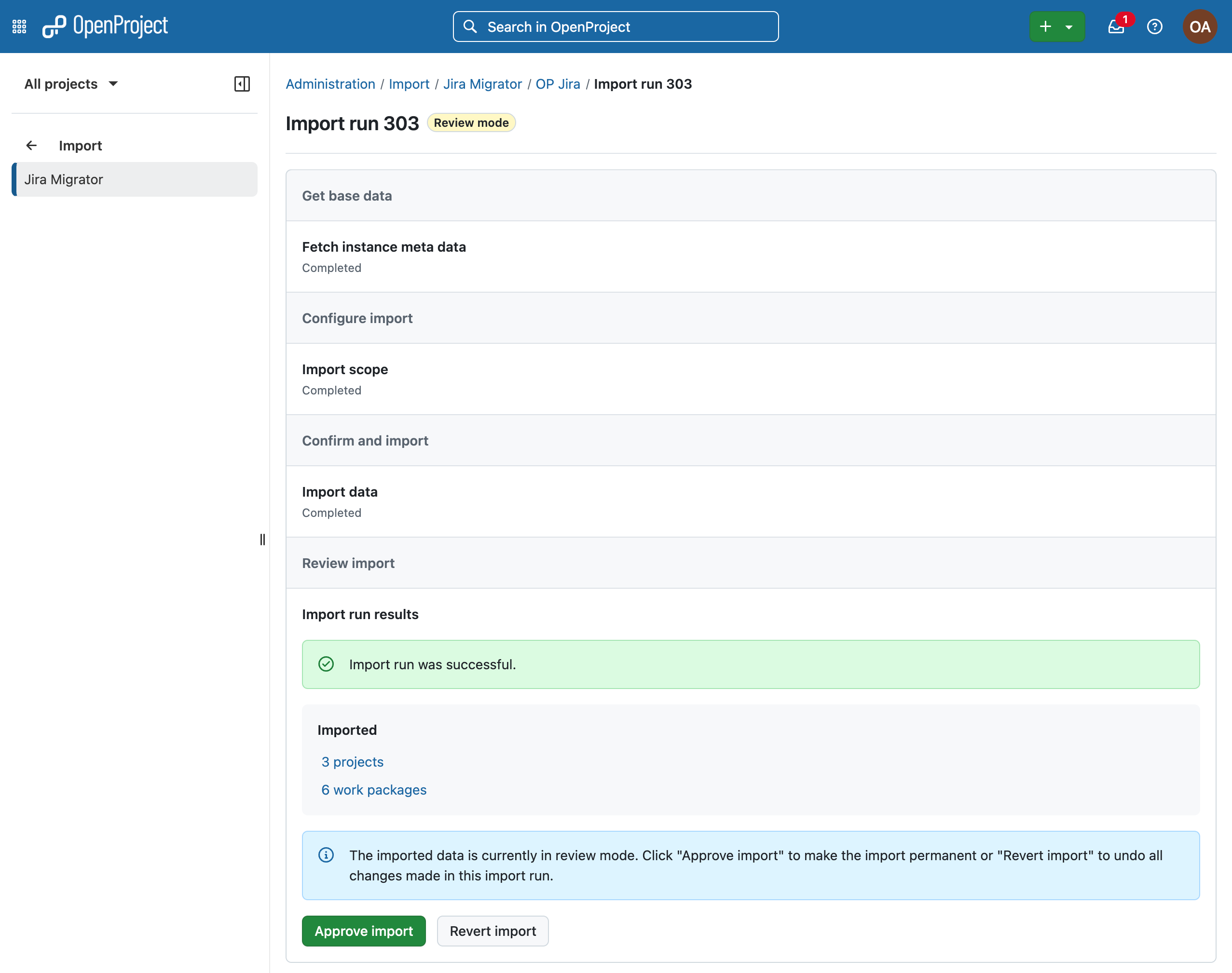
With OpenProject 17.4 (scheduled for May 13), the Jira Migrator will be available and can be used directly. While it is already functional, it is not yet feature complete and is therefore released as a Beta version.
Image: OpenProject Jira Migrator version 17.4, to be released on May 13, 2026.
This approach is part of how we develop OpenProject. With monthly releases, we continuously deliver improvements and make features available once they provide real value, even if they are not yet fully finished. This allows teams to start working with new functionality earlier, test it in real scenarios, and provide feedback that directly influences further development.
At the same time, it also means that some limitations still exist and that certain workflows may require adjustments. We believe that this transparent and iterative approach helps us improve the Jira Migrator together with our Community. See our roadmap to learn how OpenProject plans to further support Jira migration and Jira fundamentals.
Image: The OpenProject Jira Migrator after a successful import.
Good to know: The Jira Migrator itself is designed as a guided wizard, making the migration process accessible and easy to follow, even for users without deep technical knowledge. See the Jira migration documentation for a step-by-step guide.
Import custom fields from Jira to OpenProject
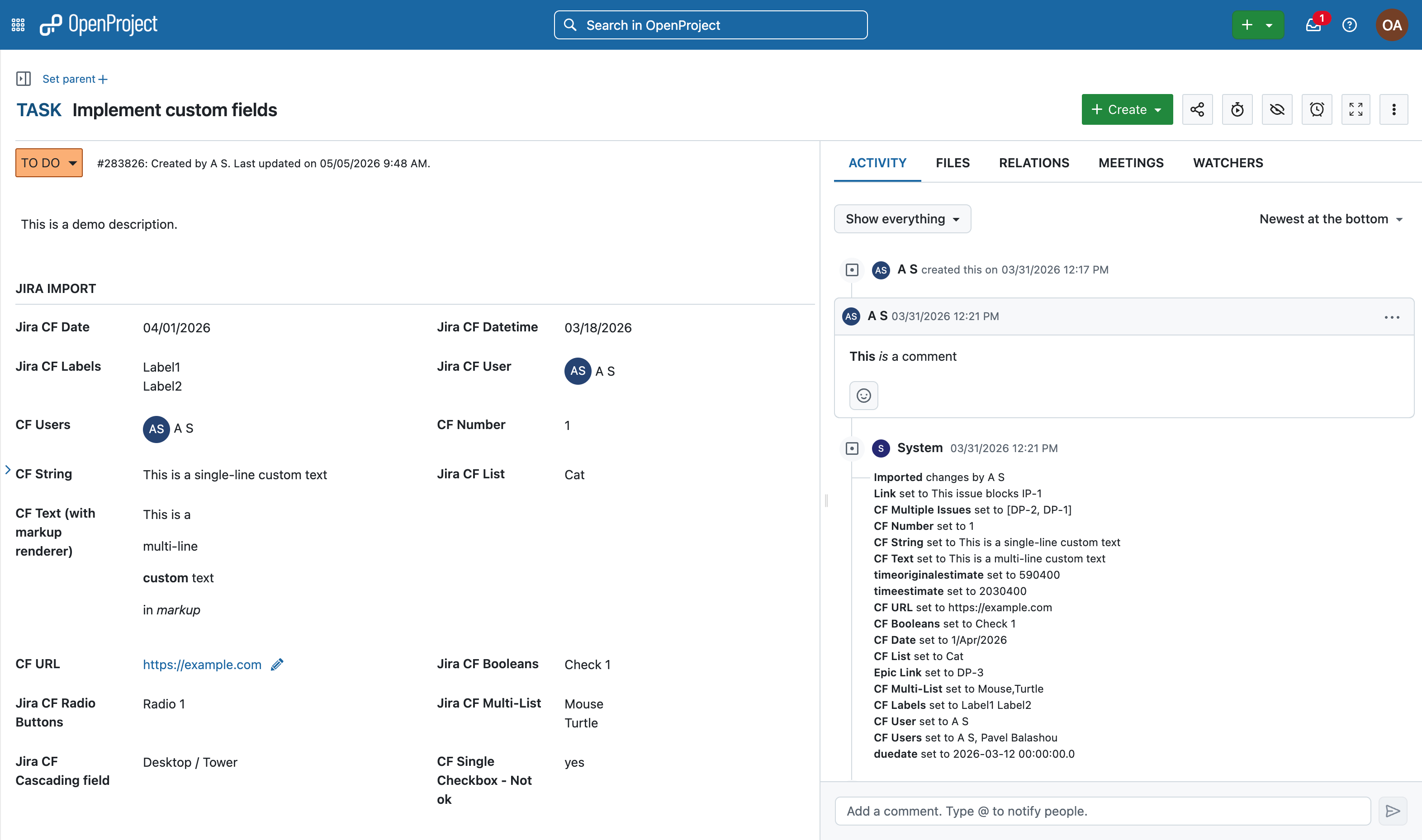
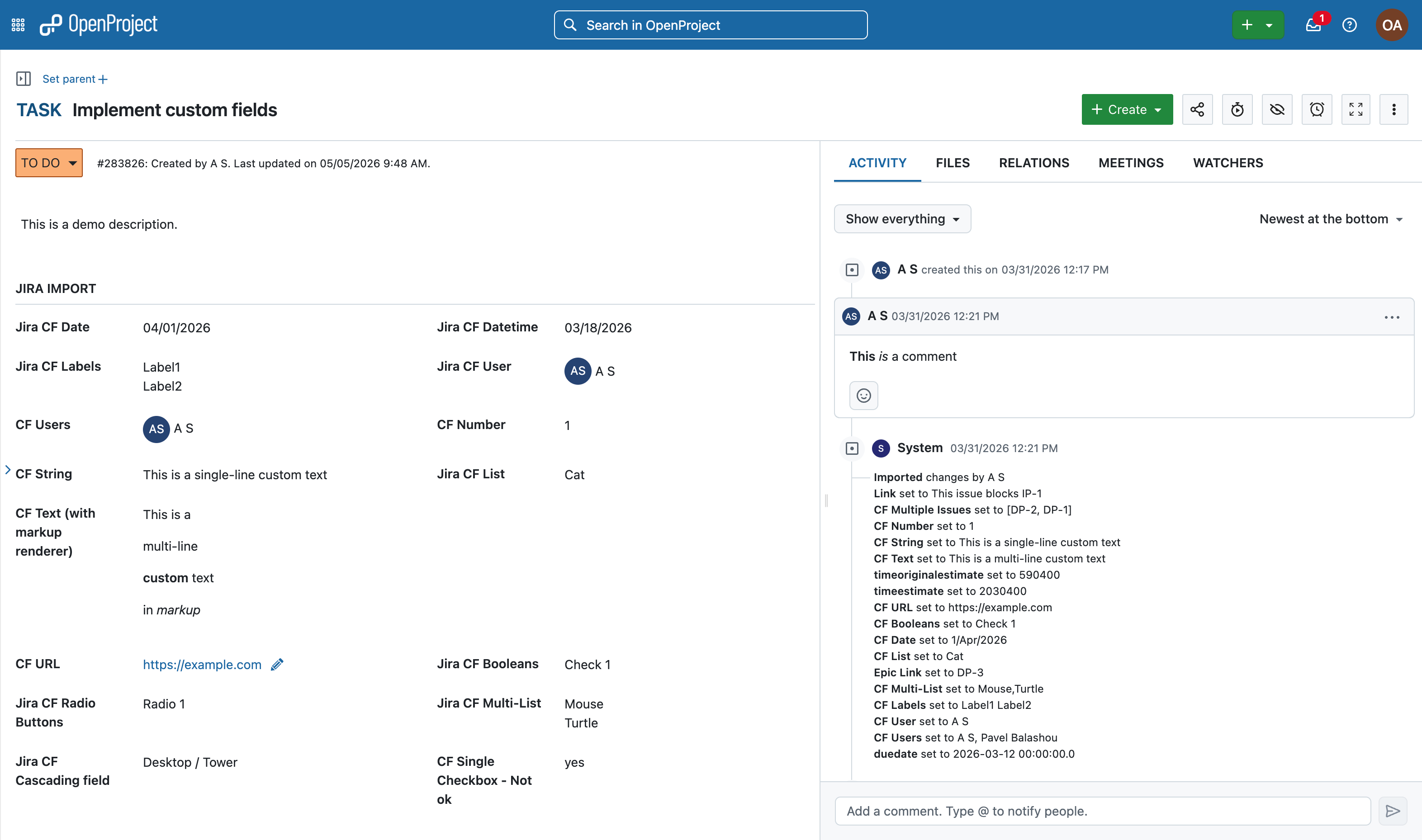
With OpenProject 17.4, the Jira Migrator will support the import of basic custom fields, an essential part of task and project management. Learn more about custom fields in OpenProject.
Image: A work package in OpenProject with ‘Jira import’ section and import overview in the Activity tab.
Some field types may appear differently in OpenProject compared to Jira. For example, checkboxes in Jira are represented as lists, but offer similar functionality in OpenProject. While the underlying functionality is often comparable, the way these fields are configured and used can differ between Jira and OpenProject.
As we develop in the open, you can follow the specifications for “Jira Migrator imports custom fields” in this work package.
How custom fields are handled during migration
One key difference between Jira and OpenProject is how custom fields are managed: In Jira, custom fields can be configured differently for each project. In OpenProject, custom fields are defined system-wide and then activated for specific projects.
During migration, the Jira Migrator adapts to this difference. If a custom field is used consistently across projects, it will be created as a single custom field in OpenProject. If the same field is configured differently via “Field context” in multiple Jira projects, it will be split into separate custom fields.
To make this transparent, the Migrator adds a suffix with the project identifier to each split field. This allows you to clearly see which field belongs to which project.
Placement of imported custom fields
When custom fields are imported, they need to be placed within the work package layout. To ensure that all imported fields are visible, the Jira Migrator adds them to a dedicated group section called Jira import. From there, administrators can review and adjust the placement of these fields as needed.
What to expect when working with imported data
As with any migration, some adjustments may be required after the import. For example, custom fields may need to be activated for specific projects or reorganized within the work package layout. In addition, users are imported in an inactive state to allow a smooth import process, especially for larger datasets and licensing constraints.
While these steps require some manual review, they ensure that your data is transferred in a consistent and manageable way.
Frequently asked questions (FAQ) about Jira migration
A quick overview of common questions about migrating from Jira and working with the Jira Migrator.
Should I already use the Jira Migrator in its current state?
The Jira Migrator is functional and can already be used, but it is still under active development. It is best suited for testing, evaluation, and early migration scenarios where you are open to adjustments. See our blog article on the Jira Migrator for an overview.
What are the current limitations of the Jira Migrator?
Some features, such as advanced custom fields, or plugin-based configurations, are not yet fully supported. Depending on your Jira setup, certain elements may require manual adjustments or alternative configurations.
The following features are coming soon: project & issues identifiers, relations between issues and sprint assignments. Project-level workflows, permissions and schemas coming later. Please have a look at our full development roadmap for a up-to-date list.
How much manual work should I expect after migration?
Migration is not a fully automated process. While core data can be transferred, reviewing custom fields, adjusting configurations, and validating your setup are important steps after the import.
Why does OpenProject release the Jira Migrator before it is fully complete?
OpenProject follows an iterative development approach with monthly releases. By making features available early, users can test them in real scenarios and provide feedback that directly shapes further development.
We ask for our users’ understanding that early availability also means that not everything may work perfectly yet. Feedback from the Community — for example through bug reports — helps us identify issues quickly and address them in upcoming releases.
Help us improve the Jira Migrator
We invite you to try the Jira Migrator with OpenProject 17.4 and explore how it works with your own data. Your feedback is an important part of further development. If you encounter issues or have suggestions, we encourage you to share them with us. This helps us improve the Jira Migrator and better support real-world migration scenarios. Learn how to contribute and share feedback in our Community, for example by reporting bugs.
If you would like to share anonymized data from your migration to support our development team, please reach out to us. We are happy to sign an NDA to ensure confidentiality. We look forward to your feedback and to continuing to improve the Jira Migrator together with our Community.

 Login
Login