Reading view

MacRumors Giveaway: Win an iPhone 17 and a Lifetime Copy of VideoProc Converter AI

For this week's giveaway, we've teamed up with Digiarty VideoProc to offer MacRumors readers a chance to win an iPhone 17 and a copy of the VideoProc Converter AI software to use with it.


VideoProc Converter AI is software for editing and managing videos, images, audio, DVDs, and more. It includes a suite of AI features for easy photo and video editing, along with tools for converting, downloading, upscaling, colorizing, enhancing, compressing, editing, recording, and repairing all kinds of media files.
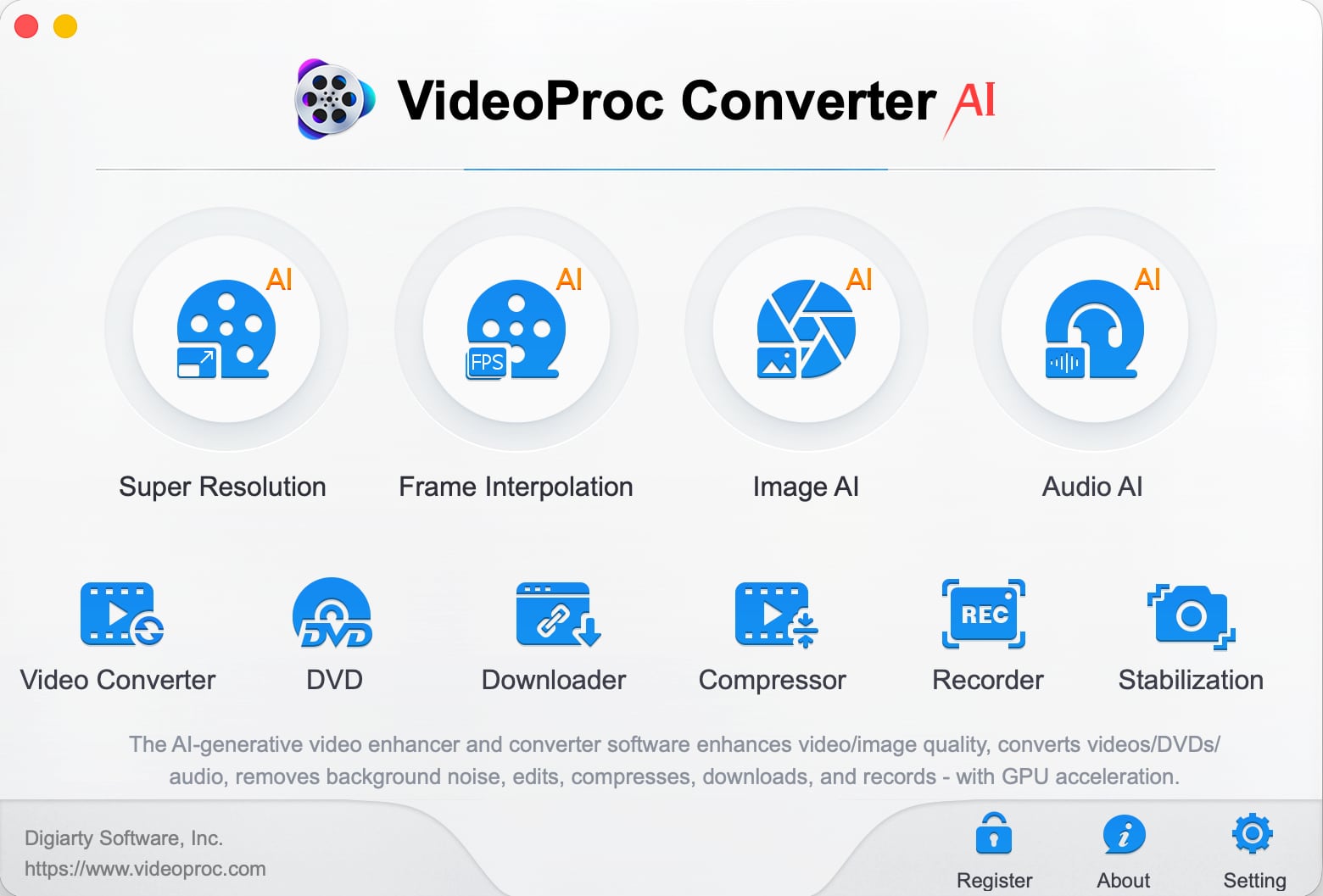

Videos that are blurry, noisy, shaky, or overly compressed can be improved with VideoProc Converter AI's tools for cutting down on noise, improving sharpness, and boosting image quality.


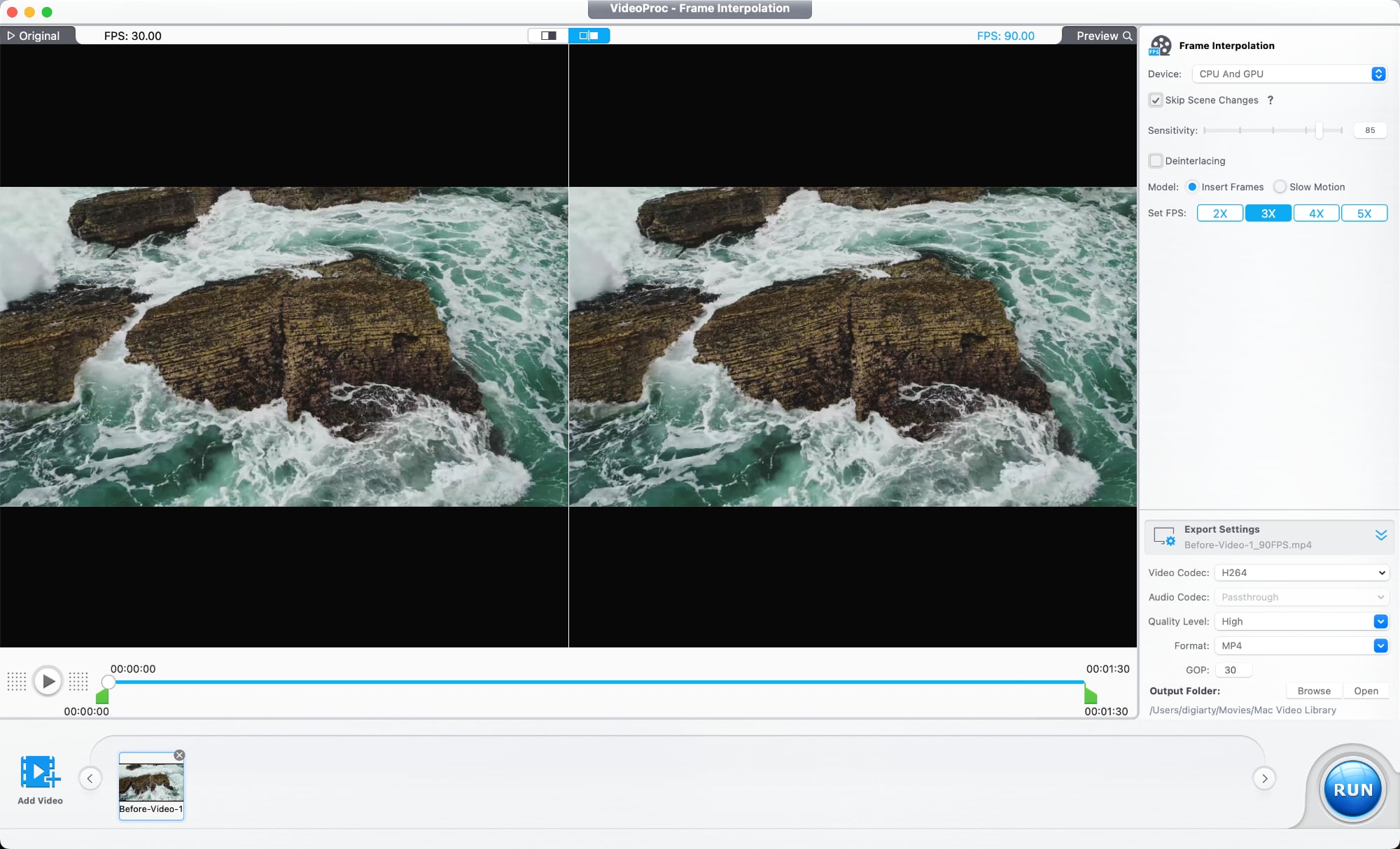
An AI Super Resolution feature uses multiple AI models designed for different kinds of footage. The tool reduces noise and blur, restores detail, sharpens soft footage, and is able to upscale lower-resolution videos up to 4x. 480p or 720p video can be upscaled to 1080p or 4K. A deinterlacing tool improves older interlaced recordings, which is useful for restoring archived footage, improving low-light video, and cleaning up scenes with a lot of motion.


There's also an AI frame interpolation option that adds additional frames to make videos smoother, and it can improve videos up to 480fps for slow motion. It works on older home videos, mixed frame-rate footage, sports clips, gameplay recordings, and action scenes.

A stabilization tool is able to reduce camera shake, plus there are tools for reducing audio noise, correcting color, removing fisheye distortion from videos shot on action cameras, and compressing file size while preserving quality. There are also the standard tools you would expect from video editing software for trimming, cropping, adjusting playback speed, watermarking, fixing audio syncing, and adding filters.

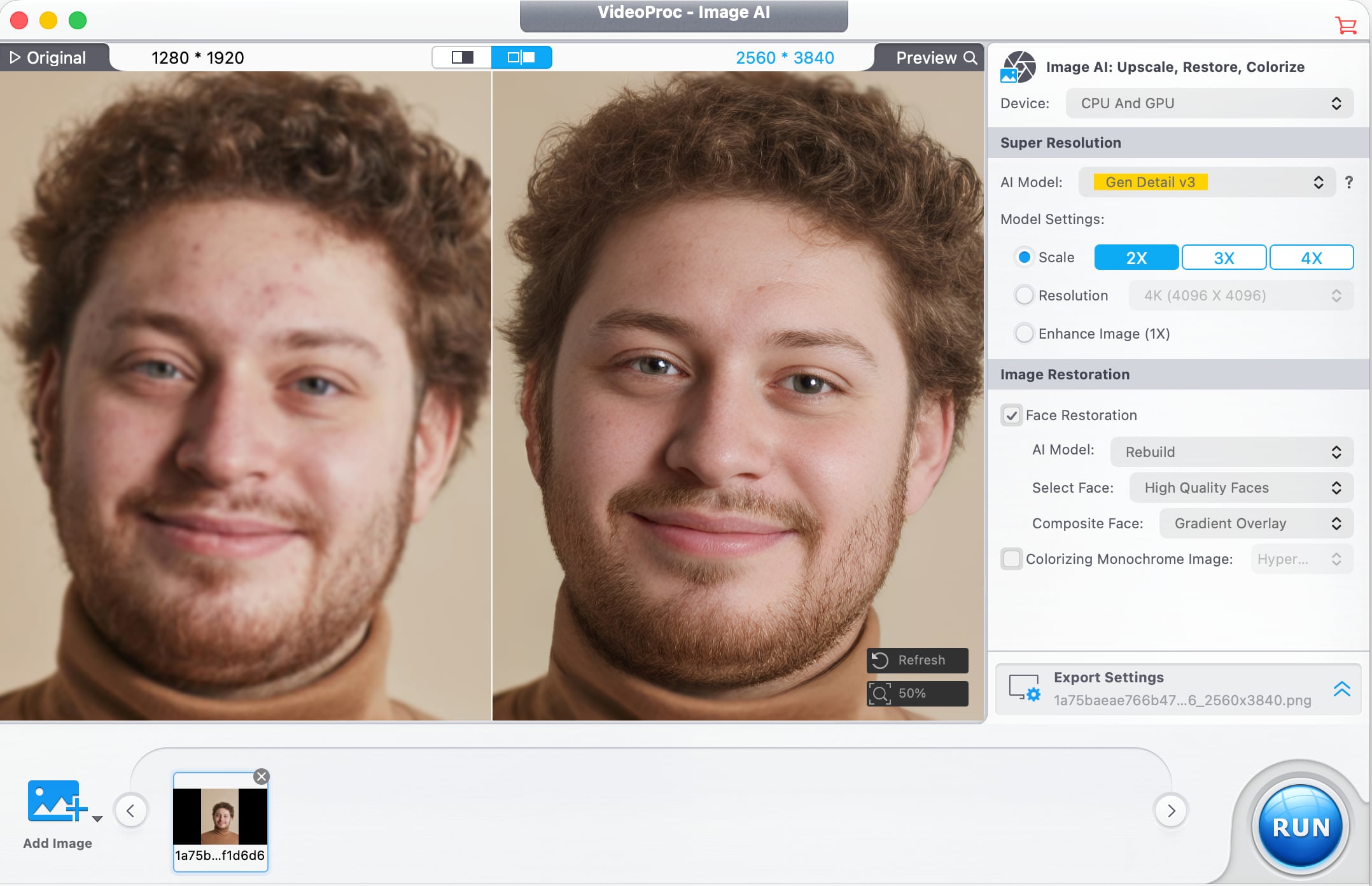
VideoProc Converter AI has tools for photo editing as well. Image AI Super Resolution improves blurry or pixelated images and increases resolution, with multiple AI models available for different image types. With batch processing, it supports editing over 3,000 photos at once.


In older images where faces are blurry, pixelated, faded, or lacking detail, a Face Restoration feature improves facial detail. It can recover clarity in eyes, skin, hair, and facial textures with natural-looking results. AI Colorization is also available for adding color to black and white images, and it adds realistic colors and tones to grayscale photos with a click.

Digiarty optimized VideoProc Converter AI for the Mac, and the software supports hardware acceleration for Apple silicon chips, Intel chips, and NVIDIA and AMD GPUs. Video converting tools use GPU acceleration to speed up encoding and decoding without affecting output quality. The software supports over 320 codecs and formats, and it works with footage from drones, GoPro cameras, professional log formats, 3D videos, and VR videos. It also includes tools for downloading video from social media platforms, DVD backup, iPhone screen capture, recording from a webcam, and green screen recording.

VideoProc gets new features regularly, and recent new additions include improved Video Super Resolution that keeps original colors for natural-looking restoration of low-quality video, new AI models, three AI face restoration models for touching up people in videos without impacting original detail, and audio AI improvements like Noise Suppression for cutting down on background noise in audio and video files.


There is a VideoProc free trial for those who want to try it out. A lifetime license is normally priced at $54.95, but Digiarty is offering MacRumors readers a discount on a lifetime license, dropping the price to $39.95. The lifetime license includes the full range of VideoProc tools, along with software for transferring media between Macs and iPhones and vlog software for editing video for social media. It also includes access to future updates.

Digiarty is offering one lucky MacRumors reader the chance to win an ‌iPhone 17‌ and a lifetime VideoProc license. To enter to win, use the widget below and enter an email address. Email addresses will be used solely for contact purposes to reach the winner and send the prize. You can earn additional entries by subscribing to our weekly newsletter, subscribing to our YouTube channel, following us on Twitter, following us on Instagram, following us on Threads, or visiting the MacRumors Facebook page.

Due to the complexities of international laws regarding giveaways, only U.S. residents who are 18 years or older, UK residents who are 18 years or older, and Canadian residents who have reached the age of majority in their province or territory are eligible to enter. All federal, state, provincial, and/or local taxes, fees, and surcharges are the sole responsibility of the prize winner. To offer feedback or get more information on the giveaway restrictions, please refer to our Site Feedback section, as that is where discussion of the rules will be redirected.


Digiarty VideoProc Giveaway
The contest will run from today (May 22) at 9:00 a.m. Pacific Time through 9:00 a.m. Pacific Time on May 29. The winner will be chosen randomly on or shortly after May 29 and will be contacted by email. The winner will have 48 hours to respond and provide a shipping address before a new winner is chosen.
Related Roundup: iPhone 17
Buyer's Guide: iPhone 17 (Neutral)
Related Forum: iPhone

This article, "MacRumors Giveaway: Win an iPhone 17 and a Lifetime Copy of VideoProc Converter AI" first appeared on MacRumors.com

Discuss this article in our forums
  •  

OpenAI's Codex Can Now Use Your Mac Even When It's Locked

OpenAI has rolled out Computer Use for its Codex desktop app on macOS, and its latest trick is that your Mac doesn't even have to be unlocked for the coding agent to use your apps while you're away.


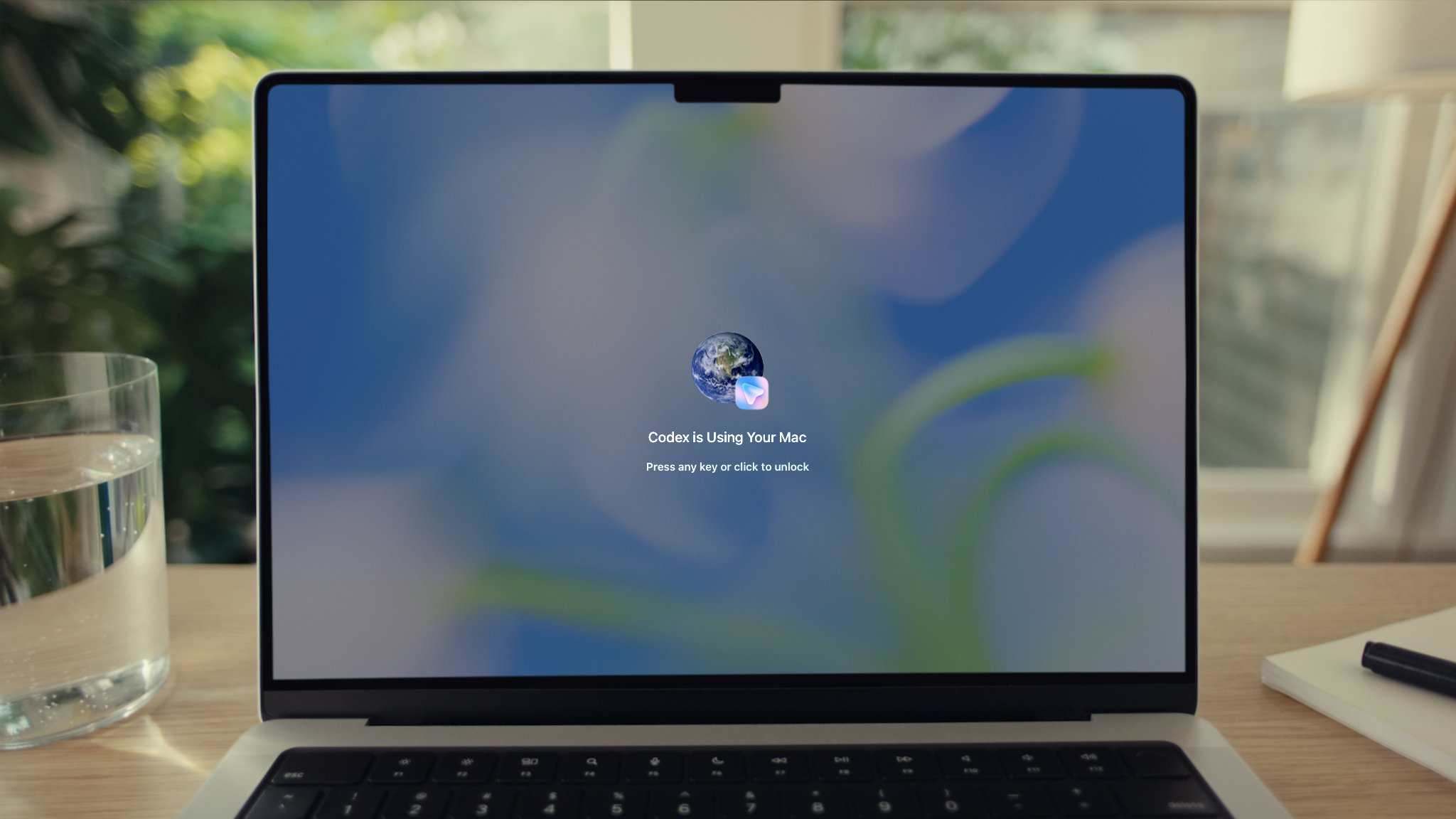
In a post on X, OpenAI Developers said users can now send Codex tasks from their phone and have it operate apps on their Mac "even when the screen is off and locked." A picture attached to the post shows a locked Mac displaying a "Codex is Using Your Mac" overlay with a prompt to press any key or click to unlock.

For the feature to work, the Computer Use plugin needs to be installed and granted Screen Recording and Accessibility permissions. After that, Codex can click through windows, type, navigate menus, and interact with the clipboard in apps that you explicitly allow.

OpenAI says the feature is useful for the types of things command-line tools can't easily reach, such as reproducing a GUI-only bug, changing app settings, or running a flow in a desktop app Codex is helping to build.

Codex asks for permission before operating each new app, and for those brave enough you can mark specific apps as "Always allow." OpenAI says the feature is unavailable in the European Economic Area, the UK, and Switzerland at launch, and it can't automate Terminal apps, Codex itself, or system-level admin prompts.

Codex anywhere and everywhere, all the time.

Now your Mac doesn't have to be unlocked for Codex to use your computer.

From your phone, Codex can securely use apps on your Mac, even when the screen is off and locked.https://t.co/PCGK4i7FSF pic.twitter.com/956aAtM3vl

— OpenAI Developers (@OpenAIDevs) May 21, 2026

The update follows some other recent Codex additions, including a new "Appshots" feature that pulls a screenshot and text from a Mac app window into a Codex thread with a Command-Command shortcut, plus a new /goal mode that makes an agent keep working toward a milestone across hours or days.
Tag: OpenAI

This article, "OpenAI's Codex Can Now Use Your Mac Even When It's Locked" first appeared on MacRumors.com

Discuss this article in our forums

  •  

iPhone 17 Pro Will Make Sports History This Weekend

Apple today announced that this Saturday's Major League Soccer match between the LA Galaxy and Houston Dynamo FC will be captured entirely with the iPhone 17 Pro.


Apple said this will mark the first time an iPhone will be used to capture the entirety of a major professional live sporting event broadcast, rather than studio cameras, so the iPhone 17 Pro will make sports history this weekend.

"iPhone 17 Pro will capture live footage throughout the match, including team warmups on the pitch, player introductions, in-net goal angles, and the atmosphere inside the stadium," said Apple. "With cameras positioned throughout the venue, the broadcast will deliver the pristine video quality fans expect, alongside dynamic new perspectives that bring viewers closer to the action, made possible by the small form factor of iPhone."

Apple TV subscribers will be able to stream the match live on Saturday, May 23 at 7:30 p.m. Pacific Time. For the 2026 season, only an Apple TV subscription is required, with a separate MLS Season Pass subscription no longer necessary.

Apple already used the iPhone 17 Pro to capture select moments and cinematic Fenway Park footage during a Major League Baseball game between the Boston Red Sox and Detroit Tigers last year, but other cameras were also used. For the Major League Soccer match this weekend, the iPhone 17 Pro will exclusively capture all footage.

Earlier this year, the U.S. National Baseball Hall of Fame and Museum added one of the four iPhone 17 Pro devices that captured the Red Sox's thrilling walk-off win over the Tigers to its permanent collection in Cooperstown, New York, so the device already made sports history, and now it will repeat the feat in an even bigger way.
Related Roundup: iPhone 17 Pro
Related Forum: iPhone

This article, "iPhone 17 Pro Will Make Sports History This Weekend" first appeared on MacRumors.com

Discuss this article in our forums
  •  

FreshRSS 1.29.1

This is bug-fix release for 1.29.0.

Feature highlights✨:

  • Accept .txt import of feed URLs in additional to e.g. OPML
  • New CLI for automatic periodic SQLite export with retention
  • More feed info: last received date, publication date

Bug fixes highlights 🐛:

  • Fix cookies with some browsers
  • Fix search in shared user queries with empty results

UI highlights 🖼:

  • Improve Web browsers compatibility

This release has been made by @Alkarex, @Frenzie, @IEEE-754, @Inverle, @McFev, @ciro-mota, @cweiske, @polybjorn and newcomer @mzl2233

Full changelog:

  • Features
    • Accept .txt import of feed URLs in additional to e.g. OPML #8818, #8837
    • New CLI for automatic periodic SQLite export with retention #8819
    • More feed info: last received date, publication date #8799
  • Bug fixing
    • Fix cookies with some browsers #8867
    • Fix search in shared user queries with empty results #8863
    • Fix XML errors with loading invalid OPML in lib_opml library #8652, #8853,
      lib_opml#48, lib_opml#51
    • Fix ensure maximum number of feeds also with Dynamic OPML #8832
    • Fix click mark as read #8817
  • UI
    • Improve browser compatibility to keep mobile navigation at the bottom #8833
    • Improve support of older/simpler Web browsers/engines such as SeaMonkey #8810,
      #8811, #8813,
    • Improve Swage theme #8842
    • Rename Nord theme to Nord #8805
    • Replace GIF spinner by CSS spinner #8804, #8812
    • Various UI and style improvements: #8800, #8816,
  • I18n
    • Improve Brazilian Portuguese #8846
    • Improve Dutch #8868
    • Improve German #8840
    • Improve Polish #8854
    • Improve Russian #8861
    • Improve Traditional Chinese #8849
  • Misc.

  •  

Apple Card Promo to Offer Free AirPods Pro 3

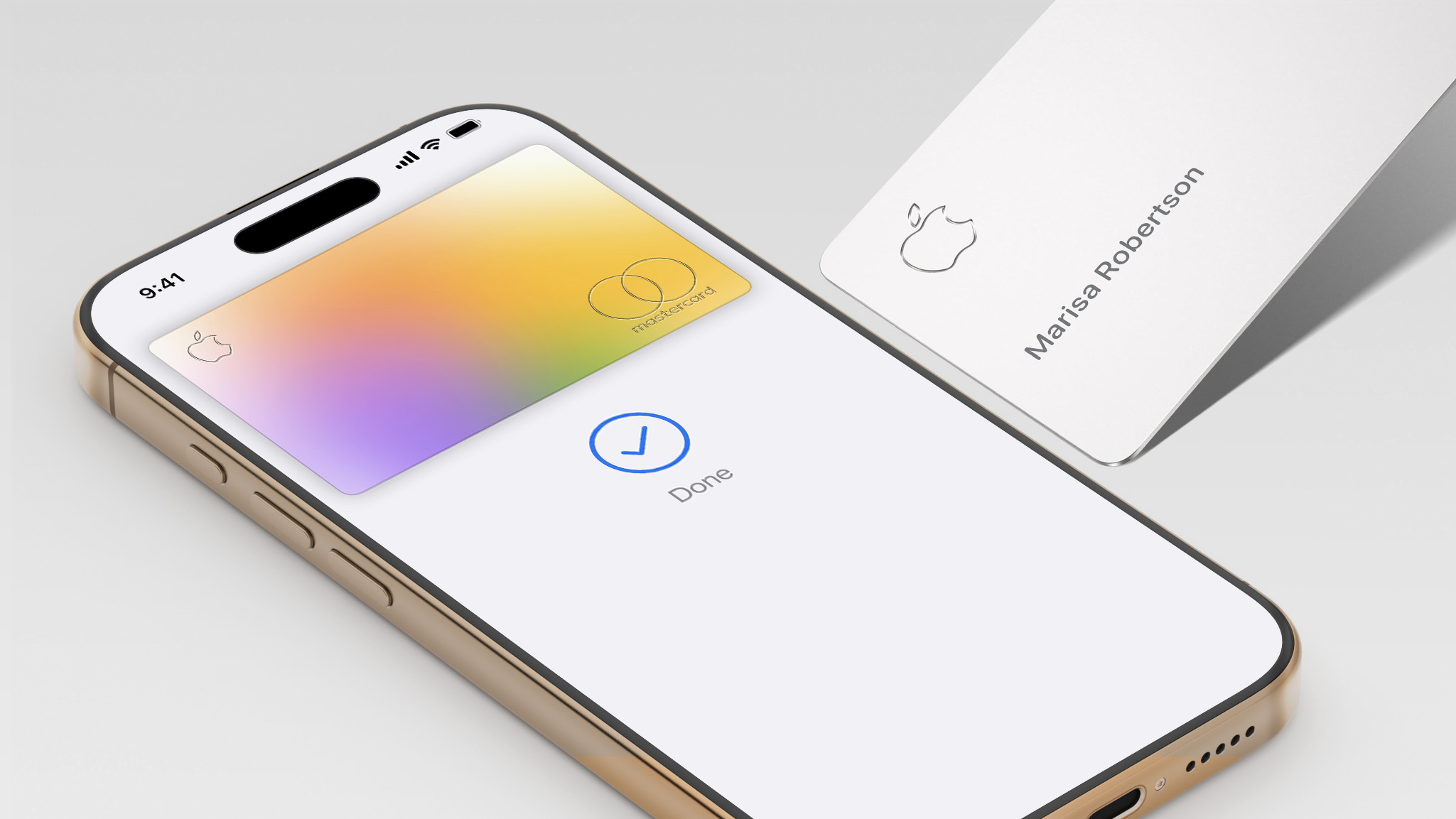
Starting as early as next week, customers who sign up for an Apple Card at Apple's retail stores in the U.S. will receive $249 cash back when they purchase AirPods Pro 3, according to Bloomberg's Mark Gurman. The promotion has yet to be officially announced by Apple, so exact terms and conditions are not available at this time.


AirPods Pro 3 are priced at $249 in the U.S., so customers who sign up for an Apple Card will effectively get free AirPods Pro through this promotion.

Apple Card cash back is known as Daily Cash, so customers would receive the $249 cash back on the same day as they sign up for the card.

As a refresher, the Apple Card launched in 2019, and it remains available in the U.S. only. The credit card can be managed in the iPhone's Wallet app, with color-coded spending summaries. The card has no annual fee, and it offers 2% to 3% cash back on purchases via Apple Pay and 1% back on purchases with the physical card.

Apple Card holders can also open a high-yield savings account.

Currently, the Apple Card is issued by Goldman Sachs, but Apple previously announced that Chase will be taking over the credit card by early 2028.
Related Roundup: AirPods Pro 3
Buyer's Guide: AirPods Pro (Neutral)
Related Forum: AirPods

This article, "Apple Card Promo to Offer Free AirPods Pro 3" first appeared on MacRumors.com

Discuss this article in our forums

  •  

iPhone 17 Pro Named Fastest-Charging Smartphone

Apple's iPhone 17 Pro has been named the fastest-charging phone overall in a new CNET lab test covering 33 smartphones, with Samsung's Galaxy S26 Ultra taking the top spot for wired charging speed.


To determine the rankings, CNET's lab team ran each phone through a 30-minute wired charging test starting at 10% battery or less, using the phone's included cable and a wall charger rated at or above the device's maximum supported speed. Phones that support wireless charging went through a matching 30-minute wireless test using a Qi (7.5W), Qi2 (15W), or Qi2.2 (25W) charger matched to the phone's peak supported speed. CNET then averaged the wired and wireless results into an overall charging score.

The ‌iPhone 17 Pro‌'s win in the overall category is partly a function of its relatively compact 4,252mAh battery, which is smaller than the 5,000mAh or larger capacities common among competing flagships. With less capacity to fill, the 17 Pro charges faster in absolute terms, and it supports both 40-watt wired charging and 25-watt Qi2.2 wireless charging. CNET notes that battery size is just one factor in overall battery life, alongside processor and software efficiency, and in its battery life testing, the ‌iPhone 17 Pro‌ Max came out on top for endurance.

For wired charging, Samsung's Galaxy S26 Ultra took the top spot, adding 76% charge in 30 minutes via its 60-watt wired charging speed, the fastest of any Samsung flagship to date. The ‌iPhone 17 Pro‌ came in second at 74%, tied with Motorola's Moto G Stylus (2025). The OnePlus 15 followed with 72%, while the iPhone 17, ‌iPhone 17 Pro‌ Max, and Samsung Galaxy S25 FE each reached 69%.

Apple's ‌iPhone 17 Pro‌ also claimed the fastest wireless charging result, gaining 55% in 30 minutes. The ‌iPhone 17 Pro‌ Max added 53%, followed by the ‌iPhone 17‌ at 49%, the iPhone Air at 47%, and the Galaxy S26 Ultra at 39%. CNET again attributes the 17 Pro's edge over the 17 Pro Max largely to its smaller battery, since both devices share the same A19 Pro chip and software.

Across all brands tested, Apple had the most consistent fast-charging performance by a considerable margin, averaging 54.6% across the four ‌iPhone 17‌ models and the ‌iPhone Air‌. Samsung's nine-phone average came in at 38.5%, with the Galaxy S26 Ultra as its strongest performer and the Galaxy Z Fold 7 as its weakest at 29%.

Silicon-carbon batteries, which use a silicon-based anode rather than graphite to enable higher capacities and faster charge rates, appeared among several of the top performers. The OnePlus 15, for example, recharged 72% of its 7,300mAh silicon-carbon battery in 30 minutes using a proprietary 80-watt charger. Silicon-carbon phones in the U.S. remain limited to OnePlus, RedMagic, and Poco. Apple, Samsung, and Google have not yet adopted the technology.
Related Roundup: iPhone 17 Pro
Tag: CNET
Related Forum: iPhone

This article, "iPhone 17 Pro Named Fastest-Charging Smartphone" first appeared on MacRumors.com

Discuss this article in our forums
  •  

The MacRumors Show: Gemini Announcements and Apple Watch Series 12 Rumors

On this week's episode of The MacRumors Show, we discuss Google's latest wave of announcements for Android and Gemini, the newly announced Fitbit Air, and Apple Watch Series 12 rumors.


The centerpiece of Google's announcements this week was Gemini Intelligence, Google's new umbrella platform for AI across phones, watches, cars, and laptops. Its headline capability is cross-app automation: users can photograph an event flyer and ask Gemini to find tickets on Expedia, or pull up a grocery list and have it build a cart in a shopping app. A companion feature called Create My Widget lets users describe a home screen widget in natural language and have Gemini generate it, drawing from Gmail and Calendar to build a personalized dashboard.

Google also unveiled the Googlebook, a new laptop category designed from the ground up around Gemini with partners including Acer, Asus, Dell, HP, and Lenovo arriving this fall. Gemini in Chrome for Android gained an agentic browsing layer rolling out end of June, and Android Auto received AI-generated contextual replies and DoorDash voice ordering. A Meta partnership brings Ultra HDR, native stabilization, and night mode to Instagram on Android flagship devices.

In January, Apple and Google announced a partnership under which Gemini would power the next generation of Apple Foundation Models, including a more personalized Siri expected this year. Apple's equivalent cross-app ‌Siri‌ actions were announced at WWDC 2024 but have not yet shipped; Gemini Intelligence is rolling out this summer using the same underlying technology.

Google also unveiled the Fitbit Air this week, a screenless fitness tracker priced at $99 that ships on May 26. The device weighs just 12 grams with the band and tracks heart rate, AFib, HRV, SpO2, and sleep stages in a small pill-shaped design with no display, no buttons, and no notifications. Battery life lasts for seven days, with a five-minute fast charge delivering a full day of use. A Stephen Curry Special Edition is priced at $129, with core tracking free and Google Health Premium adding an AI Coach for $9.99 per month after a three-month trial.

The launch accompanies a broader rebrand. The Fitbit app becomes Google Health on May 19, with Google Fit folded in, Apple Health data supported on iOS, and APIs for Garmin, Whoop, and Oura. Bloomberg's Mark Gurman reported earlier this year that Apple has scaled back a comparable Health+ coaching service, with the feature now unlikely to launch. The Apple Watch SE starts at $249 and requires daily charging, and the Fitbit Air's $99 price with no mandatory subscription addresses a segment Apple does not cover.

We also discuss the Apple Watch Series 12, which is shaping up to be an incremental upgrade. Bloomberg's Mark Gurman said in March that he does not expect any major design changes, and a significant redesign is now not expected until 2028.

The leaker known as "Instant Digital" said this week that Touch ID, which appeared in leaked Apple code last year, has been deprioritized in favor of battery life improvements. DigiTimes previously reported on an eight-sensor array on the back of at least one 2026 model, though blood pressure monitoring is said to be further out. A new chip is expected, with leaked code indicating a meaningful upgrade from the S10 used across the last three series. watchOS 27 will be previewed at WWDC on June 8.

The MacRumors Show has its own YouTube channel, so make sure you're subscribed to keep up with new episodes and clips.


You can also listen to ‌The MacRumors Show‌ on Apple Podcasts, Spotify, Overcast, or other podcast apps. You can also copy our RSS feed directly into your player.


If you haven't already listened to the previous episode of The MacRumors Show, catch up to hear our discussion about how the global memory shortage is forcing Apple's hand across multiple key products, killing configurations, delaying launches, and prompting spec decisions that would have seemed unlikely a year ago.

Subscribe to ‌The MacRumors Show‌ for new episodes every week, where we discuss some of the topical news breaking here on MacRumors, often joined by interesting guests such as Kayci Lacob, Kevin Nether, John Gruber, Mark Gurman, Jon Prosser, Luke Miani, Matthew Cassinelli, Brian Tong, Quinn Nelson, Jared Nelson, Eli Hodapp, Mike Bell, Sara Dietschy, iJustine, Jon Rettinger, Andru Edwards, Arnold Kim, Ben Sullins, Marcus Kane, Christopher Lawley, Frank McShan, David Lewis, Tyler Stalman, Sam Kohl, Federico Viticci, Thomas Frank, Jonathan Morrison, Ross Young, Ian Zelbo, and Rene Ritchie.

‌The MacRumors Show‌ is on X @MacRumorsShow, so be sure to give us a follow to keep up with the podcast. You can also email us at podcast@macrumors.com or head over to The MacRumors Show forum thread. Remember to rate and review the podcast, and let us know what subjects and guests you would like to see in the future.
Related Roundup: Apple Watch 11
Buyer's Guide: Apple Watch (Caution)

This article, "The MacRumors Show: Gemini Announcements and Apple Watch Series 12 Rumors" first appeared on MacRumors.com

Discuss this article in our forums

  •  

Apple Slashes iPhone 17 Prices in China for Annual 618 Festival

Apple has slashed prices on the iPhone 17 Pro series in China by 1,000 yuan (around $138) in anticipation of the annual 618 shopping festival, one of the country's largest mid-year online retail events.


The cuts went live on Friday on JD.com and Tmall, with Apple's official store on the latter platform applying a direct 1,000-yuan discount on the iPhone 17 Pro series. On JD.com, taking into consideration trade-in offers and platform promotions, some iPhone 17 Pro models can be picked up for as low as 6,999 yuan (around $968). That's the lowest price since the device's launch, according to the Global Times.

The standard iPhone 17 also received its first notable markdown. Some configurations are now available for 4,499 yuan (around $622) including discounts, bringing it well under the 6,000-yuan threshold for China's national trade-in subsidy, which knocks 15% off qualifying devices up to a 500-yuan cap – something that customers of the Pro models miss out on.

News of Apple's price cuts quickly shot to the top of social media platform Weibo's trending list on Friday. Meanwhile, Huawei has also introduced lower prices for its high-end foldable models for the first time.

"Apple and Huawei are the two companies most closely benchmarked against each other in the high-end segment," said Liu Dingding, a technology industry analyst speaking to the Global Times. "Other brands still hold market share, but in terms of premium-market influence, the rivalry is increasingly centered on these two players."

Liu said both companies are using this year's shopping festival window to quickly lift orders and shipments while competing for a larger share of replacement demand.

Apple's iPhone 17 series has been a runaway hit in China so far. Apple reported $26 billion in Chinese revenue during its fiscal first quarter, a 38 percent year-over-year increase and the company's best-ever performance in the region. China now accounts for roughly one-fifth of Apple's total global sales.

The results are a major turnaround after nearly three years of declining sales in the country, where Apple has faced stiff competition from domestic rivals like Huawei, Xiaomi, and Vivo.

Apple CEO Tim Cook is currently on his way back home from China, following his participation in an official U.S. business delegation accompanying President Donald Trump as he met with Chinese president Xi Jinping.
Related Roundup: iPhone 17
Tag: China
Buyer's Guide: iPhone 17 (Neutral)
Related Forum: iPhone

This article, "Apple Slashes iPhone 17 Prices in China for Annual 618 Festival" first appeared on MacRumors.com

Discuss this article in our forums
  •  

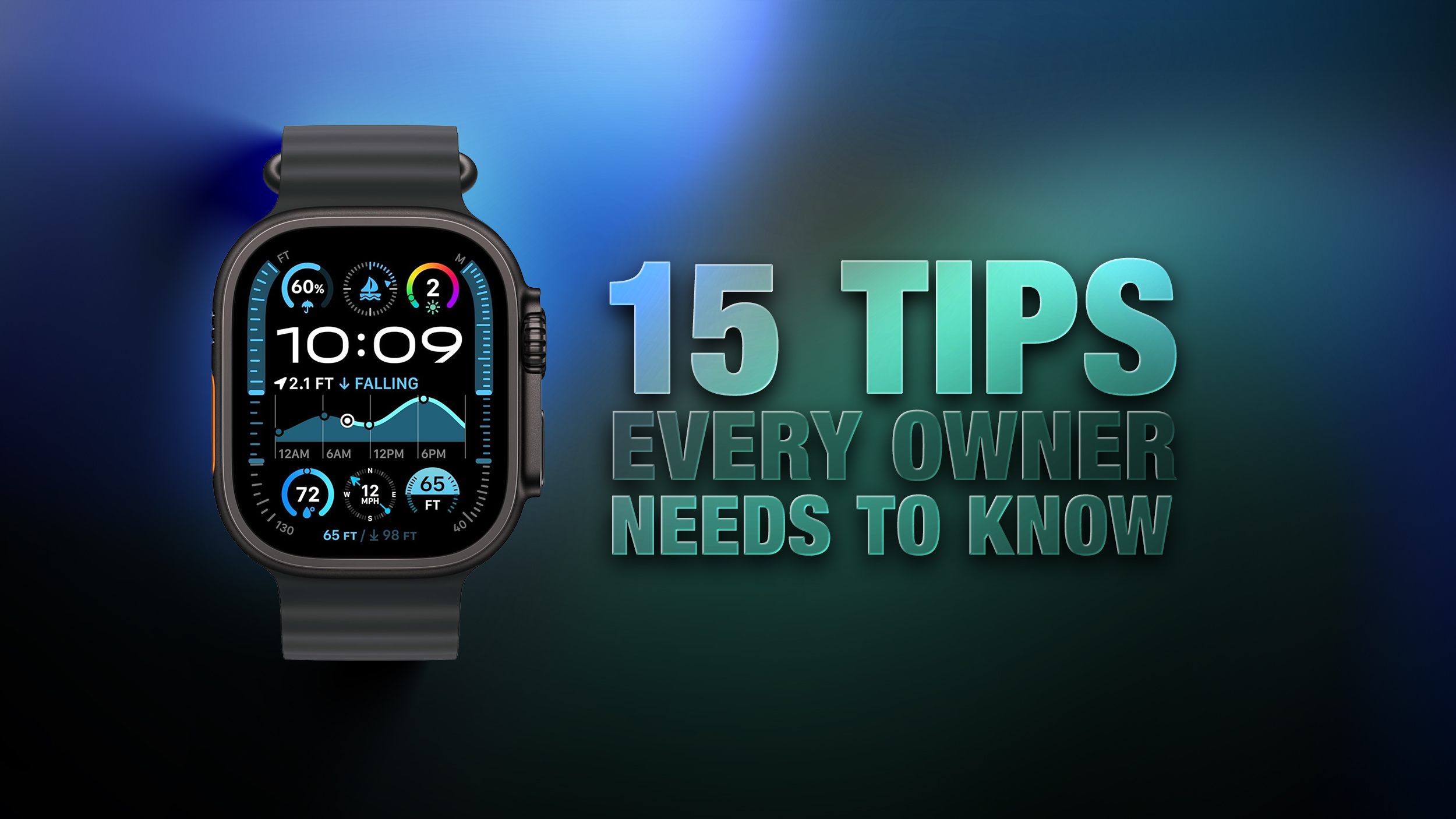
Apple Watch: 15 Tips Every Owner Needs to Know

Apple Watch is now eleven generations in, and packed with useful features that are easy to miss at first glance. To help you get more out of your device, we've rounded up 15 practical tips you might not have discovered yet, including a few that long-time users often overlook.


Bounce Between Two Apps


watch
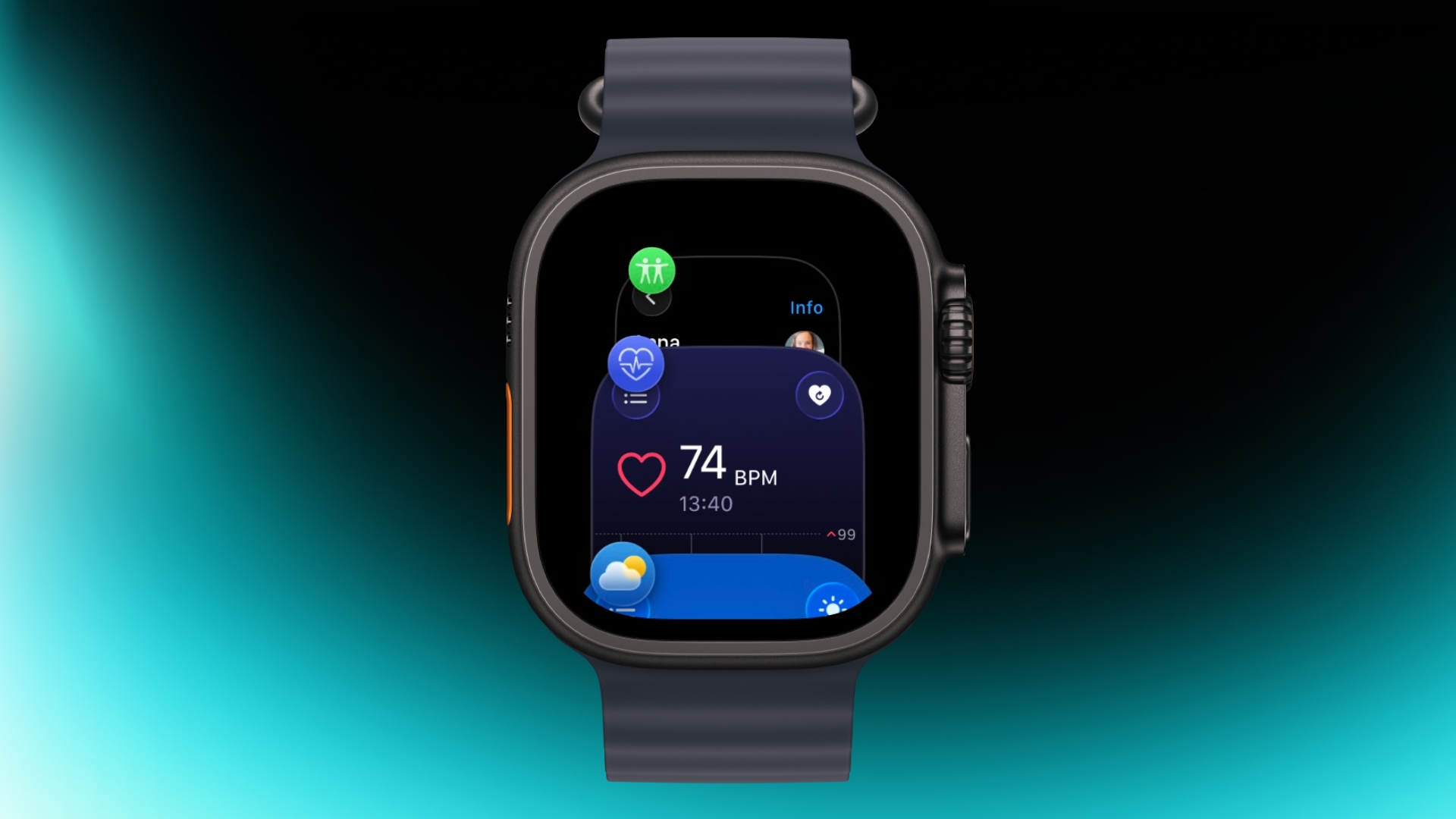
On your Apple Watch, double-press the Digital Crown to see a deck of all currently open apps, and turn it to scroll through them. From this view, you can jump back to the last app you were using. Simply tap on an app screen to switch to it, or swipe left on its card and tap the red X button to quit it.

Switch App Views


app view
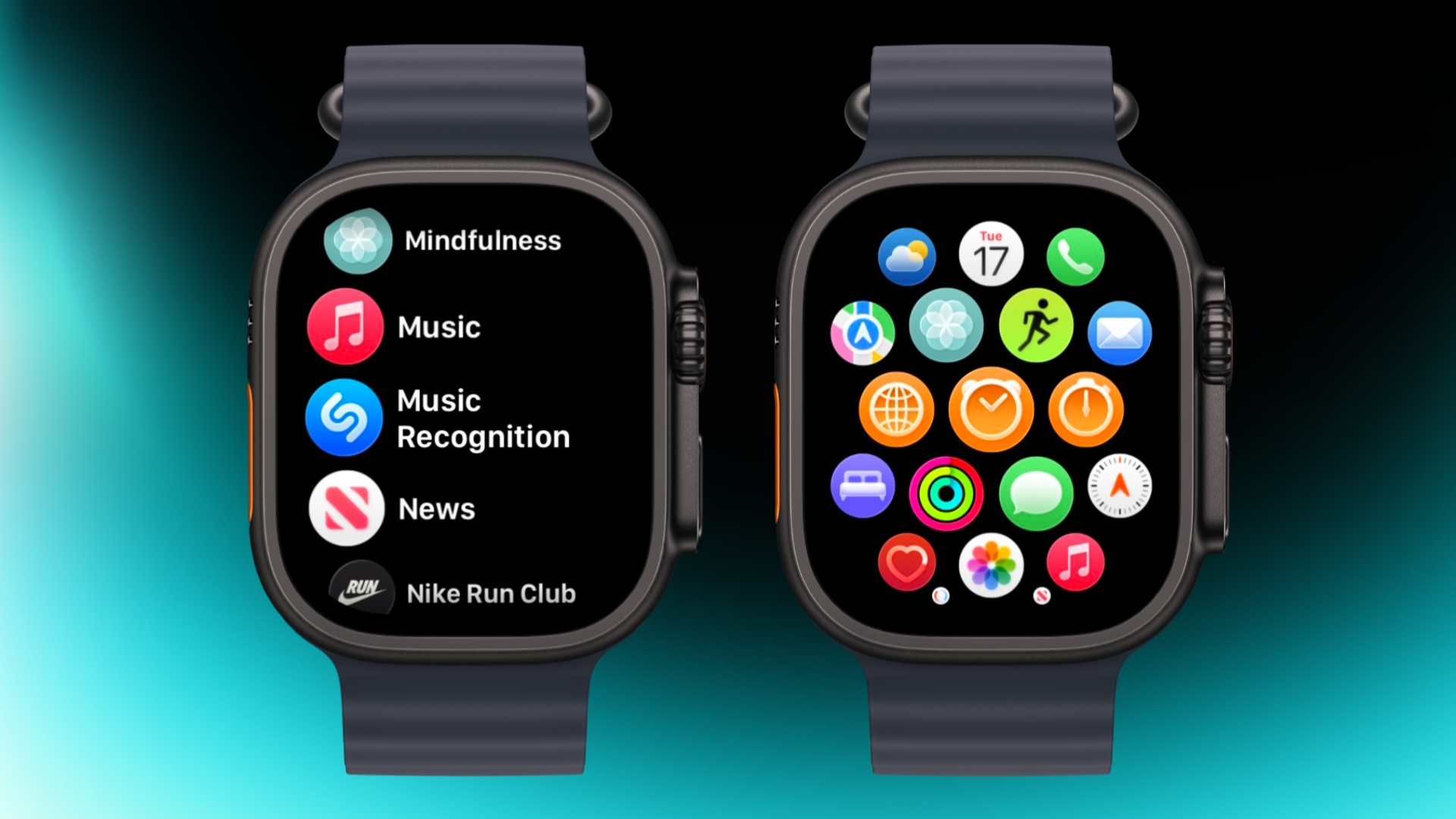
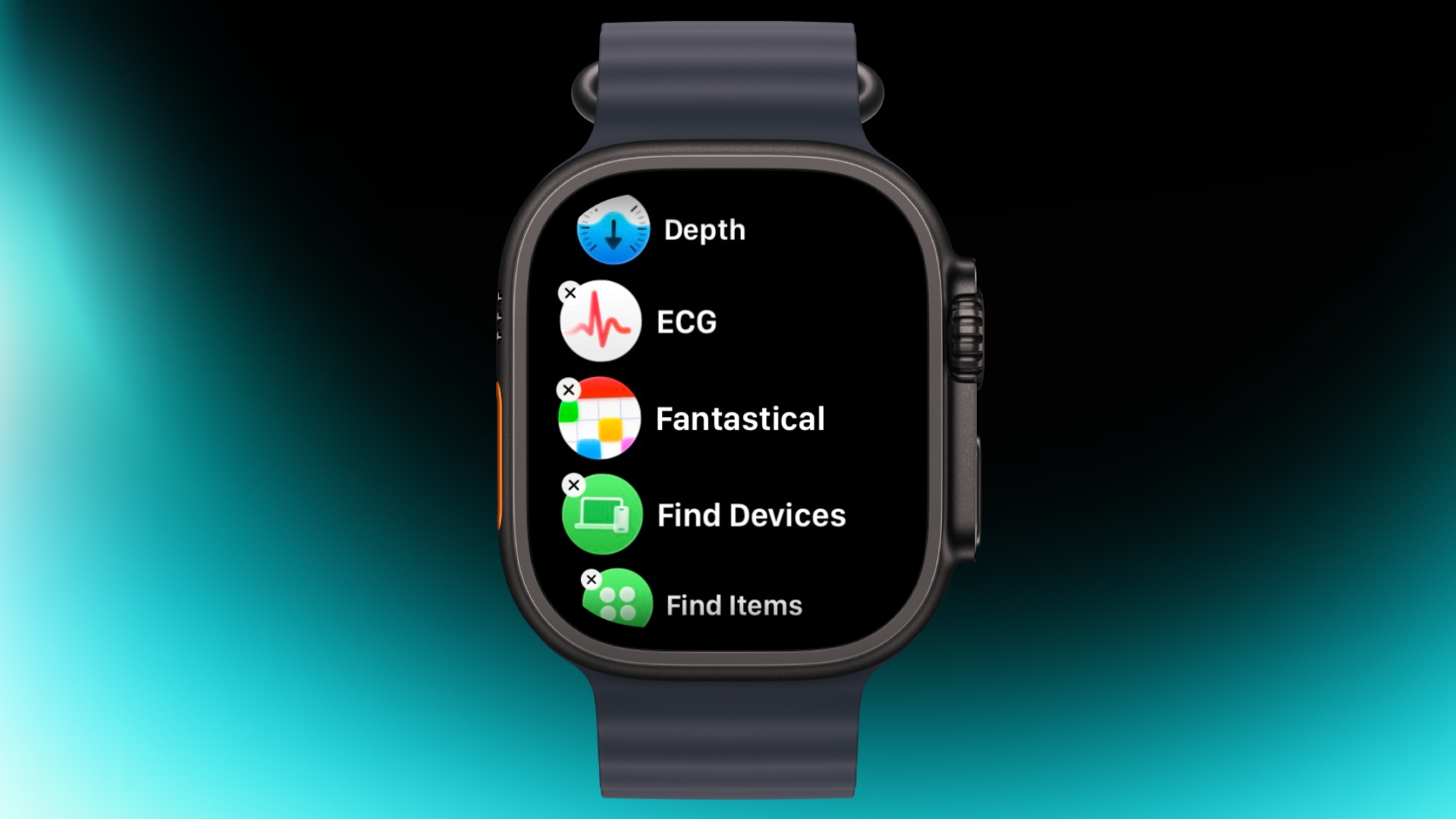
If the app grid feels messy, switch to List View. Open the Watch app on iPhone, tap App View, and choose List View. From then on, pressing the Digital Crown will show your apps in a simple, scrollable list.

Rearrange Apps


watch app
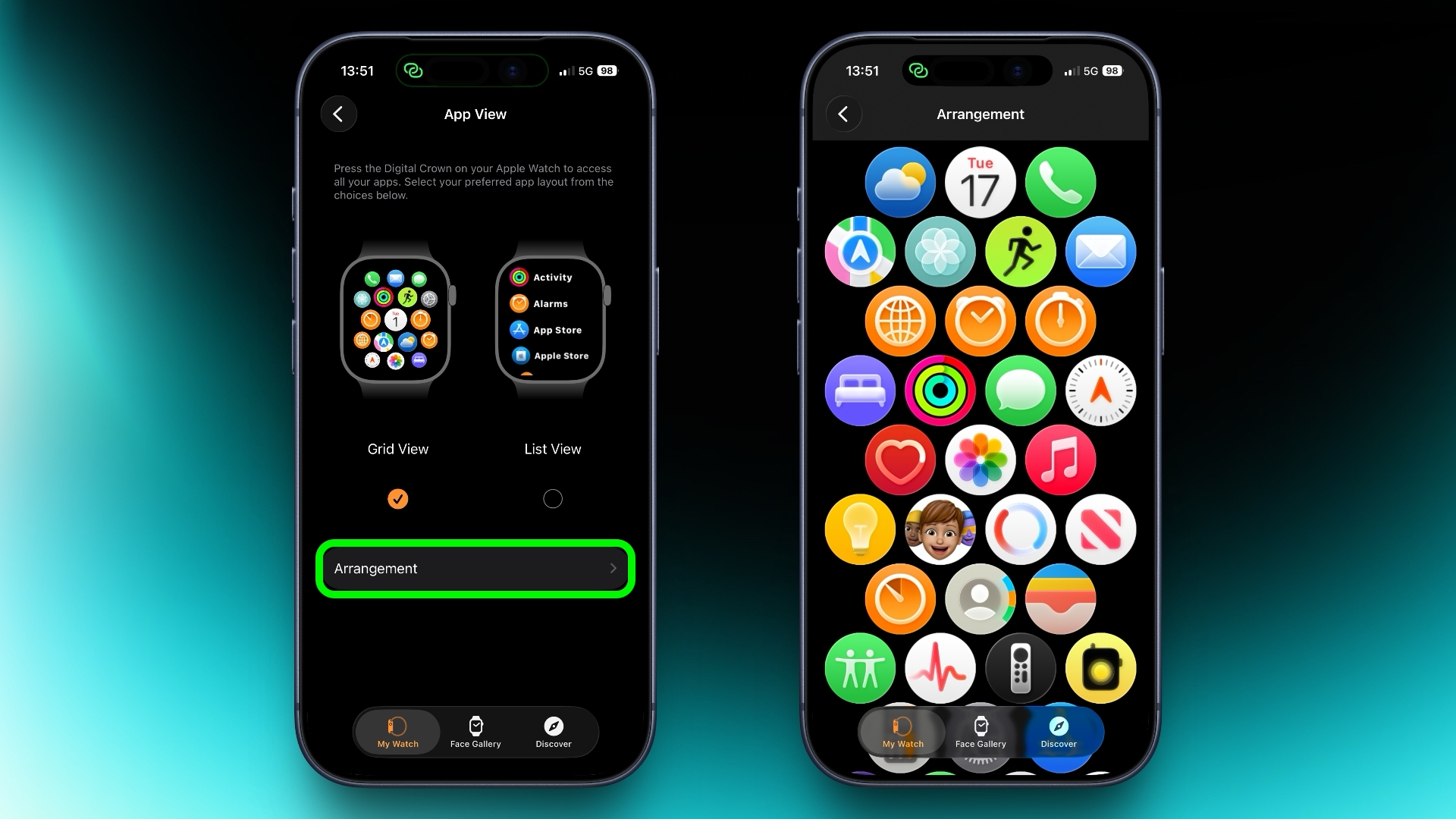
You can rearrange your apps so that the ones you use most are closer to hand. Simply press and hold on any app in the grid view, then drag it where you want. Alternatively, open the Watch app on your iPhone, go to App View ➝ Arrangement, and move things around there instead.

Ping Your iPhone


ping
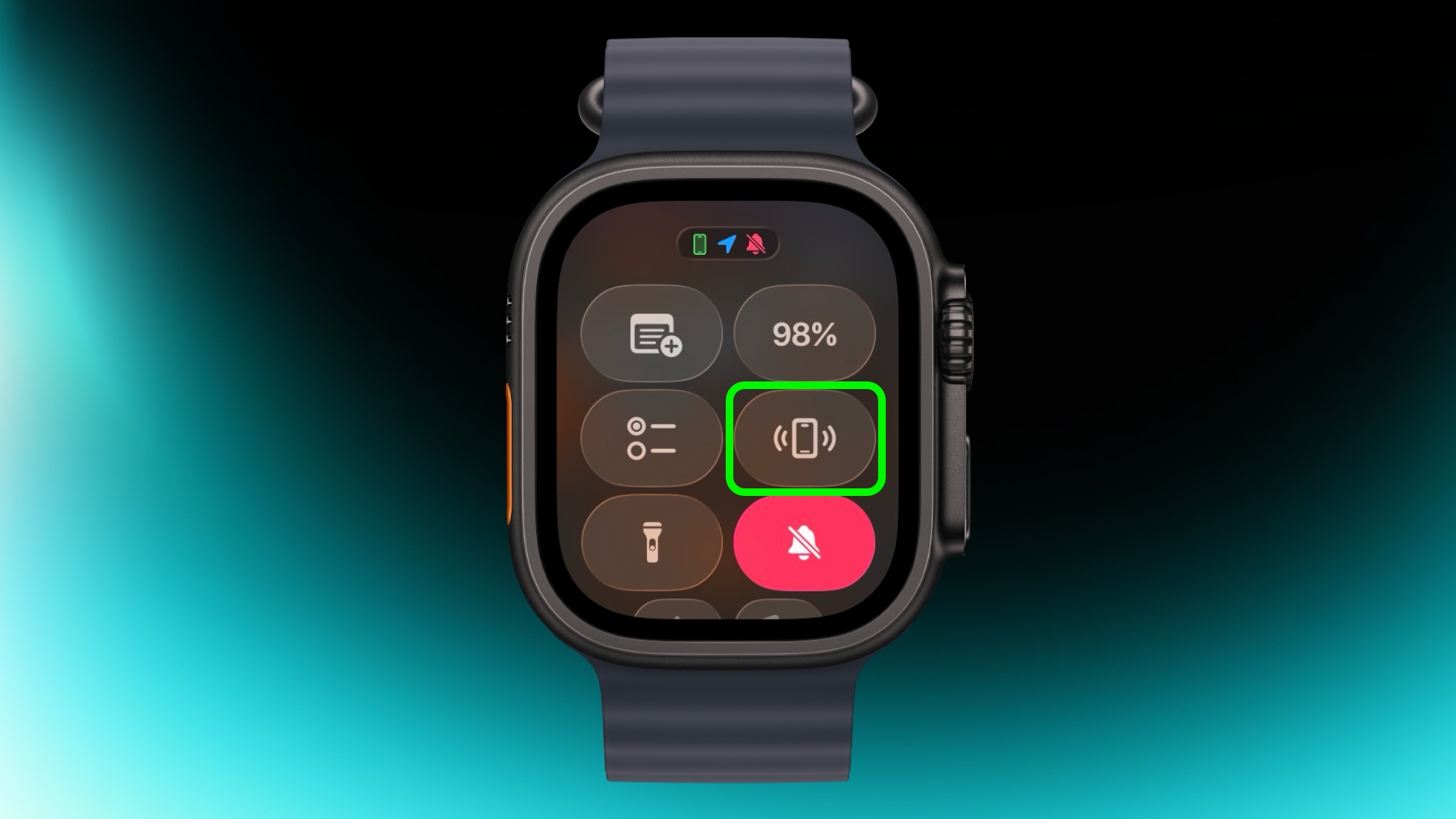
If you've misplaced your iPhone but you're sure it's nearby, open Control Center with a press of the Side button, then tap the phone icon to make it ping. Press and hold that icon and the iPhone's camera flash will blink too, which can help if it's hidden under something.

Skip the Countdown


workout
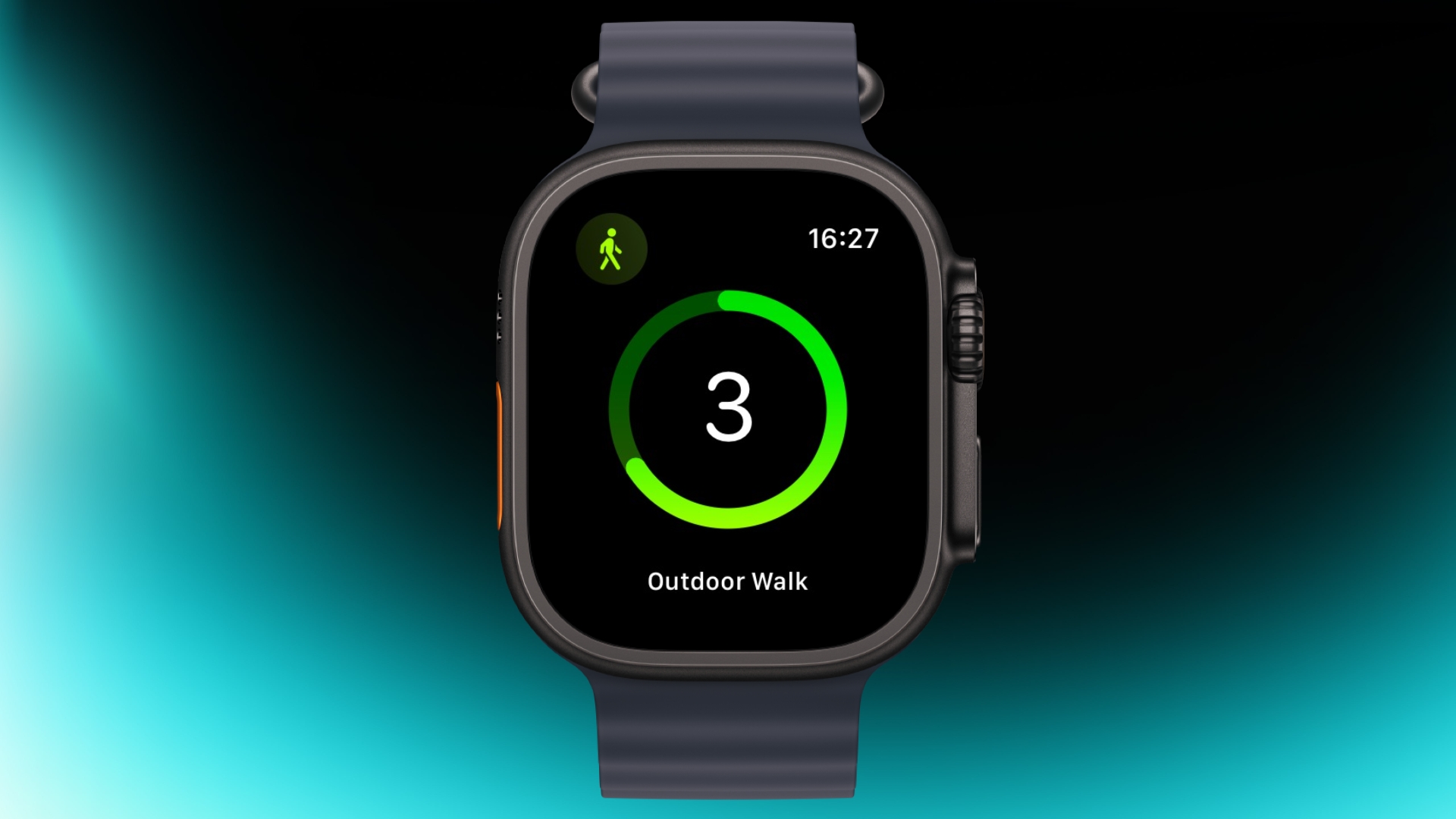
If you're eager to start a workout, the three-second countdown before it starts can be skipped. Just tap the screen when the countdown begins and your workout will start immediately. If you find yourself doing this regularly, consider turning on Precision Start in Settings ➝ Workout.

Customize Vibration Strength


haptics
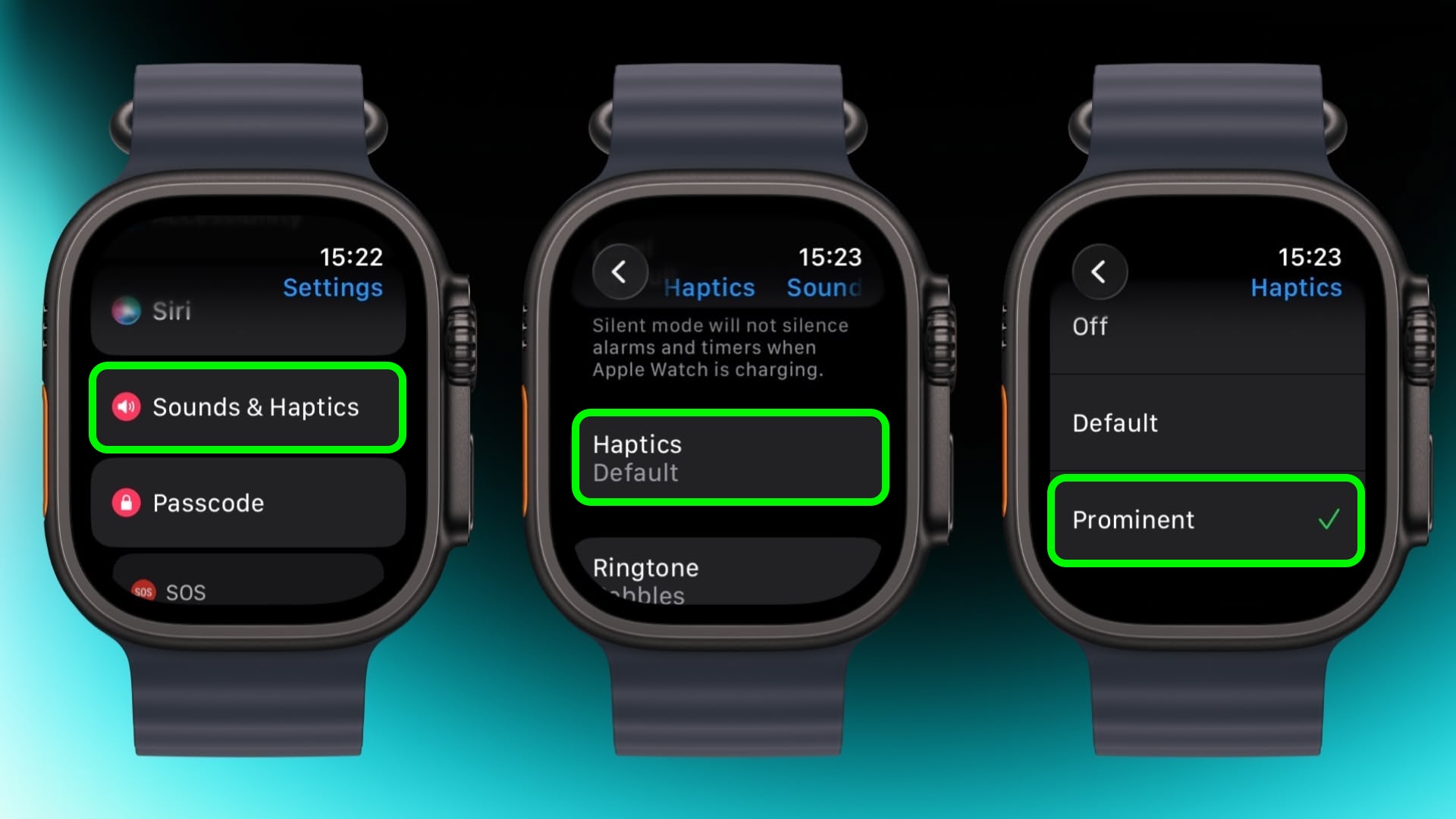
If you keep missing notifications, go to Settings ➝ Sounds & Haptics ➝ and change from Default to Prominent. This adds an extra tap pattern before alerts so they're harder to ignore.

Perform Precision Timing


chronograph
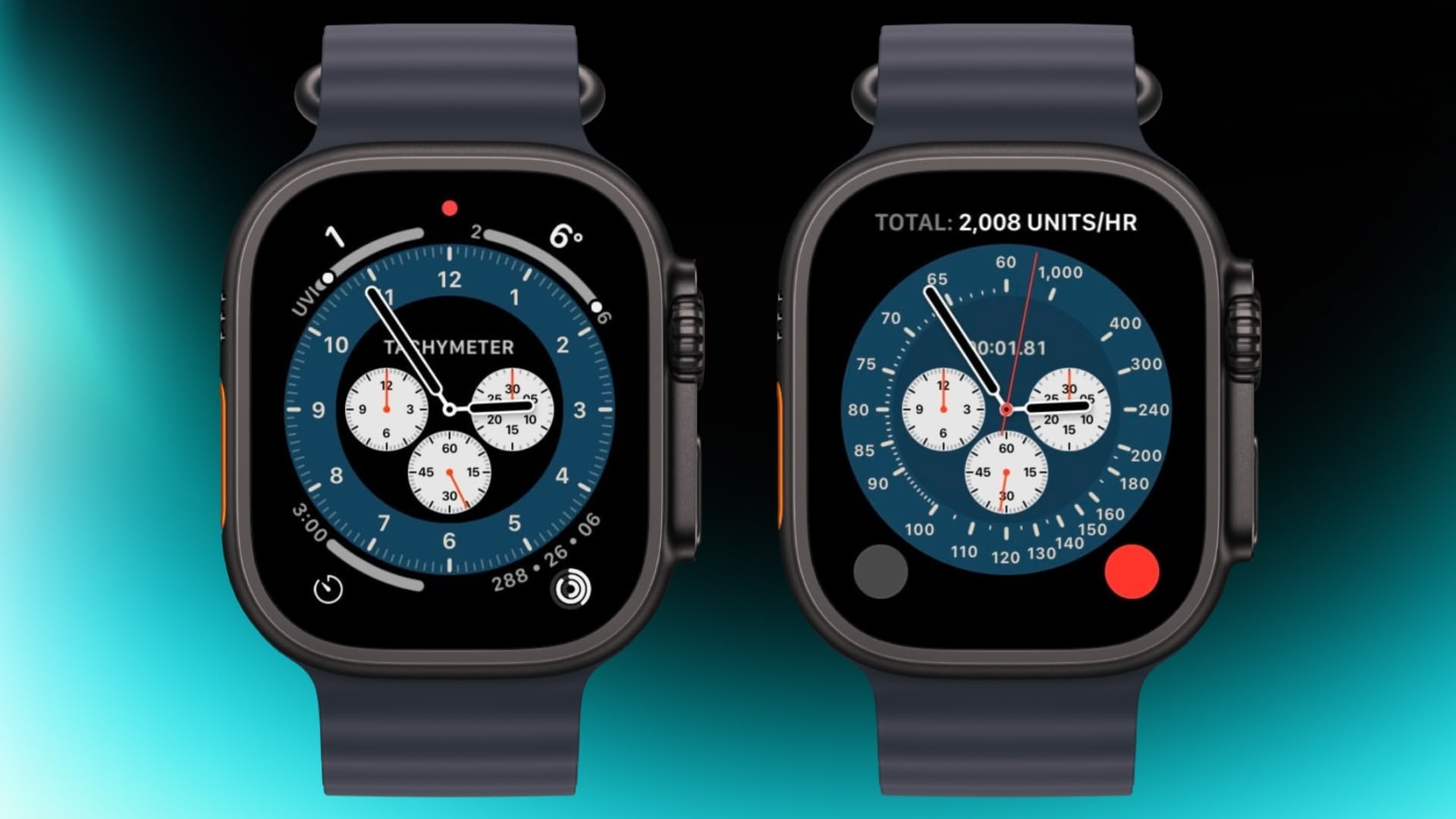
The Chronograph Pro watch face transforms into an actual chronograph. Tap the outer edge surrounding the main 12-hour dial on this watch face to record time on scales of 60, 30, 6, or 3 seconds. Alternatively, select the tachymeter timescale to measure speed based on time travel over a fixed distance.

Jump to the Top


jump to top
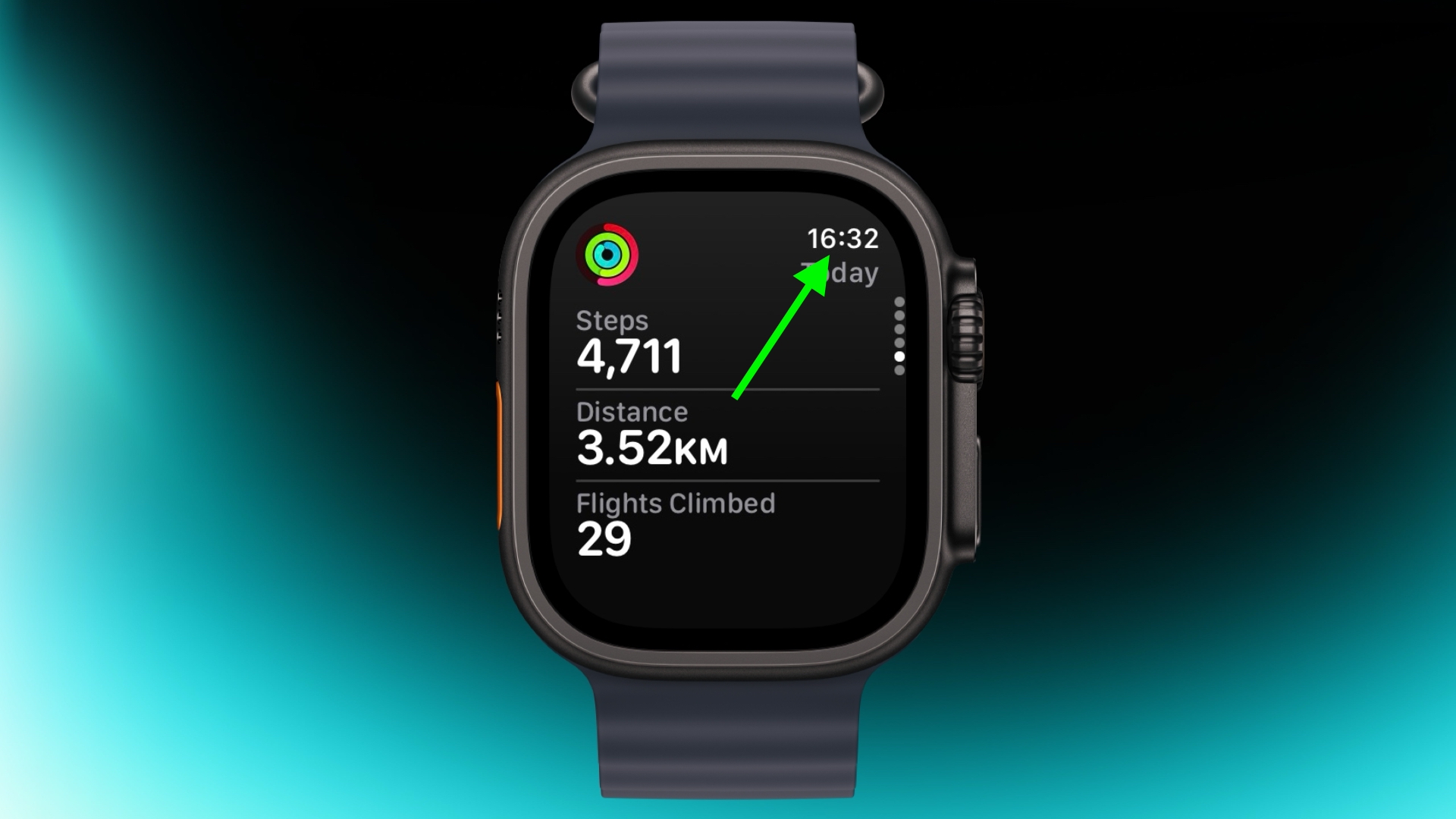
If you've scrolled way down in an app and want to jump back to the top, just tap the time in the top corner of the screen. It works in most apps and saves a lot of scrolling.

Remove Apps


apps view
Clearing out apps you don't use on your Apple Watch is easy. In the List or Grid View, press and hold on the screen until the apps jiggle, then tap the small x in the corner of the app icon to delete it. This works for most system apps and all third-party apps.

Customize Control Center


control center
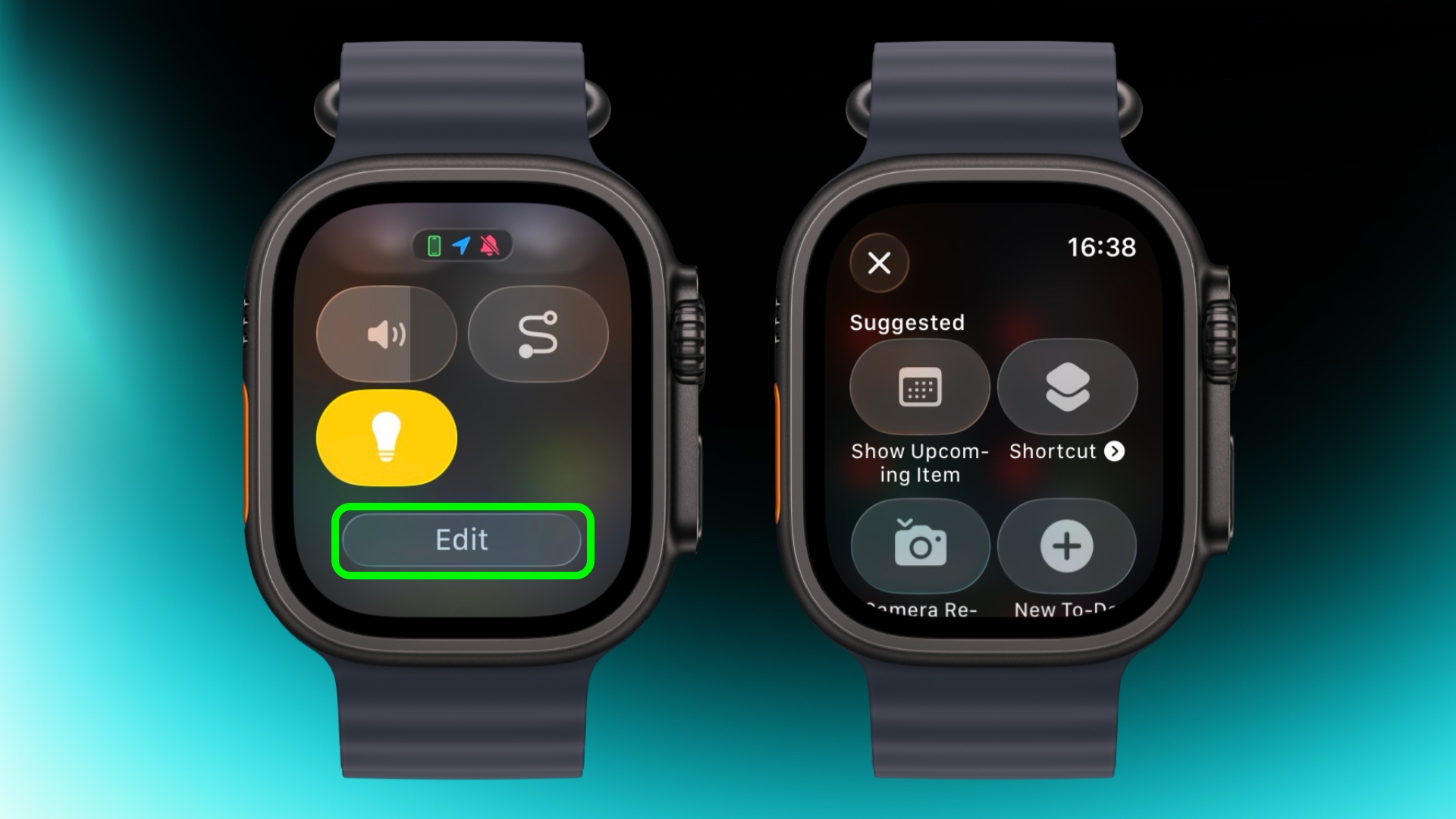
By default, Control Center (accessed via the Side button) gives you quick access to things like Wi-Fi, battery, and Do Not Disturb. But it's worth seeing what else you can add to it that you'd like quick access to. Tap the Edit button at the bottom, then tap the + icon in the top-left corner of the screen. System options such as New Note and Lights are particularly handy, and you might see some third-party options listed too, depending on your installed apps.

Speak the Time Out Loud


mickey
If you're using the Mickey or Minnie watch face, tap on the character and they'll speak the time out loud. Just make sure your sound is turned on. In fact, you can also have Siri read the time on any watch face by tapping and holding with two fingers on the display. Again though, sound needs to be enabled.

Customize Smart Replies


smart replies
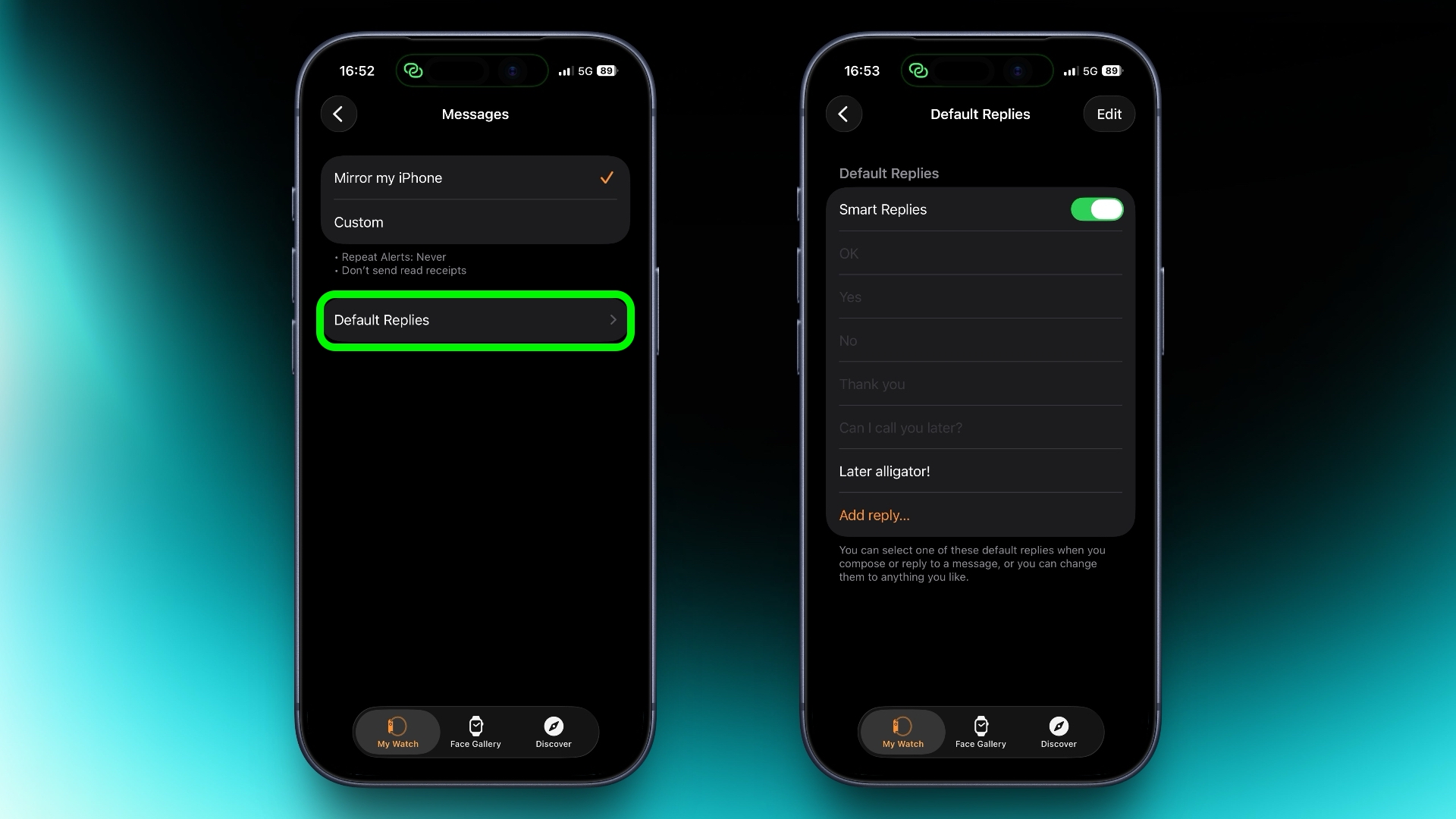
Smart Replies are handy when you want to reply with just a few words. In the Watch app on iPhone, go to Messages and tap Default Replies to customise what shows up. Then when a message comes in, simply swipe down to pick one of your preset replies.

Pause Activity Rings


activity
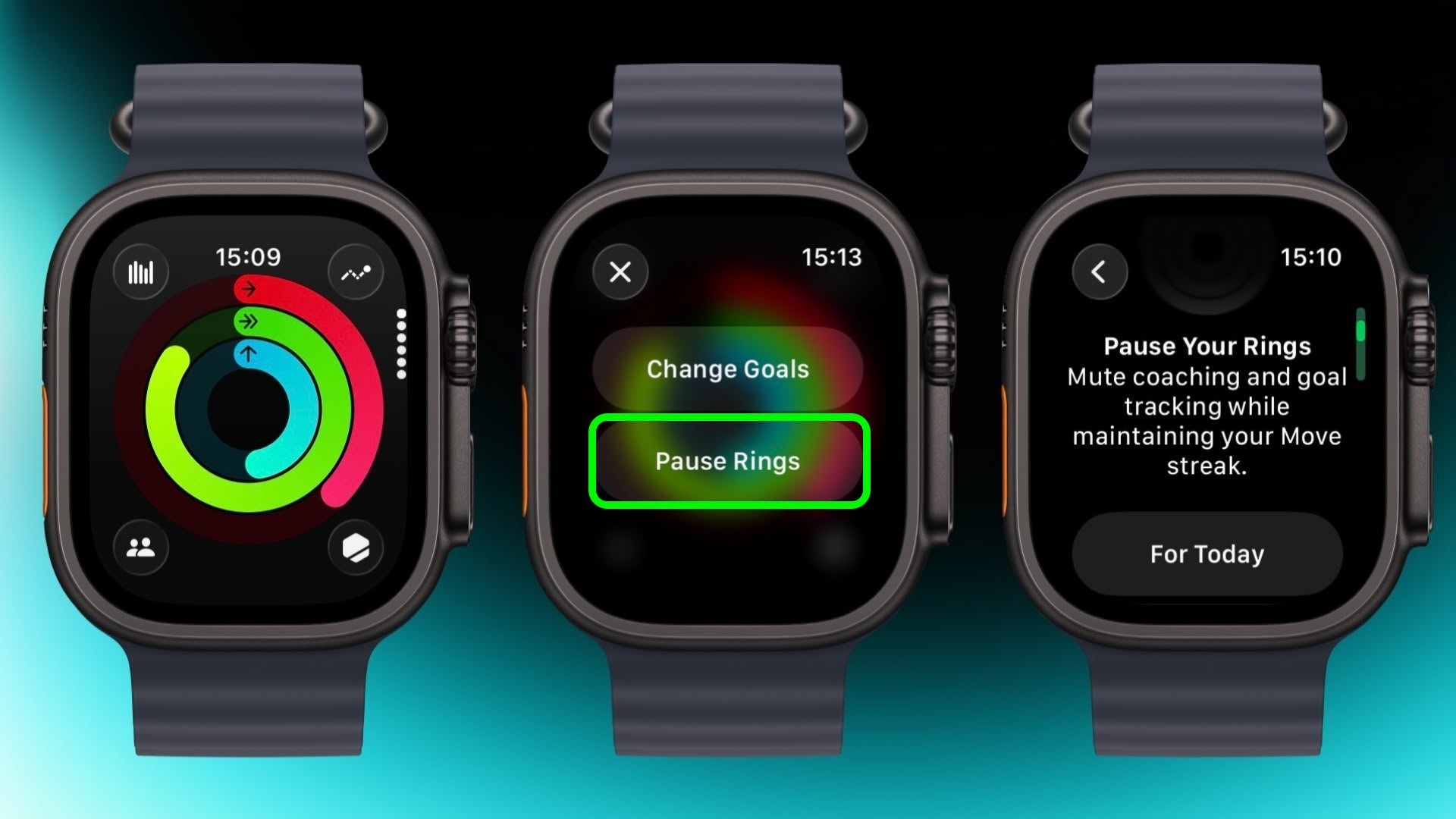
Feeling unwell but hoping to keep your streak intact? In the Activity app, select your rings to access the option to suspend them for the day, or set a pause that lasts until a chosen date up to 90 days ahead.

Create a Note


notes
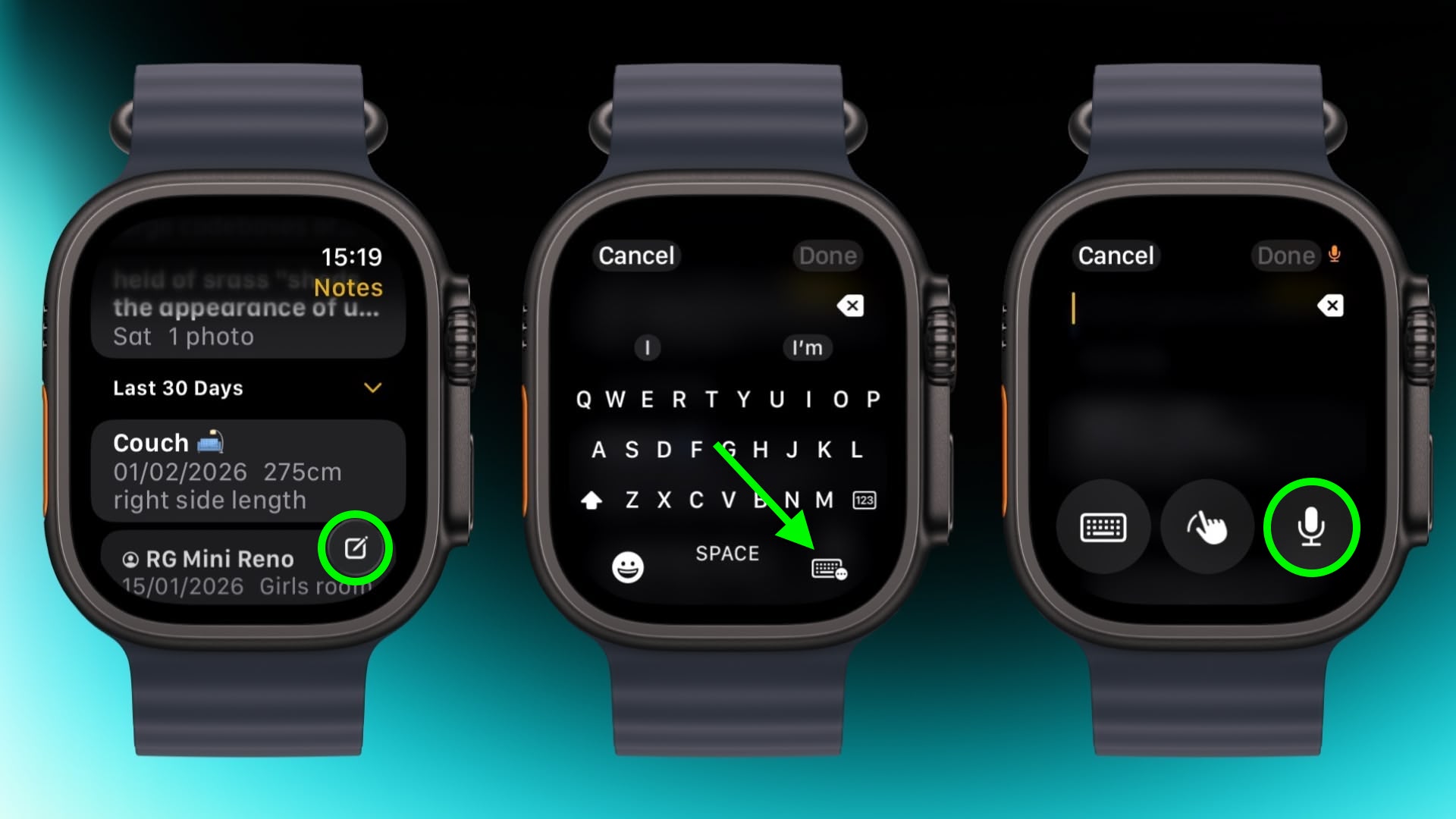
In the new Notes app in watchOS 26, you can't modify existing notes on Apple Watch, but you can create a new one by tapping the compose control in the bottom-right corner and speaking your text. Because Notes sync through iCloud, you can refine or reorganize everything later on a device with a physical or on-screen keyboard.

Mute and Dismiss Alerts


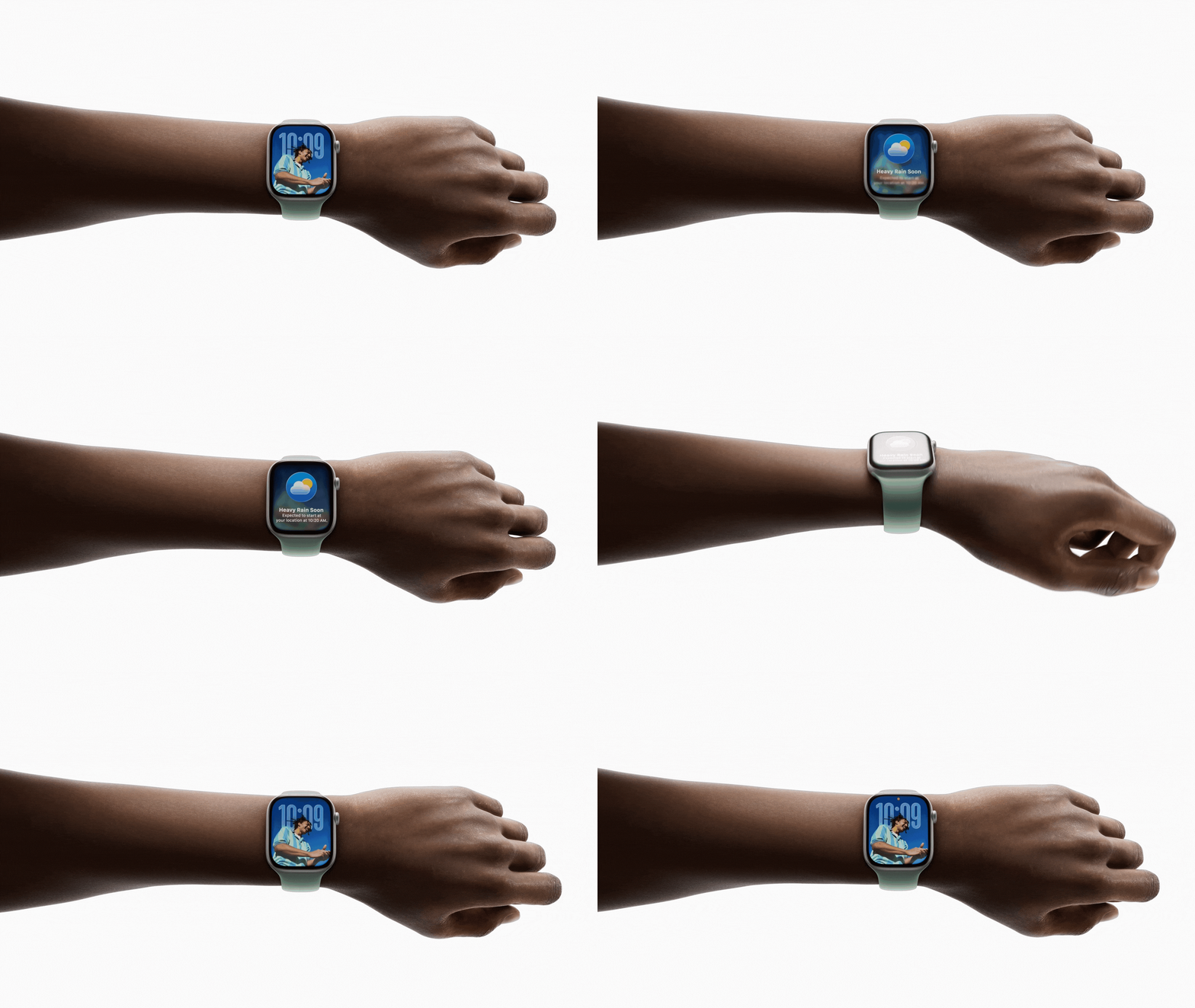
With a quick wrist flip, you can clear the current screen and go back to the watch face. The same gesture can be used to mute calls, stop timers, and dismiss notifications. The feature, which is on by default, is supported on Apple Watch SE (3rd generation), Series 9, Ultra 2, and later.
Related Roundup: Apple Watch 11
Buyer's Guide: Apple Watch (Caution)

This article, "Apple Watch: 15 Tips Every Owner Needs to Know" first appeared on MacRumors.com

Discuss this article in our forums
  •  

It's a Bad Time to Buy the Low-Cost iPad

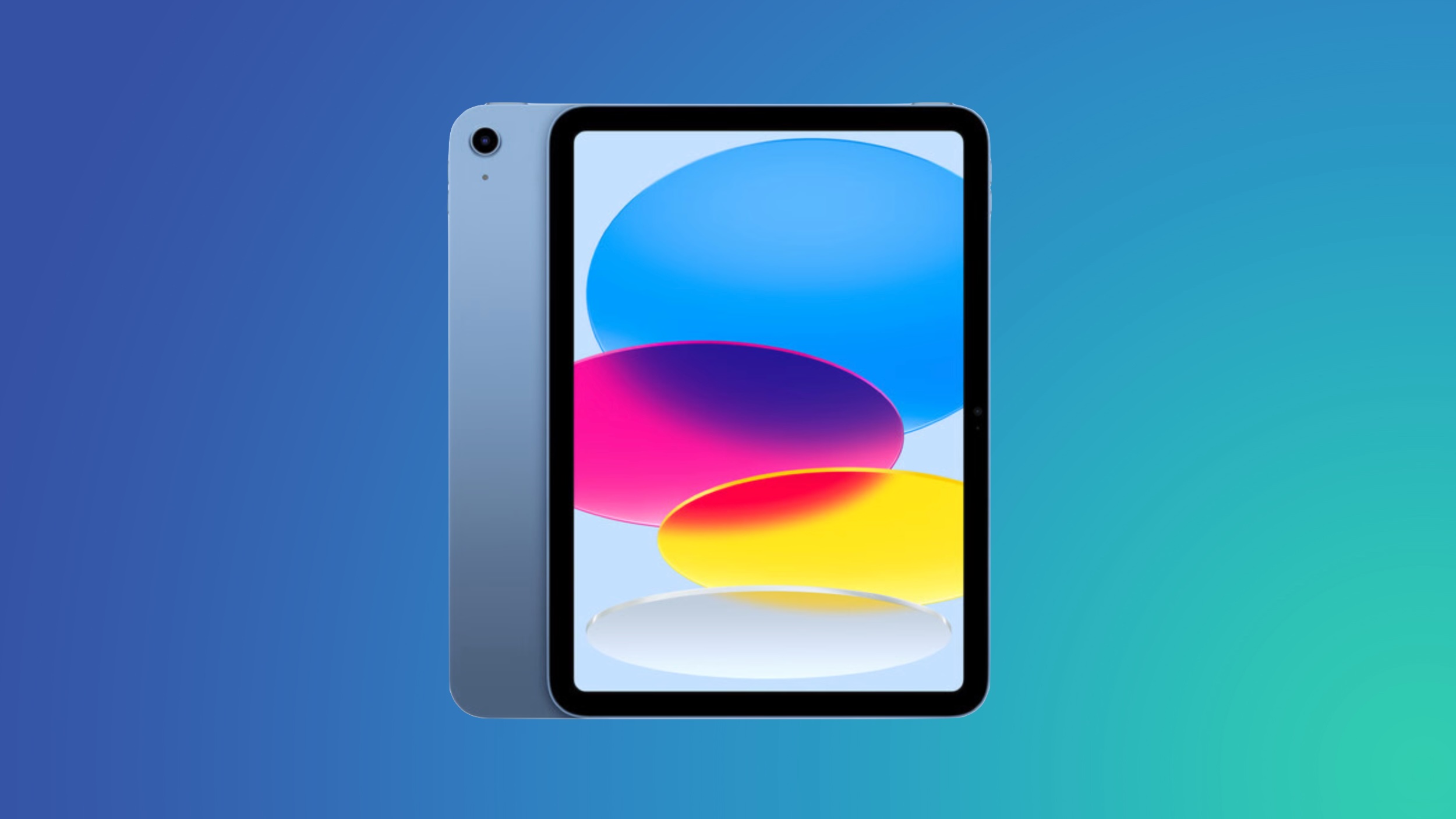
Apple's iPad that's just an ‌iPad‌ with no Air or Pro attached is its most appealing tablet because of the affordable starting $349 price tag, but if you've been thinking about buying one, you should wait.


Apple refreshed the ‌iPad‌ in March 2025, so it's over a year old. That's reason enough not to buy when there's a new model on the horizon, but this year, there's even more to lose by purchasing now.

The 2025 ‌iPad‌ has an A16 chip inside that does not support Apple Intelligence. It does not have features like Writing Tools, Image Playground, Clean Up, Live Translation, notification summaries, Smart Reply, Priority Messages in Mail, Visual Intelligence, and multiple other AI-related tools.

‌Apple Intelligence‌ is still new so it might not sound like a big deal to miss out on those capabilities, but not having access to it is going to become more of a problem as Apple continues implementing new AI features.

Rumors suggest there are big changes coming in iOS 27. Siri is going to get smarter and turn into a full chatbot, the Camera app is going to get ‌Visual Intelligence‌ integration, the Photos app will have AI image editing tools, Shortcuts may be more automated, and there are probably features coming that haven't even been rumored yet.

The A16 ‌iPad‌ will likely feel outdated in the next year or two because of the feature set it won't have access to.

The next ‌iPad‌ is likely to get the A18 chip, and the A18 does support ‌Apple Intelligence‌. It will have faster performance, more RAM, and most importantly, future-proofing and access to the AI features that Apple is investing in.

Holding out for the next ‌iPad‌ will take some patience, because right now, we don't know when it's coming. Updating the ‌iPad‌ alongside the low-cost iPhone 17e would have made sense, but that didn't happen. A new entry-level ‌iPad‌ isn't coming in the first half of 2026, so we're likely going to be waiting until September or October.

Bloomberg's Mark Gurman said in March that an updated low-cost iPad is "ready to go" and "still coming this year." Even though the wait may be several months, we think it's worth holding out for the next ‌iPad‌ instead of buying now because of the upgrade that comes with ‌Apple Intelligence‌ support.
Related Roundup: iPad
Buyer's Guide: iPad (Don't Buy)
Related Forum: iPad

This article, "It's a Bad Time to Buy the Low-Cost iPad" first appeared on MacRumors.com

Discuss this article in our forums

  •  

OLED iPad Mini: Release Date, Pricing, and What to Expect

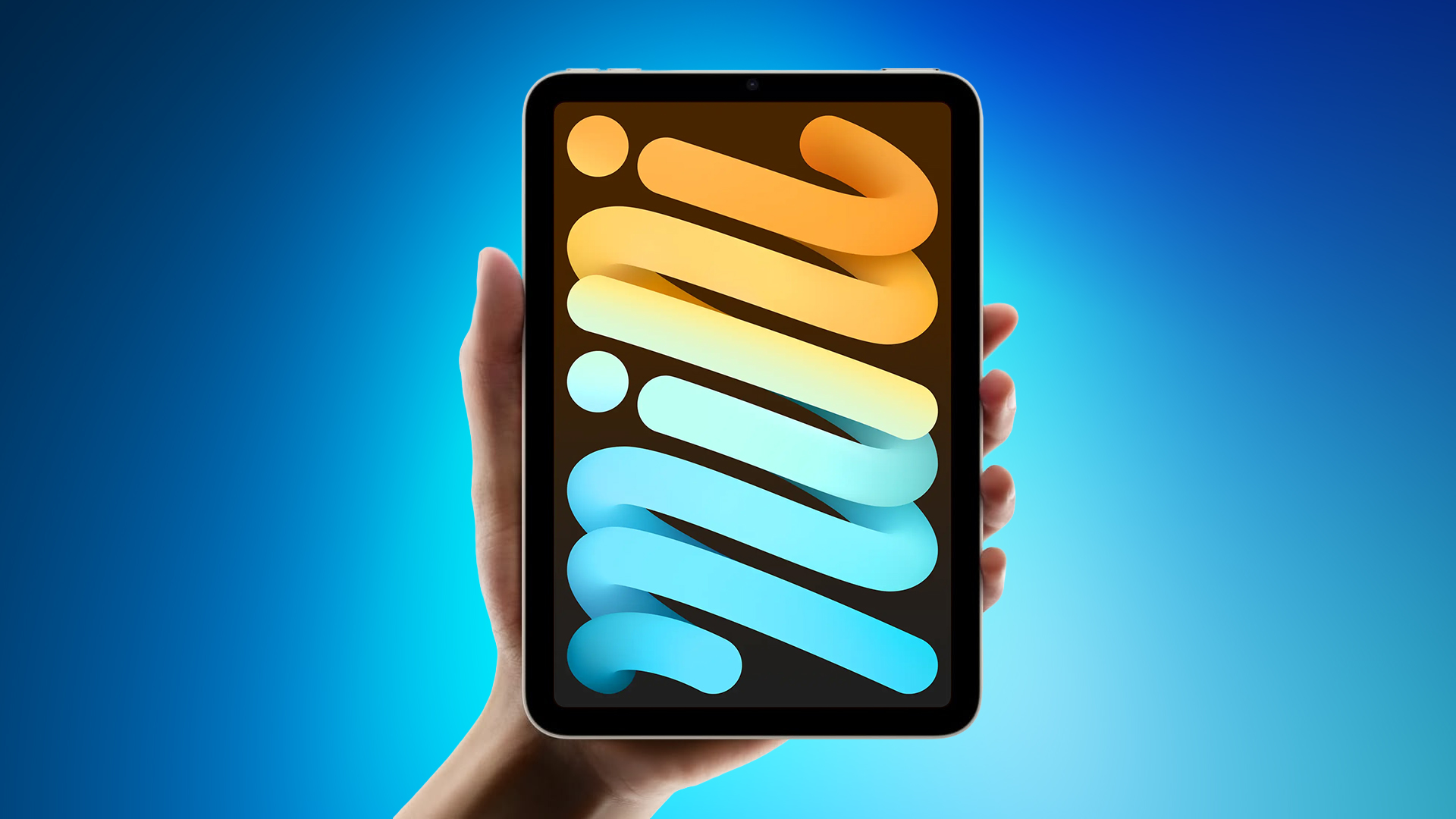
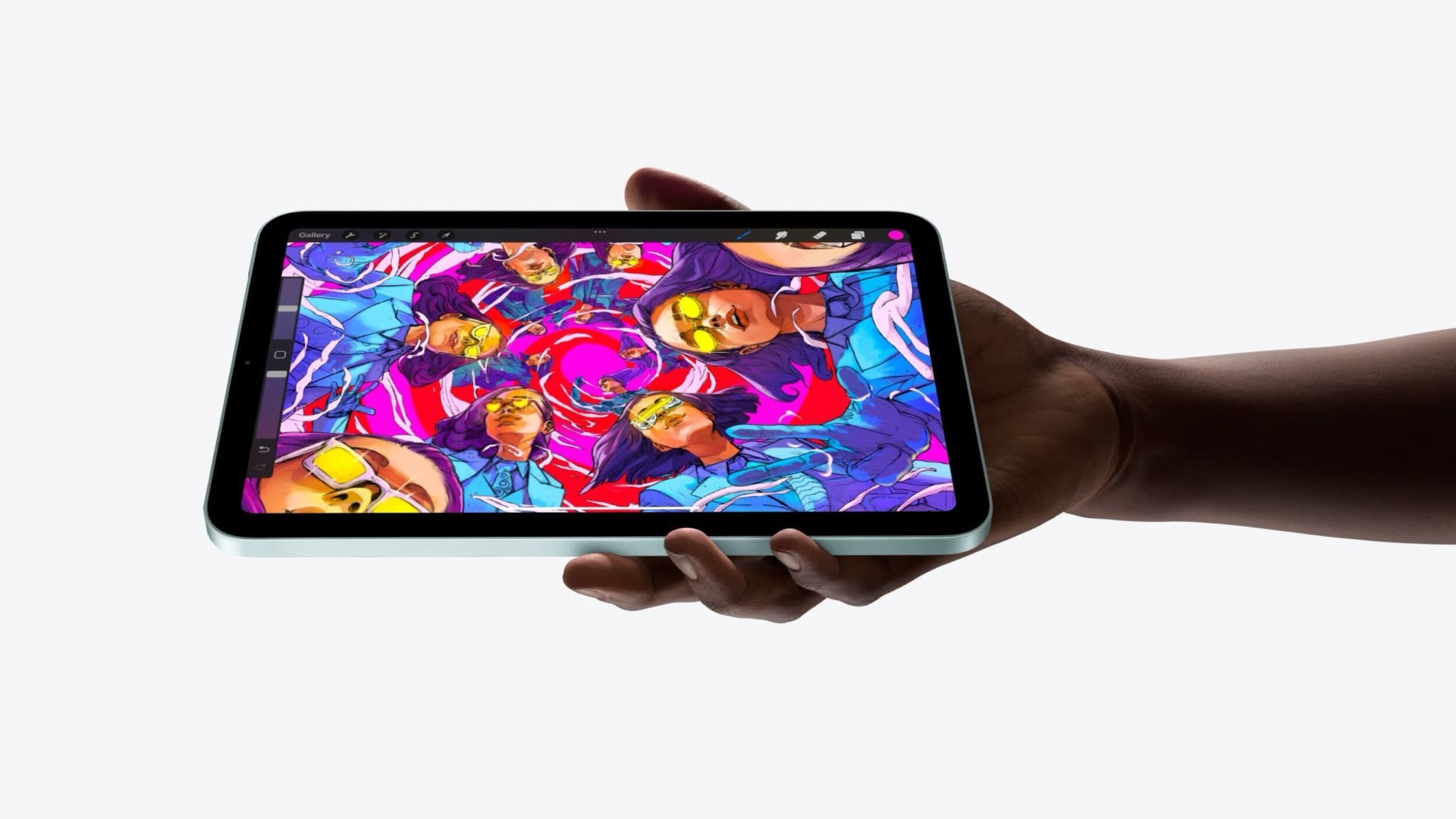
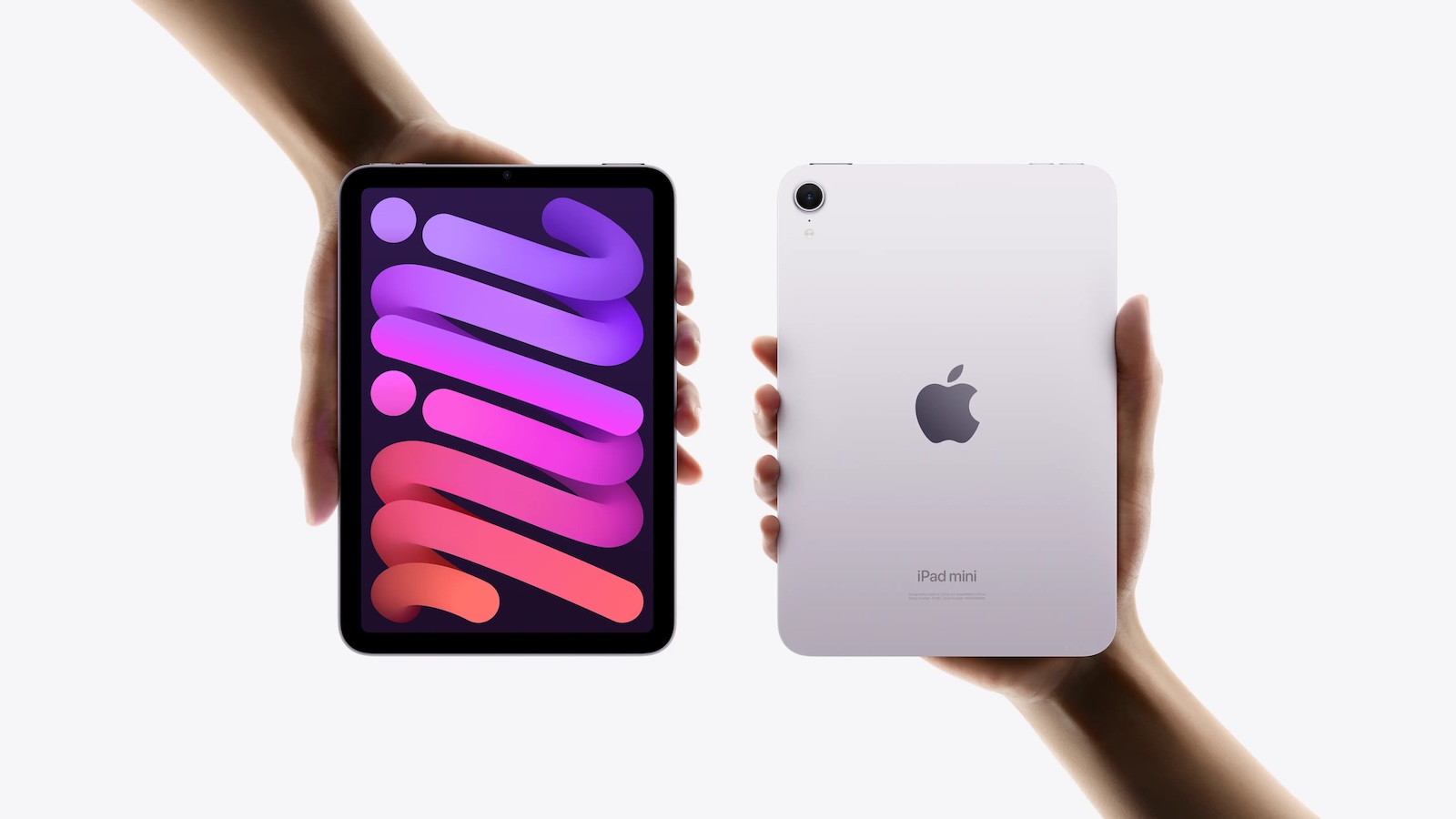
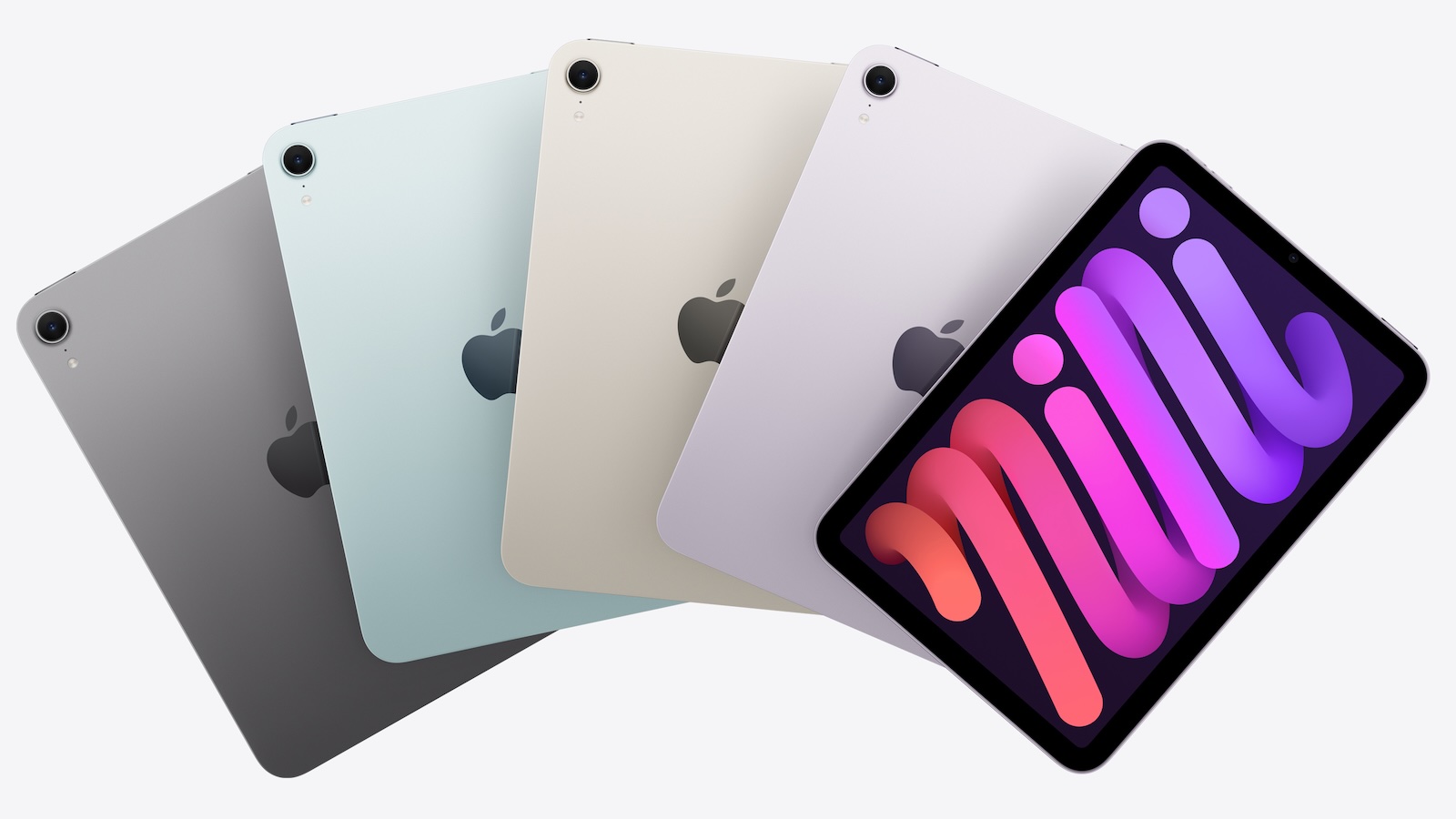
According to the latest rumors, Apple is close to launching its next-generation iPad mini. So what should we expect from the successor to the iPad mini 7 that Apple released over a year ago? Read on to find out.


Processor and Performance


Apple is working on a next-generation version of the iPad mini (codename J510/J511) that features the A19 Pro chip, according to information found in code that Apple mistakenly shared in August.

Apple's A19 Pro chip since debuted in the iPhone Air and iPhone 17 Pro models. The iPhone 17 Pro models include the higher-end version of Apple's A19 Pro chip with a 6-core CPU and a 6-core GPU, while the iPhone Air uses a mid-tier A19 Pro chip with one fewer GPU core than the A19 Pro chip used in the iPhone 17 Pro and Pro Max.

If the code leak is accurate for the iPad mini 8, Apple is likely to use the mid-tier A19 Pro chip found in the iPhone Air. This is based on the fact that the A17 Pro chip used in the iPad mini 7 has a 6-core CPU with two high-performance cores and four efficiency cores, along with a 5-core GPU, compared to the 6-core GPU found on the A17 Pro used in the iPhone 15 Pro.

Apple built the A19 Pro chip on an upgraded third-generation 3-nanometer N3P process for modest speed and efficiency improvements. The chip includes a 16-core Neural Engine, next-generation dynamic caching, and unified image compression.

The GPU in the A19 Pro has an upgraded architecture with a larger cache, more memory, and Neural Accelerators that are built into each core. Apple says that this change provides 3× the peak GPU compute over the prior-generation chip. There's also an upgraded 16-core Neural Engine for AI tasks.

There is an outside chance that Apple opts for the A20 Pro chip for the new iPad mini. The claim has been made by a MacRumors tipster who analyzed a macOS kernel debug kit containing internal Apple codenames. However, the iPad mini has not always received Apple's newest A-series chip at the time it was updated, so the A19 Pro cannot be ruled out at this time. iPhone 18 Pro models are also expected to use the A20 Pro chip, which will reportedly be fabricated with TSMC's advanced 2nm process.

Display


Apple's plan to transition the ‌‌iPad mini‌‌ from an LCD to an OLED display is widely rumored. According to Bloomberg's Mark Gurman, the small form-factor tablet is likely to be the next Apple device to adopt OLED. According to a Chinese leaker with sources in Apple's supply chain, Apple has evaluated a Samsung-made OLED display for its next iPad mini model.

It remains unclear whether the iPad mini 8 will feature a higher refresh rate than the 60Hz LCD display used in the existing iPad mini 7, but since the new base iPhone 17 now uses a 120Hz ProMotion panel, it would be reasonable to expect the same on the first OLED iPad mini. A separate report has suggested the ‌‌‌iPad mini 8‌‌‌'s screen could increase in size from 8.3 inches to 8.7 inches with the adoption of OLED.

OLED panels can individually control each pixel, resulting in more precise color reproduction and deeper blacks compared to other common display technologies. They also provide superior contrast, faster response times, better viewing angles, and greater design flexibility. All of Apple's flagship iPhones use OLED panels, and in May 2024 the company brought the display technology to the iPad Pro for the first time.

Unlike Apple's ‌iPad Pro‌ models, which feature two-stack low-temperature polycrystalline oxide (LTPO) OLED panels‌, the ‌iPad mini‌ may have a single-stack low-temperature polycrystalline silicon (LTPS) panel, which would make it dimmer.

Chassis Design


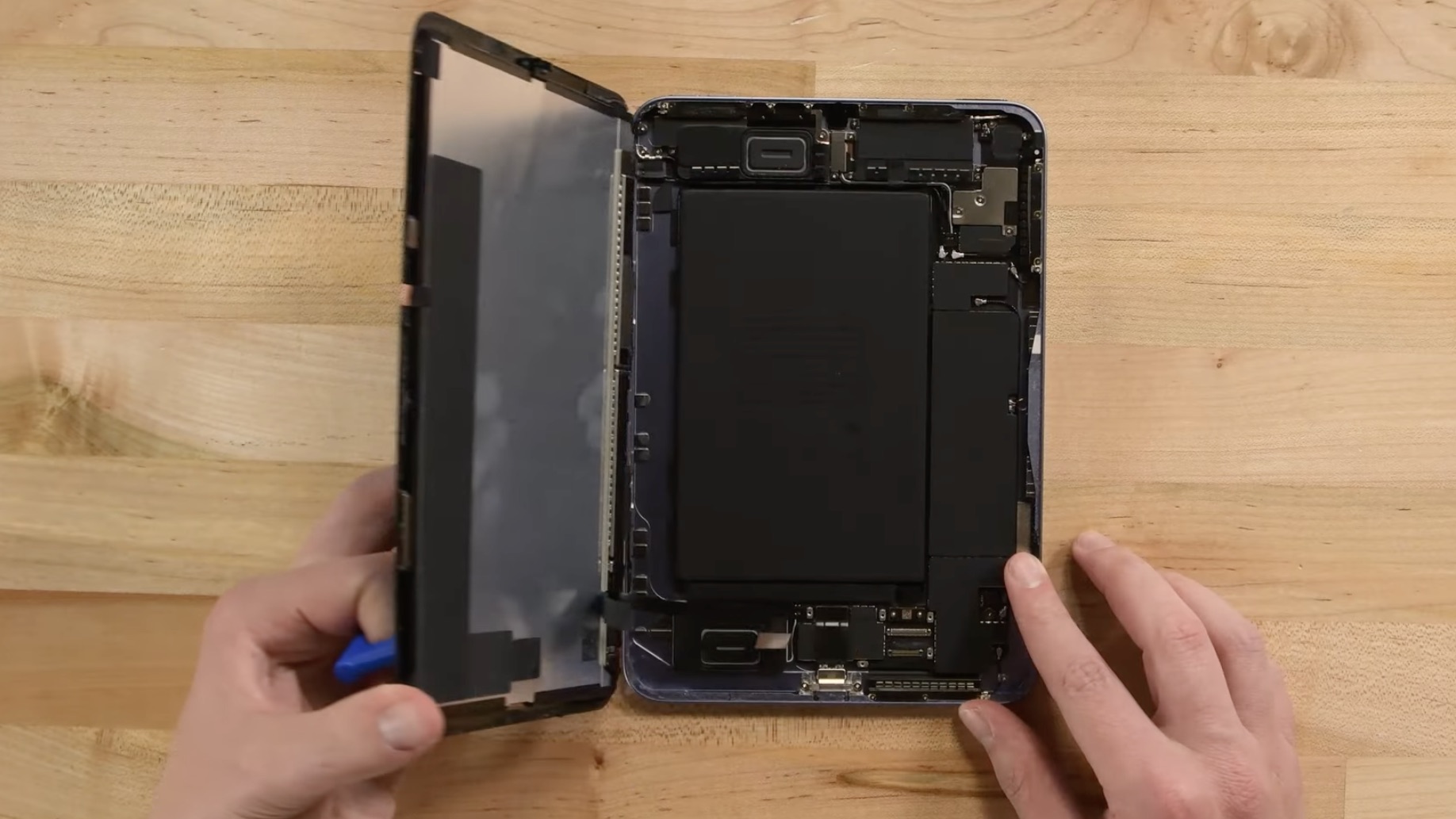
Apple is reportedly working to give the iPad mini 8 a more water-resistant design, according to Bloomberg's Mark Gurman. The updated casing would bring protection levels closer to those of the iPhone, making the tablet safer for use in damp environments.

To achieve this, Apple is said to have designed a new vibration-based speaker system that eliminates the need for traditional speaker holes. By using sound-emitting surfaces instead of open grilles, the company can reduce potential entry points for water and dust, resulting in a more sealed, durable enclosure.

On the iPhone, Apple relies on adhesives and gaskets to shield speakers and other openings from moisture. The iPad mini's approach appears to go further, doing away with the holes altogether. Current iPad mini models lack any official IP rating, but the upcoming version could mark the first in the lineup to feature a certified level of water protection.

Apple patents could offer further clues to the new design direction. For example, a 2014 patent outlines a "mechanically actuated panel acoustic system" that vibrates flat surfaces to generate sound, effectively turning parts of a device's chassis into a speaker diaphragm. This could potentially allow Apple to produce audio without visible speaker holes. The patent suggest Apple has been building towards a sealed, vibration-based acoustic system for several years.

Release Date


According to research firm Omdia, the ‌‌iPad mini‌‌ is expected to adopt an OLED display in 2027. However, Korea's ET News and ZDNET Korea have both suggested that the iPad mini will be updated with an OLED display in 2026. Bloomberg has also said the update could come as soon as this year.

The most recent word on the subject comes from Weibo-based leaker Instant Digital, who claims the OLED iPad mini will be launched in the second half of 2026 at the earliest.

In May 2024, it was reported that Samsung Display had started developing sample OLED panels for a future ‌iPad mini‌, with plans to initiate mass production at its facility in Cheonan in the second half of 2025. The same report claimed that Apple will bring an OLED panel to the iPad Air alongside the ‌iPad mini‌ in 2026, though Apple only refreshed the iPad Air in March, and more recent reporting suggests an OLED iPad Air will arrive in early 2027.

The latter outlook aligns with a December report by analyst firm Display Supply Chain Consultants (DSCC) that said an 8.5-inch OLED iPad mini is planned for a 2026 launch, while 11-inch and 13-inch OLED iPad Air models are expected to follow in 2027.

Ultimately, there are no rumors suggesting exactly when the next ‌iPad mini‌ will be released, but a launch later in 2026 has a high probability.

Pricing


Apple's ‌iPad mini‌ with OLED display technology and improved water resistance is expected to be more expensive, and Apple could charge up to $100 more for the device, according to Bloomberg's Gurman. The ‌iPad mini‌ is currently priced starting at $499. Gurman has previously argued that Apple should consider a lower-end version of the mini, or at least a change to its current $499 starting price, given that it's up against rival products that cost a lot less.

However, Apple users who are looking for a more affordable option should probably consider the 10th-generation iPad instead. Starting at $329, the iPad offers many iPad mini features, such as Touch ID and Center Stage, but at a lower price that balances functionality and affordability.
Related Roundup: iPad mini
Tag: OLED
Buyer's Guide: iPad Mini (Don't Buy)
Related Forum: iPad

This article, "OLED iPad Mini: Release Date, Pricing, and What to Expect" first appeared on MacRumors.com

Discuss this article in our forums
  •  
❌